
9 Google Ads Keyword Research Tools Most Advertisers Overlook
Choosing the right Google Ads keyword research tools is critical for campaign profitability and avoiding wasted ad spend on irrelevant traffic. This comprehensive guide reviews nine top keyword research solutions for 2026, ranging from free built-in platform options to premium third-party tools, helping PPC managers, freelancers, and agencies find the best fit for their specific workflow and budget requirements.


Looking for the Google AdWords keyword tool? The original AdWords External Keyword Tool was retired by Google in 2013. Its direct replacement is Google Keyword Planner — free inside any Google Ads account, and now the standard starting point for keyword research on the platform. Google also rebranded AdWords as Google Ads in 2018, so any reference to a "Google AdWords keyword tool" today means the Google Ads keyword research ecosystem.
Short answer by use case:
- Building a new campaign:Google Keyword Planner — free, Google's own data, includes bid estimates and forecasts.
- Optimizing keywords inside live campaigns:Keywordme — works directly in the Search Terms Report to optimize keywords in Google Ads without switching tabs, at $12/month.
- Competitor keyword intelligence: SEMrush and SpyFu are the strongest paid options.
Most PPC managers rely on Keyword Planner alone — and miss the tools that surface competitor gaps, eliminate wasted spend, and cut search term cleanup from 30 minutes to a few clicks. Below are nine Google Ads keyword tools worth using, compared across use case, pricing, and where each fits in a real PPC workflow. Jump to the AdWords keyword tool FAQ if you specifically want to know what replaced the old external tool and what to use now.
1. Keywordme
Best for: PPC managers who want to optimize keywords directly inside Google Ads without context-switching
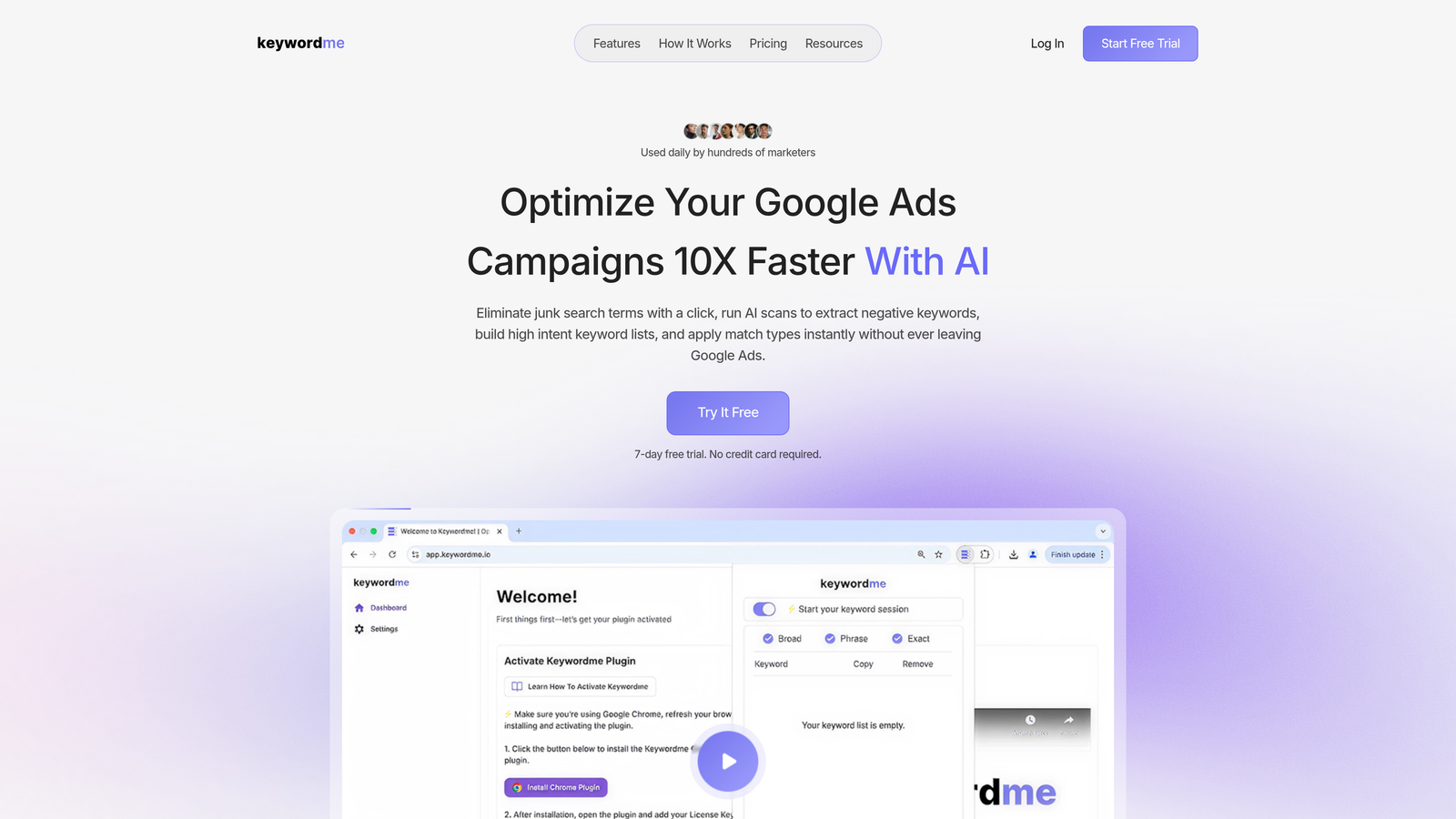
Keywordme is a Chrome extension that integrates directly into the Google Ads interface for seamless keyword optimization.
Where This Tool Shines
Keywordme solves a problem most PPC managers face daily: the tedious back-and-forth between Google Ads and spreadsheets when cleaning up search terms. Instead of exporting reports and manually building negative keyword lists, you can remove junk keywords with a single click right inside the Search Terms Report.
The real value shows up when you're managing multiple accounts or working under tight deadlines. What usually takes 20-30 minutes of spreadsheet work gets condensed into a few clicks without leaving the platform.
Key Features
One-Click Junk Removal: Instantly remove irrelevant search terms from the Search Terms Report without exporting data.
Match Type Application: Apply exact, phrase, or broad match types to keywords directly in-platform with a single action.
Keyword Clustering: Automatically group related keywords to streamline campaign structure and organization.
Bulk Editing: Make changes to multiple keywords simultaneously, saving hours on repetitive tasks.
Multi-Account Support: Manage keyword optimization across multiple client accounts with team collaboration features built in.
Best For
This tool is ideal for agencies managing multiple Google Ads accounts, freelancers who bill hourly and need to work faster, and in-house PPC managers dealing with high-volume campaigns. If you spend more than an hour per week cleaning up search terms, the time savings alone justify the cost.
Pricing
Flat rate of $12 per month per user with a 7-day free trial. No usage limits or tiered pricing—straightforward and predictable.
2. Google Keyword Planner
Best for: Getting baseline keyword data directly from Google at no cost
Google Keyword Planner is Google's free native keyword research tool built into the Google Ads platform.
Where This Tool Shines
Keyword Planner gives you data straight from the source—Google itself. The search volume ranges and forecasts come from actual Google search data, not third-party estimates. This makes it particularly reliable for understanding seasonality and trending search patterns in your specific market.
The forecasting feature is underrated. You can input a list of keywords and get projected clicks, impressions, and costs based on your budget and bid strategy. In most accounts I audit, advertisers aren't using this feature enough before launching campaigns.
Key Features
Search Volume Data: Get monthly search volume ranges directly from Google's database, updated regularly.
Keyword Suggestions: Generate new keyword ideas based on seed terms, URLs, or even competitor websites.
Competition Indicators: See how many advertisers are bidding on each keyword with low/medium/high competition ratings.
Bid Estimates: View suggested bid ranges to help with budget planning and campaign setup.
Campaign Forecasts: Input keywords and budgets to see projected performance before spending a dollar.
Best For
Keyword Planner works well for anyone starting a new campaign from scratch, small businesses with limited budgets, and advertisers who prefer official Google data over third-party estimates. It's also the go-to for validating keyword ideas you've found elsewhere.
Pricing
Completely free—you just need an active Google Ads account to access it.
3. SEMrush
Best for: Deep competitive intelligence and understanding what keywords competitors are bidding on
SEMrush is a comprehensive SEO and PPC platform with extensive competitive keyword analysis capabilities.
Where This Tool Shines
SEMrush excels at revealing what's working for your competitors. You can see which keywords they're bidding on, view their actual ad copy, and estimate their monthly ad spend. This competitive intelligence often uncovers opportunities you wouldn't find through traditional keyword research.
The Keyword Gap tool is particularly powerful. It compares your domain against up to four competitors simultaneously, showing you keywords they're targeting that you're missing. What usually happens here is you discover profitable keyword clusters you hadn't considered.
Key Features
Competitor Ad Analysis: View competitor ad copy, landing pages, and keyword targeting strategies with historical data.
PPC Keyword Tool: Build comprehensive keyword lists specifically optimized for paid search campaigns.
Ad Spend Estimates: See estimated monthly ad budgets for competitors to gauge market investment levels.
Keyword Gap Analysis: Identify keyword opportunities by comparing your domain against multiple competitors at once.
Position Tracking: Monitor your ad positions and competitor movements for target keywords over time.
Best For
SEMrush suits agencies managing competitive industries, brands entering new markets who need competitive intel, and PPC managers who combine SEO and paid search strategies. The investment makes sense when you're spending $10,000+ monthly on ads.
Pricing
Pro plan starts at $139.95 per month. Guru and Business plans available at higher price points with expanded features and data limits.
4. Ahrefs
Best for: Understanding actual click-through rates and keyword difficulty beyond basic search volume
Ahrefs is an SEO toolset with strong keyword research capabilities including unique click data metrics.
Where This Tool Shines
Ahrefs provides click-through rate data alongside search volume, which is crucial for Google Ads planning. A keyword might have 10,000 monthly searches, but if 80% of users click on ads rather than organic results, that changes your bidding strategy entirely.
The Parent Topic feature groups keywords by search intent, helping you build tighter ad groups. Instead of treating every keyword variation as separate, you can identify which terms Google considers part of the same topic and structure campaigns accordingly.
Key Features
Keyword Difficulty Scores: Understand how competitive each keyword is with clear numerical ratings based on multiple factors.
Click Data: See what percentage of searches result in clicks to ads versus organic results or no clicks at all.
Parent Topic Grouping: Identify which keywords Google considers related, helping you build better ad group structures.
SERP Overview: View complete search results pages including paid ads, organic listings, and SERP features.
Content Gap Analysis: Find keywords your competitors rank for that you're missing opportunities on.
Best For
Ahrefs works best for marketers who manage both SEO and PPC, content-driven businesses planning integrated campaigns, and advertisers who want deeper insight into search behavior beyond basic volume data.
Pricing
Lite plan starts at $129 per month with limited features. Standard plan at $249/month is where most PPC managers find value.
5. SpyFu
Best for: Historical competitive intelligence and understanding long-term competitor PPC strategies
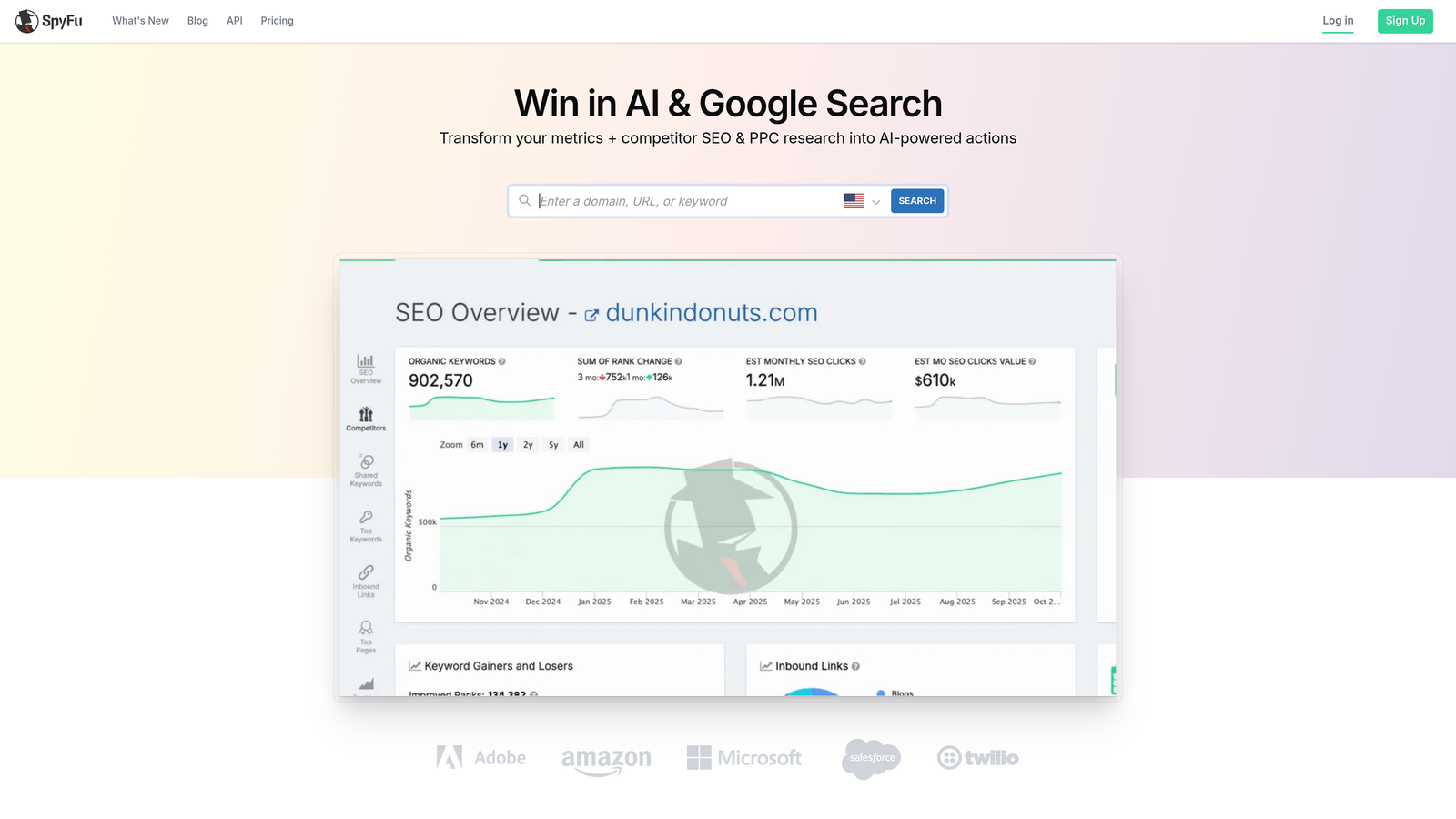
SpyFu is a competitive intelligence tool focused specifically on revealing competitor PPC strategies over time.
Where This Tool Shines
SpyFu's historical data goes back over 18 years, which is invaluable for understanding seasonal patterns and long-term competitor strategies. You can see which keywords competitors have consistently bid on year after year versus which ones they've tested and abandoned.
The mistake most agencies make is only looking at current competitor activity. SpyFu shows you the full picture—which ad variations performed well enough to keep running, and which ones disappeared after a few months. That tells you what's actually working.
Key Features
Historical Ad Data: Access competitor ad copy and keyword strategies dating back 18+ years to identify proven approaches.
Competitor Keyword Downloads: Export complete keyword lists from competitor domains for campaign planning.
Ad Variation History: See every ad variation competitors have tested and how long each ran.
PPC Competitor Grouping: Identify your true PPC competitors based on keyword overlap, not just industry category.
Kombat Tool: Compare multiple domains simultaneously to find shared and unique keyword opportunities.
Best For
SpyFu is ideal for competitive industries where understanding competitor tactics matters, agencies pitching new clients who need competitive analysis, and brands launching in established markets who need to understand the landscape quickly.
Pricing
Basic plan starts at $39 per month. Professional plan at $79/month includes more data and exports.
6. Keyword Tool
Best for: Discovering long-tail keyword variations and question-based searches
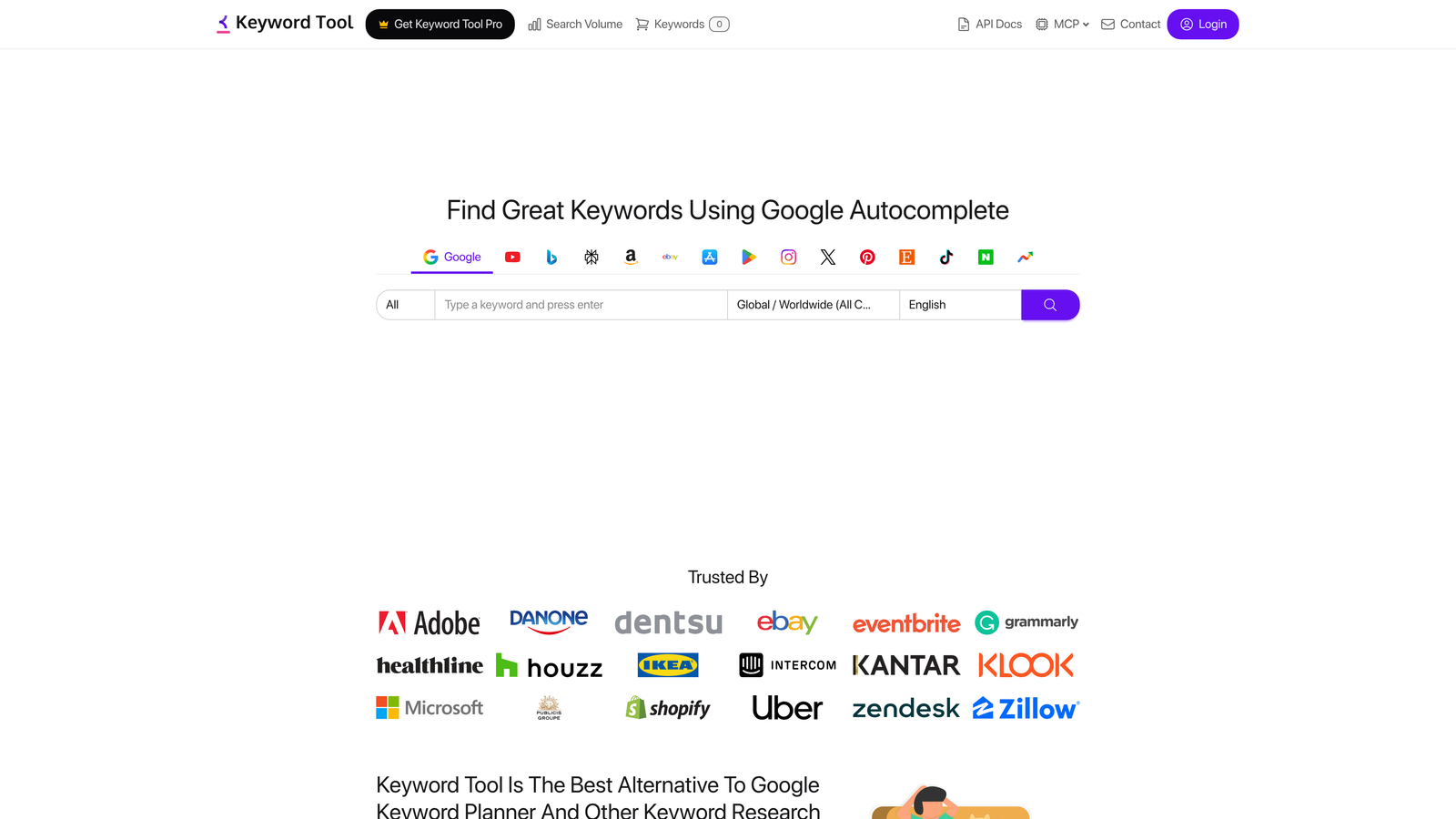
Keyword Tool is a long-tail keyword generator that leverages Google Autocomplete data for suggestions.
Where This Tool Shines
Keyword Tool excels at finding the specific phrases people actually type into Google. By using Autocomplete data, it surfaces variations you won't find in most keyword tools—including misspellings, local variations, and conversational queries.
The question keyword feature is particularly useful for creating ad copy that matches search intent. When you see the actual questions people ask, you can write ad headlines that directly answer them, which typically improves click-through rates.
Key Features
Autocomplete-Based Suggestions: Generate hundreds of keyword variations based on what Google suggests as users type.
Question Keywords: Isolate question-based searches like "how to," "what is," and "where can I" queries.
Preposition Keywords: Find keywords with prepositions like "for," "with," "without" that indicate specific intent.
Multi-Platform Support: Research keywords for YouTube, Amazon, and other platforms beyond Google Search.
Negative Keyword Suggestions: Identify potential negative keywords based on irrelevant variations in the data.
Best For
This tool works well for content marketers planning paid campaigns around blog content, e-commerce advertisers looking for product-specific long-tail terms, and local businesses targeting conversational search queries.
Pricing
Free version available with limited results. Pro version starts at $89 per month for full data access and exports.
7. Optmyzr
Best for: Automated keyword optimization and rule-based bid management at scale
Optmyzr is a PPC management platform focused on automation and optimization workflows.

Where This Tool Shines
Optmyzr's strength is in ongoing optimization rather than initial keyword discovery. The search query mining tools automatically surface new keyword opportunities from your existing campaigns, then let you add them with one-click optimizations.
The rule-based bid management is where agencies see the most value. You can set up automated rules that adjust bids based on performance metrics, time of day, or device type—then apply those rules across multiple accounts simultaneously.
Key Features
Rule-Based Bid Management: Create automated bidding rules that adjust based on performance data and apply them at scale.
Search Query Mining: Automatically identify high-performing search terms worth adding as keywords.
One-Click Optimizations: Apply recommended changes across campaigns with single-click approval workflows.
Cross-Account Reporting: View performance data across multiple Google Ads accounts in unified dashboards.
Quality Score Tracker: Monitor Quality Score changes over time to identify optimization opportunities.
Best For
Optmyzr suits agencies managing 10+ accounts, enterprise brands with large-scale campaigns, and PPC managers who want to automate repetitive optimization tasks while maintaining control.
Pricing
Starts at $249 per month. Pricing scales based on monthly ad spend managed through the platform.
8. WordStream
Best for: Free keyword discovery tools and performance benchmarking against industry standards
WordStream is a PPC software platform offering both free tools and managed services.
Where This Tool Shines
WordStream's Free Keyword Tool is legitimately useful without requiring a paid subscription. It generates keyword suggestions with search volume and CPC estimates, making it a solid option for quick research when you don't want to commit to a monthly subscription.
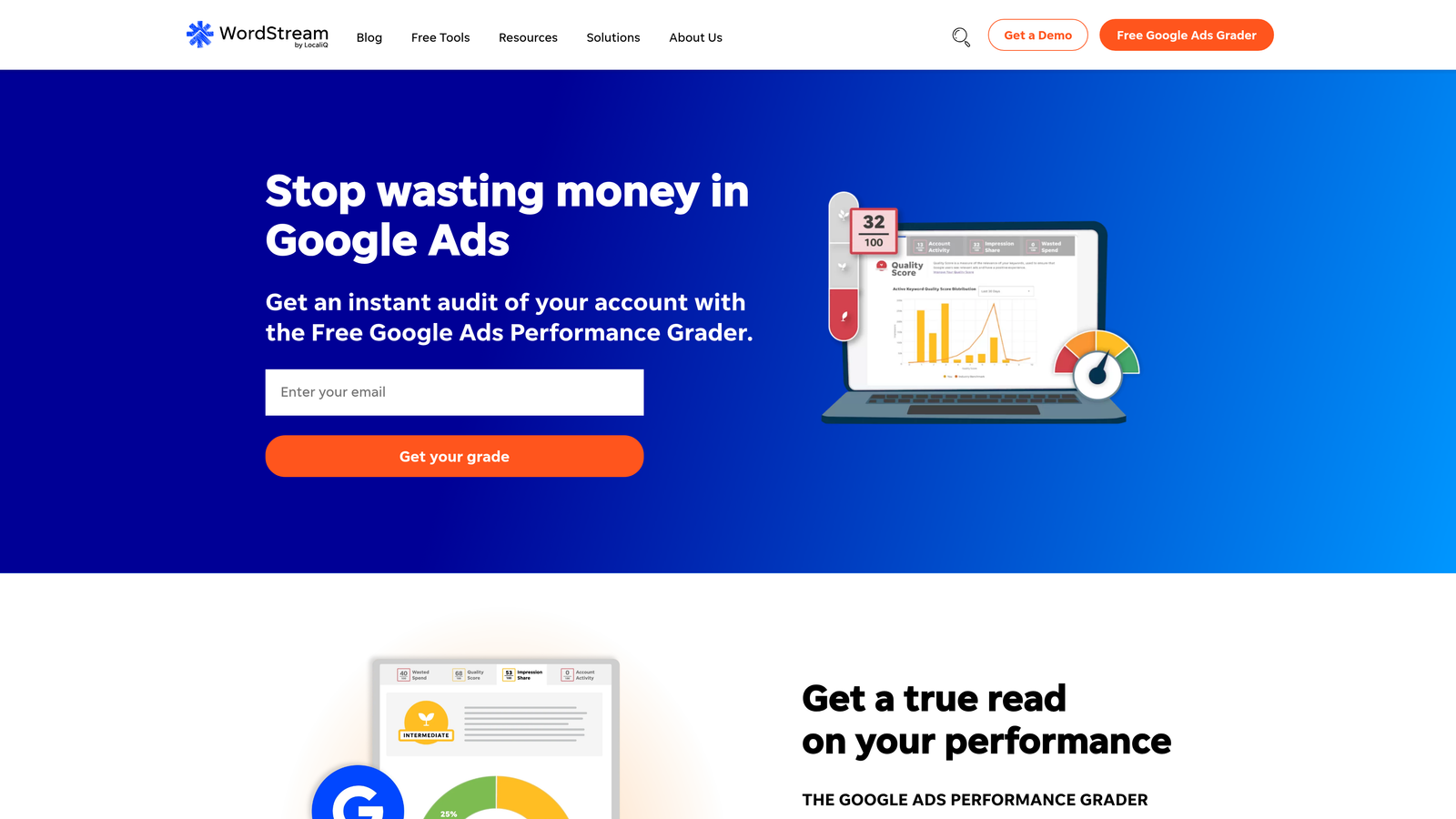
The Google Ads Performance Grader is another standout free tool. It analyzes your account and shows you how your performance compares to industry benchmarks—useful context when you're trying to determine if your campaigns are actually performing well or just okay.
Key Features
Free Keyword Tool: Generate keyword ideas with volume and CPC data without requiring a paid account.
Performance Grader: Get a free audit of your Google Ads account with actionable recommendations.
Industry Benchmarks: Compare your account metrics against industry averages to identify improvement areas.
Smart Ads Platform: Automated campaign management features for businesses wanting hands-off optimization.
Negative Keyword Tool: Identify potential negative keywords to add based on your search term data.
Best For
WordStream works well for small businesses just starting with Google Ads, advertisers who want occasional keyword research without monthly subscriptions, and anyone wanting a quick account audit to identify obvious issues.
Pricing
Free tools available with no credit card required. Smart Ads platform pricing varies based on ad spend and services needed.
9. Ubersuggest
Best for: Budget-conscious freelancers and small businesses needing solid features at lower price points
Ubersuggest is a freemium keyword research tool offering competitive features at significantly lower pricing than enterprise platforms.
Where This Tool Shines
Ubersuggest delivers surprisingly comprehensive data considering its price point. You get keyword suggestions, CPC estimates, competition metrics, and basic competitor analysis—features that would cost $100+ per month in other tools—starting at just $29 monthly.
The Chrome extension adds on-page research capabilities directly in your browser. While reviewing competitor websites or planning campaigns, you can pull keyword data without switching tools or opening new tabs.
Key Features
Keyword Suggestions with CPC: Generate keyword ideas with cost-per-click data and competition levels included.
Content Ideas: Find content topics and headlines based on keyword performance and social shares.
Domain Analysis: Analyze competitor domains to see their top-performing keywords and estimated traffic.
Chrome Extension: Access keyword data and SEO metrics directly while browsing competitor sites.
Rank Tracking: Monitor your keyword positions and track changes over time with daily updates.
Best For
Ubersuggest is ideal for freelancers managing a few client accounts on tight budgets, small businesses doing their own PPC management, and side hustlers who need keyword data but can't justify $100+ monthly subscriptions.
Pricing
Free version available with limited daily searches. Individual plan starts at $29 per month with higher tiers for agencies.
Quick Comparison: Google Ads Keyword Tools at a Glance
Use this table to compare the key dimensions of each tool before committing to a trial or subscription. Prices are as listed at time of writing—check vendor sites for current rates.
| Tool | Starting Price | Primary Use Case | Works Inside Google Ads? | Best For |
|---|---|---|---|---|
| Keywordme | $12/mo | In-platform keyword optimization & negative keyword management | Yes — Chrome extension | PPC managers who want to cut search term cleanup time |
| Google Keyword Planner | Free | Keyword discovery, volume estimates, campaign forecasting | Yes — built into Google Ads | Anyone starting a new campaign; validating keyword ideas |
| SEMrush | $139.95/mo | Competitive intelligence, keyword gap analysis, ad copy research | No — standalone platform | Agencies in competitive industries; brands entering new markets |
| Ahrefs | $129/mo | Click data, search intent analysis, keyword difficulty | No — standalone platform | SEO/PPC crossover; intent-driven campaign planning |
| SpyFu | $39/mo | Historical competitor PPC data, ad variation tracking | No — standalone platform | Competitive markets; agencies pitching new clients |
| Keyword Tool | Free / $89/mo | Long-tail & question keyword discovery via Autocomplete data | No — standalone platform | E-commerce; local businesses; conversational query targeting |
| Optmyzr | $249/mo | Automated bid rules, search query mining, multi-account management | Integrates with Google Ads API | Agencies managing 10+ accounts at scale |
| WordStream | Free tools available | Free keyword discovery, account performance grading | No — standalone platform | Small businesses; quick account audits without subscriptions |
| Ubersuggest | Free / $29/mo | Keyword suggestions, CPC data, basic competitor analysis | No — standalone + Chrome extension | Freelancers & small businesses on tight budgets |
How to Choose the Right Tool for Your Situation
If you spend significant time on search term cleanup: Start with Keywordme. Cutting that weekly task from 30 minutes to a few clicks pays back the $12/month in the first session.
If you need to build a keyword list from scratch: Google Keyword Planner is free and uses official Google data. Use it for initial discovery and bid estimation before launching.
If you're entering a competitive market and need to understand the landscape: SEMrush or SpyFu. SEMrush for broader competitive intel across SEO and PPC; SpyFu if you specifically want historical paid search data at a lower price point.
If you manage both SEO and PPC: Ahrefs gives you unified keyword data including click-through rate estimates that inform both channels simultaneously.
If budget is the primary constraint: Ubersuggest at $29/month or WordStream's free tools cover the basics without a large monthly commitment. Combine with Google Keyword Planner (free) for volume validation.
If you manage 10+ accounts and want to automate optimizations: Optmyzr's rule-based automation justifies its higher price once you're working at that scale.
How to Use Google Ads Keyword Tools Together: A Practical Workflow
Most guides treat these tools as mutually exclusive choices. In practice, experienced PPC managers layer them across three distinct workflow phases: discovery, validation, and ongoing optimization. Here's how those phases map to the tools above.
Phase 1: Keyword Discovery
Start with Google Keyword Planner for any new campaign. It's free, uses official Google data, and surfaces search volume ranges, competition levels, and bid estimates. This gives you a credible baseline before you spend anything.
If you're entering a competitive market or need to know what competitors are bidding on, layer in SEMrush or SpyFu at this stage. SEMrush shows you competitor ad copy and keyword gaps. SpyFu is the better choice if you specifically want historical paid search data—which keywords your competitors have been bidding on consistently over months or years, not just right now.
For long-tail and question-based queries (especially valuable for ad copy that mirrors how users search), Keyword Tool surfaces Autocomplete-based variations that Keyword Planner often misses.
Once you've built your initial keyword list, the practical next step is adding those keywords to Google Ads with the right match types and ad group structure in place.
Phase 2: Validation and Competitive Context
Once you have a candidate keyword list, validate it before committing budget. Ahrefs adds click-through rate data to search volume figures—a keyword with 10,000 monthly searches but 20% CTR on ads behaves very differently from one where 60% of clicks go to paid results. That distinction shapes your bidding strategy.
Use Ahrefs' Parent Topic grouping to identify which keyword variations Google treats as the same intent. Building tight ad groups around intent clusters—rather than treating every variation as a separate keyword—typically improves Quality Score and lowers CPCs over time.
Phase 3: Ongoing Optimization Inside Google Ads
Discovery and validation are one-time tasks per campaign. Ongoing optimization is where most time gets spent—and where most of it gets wasted.
The Search Terms Report inside Google Ads shows you the actual queries that triggered your ads. Reviewing it weekly and adding irrelevant terms as negative keywords is essential for controlling wasted spend, but doing it manually—export, paste into spreadsheet, re-import—is slow and error-prone.
Keywordme handles this directly inside the Search Terms Report. You can flag an irrelevant search term, select the match type, and add it as a negative keyword without leaving Google Ads. The same workflow applies when you want to promote a high-performing search term to a positive keyword with a specific match type applied. For agencies running multiple accounts, the bulk editing and multi-account support mean you're not repeating this process one click at a time across clients.
Optmyzr extends this further with rule-based bid automation for teams managing at scale—useful once you have enough campaign data for automated rules to act on reliably.
The Minimal Viable Stack
Not every advertiser needs all nine tools. Here's the shortest path to a functional keyword research workflow at three budget levels:
- Free: Google Keyword Planner (discovery) + WordStream Free Keyword Tool (secondary research) + Keywordme free trial (search term cleanup)
- Under $50/month: Add SpyFu ($39/mo) for competitive intelligence, plus Keywordme ($12/mo) for ongoing optimization
- Scaling agency: SEMrush or Ahrefs for deep research, Keywordme for in-platform optimization, Optmyzr for automated bid rules across accounts
The goal isn't to collect more tools—it's to eliminate the manual steps that cost you time and introduce errors. In a typical week, that means less time in spreadsheets and more time making decisions that actually affect performance.
For a broader look at affordable options across the full Google Ads workflow, see our roundup of the best low-cost Google Ads tools for budget-conscious advertisers.
How Google Ads Keyword Tools Improve Your SEO-Like Quality Signals
When people search for a "Google AdWords SEO tool," they're often asking about tools that improve the quality and relevance signals inside Google Ads — the same factors that determine your Ad Rank, Quality Score, and cost efficiency. Understanding this overlap helps you pick tools that do double duty.
Quality Score: Google Ads' Version of Organic Relevance
Quality Score (1–10 per keyword) is Google Ads' internal measure of how relevant your keyword, ad, and landing page are to a searcher's query. It directly affects your cost per click and ad position. A keyword with a Quality Score of 8 can outrank a competitor bidding twice as much, at a lower cost. The components Google uses:
- Expected click-through rate: How likely your ad is to get clicked, relative to your position.
- Ad relevance: How closely your ad copy matches the search query's intent.
- Landing page experience: How useful, fast, and relevant your landing page is to the keyword.
Keyword research tools inform all three. Better keyword selection leads to tighter ad groups, more relevant ad copy, and landing pages that match searcher intent — all of which lift Quality Score over time.
How Each Tool Category Affects Your Quality Signals
| Tool Category | How It Improves Quality Signals | Primary Benefit |
|---|---|---|
| Search term cleanup (Keywordme) | Removes irrelevant queries; improves CTR by keeping ads visible only for high-intent searches | Higher Expected CTR, lower wasted spend |
| Keyword discovery (Google Keyword Planner, Ahrefs) | Surfaces intent-matched keywords that align ad copy and landing page to what searchers want | Higher Ad Relevance, better Landing Page Experience |
| Competitive intel (SEMrush, SpyFu) | Reveals competitor ad copy and keyword gaps, informing more relevant headline and description writing | Higher Expected CTR, improved Ad Relevance |
| Ongoing optimization (Optmyzr) | Automates bid adjustments and search query mining to sustain Quality Score improvements at scale | Consistent Quality Score maintenance across large accounts |
The Practical Link Between Keyword Optimization and Ad Quality
Here's a concrete workflow that connects keyword tooling to Quality Score improvement:
- Discover tightly scoped keywords using Google Keyword Planner or Ahrefs to build ad groups around specific search intents — not broad topic buckets.
- Clean the Search Terms Report weekly with Keywordme to block irrelevant queries before they drag down your account-level CTR.
- Write ad copy that mirrors the keyword in each tight ad group. The more closely your headline matches the query, the higher your expected CTR signal.
- Align your landing page to the same keyword theme. Google evaluates whether users quickly bounce or engage — a landing page built around the same intent as your keyword and ad will consistently score better.
- Monitor Quality Score trends at the keyword level monthly. Scores moving from 5–6 to 7–8 indicate your keyword-ad-landing page alignment is improving — which also means your CPC is falling and your ad rank is rising.
When to Use an AdWords "SEO Tool" vs. a Pure PPC Tool
Tools like SEMrush and Ahrefs straddle both SEO and Google Ads, giving you organic ranking data alongside paid search insights. This is genuinely useful if you manage both channels — you can identify keywords where you already rank organically and avoid bidding aggressively on them, instead investing budget where organic coverage is weak. Conversely, spotting keywords where competitors dominate paid results but have weak organic rankings can guide both your bidding strategy and content roadmap.
The bottom line: any tool that helps you match the right keyword to the right ad to the right landing page is functioning as an "AdWords SEO tool" — because it improves the relevance signals that determine your costs and rankings in the Google Ads auction.
Google AdWords Keyword Tool: What Replaced It and What to Use Now
If you're searching for the Google AdWords External Keyword Tool (also called the "keywords google external" tool or the "Google keyword tool external"), here's the short answer: Google retired it in 2013. The replacement is Google Keyword Planner, now built directly into every Google Ads account. Google also rebranded AdWords as Google Ads in 2018, so any reference to an "AdWords external keyword tool" today refers to the Google Ads keyword research ecosystem.
What Was the Google AdWords External Keyword Tool?
The original AdWords External Keyword Tool was a free, publicly accessible page where anyone — even without an account — could look up keyword search volumes, CPC estimates, and competition levels for Google search. It required no login and no active campaign. Launched in the early days of AdWords, it became the default starting point for PPC keyword research worldwide.
Why Google removed it: Google consolidated keyword research into Keyword Planner to improve data quality control and reduce abuse from non-advertisers scraping volume data. The trade-off: you now need a free Google Ads account to access it, and precise volume figures only appear when your account is actively spending.
What to Use Instead: Best Replacements for the Old External Keyword Tool
| What You Used It For | Best Modern Replacement | Free? |
|---|---|---|
| Keyword search volume estimates | Google Keyword Planner | Yes (requires a free Google Ads account) |
| Keyword research without a Google Ads account | Ubersuggest, Keyword Tool | Free tiers available |
| Competitor keyword intelligence | SEMrush, SpyFu | No (paid plans) |
| Click-through rate data alongside volume | Ahrefs | No (paid plans) |
| In-platform search term optimization inside live campaigns | Keywordme | 7-day trial, then $12/mo |
Can You Still Access a Google Keyword Tool Externally — Without Running Ads?
Yes, with limitations. Google Keyword Planner is technically accessible for free if you create a Google Ads account and skip billing during setup by selecting "Switch to Expert Mode" and then "Create an account without a campaign." However, you'll see search volume ranges (e.g., "1K–10K") instead of precise figures until your account has active ad spend.
If you need keyword data without creating a Google Ads account at all, the most practical free-to-low-cost options are:
- Ubersuggest — Free daily searches; $29/month for full access and CPC data
- Keyword Tool — Free Google Autocomplete suggestions; $89/month for volume and CPC data
- WordStream Free Keyword Tool — No account required; provides volume and CPC estimates
Which Replacement Is Best for Google Ads Campaigns Specifically?
For planning new campaigns:Google Keyword Planner — uses Google's own search data and includes bid estimates, competition levels, and monthly volume forecasting. It's the closest functional replacement for what the external tool offered.
For ongoing optimization once campaigns are live:Keywordme — works inside the Google Ads interface itself, letting you analyze actual search terms, add negative keywords, and apply match types without switching tools or exporting spreadsheets. The old external AdWords tool never addressed this workflow gap.
For competitive research: SEMrush or SpyFu — these reveal keywords competitors are actively bidding on, their ad copy, and estimated spend. This capability didn't exist in the original external tool.
Google AdWords Keywords Tool: Common Questions Answered
If you searched for "Google AdWords keywords tool," here are the direct answers to the most common questions PPC managers ask.
What is the Google AdWords keywords tool?
The original Google AdWords External Keyword Tool was a free standalone research tool that let anyone look up keyword search volumes without a Google Ads account. Google retired it in 2013 and replaced it with Google Keyword Planner, which is now built directly into the Google Ads interface (Google rebranded AdWords as Google Ads in 2018). There is no longer a separate external keyword tool — Keyword Planner is the official successor.
What replaced the Google AdWords keyword tool?
Google Keyword Planner is the direct replacement. It requires a free Google Ads account to access and provides search volume ranges, keyword suggestions, competition levels, bid estimates, and campaign forecasting. If your account is actively spending, you see precise volume figures instead of ranges.
Which Google Ads keyword tool is best for my use case?
- Planning a new campaign: Google Keyword Planner — free, uses Google's own data, includes bid estimates.
- Finding competitor keywords: SEMrush or SpyFu — show what competitors are actively bidding on and their ad copy.
- Optimizing keywords inside live campaigns:Keywordme — works directly inside the Google Ads Search Terms Report to remove junk search terms and apply match types without leaving the platform.
- Understanding click-through rate data alongside volume: Ahrefs — the only major tool that shows what percentage of searches result in ad clicks versus organic clicks.
- Limited budget: Ubersuggest (from $29/month) or WordStream's free tools for basic keyword discovery without a large subscription commitment.
Can I use a Google AdWords keyword tool for free?
Yes. Google Keyword Planner is free with any Google Ads account — even accounts that aren't actively running ads. WordStream's Free Keyword Tool and Ubersuggest's free tier also provide keyword suggestions without payment. The trade-off: free tools show volume ranges rather than exact figures, and competitive intelligence features (competitor keywords, ad copy analysis) require a paid subscription.
Top AdWords Keywords: The High-Value Categories in Google Ads
When people search for "top AdWords keywords," they're usually asking one of two things: which keyword types drive the strongest results in Google Ads, or which industries and categories have the highest commercial intent. Both matter — and they inform how you approach keyword research for any campaign.
High-Intent Keyword Categories That Convert
The highest-value keywords in Google Ads share a common trait: they indicate the searcher is close to a decision. These categories consistently drive the strongest conversion rates across industries:
- Branded competitor keywords: Queries that include a competitor's brand name. Searchers are already in buying mode — you're just offering an alternative.
- "Best [product/service]" and "top [product/service]": Clear commercial intent. The searcher is actively comparing options and likely to convert within a short window.
- "Near me" and local intent keywords: Extremely high conversion rates for service businesses, where proximity is a deciding factor.
- "[Product] pricing" and "[service] cost": Bottom-of-funnel. Searchers who check pricing are actively evaluating a purchase — typically converting at 2–4× the rate of general informational queries.
- Exact problem/symptom keywords: "Fix [specific issue]" or "[problem] solution" — high intent, lower competition than broad category terms.
- "Buy," "hire," "get a quote," "free trial" keywords: Explicit commercial signals in the query itself.
Top Keyword Categories by Industry
Some verticals consistently produce the highest CPCs and highest commercial value in Google Ads. These categories have high advertiser competition precisely because the lifetime value of each conversion is substantial:
- Legal services — personal injury, DUI, bankruptcy, divorce
- Financial products — insurance, mortgage, loans, financial advisors
- Home services — HVAC, plumbing, roofing, pest control
- Healthcare and medical — dental implants, rehab centers, elective procedures
- B2B SaaS and technology — CRM software, HR platforms, marketing tools
- Education and certifications — online degrees, professional courses, skill training
High CPC alone doesn't make a keyword valuable — the conversion rate and margin behind it do. A $50 CPC keyword with a 15% conversion rate can dramatically outperform a $5 CPC keyword converting at 1%.
How to Identify Your Account's Top Keywords
There's no universal list of "the best AdWords keywords" because performance depends on your industry, landing page, Quality Score, and bid strategy. The most reliable way to identify top-performing keywords for your specific account:
- Sort by conversions, not clicks. In Google Ads, sort your keyword list by conversions or conversion value. High-click keywords with zero conversions are waste — high-conversion keywords at any CPC are worth protecting.
- Identify which search terms behind your keywords are actually converting. A broad or phrase match keyword may be triggered by dozens of search terms — some converting, most not. Use the Search Terms Report to find the specific queries driving results, then add the best ones as exact match keywords.
- Suppress the non-converters. Once you know which search terms convert, block the rest as negative keywords. This concentrates spend on proven intent signals.
- Use Keyword Planner to benchmark CPC and competition on keywords where you're seeing strong conversion rates — you may find adjacent terms worth adding.
Tools like Keywordme accelerate step 2 and 3: you can review your Search Terms Report, identify converting versus non-converting queries, and add negative keywords in a single in-platform workflow — without the spreadsheet round-trip that slows down most accounts.
Keyword Match Types and Why They Change Everything
The same keyword can behave as a "top keyword" or a budget drain depending on the match type you assign:
- Exact match [keyword]: Only triggers for that precise query (and close variants). Highest relevance, lowest reach. Best for your proven converters.
- Phrase match "keyword": Triggers for queries that include your keyword phrase in order. Balanced reach and relevance.
- Broad match keyword: Triggers for queries Google considers related — including many you didn't intend. Requires aggressive negative keyword management to prevent waste.
Most accounts benefit from building their keyword lists around exact and phrase match for proven high-intent terms, using broad match only with Smart Bidding and a well-maintained negative keyword list. The tools in this guide — particularly Keywordme for search term cleanup and Google Keyword Planner for discovery — support exactly this workflow.
Making the Right Choice
The best keyword research tool depends on your specific workflow and what you're actually trying to accomplish. If you're spending hours each week cleaning up search terms and building negative keyword lists, Keywordme's in-platform optimization will save you significant time. For baseline research using official Google data, Keyword Planner remains the standard—and it's free.
When competitive intelligence matters most, SEMrush and SpyFu provide the deepest competitor insights. SEMrush offers broader features across SEO and PPC, while SpyFu focuses specifically on paid search history. Ahrefs stands out if you need click data and search intent analysis beyond basic volume numbers.
For budget-conscious freelancers, Ubersuggest delivers solid value at $29 monthly—you won't get enterprise-level data, but you'll get enough for most small to mid-sized campaigns. WordStream's free tools work well for occasional research without ongoing subscriptions.
The reality is most experienced PPC managers use multiple tools. You might discover keywords with Keyword Planner or Ahrefs, validate them with competitive data from SEMrush, then optimize them efficiently using Keywordme. The key is finding the combination that fits your budget while covering your actual workflow needs.
Optimize Google Ads Campaigns 10X Faster. Without Leaving Your Account. Keywordme lets you remove junk search terms, build high-intent keyword lists, and apply match types instantly—right inside Google Ads. No spreadsheets, no switching tabs, just quick, seamless optimization. Start your free 7-day trial (then just $12/month) and take your Google Ads game to the next level.
.svg)