
Single Keyword Ad Groups in 2026: Pros and Cons
Single Keyword Ad Groups in 2026: Pros and Cons


The most repeated advice about single keyword ad groups goes something like this. Put every keyword in its own ad group, write one ad for it, watch your Quality Score climb and your cost per click fall. It sounds tidy. It's also the part of the advice that's most often wrong.
Usually, the opposite happens. You split twenty keywords into twenty groups. Each group now sees a twentieth of the impressions and conversions it used to. You spend Friday afternoons writing ads and adding negatives rather than reading results. Six weeks later, the numbers you wanted to move haven't budged; they're just harder to read.
That doesn't make the structure useless. It makes it a tool with a narrow job, and the honest version of the advice is a decision about when that job applies. What follows is the walkthrough I'd give a junior specialist: what a single keyword ad group is, where it helps, where the bid control it supposedly buys doesn't exist, and how to test one against a themed group before you rebuild anything.
What a Single Keyword Ad Group Actually Is
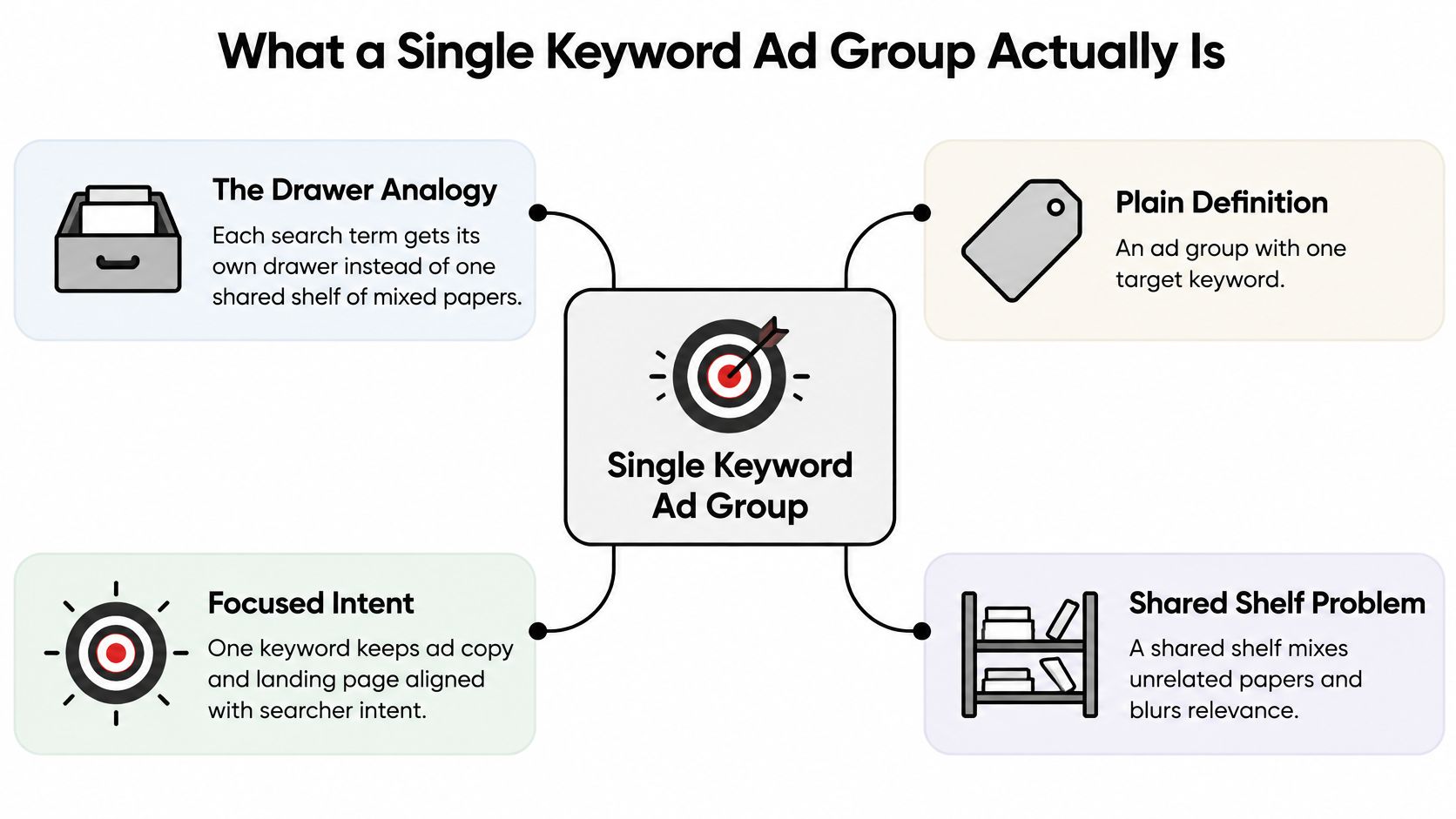
Think of a standard ad group as one shelf where a few people dump their papers. A search for blue running shoes, a search for trail socks and a search for a gift card all land in roughly the same pile, and one ad has to stay vague enough to cover all three. A single keyword ad group is the opposite arrangement. Every search term gets its own labelled drawer, and the ad copy, the bid, the negative keywords and the landing page are all written for that one intent.
The textbook definition says the same thing in fewer words. A single keyword ad group is a paid-search account structure where each ad group contains one target keyword, so the advertiser can build ad text and set bids around that keyword's intent rather than around a broad theme.
Why it caught on so hard
Between roughly 2014 and 2019, advertisers pushed the idea to its limit. The same keyword got copied into separate ad groups for exact match, phrase match and broad-match-modifier variants, each with its own ad and its own negatives. The appeal was control. A query could be routed to specific text, a matching landing page, its own bid and its own exclusions, instead of vanishing into a thematic group of twenty keywords.
One 2014 presentation on SKAG implementation reported a case-study outcome of 22% higher click-through rate, a 50% reduction in cost per acquisition and 106% more leads after the team concentrated spend on top-performing queries and moved them into single-keyword groups. That's one account and one presentation. It is not a benchmark, and rebuilding your account expecting those figures is how people end up disappointed and out of patience. What the numbers do explain is the enthusiasm, because the structure connected keyword-level intent to ad relevance to measurement in a way that felt like the whole game.
The mental model in one line
Keyword, ad and landing page all pointed at a single intent. Everything else about the structure is bookkeeping around that idea.
How Single Keyword Groups Compare With Themed Groups
| Criterion | Single keyword ad group | Themed ad group |
|---|---|---|
| Keywords per ad group | One | Several closely related terms |
| Ad copy | Written for one query and its intent | Shared copy that covers the theme |
| Landing page | Matched to one intent | Shared page for the theme |
| Quality Score signal | Clear keyword-level alignment | Averaged across mixed terms |
| Data per group | Thin and slower to read | Pooled and faster to read |
| Management load | Many groups to maintain | Fewer groups to maintain |
| Best fit | High-value terms with distinct intent | Broad themes with similar intent |
Read the left column as what you buy and the right column as what you give up. A single keyword group gets you a headline, a display path and a landing page that mirror one query almost word for word. A themed group keeps data in one place but asks one ad to carry several related searches at once, which works fine until those searches need different promises.
Google's guidance pulls in both directions at the same time. Its ad group organisation page recommends splitting ad groups when they hold many different keywords one ad can't address effectively, and it recommends thematic grouping to increase relevance. Both hold, because the useful unit of separation is a materially different intent, offer or landing-page destination. A plural isn't one. A second match type isn't one. A regional misspelling isn't one.
What splitting costs you
Every split divides impressions, clicks and conversions across more entities. A keyword that pulled 400 clicks a month inside a themed group now brings 400 clicks spread over five isolated groups, and each one reaches a readable volume later. Target-based bidding feels that first, since it needs conversions per unit to calibrate. Small groups also make tests underpowered, which is the quiet reason so many rebuilds end with a confident-looking report and no real signal behind it.
The Quality Score myth
The claim goes like this. Isolate a keyword, its Quality Score rises, your cost per click falls. Half of that doesn't hold up.
Quality Score is rated at keyword level on a 1 to 10 scale and split into three components: expected click-through rate, ad relevance and landing-page experience. Google's Quality Score documentation explains that each component is graded against advertisers showing for the same keyword over the preceding 90 days, and it states that merely moving keywords into new ad groups without changing ad text or landing pages has no effect.
So the structure isn't the lever. The creative and the destination page are. Isolating a keyword hands you the room to write better copy and build a better page for it. Skip that work and you've renamed things for an afternoon.
Match types add a wrinkle. Google reports that when a search exactly matching a broad-match keyword is served through an exact-match keyword in the same ad group, both can receive the same Quality Score, so duplicating targeting across match types doesn't create independent quality outcomes. It creates three places to look.
What to measure instead: impression share, search-term relevance, conversion rate, cost per conversion, and the marginal hours you spend maintaining the structure. If the hours climb and the rest doesn't move, you bought admin.
If quality metrics already read average or better across a group, more splitting won't shift them. That's the point to treat ad group management as a maintenance habit rather than a rebuild project.
How to Build a Single Keyword Ad Group Step by Step
Seven steps, in the order that keeps you out of trouble. None of them take long, and the discipline is in stopping when the case for another group gets thin.

- Start in the search terms report, not in a keyword tool. Find a query that already converted, or came close, and has clear commercial intent. Guessing which keyword deserves its own drawer is how accounts end up with 300 groups and no idea which ones work.
- Create the ad group and add that one keyword, choosing the match type that fits the intent. Write down why it needs its own group: different copy, a different page, a different offer or a business rule. If you can't finish that sentence, leave it in the themed group.
- Write responsive search ads that echo the query's wording. You get up to 15 headlines of 30 characters each and 4 descriptions of 90 characters per ad, and Google tests the combinations on its own, per Google's responsive search ad specs. That's plenty of room to cover one intent thoroughly without drifting off it.
- Send the click to a page that answers the same question. If the ad promises a comparison and the page is a category listing, the alignment you built in step two evaporates and you've paid for a bounce.
- Attach shared negative keywords. This is the step people skip, and it's the fastest way to create overlap with the group next door, where the same query can now trigger two of your ads.
- Cap yourself at three enabled responsive search ads per group. Google's account limits documentation sets the maximum at 3, so rotate the weakest ad out as you learn rather than stacking more in.
- Wait for volume before judging anything. Check the keyword-level Quality Score components, not the ad group average, and give the group enough impressions to say something real.
The slip that undoes the most builds: no shared negatives. Without them your new group quietly competes with the themed group it came from, and both look worse than the original did.
The caps below are what one isolated group has to work inside.
| Limit | Value | Why it matters |
|---|---|---|
| Headlines per responsive search ad | 15 | enough variations to test one intent without leaving the theme |
| Characters per headline | 30 | forces short, query-matching wording |
| Descriptions per responsive search ad | 4 | limits how many angles one group can argue |
| Characters per description | 90 | room for one supporting proof point each |
| Enabled responsive search ads per ad group | 3 | the testing space per isolated group is capped, so weak ads must be rotated out |
If you'd rather watch the build than read it, this walkthrough covers the same ground at desk speed.
None of those steps is hard. Doing them consistently across 200 groups is the part that wears people down.
What a Single Keyword Group Cannot Buy You
Here's the assumption that sells most single keyword ad group advice. Give a keyword its own ad group and it gets its own bid and its own budget. Occasionally true. Mostly not, because the bid and budget levers sit at different levels than the structure does.
| Setup | Where the bid or budget is set | What an isolated ad group buys |
|---|---|---|
| Manual CPC | keyword level, inside the ad group | a genuinely separate bid for that keyword |
| Target CPA or target ROAS | campaign or portfolio level | different ad copy and landing page, not a separate bid |
| Daily budget | campaign level | nothing, unless the keyword gets its own campaign |
| Bidding learnings | search-query level, shared across the account | no extra signal from being alone |
Under manual cost per click, the bid lives on the keyword inside the ad group, so isolation does buy a separate bid. That's the one setup where the promise holds, and it's why so much of the older advice still sounds reasonable.
Under portfolio strategies such as target CPA or target ROAS, the target sits at campaign or portfolio level. Splitting one keyword into its own ad group doesn't create a bidding target. It changes the ad copy and the landing page that keyword can use. That's a real benefit, and it's a creative benefit, not a bidding one.
Daily budgets are per campaign. A keyword that needs its own budget needs its own campaign, plus the settings, reporting line and conversion history that come with it. That's a structural decision, not an organisational tidy-up.
Isolating a keyword changes the message it can show. It changes where money is set only when the money lever already sits at keyword or campaign level.
One more thing to drop from the sales pitch. Bidding systems learn at the search-query level rather than the keyword level, and those learnings carry across the account whenever a query matches keywords elsewhere. A thin group holding one keyword adds no signal the system can't already read from the rest of your account.
The practical read is short. Isolate for differentiated copy, a different landing page or a business rule. Keep the bid lever for manual cost per click and campaign-level targets. Reserve separate campaigns for keywords that need their own money. If you want the diagnostic side of this mapped properly, these notes on Google Ads quality score and keyword relevance go deeper.
Close Variants and the Search Terms Trap
The leak in this structure sits inside Google's matching.
Google's search terms report documentation uses a small example that shows it cleanly. The exact-match keyword [purple flowers] can match a query for "purple flowrs" as an exact-match close variant, because a misspelling with the same meaning still counts as close. One keyword per group never meant one query per group.
The same guidance defines close variants as misspellings, singular and plural forms, abbreviations, stem words, accents and terms that share a meaning. It also warns that the match type reported for a search term can differ from the match type you picked on the keyword. So an isolated ad group serves one headline to a whole cluster of intents you never selected.
The fix is an audit you run on a schedule, and it works at query level.
- Sort triggered queries by intent, not by spelling distance. "Purple flowrs" and "purple flowers" are the same buyer; "what do purple flowers mean" is a different one.
- Tag commercial stage and geography. A research query and a "near me" query don't deserve the same landing page, and a single group can catch both.
- Check brand status. A competitor name typed with a typo still leaks spend into a generic group, and the report makes it visible.
- Build the negative list from that audit, one decision per query, instead of bulk blocking anything that looks odd.
Aggressive pruning carries its own cost. Queries that look lexically different from the keyword can still carry buying intent, while semantically close but commercially useless searches slip straight through a spelling-based filter. Google's earlier guidance on broader matching expected incremental clicks and conversions beyond the exact keyword, which tells you the matched tail holds real demand worth reading before you cut it.
Prune by intent, not by spelling.
Multinational accounts feel this hardest. Spelling variants, language differences, abbreviations and local terminology make literal keyword isolation unreliable by default. The reality of exact match today is worth reading alongside your own search term data before you decide one keyword means one thing.
Deciding Whether Single Keyword Ad Groups Fit Your Account
Treat single keyword ad groups as a tool for strategic exceptions, not a default for every keyword. That's the verdict, and it holds whether you're running a five-figure account or a five-hundred-a-month one.
Isolation earns its keep when a term needs distinct ad copy, its own landing page, its own budget or a business rule you can't express elsewhere. Competitor terms, product names where the wrong headline costs you the click, and a handful of high-value commercial queries usually qualify. Everything else belongs in a themed group where the data stays together.
The rest is testing, and the test is boring on purpose. Compare an isolated group against a consolidated one using query-level conversion volume, impression share, CPA or ROAS, and the operational cost of maintaining hundreds of groups. Run it for at least a month so target-based bidding has time to recalibrate.
Google's guidance on how bidding and AI Max interact adds a data point worth weighing. It reports that AI Max users typically saw 14% more conversions or conversion value at a similar CPA or ROAS, based on internal 2025 data for non-retail advertisers. Your mileage will differ, and it's a reason to keep the consolidated structure you're comparing against honest rather than a reason to abandon testing.
A practical next step. Open the search terms report this week, pick two or three keywords with clear high-value intent, and put one in a new isolated group while leaving another in its themed group as a control. Check back after a month with the same metrics on both.
Keywordme runs inside Google Ads, so you can add high-converting keywords straight from the search terms report into a new group without leaving the account.
If rebuilding your account around keyword-level control sounds like a week you don't have, Keywordme does the tedious half of it. The Chrome plugin sits inside Google Ads, so you can highlight the search terms that already convert, push them into tight, high-intent ad groups with the right match type applied in one click, and sweep the junk into a negative keyword list at the same time. Start with the free seven-day trial at Keywordme and see how much of your structure work turns into a click.
