
Google Ads Exact Match Not Exact Anymore: Regain Control
Google Ads Exact Match Not Exact Anymore: Regain Control


SEO Title: Google Ads Exact Match Not Exact Anymore
Meta Description: Google Ads exact match not exact anymore means wasted spend on odd queries. Learn the cleanup, negatives, structure, and automation fix now.
You spot it in the search terms report and have to read it twice.
You built a tightly controlled search campaign. You used exact match because you wanted precision. You assumed Google would respect the keyword you gave it. Then your “exact” keyword starts matching to searches that feel adjacent at best and completely off-base at worst.
That's usually when someone says, “Google Ads exact match not exact anymore, right?”
Yes. That's exactly the issue.
The frustrating part is that nothing looks obviously broken from the outside. The campaign may still get impressions. It may still generate clicks. It may even convert often enough to avoid setting off alarms right away. But under the hood, relevance starts slipping. A few odd searches turn into a pattern. Budget leaks out through traffic you never intended to buy.
A lot of accounts often get stuck here. Teams either keep trusting exact match to police itself, or they overreact and lock everything down so hard that volume dries up. Neither approach works well for long.
The fix is more practical than dramatic. You need tighter search term review, smarter negatives, cleaner segmentation, and some automation once the account gets too large for manual cleanup alone.
That Awkward Moment in Your Search Terms Report
It usually starts with one ugly query.
You open the report expecting to validate your keyword targeting, and instead you find a search term that makes no sense for the ad group it triggered. Not a typo. Not a plural. Something that clearly belongs in a different lane.
That moment messes with your trust in the whole setup.
A junior PPC manager usually asks the same question first: “Why did this exact match keyword trigger that search?” A client phrases it differently: “Why are we paying for this?” Same problem. Same headache.
What this looks like in a real account
Say you launched a campaign around a tightly themed exact-match keyword set. You expected high intent and clean query mapping. Instead, you start seeing search terms that share a vague commercial theme but not the wording you built around.
That's when the old mental model breaks. Exact match used to feel like a lock. Now it behaves more like a relevance suggestion.
You're not misreading the report. The platform changed, and the old expectation of one keyword matching one query just doesn't hold up the way it used to.
The true risk isn't only the weird search itself. It's the chain reaction that follows:
- Budget drift: A few irrelevant clicks start consuming spend that should've gone to core queries.
- Ad mismatch: The wrong search term gets the wrong ad message.
- Landing page friction: Users land on pages built for a different intent.
- False confidence: Because the keyword says “exact,” teams assume control still exists where it doesn't.
If you've been living in the Google Ads search terms report workflow, you've probably already seen this play out.
Why this catches good advertisers off guard
This problem hits experienced advertisers too. In fact, it often hits them harder because they built account structure around a rule that used to be more dependable.
Older campaign structures assumed exact match was the control layer. Today, if you rely on exact match alone, you're basically outsourcing query interpretation and hoping Google's understanding of intent matches yours.
Sometimes it does.
Sometimes it absolutely doesn't.
Why Exact Match Lost Its Meaning
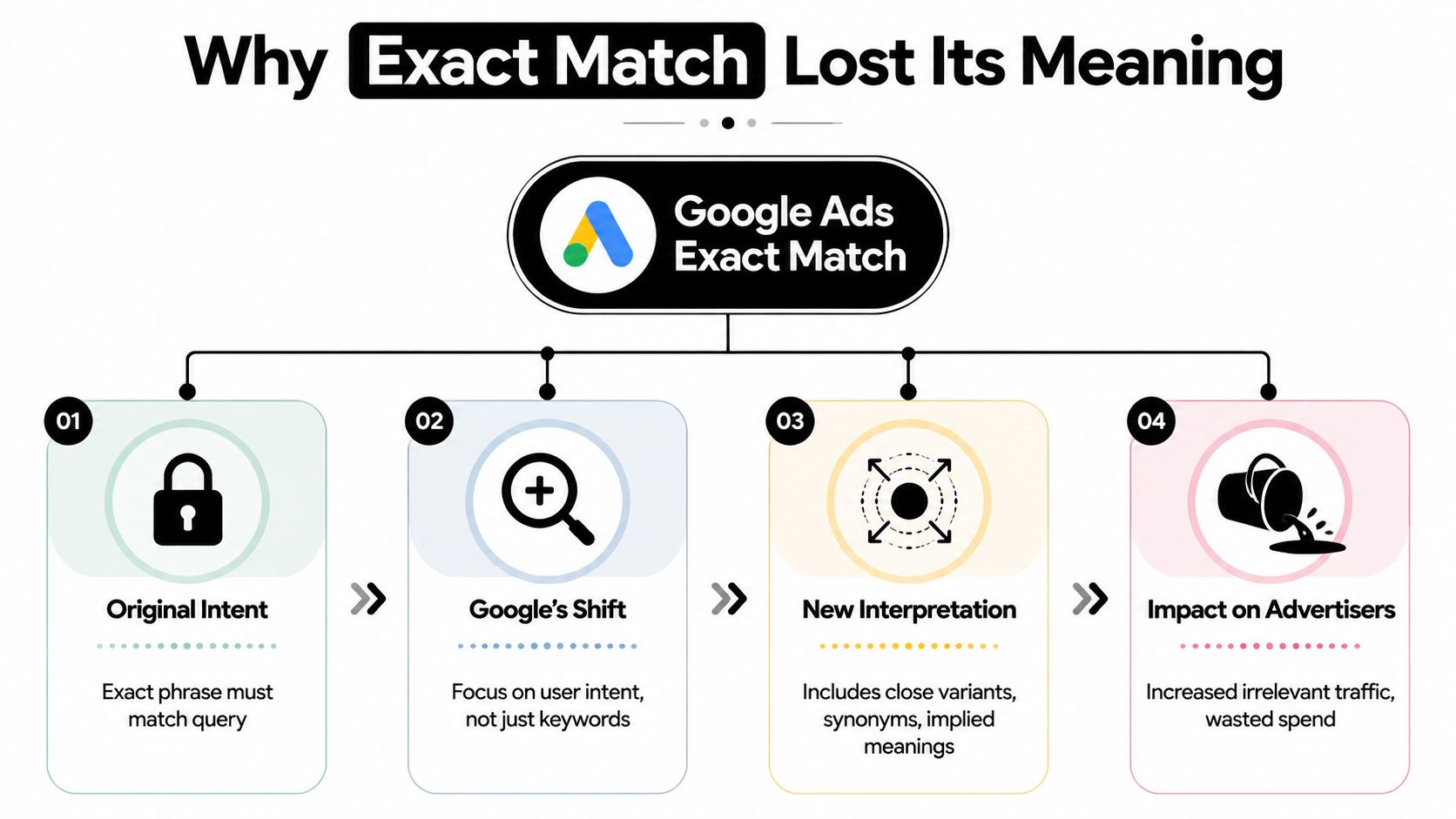
The core change is simple. Google Ads exact match stopped being literal.
Google changed exact match behavior in 2021 so exact-match keywords now serve based on meaning and intent, not only the literal keyword phrase. Industry summaries of Google's language note that exact match can cover broader close variants, including examples like “yosemite campground” and “campsites in Yosemite” for the keyword “yosemite camping” (Search Nurture's summary of the change).
From lockbox to intent interpreter
The easiest way to think about it is this.
Old exact match acted like a bouncer checking for the exact name on the list. New exact match acts more like someone deciding whether the guest seems close enough to belong at the event.
That sounds harmless when the query really is a close variant. It gets messy when Google interprets “same meaning” more loosely than the advertiser would.
This is why the phrase Google Ads exact match not exact anymore has become shorthand for a bigger operational shift. The match type still exists, but the job it does is different.
What changed for account management
If exact match no longer guarantees literal control, then your main control point moves downstream. It lives in the review process after traffic starts, not in the keyword selection alone.
That means:
- Keyword setup matters less than before: Good structure still helps, but it won't prevent every mismatch.
- Intent mapping matters more: You have to judge whether Google's interpretation matches the business goal.
- Negative keywords become central: They're no longer optional cleanup. They're part of the targeting system.
- Search term reviews need urgency: Waiting too long lets irrelevant variants keep repeating.
A lot of advertisers still build campaigns as if exact match will self-filter. That's the mistake.
Practical rule: Exact match is now a starting signal. It is not the final filter.
If you want a deeper breakdown of the mechanics, Keywordme's guide on how exact match works today is worth reading alongside your own account data.
Why this matters more now than it used to
Once matching shifts from words to meaning, your account starts dealing with semantic drift. Queries can be close enough in theme to enter the auction while still being wrong for your offer, wrong for your ad, or wrong for your landing page.
That's why advertisers who still think in literal keyword strings often feel blindsided. They're managing syntax. Google is matching on interpretation.
And interpretation is where the waste sneaks in.
How to Find the Leaks in Your Account
When exact match gets loose, the search terms report becomes your audit trail.
Google itself now states that exact match keywords can trigger ads on searches with the same meaning or intent, and may also show ads for related queries that don't contain the exact words. In practice, that means advertisers have to manage semantic drift through the search terms report and sort close variants into three buckets: retain as keyword, negate, or isolate into a separate ad group or campaign (Google Ads help documentation).
Start with the expensive weirdness
Don't begin by reading every line one by one. That's how people burn an afternoon and still miss the important stuff.
Start by sorting for the terms most capable of doing damage. Look for search terms with meaningful cost, strong impression volume, or a pattern of clicks without fitting the intended query theme.
A basic first pass works well:
- Sort by cost first: Find the expensive mismatches.
- Then sort by impressions: Find recurring patterns before they scale further.
- Then review clicks and conversions in context: Not every non-converter is bad. Some are just early-stage or low-volume.
Use the three-bucket method
Once you've got a suspect list, classify each term fast. Don't overthink the first pass.
| Bucket | What it means | Typical action |
|---|---|---|
| Retain | Relevant query with useful intent | Add it as its own keyword if it deserves tighter handling |
| Negate | Irrelevant or unqualified traffic | Add a negative at the right level |
| Isolate | Relevant, but meaningfully different | Split into a tighter ad group or campaign with custom ad copy |
This framework is simple, but it's how you stop the report from becoming a giant messy spreadsheet full of “maybe.”
Questions to ask on every term
A search term doesn't need to be absurd to be wrong. Most wasted spend comes from terms that are plausible but off-target.
Use questions like these:
- Does this search belong to the same commercial intent?
- Would I want the same ad copy shown for this query?
- Does the same landing page still make sense?
- If this term keeps growing, will I regret leaving it unchecked?
If the answer breaks on any of those, act.
If a term is relevant but deserves different messaging, don't leave it inside the parent keyword's shadow. Pull it out and give it its own home.
Watch for patterns, not just single terms
Single-query cleanup helps, but pattern recognition is where real control comes back.
Look for recurring modifiers and themes such as:
- Research intent words: “how,” “what,” “why,” “ideas”
- Low-fit qualifiers: “cheap,” “free,” “jobs,” “training”
- Wrong audience signals: B2B terms inside B2C campaigns, or the reverse
- Wrong geography or product subtype: Searches that imply a different service area or offer category
Those patterns usually tell you whether you need a one-off negative or a broader negative strategy.
The review cadence that actually works
The biggest mistake after launch is waiting for the account to “settle.” If exact match is already stretching, early cleanup matters more than late cleanup.
A practical rhythm looks like this:
- New campaigns: Review as soon as traffic starts coming in
- Active campaigns under pressure: Check often enough to catch recurring mismatches before they repeat
- Stable campaigns: Keep reviewing, because query interpretation doesn't freeze
That's not glamorous work. It is, however, where wasted spend gets found.
Your First Line of Defense Manual Fixes
Manual cleanup still matters. In a lot of accounts, it's the fastest way to stop the bleed.
The problem is that many advertisers use negative keywords too loosely. They know negatives matter, but they treat every mismatch the same way. That creates two new issues. They either block too much and choke volume, or they stay too timid and let junk traffic keep slipping through.

Negative keywords need precision too
A negative keyword is not just a block. It's a sculpting tool.
Use the wrong negative match type, and you can create collateral damage. Use the right one, and you carve out exactly the traffic you don't want without wrecking adjacent volume.
Here's the practical way to think about the three common approaches:
| Negative type | Best use | Risk |
|---|---|---|
| Single-word style block | Remove a repeated bad modifier across many searches | Can block useful variants if used too broadly |
| Phrase negative | Stop a recurring phrase pattern while preserving nearby relevance | May still allow related bad variants outside that phrase |
| Exact negative | Block one specific offender with minimal side effects | Too narrow if the same problem appears in many forms |
What to block first
Not all negatives deserve equal urgency.
Prioritize in this order:
- High-cost junk: If a bad query is already spending real money, block it first.
- High-volume irrelevance: Terms that appear often will keep draining budget if left alone.
- Pattern-based waste: Repeated modifiers usually signal a category-level problem.
- Edge-case oddities: Clean these up later unless they're surprisingly expensive.
That order keeps you from getting distracted by weird low-impact terms while bigger leaks stay open.
Structure still matters, just differently
Old-school SKAG thinking came from a good instinct. Isolate intent, align ad copy, protect relevance.
That instinct still holds up. The literal version of the strategy doesn't.
Today, the useful adaptation is not “one keyword equals total control.” It's “high-value intents deserve dedicated structure because Google may blur neighboring meanings together if you don't.”
That usually means:
- Separate your core money terms from exploratory or broader themes.
- Pull out search terms that need distinct ads even if they feel related.
- Keep landing page intent tight so looser matching doesn't create a conversion mismatch.
Field note: Manual fixes work fastest when you stop trying to rescue every keyword and start protecting the most valuable intent clusters first.
Campaign-level and ad-group-level decisions
A lot of cleanup problems come from adding negatives at the wrong level.
Use ad-group negatives when you want to keep traffic in the campaign but force it into a more appropriate ad group. Use campaign negatives when the traffic is wrong for the whole campaign. Use shared negative lists for recurring exclusions that apply across multiple campaigns.
That distinction matters. Otherwise, you end up solving one issue while creating internal cannibalization somewhere else.
What manual work does well, and where it breaks
Manual cleanup is excellent for:
- Fast damage control
- New campaign stabilization
- High-value account surgery
- Learning how Google is interpreting your themes
It breaks down when:
- Search term volume gets too large
- Teams manage many ad groups across many campaigns
- Similar negatives need repeated formatting and copy-paste work
- Query review turns into whack-a-mole
That's the point where discipline alone stops being enough. You need systems.
Advanced Strategies When Manual Isn't Enough
Once the account grows, the real game changes. You're no longer just blocking bad queries. You're deciding how each match type should behave inside a broader intent system.
That's where many advertisers get stuck in old debates like “exact vs broad” when the more useful question is, “Which layer is for control, which layer is for exploration, and which layer feeds the next round of negatives?”
Treat match types like jobs, not labels
A cleaner way to run modern search campaigns is to assign each match type a role.
Exact match still has a role, but not as an iron gate. Phrase can work as a containment layer in some structures. Broad can serve as an exploration engine if you have the appetite and discipline to manage negatives aggressively.
A simple model looks like this:
- Exact match: Strong intent signal for your clearest commercial terms
- Phrase match: Middle layer when you want some flexibility but still want thematic boundaries
- Broad match: Discovery and expansion, but only if you're actively shaping traffic with negatives
This approach stops the endless fight over whether one match type is “good” or “bad.” They're tools. The problem is usually job design.
Bid strategy changes the way loose matching feels
The same keyword can behave very differently depending on how the campaign bids and how much conversion signal the system receives.
That doesn't mean you should blindly trust automation. It means the looser the matching gets, the more your bidding, conversion quality, and negative hygiene have to work together.
If those pieces are weak, broad matching tends to feel reckless. If those pieces are strong, broader matching can uncover useful intent pockets that a rigid exact-only setup would miss.
The contrarian view is worth taking seriously
There's a growing practitioner view that exact match may now be less valuable for literal control and more valuable as an intent signal inside AI-driven search systems. Recent commentary argues that Google is targeting meaning rather than words, and that broad match plus heavy negative keyword management may be necessary in some environments, with exact match functioning more like an intent label than a literal filter (recent practitioner commentary on this shift).
That idea bothers people because it sounds like giving up control.
It's not. It's redefining where control lives.
Exact match still matters. It just may no longer be the primary place where precision is enforced.
What that means in practice
If you accept that exact match is weaker as a literal filter, your management philosophy changes:
| Layer | Main purpose | What you manage hardest |
|---|---|---|
| Exact | Declare your highest-confidence intent | Query quality and segmentation |
| Phrase | Catch nearby meaning where structure still matters | Drift and overlap |
| Broad | Discover demand and gather new query patterns | Aggressive negatives and search term review |
This is also why large accounts often end up needing extensive negative libraries. They're rebuilding precision through exclusions because match types alone won't do the job anymore.
A better question for modern PPC teams
The old question was, “Should we trust exact match?”
The better question is, “Should exact match still be our primary control layer?”
In many accounts, the answer is no.
Your primary control layer becomes a combination of search term reviews, negative strategy, segmentation, and bidding discipline. Exact match stays in the mix, but it no longer carries the whole burden.
That shift is uncomfortable at first. It's also much closer to how Google Ads behaves now.
The Ultimate Fix Automate and Scale with Keywordme
Manual optimization feels responsible. It also becomes a bottleneck surprisingly fast.
A PPC manager can review search terms, export data, format negatives, split winners into new ad groups, and paste changes back into Google Ads for a while. But once the account gets busy, that workflow starts eating the hours you should be spending on strategy.
This is the point where automation stops being a “nice to have” and starts becoming basic account hygiene.
Why manual management stops scaling
The issue isn't knowing what to do. Most experienced managers know the playbook.
The issue is volume.
When exact match no longer acts as a hard filter, the number of search terms needing review goes up. The number of negatives you need rises with it. So does the need to pull out good variants into tighter structures. Doing that by hand, across many campaigns, creates friction everywhere.
Typical pain points look like this:
- Formatting drag: Turning raw search terms into the right match type and structure takes time.
- Repeated bulk work: The same cleanup patterns show up across campaigns.
- Missed follow-through: Teams identify issues but don't implement all fixes quickly enough.
- Strategy decay: Good intentions break down under workload.
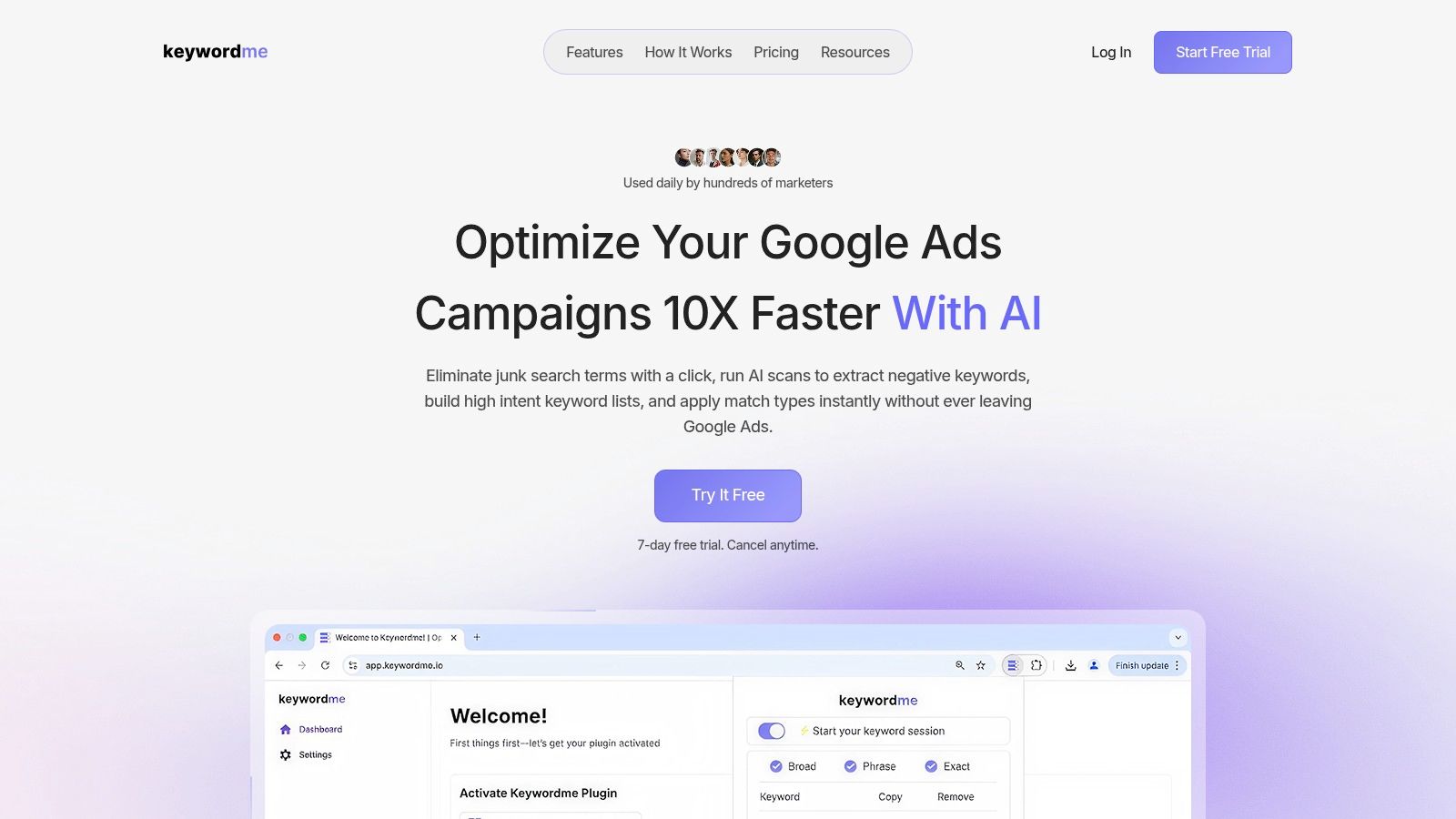
One option in that stage is Keywordme, which is built around search term cleanup, negative keyword handling, match type assignment, and campaign expansion workflows.
What useful automation should actually do
Good automation should help with the jobs that are repetitive but still judgment-heavy at the decision point.
That includes:
- Turning junk search terms into negative keywords in bulk
- Converting promising search terms into new exact, phrase, or broad variants
- Reducing copy-paste work between spreadsheets and Google Ads
- Keeping keyword expansion and negative control tied to the same review process
A tool doesn't replace judgment. It removes the admin overhead that makes good judgment too slow to apply.
A quick product walkthrough makes that easier to see:
What changes when the workflow improves
Once implementation gets faster, your account management gets sharper.
You can review search terms more often. You can act on irrelevant traffic before it repeats too many times. You can promote useful variants into dedicated ad groups without opening five tabs and building everything manually. You can maintain broader negative coverage without turning your week into spreadsheet cleanup.
That's the payoff. Not convenience for its own sake. Better execution of a strategy that modern Google Ads now requires.
Keywordme helps PPC teams turn messy search term data into actions they can apply fast. If Google Ads exact match not exact anymore has turned your workflow into nonstop cleanup, Keywordme is a practical way to handle negatives, build tighter keyword sets, and scale the process without living in spreadsheets.
.svg)