
PPC San Diego: What It Costs and How to Run It
PPC San Diego: What It Costs and How to Run It


You opened Google Ads this morning and the account looks busy. Clicks came from a coastal ZIP, from Chula Vista, and from someone who is clearly not in your service area. A couple of form fills landed. None of them match the jobs that pay the bills.
That is a normal week when you run PPC San Diego as if the county were one market. A med spa query, a plumber query, and a personal injury query do not sit in the same auction. A researcher in another state is not the same lead as a neighbor who needs you this week. Click volume will not tell you whether the campaign worked. Lead quality will.
I would rather see fewer clicks that turn into booked work than a cheap flood of traffic you cannot serve. The settings below are where budgets usually leak, and where a tighter account starts to pay for itself.
What PPC Costs in San Diego by Industry
A San Diego click can cost less than lunch or more than a service call, depending on which auction the query belongs to. Directional costs run about $3.71 for "med spa San Diego," $7.40 for "dentist San Diego," $47.45 for "plumber San Diego," $55.49 for "emergency plumber San Diego," and $123.21 for "San Diego personal injury lawyer," according to cost ranges discussed by Progression Agency. Treat those as auction context, not a quote for your account.
| Search Term | Industry | Directional CPC |
|---|---|---|
| med spa San Diego | Med spa | $3.71 |
| dentist San Diego | Dental | $7.40 |
| plumber San Diego | Plumbing | $47.45 |
| emergency plumber San Diego | Emergency plumbing | $55.49 |
| San Diego personal injury lawyer | Legal | $123.21 |
The spread matters more than the average. Coastal, inland, South Bay, and base-adjacent searches can clear at different prices for the same service because intent, urgency, and competition change pocket by pocket. A countywide benchmark is useful for orientation, then your own search terms should take over.
Media spend is not the management fee
Monthly ad budgets and management fees vary widely across San Diego providers, so judge media spend and management fees as separate line items. Media is what Google charges when someone clicks. Management is what a freelancer, agency, or tool charges to choose targets, tune bids, clean terms, and report back. A low fee can still be expensive if it sits on spend that produces quotes you cannot use.
Give the numbers time before you grade them. A handful of leads can make a bad week look lucky or a good week look broken. Impression share, search volume, conversion rate, lead quality, and close rate all belong in the same read, because cheap clicks and booked jobs are different outcomes. For context outside San Diego, compare your terms with our Google Ads industry benchmarks.
The click math before you set a budget
Say you want 20 leads a month and your landing page converts at 5%. You need about 400 clicks. At a dentist-like $7.40, that is about $2,960 in ad spend. At a plumber-like $47.45, the same 400 clicks land near $18,980. Same lead goal, completely different check.
Practical rule: A cheap click only helps if it turns into a lead you can quote.
Plug in your lead goal, your real conversion rate, and a cost per click from your search terms before you lock a monthly number. Then ask the harder question: how many of those leads become jobs you want? If the math only works when every click is perfect, the budget is too thin for that auction.
How the Auction Decides What You Pay
Every time someone types a query, Google runs a quick auction among advertisers bidding on that idea. The winners get the top slots. It works a lot like bidding for a storefront on a busy street. The highest offer helps. The landlord also cares whether the shop looks relevant and whether people walk in.

What goes into ad rank
Ad rank is not your bid alone. Google weighs your bid, your expected click-through rate, and how well the ad and landing page match the search. Those quality pieces are what people bundle under Quality Score. A sharp page can beat a sloppy higher bid.
Say two plumbers want the same emergency query. One bids $40 and the page loads fast, names the service area, and shows a click-to-call button. The other bids $60 and dumps people on a slow homepage with three services and no phone number. The $40 shop can win the better slot because more of the auction is about the storefront, not just the offer.
What you actually get charged
You do not automatically pay your full bid. The price clears just above what it takes to beat the next advertiser's ad rank. A max bid of $60 can produce a much lower cost per click when the ad is relevant and the next rival is weak. It can also spike when several strong advertisers want the same high-value customer.
That is why some industries clear far above others. Lots of competitors plus a customer who is worth a lot pushes the clearing price up. A quiet niche with fewer bidders stays cheaper even in the same city.
You do not pay your full bid. You pay just enough to beat the next advertiser's ad rank.
Why an ad goes quiet
When a campaign stops showing, two causes cover almost every case. You are losing on budget, so the daily cap runs out before the day does. Or you are losing on rank, so other ads outscore you even when money is left. Impression share splits those two. If budget loss is high, raise the cap or cut weak queries. If rank loss is high, fix the ad, the page, or the bid before you pour in more money.
Measure Leads and Calls, Not Just Form Fills
A form fill is not a lead. For plenty of San Diego businesses it is only a name and a phone number, sometimes from the wrong city, sometimes from someone price shopping at midnight.
Cookies and consent choices drop a share of web conversions before they ever hit the account. Phone calls often never get tied back to the click. The job you want shows up later, in a CRM stage called quoted, booked, or paid. If those steps stay outside Google Ads, the keyword report will lie to you.
California privacy rules shape cookie banners, pixels, and how you treat email lists. You still need a measurement path that respects consent and still tells you which clicks became work.
Rebuild the ladder in order
Track outcomes from fastest to slowest:
- Consented web conversions: Form submits and booked clicks people agreed to share. Fast, and easy to overtrust.
- Calls: Inbound calls from the ad, with a recording or a simple quality note when you can get one.
- Qualified leads: Callers or forms that match your service area, your hours, and a budget you can serve.
- CRM stages: Quoted, booked, or sold. A real job shows up at that point.
- Revenue: What closed, not what the form promised.
Each step down arrives later and tells you more. A week of form fills can look strong while the booked-job column stays empty.
The Sprints & Sneakers paid search guide is a useful walkthrough of tightening Google Ads around real outcomes instead of vanity clicks. Pair that mindset with call tracking that reaches the account. Our notes on Google tracking numbers cover how those numbers get assigned.
When the keyword looks guilty and the tracking is the problem
A campaign can look weak on keywords when the failure is upstream of the query. High-value calls, booked appointments, or later sales never got imported. If you optimize only for form fills, Smart Bidding and your own pauses will favor cheap queries. Those queries fill forms. They do not fill the calendar.
Import offline conversions when the CRM will allow it. Review search terms against lead quality, not just against cost. Label how confident you are in each change. A pause based on three form fills is a guess. A pause based on a month of qualified calls is a decision.
I would not cut a segment until you have about 30 days and roughly 20 to 30 conversions in that campaign or location group. Below that, a couple of lucky leads swing the rate. Low-volume accounts should compare several months, not single weeks. The cleanest fix is a tighter link between the click and the closed job.
Location Targeting That Stops Wasted San Diego Clicks
Presence or Interest is the setting Google recommends by default, and it is also the setting that leaks. Google's location targeting guide says this option can reach people likely to be in or regularly in your area, plus people who have only shown interest in it. Interest can come from the search itself, a recent visit, or content they viewed about the place.
So a person in Phoenix typing "San Diego divorce attorney," or someone who read a travel article last week, can still see your ad. If you only serve homes inside a set of ZIP codes, that click is a donation.
Three settings, three jobs
| Setting | Who Sees Ads | Best Fit |
|---|---|---|
| Presence or Interest (default) | People in San Diego, regular visitors, and people showing interest in the area | Broad awareness and destination marketing |
| Presence | People physically in or regularly present in San Diego | Local service businesses that serve a defined area |
| Search Interest | People who search for San Diego while located elsewhere, on Search and standard Shopping campaigns only | Testing demand from non-local researchers |
For a plumber, a dentist, or a shop with a real service area, Presence is usually the better fit. For a hotel, an attraction, or any brand that wants people planning a trip, Presence or Interest can be the right wider net. Google's location targeting values limit Search Interest to Search and standard Shopping, so do not expect it on every campaign type.
Checks before you move bids
- Open the location report and compare targeted locations with matched locations. Matched is where the person was, or the place Google tied to the interest.
- For each matched place, look at conversion rate, cost per qualified lead, and call quality. A city with cheap clicks and bad calls is not a winner.
- Exclude cities or postal codes that spend and do not produce real leads. Reporting can go down to postal-code level, so a weak ZIP does not have to ride along with a strong one. Google's location reports are built for that split.
- Apply radius or ZIP bid adjustments only after the numbers settle. A few weak clicks will talk you into a bad modifier. Radius versus ZIP tradeoffs are laid out in our radius targeting versus ZIP code targeting notes.
A one week test
For the next seven days, switch a service campaign to Presence if it is still on the default. Leave bids alone. At the end of the week, compare matched locations, wasted clicks from outside your area, and whether call quality improved. If reach falls but qualified leads hold, you just stopped paying for curiosity.
Match Types That Control Your Local Reach
Match type is a dial from widest reach to tightest control. Google's keyword match type guide defines three positive types, and they overlap. Phrase includes everything exact can catch, plus more. Broad includes phrase and exact, plus related searches you never typed.
| Match Type | Syntax | Reach | Good For |
|---|---|---|---|
| Broad | plumber san diego (no symbols) | Widest, includes related searches | Early discovery with strong negatives |
| Phrase | "plumber san diego" | Medium, includes searches with the same meaning | Core services that already produce leads |
| Exact | [plumber san diego] | Smallest, most control | Highest-value terms with proven conversions |
How the ladder behaves
Broad match is the default and needs no symbols. A keyword written as plumber san diego can enter the auction on related searches you did not plan. That reach is useful when you are still learning the language customers use. It is expensive when the related idea is a job seeker or a city you do not serve.
Phrase match uses quotes, the same way Google's own example wraps "tennis shoes." It can reach searches that carry the meaning, such as emergency plumber in San Diego, without handing the whole theme to broad.
Exact match uses square brackets, as in Google's [red shoe] example. You get the most control and the smallest reach. Save it for the terms that already produce calls worth taking.
A starting mix for a service business
Put phrase and exact on the core services that already produce leads. Use broad only inside a tight campaign that already has negatives for jobs, training, freebie hunting, and cities outside your map. The trap is broad match on a generic word like "service." That single word will pull resumes, how-to queries, and out-of-area customers into the same ad group as your paying work.
Treat the dial as something you revisit every few weeks. A term that earned exact match in March can get sloppy by May if you never read the new queries sitting under it.
How to Clean Up Search Terms Without Losing Leads
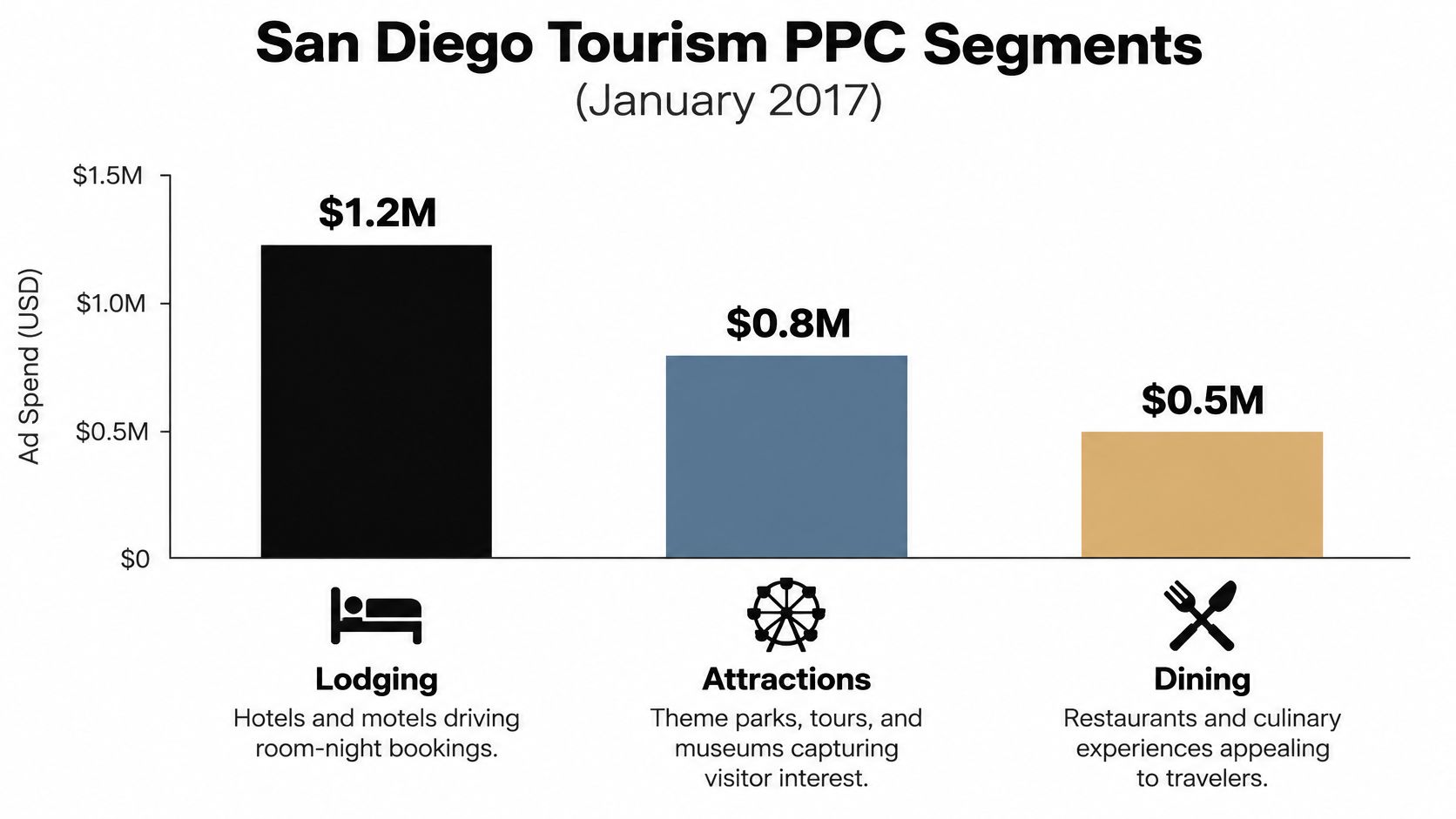
Search term cleanup is a weekly habit, not a one-time purge. Destination marketers have long split paid search by what the traveler came to buy. The same idea applies to a local account. Separate the intent, or one city bill hides several different auctions.
Google's negative keyword guide is the mechanic underneath the routine. Search campaigns support broad, phrase, and exact negatives, and broad is the default. A broad negative blocks the ad when the search contains all of those terms, even in a different order. It can still show when only some of the terms appear.
The weekly pass
- Pull the search terms report for the last 30 days. A short window hides slow jobs that close two weeks after the click.
- Sort by cost and keep queries that have clicks and no conversions. Spend without a lead is the fastest waste to see. Do not start with impressions. Start with money.
- Sort the junk by intent. Job seekers ("plumber jobs San Diego"), free seekers, training or school queries, and out-of-area terms ("plumber Los Angeles") do not belong on one messy list.
- Add each group as a phrase or exact negative unless you want to block a whole word family. Broad negatives block more than expected.
- Add singular, plural, and synonym versions yourself. Google already covers capitalization and misspellings. It does not cover every meaning you care about.
- Check for overreach before you push the list live. A negative on "free" will also block "free estimate," and that query can be a real lead. Watch impression loss on the terms you still want.
- Save the recurring exclusions in a shared set so every campaign inherits them, then read the set again next week. New junk shows up as soon as a match type gets wider.
A short walkthrough of reading the search terms report makes the sort faster if you have not built the habit yet.
The routine is working when cost per lead falls and lead volume holds. If lead volume drops with the waste, a negative is too wide. Pull that one term back before you add anything else.
What a Real San Diego Campaign Teaches
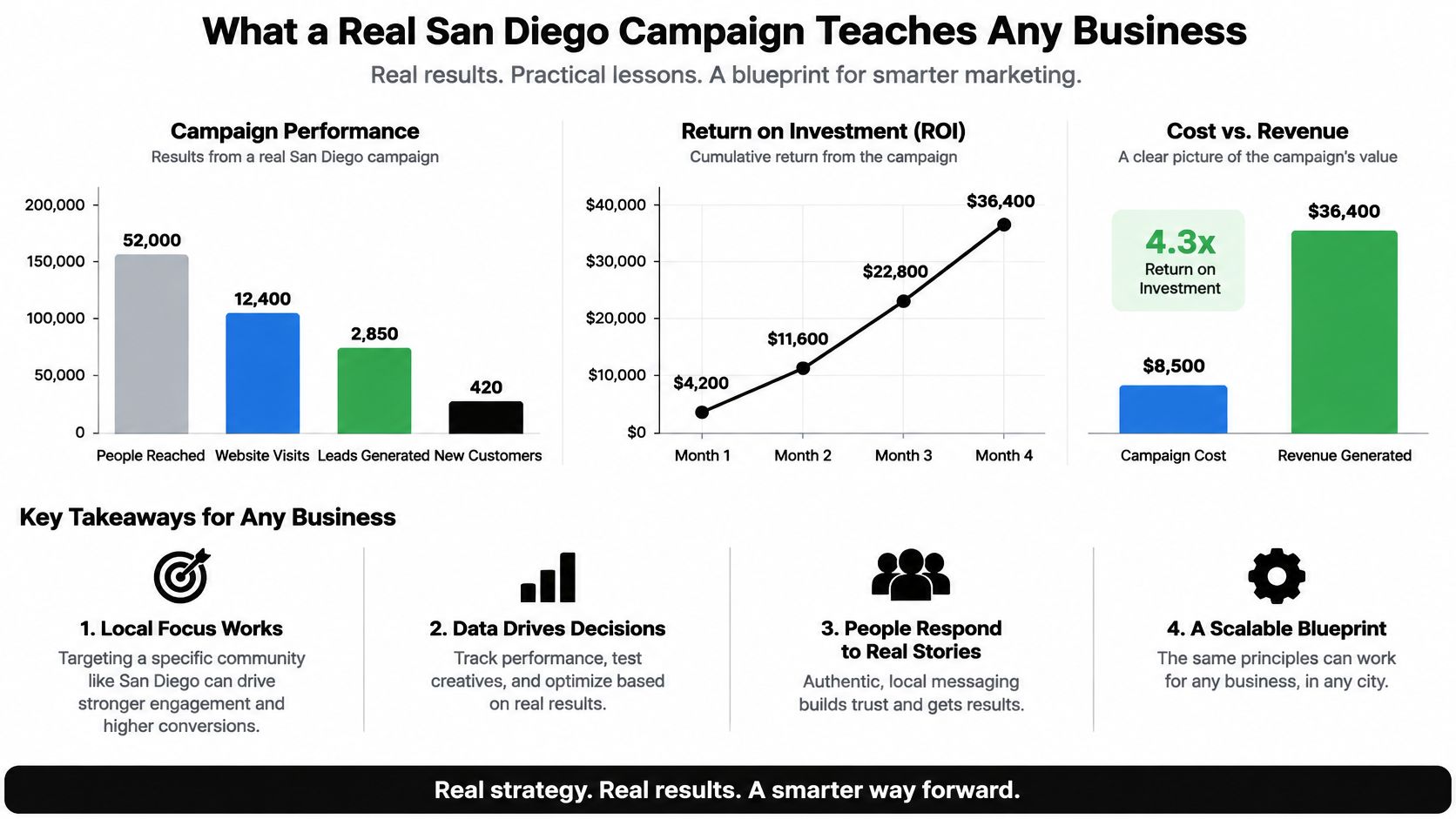
The clearest public picture of paid search in this city is not a plumber account. It is tourism. In January 2017 the San Diego Tourism Authority sales and marketing highlights broke Google PPC into domestic, international, and sub-region segments. Treat it as a pattern from destination marketing, not a scoreboard for a local service business in the current auction.
Three segments, three click rates
Domestic Google PPC spent $30,079.39, drew 12.1 million impressions and 48,374 clicks, and posted a 0.40% click-through rate. That was the reach play. International ads aimed at Canada and the United Kingdom spent $31,055.51 for 736,563 impressions, 19,666 clicks, and a 2.6% CTR. The small sub-region effort spent $1,771.13, earned 14,182 impressions and 667 clicks, and reached a 4.7% CTR.
| Segment | Spend | Impressions | Clicks | CTR |
|---|---|---|---|---|
| Domestic Google PPC | $30,079.39 | 12.1 million | 48,374 | 0.40% |
| International (Canada and UK) | $31,055.51 | 736,563 | 19,666 | 2.6% |
| Sub-region | $1,771.13 | 14,182 | 667 | 4.7% |
Across the three, spend was $62,906.03, impressions were about 12.85 million, and clicks were 68,707. The biggest reach produced the weakest click rate. The narrowest slice produced the strongest. Search was only one piece of a wider buy that month, including a large digital video budget, so the click rates are not a pure search test.
How to copy the lesson without copying the year
Split your own account by geography or by service line. Track click-through rate and cost per lead for each piece. Compare them after a fixed window, such as 30 days, so a holiday week does not pick the winner.
This is a 2017 tourism report. Use it as a pattern to test, not a benchmark to hit. Your auction, your close rate, and your service area are different. If a narrow ZIP group beats a countywide campaign on cost per qualified lead, keep the narrow one even if it "feels" small.
Pick Your First Move for San Diego PPC
You do not need a rebuilt account to stop the worst leaks. Three focused days are enough to see whether the math and the settings can work.
- Day one, write the number. Run the lead math with your own goal, your conversion rate, and a realistic cost per click. Then write down how many qualified leads you need each week. If the weekly number is impossible at your price, change the goal or the service mix before you touch bids.
- Day two, fence the map. Set location targeting to Presence if you serve a defined area. Then list the cities and ZIP codes that already bring calls and quote requests. Leave the rest out until they earn a place.
- Day three, fence the queries. Build phrase and exact groups for your top two services. Pull the search terms report and start a negative list for job seekers, free seekers, and out-of-area searches.
Doing it yourself versus hiring it out
A management fee sits on top of media either way. An in-house routine costs you hours every week instead. Pick the path that matches the hours you can give it. If you cannot read search terms weekly, paying someone is cheaper than a neglected broad-match account.
If you keep it in house, the Keywordme plugin works inside Google Ads, so you stay in the account. You can add high-converting keywords straight from the search terms report. The Pro plan covers one-click negative keyword lists, instant match type changes, negative and positive keyword management, search term campaign expansion, the help center, and chat support. Start with the seven-day free trial and run the routine on a live account before you commit.
Keywordme keeps San Diego search term cleanup, match types, and negative lists inside Google Ads, so you can cut wasted clicks without a second spreadsheet. If lead quality is the score you care about, that is the work the plugin is built to speed up. Visit Keywordme and try the routine on the account you already have.
