
Radius Targeting vs ZIP Code Targeting Google Ads
Radius Targeting vs ZIP Code Targeting Google Ads


A local campaign can look healthy in the account while reaching the wrong places. A contractor may be paying for clicks from people who are interested in a service area but can't book a job there. A shop may draw a neat radius around its storefront, only to find that the circle misses nearby neighborhoods where its customers live.
That's why radius targeting vs. ZIP code targeting in Google Ads isn't just a question of which boundary looks more precise on a map. The right choice depends on how the business serves customers, which location signals the campaign should include, whether policy limits apply, and what your conversion data says after launch.
The Local Targeting Decision Most PPC Teams Get Wrong
A familiar agency scenario: a home-services client serves several neighborhoods, but the campaign is built around ZIP codes selected for convenience. The list includes areas the crew rarely reaches and misses pockets just beyond the postal boundaries where the company does take jobs. Ads generate activity, yet the enquiries don't line up with dispatch capacity. The problem isn't that ZIP codes are always wrong. It's that the campaign's map doesn't reflect the business's actual operating limits.
Radius targeting draws a circle around a chosen location. ZIP-code targeting selects postal boundaries. One is built around distance from a point; the other follows administrative areas. Neither guarantees that every person reached is a likely customer, and neither automatically reflects drive time, delivery coverage, or service availability.
The practical question: Should the campaign follow distance from a location, or the named areas the business can serve?
The answer can change when policy rules apply. For housing, employment, and consumer-finance advertisers in the United States and Canada, ZIP-code targeting is prohibited for personalized advertising. For other businesses, ZIP codes may be useful when the offer, customer records, or reporting process already uses postal areas. A service business with a tight dispatch zone may get a more useful starting point from a radius.
There's another catch. Google Ads' default location option can include people who've shown interest in a target area, not just people likely to be physically there. That can create a mismatch for a business that only serves local customers. The boundary and the location setting need to work together.
For a broader view of campaign structure and local intent, Keywordme's guide to Google Ads for local businesses is a useful companion. The useful decision isn't “Which method is best?” It's “Which method maps to how this business earns revenue, and how will we verify that?”
How Radius and ZIP Code Targeting Actually Work in Google Ads
A radius is a circle drawn around a selected point. Its boundary is distance-based and geometrically uniform, so every direction extends the same distance from the center. A ZIP code, by contrast, follows a postal boundary. Postal areas can vary substantially in land area and population, which means selecting a ZIP code doesn't translate into a consistent distance or audience size.
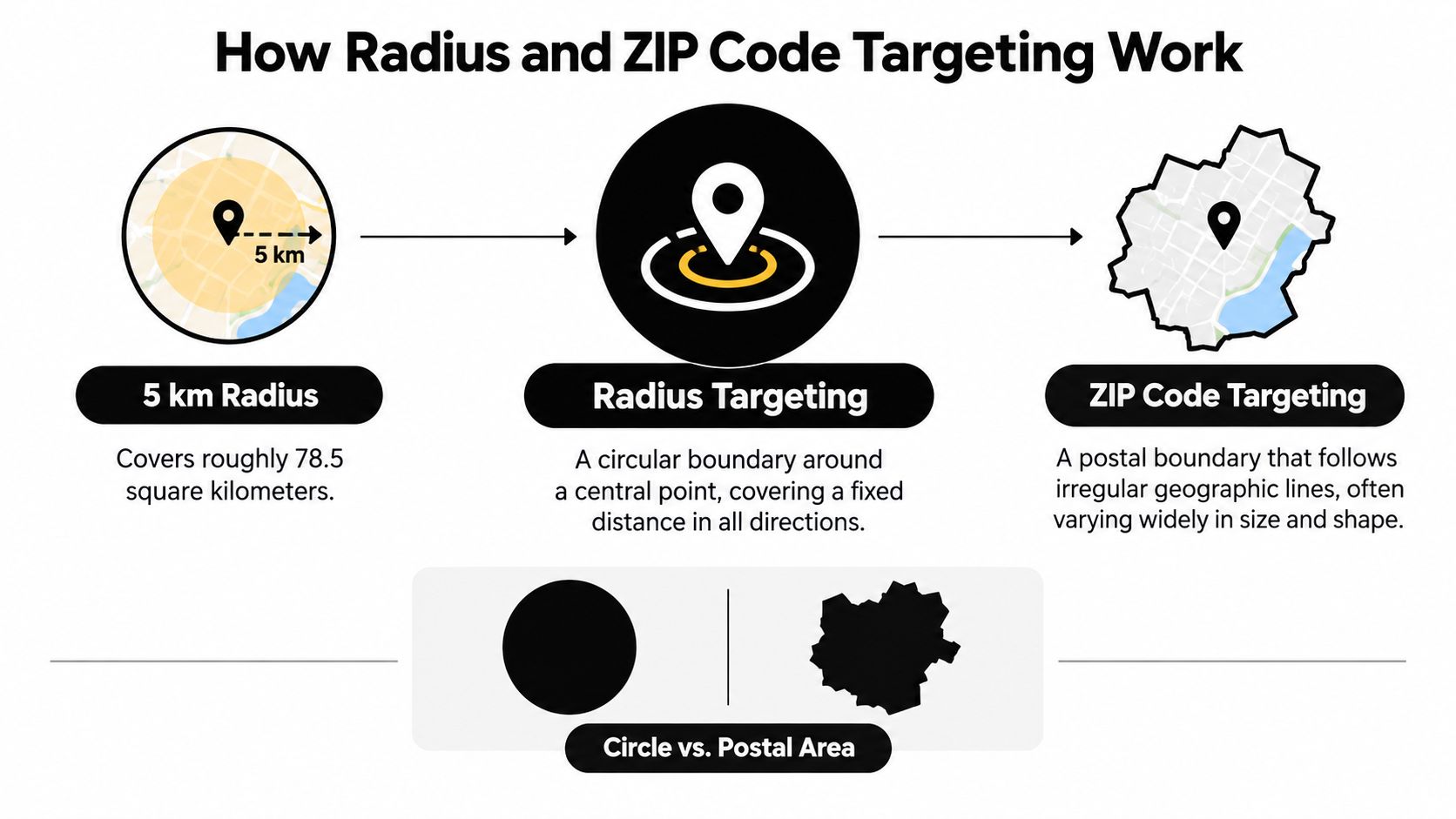
For scale, a 5-kilometer radius covers approximately 78.5 square kilometers, calculated as π × 5². That doesn't mean it matches a particular ZIP code. A postal area could cover less or more land, and its residents may be spread unevenly. Treating a radius and a ZIP code as equivalent because they sound similarly sized is a common planning mistake.
Google Ads won't let advertisers set a radius below 1 kilometer, a minimum that applies globally where the feature is available and helps safeguard audience size and privacy (Google Ads radius targeting documentation). Google also warns that very small geographic targets may serve ads intermittently or not at all if they don't meet minimum area or user-count thresholds.
What the shape means for delivery
A circle is useful when the operational constraint is distance from a location, such as a shop's walk-in catchment or a service team's practical travel area. It can also include awkward corners that don't match real-world access. The campaign's circle doesn't know that a river, highway, or service boundary makes one side less useful.
ZIP codes can better match a business that works from a postal-area list, serves several disconnected locations, or wants to organize its campaign around named areas. But a ZIP boundary can include customers far from the business and exclude nearby customers across the line.
For an example of how local search campaigns can fit a defined service area, see this Google Search Ads guide for roofers. Use the boundary as a hypothesis, then check whether its reach and results match the business's actual service pattern.
Side by Side Comparison of the Two Methods
A business that books jobs by travel distance and one that plans around postal areas need different controls. Compare each method against how the business serves customers, then validate the choice against qualified leads and sales.
| Criterion | Radius Targeting | ZIP Code Targeting |
|---|---|---|
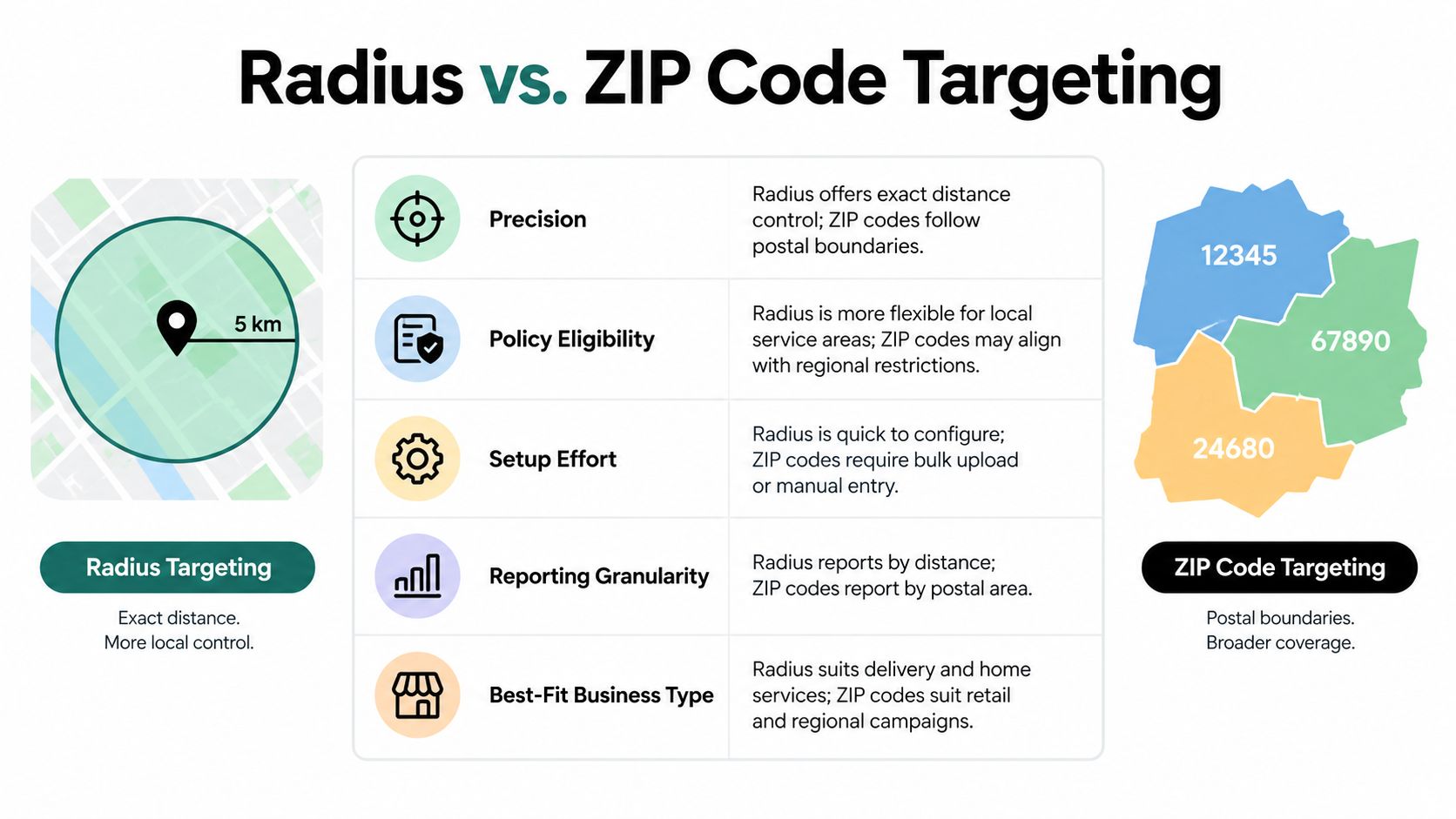
| Precision | Sets distance from a selected point, but the circle can include areas the business cannot serve. | Follows postal boundaries, whose area and population vary by market. |
| Policy eligibility | Available for regulated categories where Google's rules permit it. | Restricted for personalized housing, employment, and consumer-finance ads in the United States and Canada. |
| Setup effort | Simple around one location; separate service pockets may require multiple targets. | Suits a defined list of postal areas, though a long list takes planning to organize. |
| Reporting granularity | Distance reports can help compare results by distance from a business. | Location reports can show results at the most specific geographic level available, including postal code. |
| Best-fit business type | A practical starting point when delivery range, travel distance, or service capacity sets the boundary. | Often suits businesses that organize customers, operations, or reporting by postal area, including noncontiguous locations. |
Score the trade-offs against the business
Radius is a stronger fit when travel distance or delivery capacity limits what the business can fulfill. A service company can set a circle around its hub as a starting point for the area its crews can reach. Still, the circle may cover low-value territory, and one radius does not neatly represent separate service pockets.
ZIP codes are a stronger fit when the business already sells, staffs, or reports by postal area. A retailer with a list of neighborhoods to serve may find those boundaries easier to manage than several circles. The trade-off is that postal lines do not necessarily reflect drive time, customer density, or a customer's willingness to travel.
Setup convenience is not a performance measure. A postal-area list can be quick to enter and still leave gaps in coverage; a sensible radius can still attract people the business cannot serve. The location option also matters: check whether the campaign reaches people physically in the target area, people interested in it, or both. That setting can change who sees the ad even when the map looks right.
Reporting can help resolve the choice after launch. Google Ads location and distance reports let advertisers examine performance by available geographic detail, including postal code, and compare results by distance. The exact detail shown depends on the campaign and geography (Google Ads geographic reporting documentation). Use those reports alongside qualified enquiries, purchases, and serviceability, rather than treating clicks as proof that a target is working.
The better method is the one that brings revenue from customers the business can serve at an acceptable cost. Use the initial boundary as a test, then refine it against sales and lead quality.
Policy Traps That Change the Right Answer
A local campaign for housing, employment, or consumer finance can run into a policy restriction before location performance becomes relevant. In the United States and Canada, Google prohibits ZIP-code targeting for personalized advertising in these categories. Radius, city, and country targeting remain permitted under the applicable rules (Google Ads personalized advertising policy).
Teams can miss this when they build a standard local campaign and check category eligibility only later. Before launch, identify the advertised product or service, confirm which location controls are allowed, and review the campaign against current policy. A setting available for an ordinary campaign may not be eligible for a sensitive offer.
Canada's postal-code distinction
For this policy context, Canada's Forward Sortation Area (FSA), the first three characters of a postal code, is identified as an acceptable alternative. That does not mean every full Canadian postal code is allowed. Check the applicable policy language and configure the target using an eligible option.
Radius targeting also has a privacy boundary. Google Ads enforces a minimum radius of 1 kilometer, so advertisers cannot draw an arbitrarily small circle around an individual address. Radius may be permitted for these categories, but it cannot be used to recreate address-level targeting.
Policy eligibility comes before the map. Confirm the category rules before building a postal-area campaign.
This catches agencies that reuse location templates across accounts. A template built for a local retailer may not suit a housing advertiser, even if both businesses serve similar areas. Record the category review with the campaign's location plan, rather than leaving it to whoever uploads the targets.
The audience setting is a separate check. Google Ads' Presence or Interest option affects whether ads can reach people physically in an area or people who have shown interest in it. Review the Presence versus Interest location targeting settings as part of campaign setup. The boundary type alone does not determine who qualifies as local, or whether the targeting method is allowed.
Setting Up Each Method in Google Ads
Build the geography around the campaign's real operating model. For a single service hub, begin with a radius that reflects practical coverage. For a retailer serving separated neighborhoods, a set of postal areas may fit better. Where the business has several service pockets, use multiple eligible targets rather than stretching one boundary across places it doesn't serve.
Choose the boundary, then check the audience
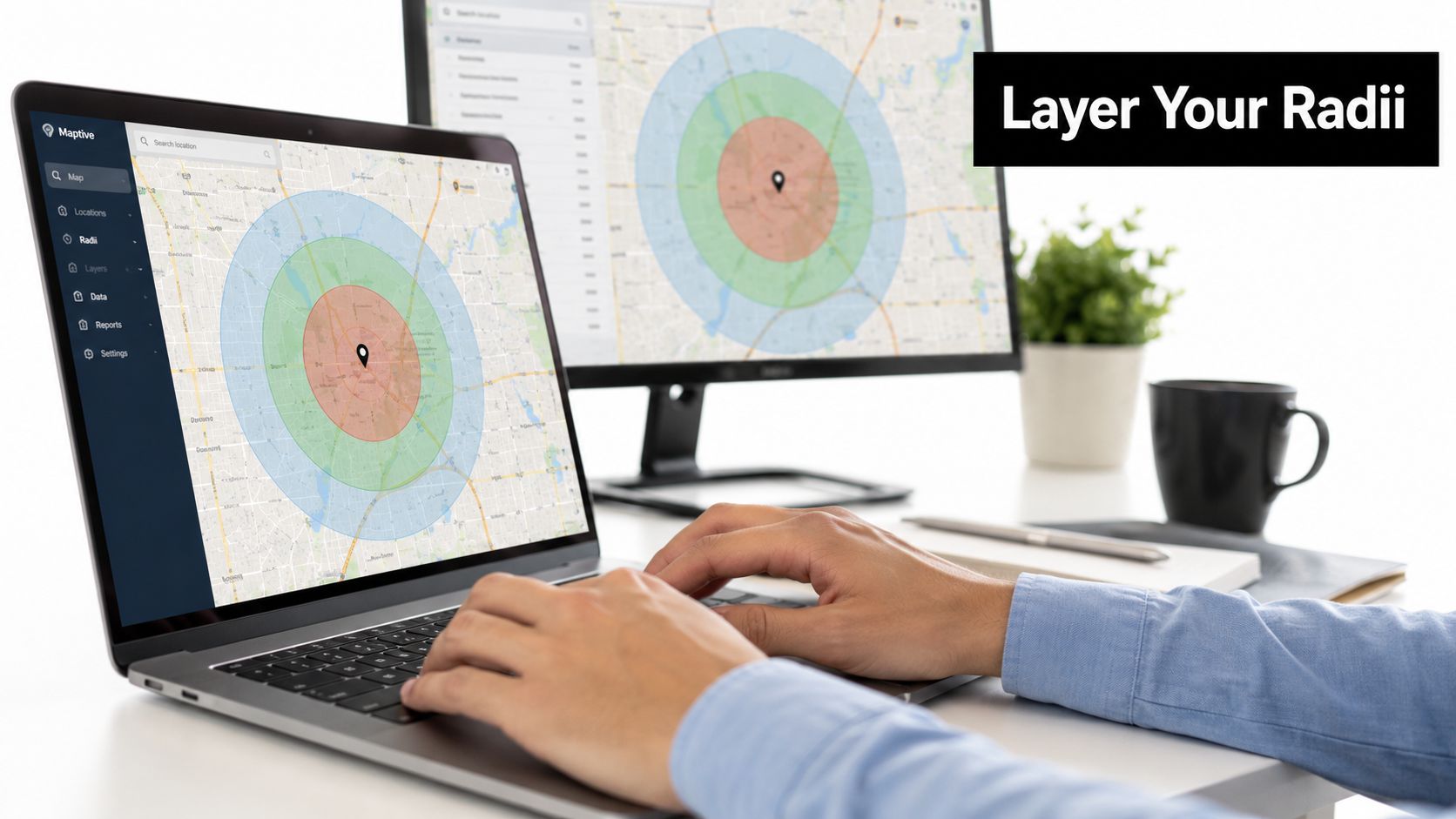
In the campaign's location settings, select the geographic targets that match the plan. For radius targeting, choose a center and distance. If you need several service pockets, add separate radii and check their overlap. Overlapping areas can make performance harder to interpret, so keep the structure understandable enough to evaluate.
For ZIP-code targeting, add the postal areas that correspond to the campaign's intended coverage. If you have a long list, prepare and review it before entering it into the campaign. Remove areas the business can't serve, and confirm that the chosen method is permitted for the advertised category.
Google Ads' default Presence or Interest setting can reach people likely to be in or regularly present in the target area, as well as people who've shown interest in it. Google says interest can be inferred from signals such as search terms, recent presence, or content viewed about a location. An advanced option limits reach to people likely to be physically present in the area (Google Ads location options documentation).
A service business that only accepts jobs in its operating territory should consider whether the physically present option better matches the campaign's purpose. A retailer may have a reason to include people researching a destination before a visit. Choose the setting intentionally, rather than leaving the default in place without checking.
If a visual map helps the team review coverage and overlap, place it alongside the campaign plan:
Match the ads and bids to the geography
Write ad copy that reflects what the business can offer in each area. A service advertiser can name the relevant service region, while a retailer can make the store location, pickup availability, or local offer clear. If separate areas have different economics or capacity, keep their budgets, bids, and messaging distinct enough to compare.
Before launch, check that the location list is valid, the campaign's audience option matches the business model, and conversion tracking records meaningful actions such as calls, form submissions, or purchases. Geographic targeting sets the potential reach. The offer and landing page still have to make a local customer's next step obvious.
Measurement and Testing That Proves Which Method Wins
A map can help you choose a starting point, but conversion quality decides whether the targeting works. Impressions and clicks show that ads reached people and earned engagement. They don't tell you whether those people were serviceable customers or whether their value justified the cost.
Google Ads reporting can show performance at the most specific available geographic level, including postal code, while distance reports help compare results by distance from a business. Use the report that matches the campaign structure, then connect it to the outcome the business cares about. Keywordme's guide to optimizing Google Ads by location offers a related workflow for reviewing geographic performance.
Build a fair comparison
If policy permits both methods, compare them using the same offer, landing-page experience, conversion definitions, and budget logic. Keep the test areas as comparable as possible, and avoid overlapping campaigns that compete for the same searchers. If the areas aren't directly comparable, treat the result as directional rather than a clean test.
Use this table as a reporting template. Enter actual account results after the test, rather than treating blank cells as benchmarks.
Sample Two-Week Geo Test Results
| Metric | Radius Campaign | ZIP Code Campaign |
|---|---|---|
| Impressions | Enter actual result | Enter actual result |
| Clicks | Enter actual result | Enter actual result |
| Conversion rate | Enter actual result | Enter actual result |
| Cost per conversion | Enter actual result | Enter actual result |
| Revenue | Enter actual result | Enter actual result |
Judge the result using conversion rate, cost per conversion, and revenue, not click volume alone. A campaign can attract more traffic while producing fewer qualified leads, or it can generate fewer conversions that are more valuable. If you track phone enquiries or booked jobs outside Google Ads, reconcile those outcomes before moving budget.
A two-week comparison can provide an initial read, but it may not settle the question if volume is thin, demand shifts, or each area has different customer intent. Check whether each campaign has enough comparable activity to support a decision. If not, extend the test or use the early results to refine the geography and tracking rather than declaring a winner.
Which Method to Use and When
For a single-location service business, start with radius targeting when travel distance, dispatch capacity, or delivery coverage drives the decision. A circle gives the team a clear distance-based hypothesis, but it still needs review against actual lead quality and the service map.
A multi-location retailer or franchise may prefer postal areas when campaigns, customer records, or local reporting are organized around named neighborhoods. Separate campaigns can make sense when stores have distinct offers or audiences. Don't force one postal list or radius onto every location if the stores serve different areas.
Regulated advertisers should check policy first. In the United States and Canada, housing, employment, and consumer-finance advertisers can't use ZIP-code targeting for personalized advertising under the applicable rules. Radius, city, and country targeting remain permitted, subject to other campaign requirements.
An ecommerce brand testing local pickup should begin with the areas where pickup is available, then compare the resulting purchases and enquiries. A ZIP-code list may fit a defined set of local markets; radius targeting may better express distance from a pickup location. The right choice depends on how customers use the offer, not on which shape looks cleaner.
Before launch, ask:
- What limits service? Distance from a hub, a named area, or store coverage?
- Does policy allow the method? Review the advertised category before selecting ZIP codes.
- Who should count as local? Check the location option, not just the boundary.
- What outcome will decide? Track qualified conversions, cost per conversion, and revenue where available.
Keywordme offers a Chrome tool for reviewing Google Ads search terms, expanding keyword coverage, and managing negative keywords, which can support cleanup alongside either geographic setup.
Keywordme helps Google Ads teams review search terms, build negative keyword lists, and manage match types without repetitive manual formatting. Once your location test is running, visit Keywordme to see whether its keyword workflow fits your campaign cleanup process.
.svg)