
A Modern Guide to PPC Account Management
A Modern Guide to PPC Account Management


PPC account management is the hands-on, day-to-day work of running and improving your paid ad campaigns to hit your business targets. Let's be clear: this is not a "set it and forget it" kind of deal. Think of it as actively steering your ad budget to make sure it’s bringing in real leads and sales, not just vanishing into the digital ether.
What Is PPC Account Management, Really?
Imagine you’re the captain of a cargo ship. Your mission is to deliver valuable goods—your leads and sales—to a specific port, which is your business. Your PPC account is the ship itself, and your budget is the fuel.
PPC account management is everything you do during that voyage. It’s checking the weather (market trends), reading the maps (your performance data), adjusting the sails (tweaking bids and budgets), and steering clear of pirates (all that wasted ad spend).
Without an active captain at the helm, that ship is going to drift off course, run out of fuel, or even sink. It's the same with your PPC account. An unmanaged account almost guarantees poor results. This constant, active process is what transforms a simple advertising expense into a reliable growth engine for your business.
Why Active Management Is a Must
Just launching a campaign and hoping for the best is a recipe for failure. The digital ad space is a live auction where things change by the minute. Active PPC account management is all about adapting to those changes on the fly, so you can connect with customers at the exact moment they’re searching for what you sell.
This is huge because even tiny adjustments can have an outsized impact on your bottom line. It's a constant loop of key activities:
- Strategic Planning: Setting clear goals, whether that’s brand awareness or driving direct sales.
- Execution: Building tightly-structured campaigns, writing ad copy that actually converts, and picking the right keywords.
- Monitoring: Keeping a close eye on metrics like click-through rate (CTR), cost-per-acquisition (CPA), and return on ad spend (ROAS).
- Optimization: Using that data to make smart changes—adding negative keywords, testing new ads, and refining your bidding strategy.
To really dig into what this looks like in practice, you'll want a complete guide on how to manage pay per click advertising.
Let's break down the core components of PPC management into its key pillars. Each one represents a critical area that requires constant attention to ensure your campaigns are not just running, but thriving.
Key Pillars of PPC Account Management
Each of these pillars is interconnected. A solid account structure makes keyword management easier, which in turn allows for more effective ad copy and smarter bidding. It's a holistic system.
The Cost of Neglect vs. The Reward of Diligence
The difference between a managed and an unmanaged account couldn't be more dramatic. A massive 93% of marketers see PPC as 'effective' or 'highly effective,' placing it among the top marketing channels. But here’s the catch: that success is entirely dependent on good management.
On the flip side, poorly managed accounts can waste up to 26% of their budgets on completely irrelevant clicks. Check out more PPC statistics to see the data for yourself.
Effective PPC account management is both an art and a science—it’s about turning clicks into actual customers. It’s where sharp analysis meets creative strategy, and every decision is a deliberate step toward more profit and a stronger market presence. Without it, you’re just buying traffic. With it, you’re building a business.
Building Your Account Structure for Success
A great PPC account structure is your roadmap to profitability. A bad one? It's a one-way ticket to confusion and wasted ad spend.
Think of it like organizing a massive warehouse. A logical system with clear labels (Campaigns) and well-organized aisles (Ad Groups) lets you find exactly what you need, fast. A chaotic, disorganized warehouse means you're just burning daylight (and money) searching for things.
This isn't just about being neat and tidy, either. A clean, logical structure is one of the fastest ways to improve your Quality Score. Google actually rewards this relevance by lowering your ad costs and boosting your ad position. You get a real competitive edge without spending an extra dime.
This diagram shows how everything in a PPC account flows, from the top-level account down to the nitty-gritty of strategy, bids, and spend.
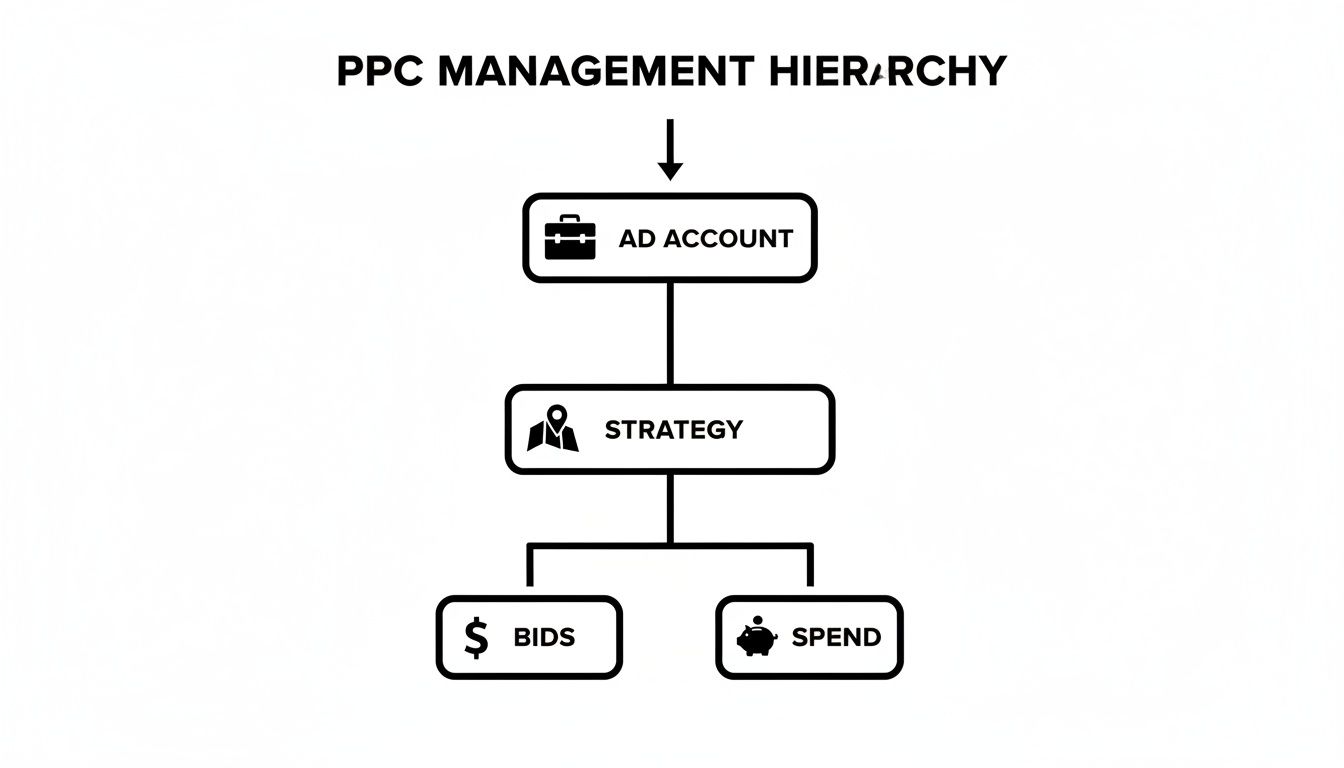
As you can see, every decision you make about bids and budget stems directly from how you've organized the account in the first place.
The Anatomy of a Scalable Account
The foundation of solid PPC account management is this hierarchy: Account > Campaigns > Ad Groups > Keywords & Ads. Getting this right from day one will save you countless headaches down the road. It's just that simple.
Your account structure should basically be a mirror of your business goals and your website's layout. If you sell men's and women's shoes, you wouldn't just dump them all into one giant "shoes" campaign. You’d want to separate them so you can control budgets, messaging, and targeting for each category individually.
Why is this so important? The average cost-per-click (CPC) for Google Search Ads is $2.69, and it can shoot way higher in competitive industries like law or finance. A well-structured account drives up your relevance and Quality Score, which directly lowers those costs. On the flip side, a messy account inflates them and makes it tough to maintain a healthy cost per action (CPA), which already averages $48.96 for search ads. You can dig into more of these PPC benchmarks if you're curious.
Campaigns: The Foundational Pillars
Campaigns are the biggest buckets you can use to organize your account. Think of them as the main departments of your business. This is where you set all the big-picture controls.
- Budgets: Each campaign gets its own daily budget, giving you total control over how much you spend on different product lines, services, or locations.
- Geographic Targeting: You can target specific countries, states, or even drill down to zip codes at the campaign level.
- Bidding Strategy: Here you decide if you're going after clicks, conversions, or impression share for each separate initiative.
A classic rookie mistake is creating too few campaigns. When it comes to PPC, granularity is your best friend. It's always better to have more campaigns with highly specific goals than a few "catch-all" campaigns that are impossible to optimize effectively.
A well-structured PPC account tells Google exactly what you're about. When you make it easy for Google to understand your relevance, it rewards you with better ad placements at a lower cost. Your structure is the language you use to communicate value.
Ad Groups: The Thematic Clusters
So, if campaigns are your store's departments, then ad groups are the individual aisles within them. Each ad group should hold a small, tightly-themed set of keywords.
This is absolutely crucial because all the keywords within a single ad group trigger the same set of ads. Relevance is everything here.
For example, a "Men's Running Shoes" campaign might have ad groups like:
- "Men's Trail Running Shoes"
- "Men's Road Running Shoes"
- "Men's Lightweight Running Shoes"
This tight grouping lets you write hyper-relevant ad copy. The ads for the "trail running" group can talk all about durability and grip, while the "lightweight" group's ads can focus on speed and performance. This laser focus is what boosts your click-through rates and signals to Google that your ads are a perfect match for what people are searching for.
Mastering Keywords and Match Types
Alright, let's get into the real heart of any PPC campaign: keywords. Just having a list of keywords is the starting line, not the finish. The real magic in top-tier PPC account management is all about controlling who sees your ads, and that's where match types come into the picture.

Think of it like this: using the wrong match type is like going fishing with a giant net in the middle of the ocean. Yeah, you'll catch something, but most of it will be junk you have to toss back. The right match type? That's like precision spear-fishing. You go after exactly what you want, waste zero effort, and come home with a great catch.
Understanding the Three Core Match Types
Getting a solid grip on match types is non-negotiable if you want to protect your ad spend. Each one dials up or down your level of control, and knowing when to use which is an absolute game-changer. It directly impacts what you pay for a click and the quality of traffic walking through your digital door.
Broad Match: This is the default setting and basically gives Google the keys to the car. Your ad can show up for searches related to your keyword, including synonyms and other topics Google's algorithm thinks are relevant. It’s a great tool for discovery, but it can—and will—burn through your budget on irrelevant clicks if you're not watching it like a hawk.
Phrase Match: This is your happy medium, offering a nice balance of reach and control. Your ads appear for searches that include the meaning of your keyword. So, people can add words before or after, but the core intent is still there. It’s a solid workhorse for most campaigns.
Exact Match: This gives you the tightest grip on the reins. Your ads will only show for searches with the exact same meaning or intent as your keyword. This is pure gold for those high-converting terms where you know precisely what the searcher is looking for.
If you want to go a layer deeper on this, check out this excellent guide on how to use Google Ads keyword match types to really fine-tune your targeting and get the most out of your budget.
The Overlooked Hero of PPC: Negative Keywords
Now, let's talk about the most underrated—and most powerful—part of keyword management: negative keywords. These are simply the terms you tell Google you don't want your ads to show up for. They’re like bouncers at the door of your campaign, stopping irrelevant searches from ever seeing your ad and, crucially, from costing you money.
Imagine you sell premium "men's leather boots." Without negative keywords, you could easily be paying for clicks from people searching for "men's boot repair" or "cheap rubber boots." Neither of those people is your customer, and every single one of those clicks is just wasted money.
A proactive negative keyword strategy is the single most effective way to cut waste from a PPC account. It’s not just about saving money; it’s about actively sculpting your traffic to ensure you’re only paying for clicks that have a real chance of converting.
Doing this by hand is a massive time-sink. You’re constantly digging through search term reports, trying to spot the junk, and adding negative keywords one by one. This is exactly where tools like Keywordme are a lifesaver. It turns this tedious chore into a simple, click-based workflow. You can spot and block junk terms right inside a plugin, saving you hours and making sure your budget is spent reaching actual potential customers.
Building Your Match Type Strategy
Your approach to match types can't be random; it needs to be tied directly to what you're trying to accomplish with your campaign.
To make it easier, here's a quick cheat sheet I use to guide my decisions.
Match Type Strategy Cheat Sheet
A really smart strategy usually involves a mix of all three. You might start with phrase match to gather some data, promote your high-performing search queries to exact match for maximum efficiency, and maybe run a small, separate broad match campaign with a tight budget just for research. This tiered approach gives you the perfect blend of discovery and control.
Smart Bidding and Budget Management
Alright, let's talk about where the rubber really meets the road in PPC: your money. Managing your budget is a constant dance. You have to spend enough to get in front of people but be smart enough to actually make a profit. This is all about getting a handle on Google's bidding strategies and how they connect directly to your daily and monthly spend.
You’re essentially deciding who’s in the driver's seat: you or Google's AI. There isn't a single "right" answer here. The best choice often changes as a campaign grows up and starts performing. The real goal is to make sure your bidding strategy lines up perfectly with what you're trying to achieve for your business.
Choosing Your Bidding Strategy
Think of your bidding strategy as the engine of your campaign. It's what decides how much you're willing to pay in the real-time, split-second auction for every single search. It’s a huge piece of the puzzle. You've got two main paths you can go down: full manual control or letting the machines do the heavy lifting.
Manual CPC (Cost-Per-Click): This is the old-school, hands-on-the-wheel approach. You tell Google the absolute maximum you’re willing to pay for a single click. It gives you ultimate control, but be warned: it requires you to be constantly watching and tweaking things to stay competitive.
Automated Bidding: This is where you hand the keys over to Google's machine learning. You just tell Google your main goal—maybe it’s getting as many conversions as possible or hitting a specific cost-per-acquisition (CPA)—and its algorithm adjusts your bids for you, in real-time.
These automated strategies look at a dizzying number of signals—we're talking device, location, time of day, browsing history—to predict how likely someone is to convert and then bid accordingly. For most advertisers I work with today, using some form of automated bidding is just the most efficient way to go.
Smart Bidding isn't about giving up control; it's about shifting your focus from the tedious to the strategic. Instead of manually changing bids for thousands of keywords, you get to think about the bigger picture: ad creative, landing page experience, and where your budget is best spent. Let the algorithm handle the tiny, moment-to-moment adjustments.
Aligning Bids with Business Goals
The type of automated bidding you pick should be a direct reflection of your business goals. Not all goals are the same, and your bidding needs to mirror that.
Here's a practical example: Let's say you know a new lead is worth $100 to your business. Setting a Target CPA of $50 tells Google, "Go find me customers, but don't spend more than fifty bucks to get one." This is where good PPC account management becomes a powerful engine for real financial results. If you want to go even deeper on this, our guide to PPC bid management is the perfect next step.
Practical Budget Allocation
Once you've got your bidding strategy locked in, you need to give it some fuel. Your budget is what determines how many auctions you can even show up for each day.
Setting Daily Budgets: Start with a daily number you're comfortable with. A classic mistake I see all the time is spreading a budget too thin across too many campaigns. It's almost always better to fully fund a few of your most important campaigns than to underfund a dozen of them. Why? An underfunded campaign can starve, never getting enough data for the automated bidding to learn and work its magic.
Pacing and Adjustments: Your daily spend won't be a flat line. Google might spend up to twice your daily budget on a busy day, but it promises to balance things out so you never exceed your average daily budget over a month. Keep an eye on your budget pacing. If a campaign is consistently running out of money by noon, that’s a massive red flag. You're missing out on all the valuable traffic in the afternoon and evening. That's your signal to either increase the budget or tighten up your targeting to be more efficient with the cash you have.
Tracking Performance and Essential KPIs
Let's be blunt: if you aren't tracking, you're just guessing. Good PPC account management is all about data, but it's incredibly easy to get lost in a tsunami of metrics. The trick is learning to ignore the noise and focus on the Key Performance Indicators (KPIs) that actually mean something to your business.
It’s time to move past the "vanity metrics." Sure, clicks and impressions might look good on a report, but they don't pay the bills. Instead, we're going to zero in on the numbers that signal real success and tell you if your campaigns are actually pulling their weight.
Moving Beyond Clicks to Conversions
First things first: you absolutely have to set up proper conversion tracking. A conversion is any action you deem valuable—a purchase, a lead form submission, a phone call, you name it. Without this in place, you’re flying completely blind.
Think of conversion tracking as the foundation of everything we do in PPC. It's what feeds the beast, allowing Google's smart bidding algorithms to work their magic. More importantly, it gives you the data you need to make intelligent decisions. Once that's locked in, you can finally measure what truly matters.
The KPIs That Actually Drive Your Business
Instead of getting bogged down by every metric under the sun, let's narrow our focus to a handful of KPIs that paint a clear picture of your campaign's financial health. These are the numbers that should guide every single move you make.
Conversion Rate (CVR): This is simply the percentage of clicks that turn into a conversion. A healthy CVR tells you that your ads and landing pages are aligned and doing a good job of convincing people to take that next step.
Cost Per Acquisition (CPA): Sometimes called Cost Per Conversion, this tells you exactly what you paid for a single customer or lead. If you sell a widget for $200 and your CPA is $50, you're probably pretty happy. But if that CPA creeps up to $250... well, you've got a problem.
Return On Ad Spend (ROAS): This is the holy grail of profitability metrics. It shows you the revenue you generate for every dollar spent on ads. A 4:1 ROAS is fantastic—it means you’re making $4 for every $1 you put in.
These three metrics tell a story together. A low CPA is great, but not if you're only getting a trickle of conversions. A high ROAS is the goal, but you can't calculate it unless you know what each conversion is actually worth.
Reading the Data to Find Opportunities
Once you’re tracking the right stuff, the real fun begins. Your data isn't just a report card; it's a treasure map that points to hidden growth opportunities. This is what separates the average account managers from the pros.
Start looking for patterns. Do certain ad groups have a dramatically lower CPA than others? Are a few specific keywords driving an incredible ROAS? That's your signal to double down on what’s working and cut the dead weight.
Data tells a story. Your job in PPC account management is to become an expert at reading that story and then rewriting the ending. Every metric is a clue that can lead you to better performance and more profit.
For example, you might dig in and see your mobile conversion rate is half of your desktop rate. That's a massive red flag. It tells you to immediately investigate the mobile experience. Is the site slow on phones? Is the form a nightmare to fill out on a small screen? Answering these questions can unlock a huge chunk of your audience.
Building Reports That Tell a Clear Story
Please, don't just export a spreadsheet and call it a day. The whole point of reporting is to communicate performance clearly and inspire action. Whether it’s for a client or your boss, your reports should be simple, visual, and laser-focused on the KPIs we just talked about.
I like to structure my reports to answer three simple questions:
- What happened? (e.g., "Our ROAS jumped by 15% last month.")
- Why did it happen? (e.g., "We shifted budget to the high-performing 'Trail Running Shoes' campaign.")
- What are we doing next? (e.g., "Next, we're going to test new ad copy in the underperforming ad groups.")
This simple framework turns a boring data dump into a strategic conversation. It proves you're not just watching the numbers but actively steering the ship toward better results. When you focus on the right KPIs and use them to guide your strategy, data becomes your most powerful ally.
Let Smart Tools Handle the Heavy Lifting
Look, you could try to manage a modern PPC account entirely by hand. But that's like trying to build a house with just a hammer. Is it possible? Maybe. Is it slow, exhausting, and a terrible use of your time? Absolutely.
The secret to scaling your success without burning yourself out is to work smarter, not just harder. That means embracing automation and finding the right tools for the job.
This is where everything changes. What if you could turn hours of slogging through search term reports into just a few clicks inside a simple Chrome plugin? That's not some futuristic fantasy; it’s what’s available right now. Real PPC account management today is less about manual grunt work and all about making sharp, strategic decisions—and letting technology handle the tedious stuff.
Get Your Time Back with Automation
The day-to-day PPC grind can bury you in repetitive tasks. We're talking about manually adding negative keywords one by one, copying and pasting converting search terms into new ad groups, and constantly hunting for budget-wasting junk. These tasks are critical, don't get me wrong, but they are also prime candidates for automation.
Smart tools are built to take this busywork off your plate. They can:
- Instantly spot and negate irrelevant search terms, stopping wasted ad spend in its tracks.
- Organize high-converting search queries, so you can easily expand your most successful campaigns.
- Apply the correct match types in bulk, making sure your targeting is always on point.
This frees up your most valuable asset—your time. It lets you step away from the tedious, in-the-weeds work and focus on the high-level strategy that actually grows the account.
The screenshot below shows a perfect example of how a tool like Keywordme makes managing search terms ridiculously simple, right inside the Google Ads interface.
You can see how a single click lets you add a term as a negative or move it to another ad group as an exact or phrase match. No more spreadsheets.
Make Faster, Data-Driven Decisions
One of the biggest bottlenecks in PPC is turning a mountain of raw data into a clear plan of action. A good tool doesn't just automate tasks; it presents data in a way that makes your next move obvious. Instead of drowning in spreadsheets, you get clear recommendations that guide your optimizations.
For example, a platform like Keywordme can help you instantly see which search terms are actually making you money and which are just burning a hole in your budget. This clarity allows you to act fast, shifting funds to what’s working and cutting what isn’t—all in a fraction of the time it would take you to do it manually.
The goal of PPC tools isn't to replace the strategist; it's to empower them. By handling the monotonous tasks, these tools give you the bandwidth to think bigger, test more creatively, and ultimately drive better results.
If you’re ready to explore your options, you might want to learn more about choosing the right pay per click management software for your agency or business. At the end of the day, using smart tools in your workflow isn’t a luxury—it’s a necessity for anyone serious about getting scalable, profitable results from their paid search campaigns.
Answering Your Top PPC Management Questions
Even with a killer strategy in place, you're bound to have questions pop up as you get into the weeds of managing a PPC account. Let's walk through a few of the most common ones I hear all the time.
How Often Should I Actually Check My PPC Account?
Think of it like this: for any active campaign, you'll want to do a quick daily fly-by. This isn't about pulling massive reports; it's a 5-minute gut check to make sure nothing's on fire—like a sudden budget blowout or a top ad getting disapproved.
For the real strategic work, like digging through search term reports to find new negative keywords, you should be doing a deeper dive at least once a week. Of course, if you're managing a big-budget account or running a flash sale, you'll naturally be in there a lot more often.
What’s the Single Biggest Mistake People Make in PPC?
Easy. The "set it and forget it" approach. It’s the most common and costly mistake by a long shot. People launch their campaigns, pat themselves on the back, and then don't look at their search term reports for weeks.
This is a guaranteed way to burn through your budget on completely irrelevant clicks. Consistent, hands-on management is the only way to make sure your ad spend is actually working for you.
A PPC account is a lot like a garden. If you ignore it, the weeds (irrelevant search terms) will quickly take over and choke out the valuable plants (your converting keywords).
Can I Really Manage PPC With No Tools?
You absolutely can, especially when you're just starting out with a small, simple account. The native Google Ads interface has all the basic functions you need to get up and running.
But here’s the thing: as soon as you start to scale—adding more campaigns, ad groups, and keywords—doing everything by hand becomes a massive time-suck. That's where tools come in. They automate the tedious, repetitive stuff so you can stop drowning in spreadsheets and start focusing on the high-level strategy that actually grows the account.
Ready to stop wasting time on manual grunt work and start making smarter, faster optimizations? Keywordme turns hours of tedious work into just a few clicks. See how much time you can save. Start your free 7-day trial of Keywordme today.
.svg)