
12 Best Pay Per Click Management Software Picks (2026)
12 Best Pay Per Click Management Software Picks (2026)


If you're still drowning in spreadsheets to manage your campaigns, you're leaving money and time on the table. The right pay per click management software can be a game-changer, turning manual grunt work into automated wins and transforming messy data into clear, actionable insights. But with so many options out there—from massive enterprise suites to nimble, focused tools—finding the right one feels like a full-time job.
Don't worry, we've done the heavy lifting for you. This guide breaks down the 12 best PPC management tools on the market today, including our very own, Keywordme. We're cutting through the marketing fluff to give you an honest look at what each platform truly offers.
We'll dive deep into:
- Core Features: Real-world comparisons of keyword automation, negative keyword handling, bulk actions, and reporting.
- Ideal Use Cases: Pinpointing the best software for an agency, enterprise, small business, or freelancer.
- Honest Pros & Cons: No sugarcoating. We'll tell you where each tool shines and where it falls short.
- Pricing & Onboarding: A clear look at what you'll pay and how long it takes to get up and running.
Each review includes screenshots and direct links, making it easy to see the software in action. Whether you're a seasoned PPC pro at a large agency or a small business owner just getting started with Google Ads, this list will help you find the perfect pay per click management software to slash wasted ad spend, optimize performance, and finally reclaim your day. Let's get started.
1. Keywordme
Keywordme stands out as a powerful and refreshingly straightforward piece of pay per click management software designed for one core purpose: mastering Google Ads keyword workflows. Instead of a standalone platform requiring you to export data, it operates as a nimble Chrome plugin directly inside the Google Ads interface. This unique in-situ approach allows agencies, freelancers, and in-house teams to perform complex keyword tasks, like building negative lists from search term reports, with just a single click.
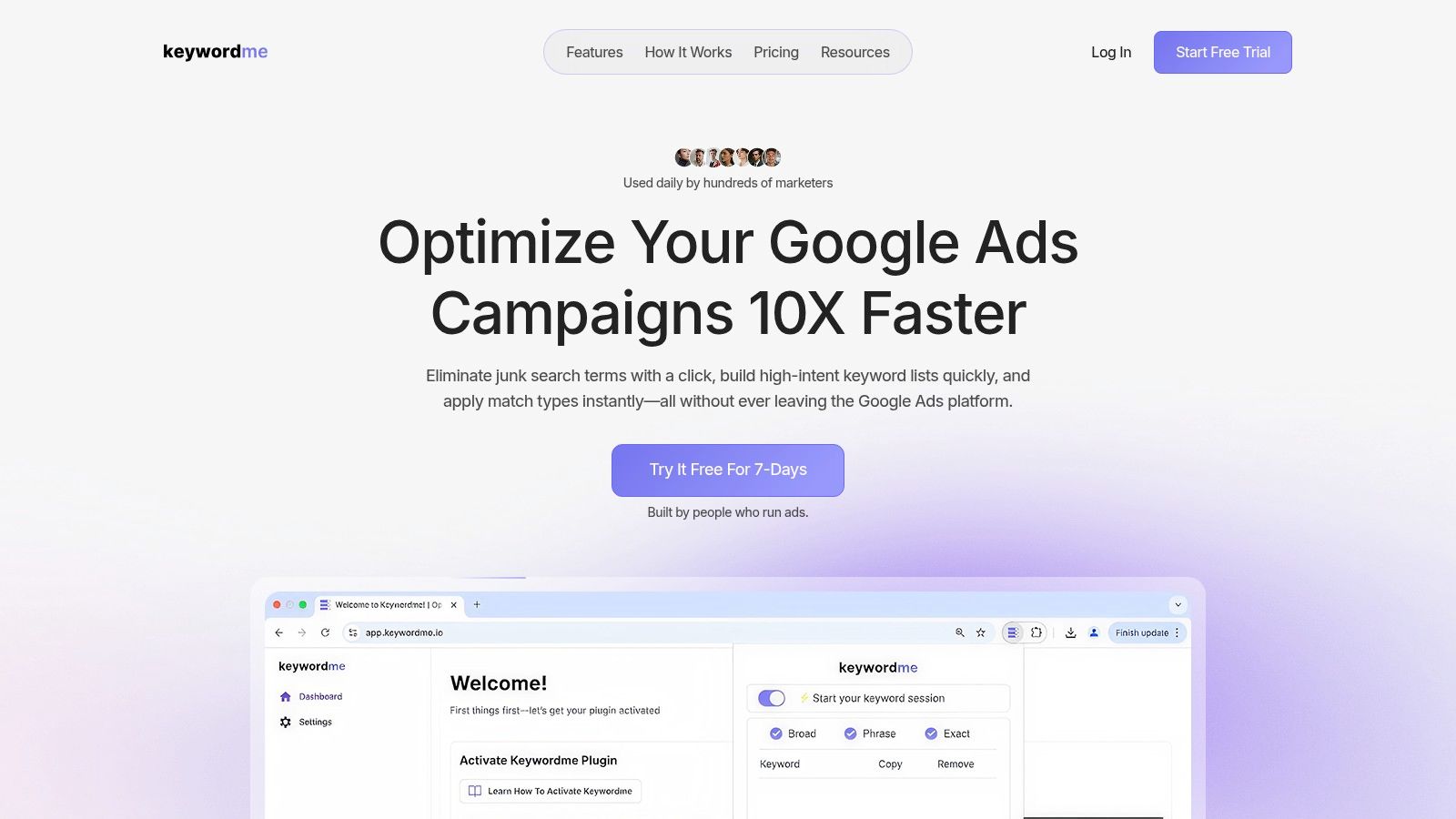
The platform eliminates the tedious cycle of downloading spreadsheets, manipulating data in Excel, and re-uploading changes. It’s built for action, turning hours of manual work into seconds.
"Exactly what I needed…highly recommend. I'm building out a search campaign and I needed to quickly add keywords as negative keywords at the ad group and campaign level. This tool does that, and it’s a huge time-saver." - Matt Pattoli, PPC Specialist
Key Features & Use Cases
Keywordme’s feature set is laser-focused on practical, everyday Google Ads management tasks that consume the most time.
- One-Click Negative Keywords: Instantly add irrelevant search terms to negative keyword lists at the ad group or campaign level directly from the search terms report. This is its standout feature, dramatically reducing wasted ad spend on unqualified clicks.
- Bulk Match-Type Application: Select a list of keywords and apply exact, phrase, or broad match types simultaneously. This is a game-changer for building out new ad groups or restructuring existing campaigns without manual edits.
- In-UI Keyword Tools: Copy, paste, and download keyword lists without ever leaving your Google Ads screen. The tool handles formatting, saving you from wrestling with spreadsheet columns.
Onboarding and Support
Getting started is simple. You just install the Chrome plugin, log in, and the tool's functionality appears within your Google Ads account. There's virtually no learning curve. For any questions, Keywordme offers a help center and live chat support, making it accessible even for users new to PPC tools.
- Pros: Works directly inside Google Ads, drastically speeds up keyword tasks (up to 10x), eliminates spreadsheet dependency, and offers affordable per-seat pricing.
- Cons: Limited to Google Ads and the Chrome browser. The per-user pricing model may become costly for very large enterprise teams.
- Pricing: A 7-day free trial is available, followed by a Pro plan at $12 per user, per month.
Website: https://www.keywordme.io
2. Optmyzr
Optmyzr is a beast of a platform designed for serious PPC professionals who need to manage multiple accounts or large-scale campaigns with ruthless efficiency. Think of it as a force multiplier for your PPC skills. Instead of just managing bids, it provides a comprehensive suite of tools built around automation and workflow optimization. It connects directly with Google Ads, Microsoft Ads, and even has an add-on for Amazon Ads, making it a powerful central hub for your operations.
What really sets Optmyzr apart is its Rule Engine. This isn't just basic "if this, then that" automation; it's a deeply customizable system that lets you build complex, multi-step optimization recipes. You can automate everything from pausing low-performing keywords and adjusting bids based on Quality Score to creating new ad groups from converting search terms. This is where experienced managers can save dozens of hours a month on manual, repetitive tasks.
Key Features & Use Cases
- Best For: Agencies and in-house teams managing significant ad spend across multiple platforms.
- Standout Feature: The customizable Rule Engine and AI-powered "Blueprints" let you automate nearly any optimization task you can think of.
- Budgeting: Its budget pacing and alerting tools are top-notch, preventing overspend and helping you reallocate funds to winning campaigns.
- Reporting: Agency-level reporting tools that are designed to be client-facing, saving you the hassle of building reports from scratch.
Pricing & Onboarding
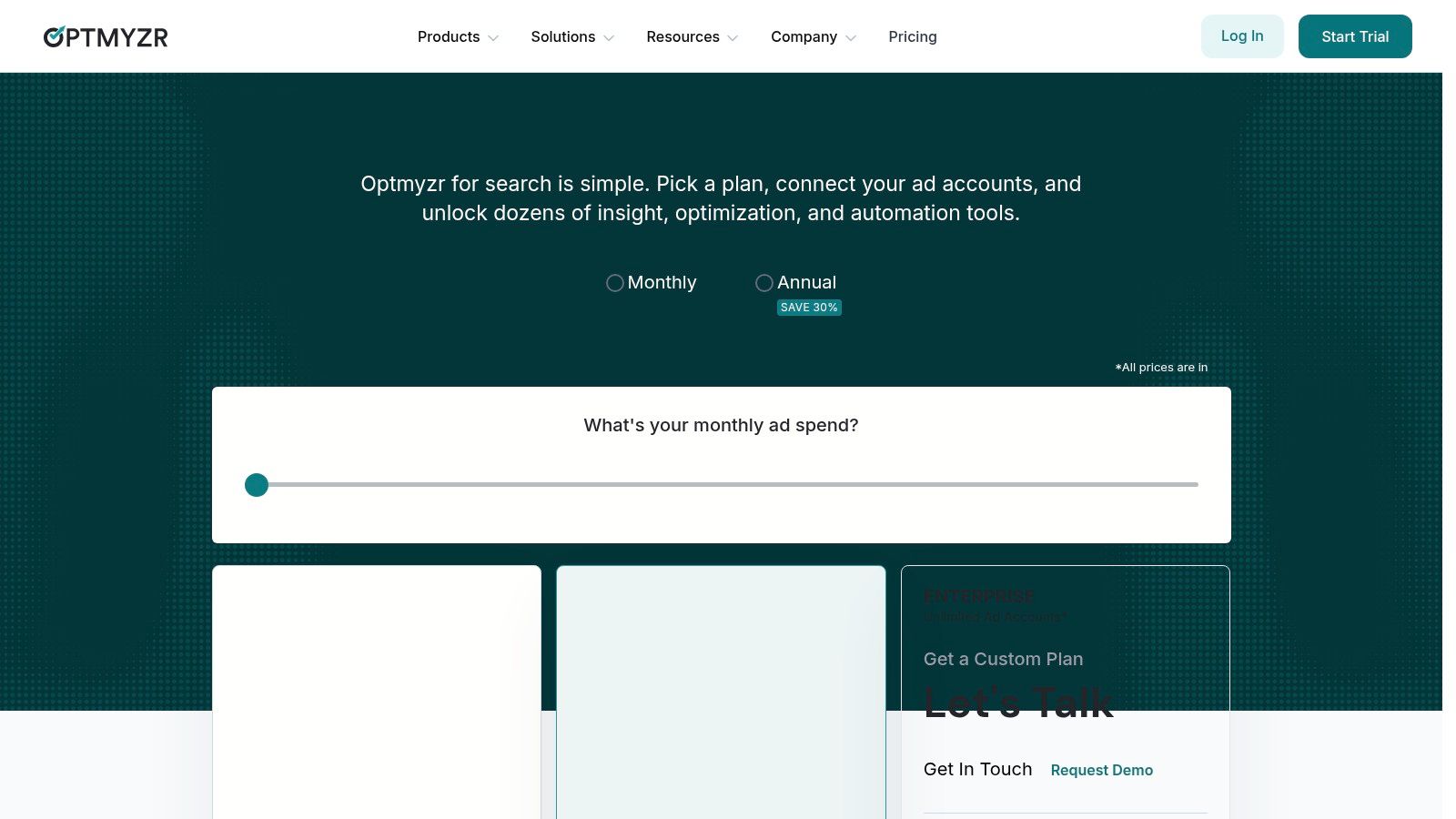
Optmyzr's pricing is based on your monthly ad spend, starting around $249/month for the Lite plan and scaling up. While not the cheapest option, the value is clear for teams that fully utilize its automation capabilities. The onboarding process is famously robust, with live training sessions and excellent support to get your team up to speed. For a deeper dive into how it stacks up, especially for multi-client work, see this guide on PPC management software for agencies.
Website: https://www.optmyzr.com/pricing
3. Adalysis
Adalysis is your always-on quality assurance expert, tirelessly auditing your Google and Microsoft Ads accounts for hidden issues and optimization opportunities. While other tools focus on broad-scale bid management, Adalysis drills down into the nitty-gritty of account health and creative performance. It’s like having a senior PPC analyst constantly scanning your campaigns, flagging everything from conflicting negative keywords and ad copy inconsistencies to potential Quality Score drains.
The platform's core strength lies in its relentless, automated ad testing and auditing. It runs over 100 automated checks and alerts you to prioritized fixes, saving you from manually digging through layers of data. For agencies or in-house managers obsessed with ad creative performance, its A/B testing tools are invaluable. It automates the process of identifying winning and losing ad copy, rotating ads based on performance data, and providing clear insights to guide your next creative iteration. This makes it a standout piece of pay per click management software for maintaining high standards.
Key Features & Use Cases
- Best For: Agencies and managers who prioritize continuous account health audits and rigorous ad creative testing.
- Standout Feature: The comprehensive, always-on account audit system that provides a prioritized to-do list of performance-enhancing fixes.
- Ad Testing: Automates A/B testing for ad copy and ensures winning ads get the appropriate visibility without manual intervention.
- Reporting: Offers white-label and templated reporting, making it easy to share performance data with clients or internal stakeholders.
Pricing & Onboarding
Adalysis offers a straightforward, spend-based pricing model that includes unlimited accounts and users in all plans, making it highly scalable for agencies. Plans start at $149/month for up to $100k in monthly ad spend. Onboarding requires some initial effort to customize the audits and testing rules to your specific needs, but once configured, it runs mostly on autopilot. For more on how these detailed checks fit into a larger strategy, read this guide on what PPC optimization really involves.
Website: https://adalysis.com/pricing/
4. Opteo
If Optmyzr is the beast, Opteo is the nimble and intelligent assistant designed to make your Google Ads management life easier, not more complex. It focuses exclusively on Google Ads, delivering a continuous feed of data-driven recommendations that you can review and apply with a single click. Think of it as having a junior analyst constantly monitoring your accounts for quick wins, from pausing underperforming ads and adding negative keywords to adjusting bids and managing budgets.
Opteo's core strength is its simplicity and speed. It connects to your Google Ads account and immediately starts generating a prioritized list of improvements. This makes it an incredibly effective tool for small agencies or in-house managers who don't have the bandwidth to build complex automation rules but still want to implement best practices consistently. It’s the perfect middle ground between manual management and an enterprise-level automation suite.
Key Features & Use Cases
- Best For: Small to mid-sized agencies, freelancers, and in-house teams focused solely on Google Ads.
- Standout Feature: The "Improvements" feed is a beautifully simple, one-click optimization workflow that makes daily account maintenance fast and effective.
- Alerting: Integrates with Slack to provide real-time performance alerts and budget monitoring, keeping you ahead of any potential issues.
- Reporting: Clean, easy-to-understand performance tracking and reporting that highlights the value of the optimizations you've implemented.
Pricing & Onboarding
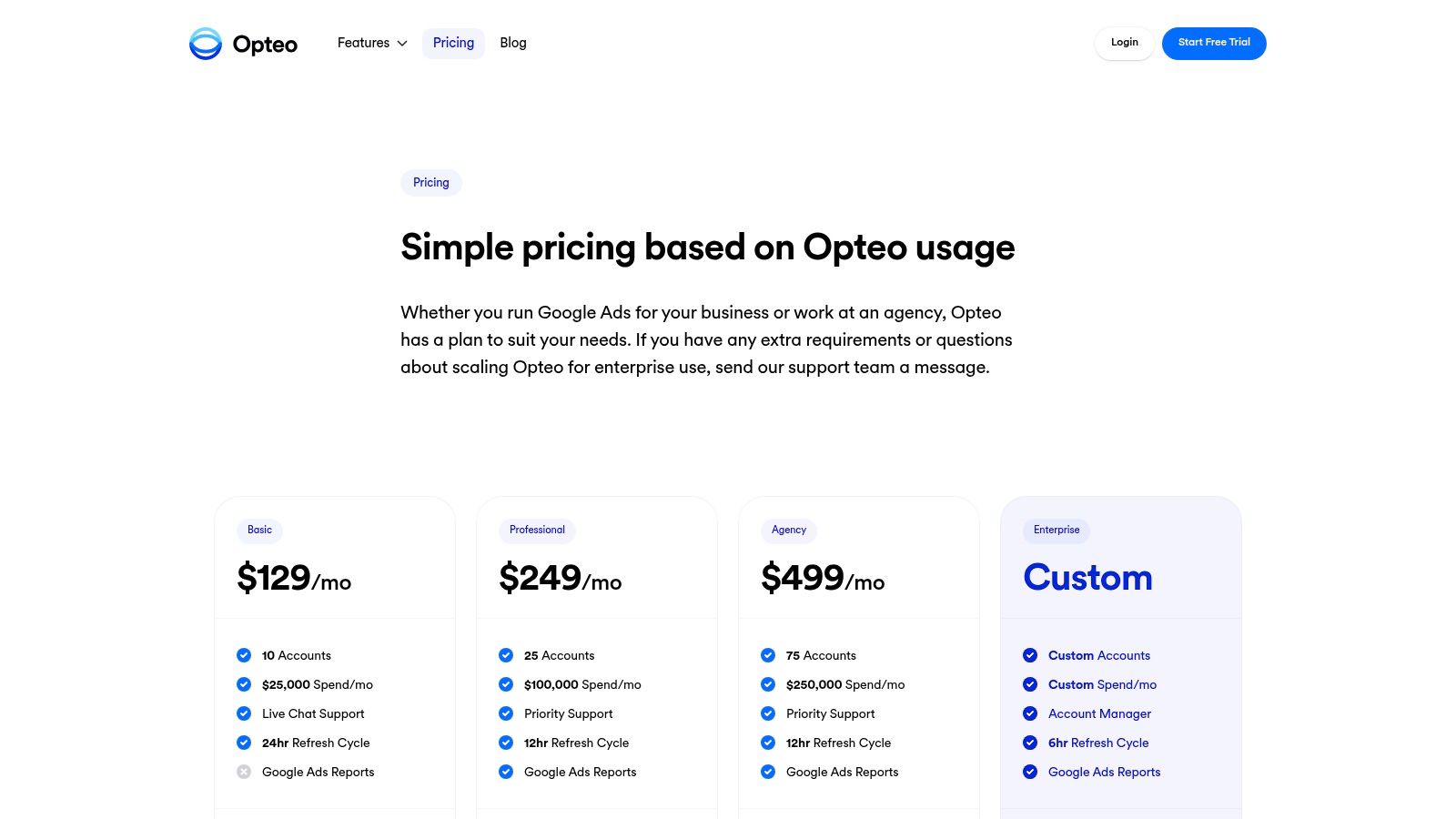
Opteo offers simple, transparent pricing based on your total monthly ad spend, starting at just $99/month. This straightforward model makes it accessible for smaller portfolios. Onboarding is a breeze; you can connect your account and start seeing recommendations within minutes. There's virtually no learning curve, which is a significant advantage for teams that need to get results quickly without extensive training.
Website: https://opteo.com/pricing
5. Semrush (Advertising Toolkit)
Semrush is an all-in-one marketing juggernaut, and its Advertising Toolkit is less a dedicated management platform and more a powerful research and planning weapon for your PPC arsenal. Instead of focusing on day-to-day bid automation, it excels at the strategic front-end of campaign creation. It gives you an incredible view of your competitors' ad strategies, from their historical ad copy and keywords to their Product Listing Ad (PLA) performance. This makes it an invaluable tool for ideation and campaign buildout.
The platform's strength lies in connecting competitive intelligence with actionable tools. You can spy on competitor ads, discover the keywords they bid on but you don't, and then feed those insights directly into the PPC Keyword Tool. From there, you can organize keywords into groups and use the Ads Launch Assistant to export a ready-to-upload campaign file for Google Ads. It’s a research-to-launch workflow designed to ensure your campaigns are built on a solid foundation of data, not guesswork.
Key Features & Use Cases
- Best For: Marketers and agencies who want to base their PPC strategy on deep competitive research before launching campaigns.
- Standout Feature: The Advertising Research and Ads History tools provide a comprehensive look into competitor ad copy, keyword bidding, and landing pages.
- Campaign Planning: Its PPC Keyword Tool is excellent for organizing keywords, applying negative keywords in bulk, and structuring ad groups before they go live.
- Synergy: The toolkit integrates seamlessly with the rest of the Semrush suite, allowing you to align your PPC efforts with your broader SEO and content marketing strategy.
Pricing & Onboarding
Semrush pricing is based on subscription tiers (Pro, Guru, Business) that unlock different features and limits across the entire platform, starting around $129.95/month. The Advertising Toolkit is part of these plans, though some advanced features may require higher tiers. Many plans offer a 7-day free trial, which is a great way to test its capabilities. Onboarding is self-guided, but Semrush offers a vast library of tutorials and resources. For a complete guide on how to structure your campaigns after the research phase, explore these best practices for mastering PPC campaign management.
Website: https://www.semrush.com/
6. SpyFu
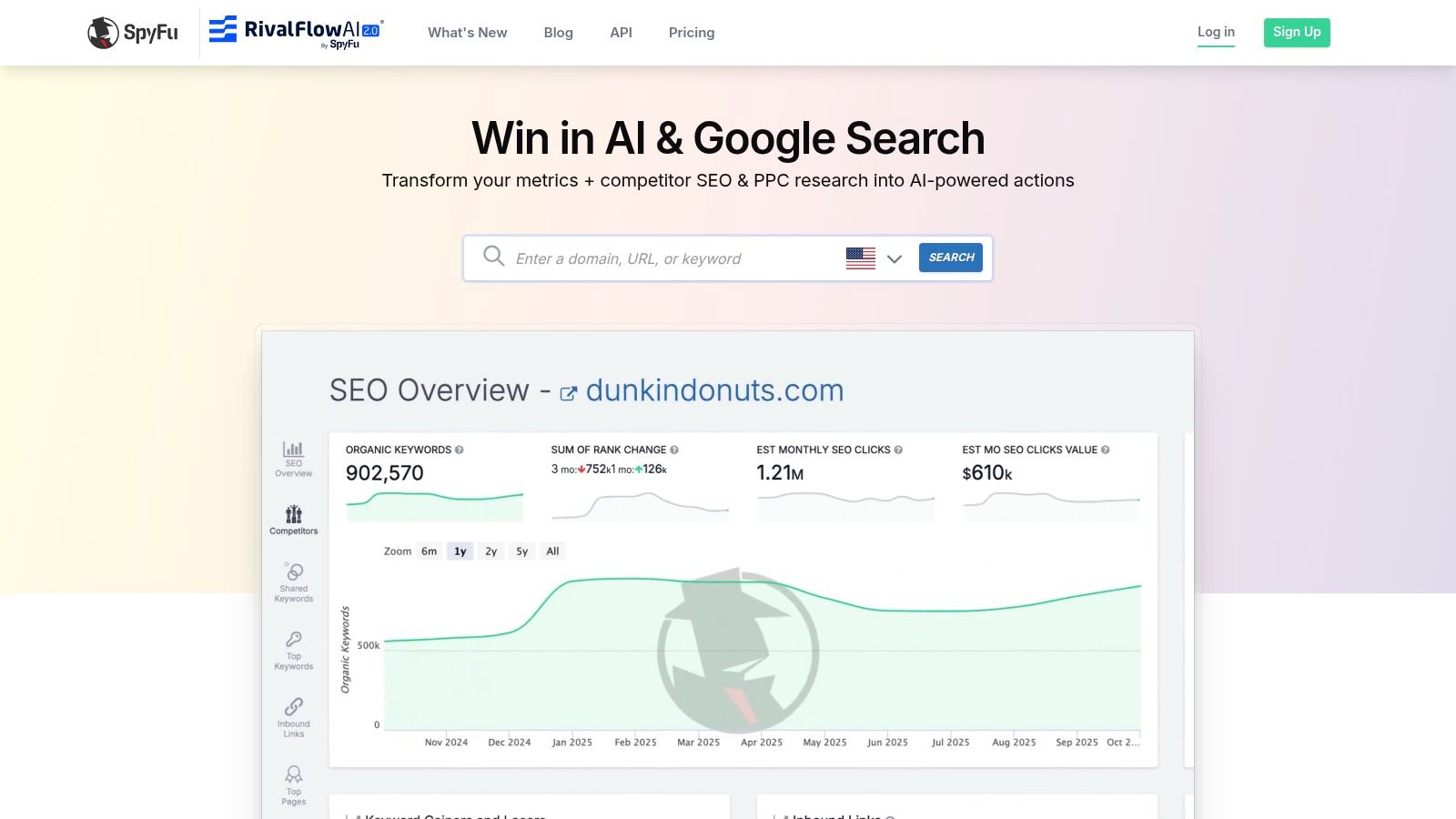
SpyFu carves out a unique space in the pay per click management software landscape by focusing almost exclusively on competitive intelligence. Instead of managing live campaigns, it acts as a powerful reconnaissance tool, giving you a deep look into what your competitors have been doing for years. It allows you to see their most profitable keywords, historical ad copy, and estimated ad spend, essentially reverse-engineering their PPC strategy.
This platform is less about day-to-day automation and more about strategic planning and discovery. By analyzing competitor campaigns that have run for years, you can uncover proven keywords and ad concepts before spending a single dollar. Its "Kombat" feature is particularly useful, showing you keyword overlaps between you and multiple competitors to identify gaps and opportunities in the market.
Key Features & Use Cases
- Best For: Marketers and agencies in the campaign planning, research, or audit phase.
- Standout Feature: Its nearly 20-year archive of ad copy, keyword data, and landing page history provides an unmatched historical perspective on competitor strategies.
- Campaign Planning: Use its pre-built campaign templates and competitor keyword lists to build a strong foundation for new Google Ads campaigns.
- Lead Generation: Beyond PPC data, it can be used to find contact information for potential leads or partners.
Pricing & Onboarding
SpyFu offers incredible value, with plans starting at a very accessible price point, around $39/month for the Basic plan. This makes it a no-brainer addition to almost any marketer's toolkit. Onboarding is straightforward since it's a research tool rather than a complex automation platform. You can simply sign up and start searching for competitor domains immediately, making it easy to get quick wins and insights.
Website: https://www.spyfu.com/
7. TrueClicks
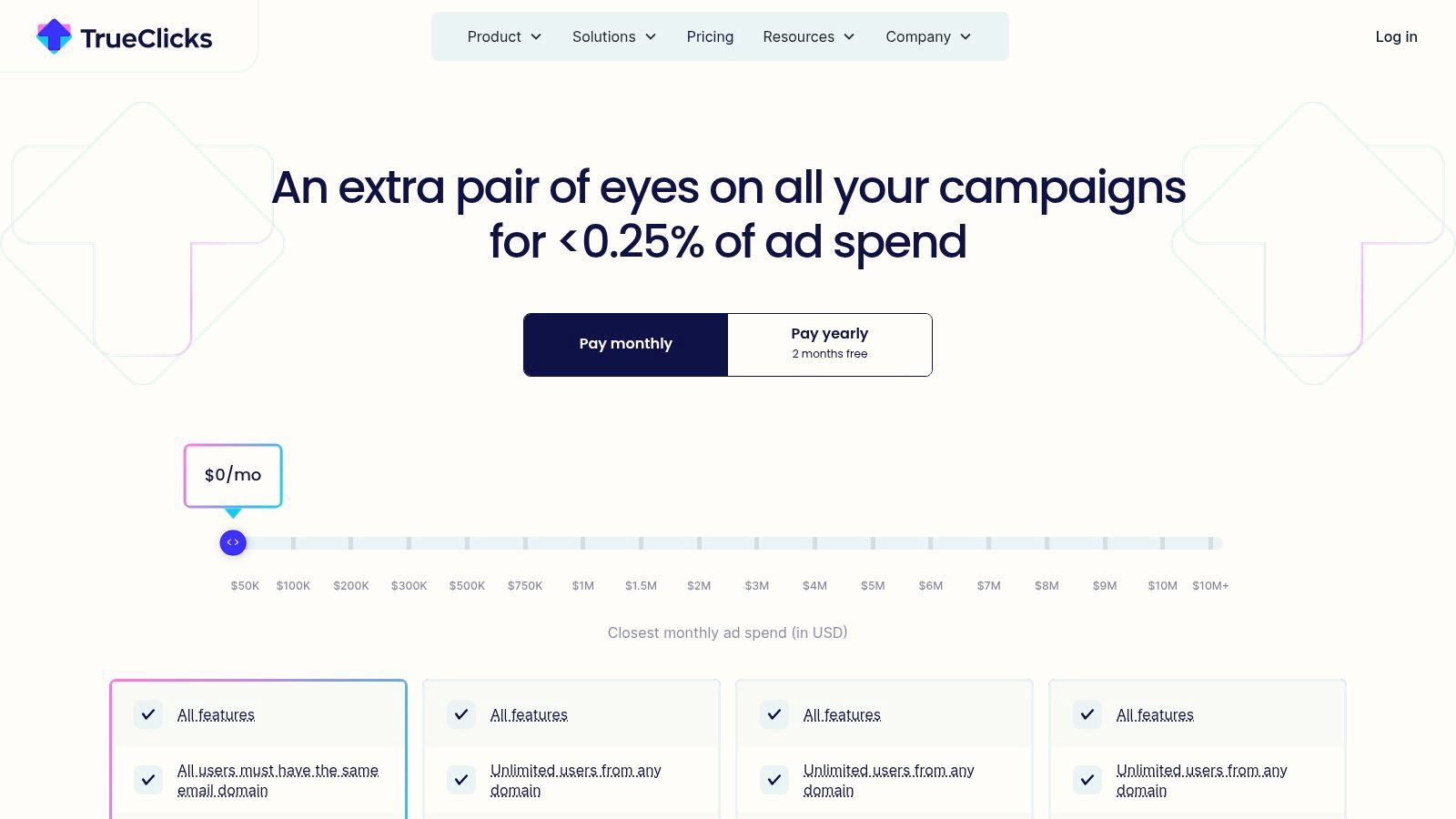
TrueClicks is a different breed of pay per click management software, acting as an always-on auditing and monitoring co-pilot rather than a full campaign management suite. It’s designed to sit alongside your hands-on work in Google and Microsoft Ads, constantly scanning for hygiene issues, missed opportunities, and structural problems. Think of it as a quality assurance layer that catches things you might miss, providing a prioritized list of actionable fixes.
Its strength lies in providing a clear, objective health score for your accounts based on industry best practices. TrueClicks automates the tedious parts of an audit, checking for things like conflicting negative keywords, incorrect conversion tracking, or poor ad group structure. It then gives you a prioritized to-do list, allowing you and your team to focus on strategic work instead of just searching for errors. The platform complements your existing workflow, rather than trying to replace it entirely.
Key Features & Use Cases
- Best For: PPC managers and agencies who want to enforce best practices and improve account quality without overhauling their entire workflow.
- Standout Feature: Automated, continuous account auditing provides a prioritized checklist of issues, from critical errors to minor optimizations.
- Monitoring: Live monitoring with alerts via Slack, Teams, or email for sudden performance drops, budget pacing issues, or tracking failures.
- Efficiency: Fix-at-scale tools help you quickly resolve common issues across multiple campaigns directly from the audit results.
Pricing & Onboarding
TrueClicks offers a refreshingly straightforward approach to pricing with a generous "Free forever" plan for accounts spending up to $50K per month. Paid plans are indexed to your monthly ad spend, making it scalable and predictable. Onboarding is typically fast since it integrates with your existing ad accounts and provides insights almost immediately, without requiring extensive setup or rule creation.
Website: https://www.trueclicks.com/pricing
8. Skai (formerly Kenshoo)
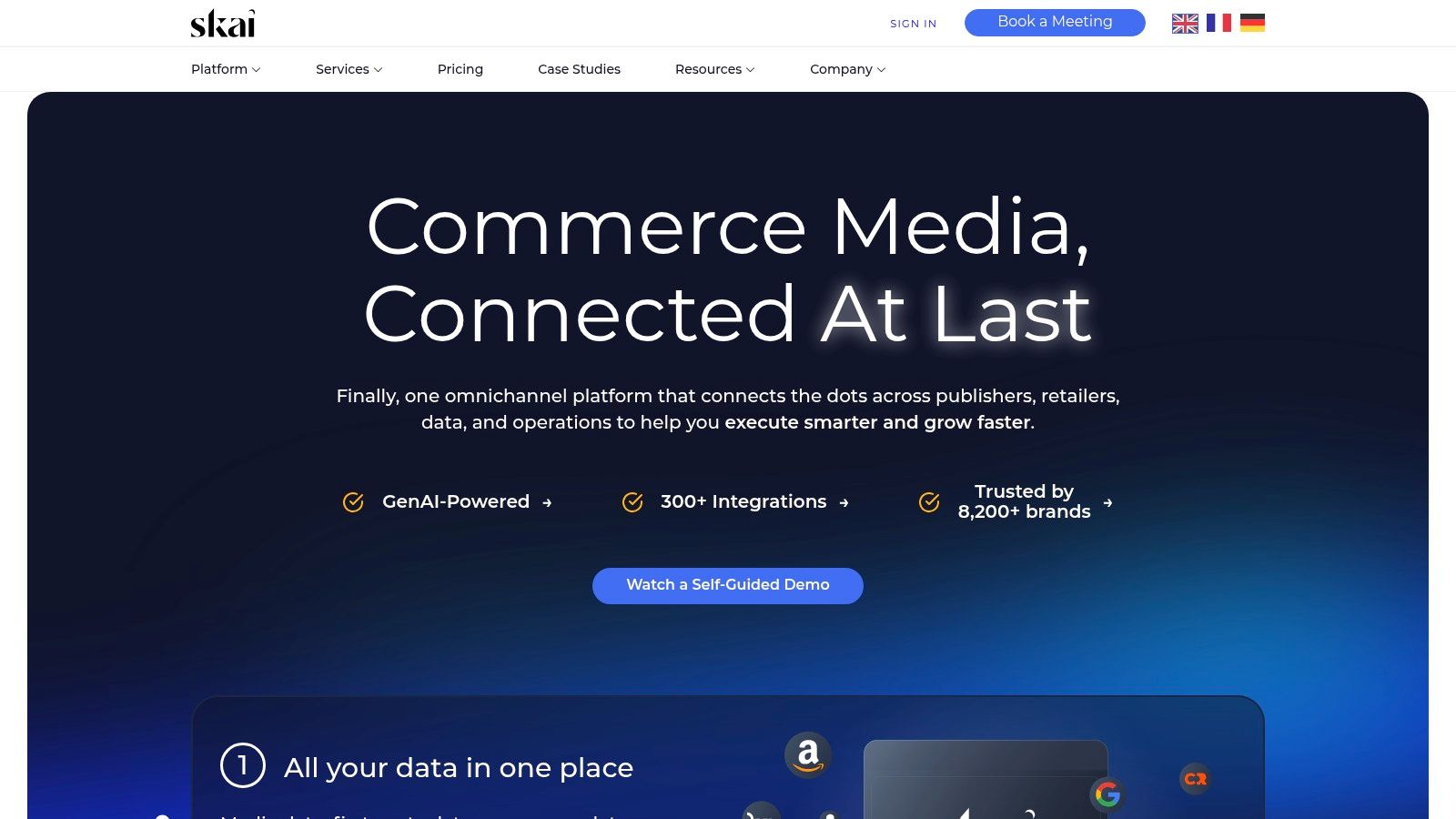
Skai is an enterprise-grade omnichannel advertising platform built for large-scale, complex operations. If your marketing spans search, social, and retail media, Skai aims to be your central command center. It goes beyond simple campaign management to offer a unified solution for planning, activating, and measuring performance across a vast ecosystem of publishers. This isn't a tool for a small business running a single Google Ads account; it's designed for sophisticated teams managing multi-million dollar budgets.
What makes Skai a heavyweight in the pay per click management software space is its deep integration with retail media networks (like Amazon, Walmart, and Instacart) alongside traditional search and social giants. This allows for true cross-channel strategy and optimization. Its AI-driven recommendations help teams make sense of massive datasets, suggesting budget shifts, bid adjustments, and keyword opportunities that would be impossible to spot manually at scale.
Key Features & Use Cases
- Best For: Large enterprises and global agencies that require a unified platform for search, social, and retail media advertising.
- Standout Feature: Extensive publisher and retail media integrations (300+), providing unparalleled reach for omnichannel campaigns.
- Data & AI: Centralizes data from disparate sources to fuel AI-assisted recommendations, budget forecasting, and performance measurement.
- Workflows: Built with enterprise-level automation, reporting, and collaboration tools designed for large, distributed teams.
Pricing & Onboarding
Skai's pricing is not publicly listed and is available only through a custom demo and quote process. It is positioned as a premium, enterprise-level solution, so expect the investment to match its comprehensive capabilities. Onboarding is a hands-on, consultative process tailored to the complex needs of a large organization, ensuring the platform is configured to meet specific business objectives.
Website: https://skai.io/
9. Google Search Ads 360
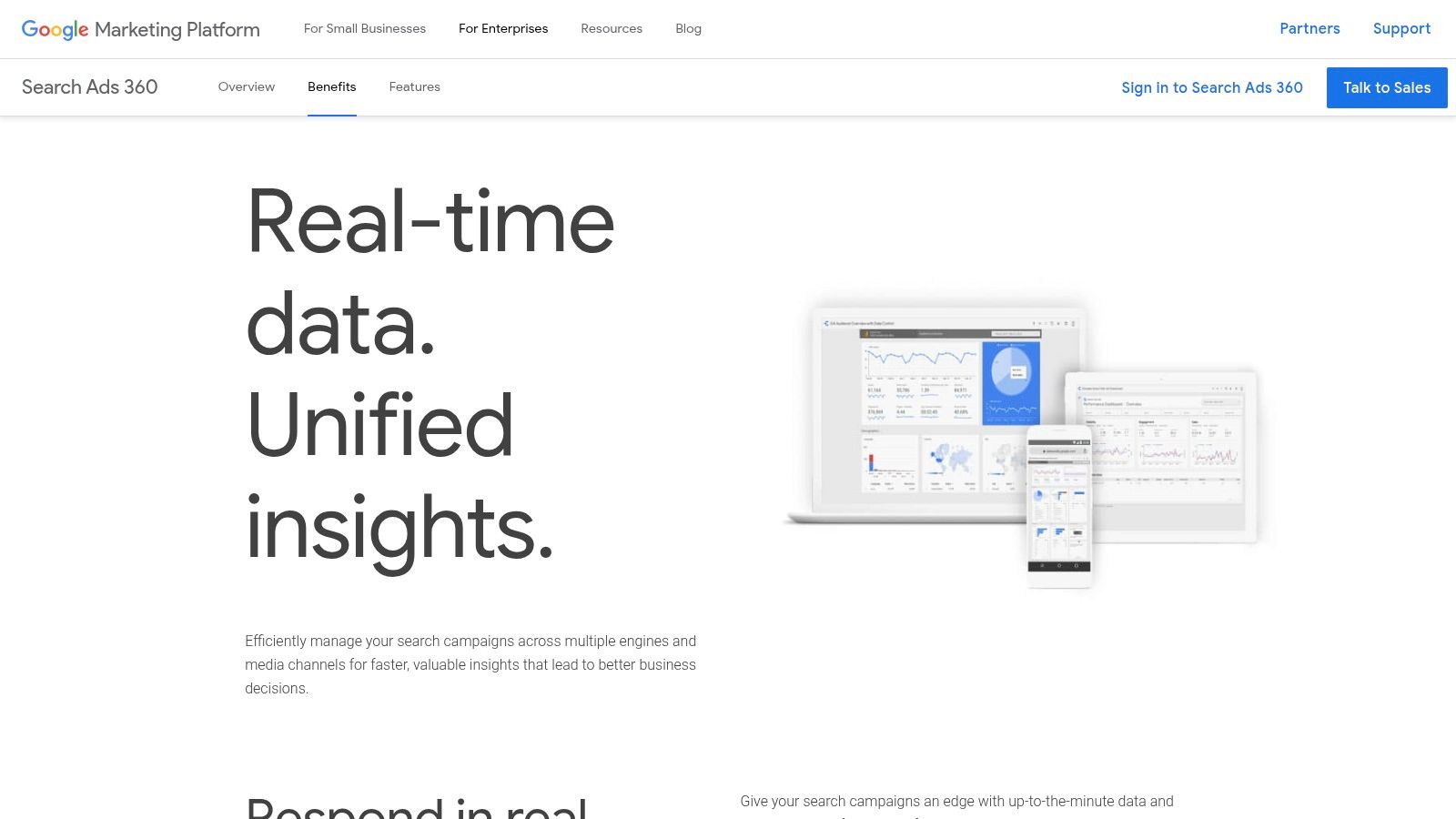
For enterprise-level advertisers, Google Search Ads 360 (SA360) is the definitive command center for managing search campaigns at a massive scale. As part of the Google Marketing Platform, it's not just a standalone tool but a deeply integrated solution designed for mature marketing teams. It provides powerful cross-engine management, allowing you to control and report on Google Ads, Microsoft Ads, and other search engines from one unified interface.
The real power of SA360 lies in its native integration with the rest of the Google stack, like Analytics 360 and Display & Video 360. This creates a seamless flow of data, enabling sophisticated Smart Bidding strategies that leverage a holistic view of the customer journey. You can use Floodlight tags to track conversions across all channels and feed that rich data directly into your search bidding models, a capability unmatched by most third-party tools.
Key Features & Use Cases
- Best For: Large enterprises and agencies managing complex, multi-million dollar ad spends across multiple search engines.
- Standout Feature: Deep, native integration with the Google Marketing Platform (Analytics 360, DV360) for unparalleled cross-channel bidding and measurement.
- Budgeting: Advanced budget management and portfolio bid strategies that optimize spend across thousands of campaigns automatically.
- Reporting: Unified reporting consolidates performance data from all connected search engines into a single, comprehensive view.
Pricing & Onboarding
SA360 is an enterprise product with pricing available only through sales or certified channel partners. The investment is significant and requires a dedicated onboarding process. This pay per click management software is not a self-serve platform; it's a strategic commitment for organizations that need its robust, cross-channel capabilities and can dedicate resources to its implementation.
Website: https://marketingplatform.google.com/about/search-ads-360/benefits/
10. Google Ads Editor
While not a full-suite pay per click management software platform, Google Ads Editor is an indispensable free tool that every serious PPC manager should have in their arsenal. It's a downloadable desktop application that lets you manage your Google Ads accounts offline, making bulk changes with incredible speed and precision. Think of it as the power-user's back door to the Google Ads interface, designed for high-volume edits, account restructures, and safe, offline drafting.
Its core strength lies in its ability to handle massive changes that would be slow and painful in the web UI. Need to find and replace text across a thousand ad copies, restructure campaigns, or duplicate ad groups with minor variations? Editor handles it in seconds. Because it works offline, you can build out entire campaigns, review every change meticulously, and then post them to your live account in one go, dramatically reducing the risk of making a costly mistake.
Key Features & Use Cases
- Best For: PPC managers of all levels who need to make bulk changes or work on account structures offline.
- Standout Feature: The ability to work offline, make massive bulk edits via copy-paste or import, and post changes in a single, controlled upload.
- Quality Assurance: Perfect for drafting changes, sharing them with team members or clients for review, and then publishing them with confidence.
- Speed: Tasks like building new campaigns, updating URLs, or adjusting thousands of bids are exponentially faster than in the standard web interface.
Pricing & Onboarding
Google Ads Editor is completely free to download and use for anyone with a Google Ads account. There are no hidden costs or ad spend requirements. The onboarding process is self-directed, and while the interface can seem intimidating at first, its spreadsheet-like layout is intuitive for anyone familiar with Excel. There are countless free tutorials available online to master its more advanced workflows.
Website: https://ads.google.com/home/tools/ads-editor/
11. Microsoft Advertising Editor
For anyone running significant campaigns on Microsoft Ads (formerly Bing), the Microsoft Advertising Editor is an essential, free tool. This isn't a cloud-based, AI-driven optimization platform; it's a dedicated desktop application for Windows and macOS designed for one thing: making bulk changes to your Microsoft Ads accounts quickly and efficiently, even when you're offline. Think of it as the direct counterpart to the Google Ads Editor, built specifically for the Microsoft ecosystem.
The core value lies in its offline workflow. You can download your campaigns, make thousands of changes—from updating ad copy and URLs to adjusting bids and adding keywords—and then upload everything in a single, seamless sync. This is a massive time-saver for agencies or advertisers managing large, complex account structures who need to perform one-click syncs and manage their Bing portfolios more efficiently without the risk of making live, accidental errors.
Key Features & Use Cases
- Best For: Advertisers and agencies who need to make large-scale, bulk edits to Microsoft Ads campaigns.
- Standout Feature: The ability to work completely offline, draft all changes, and then upload them in one go, which drastically reduces errors.
- Bulk Management: Easily find and replace text, copy and paste entire campaigns or ad groups, and manage multiple accounts from a single window.
- Cross-Account Workflows: The multi-account editing and upload support make it invaluable for managing a portfolio of clients on Microsoft Ads.
Pricing & Onboarding
Microsoft Advertising Editor is completely free to download and use for anyone with a Microsoft Ads account. There are no tiers, hidden costs, or ad spend requirements. Onboarding is straightforward for anyone familiar with the Google Ads Editor, as the interface and workflow are very similar. The learning curve is minimal, and the primary requirement is simply having active Microsoft Ads campaigns to manage.
Website: https://about.ads.microsoft.com/en/tools/productivity/microsoft-advertising-editor
12. Shape
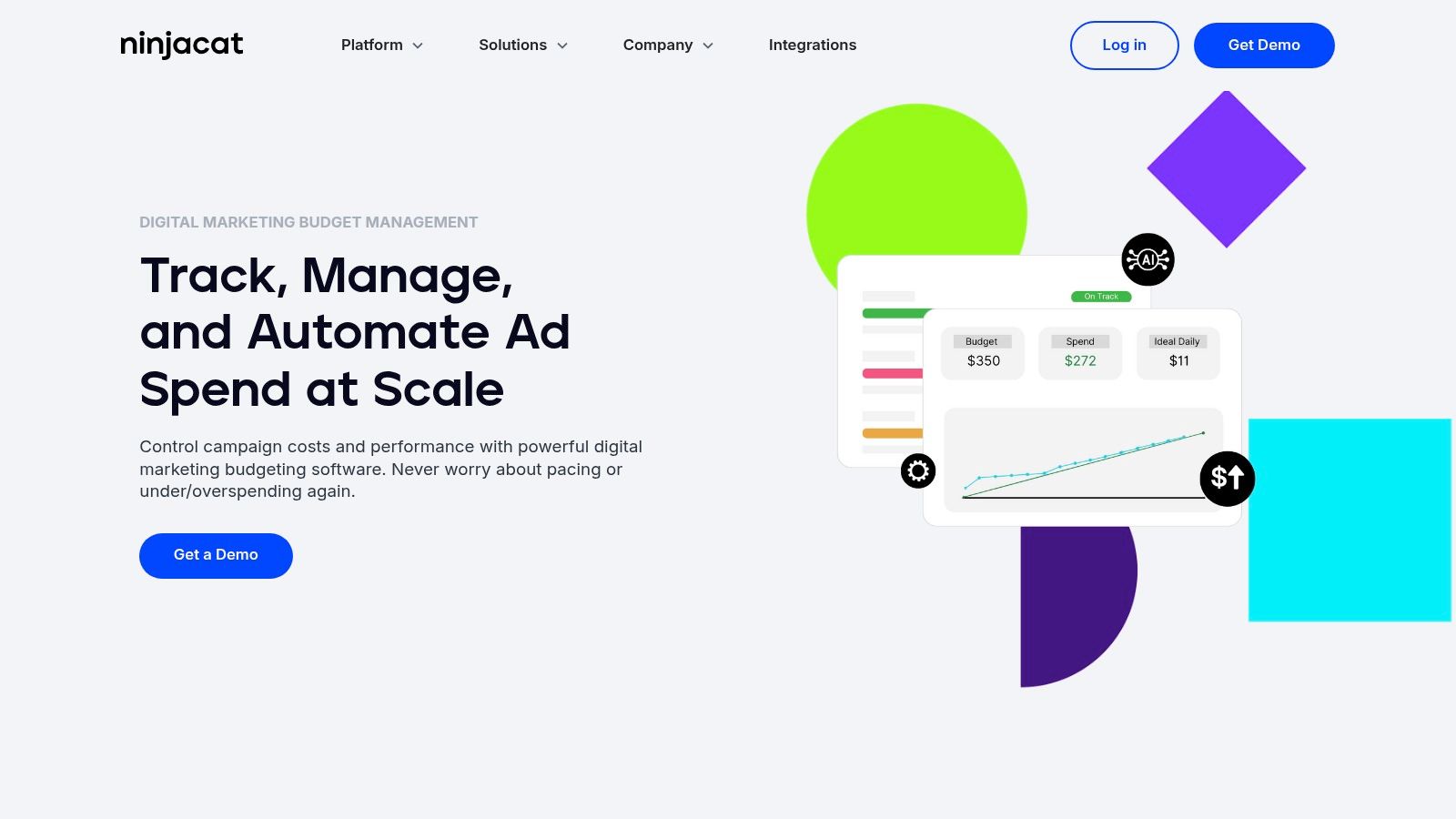
If you've ever felt the panic of a campaign dramatically over- or underspending, Shape is the platform built to solve that exact problem. It’s less of an all-in-one campaign optimization suite and more of a specialized financial governance tool for PPC. Shape provides a centralized command center to control and automate budget pacing, set spending caps, and manage shared budgets across Google, Microsoft, Facebook, and other ad platforms. It’s designed specifically for agencies and multi-brand organizations that need ironclad control over their ad spend.
The core of Shape is its Budget Pacer, which gives you real-time forecasts on where your spend will end up and automatically adjusts daily caps to keep you on track. This moves budget management from a reactive, spreadsheet-heavy task to a proactive, automated process. For agencies handling dozens of clients or franchises managing numerous locations, this centralized control grid is an absolute game-changer, ensuring no budget ever goes rogue again.
Key Features & Use Cases
- Best For: Agencies, franchises, and multi-brand advertisers who need to enforce strict budget compliance at scale.
- Standout Feature: The Budget Pacer and AutoPilot mode automatically adjust daily spending to hit monthly targets without manual intervention.
- Budgeting: Its entire reason for existing. It offers features like budget grouping across platforms, spend capping, and target-based scenario modeling.
- Reporting: Client-facing dashboards and decision grids provide clear visibility into budget performance and spend allocation.
Pricing & Onboarding
Shape’s pricing isn't publicly listed; you'll need to contact their sales team for a custom quote based on your ad spend and the number of budgets you manage. It's tailored for professional and enterprise-level needs, so it’s positioned as a premium solution. The platform is known for its supportive onboarding, helping teams integrate their client accounts and establish their budget governance structure from day one.
Website: https://shape.io/
Top 12 PPC Management Tools Comparison
Stop Managing Clicks and Start Driving Results
Whew, that was a lot to take in. We’ve journeyed through a dozen of the best pay per click management software options on the market, from all-in-one powerhouses like Skai and Search Ads 360 to hyper-focused optimizers like Adalysis and Opteo, and even the indispensable free editors from Google and Microsoft. The sheer variety can feel overwhelming, but it’s also fantastic news. It means there’s a perfect-fit solution waiting for you, no matter your team size, budget, or specific PPC pain points.
The biggest takeaway here isn't about finding a single "best" tool. It's about shifting your mindset. The goal is to stop being a "click manager" buried in spreadsheets and manual bid adjustments. You need to become a strategic growth driver, and the right software is the lever that makes that possible. It automates the tedious, repetitive tasks that consume your day, freeing up your brainpower for what truly matters: strategy, creative testing, audience analysis, and scaling what works.
Your Roadmap to Choosing the Right PPC Software
So, how do you cut through the noise and make a decision? Let’s distill it down to a simple, actionable plan.
- Identify Your Biggest Time Sink: What’s the one task that makes you want to pull your hair out? Is it building out new campaigns? Hunting down negative keywords? Creating weekly performance reports? Pinpoint that bottleneck first. If reporting is your nightmare, a tool with strong visualization features is key. If you're drowning in keyword research, a platform like Keywordme or Semrush is your starting point.
- Match the Tool to Your Role: Your needs as a freelance PPC specialist managing five accounts are vastly different from an in-house enterprise team managing a seven-figure monthly spend. Be realistic about your scale. Enterprise solutions offer incredible power but come with a steep learning curve and price tag. A small business owner might get everything they need from a more focused, user-friendly tool.
- Run the Free Trials (Seriously): Don't just read reviews; get your hands dirty. Most of the tools on our list offer a free trial or a demo. Connect a small, non-critical account and actually use the software. Is the interface intuitive to you? Do the "one-click optimizations" actually make sense for your campaigns? This hands-on experience is non-negotiable.
Final Thoughts on Implementation
Remember, no pay per click management software is a magic wand. It's a force multiplier. It enhances your skills; it doesn’t replace them. The most powerful automation features are useless without a solid strategy behind them. To truly excel, you need robust strategies for managing PPC campaigns effectively, regardless of market conditions. Use these tools to execute your brilliant strategy faster and more efficiently, not as a substitute for having one.
Choosing your software is a commitment, but it’s one that will pay dividends in saved time, reduced wasteful ad spend, and better campaign results. You're not just buying a subscription; you're investing in a more strategic, impactful, and frankly, more enjoyable way to manage your PPC accounts. So take the leap, ditch the manual grind, and start focusing on the results that truly move the needle.
Tired of juggling spreadsheets for keyword research and campaign builds? Keywordme is the pay per click management software designed to streamline your entire setup process, from discovery and grouping to generating ad copy and landing pages. Try Keywordme today and see how quickly you can build smarter, more profitable campaigns from the ground up.
.svg)