
Mastering Google Ads Keyword Match Types
Mastering Google Ads Keyword Match Types


Keyword match types are the rules you give Google Ads to decide which searches trigger your ads. Think of them as the fundamental control system for your entire account. Get them right, and you've got profitable campaigns. Get them wrong, and you're just burning cash.
There are three core match types you'll use to attract customers—Broad Match, Phrase Match, and Exact Match—plus a fourth, Negative Match, that you’ll use to block the wrong kind of traffic.
Why Keyword Match Types Are Your Most Powerful Tool

Here's the best way I've found to explain match types: think of your Google Ads budget as bait and your keywords as fishing lures. The match type you choose is the net you use to catch your fish.
Picking the wrong match type is like trying to catch a prized salmon with a giant trawler net. Sure, you'll catch a ton of stuff, but you'll spend all day (and your budget) sorting through old tires, seaweed, and junk fish just to find the one you wanted. But with the right net, you can pull in exactly what you’re after with surgical precision.
Striking the Right Balance
Every single Google Ads campaign boils down to a balancing act between reach and relevance. You need to get your ads in front of as many potential customers as you can, but only the ones who actually matter. This is where a solid grasp of each match type becomes absolutely critical.
- Broad Match: This is your widest net. It's built for maximum reach and discovery, putting your ad in front of people searching for things broadly related to your keyword, including synonyms and concepts you hadn't thought of.
- Phrase Match: This net is a bit more refined. It catches searches that include the meaning of your keyword, giving you a great blend of decent reach and much higher relevance.
- Exact Match: This is less of a net and more of a spear. It targets searches with the same exact meaning or intent as your keyword. This gives you the ultimate control and usually brings in the highest-quality traffic.
- Negative Match: This isn't for catching fish—it's for patching holes in your net. It acts as a filter, stopping your ads from showing on irrelevant searches and protecting your budget, no matter which of the other match types you’re using.
Your choice of match type directly impacts your cost-per-click (CPC), click-through rate (CTR), and, most importantly, your return on ad spend (ROAS). It's the main lever you pull to control both your spending and your results.
To make this super clear, here’s a quick-reference table breaking down how each one works.
Keyword Match Types At a Glance
Here’s a simple cheat sheet to help you remember the role of each match type.
Think of this table as your starting point. Now, let’s dive into the specifics of each one to see how they work in the real world.
The Surprising Evolution of Keyword Matching
To really get a grip on keyword match types, you have to understand just how much they’ve changed. This isn't some boring history lesson; it's the backstory that explains why your Google Ads campaigns act the way they do right now. What started as a simple, literal system has morphed into something driven entirely by machine learning and user intent.
It wasn't that long ago that if you wanted your ad to show for the keyword [running shoes for men], that was pretty much the only search that would do the trick. The rules were strict. But Google quickly caught on that people search in all sorts of weird and wonderful ways, even when they’re after the exact same thing. That realization kicked off a huge shift in the platform.
From Literal Text to User Intent
The old system was easy to understand but a massive pain to manage. Advertisers were forced to build enormous keyword lists to account for every possible misspelling, plural, and word order you could think of. Just imagine trying to cover "mens running shoes," "running shoes men," "men running shoe," and on and on. It was a tedious nightmare that penalized anyone who couldn't guess every single variation.
So, Google started tearing that system down and moving toward a model that understands what people mean, not just what they type. The change was gradual, but it was a game-changer.
The big idea was simple: someone searching for "running sneakers for men" and another person searching for "men's sneakers for running" are looking for the same thing. It made no sense to punish an advertiser just because a user flipped the words around.
This move from literal to intent-based matching is one of the most important things to happen in paid search over the last ten years. It really kicked off around 2012 when Google started including close variants like misspellings and plurals in Exact Match. The rules got looser and looser between 2014 and 2017, and by 2019, the job was done. Exact Match went from matching identical queries to matching searches with the same meaning. You can dig deeper into this critical change in our detailed guide to Google Ads match types.
What This Means for Your Campaigns Today
Okay, so what does this history lesson mean for you right now? It means that even your most buttoned-up keywords have more wiggle room than you might think.
Let's use a real-world example. Imagine you're a local bakery bidding on the Exact Match keyword [birthday cakes near me].
- Back in the day: Your ad would only show for that exact phrase.
- Today: Your ad could pop up for searches like "local birthday cake shops," "where to buy a birthday cake nearby," or even "bday cakes in my area."
This new flexibility, which Google calls close variants, is now built into every single match type. It’s what gives your keywords their modern reach and includes a few key things:
- Synonyms and Paraphrases: "shoes" can match a search for "sneakers."
- Implied Words:
[PPC agency NY]can match "PPC agency in New York City." - Function Words: Small words like "a," "the," and "for" can be ignored or swapped if the meaning holds.
- Same Meaning, Different Order: "men's running shoes" can match "running shoes for men."
This has massive implications. On one hand, it saves you from the soul-crushing work of building those giant keyword lists and helps you snag relevant traffic you would've missed. But on the other hand, it means you have to watch your Search Terms Report like a hawk. If you're not paying attention, Google's idea of "intent" can sometimes get a little too creative and start spending your budget on searches that are close, but not quite right.
Time to get into the nuts and bolts of it. Now that you know Google Ads has shifted from just matching words to understanding what a searcher actually means, we can really dig into the three main keyword match types.
Think of them as different tools in your toolkit. You wouldn't use a sledgehammer for a finishing nail, right? Same idea here.
The diagram below really nails this evolution. It shows how we've gone from simply matching text to Google trying to read the searcher's mind.
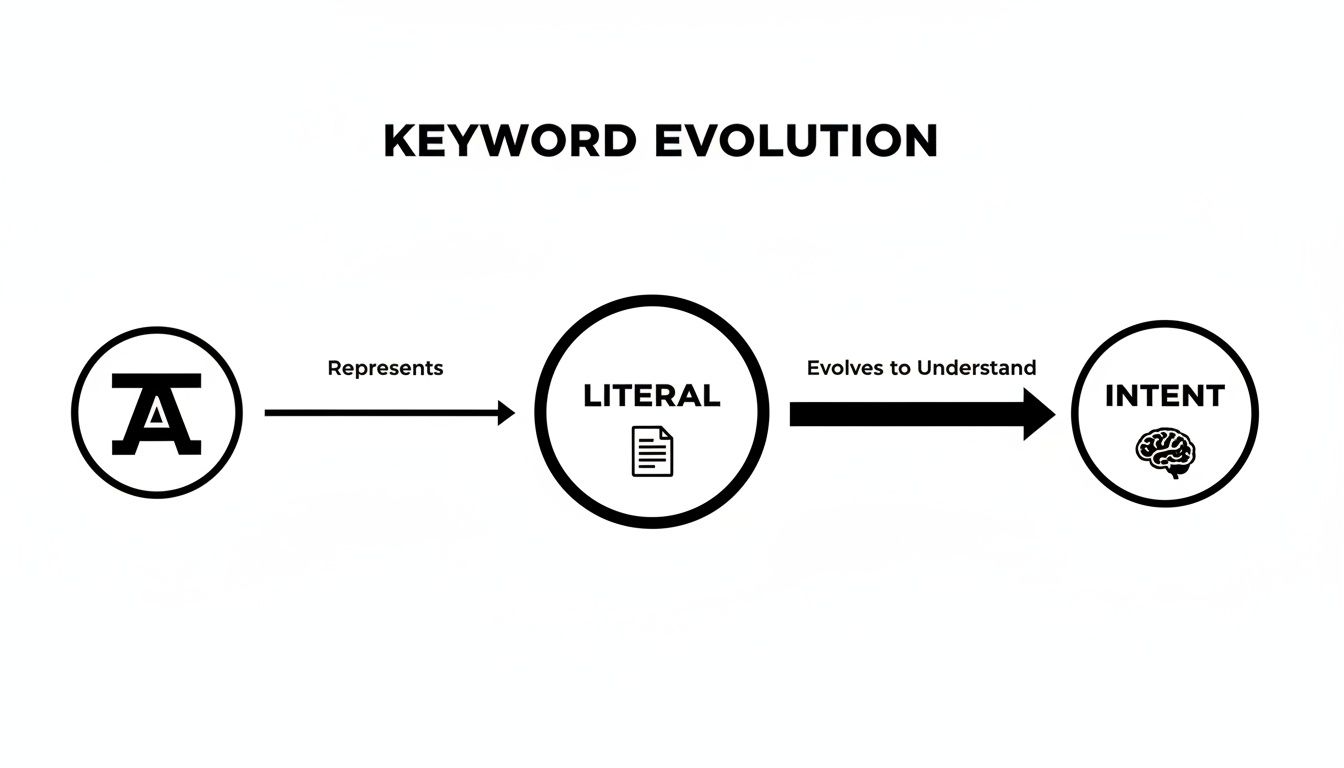
This shift is precisely why getting a handle on each match type isn't just a "nice-to-have" anymore. It's absolutely crucial for controlling your ad spend and making sure you’re talking to the right people.
Broad Match: Casting a Wide Net
Broad Match is Google’s default setting, and it's the most… well, broad of the bunch. It’s designed to throw the widest net possible, showing your ads for searches that are simply related to your keyword, even if the search query doesn't use any of your specific words.
You're essentially telling Google, "Hey, just find people who are in this general ballpark." It’s a great tool for discovery, helping you find new keyword ideas and maximize your reach, especially if you have a solid budget and brand awareness is a key goal.
But there’s a catch. And it’s a big one. This wide reach means you can easily show up for a ton of irrelevant searches that will absolutely chew through your budget if you’re not careful.
Let's say your keyword is: women's hats
- Your ad could show for searches like "ladies headwear." Makes sense.
- It might also appear for "sun hats for women." Still on track.
- But it could also pop up for something like "buy scarves and gloves" because Google lumps it all under "women's accessories." Ouch.
Phrase Match: The Sweet Spot
Phrase Match is the happy medium, and for many advertisers, it's the perfect balance between the wild west of Broad Match and the tight control of Exact Match. With Phrase Match, you're telling Google, "Show my ad, but only if the search includes the meaning of my keyword."
The searcher's query has to carry the same core intent, even if they add words before or after your phrase. Google has even updated it to allow for some reordering as long as the meaning stays the same, basically absorbing the best parts of the old Broad Match Modifier (if you’ve been around long enough to remember that!).
This makes Phrase Match an incredibly powerful and versatile workhorse for most campaigns.
Let's say your keyword is: "women's hats"
- Your ad will show for "buy women's hats online." Perfect.
- It’ll also trigger for "women's hats for summer." Great.
- It could even show up for "hats for women," since the meaning is identical.
- But it won't show for "men's hats" or "women's scarves," because the core intent just isn't there.
Honestly, Phrase Match is where most advertisers live. It drives enough volume to get you good data and traffic, but it’s relevant enough to filter out the most obviously bad searches.
Exact Match: The Precision Tool
Finally, we have Exact Match. This is your scalpel. It gives you maximum control by telling Google to only show your ad when the search query has the exact same meaning or intent as your keyword.
It’s the most restrictive of the keyword match types, which means you’ll see way less traffic. But the traffic you do get is usually top-tier. These are people who know exactly what they want, and they are often much closer to making a purchase.
Just remember that "exact" isn't strictly literal anymore thanks to close variants. Your ad can still show for misspellings, plurals, and slight rephrasings that don’t change the core meaning. A good way to fine-tune your strategy is to do a direct comparison of Phrase Match vs Exact Match to decide which one is right for your most valuable keywords.
Let's say your keyword is: [women's hats]
- Your ad will show for "women's hats" or "womens hats." Yep.
- It might also appear for "hats for women" since the intent is the same.
- But it will not show for "blue women's hats" or "women's hats for sale." The meaning has changed.
Let's pull this all together in a simple table.
Match Type Search Term Examples
Here’s a quick look at how the keyword mens running shoes would behave across the three match types when faced with different search queries.
As you can see, the further you move from broad to exact, the tighter your control becomes over which specific searches will trigger your ads.
Getting a solid grasp of these differences is the first step toward building a smarter, more efficient campaign structure that actually lines up with your business goals.
Building a Winning Keyword Match Strategy
Okay, so you’ve got the definitions down. Now it’s time to put that knowledge into practice and build a campaign structure that actually drives results.
Knowing the difference between keyword match types is just the first step. The real art is making them work together to turn clicks into customers. It's not about picking one "best" match type and hoping for the best; it's about using them in combination, letting each one play to its strengths. Think of it like putting together a sports team—you need scouts, reliable mid-fielders, and all-star strikers.
The Power of Campaign Segmentation
One of the smartest ways to structure your account is by segmenting your campaigns by match type. This gives you incredible control over your budget and bidding, letting you funnel more of your ad spend toward your proven winners.
A classic and highly effective approach is creating separate campaigns for different match type tiers. You’ll often hear this called "keyword prospecting" or the "alpha/beta" method.
Here's the basic idea:
- Broad Match Campaigns (The Scouts): These are your discovery campaigns. You use Broad Match here with a smaller, controlled budget to explore new search queries and find long-tail keywords you never would have thought of. The goal isn't immediate profit; it's gathering precious data.
- Phrase Match Campaigns (The Qualifiers): When you spot promising search terms bubbling up in your Broad Match campaigns, you "graduate" them to a Phrase Match campaign. This is where you test their performance with a bit more budget and see if they can consistently perform.
- Exact Match Campaigns (The All-Stars): The top-performing keywords from your Phrase Match campaigns get promoted one last time, moving into a dedicated Exact Match campaign. This is where you put the majority of your budget because these keywords have proven they can convert.
This tiered system lets you systematically find gold without getting burned by the unpredictability of Broad Match. Of course, before you can even think about this, a solid foundation in keyword research for local SEO is absolutely essential.
The Unsung Hero: Negative Keywords
Let's be clear: no keyword strategy is complete without a relentless focus on negative keywords. They are your single most powerful tool for cutting waste and improving performance, especially when you're running broader match types.
Think of negative keywords as your campaign’s immune system. They actively block the irrelevant, money-wasting searches that get you clicks from people who will never, ever buy.
When you use Broad or Phrase Match, you're telling Google, "Bring me traffic that's in this general ballpark." Negative keywords are how you immediately follow up with, "...but under no circumstances show my ads for this, this, or that."
This filtering is non-negotiable for a healthy account. For example, if you sell high-end "leather work boots," you'd immediately add negative keywords like -free, -cheap, -pictures, and -used. Each word signals an intent that has nothing to do with buying your premium product.
Creating Your Negative Keyword Lists
Building a strong negative keyword list isn't a one-and-done task; it's an ongoing process. You need to get in the habit of reviewing your Search Terms Report at least weekly to find new irrelevant queries that slipped through the cracks.
When you find a bad search term, you have a few ways to add it as a negative:
- Add the query as a Negative Exact Match: This blocks that specific search term and nothing else. It’s precise, but it won’t stop similar bad queries from showing up.
- Add the query as a Negative Phrase Match: This blocks any search containing that exact phrase in that order. It gives you a bit more coverage than exact.
- Find the problem word and add it as a Negative Broad Match: This is your most powerful option. If you keep seeing the word "free" pop up, adding
-freeas a broad negative will block any future search that includes that word.
To really get the most out of this process, check out our in-depth guide on how to use the negative keywords match type like a pro. By actively managing your negatives, you’ll continuously sharpen your targeting and make sure every dollar of your budget is working for you.
What Happens When You Change a Keyword's Match Type? (Hint: You Don't Lose Your Data)
One of the oldest and most persistent myths in Google Ads is that changing a keyword’s match type will completely erase all its hard-earned historical data. This fear stops so many advertisers from making smart, necessary optimizations, leaving a ton of performance gains on the table.
Let’s clear this up right now: you absolutely do not lose your data.
When you edit a keyword's match type in your account, you aren't deleting its history. What Google Ads does behind the scenes is actually pretty slick and designed to protect your records.
How Google Ads Preserves Your History
Think of it this way: instead of overwriting an old file, Google simply archives it. When you switch a keyword from, say, phrase match to exact match, Google automatically pauses the original phrase match version.
Then, it creates a brand new, separate line item for the exact match version. This new keyword starts with a clean slate—zero clicks, zero impressions—ready to accumulate its own performance data.
The original keyword, now safely paused, sits in your account forever with all its performance history—every click, impression, and conversion—still attached. This way, your historical data is always there for you to analyze.
When you change a keyword's match type, Google doesn't delete the old one. It simply pauses the original keyword and creates a new one with the updated match type. All your historical performance data remains safely attached to the paused version, so you never lose that valuable insight.
A Smarter Way to Change Match Types
Even though Google's process is safe, you can make things even easier on yourself with a few best practices. Staying organized is key to understanding what your changes are actually accomplishing.
Here’s the simple workflow I use to change keyword match types with total confidence:
Download Your Data First. Before I touch anything, I always export a keyword performance report. It gives me a clean "before" snapshot that's super handy for quick comparisons later on.
Pause and Create New. This is the manual approach, but it gives you the most control. Instead of just editing the match type on the existing keyword, I prefer to pause the old one myself and then create a completely new keyword with the new match type.
Label Everything. This is non-negotiable for clean tracking. I apply labels to both the old (paused) keyword and the new (active) one. Something simple like "Broad-to-Phrase-Oct24" lets me easily filter and compare the before-and-after performance down the line.
Following these steps lets you optimize your campaigns without ever worrying about losing the valuable data you've worked so hard to collect. Keeping a close eye on what your users are actually searching for is a huge part of this process, and our guide on the Google Ads Search Terms report can show you exactly how to do that.
How Keywordme Takes the Grunt Work Out of Your Match Type Workflow
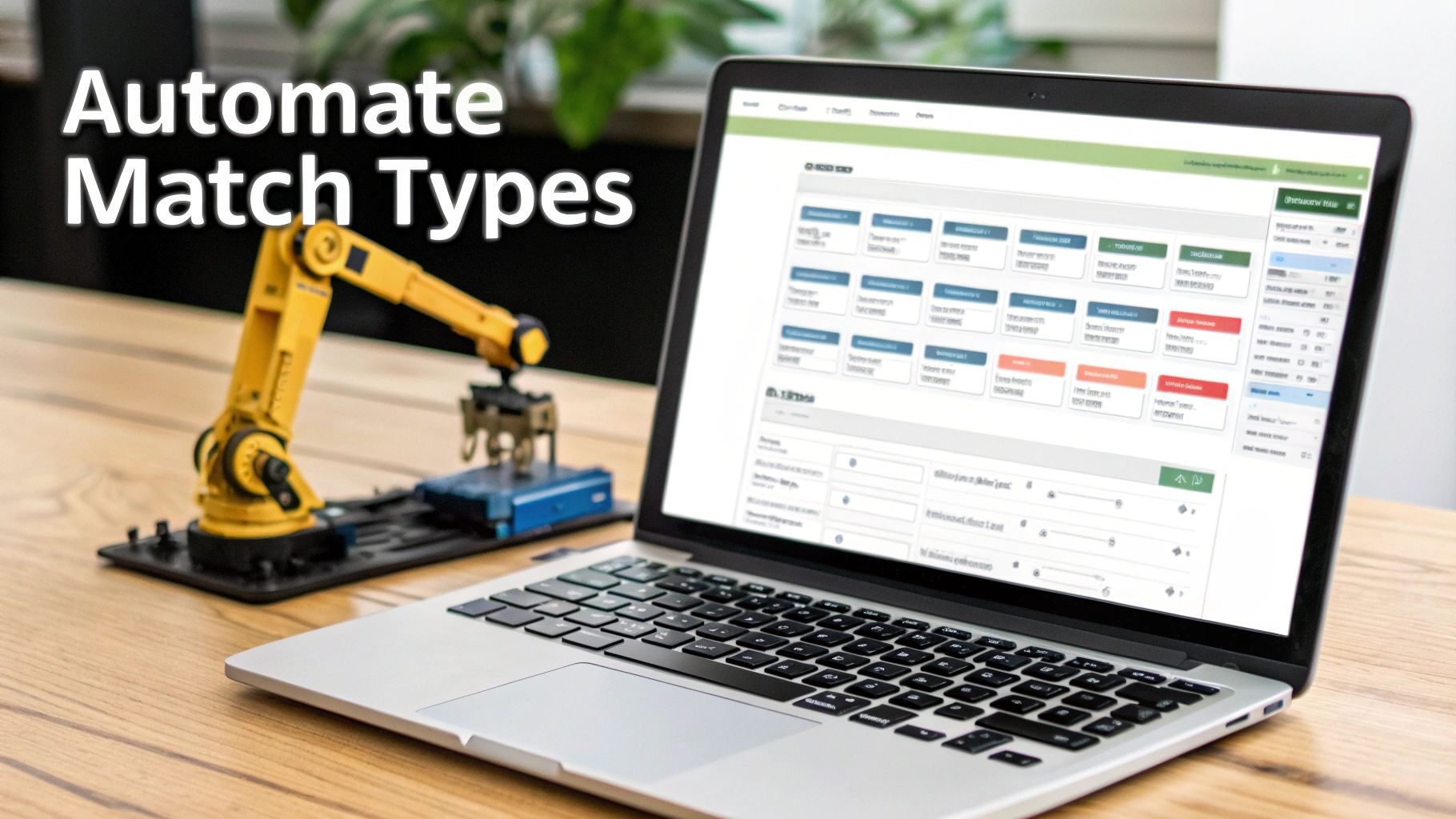
Let's be honest. Nobody enjoys sifting through endless search term reports, manually moving keywords around, and updating negative lists. It's a massive time suck—the kind of work that has you living in spreadsheets when you should be thinking about the bigger picture.
This is the exact problem we built Keywordme to solve. We wanted to automate the tedious, repetitive parts of managing keyword match types so you can get way better results without all the manual labor.
Our platform isn't just about showing you data; it's about helping you make smart decisions based on what’s actually working. Instead of guessing which match type to use, Keywordme gives you a simple, data-driven workflow that turns a clunky, multi-step process into just a few clicks.
Intelligently Assigning Match Types
Keywordme lets you act on your search term data instantly. You can quickly filter to see what's converting (and what's not), then assign the right match type without ever leaving the dashboard.
- Find a search term that's crushing it? With one click, you can promote it to a Phrase or Exact match ad group to double down on that high-intent traffic.
- Spot a query that's just burning money? Instantly add it as a negative keyword and stop the waste.
- Uncover a new keyword opportunity? Use it to build out your campaigns on the fly.
This screenshot shows you just how easy it is to manage multiple terms at once. No more endless copy-pasting.
The real magic is being able to grab a handful of terms and take action—like adding them as negatives or creating new exact match keywords—all in one go.
Your Negative Keyword Automation Engine
One of the most powerful things Keywordme does is put your negative keyword management on autopilot. Wasted ad spend from irrelevant clicks is one of the biggest silent killers in Google Ads. For many accounts, it eats up 15% or more of the entire budget.
Think of Keywordme as your 24/7 assistant, constantly scanning for those budget-draining junk terms and helping you cut them out before they cause serious damage.
You can finally say goodbye to exporting reports, hunting for bad keywords, and manually uploading negative lists. The platform pulls it all into one clean interface, letting you improve your traffic quality faster than ever before. By automating these critical tasks, Keywordme helps you build leaner, more profitable campaigns and, just as importantly, gives you hours of your time back.
Common Questions About Keyword Match Types, Answered
Alright, let's get into the nitty-gritty. When you're in the weeds managing Google Ads campaigns, the same questions tend to pop up again and again. Here are some quick, no-fluff answers to the practical stuff we haven't hit on yet.
My goal here is simple: give you some solid advice you can put to work today. Let's cut right to the chase.
Which Match Type Is Best for a Small Budget?
When your budget is tight, control is everything. I always recommend starting with Phrase and Exact match. This is the most direct way to funnel your limited cash toward searches that are super relevant and signal strong buying intent. It's the best way to avoid burning money on clicks that go nowhere.
Broad match can be a fantastic tool for finding new keywords, but it can also be a vacuum for a small budget, sucking it dry in no time. Stick with the more restrictive match types until you've proven which search terms are actually making you money. After that, you can start testing the waters with broader targeting.
How Often Should I Check My Search Term Reports?
For a brand-new campaign or one that gets a lot of action, you need to be in your search term reports at least once or twice a week. No excuses. This lets you catch and block irrelevant queries with negative keywords before they drain your budget.
If you have a more mature, stable campaign humming along, checking in every week or two is probably fine. The most important thing is to be consistent. These reports are not a "set it and forget it" kind of deal.
Honestly, digging into your search term report regularly is the single best habit you can build for improving campaign performance. It's where you'll find your biggest wins and your most expensive mistakes hiding in plain sight.
Is It Ever Okay to Use Only One Match Type?
You could, but it's almost never a good idea. Relying on a single match type is like trying to do a whole carpentry project with just a screwdriver—you might make some progress, but it’s not going to be efficient or pretty.
For example, going all-in on Exact match gives you amazing control, but you'll miss out on tons of traffic and have zero chance of discovering new, high-value search terms your customers are using. On the flip side, using only Broad match is practically a guarantee you'll waste a ton of cash.
A truly solid campaign structure nearly always uses a smart mix of keyword match types playing off each other's strengths.
Tired of wrestling with spreadsheets to manage all this? Keywordme can help you optimize your campaigns up to 10x faster by automating the entire match type and negative keyword process. You can finally stop the tedious manual work and start finding the high-converting keywords you've been missing. Give it a shot with a 7-day free trial at Keywordme.
.svg)