
A Guide to Negative Keywords Match Type
A Guide to Negative Keywords Match Type


Tired of watching your ad budget get eaten alive by clicks that go nowhere? I’ve been there. You’re in the right place to fix it.
A negative keywords match type is simply a rule you give your ad campaigns. It tells them, "Hey, don't show my ads when people search for this specific stuff." It’s your way of making sure your money only goes toward clicks that actually matter.
Stop Wasting Ad Spend with Negative Keywords
If you've run a PPC campaign for more than five minutes, you know the pain of paying for clicks from people who were never, ever going to buy from you. This is exactly where a solid negative keyword strategy becomes your secret weapon for profitability.
Think of negative keywords as the bouncer for your ads. They stand at the door and politely turn away all the unqualified searchers before they can get in and cost you money.
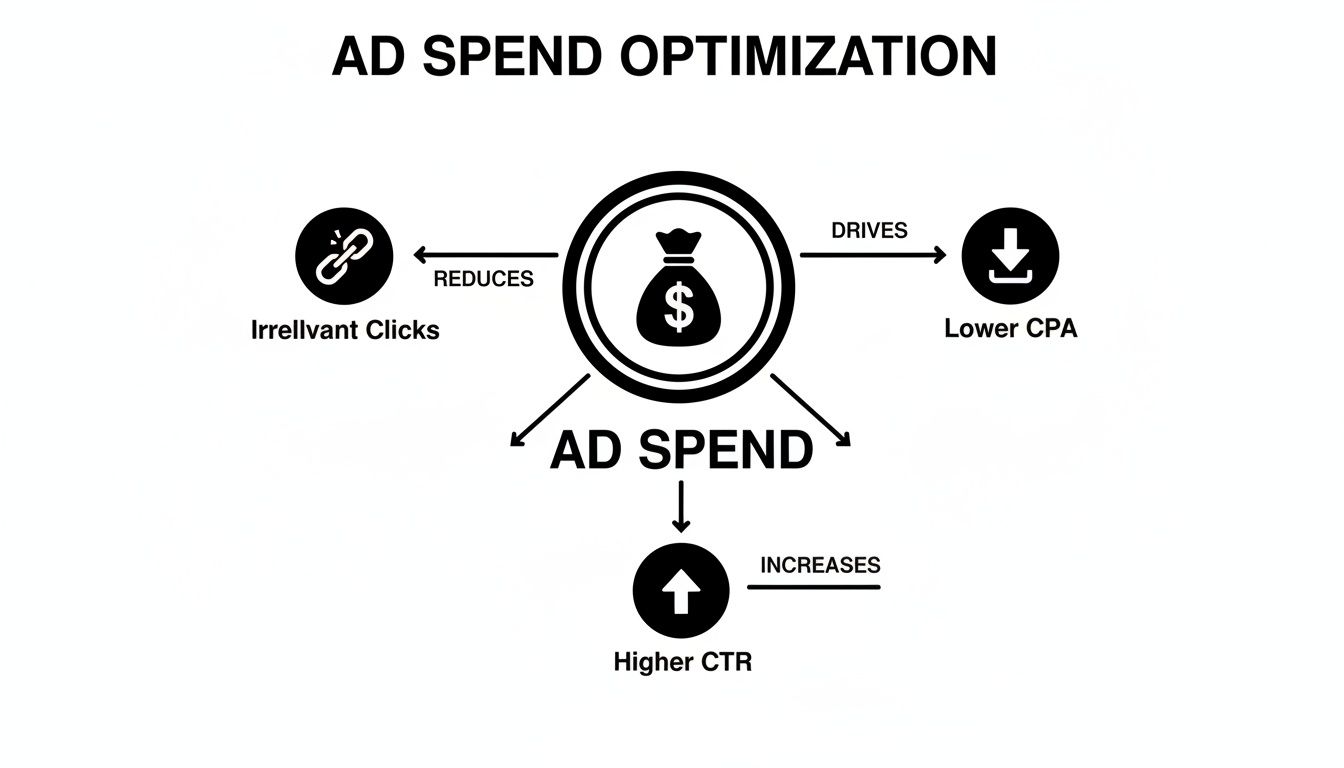
This isn't just about dodging a few bad clicks here and there. It's a fundamental shift in how you run your campaigns. When you filter out all that irrelevant noise, you'll see a few things happen almost immediately:
- Higher Click-Through Rates (CTR): Your ads are only shown to people who are actually looking for what you offer, so naturally, more of them will click.
- Better Quality Scores: Google loves relevance. When your ads are hyper-relevant to the search, Google rewards you with higher Quality Scores, which often means paying less per click.
- Increased Conversion Rates: It's simple math. When the traffic coming to your site is pre-qualified, a bigger chunk of them will end up converting.
The Financial Impact of Smart Negatives
The numbers don't lie. One of the single most effective ways to reduce customer acquisition cost is by getting surgical with who sees your ads.
Take this example from a Directive Consulting case study. They worked with a B2B tech client and used negative broad match keywords to block searches containing terms like 'free software'. The result? They cut irrelevant impressions by a massive 40% in just three months.
Even better, this one change boosted their CTR by 18% and their cost-per-acquisition plummeted from $45 down to $32. You can read the full research about these findings yourself.
By mastering the negative keywords match type, you stop reacting to wasted spend and start proactively directing every dollar toward your ideal customer. It’s the difference between casting a wide, leaky net and using a precision fishing spear.
At the end of the day, having this level of control is what turns your ad spend from a hopeful gamble into a highly efficient, lead-generating machine.
The 3 Negative Keyword Match Types, Explained
Getting a feel for negative keyword match types is way more intuitive than it sounds. Forget the textbook definitions for a minute. Just think of it as giving Google specific instructions on who not to show your ads to. Each match type is just a different level of strictness, from a gentle nudge to a hard "no."
Let's walk through the three main types you'll use every day. Getting these right is the first real step to stop wasting money on clicks that go nowhere.
Negative Broad Match: The Wide Net
Negative broad match is your biggest, most powerful tool for cutting out junk traffic, but you have to be careful with it. It tells Google to block your ad if a search includes all the words in your negative keyword, in any order.
Imagine telling a bouncer, "Don't let anyone in wearing a red hat and sunglasses." It doesn't matter if they say "sunglasses with a red hat" or "hat that is red with cool sunglasses." If both items are present, they're out. It's fantastic for blocking entire concepts, but if you're too general, you can easily end up blocking people you actually want to reach.
Think of negative broad match as a sledgehammer. It’s great for knocking down a whole wall of irrelevant searches, but it’s not precise. Swing it too wildly, and you’ll cause some collateral damage.
Negative Phrase Match: The Specific Rule
This is where you start to get more targeted. With a negative phrase match, your ad gets blocked only when someone searches for your exact negative keyword phrase, in that exact order. Other words can be tacked on to the beginning or end, but that core phrase has to be there, untouched.
For example, if you add "running shoes" as a negative phrase match, your ad won't pop up for searches like "cheap running shoes" or "best deals on running shoes." But it might still show up for "shoes for running" because the exact phrase "running shoes" isn't in the search.
Making these smart choices is what separates a profitable campaign from a money pit. You end up with fewer wasted clicks, a lower cost-per-acquisition, and a much healthier click-through rate.
It’s no surprise that since Google started making positive keywords a lot broader back in 2021, the use of negative phrase match by savvy advertisers has shot up by 30%. The data shows it helped slash irrelevant clicks by up to 28%. It's become the go-to for reining in the chaos of broad match without accidentally choking off good traffic.
Negative Exact Match: The Surgical Strike
Last but not least, we have negative exact match. This is your scalpel. It blocks your ad only when the search query is a perfect, word-for-word match to your negative keyword, with absolutely no extra words.
If your negative exact match is [free trial], your ad is only blocked for that one specific search. It would still show for "free trial software" or even "how to get a free trial."
This match type gives you the most precision and carries the lowest risk of blocking good traffic. It's perfect for surgically removing those very specific, low-performing search terms you keep finding in your reports.
For a deeper look at how these negative types play with their positive counterparts, our complete guide on Google Ads keyword match types is a great next step.
Negative Match Types at a Glance
To make it even clearer, here’s a quick-reference table that breaks down how each match type works in the real world.
Think of this table as your cheat sheet. When you're in your account and see a search term you want to get rid of, just pull this up to decide which tool—the sledgehammer, the rulebook, or the scalpel—is the right one for the job.
See How Negative Keywords Work in the Real World
Theory is one thing, but seeing negative keywords match type in action is what makes it all click. Let's ditch the definitions for a minute and look at how these rules actually play out for three completely different businesses. You'll see how a few smart exclusions can totally transform the quality of traffic a campaign brings in.

What we're really doing here is stopping ourselves from paying for clicks from people who were never going to buy from us anyway. It’s all about protecting your ad spend and zeroing in on real intent.
Example 1: E-commerce Store Selling Premium Leather Bags
Picture this: you run an online shop selling gorgeous, high-end, handcrafted leather bags. You're bidding on the keyword leather messenger bag. Without any negative keywords, you’re hemorrhaging cash on clicks from people looking for cheap knock-offs, repair tutorials, or even jobs.
This is where your negative keyword list comes in to save the day.
- Why it works: This is your wide net. It catches searches like "second hand leather bags" or "used messenger bags for men," instantly knocking out anyone who isn't looking for a brand-new product.
- Why it works: This gets a bit more specific. It blocks informational searches like "how to clean a leather messenger bag," targeting the exact phrase that signals someone wants to maintain a bag, not buy one.
- Why it works: This is surgical. It precisely removes the exact search for "leather bag repair," a query that has absolutely zero purchase intent for your new bags.
With these in place, you stop wasting money on bargain hunters and DIYers. Every dollar now goes toward attracting customers ready to invest in a new, premium bag.
Example 2: Local Plumbing Service
Okay, let's switch gears. Now you're a local plumber, and your money-making keyword is emergency plumber. You need calls from people with burst pipes, not people looking for a new career or a YouTube tutorial.
Wasted clicks here are a killer, since local service keywords can cost a fortune.
Think of a good negative keyword list as your bouncer. It stands at the door of your ad campaign, making sure only real customers with real problems get in. The rest—job seekers, students, DIY enthusiasts—get turned away.
Here’s how you’d filter out the wrong traffic:
- Why it works: This immediately shuts down searches like "plumber jobs near me" or "hiring for emergency plumber," filtering out all the job seekers in one go.
- Why it works: This stops your ad from showing up for queries like "local plumbing school" or "best plumbing school programs," which are clearly coming from aspiring plumbers, not paying customers.
- Why it works: This blocks a specific, high-volume search from homeowners who are trying to fix the problem themselves, not hire a pro.
These simple negatives ensure your ad budget is spent only on homeowners and businesses who desperately need your help right now. For a deeper dive, check out our guide with a huge negative keyword example list.
Example 3: B2B Software Company
Last one. Let's say you're a B2B company that sells project management software, and you're bidding on project management tool. This space is flooded with people searching for freebies, competitor comparisons, and basic educational content.
Your mission is to connect with businesses that have a budget and are looking for a professional, paid solution.
- Why it works: This knocks out a whole category of non-buyers searching for things like "project management template free download" or "free excel template for project management."
- Why it works: Adding competitor names like
"vs Asana"or"vs Trello"prevents you from paying to show up for head-to-head shoppers who are already deep in the evaluation stage with one of your rivals.
- Why it works: This removes those purely informational, top-of-funnel searches. Think students or researchers who are just learning and have no intention of buying software today.
By putting these negative match types to work, the B2B company sharpens its targeting to reach decision-makers with a clear need and a budget, which is a game-changer for lead quality and ROI.
How to Find and Implement Negative Keywords
Alright, we've covered the theory behind negative keyword match types. That's the easy part. Now it’s time to roll up your sleeves and put it into practice. Building a killer negative keyword list isn’t a one-and-done task; it’s more like tending a garden—a constant process of pruning and refining to make sure your ads are only seen by the right people.
The best news? You already have the most powerful tool for this job sitting right inside your Google Ads account. Let's walk through how to find and use these negatives to turn your ad account into a lean, mean, money-making machine.

Start with the Search Terms Report
Your Search Terms Report is your absolute best friend for finding negative keywords. Seriously. It shows you the exact queries people typed into Google right before your ad popped up. Think of it as a direct peek into the minds of your audience (and, more importantly, the people who aren't your audience).
Making a habit of checking this report is non-negotiable for anyone running a healthy ad account. Here’s what you’re hunting for:
- Totally Irrelevant Searches: This is the low-hanging fruit. If you sell hiking boots and see your ad showed for "motorcycle boots," you've found a perfect negative. Add "motorcycle" to your list, and you're done.
- Low-Intent Keywords: Keep an eye out for terms that scream "I'm just browsing!" Keywords like "how to," "what is," or "free" usually come from people in the research phase, not the buying phase.
- Competitor Names: Unless you're specifically running a campaign to target competitors, their brand names can be a massive budget drain from people who were never going to buy from you anyway.
The Search Terms Report doesn't just show you where you're wasting money; it gives you a precise roadmap for fixing it. Every irrelevant term you find and negate is a small victory that compounds over time, leading to significant savings and better performance.
Beyond the Search Terms Report
While the search terms report is your go-to, you don't have to wait for bad clicks to happen. You can get ahead of the game by building a foundational negative list before you even launch a campaign.
A deep understanding of your market is crucial here. Before you can shield your campaigns from irrelevant traffic, you need to map out what's valuable and what's junk. Diving into effective keyword research strategies will give you a huge head start in building a comprehensive list from day one.
Here are a few other tricks I use:
- Mine the Keyword Planner: Google's Keyword Planner is awesome for finding what to bid on, but it's just as good for finding what not to bid on. Type in your core keywords and sift through the suggestions for any related terms that just don't fit.
- Think Like Your Worst Customer: Put yourself in the shoes of someone you don't want as a customer. Brainstorm all the ways they might search for your product. Words like "cheap," "used," "DIY," "jobs," or "reviews" are common culprits if they don't align with your business.
- Snoop on the Competition: Do a few quick searches for your main keywords. You'll see who else is showing up. Sometimes you’ll spot competitors from adjacent industries that you'll want to exclude to keep your targeting razor-sharp.
Putting Your Negative Keywords to Work
Once you have your list, adding them to your account is pretty simple. Our guide on how to add negative keywords breaks down the step-by-step process. You can add them at the ad group level for surgical precision or at the campaign level to block terms across the board.
For bigger accounts, though, this manual process gets old, fast. That's where a tool like Keywordme can be a lifesaver. It automates the whole grind of digging through search terms, suggesting negatives, and assigning the right match type with a single click. It saves hours of tedious work and makes sure nothing important slips through the cracks.
Avoid These Common Negative Keyword Mistakes
Getting your negative keyword match types right feels like you've suddenly gained a superpower in your ad account. But even superheroes can stumble, and a few common mistakes can easily turn that power against you. I’ve seen even seasoned pros fall into these traps, so let’s walk through them. Just knowing what to watch out for is half the battle.
One of the most common blunders is going way too aggressive with negative broad match. It’s so tempting to swing that sledgehammer to wipe out huge chunks of bad traffic, but you almost always end up with collateral damage. For instance, adding running shoes as a negative broad match might feel like a good idea to block general queries, but you could accidentally block a golden-nugget search like "best trail running shoes for men."
This one simple mistake can quietly suffocate your best traffic sources, leaving you scratching your head, wondering why your campaign suddenly flatlined. It’s the classic case of the cure being worse than the disease.
Finding the Right Balance
Of course, the opposite is just as bad. Being too timid with your negatives can bleed your budget dry. A lot of advertisers play it safe and stick only to negative exact match. While that’s great for surgical strikes on specific terms you know are bad, it barely makes a dent in the ocean of irrelevant searches out there.
If you only use exact match, you’ll find yourself playing an endless game of whack-a-mole, adding one negative keyword after another while thousands of similar variations keep slipping through and wasting your money. The goal isn't just to block keywords; it's to build a smart, scalable defense.
The sweet spot is a balanced approach. Use negative broad match for concepts you never want to appear for, phrase match to block specific unwanted phrases, and exact match to surgically remove individual queries you know don't perform.
Structuring Your Negatives for Success
Another pitfall I see all the time is a total lack of organization. Just dumping every negative you can think of into one giant list at the ad group level creates a chaotic mess. It's impossible to manage, let alone scale. A clean, logical structure is absolutely non-negotiable for long-term success.
Here’s a much better way to think about structuring your negative lists:
Campaign-Level Lists: Think of these as your universal "do not show" list. This is where you put terms like "free," "jobs," "hiring," "DIY," or "tutorial." These are concepts that are completely misaligned with your business goals and should be blocked across the entire campaign.
Ad Group-Level Negatives: This is where you get granular and strategic. Let's say you have an ad group for "red running shoes." Here, you’d add
blue,green, andyellowas negatives. This doesn’t block those colors from your whole campaign; it just makes sure the right traffic gets to the right ad group.
This tiered approach stops your ad groups from stealing traffic from each other and ensures your ads are always hyper-relevant to the search query. By sidestepping these common mistakes, you'll go from simply blocking bad clicks to strategically sculpting your traffic for maximum profit.
Got Questions About Negative Keywords? You're Not Alone.
Even with a solid plan, a few questions about negative keyword match types always seem to pop up. That’s totally normal—getting the hang of the rules takes some real-world practice. Let's run through some of the most common ones to clear up any confusion.
Getting these details right is often what separates a good campaign from a great one. Think of this as your go-to cheat sheet for those tricky situations that inevitably come up when you're deep in the optimization trenches.
What's the Real Difference Between Negative Phrase and Broad Match?
It all boils down to two things: word order and flexibility.
A negative broad match keyword is like a simple checklist. If you add running shoes as a negative broad match, Google just checks if both "running" and "shoes" are somewhere in the search. If they are, your ad is blocked. The order doesn't matter, so a search for "shoes for running" gets blocked.
On the other hand, a negative phrase match is a strict rule. Adding "running shoes" as a negative only blocks searches containing that exact phrase, in that exact order. Words can be added before or after, but that core phrase has to stay intact. So, "best running shoes" is out, but "shoes for running" is perfectly fine.
How Often Should I Be Updating My Negative Keyword Lists?
Consistency is key here. For busy campaigns with a healthy budget, you should be digging into your Search Terms Report at least once a week. New, irrelevant searches can pop up in a flash, and staying on top of them stops wasted spend before it adds up.
If you're running smaller, more stable campaigns with less traffic, checking in every two weeks or even once a month is probably enough.
The goal isn't some magic number; it's building a consistent routine. Make checking your search terms a non-negotiable part of your optimization schedule, just like tweaking bids or A/B testing ad copy.
Can a Negative Keyword Accidentally Block My Good Keywords?
Absolutely, and it happens more often than you'd think. This is called a keyword conflict, and in that fight, the negative keyword always wins.
For instance, let's say you're bidding on the phrase match "digital marketing agency" because it's a huge money-maker for you. But, you also added agency as a negative broad match keyword to your campaign list. Boom. Google sees the negative, and your ad gets blocked for your best keyword. It's so important to double-check for these conflicts, especially when adding broad negatives that might overlap with your core terms.
Should I Use Negatives at the Campaign Level or Ad Group Level?
Why not both? A layered approach is the way to go. It gives you the perfect mix of broad protection and laser-focused control.
Here’s a simple way to think about it:
- Campaign-Level Negatives: This is your universal "never show" list. These are terms you never want to appear for, no matter the ad group. Think words like
free,jobs,reviews,DIY, ortutorial. - Ad Group-Level Negatives: This is where you get strategic and direct traffic. If you have an ad group for "red sneakers," you’d add
blueandblackas negatives inside that ad group. This stops your ad groups from cannibalizing each other and makes sure someone looking for blue sneakers sees your ad for blue sneakers, not red ones.
Ready to stop wasting time and start optimizing smarter? Keywordme automates the entire process of finding and implementing negative keywords. Clean up your search terms, apply the right match types, and stop wasted ad spend with just a few clicks. Start your free trial at https://www.keywordme.io and see the difference it makes.
.svg)