
A Guide to Google Ads Keyword Match Type Strategy
A Guide to Google Ads Keyword Match Type Strategy


Think of keyword match types as the gatekeepers for your Google Ads campaigns. They're the settings that tell Google how strict or flexible to be when matching your keywords to what people are actually typing into the search bar.
It's a lot like fishing. You could use a tiny, specialized net to catch one specific type of fish (Exact Match), a medium-sized net to catch that fish and its close relatives (Phrase Match), or a massive dragnet that pulls in just about everything swimming by (Broad Match). Getting this right is absolutely fundamental to running a profitable campaign.
Why Your Keyword Match Type Strategy Matters
Nailing your match type strategy isn't just a "nice-to-have"—it's the bedrock of a healthy Google Ads account. This one choice has a massive ripple effect, influencing who sees your ads, what you pay per click, and, most importantly, whether you actually make any money.
Picking the wrong match types is probably the fastest way to torch your ad budget on clicks that will never, ever convert. It’s all about striking that perfect balance between reach and relevance. You need to get your ads in front of enough people to hit your goals, but they have to be the right people. Match types are your primary tool for controlling that balance.
The Evolution from Rules to Intent
The way Google matches keywords has changed profoundly over the years. What was once a very literal, "if-this-then-that" system is now powered by sophisticated AI that's trying to figure out what the searcher really means.
This shift toward intent-based matching really ramped up in 2021 when Google killed off the old Broad Match Modifier and folded its functionality into Phrase Match. It was a clear signal that the days of manual, granular control were being replaced by automation. Now, Google Ads is less about strict rules and more about understanding context. You can read more about what this means for the future of match types on marinsoftware.com.
For advertisers, this means we have to change our mindset. We're no longer trying to outsmart the system by brainstorming every possible keyword variation. Instead, our job is to guide Google’s AI with a smart strategy.
Building Your Strategic Framework
The best way to think about your match types is like an investment portfolio. You wouldn't dump all your cash into a single, high-risk stock, right? The same logic applies here. A smart, modern Google Ads strategy uses a blend of match types, each with a specific job to do.
- Broad Match: This is your discovery tool. When paired with Smart Bidding, it’s great for unearthing new, high-converting search queries you would have never thought of on your own. Use it carefully, but don't ignore it.
- Phrase Match: For most accounts, this is the reliable workhorse. It gives you a great mix of control and reach, capturing searches that are clearly about what you offer, but with a bit of realistic flexibility.
- Exact Match: This is for your gold-star, proven winners. These are the keywords that you know make you money, and you want to bid aggressively and efficiently on them to capture users who are at the very bottom of the funnel, ready to act.
When you understand how these three tools work together, you stop being someone who just "runs ads" and become a strategist who is building a predictable system for growth. Let's dive into how to build that system.
Breaking Down the Three Main Match Types
Alright, let's ditch the dry, textbook definitions and get real. The only way to truly get a feel for how a keyword match type works is to see it in action. Let's say you run a business selling 'eco-friendly coffee pods'. This simple product is the perfect way to explore the three core match types: Broad, Phrase, and Exact.
Think of each one as a different dial on your campaign. You’re constantly adjusting the trade-off between how many people see your ads (reach) and how relevant those people are (quality). Nailing that balance is what separates a profitable campaign from a total money pit.
Broad Match: The Discovery Engine
Broad Match is like casting the widest possible net. It’s Google Ads's default setting for a reason—it’s built to get you in front of as many eyeballs as possible. When you set your keyword as eco-friendly coffee pods, you’re basically telling Google, "Show my ad to anyone searching for something related to this idea."
From there, Google's AI takes over, sniffing out synonyms, related topics, and what it thinks the user's intent is. This can be an incredible way to discover search terms you'd never have dreamed of.
For instance, your ad might pop up for searches like:
- "sustainable K-cups"
- "best Keurig alternatives"
- "compostable coffee capsules"
- "how to reduce coffee waste"
The upside? You can uncover some absolute gems—high-performing keywords you weren't even targeting. It's a fantastic tool for market research and figuring out how to scale your campaigns.
The downside? That giant net is going to catch a lot of junk. Your ad might show for "free coffee samples" or "coffee machine repair," leading to useless clicks that just drain your budget. To make Broad Match work, you absolutely have to pair it with a smart bidding strategy and a rock-solid negative keyword list.
Key Takeaway: Broad Match is your high-risk, high-reward explorer. Use it to find new opportunities, but you have to watch it like a hawk to stop it from wasting your ad spend.
Phrase Match: The Balanced Performer
If Broad Match is a giant fishing net, then Phrase Match is a more refined, selective one. It gives you a great balance between broad reach and tight control, making it a reliable workhorse for a ton of advertisers.
When you use the phrase match keyword "eco-friendly coffee pods", you’re telling Google to show your ad for searches that include the meaning of your keyword. The words can be in a different order, and other words can be tacked on before or after, but the core idea has to be there.
This is a huge leap in relevance from Broad Match. Your ad would now trigger for much more qualified searches, like:
- "buy eco-friendly coffee pods online"
- "best eco-friendly coffee pods Nespresso"
- "eco-friendly coffee pods subscription"
- "where to find eco-friendly coffee pods"
See how the core concept is still there in every search? Since Google rolled the old Broad Match Modifier functionality into Phrase Match, it's gotten even smarter. Now it understands intent well enough to match queries like "coffee pods that are eco-friendly." This keyword match type is all about catching users who have a much clearer idea of what they're looking for.
Exact Match: The Surgical Strike
Finally, we have Exact Match. This is your small, specialized net designed to catch only the most valuable fish. It’s the most restrictive and precise keyword match type you can use, giving you maximum control and relevance.
Using the exact match keyword [eco-friendly coffee pods] signals to Google that you only want to show up for searches with the exact same meaning or intent. It used to be painfully literal, but now Google allows for "close variants" like plurals, common misspellings, and reordered words that don't change the meaning one bit.
So, your ad would primarily show for searches like:
- "eco-friendly coffee pods"
- "coffee pods eco friendly"
- "eco friendly coffee pod" (the singular version)
This diagram does a great job of showing the control you get with each match type—from the wide-open field of Broad Match down to the laser focus of Exact Match.
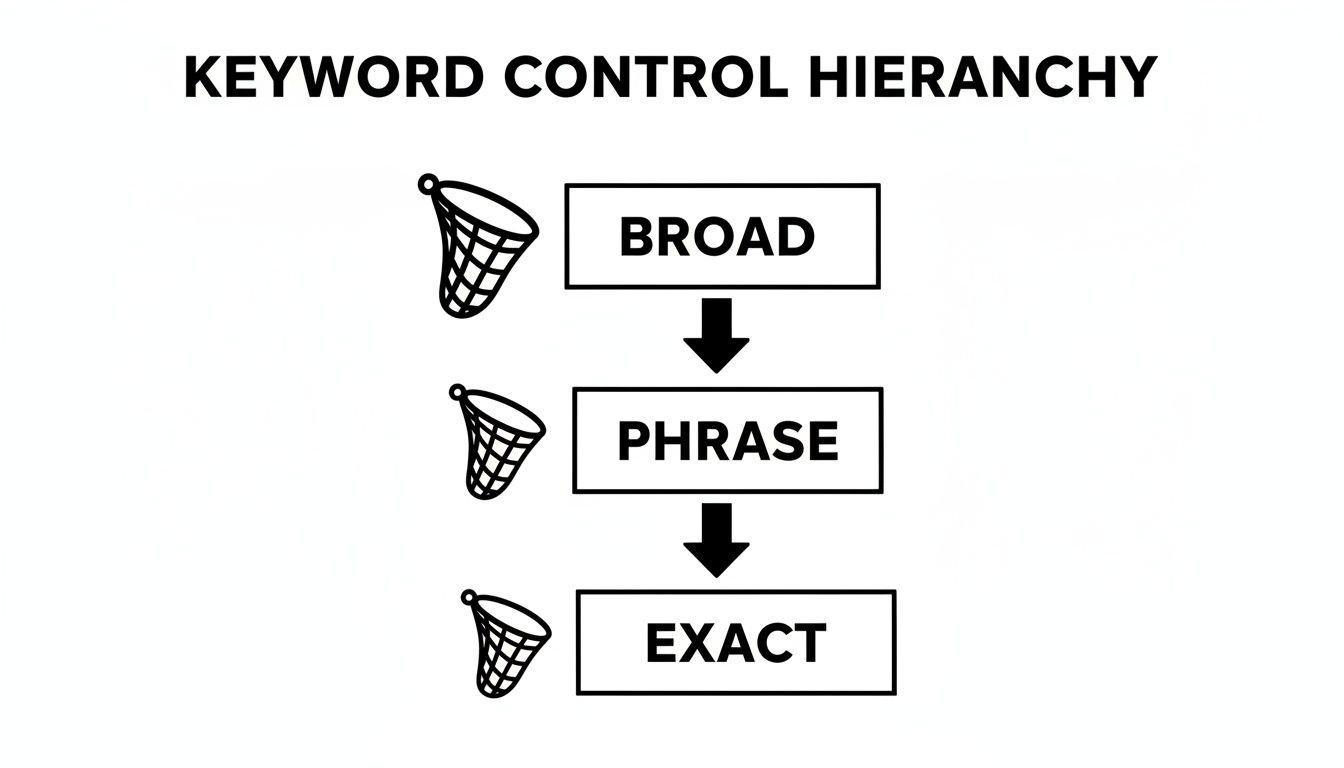
As you move from Broad down to Exact, your control gets tighter, but the number of people who will see your ad drops.
The upside? The traffic you get from Exact Match is usually top-tier. These searchers know exactly what they want, which almost always leads to higher click-through rates (CTR) and better conversion rates.
The downside? You give up volume. By being so specific, you’ll miss out on a ton of longer, more conversational searches that could still be a great fit. If you only rely on Exact Match, you'll seriously limit how much your campaigns can grow.
To make this crystal clear, here’s a quick-reference table breaking down how each match type behaves.
How Each Keyword Match Type Works
This table shows the clear trade-off: as you move from Broad to Exact, your reach shrinks, but your control over who sees your ad gets much, much tighter.
Using Broad Match Without Torching Your Budget
Broad match gets a bad rap, and honestly, for a long time, it deserved it. For years, it was notorious as the fastest way to burn through an ad budget with a firehose of totally irrelevant clicks. But Google's AI has gotten a lot smarter, turning this once-risky option into a powerful, if high-maintenance, discovery tool.
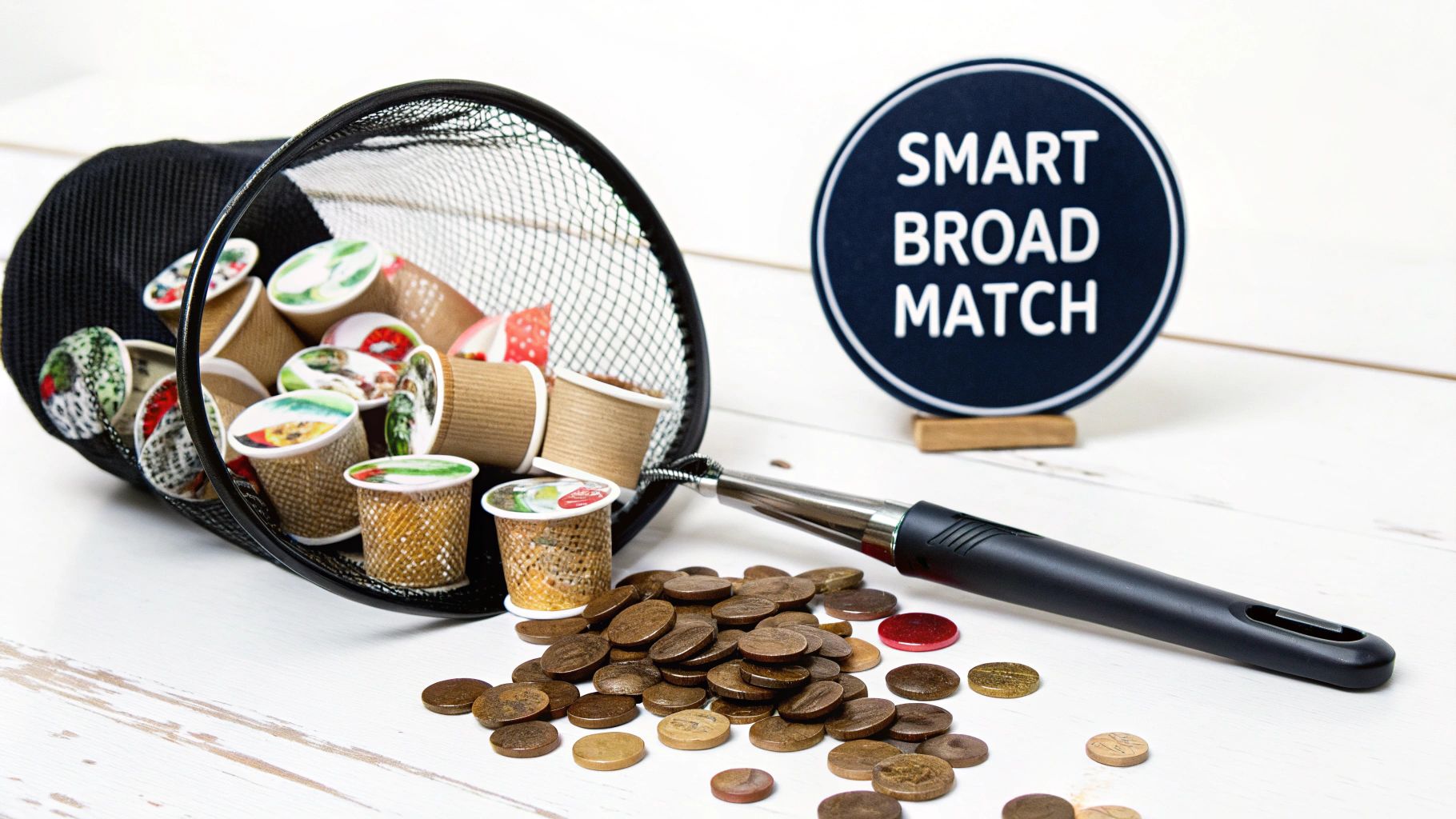
Think of the old Broad Match as a loose cannon just firing in all directions. Today’s version is more like a heat-seeking missile. It looks way beyond your literal keywords to find new customers, factoring in signals like user intent, recent search history, and even the content on your landing page. This makes it a fantastic tool for scaling campaigns and finding pockets of demand you never knew existed.
Of course, that "heat-seeking" part isn't foolproof. The risks are still there. If you're selling "gourmet coffee beans," you could easily end up paying for clicks from someone searching for "free coffee shop wifi" or "coffee machine repair." That’s why you absolutely cannot just set it and forget it.
The New Rules for Broad Match
To make Broad Match actually work for you, you need to shift your mindset and adopt a few key tactics. This isn't about casting a wide net and hoping for the best anymore. It's about giving Google's AI the right guardrails so it can find qualified customers without going off the rails.
The single most critical rule is to pair Broad Match keywords with an automated or smart bidding strategy, like Target CPA or Maximize Conversions. This forces the algorithm to hunt for clicks that are actually likely to lead to a sale or a lead—the actions you really care about. Without this, you’re basically just telling Google to spend your money as fast as it can.
It's also worth remembering that Broad Match is still the default keyword match type in Google Ads. Why? Because Google's AI is now powerful enough to consider all those other signals to determine if your ad is a good fit.
Taming the Beast with Negative Keywords
Your best defense against wasted spend is a rock-solid, aggressive negative keyword strategy. This is completely non-negotiable when you're running Broad Match. A negative keyword is simply a term you tell Google to never show your ad for.
Here’s the game plan:
- Proactive Negatives: Before you even launch, brainstorm a list of obvious terms you don't want. If you sell premium products, your list should immediately include words like "free," "cheap," and "discount."
- Reactive Negatives: This is where the real work happens. You have to commit to regularly checking your Search Terms Report—I mean daily for the first week of a new campaign. This report shows you the exact queries people typed before clicking your ad.
- Find and Exclude: As you scan that report, look for anything that’s even slightly irrelevant and add it as a negative keyword. See a click from "coffee grinder repair"? Add "repair" to your negative list. It's that simple.
Think of your Search Terms Report as your playbook. It’s giving you direct feedback on how Google is interpreting your keywords. Ignoring it is like trying to navigate a new city without a map.
Ultimately, a well-managed Broad Match strategy can be a game-changer for finding new customers. Our guide on how to properly use broad match keywords dives even deeper into getting this right. By combining it with smart bidding and a relentless focus on negative keywords, you can turn this high-risk keyword match type into a high-reward engine for scaling your business.
How Close Variants Changed the Game
If you’ve been in the PPC game for a while, you probably remember the good old days when "exact match" meant exactly that. You targeted [men's running shoes], and your ad only showed up when someone typed those exact words. Simple, right?
Well, those days are over. Google completely flipped the script with the introduction of close variants.
This shift was massive. It meant Google started focusing on what a searcher means, not just what they type. The algorithm is now smart enough to know that "running shoes for a man" and "men's running shoe" are the same thing. It's no longer a game of literal word matching; it's all about matching intent.
So, What Exactly Are Close Variants?
So what does Google actually consider a "close variant"? Think of it as any minor tweak to your keyword that doesn't change the core meaning. Some of these are obvious, but others might catch you by surprise.
This logic is automatically applied to both your Exact and Phrase match keywords, giving them a bit more reach than their names let on. The whole idea is to connect you with more relevant searchers without you having to build out insane keyword lists covering every possible typo or plural.
Here’s a quick rundown of what Google counts as a close variant:
- Misspellings: Someone types "runnig shoes," Google knows what they're after and matches it.
- Singular or Plural Forms: A search for "shoe" can easily trigger an ad for the keyword "shoes."
- Stemming: This covers variations like "run," "running," and "runner."
- Abbreviations and Acronyms: Think "NYC" matching a keyword for "New York City."
- Reordered Words (with the same meaning): The classic example is "shoes for men" matching "men's shoes."
- Function Words: Google is smart enough to ignore small words like "in," "to," and "for" when they don't change the searcher's intent.
Why This Shift Is Mostly a Good Thing
At first, this probably sounds like you're losing a ton of control over your keyword match type targeting. And you know what? You're not entirely wrong. But for the most part, this change is a huge win. It saves an incredible amount of time that used to be spent brainstorming every single variation of a keyword.
Even better, it helps you snag highly relevant traffic you would've otherwise missed completely. Close variants have totally redefined how Exact and Phrase match keywords work. In fact, research shows that close variants now make up the majority of searches triggered by exact match keywords and are often more relevant than phrase match variations. You can find more on this in a great breakdown showing how close variants drive most exact match traffic at farsiight.com.
For example, if you're bidding on the exact match keyword
[ecommerce marketing agency], close variants will show your ad for searches with the same intent but slightly different wording, like typos or synonyms.
But this doesn't mean you can just set it and forget it. While Google's AI is powerful, it's far from perfect. Weird, irrelevant searches will absolutely sneak through, which is why you still need to be on your toes.
It's crucial to regularly check what people are actually searching for. We cover exactly how to do this in our guide to the Google Ads Search Terms Report. This is the only way you’ll catch those oddball queries and add them to your negative keyword list before they chew through your ad spend.
How to Build a Winning Match Type Strategy
Okay, so you know what the different keyword match types are. That's step one. But the real skill comes from making them work together as a team. This isn't about finding the one "best" match type and calling it a day; it's about building a smart, layered system where each type plays a specific role.
Think of it like a sales funnel. At the very top, you need to cast a wide net to discover potential customers and just gather data. Down at the bottom, you need a scalpel to convert serious buyers who are ready to pull the trigger. A solid strategy uses different match types to power each part of that journey.
The Broad to Exact Funnel
One of the most battle-tested strategies out there is what we call the "Broad to Exact" funnel. Some people call it keyword graduating or harvesting, but the idea is the same. It’s a simple, elegant system for balancing discovery with pure performance.
You start with Broad Match to explore and finish with Exact Match to exploit.
This approach essentially turns your Google Ads account into a self-improving machine. You're constantly finding new search terms at the top of the funnel, and then "graduating" the proven winners to the bottom where you can squeeze every drop of ROI out of them.
Here’s how it works in practice:
- The Discovery Phase (Broad Match): Kick things off with a campaign using Broad Match keywords. Make sure to pair this with a Smart Bidding strategy like Target CPA. The goal here isn't profit—it's data. You're letting Google's AI do the heavy lifting, unearthing relevant search queries you never would have thought of.
- The Analysis Phase (Search Term Report): On a regular basis, you need to roll up your sleeves and dig into your Search Terms Report. This is where you see the actual search queries people typed that triggered your ads. It's a goldmine of good and bad data.
- The Refinement Phase (Harvesting & Negatives): As you sift through the report, you'll do two things. First, spot any irrelevant, budget-draining search terms and immediately add them to your negative keyword list. Second, identify the high-performing queries that are bringing in conversions at a cost you like.
- The Graduation Phase (Phrase & Exact): Take those "golden" search terms and add them as new keywords in separate ad groups using Phrase and Exact match. Now you have precise control over bids and ad copy for your most valuable traffic.
Key Takeaway: The Broad to Exact method isn't a "set it and forget it" tactic. It's a continuous loop of optimization. You're always trimming the fat and reinvesting your budget into what's actually driving results.
Structuring Campaigns by Match Type
To really make this funnel effective, you need to separate your match types into different campaigns (or at the very least, different ad groups). Why? Because this structure gives you critical control over two of the most important levers in your account: budget allocation and bidding.
A common, effective setup looks like this:
- A "Discovery" Campaign: This is home to your Broad Match keywords. You’ll want to give this a smaller, controlled slice of your budget, maybe 15-20%, since its main job is research.
- A "Performance" Campaign: This is where your proven Phrase and Exact Match keywords live. These are your heavy hitters, so you’ll allocate the lion's share of your budget here (80-85%) and bid more aggressively to capture that high-intent traffic.
By splitting them up, you stop your high-volume, lower-converting Broad Match keywords from gobbling up the budget that should be feeding your Exact Match superstars. This kind of intentional structure gives you the clarity you need to scale your account profitably, letting you hunt for new opportunities without sacrificing performance on what you already know works.
How to Automate Your Keyword Workflow
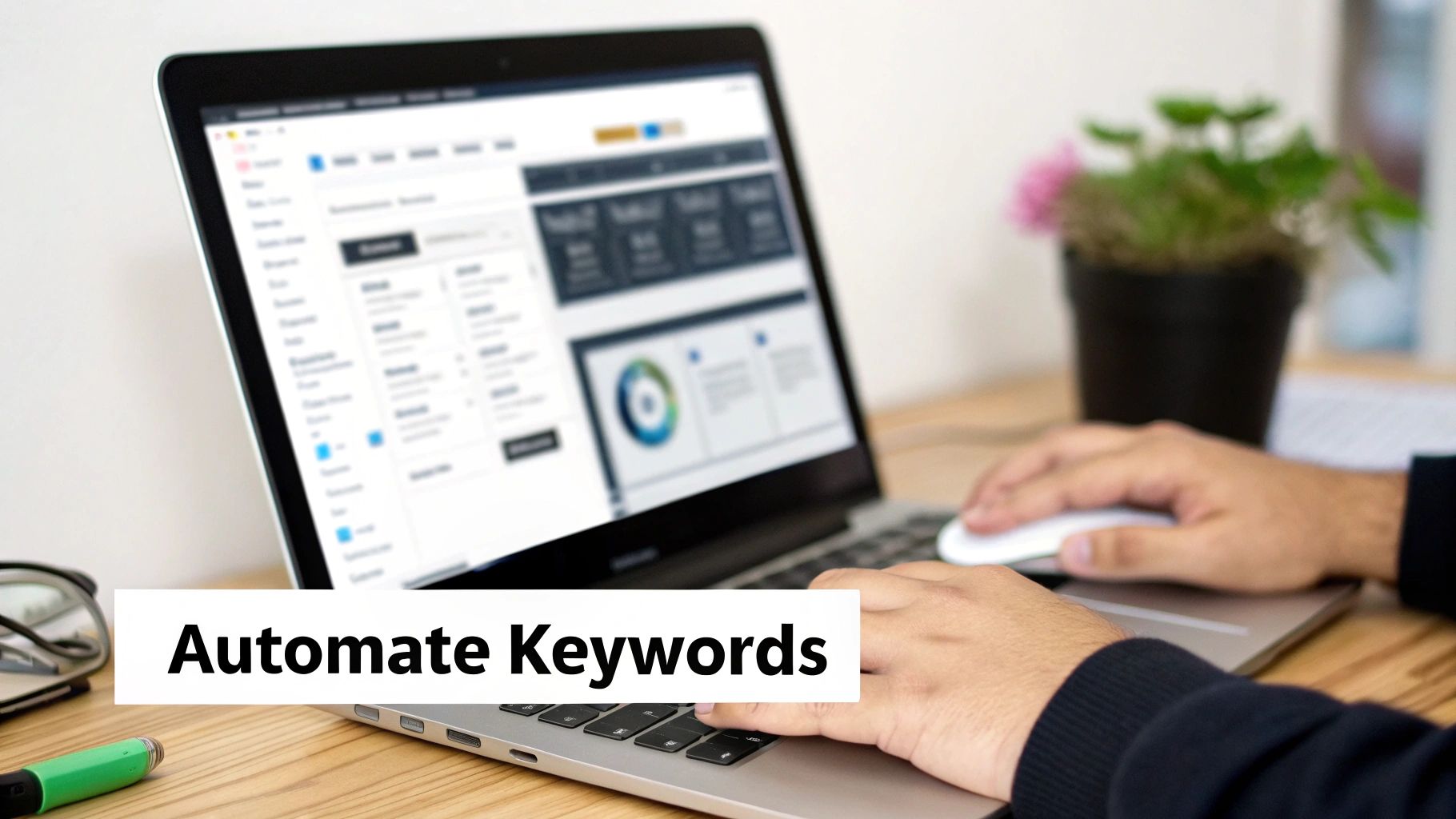
Let's be honest. Managing your keyword match type strategy across a big account can feel like a full-time job on its own. Juggling spreadsheets, manually copying and pasting search terms, adding negatives—it’s a soul-crushing grind that eats up time you could be spending on actual strategy. This is where you stop working harder and start working smarter.
This manual headache is exactly why we built Keywordme. It turns your entire keyword optimization routine from a dreaded chore into a simple, click-based process. We've seen it help advertisers execute complex tasks up to ten times faster. Instead of drowning in data, you can finally focus on what really moves the needle.
Transforming Your Search Term Report
Picture this: you're digging through your search term report. Normally, you’d have to export the data to a CSV, spend ages sorting and filtering, and then manually re-upload your changes. What a pain. With Keywordme, the whole process happens right inside your browser.
The Keywordme plugin literally overlays on top of your search term report, turning that wall of raw data into an actionable dashboard. This lets you analyze performance and make crucial changes on the fly. You're no longer just looking at data; you're actively shaping your campaigns in real time without ever leaving the page.
Here’s a snapshot of how Keywordme adds a powerful new layer of controls right inside your Google Ads interface.
As you can see, you can select a bunch of search terms and take immediate action—like adding negatives or creating new keywords—with just a couple of clicks.
A Smarter, Faster Workflow
With everything integrated like this, you can knock out your most critical optimization tasks in a fraction of the time. The whole workflow just becomes incredibly efficient.
- One-Click Negative Keywords: Spot an irrelevant search term wasting your budget? Just select it and instantly add it as a negative keyword to the ad group or campaign. No more copy-pasting into a separate list.
- Harvesting Winners: Find a high-performing search term from your Broad Match campaign? With a single click, you can add it as a new Phrase or Exact Match keyword to a more targeted ad group. Keywordme handles all the formatting for you.
- Campaign Expansion: Discover a cluster of related search terms that really deserve their own ad group? Select them all, create a new ad group, and move them over without ever opening a new tab. This simple process is one of many features covered in our breakdown of the best Google Ads PPC tools.
The Big Picture: This isn't just about saving time. It's about being able to run a more dynamic and responsive strategy. You can react to performance data instantly, making sure your budget is always flowing to what works best.
And while we're on the topic, improving your keyword strategy for SEO is just as important. You might find some valuable insights for that side of things by checking out this guide on Mastering Automated Keyword Research.
By automating the tedious parts of PPC management, you give yourself the headspace to make better strategic decisions, optimize with precision, and scale your campaigns with confidence.
Got Questions About Match Types? We've Got Answers.
Even after you've got your strategy down, some of the finer points of using a keyword match type can be tricky. Let's tackle a few of the questions that come up all the time.
Which Match Type Is Best if I'm Just Starting Out?
If you're launching a brand new campaign, Phrase Match is your best friend. Think of it as the perfect middle ground—it gives you enough reach to start collecting valuable data, but it's not as wild and unpredictable as Broad Match can be.
You get to learn what people are searching for without blowing your budget on a flood of totally irrelevant clicks. It's a solid, safe starting point that balances control with volume.
Should I Run the Same Keyword in Different Match Types?
You bet. This is actually a classic pro move.
Let's say your keyword is eco-friendly coffee pods. You could have it running in three separate ad groups: one for Broad, one for Phrase, and one for Exact. This setup gives you ultimate control, letting you set specific bids for each keyword match type and see exactly which one is driving the best results.
A common tactic is to bid the highest on your Exact Match keywords since they represent the most qualified traffic. Then, you'd bid a bit less for Phrase Match, and the lowest for Broad Match. This ensures your money goes to the clicks most likely to convert first.
Can I Just Switch a Keyword's Match Type Later On?
Not directly, no. You can't just edit a keyword and change it from Phrase to Exact.
The standard way to handle this is to pause the keyword you want to change and then create a new one with the match type you want. For example, once you see that "eco-friendly coffee pods" is a winner, you might pause it in your Phrase Match ad group and add [eco-friendly coffee pods] to your Exact Match ad group. This is the whole idea behind a "keyword graduation" strategy—promoting your best performers.
Stop wrestling with spreadsheets. Keywordme transforms your messy search term report into a clear, actionable dashboard. You'll be adding negatives and graduating your winning keywords up to 10x faster. Start your free trial today and get your campaigns under control.
.svg)