
9 Best Google Ads Chrome Extensions to Streamline Your PPC Workflow in 2026
Managing Google Ads campaigns efficiently requires the right tools at your fingertips. This guide covers the 9 best Google Ads Chrome extensions for 2026 that help PPC professionals streamline repetitive tasks like search term cleanup, competitor research, and conversion tracking—transforming hours of manual work into minutes by integrating powerful functionality directly into your browser workflow.


If you've ever found yourself toggling between spreadsheets, Google Ads tabs, and third-party dashboards just to complete a single campaign task, you already know the problem. Google Ads is powerful, but it wasn't built for speed. That's where Chrome extensions come in—they add functionality directly where you work, eliminating the friction that slows down your PPC workflow.
The right extensions can turn hours of manual work into minutes. Whether you're cleaning up search terms, researching competitor strategies, or troubleshooting conversion tracking, these tools integrate seamlessly into your browser and make your daily tasks faster and more intuitive.
Here are the top Google Ads Chrome extensions worth installing in 2026.
1. Keywordme
Best for: Optimizing search terms and managing negative keywords directly within Google Ads
Keywordme is a Chrome extension that eliminates the spreadsheet shuffle by letting you optimize campaigns right inside the Google Ads search terms report.

Where This Tool Shines
Most PPC managers waste hours exporting search term data to spreadsheets, manually tagging negatives, and then uploading them back into Google Ads. Keywordme cuts that process down to a few clicks.
It's built for the daily grind of campaign optimization—removing junk search terms, adding high-intent keywords, and applying match types without leaving the native Google Ads interface. For agencies managing multiple client accounts, the multi-account support and bulk editing features are game-changers.
Key Features
One-Click Junk Removal: Flag and eliminate irrelevant search terms instantly without exporting data.
In-Interface Negative Keyword Building: Create and apply negative keyword lists directly in the search terms report.
Keyword Clustering: Group similar search terms automatically to identify patterns and opportunities faster.
Match Type Application: Apply exact, phrase, or broad match modifiers with a single click.
Team Collaboration: Share workflows and manage multiple accounts seamlessly across agency teams.
Best For
Marketers, freelancers, and agency owners who spend significant time in the search terms report and want to optimize campaigns up to 10x faster. Especially valuable for agencies managing multiple client accounts where speed and consistency matter.
Pricing
$12/month per user with a 7-day free trial. Flat-rate pricing with no percentage-of-spend fees makes it predictable for agencies and freelancers.
2. Google Ads Editor Companion
Best for: Bulk campaign management and offline editing workflows
Google Ads Editor Companion is Google's official extension that brings quick-access functionality from Ads Editor into your browser.

Where This Tool Shines
When you need to make sweeping changes across campaigns—like updating hundreds of ad headlines or copying campaign structures—this extension streamlines the process. It's particularly useful for agencies that manage similar campaign structures across multiple clients.
The offline editing capability means you can draft changes without an internet connection and upload them later. This reduces the risk of accidental live edits and gives you time to review bulk changes before they go live.
Key Features
Bulk Campaign Editing: Make changes to thousands of keywords, ads, or campaigns simultaneously.
Offline Editing: Work on campaigns without an active internet connection and sync changes later.
Quick Copy/Paste: Duplicate campaign structures across accounts or ad groups with minimal effort.
Multi-Account Management: Switch between client accounts and apply consistent changes across portfolios.
Change History Tracking: Review all edits before publishing to avoid costly mistakes.
Best For
Agencies and in-house teams managing large-scale campaigns where bulk editing is a regular necessity. Also ideal for anyone who prefers working offline or needs to review changes before pushing them live.
Pricing
Free. It's a Google product with no subscription fees.
3. Keyword Surfer
Best for: Quick keyword research and search volume data while browsing
Keyword Surfer is a free keyword research extension that displays search volume and CPC estimates directly in Google search results.

Where This Tool Shines
Instead of opening a separate keyword research tool every time you need data, Keyword Surfer embeds the metrics right into your Google search page. This makes it incredibly fast for validating keyword ideas or checking search volume while you're already researching topics.
It's especially useful during the early stages of campaign planning when you're exploring keyword opportunities and need quick directional data without committing to a full keyword research tool.
For a structured approach to finding the right keywords before a campaign goes live, our Google Ads keyword research guide walks through the full process step by step.
If you want to go deeper on keyword research beyond quick in-browser lookups, see our comparison of the best keyword analysis tools for PPC and SEO campaigns.
Key Features
Search Volume in SERPs: See monthly search volume estimates directly in Google search results.
CPC Estimates: Get rough cost-per-click data to gauge keyword competitiveness.
Related Keyword Suggestions: Discover similar search terms and variations without leaving the search page.
Content Word Count Analysis: View word counts for ranking pages to inform content strategy.
Export Capabilities: Save keyword lists for later use in campaign planning.
Best For
Freelancers and marketers who need quick keyword validation without paying for expensive research tools. Perfect for early-stage campaign planning and ad hoc keyword discovery.
Pricing
Free. No premium tiers or hidden costs.
4. SimilarWeb
Best for: Competitor traffic analysis and benchmarking
SimilarWeb is a competitor analysis extension that provides traffic estimates, traffic sources, and engagement metrics for any website you visit.

Where This Tool Shines
When you're analyzing competitors or prospecting new clients, SimilarWeb gives you instant intelligence without leaving their website. You can see where their traffic comes from—organic search, paid ads, social, referrals—and benchmark their performance against your own campaigns.
This is particularly valuable for agencies pitching new business. You can quickly assess a prospect's current traffic situation and identify opportunities for improvement before the first call.
Key Features
Traffic Volume Estimates: See monthly visitor counts and traffic trends over time.
Traffic Source Breakdown: Understand how much traffic comes from paid search, organic, social, and other channels.
Competitor Benchmarking: Compare multiple websites side-by-side to identify market leaders.
Geographic Traffic Data: See which countries drive the most traffic to competitor sites.
Engagement Metrics: Review bounce rate, pages per visit, and average session duration.
Best For
Agency owners conducting competitive research and freelancers prospecting new clients. Also useful for in-house marketers benchmarking their performance against competitors.
Pricing
Free tier available with limited data. Paid plans start at $125/month for more detailed insights and historical data.
5. Tag Assistant Legacy
Best for: Verifying Google Ads conversion tracking and tag implementation
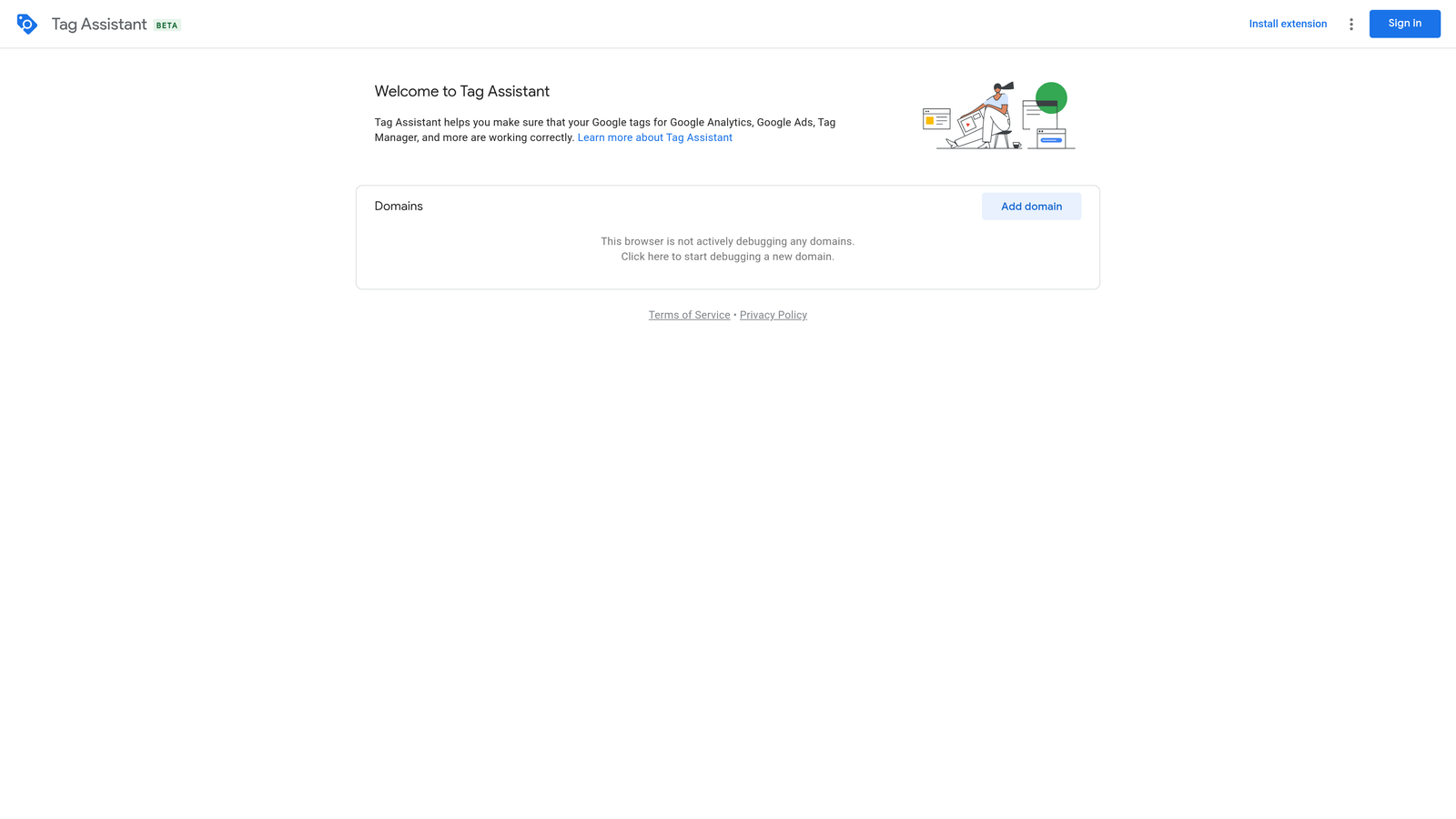
Tag Assistant Legacy is Google's official extension for checking that your Google tags—including conversion tracking—are firing correctly on any webpage.
Where This Tool Shines
Conversion tracking issues are one of the most common reasons campaigns underperform, and they're notoriously difficult to diagnose. Tag Assistant shows you in real-time whether your Google Ads conversion tags are firing, what data they're sending, and if there are any errors.
This is essential when you're setting up new campaigns, troubleshooting conversion discrepancies, or auditing a new client's account. Instead of guessing whether the tracking is broken, you get instant confirmation.
Key Features
Tag Validation: Confirm that Google Ads tags are present and firing on the correct pages.
Error Detection: Identify misconfigured tags, duplicate tags, or missing parameters.
Real-Time Firing Verification: Watch tags fire as you navigate through a website's conversion funnel.
Conversion Tracking Checks: Verify that conversion actions are recording properly in Google Ads.
Debugging Assistance: Get detailed error messages to help developers fix implementation issues.
Best For
PPC managers setting up conversion tracking, agencies auditing new client accounts, and anyone troubleshooting tracking discrepancies between Google Ads and analytics platforms.
Pricing
Free. It's a Google product with no subscription required.
6. Ghostery
Best for: Identifying tracking pixels and ad tech on competitor websites
Ghostery is a privacy-focused extension that reveals all tracking pixels, ad networks, and analytics tools running on any website.

Where This Tool Shines
While Ghostery is marketed as a privacy tool, it's incredibly useful for competitive intelligence. When you visit a competitor's site, Ghostery shows you exactly which ad networks, retargeting pixels, and analytics platforms they're using.
This helps you understand their advertising strategy—are they running Facebook retargeting? Using Google Ads remarketing? Tracking with multiple analytics platforms? This intel can inform your own campaign strategy and help you identify gaps in your approach.
Key Features
Tracker Detection: See all tracking pixels and scripts running on any webpage.
Ad Network Identification: Identify which ad platforms competitors are using for retargeting.
Privacy Protection Options: Block trackers if desired, though this isn't the primary use case for PPC managers.
Detailed Tracker Categories: Sort trackers by type—advertising, analytics, social media, etc.
Historical Tracking Data: Review changes in a site's tracking setup over time with premium features.
Best For
Marketers conducting competitor research and agencies analyzing client prospects. Useful for understanding the ad tech stack behind successful campaigns.
Pricing
Free. Premium features available but not necessary for basic competitive intelligence.
7. SEOquake
Best for: Quick landing page quality analysis and SEO audits
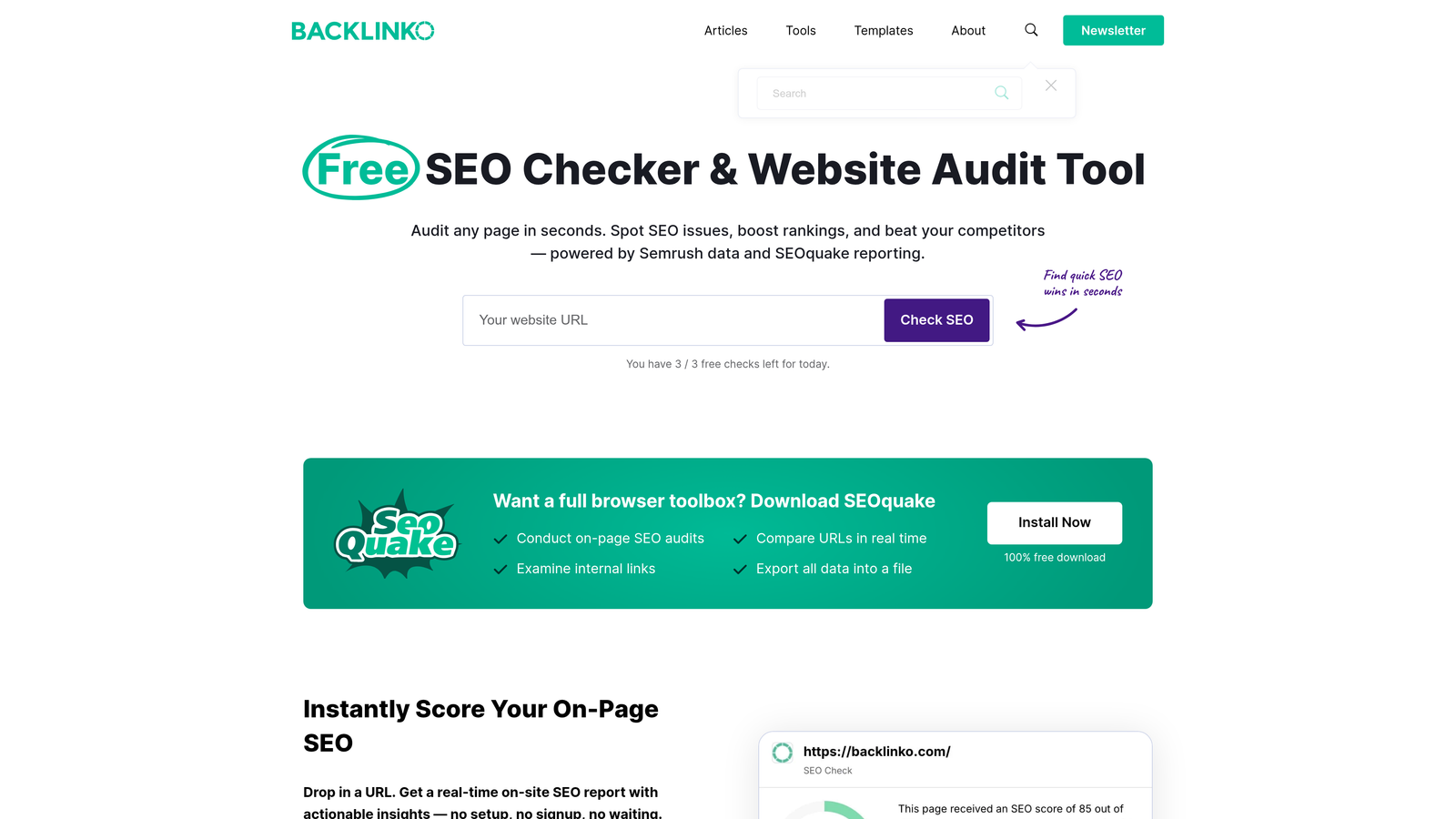
SEOquake is an SEO toolbar that provides instant metrics for any page—helpful for evaluating and improving PPC landing page quality.
Where This Tool Shines
Quality Score depends heavily on landing page experience, and SEOquake gives you a quick diagnostic of any page's SEO health. You can check keyword density, internal linking structure, and technical elements that affect page quality.
This is particularly useful when you're building new landing pages or auditing underperforming campaigns. Instead of manually reviewing each page, SEOquake surfaces issues that might be dragging down your Quality Score.
Key Features
On-Page SEO Audit: Get instant analysis of title tags, meta descriptions, heading structure, and more.
Keyword Density Analysis: See which keywords appear most frequently on the page.
Internal/External Link Analysis: Review the quantity and quality of links on any page.
SERP Overlay with Metrics: View SEO metrics directly in Google search results for competitive analysis.
Page Parameter Checks: Verify technical elements like canonicals, robots tags, and schema markup.
Best For
PPC managers optimizing landing pages for Quality Score, freelancers auditing client websites, and agencies ensuring landing page quality across campaigns.
Pricing
Free. No premium tiers required for core functionality.
8. Wappalyzer
Best for: Identifying technology stacks on competitor and prospect websites
Wappalyzer is a technology profiler that identifies CMS platforms, analytics tools, marketing automation, and other technologies used on any website.

Where This Tool Shines
When you're researching competitors or prospecting new clients, Wappalyzer gives you a complete picture of their technology stack. You can see which CMS they use, what e-commerce platform they're on, which email marketing tools they've integrated, and more.
For agencies, this is invaluable during the sales process. You can tailor your pitch based on the prospect's existing tech stack and position your services as complementary to what they're already using.
Key Features
Technology Stack Detection: Identify hundreds of technologies across dozens of categories.
CMS Identification: See whether sites are built on WordPress, Shopify, Webflow, or other platforms.
Marketing Tool Discovery: Find out which email marketing, CRM, and automation tools are in use.
E-Commerce Platform Detection: Identify shopping cart and payment processing technologies.
Analytics Platform Identification: See which analytics tools competitors are using for tracking.
Best For
Agency owners prospecting new business and marketers conducting competitive research. Also useful for freelancers positioning their services based on a prospect's existing technology.
Pricing
Free tier available with basic detection. Paid plans start at $99/month for advanced features and lead generation capabilities.
9. BuiltWith Technology Profiler
Best for: Deep competitive research and comprehensive tech stack analysis
BuiltWith Technology Profiler is a comprehensive tech stack analyzer that provides detailed technology profiles and historical tracking data.
Where This Tool Shines
BuiltWith goes deeper than most technology profilers, offering historical data that shows how a website's tech stack has evolved over time. This is particularly useful for understanding when competitors adopted new advertising technologies or changed their tracking setup.
The extension also integrates with BuiltWith's full platform, which includes lead generation features and industry trend data. For agencies doing serious competitive research or prospecting at scale, this combination is powerful.
Key Features
Detailed Technology Profiles: See comprehensive lists of technologies used on any website.
Historical Technology Tracking: Review when technologies were added or removed from competitor sites.
Lead Generation Capabilities: Find prospects using specific technologies through the full platform.
Industry Trend Data: Understand which technologies are gaining or losing market share.
Integration with Full Platform: Access deeper insights and prospecting tools beyond the extension.
Best For
Agencies conducting large-scale competitive research and prospecting. Also valuable for in-house teams tracking competitor technology adoption trends over time.
Pricing
Free extension. Full platform access starts at $295/month for advanced features and lead generation tools.
Building Your Extension Stack
The right combination of Chrome extensions depends on your specific workflow. If you spend most of your time optimizing search terms, start with Keywordme to eliminate the spreadsheet shuffle. For competitor research, combine SimilarWeb with Ghostery or Wappalyzer to understand both traffic patterns and technology choices.
If you want to go beyond browser extensions and automate more of your campaign workflow, check out this comparison of the best Google Ads automation software tools to find platforms that handle bidding, reporting, and optimization at scale.
Most PPC managers find that 3-5 extensions cover their daily needs without cluttering the browser. The key is choosing tools that integrate directly into your workflow rather than adding more tabs to manage.
For search term optimization specifically, the shift toward in-interface tools like Keywordme reflects a broader trend: marketers want speed and simplicity over feature-heavy dashboards. When you can remove junk keywords, apply match types, and build negative lists without leaving Google Ads, you're not just saving time—you're reducing the cognitive load of switching between tools.
If you're managing multiple client accounts or handling high-volume campaigns, the multi-account support and bulk editing features in tools like Keywordme and Google Ads Editor Companion become essential. These aren't nice-to-have features—they're the difference between spending 10 minutes per account and spending two hours.
Start with the extensions that address your biggest pain points. If conversion tracking issues are slowing you down, install Tag Assistant first. If competitor research is a regular task, add SimilarWeb and Ghostery. If search term management is eating up your day, Keywordme should be your first install.
The goal isn't to install every tool—it's to build a lean, efficient stack that makes your daily work faster and more intuitive. Start your free 7-day trial of Keywordme and experience how much faster search term optimization becomes when you can do everything directly inside Google Ads. No spreadsheets, no switching tabs, just quick, seamless optimization for $12/month.
.svg)