
What Is First Party Data and Why It Matters in 2026
What Is First Party Data and Why It Matters in 2026


First-party data is information a company collects directly from its own customers through owned channels like websites, apps, CRM systems, email, and purchase history. In 2026, 87% of marketers treat it as a core strategy, which tells you how fast it's moved from “nice to have” to a basic operating requirement.
When cookie loss and privacy changes started stripping away signal, a lot of teams realized they were guessing more and measuring less. First-party data is the fix, but only if you understand what it is, where it comes from, and how to turn it into audiences you can use.
The Real Definition Marketers Actually Use
A marketer losing remarketing signal after cookie changes usually feels the problem before they can name it. Campaigns still run, but the audience lists shrink, attribution gets fuzzier, and the team starts leaning on weaker guesses. That's the moment first-party data stops sounding abstract and starts sounding like survival.
Think of it as customer intel you gathered at the door
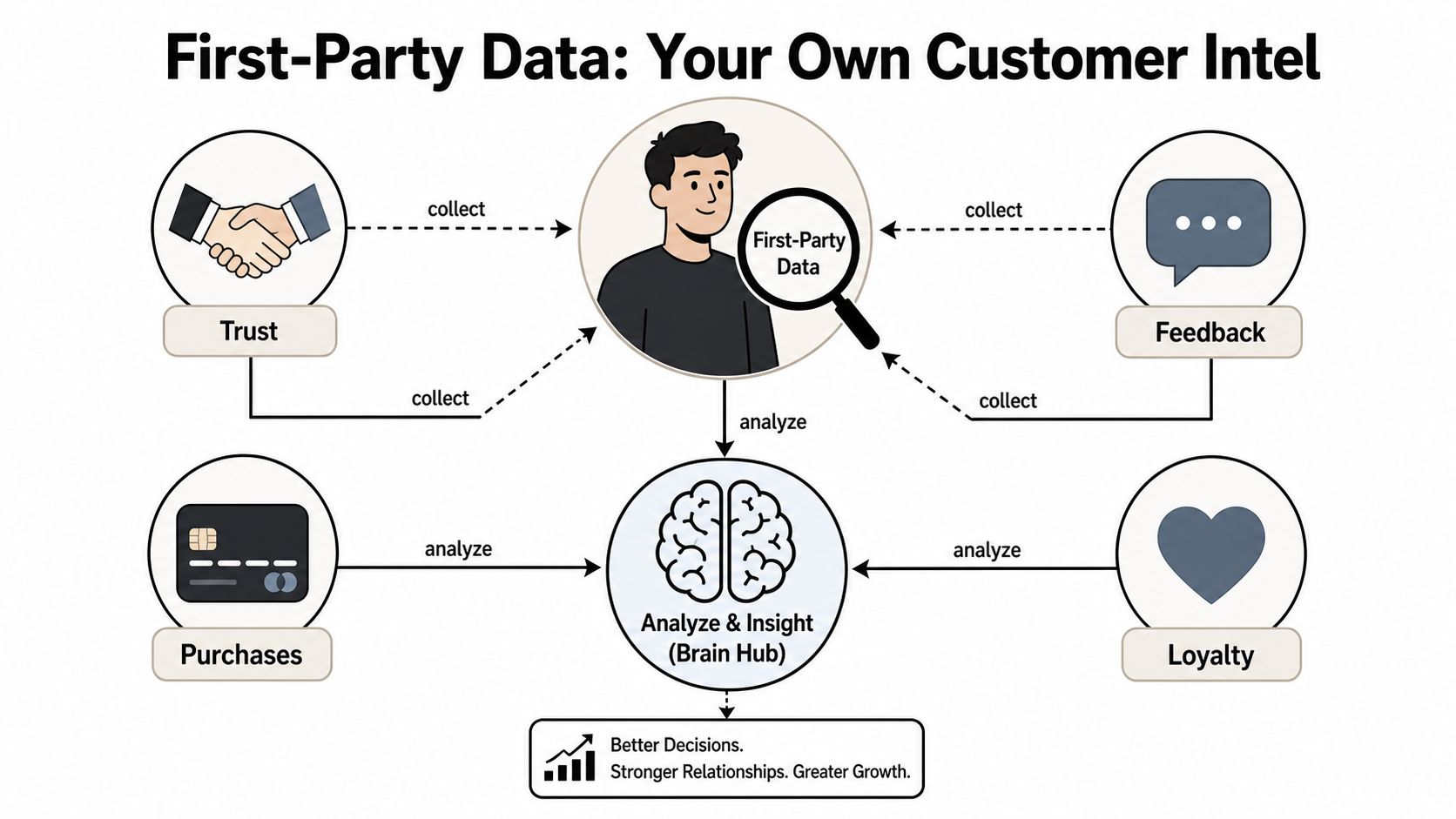
First-party data is the customer intel your business collects directly, not data you bought from a stranger on the street. It comes from owned touchpoints such as your website, app, CRM, point-of-sale, email, and customer service interactions, and your brand controls how it's stored and used (directly collected on owned channels). That direct path matters because it reduces provenance ambiguity and improves consent traceability.
You'll also see the definition framed as data gathered from real customer behavior rather than inferred third-party profiles. That's why major industry sources treat it as the core data layer for modern marketing, and why 87% of marketers prioritize it as a core strategy in 2026 (industry compilation). The value isn't just that you own it, it's that the data reflects what people did with your brand.
Here's a simple way to sanity-check a field in your stack. If the data came from a direct interaction with your business, it's in the first-party bucket. If it came through a broker, aggregator, or outside platform that doesn't have that direct relationship, it's not.
Practical rule: if you can point to the exact form, click, purchase, or support interaction that created the data, you're probably looking at first-party data.
A useful resource if you want to see the concept applied in a real workflow is how Toki uses first party data. That's the kind of example that makes the term feel less textbook and more operational.
First Party vs Second Party vs Third Party Data
The easiest way to understand first-party data is to place it next to the other data types marketers use. Once you do that, the trade-offs get obvious fast, especially for paid media teams trying to build reliable audiences.
A quick side by side view
| Data Type | Source | Consent | Typical Cost | Best Use |
|---|---|---|---|---|
| First-party | Your own website, app, CRM, email, point-of-sale, support, and forms | Collected through direct customer interaction and governed by your own permissions | Usually the most efficient to use once the collection system exists | Customer Match, remarketing, segmentation, personalization |
| Second-party | Another company's first-party data shared through a partnership | Based on a trusted relationship and agreed sharing terms | Depends on the partnership | Expanded reach with a known partner audience |
| Third-party | Outside aggregators and brokers | Harder to trace cleanly across sources | Often purchased as segments or enrichments | Broad prospecting, enrichment, and modeling |
Second-party data is basically someone else's first-party data shared under a deal. That can be useful when the partnership is tight and the audience fit is strong, but you're still relying on another company's collection system and governance. Third-party data sits furthest away from the customer relationship, which is why it's the most exposed to quality and privacy concerns.
For Google Ads work, this difference shows up in audience behavior. A Customer Match list built from your own CRM usually carries clearer intent than a bought list, because the users already interacted with your brand. A third-party audience might be broader, but it's often less precise for campaign decisions.
The trust layer matters too. First-party data is collected directly on owned channels, while second-party and third-party sources introduce more handoffs between the customer and the marketer. That extra distance makes it harder to verify where the signal came from and how permissions travel with it.
For a practical comparison in the ad context, the website visitor tracking guide can help you think about how owned behavioral data turns into usable audience signals.

Two Flavors of First Party Data You Need to Know
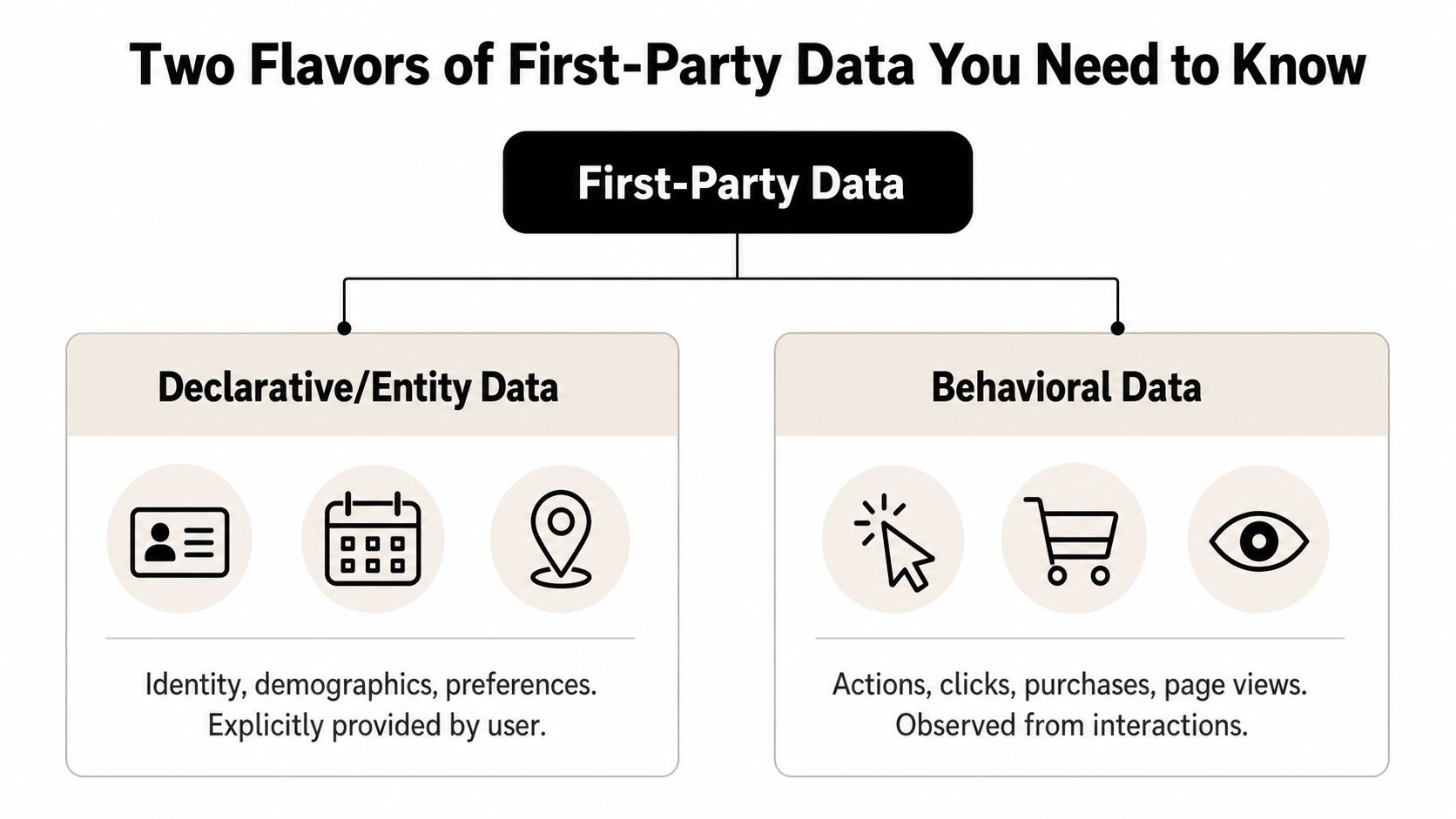
Not all first-party data behaves the same way. If you treat every field like it has the same job, your segmentation gets sloppy and your campaigns get noisy. The cleaner split is between who the user is and what the user did.
Entity data tells you who someone is
Declarative or entity data covers identity, preferences, and demographics. Think age, location, gender, job role, or a declared content preference. Amplitude describes it the same way, as identity and preference information that helps separate the person from the action (Amplitude definition).
This is the kind of data you'd use when building a Google Ads Customer Match audience from a customer list. Email, purchase history, and preference fields help you segment people into groups that make sense for targeting and personalization. It's slower to change than behavioral data, but it's very useful for stable audience definitions.
Event data tells you what someone did
Behavioral or event data captures clicks, page views, add-to-cart actions, form fills, and email engagement. That split matters because event data shows intent at the moment it happens, which is often more useful for timing and campaign triggers. Qualifio frames this as the distinction between declarative/entity data and behavioral/event data, and it's one of the cleanest ways to model first-party data internally (Qualifio).
The best ad audiences usually mix both. Identity tells you how to organize the list, behavior tells you when to act.
A retail example makes the split easier. If a shopper enters a loyalty email at checkout, that's entity data. If that same shopper browses running shoes three times and abandons a cart, that's event data. One supports broad segmentation, the other gives you a live signal to retarget.
A simple audit helps. Label every field in your CRM or analytics stack as either entity or event, and you'll quickly see which data points are useful for list building and which ones are better for remarketing logic. That mental model saves a lot of wasted audience work later.
Where First Party Data Actually Comes From
A lot of teams say they “have first-party data” when what they really have is scattered storage. The useful move is to trace the source of each signal back to the moment a customer gave it up or generated it through a direct interaction.
Start with the touchpoints you already own
Website behavior, purchase history, email engagement, app usage, sales interactions, support calls, customer feedback programs, demographics, interests, and behaviors all qualify when they're gathered through products, support processes, web forms, subscriptions, surveys, social media connections, or marketing programs (CDP.com). That's a much more practical definition than a theory page gives you, because it points straight to the systems marketers already run every day.
Forms are one of the easiest places to start. A simple “how did you hear about us” field can capture qualitative attribution alongside contact details, and that adds useful source context to a lead record. Registration flows, surveys, polls, and account creation all do the same thing when they're designed well.
The overlooked sources are usually the most interesting. Support notes, subscription preferences, and customer service calls can all add context that makes your audience smarter. If someone keeps asking for help with the same product line, that's a signal, not just a ticket.
Don't treat data collection as a passive side effect of marketing. Design it on purpose, or you'll keep missing the fields you wish you had later.
If you're building a lead capture and demand gen process, the 100Signals demand generation library is a good companion resource for thinking through forms, capture points, and qualification logic. And if you want to see how this shows up in a tracking workflow, the website visitor tracking guide is worth a look.
For PPC teams, the practical question is simple. Which of your owned touchpoints can feed CRM, audience building, or campaign segmentation today, and which ones are still sitting there as raw, unused signals?
The Privacy Nuance Most Articles Skip
A direct collection method doesn't make data free to use anywhere you want. That's the mistake a lot of “what is first party data” pages gloss over, and it leads teams into sloppy permission handling.
Collected directly is not the same as usable everywhere
First-party data still needs consent, purpose limitation, and channel-specific permissions. Independent privacy guidance makes that point clearly, first-party data should be collected with explicit consent and tracked by purpose and channel, while marketers should use transparent opt-in and opt-out controls with secure handling (privacy guidance). In plain English, getting an email for shipping doesn't automatically mean you can use that same email for ad targeting without checking the rules around the use case.
That distinction matters most in ad operations. A customer who gave you their email at checkout may expect order updates, support messages, and warranty notices. They may not expect their data to show up in every audience tool your team runs. The permission has to travel with the purpose.
This is why first-party data is better described as consent-aware data infrastructure than as a pile of records. The edge comes from knowing what the user agreed to, where they agreed to it, and what that agreement covers. If you don't track that, the data may still be technically “yours,” but it won't be cleanly usable.
If you want a useful contrast, the contextual advertising guide shows what happens when you target based on content context instead of relying only on user-level data. That's often part of the answer when consent is narrow or missing.
The operational habit is simple. Tie each field to a purpose, keep the channel history attached, and review opt-in language before pushing data into ad platforms. That's not just compliance work, it's what keeps your audience strategy durable when privacy rules shift again.
Turning First Party Data Into Google Ads Audiences
Having first-party data isn't the same as making it useful. Teams hit the same wall: the CRM is full, the event logs are rich, and the ad account still isn't getting cleaner audiences.
Start with audience building, not dumping
The cleanest Google Ads path usually starts with Customer Match. You take consented CRM records, hash the email addresses, and upload them as a seeded audience for targeting or observation. From there, you can build remarketing lists from site behavior, then use those signals to shape budget allocation, messaging, and bid strategy.
The hidden work is upstream. Epsilon's guidance is blunt about it, brands need to organize, enrich, and activate first-party data through clean systems, identity resolution, and analytics, because that's where value gets created rather than in collection alone (Epsilon). If the CRM fields are messy or the identity layer is broken, your audience list will be weaker than it should be.
Here's the workflow that usually holds up:
- Collect the right source fields. Email, purchase history, lead status, product interest, and recent behavior are usually enough to start.
- Clean and unify identities. Match records so one customer doesn't appear as five separate people.
- Split the audience by intent. High-intent shoppers, recent engagers, lapsed buyers, and qualified leads shouldn't all sit in one bucket.
- Upload into Google Ads. Use Customer Match, remarketing, or similar audience logic depending on the signal.
- Measure response by segment. Some lists will be better for acquisition, others for reactivation, and a few won't be worth keeping.
For teams that want a hands-on tool inside that workflow, Keywordme is a Chrome extension for Google Ads Search Terms Report work that helps turn search-term data from your own ad accounts into cleaner keyword actions. It fits best when you're already working with campaign data and need a faster way to move useful search terms into account structure.
If you're mapping audiences to campaigns, the Google Ads audience targeting guide is a practical next read. The main idea is simple. First-party data becomes valuable when it changes what you target, how you bid, and which segments you stop treating the same way.
Your First Party Data Checklist and Next Steps
First-party data is the customer data you collect directly, not borrowed from brokers or stitched together from guesswork. The useful version is consented, organized, and tied to a clear purpose, then activated into audiences and campaign decisions.
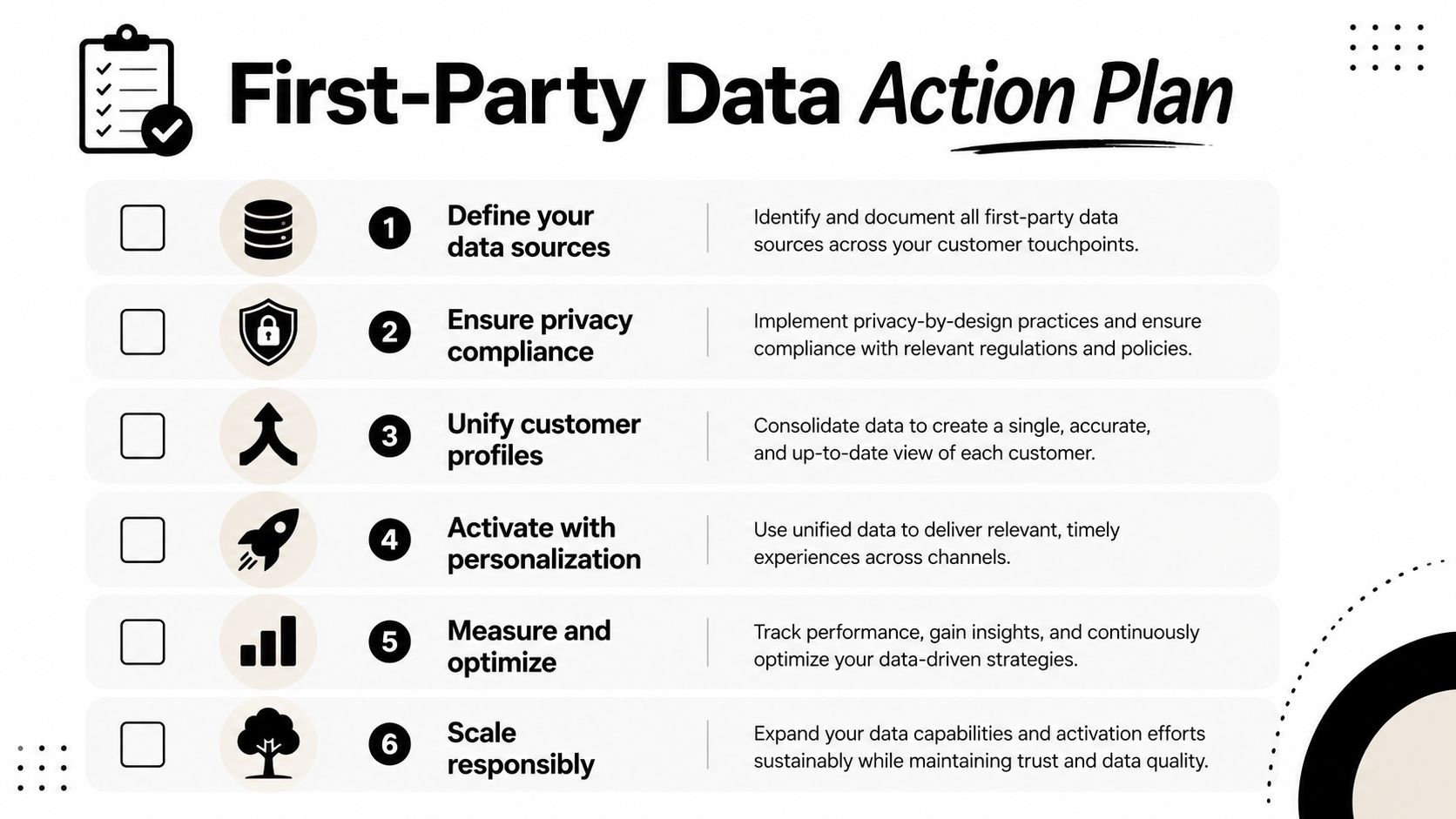
A short checklist you can run this week
- Define your sources. List every owned touchpoint, website, app, CRM, email, support, forms, and sales conversations.
- Check consent and purpose. Make sure every record has a clear use case attached to it.
- Separate identity from behavior. Label fields as entity data or event data so they don't get mixed together.
- Unify customer profiles. Reduce duplicate records before you send anything into an ad platform.
- Activate one audience first. Start with Customer Match or remarketing instead of trying to operationalize everything at once.
- Review what moved. If a segment doesn't improve targeting decisions, refine it or cut it.
The fastest teams usually do three things in the next 30 to 90 days. They audit where the data comes from, clean up the consent and identity layer, and ship one audience into Google Ads so the work becomes real. That's a much better move than sitting on a big CRM export and hoping it turns into performance by itself.
If you want help turning your own customer data into sharper Google Ads workflows, start at Keywordme and build from there.
.svg)