
Website Visitor Tracking: A Complete Guide for 2026
Website Visitor Tracking: A Complete Guide for 2026


Traffic looks healthy. Clicks are coming in. Cost per click seems manageable. Then you open the conversion report and nothing lines up.
That's the moment it becomes clear standard analytics isn't enough. You can see volume, but you can't see intent. You know people arrived, but you don't know which visits mattered, where they got stuck, or how those signals should change your PPC decisions.
Website visitor tracking closes that gap. Done well, it gives you the missing layer between ad spend and revenue. It shows what visitors do on the site, which accounts show buying intent, and which behaviors should trigger tighter targeting, cleaner search term management, and better budget control.
Going Beyond Pageviews and Clicks
A lot of PPC accounts stall in the same way. One campaign drives plenty of sessions. Another has a decent click-through rate. Search terms look relevant at a glance. Yet conversions stay flat because the post-click experience is full of friction the ad platform can't see.
That's where website visitor tracking becomes useful in a very practical way. It doesn't just count traffic. It records behaviors like clicks, scrolls, form interactions, and page paths so you can spot friction points and measure conversions more accurately. It has become a core part of modern analytics, and the broader market reflects that. The global web analytics market was valued at about $1.2 billion in 2023 and is projected to reach $2.5 billion by 2028, with a 15.4% CAGR, according to UXCam's overview of website visitor tracking.
What the ad platform misses
Say a paid search campaign sends visitors to a demo page. In Google Ads, the keyword looks fine. In GA4, sessions are coming through. But session replay shows people hesitating on the form, scrolling back up, and leaving after hitting an unclear pricing section. That's not a traffic problem. It's a message match problem.
In other cases, the landing page is technically sound, but the wrong audience keeps arriving. Visitors from unrelated industries keep clicking broad-match queries, poking around one page, and bouncing before any meaningful action. Again, the issue isn't “more traffic.” It's better qualification.
Without reliable tracking, optimization turns into educated guesswork.
Why this matters for PPC ROI
Paid media gets expensive fast when the site doesn't tell you what happened after the click. Tracking gives you evidence you can act on:
- Landing page friction: See where users stop, rage-click, abandon forms, or miss key information.
- Intent signals: Separate casual research from serious buying behavior, especially around pricing, case studies, and demo pages.
- Budget direction: Shift spend toward campaigns and queries that bring engaged traffic, not just cheap clicks.
A lot of teams also use tracking insights to support broader work around improving digital product UX, because conversion problems often start with usability issues that ad metrics alone won't reveal.
What Website Visitor Tracking Really Is
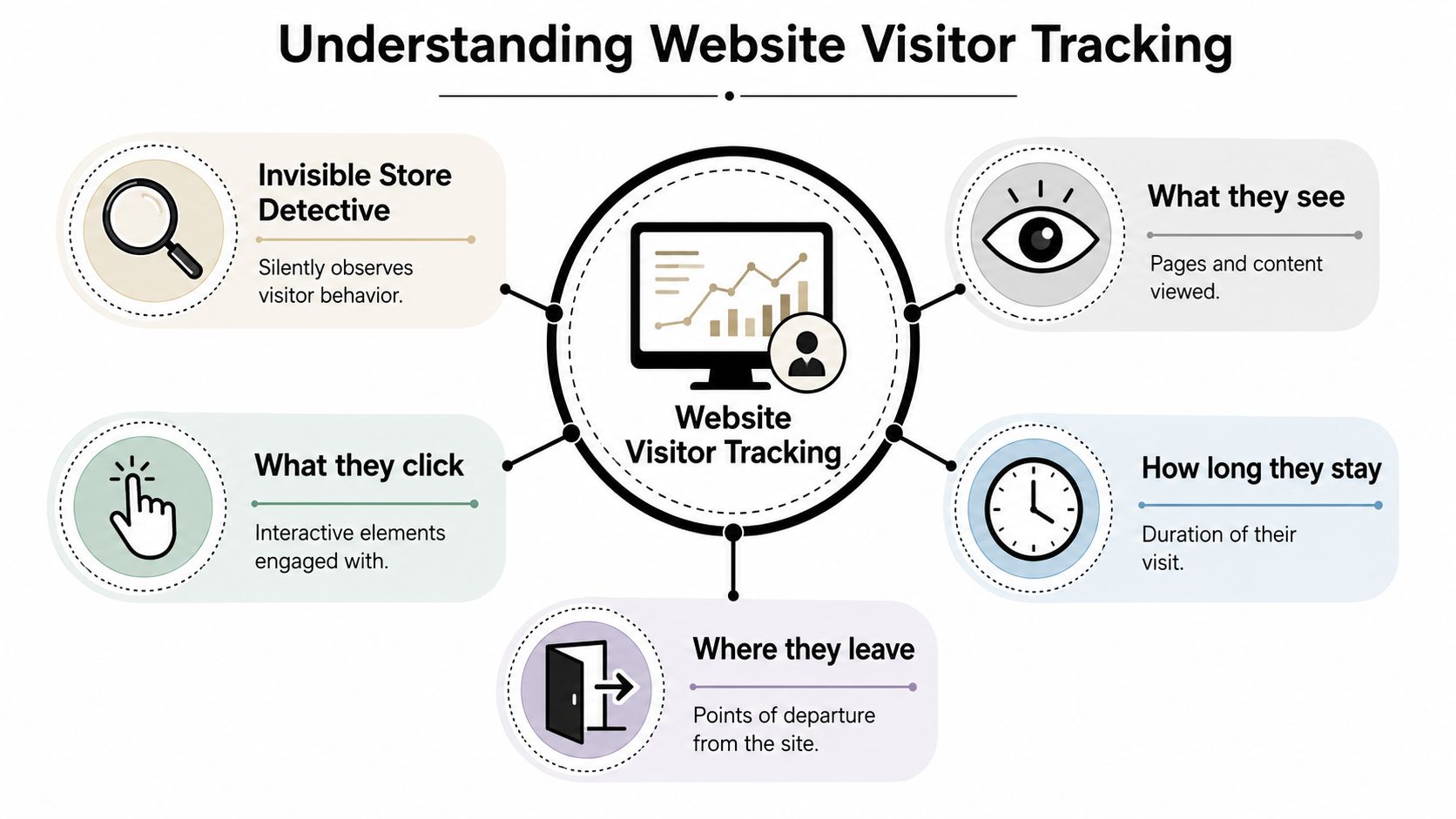
Think of your website like a retail store. Basic analytics tells you how many people walked in. Website visitor tracking tells you where they went, what they picked up, what they ignored, and whether they bought anything before leaving.
That's why the “tracking” part matters. It's not one metric or one script. It's a structured way to observe behavior across a visit and tie that behavior to business outcomes.
The four data layers that matter
At the working level, website visitor tracking usually breaks into four categories:
Session data
This is the visit itself. When someone arrived, what source brought them in, which pages they viewed, and when they left.Event data
These are the actions inside the visit. Clicks on buttons, form starts, form submissions, video plays, downloads, and key interactions.Qualitative data
This is the “how” behind the numbers. Session replay and heatmaps help you see where visitors hesitate, skim, scroll, or get lost.Conversion data
This is the outcome. A signup, purchase, booked call, lead submission, or any goal completion that matters to the business.
The three business buckets
Another useful way to frame it is by job. Business News Daily's breakdown of website visitor tracking software groups data into website analytics like traffic volume and source, user behavior like click rates and page flow, and visitor identity like location, demographics, and companies represented.
That split is important because each layer answers a different question:
| Bucket | What it tells you | Why marketers use it |
|---|---|---|
| Website analytics | How people arrived and how traffic is distributed | Channel evaluation, campaign reporting |
| User behavior | What visitors actually did on the site | UX fixes, conversion optimization |
| Visitor identity | Who may be behind the visit | Lead qualification, B2B targeting |
What this looks like in practice
A junior marketer often starts by checking source and conversion reports. That's fine, but it only tells part of the story. A stronger workflow looks like this:
- Start with source: Which campaign or query brought the visitor?
- Check behavior: Did they engage with the page or drift away?
- Look for intent pages: Pricing, case studies, comparison pages, or request-demo flows.
- Confirm conversion path: Did they complete the next step or abandon it?
Practical rule: Don't treat all visits equally. A pricing-page return visit means more than a homepage bounce from a broad query.
The Core Tracking Methods Explained
The mechanics behind website visitor tracking matter because each method solves a different problem, and each comes with trade-offs. If you mix methods without understanding them, you end up with messy attribution and compliance headaches.
The common methods in plain English
Cookies work like a coat-check ticket. A browser gets an identifier, and when that browser comes back, the site can recognize it as a returning visitor.
Tracking pixels are tiny embedded signals. They help record page loads, conversions, and campaign interactions across ads, pages, or emails.
Server-side tracking shifts more of the data handling away from the browser and into your own systems. It's closer to the store's internal inventory system than a shop-floor observer.
Browser fingerprinting tries to recognize a device based on its characteristics rather than a stored cookie. It's more controversial and less attractive from a privacy standpoint.
Comparison of Website Tracking Methods
| Method | How It Works (Analogy) | Accuracy | Privacy Impact | Best For |
|---|---|---|---|---|
| Cookies | A coat-check ticket that helps recognize a returning visitor | Good for browser-level continuity, weaker across devices or cleared browsers | Moderate, especially when used beyond essential site functions | Analytics, session continuity, attribution support |
| Tracking pixels | A tiny security camera that logs a specific action when triggered | Good for defined actions like page views or conversions | Moderate to high depending on implementation and consent handling | Ad attribution, retargeting, conversion logging |
| Server-side tracking | The store's back-office ledger that records transactions centrally | Often more stable because less depends on browser behavior | Can be lower when configured around first-party collection and data minimization | Cleaner analytics pipelines, first-party data setups |
| Browser fingerprinting | Recognizing someone by a unique mix of clothing, voice, and habits | Can be inconsistent and hard to validate cleanly | High. It raises stronger privacy concerns | Narrow edge cases, generally not the first choice for compliant marketing |
Which method works best
For professionals, the answer isn't one method. It's a stack.
Cookies and pixels still handle a lot of the everyday work around campaign measurement. Server-side tracking is increasingly useful when browser restrictions and consent requirements make client-side data less dependable. Fingerprinting is usually where teams get tempted by cleverness and regret it later.
If you're running Google Ads, one of the most practical identifiers to understand is the click ID. This guide on what GCLID means in tracking and attribution is worth reading because it helps connect ad clicks to downstream sessions and conversions.
The trade-off most teams learn late
The more aggressively you try to identify people, the more careful you need to be about privacy, consent, and data governance. Marketers often chase completeness when what they really need is reliability. Clean first-party tracking with a clear event model usually beats a “track everything” setup that nobody trusts.
Essential Tracking Tools and Key Metrics
Tools matter less than the job you assign them. A lot of teams collect data in five places, trust none of it, and still optimize campaigns by instinct.
A cleaner setup usually starts by separating tools into functions. One tool for traffic and attribution. Another for behavior analysis. Another for identity or firmographic context if you're in B2B.
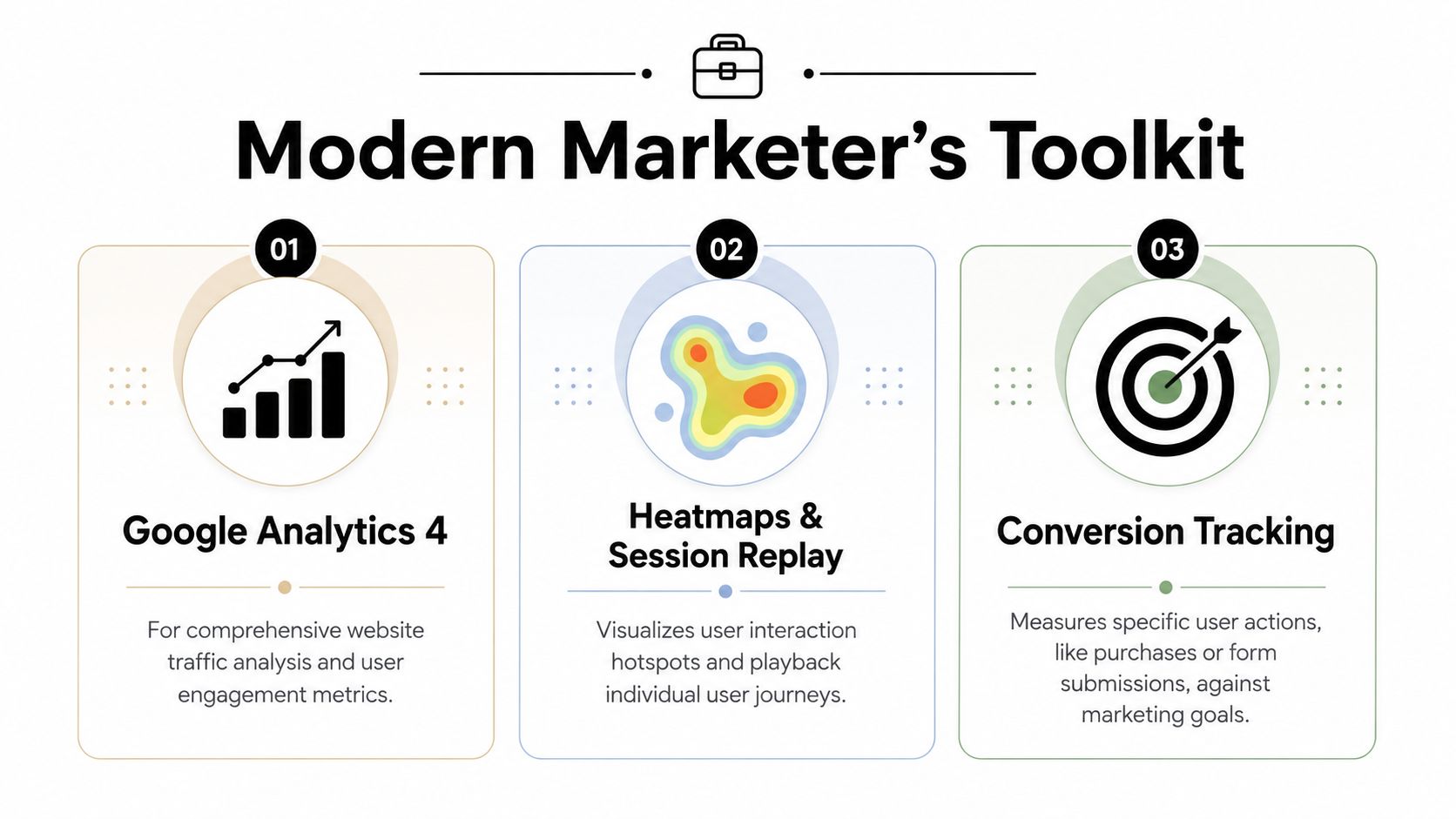
Tool categories that actually help
Google Analytics 4 is the standard baseline for website analytics. It's widely used, free to access, and it shifted the focus toward engaged sessions instead of the old bounce-rate-first mindset, as noted in UXCam's overview earlier.
Heatmaps and session replay tools help you understand why users don't convert. They show interaction patterns that raw event tables miss.
Visitor identification tools are more relevant in B2B. They try to connect anonymous visits to company-level data, which can be useful when your team sells to accounts rather than individual impulse buyers.
The metric shift that improves decisions
Marketers still get distracted by pageviews and bounce rate because they're easy to find. They're also easy to misread.
The more useful metrics are usually:
- Engaged sessions to separate shallow visits from meaningful interaction
- Conversion rate by source or campaign to connect traffic quality with outcomes
- User flow to find the pages that assist or block conversion
- High-intent page visits such as pricing, demo, or case-study pages
- Form progression so you can see starts, drop-offs, and completions
Matomo's discussion of website visitor tracking limits makes a key point many guides skip: cookies and JavaScript don't identify specific individuals without form fills, and 70 to 90 percent of traffic remains unidentified. That's exactly why you should avoid pretending anonymous session data equals full customer understanding.
Matching tools to the question
Here's a simple way to decide what to use:
- If the question is “Which channel drove the visit?” use GA4.
- If the question is “Why didn't they finish the form?” use heatmaps or replay.
- If the question is “Which company showed intent?” use a B2B identification layer.
- If the question is “How do I reconcile ads and site behavior?” read this guide on combining Google Ads and GA4 data.
Good tracking setups don't collect the most data. They make the next decision easier.
Using Tracking Data for PPC Optimization
Tracking ceases to be merely an analytics exercise and begins to impact finances.
A campaign can look acceptable inside Google Ads while wasting budget on the wrong searches, the wrong companies, or the wrong landing-page journeys. Once you can see which visits turn into engaged sessions, which pages serious buyers view, and which segments consistently go nowhere, your optimization work gets sharper.

Start with intent, not just clicks
The best PPC workflows don't ask only, “Did the keyword get traffic?” They ask, “What kind of traffic did it bring?”
If visitors from a non-target segment repeatedly land on a product page, spend little time there, and leave without touching a high-intent page, that query belongs in a review queue. If another query keeps bringing visitors who read case studies, revisit pricing, and submit forms later, that keyword deserves expansion and tighter match-type handling.
Clay's glossary on website visitor tracking points to one of the most useful workflows here: when marketers know which high-intent pages specific companies visited, they can build automated negative keyword lists for irrelevant segments and expand ad groups with stronger keywords from verified enterprise visitors, helping cut wasted ad spend.
The PPC actions that tracking should trigger
A strong workflow usually looks like this:
- Cut irrelevant demand: If repeated visits come from poor-fit industries or research-only audiences, add negatives tied to those search themes.
- Promote proven language: If engaged visitors consistently arrive on one messaging angle, reflect that angle in ad copy and landing pages.
- Tighten match types: Broad discovery is fine early on, but high-intent patterns often justify exact or phrase structure for better control.
- Prioritize assisted pages: Case studies, pricing, and comparison pages often influence conversion before the form fill happens.
If you want a deeper read on campaign efficiency decisions, this resource on how to maximize your online ad spend is a useful complement to tracking-led optimization.
Turn behavior into account changes
Here's the practical test. If your tracking stack reveals that valuable visitors repeatedly touch pricing and case-study pages before converting, your account should change in response.
That can mean:
- moving budget toward the campaigns that produce those paths
- building new ad groups around the terms those visitors used
- excluding search themes that generate visits with no downstream intent
- aligning landing pages more closely with the intent behind the ad
For cleaner attribution between click and outcome, this walkthrough on Google Ads conversion tracking helps tie the paid side back to the on-site side.
A short demo helps make the workflow more concrete:
A search term report tells you what people typed. Visitor tracking tells you whether that traffic deserved the click.
Navigating Privacy and Compliance in 2026
Privacy work isn't separate from tracking strategy anymore. It is the strategy.
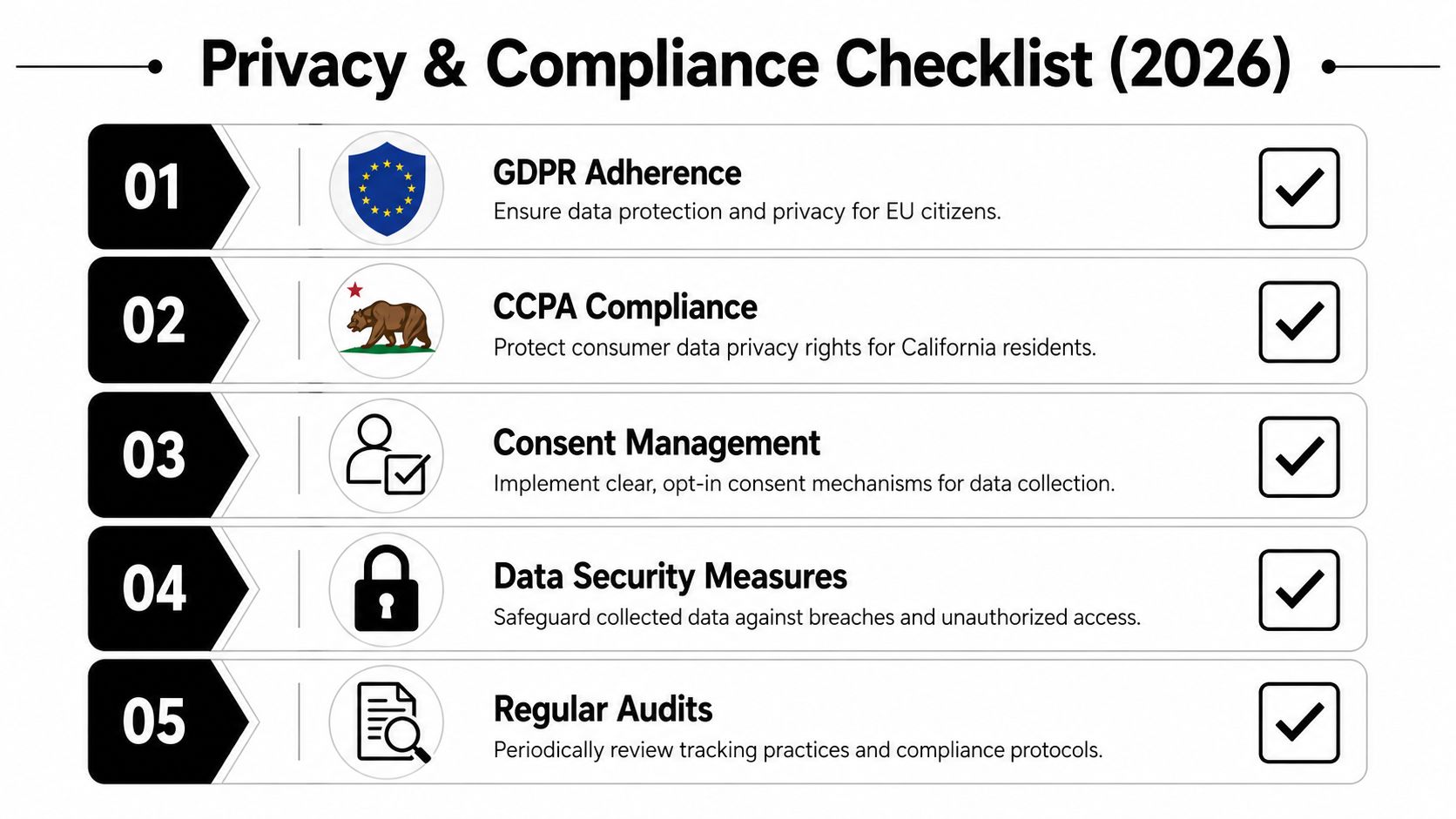
A lot changed when Google ended Universal Analytics support in July 2023, forcing more than 10 million websites to move to GA4. That shift also reflected a broader move away from third-party cookies and toward first-party data collection under pressure from rules like GDPR and CCPA, as described in Lead Forensics' coverage of website visitor tracking strategies.
What compliant tracking looks like
The practical version is straightforward. Collect what you need. Explain what you collect. Respect consent choices. Limit access inside the business.
Best-practice guidance from AISDR's website visitor tracking checklist includes a 90-day data retention period, starting with account-level tracking before adding contact-level data after consent, using first-party scripts that strip sensitive fields, and applying role-based access controls along with a DPIA.
A simple marketer checklist
- Use clear consent language: Visitors should understand what tracking is happening and why.
- Favor first-party collection: It's more durable and fits the direction the ecosystem is already moving.
- Strip sensitive fields: Don't capture data you can't justify or protect.
- Limit retention: Keep data for a defined period, not forever.
- Control access: Only the people who need tracking data should see it.
What to avoid
The biggest mistake is acting like privacy is only legal's problem. Marketing teams create risk when they install scripts casually, pass too much data through forms, or let tools fire before consent is handled properly.
The second mistake is trying to rebuild old third-party-cookie habits with more aggressive identification tactics. That usually creates more compliance exposure than useful insight.
Trust improves data quality. Visitors who knowingly engage are more valuable than data you shouldn't have collected in the first place.
Practical Best Practices for Better Tracking
Most tracking problems aren't caused by missing tools. They come from unclear goals, weak implementation, and no maintenance plan.
The best setups stay boring in the right ways. Clean naming. Clear ownership. Useful events. Regular checks.
The habits that keep tracking useful
- Define the conversion path first: Track the business milestones that matter before adding extra events.
- Keep event naming consistent: Messy labels create messy reporting fast.
- Connect analytics with CRM carefully: Join behavior with lead and customer status only where it's operationally useful and consent allows it.
- Review high-intent pages often: Pricing, case studies, comparison pages, and demo flows usually deserve the most attention.
- Audit scripts after site changes: Redesigns and form updates often break tracking.
- Check PPC traffic quality weekly: Don't wait for monthly reporting to discover a search theme is draining budget.
- Separate research traffic from buyer traffic: Treat blog readers, career visitors, support users, and product evaluators differently.
A good troubleshooting mindset
When numbers suddenly look wrong, start small. Check whether tags are firing. Confirm key events still trigger in the browser. Compare landing-page sessions against ad clicks. Then inspect whether a form change, consent update, or redirect altered the path.
One more thing matters more than people admit. Don't chase perfect visibility. Chasing total visibility often leads to bloated tracking, shaky compliance, and reports nobody trusts. Track the behaviors that change decisions, especially the ones that improve campaign quality and paid search efficiency.
Keywordme helps PPC teams turn messy search term and intent data into action. If you're spending too much time cleaning queries, building negatives, and expanding ad groups by hand, Keywordme gives you a faster way to tighten match types, reduce waste, and optimize Google Ads workflows without the usual copy-paste grind.
.svg)