
What Is a Search Term? A Guide to Driving PPC Success
What Is a Search Term? A Guide to Driving PPC Success


Let's get straight to it: a search term is the exact string of words a real person types or speaks into a search engine like Google. It’s not an estimate or a guess; it’s a direct quote from your potential customer.
Think of it as eavesdropping on their thoughts at the very moment they need something.
The Hidden Meaning in Your Customer's Search
Imagine you’re in the market for new running shoes. You probably wouldn't just type "shoes" into the search bar, right? That’s way too broad.
Instead, you’d get specific, maybe searching for “waterproof trail running shoes for wide feet.” That entire phrase—every single word of it—is the search term. For a business selling athletic gear, that phrase is pure gold.
This isn't just a jumble of words. It's a story. It tells you exactly what they want (trail running shoes), the specific feature they need (waterproof), and a personal detail that’s crucial to their purchase (wide feet). Nailing this concept is the bedrock of a successful Google Ads campaign.
Every time someone hits 'Enter' on Google, they're starting a journey. And the scale is mind-boggling. Google handles around 9.5 million searches per minute. That's a tidal wave of people telling the world what they need, want, and are trying to solve.
A search term is the unfiltered voice of the customer. It’s not what you think they’re looking for; it’s what they are telling you they’re looking for.
Why This Matters for Your Ads
Getting this right isn't just an academic exercise—it directly impacts your ad spend and profitability. When you truly understand the meaning behind what people are searching for, you can start making much smarter decisions with your budget.
- Pinpoint Customer Intent: You can easily tell the difference between someone doing early-stage research ("running shoe history") and someone with their credit card out ("buy brooks ghost 15 size 11").
- Slash Wasted Spend: Stop burning money on clicks from people searching for things that are completely irrelevant to what you sell.
- Boost Ad Relevance: When your ad copy and landing pages mirror the language from the search term, you create a smooth, connected experience that makes people want to convert.
To really get the most out of this, you have to dig into the 'why' behind the search. Understanding what is search intent is the next logical step; it's about decoding the user's ultimate goal, not just the words they used to get there.
Search Term at a Glance
Here’s a quick-reference table to lock in the concept.
This simple idea—listening to what customers are actually saying—is the foundation for all the optimization work we'll talk about next.
Search Term vs. Keyword: Unpacking The Critical Difference
If you get this next part wrong, you're practically setting your PPC budget on fire. I've seen it happen countless times. The difference between a keyword and a search term feels like semantics at first glance, but it’s probably the most critical distinction in all of paid search.
Mix them up, and you’ll burn through ad spend faster than you can say "negative keyword."
A keyword is what you, the advertiser, tell Google Ads you want to target. It’s your best guess at what potential customers are looking for. It's you starting the conversation. For example, you run an online store for athletic footwear, so you bid on the keyword "running shoes."
A search term, however, is what your customer actually types into that Google search bar. It's their side of the conversation, using their exact words. This is the raw, unfiltered voice of your audience.
An Analogy To Make It Stick
Let’s think about it like ordering coffee.
You, the advertiser, walk up to the Google barista and say, "I'd like to show my ads to people interested in 'coffee'." In this scenario, 'coffee' is your keyword. It’s a broad signal of your intent.
But then a real customer walks in and orders a "grande iced vanilla latte with oat milk." That super-specific phrase is the search term. It reveals their precise need, right in that moment. Your general 'coffee' keyword just got matched with a very specific desire.
This simple map shows how a customer's need directly translates into the words they type.
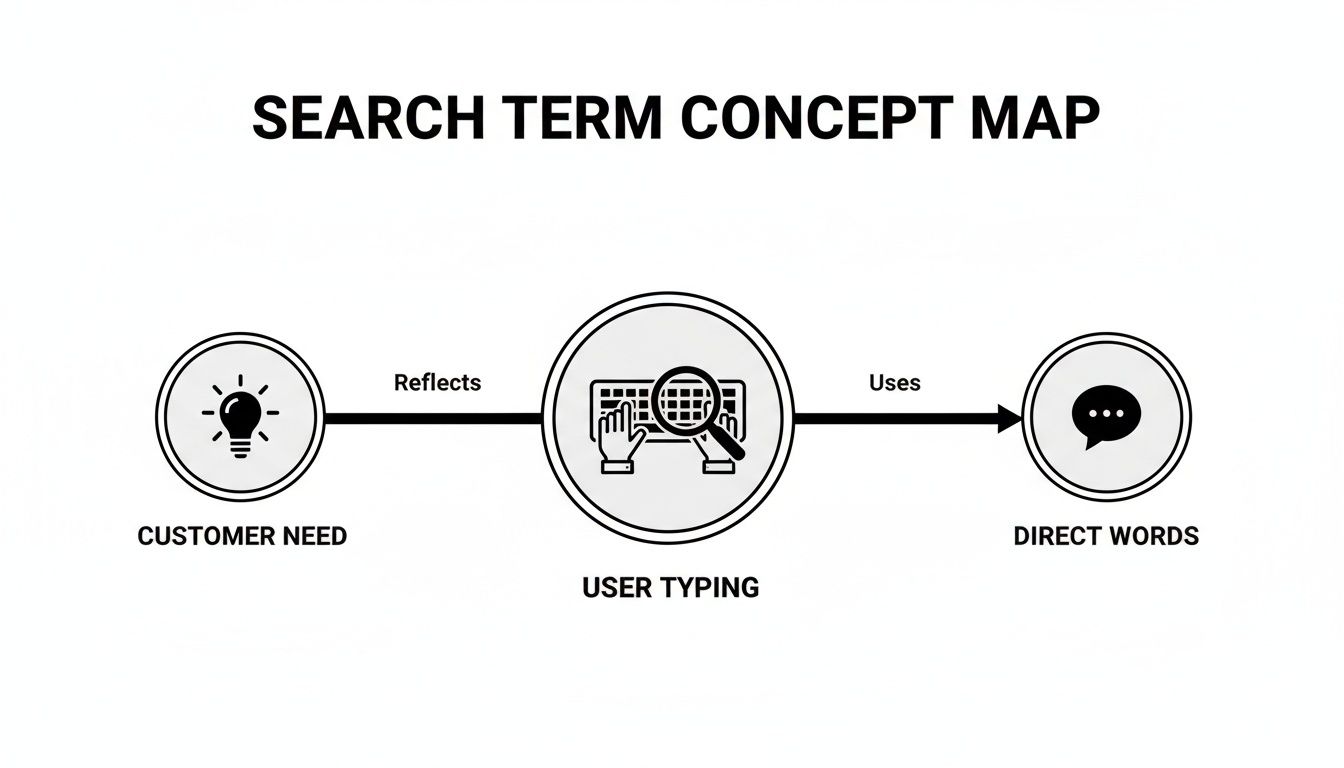
As you can see, a search term isn't just a jumble of words—it’s the direct voice of the user telling you what they want.
Why This Distinction Is Everything
Your one keyword, ‘running shoes,’ might attract hundreds of different search terms. Some will be pure gold, like ‘best price on size 11 women's running shoes.’ Others, however, will be totally irrelevant, like ‘how to fix worn out running shoes.’
If you’re not paying close attention to your search term report, you’ll end up paying for clicks from both. This is where effective keyword research comes into play, as it helps you anticipate what your audience might actually type.
To really nail this down, let's put them side-by-side.
Keyword vs. Search Term: The Ultimate Showdown
This table breaks down the core differences every PPC manager needs to know.
Ultimately, the keyword is your guess at what people are searching for, while the search term is the reality of what they searched for.
Keywords are what you bid on. Search terms are what you pay for. Your goal is to make sure what you pay for is actually driving results.
The real optimization magic happens when you dive into the search terms your keywords are triggering. This is where you uncover opportunities to refine your targeting, slash wasted spend, and learn the exact language your customers use. You can also get a tighter grip on this by mastering the different Google Ads keyword match types to better control the connection between your keywords and the search terms they attract.
Finding Gold in Your Search Term Report

Alright, so you’ve got the difference between a keyword and a search term down. Now what? This is where the real work—and the real magic—begins, right inside your Google Ads Search Term Report.
Forget thinking of it as just another boring spreadsheet. It’s more like a treasure map. This report shows you the raw, unfiltered phrases people actually typed into Google right before they clicked your ad. It's your single best source for getting inside your customers' heads, but I know it can look a little intimidating at first. Let's break it down.
Decoding Customer Language
The first thing you'll probably notice is just how many different searches one keyword can trigger. It's not uncommon for a single keyword to match dozens, sometimes even hundreds, of unique search terms. Your mission is to pan for gold in that river of data and toss out the junk.
What you're really looking for are patterns. Are people constantly name-dropping specific brands? Are they phrasing their searches as questions? Maybe you're seeing a lot of specific model numbers pop up. Each one of these is a breadcrumb trail leading you toward a better marketing strategy, from the words you use in your ads to the content on your landing pages.
For those of us managing bigger campaigns, this report is absolutely essential. A few high-volume search terms can signal a massive opportunity to build out new, highly targeted ad groups. This is more critical than ever when you realize that 58.5% of searches end in zero clicks—thanks to things like featured snippets and AI Overviews. We have to be laser-focused on the terms that actually drive results. If you want to see how the search results page is changing, this research on SERP evolution is worth a watch.
Spotting High-Intent vs. Low-Intent Queries
Let’s be honest: not all search terms are created equal. Some are practically screaming "I'm ready to buy!" while others are just casually browsing and burning through your ad budget.
Learning to spot the difference is a game-changing skill for any PPC manager. Here’s a quick way to think about it:
- High-Intent (Gold): These are the phrases you love to see. They often include "money" words like "buy," "price," "deal," or "for sale." They also get very specific with product names, model numbers, or location-based searches like "near me."
- Low-Intent (Junk): These are usually research-based queries. Think words like "free," "how to," "information," or even "jobs." They aren't always useless, but they typically signal someone who is nowhere near ready to make a purchase.
The goal is simple: pour your ad spend into the high-intent terms and aggressively block the low-intent ones. This one simple act of sorting can have a massive impact on your campaign's profitability.
For a much deeper dive, you should check out our guide on how to analyze and leverage your Google Ads Search Terms Report to get the best possible ROI.
Using the Data to Take Action
The Search Term Report isn't just for looking at—it's for doing. Every single row of data is a decision waiting to be made. See an irrelevant query? Turn it into a negative keyword and stop wasting money. Find a high-performing search term? That's your cue to build a new, hyper-targeted ad group around it.
This process of constant refinement is what separates the pros from the amateurs. It’s also where tools like keywordme can be a lifesaver, letting you make these crucial optimizations right from the report with just a few clicks. It can seriously turn hours of mind-numbing manual work into minutes of smart, strategic action.
How to Turn Search Data into Profitable Actions

Insight without action is just trivia. So now that you know where to find the gold in your search term report, it’s time to cash it in. Let's get practical and turn that raw data into a lean, mean, conversion-driving machine.
This isn’t about getting lost in complicated spreadsheets or debating abstract theories. It's about taking clear, decisive steps that have an immediate impact on your bottom line.
I like to think of this process as having three core pillars: plugging budget leaks, discovering new growth opportunities, and sharpening your overall control.
Plug Budget Leaks with Negative Keywords
The absolute fastest way to boost your ROI is to stop wasting money. It's that simple. Your search term report will almost always show you clicks from people who are definitely not your customers.
For example, let's say your keyword is running shoes. You might find it triggering ads for a search term like free running shoe donations. Every single click on that ad is money straight down the drain. The solution is immediate and powerful: add donations and free to your negative keyword list.
This one simple action tells Google, "Never show my ad again when someone searches for this." Doing this consistently plugs the holes in your budget, making sure every dollar you spend is reaching someone who might actually buy from you.
For in-house teams, optimizing search terms with negative keywords is non-negotiable for cutting waste. A tool like the keywordme Chrome plugin really shines here, helping automate match types and expansions right from your search term data. It can slash the manual work by up to 10x. You can see just how much search behavior is changing in this recent analysis.
Build New Ad Groups from Winning Terms
As you scan your report, you’ll start to spot hidden gems—high-performing search terms you never even thought to target directly. These are often longer, more specific phrases that show incredible purchase intent.
Imagine you find the search term buy brooks adrenaline gts 22 women's size 9 is converting like crazy. That's not just a search term; it's a huge signal to build an entirely new, hyper-targeted ad group around it.
When you discover a high-converting search term, you've found the exact language your best customers use. Don't just leave it buried in a broad match ad group—give it the spotlight it deserves.
By creating a new ad group specifically targeting this term (and similar variations), you can write ad copy that speaks directly to that user. The result? A higher Quality Score, lower costs, and, you guessed it, better conversion rates.
Refine Your Keyword Match Types
Finally, your search term data is the ultimate guide for refining your keyword match types. It gives you the real-world feedback you need to tighten control over which searches trigger your ads.
Here’s a simple framework to follow:
- Irrelevant Terms: These become negative keywords. Immediately. No questions asked.
- High-Converting, Specific Terms: Add these as exact match keywords in new or existing ad groups for maximum control and budget allocation.
- Relevant, Varied Terms: If you see a pattern of profitable but varied phrases, add the core phrase as a phrase match keyword to capture those variations.
This process transforms your campaigns from a loose, wide net into a series of precision fishing lines. Instead of just hoping to catch the right customers, you start targeting them with surgical accuracy. By consistently applying these three actions, you shift from passively collecting data to actively shaping your campaign's success.
How AI Is Changing the Search Term Game
Let's be honest, that simple little search box isn't so simple anymore. With AI, voice assistants, and visual search popping up everywhere, how people hunt for information is getting way more conversational and a lot less robotic.
This is a massive deal if you're the one managing the PPC budget.
We're seeing a huge spike in long, natural-sounding search terms. Just think about how you’d talk to a smart speaker: "hey google where's a 24-hour plumber near me?" That’s not a keyword; it’s a real question from a real person who probably has water pooling on their floor. The intent is crystal clear.
This whole shift is shaking up the search engine results page (SERP) as we know it. Clinging to an old-school, rigid keyword strategy based on a few short phrases is a recipe for failure. Winning now is all about understanding what people actually mean, not just what words they type.
Adapting to the New SERP
Google's own AI is constantly tweaking what users see, making that path from search to click a lot more winding. For example, a mind-boggling 58.5% of searches result in zero clicks. A big reason for this is AI Overviews, which already show up for 13.14% of queries and often answer the question right there on the results page. You can read more about these insights on how search behavior is evolving.
This trend forces us to stop chasing raw volume and start optimizing for real engagement and context.
The only way forward is to future-proof your campaigns by digging into the intent behind these new conversational search terms.
In the age of AI search, your strategy has to be as flexible and intelligent as the searches themselves. Focusing on the user's goal, rather than just their words, is the only way to win.
So, what does this actually look like in practice? It means you have to be more nimble.
- Embrace Long-Tail Conversational Queries: Start actively hunting for these longer, super-specific search terms in your reports. They’re often gold mines, revealing users who are much closer to making a purchase.
- Focus on Problem-Solving Ad Copy: Your ads need to directly answer the questions people are asking. Don't just stuff keywords in there; offer a solution.
- Think Beyond Text: Start brainstorming how visual and voice search could affect your business. What kind of completely new search terms will they spit out?
Changing your strategy for this AI-driven world isn't just a good idea—it’s a matter of survival. To get a better handle on this, check out our guide on AI for AdWords optimization. It’s all about working smarter, not just harder.
Your Top Search Term Questions, Answered
Alright, we've walked through the A-to-Z of search terms—from what they are to how they differ from keywords and, most importantly, how to use them to make your campaigns more profitable. But I know there are always a few lingering questions that pop up.
Let's tackle some of the most common ones I hear from PPC pros.
How Often Should I Check My Search Term Report?
Great question, and the honest answer is: it depends.
If you just launched a new campaign or are pouring a lot of cash into an existing one, you should be in that report daily. Seriously. Early on, you’re basically patching leaks in the boat. The faster you can add negative keywords for all the junk traffic, the less money you'll waste.
For campaigns that are a bit more seasoned and stable, a weekly or bi-weekly check-in usually does the trick. You’re no longer putting out fires; you're looking for trends and opportunities. The key is to make it a non-negotiable part of your routine. Don't let it slide, or you'll be wondering where your budget went a month from now.
Can a Single Keyword Really Trigger Thousands of Search Terms?
Oh, absolutely. And it happens more often than you'd think, especially with broad match keywords. It’s a perfect example of how wildly creative—and sometimes just plain weird—people can be with their searches.
Think about a simple broad match keyword like ‘women's boots’. That one little keyword could easily trigger a massive list of searches like:
- ‘waterproof hiking boots for women size 8’
- ‘cheap black ankle boots with low heel’
- ‘where to buy secondhand doc martens’
- And even totally irrelevant stuff like ‘how to fix a broken boot zipper’
This is exactly why you have to live in your search term report. It’s the only way to truly understand what your keyword is doing out in the wild. You get to step in and tell Google, "No, don't show my ad for that," making sure your budget only goes toward clicks that actually matter.
If you skip this step, you’re letting thousands of random searches dictate your ad spend. That’s a recipe for disaster.
What Is the Difference Between a Search Term and a Search Query?
This one’s easy: for a PPC manager, there is no difference. They’re the same thing.
Both search term and search query refer to the exact string of words someone types into the search bar. While a computer science professor might draw a fine line between the two, it has zero practical impact on how you run your campaigns.
Google Ads calls it the "Search terms report," so that’s what everyone in the industry calls it. Don’t get hung up on the jargon—they're two names for the same thing.
How Does keywordme Make Managing Search Terms Easier?
I’m glad you asked. keywordme was built to solve the most tedious part of PPC: wrestling with search term reports. Forget the soul-crushing routine of downloading CSVs, sorting through endless rows in a spreadsheet, and then manually pasting terms back into Google Ads.
Our Chrome plugin lets you do all the important work right inside the Google Ads interface. It puts the controls right where you need them.
With a single click, you can instantly:
- Add Irrelevant Terms: Find a junk term? Zap it to your negative keyword list in a second.
- Harvest New Keywords: Spot a winner? Add it as a new keyword with the right match type, right then and there.
- Streamline Workflow: Stay in one tab. No more jumping back and forth. No more spreadsheets.
keywordme turns what used to be a multi-hour headache into a few minutes of focused, strategic action. This frees you up from being a spreadsheet jockey so you can focus on the big-picture strategy that actually grows your accounts.
Ready to stop wasting ad spend and start optimizing like a pro? The keywordme Chrome plugin makes managing your search terms up to 10x faster. Start your free 7-day trial today and see the difference for yourself!
.svg)