
Your PPC Web Audit Checklist: 10 Essential Checks
Your PPC Web Audit Checklist: 10 Essential Checks


SEO Title: PPC Web Audit Checklist for Better ROI
Meta Description: PPC web audit checklist for Google Ads teams. Find landing page leaks, tracking issues, search term waste, and fix ROI killers fast.
You’re checking Google Ads every day. Clicks are coming in. Spend is moving. Nothing looks completely broken, but something feels off.
Conversions are flat. CPC keeps inching up. A few campaigns look fine in isolation, yet the account as a whole isn’t producing the margin you expected. That usually means the problem isn’t just in bids or keywords. It’s in the path after the click.
That’s where a proper web audit checklist earns its keep.
Not the usual SEO-heavy version, either. If you run paid media, you need an audit process that starts with ad traffic, landing page behavior, tracking accuracy, and wasted spend. A site can load fast, have decent metadata, and still undermine PPC performance because the page message doesn’t match the ad, the form breaks on mobile, or conversion tracking is lying to you.
I’ve seen accounts where the ads weren’t the main issue at all. The account structure was messy, search terms were bleeding budget, landing pages were built for broad brand traffic instead of high-intent PPC clicks, and attribution was fragmented by sloppy UTM tagging. Those are fixable problems, but only if you audit them in the right order.
A good PPC-first web audit checklist doesn’t try to inspect every page equally. It starts with money pages. Product pages, lead forms, checkout steps, demo pages, quote requests, and paid landing pages. That’s where budget turns into revenue or disappears.
If you need a broader foundation for technical website audits, keep that in your toolkit too. But for paid media, the checklist below is where I’d start when ROI is slipping and the ad platform alone isn’t giving clear answers.
1. Google Ads Account Structure & Organization
A messy account makes every later decision worse.
You can still get conversions out of a badly organized account, sure. But optimization gets slower, reporting gets muddy, and keyword intent starts bleeding across campaigns. That’s when teams end up making bid decisions based on mixed traffic instead of clean segments.
An e-commerce account should usually separate campaigns by product category or margin profile. A SaaS account often performs better when it splits by audience or use case. Local service businesses usually need geographic segmentation that mirrors the actual service footprint. If everything lives in one catch-all campaign with vague ad groups, the audit has already found a problem.
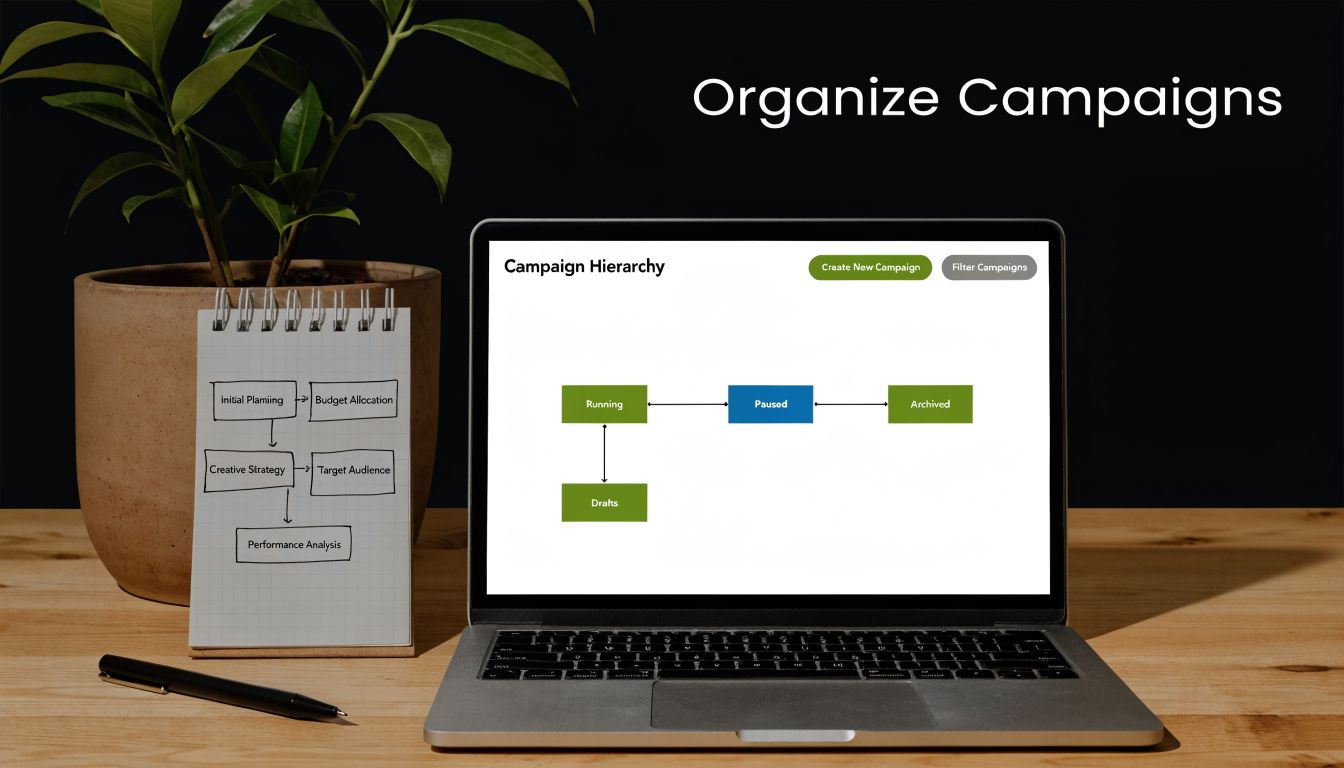
What clean structure looks like
I look for naming and hierarchy first, before I touch bids.
- Clear campaign purpose: Each campaign should represent a real business segment, not a random keyword dump.
- Tight ad group themes: Ad groups should hold closely related terms that can share one message and one landing page direction.
- Useful naming conventions: Include campaign type, location, network, or audience in names so reporting stays readable.
- Low duplication: If the same keyword theme shows up in several places without a reason, you’ll get internal competition and reporting confusion.
Keywordme is useful here because you can audit keyword placements quickly and spot themes that don’t belong where they currently sit. That’s especially helpful in old accounts that were built by several people over time.
What usually fails
The most common mistake is over-fragmentation. Teams create too many tiny ad groups, each with weak volume and almost no testing power. The opposite problem also shows up a lot. Huge ad groups packed with unrelated terms, where one generic ad tries to speak to all of them.
Practical rule: If one ad can’t speak naturally to the full ad group, the grouping is too broad.
I also check whether the structure supports action. If you can’t answer simple questions like “Which segment is driving qualified leads?” without exporting and cleaning reports for an hour, the structure needs work.
Good organization doesn’t directly create profit on its own. It creates clarity. In PPC, clarity is what lets you cut waste fast.
2. Keyword-to-Ad Group Relevance & Alignment
Wasted spend starts looking normal at this point.
A lot of accounts have keywords sitting in ad groups that are technically related, but not tightly aligned. That sounds harmless until you look at the ad copy and landing page. Then you realize the user searched for one thing, saw an ad about something adjacent, and landed on a page that only sort of fits.
That mismatch hurts CTR, hurts Quality Score, and usually hurts conversion rate most of all.
A simple example: a digital marketing agency puts competitor terms inside a branded services ad group. Or a retail account leaves shoe-related terms inside a broader apparel ad group. Or a SaaS brand mixes “free” intent with premium demo intent. The campaign still runs, but the traffic quality gets muddy fast.
Relevance should survive all three steps
I check alignment across three layers:
- Keyword to ad group: Does the keyword belong with the surrounding terms?
- Ad group to ad copy: Do the headlines and descriptions match the search intent?
- Ad copy to landing page: Does the click land on a page that fulfills the promise?
If any one of those breaks, performance gets expensive.
Keywordme helps with bulk review because you can spot misplaced terms without manually opening every ad group one by one. For larger accounts, that saves a ridiculous amount of time.
What to move, pause, or split
I usually ask one blunt question. Would most of the ad copy in this ad group make sense for this keyword? If the answer is no, the term doesn’t belong there.
In practice, that means:
- Move premium-intent terms into their own ad groups if they need stronger commercial messaging.
- Separate branded and non-branded traffic so CTR and conversion signals stay clean.
- Pull out competitor or comparison terms if they need different offers, disclaimers, or landing pages.
- Split “free,” “trial,” and “pricing” intent from broader informational themes.
Relevance isn’t a cosmetic improvement. It decides whether the click feels like a continuation or a bait-and-switch.
What doesn’t work is trying to patch relevance with dynamic insertion alone. If the underlying grouping is wrong, smart formatting won’t save it. Better alignment at the ad group level almost always beats clever ad tricks layered on top of sloppy structure.
3. Negative Keyword List Completeness & Implementation
If you haven’t audited negatives recently, there’s almost always money sitting on fire somewhere.
Negative keywords are one of the fastest ways to stop obvious waste, but they’re often handled casually. Someone adds a few blockers at launch, reviews search terms once, then moves on. Months later the account is still paying for junk intent that should’ve been filtered out early.
A real estate campaign targeting home buyers shouldn’t keep matching to rental intent. A SaaS brand with separate product tiers shouldn’t let one campaign absorb searches meant for another. A local service advertiser shouldn’t pay for DIY, job seeker, support, or unrelated location traffic if none of that can convert.
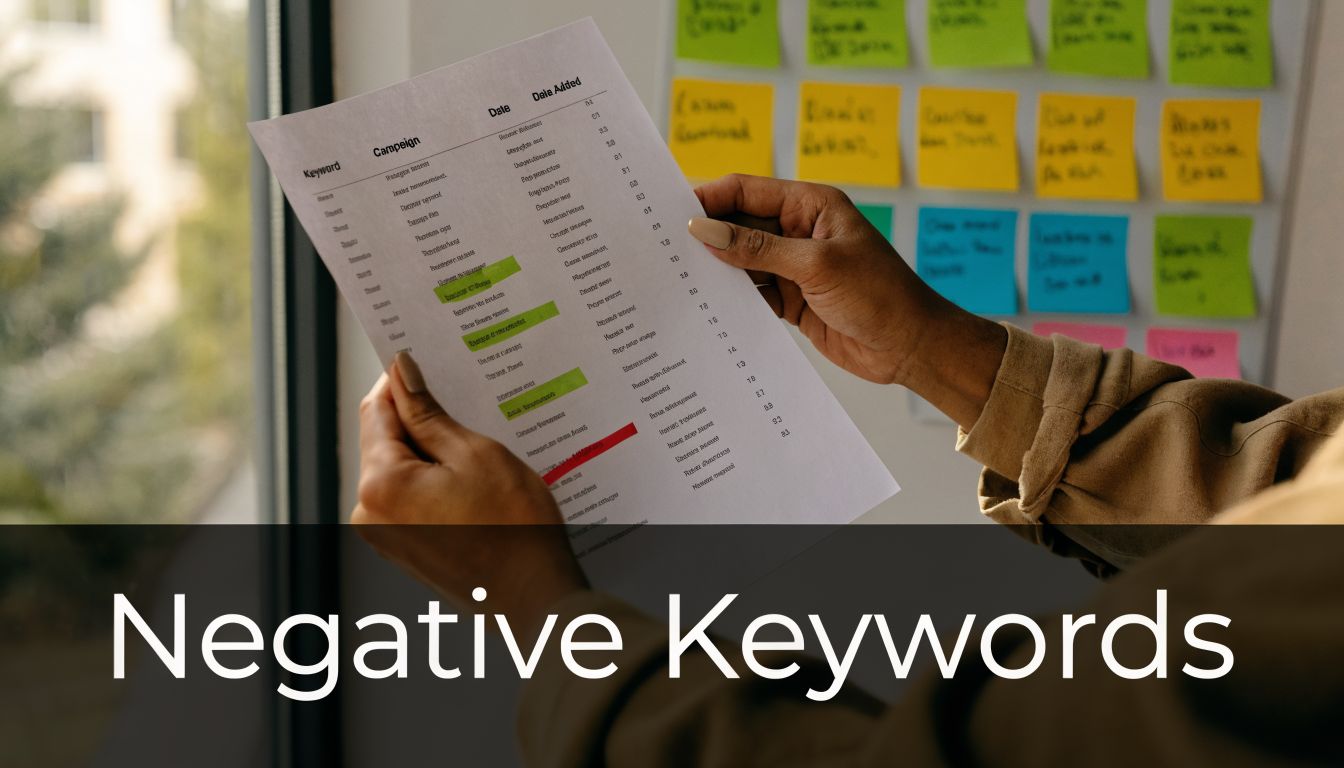
Build negatives at three levels
A strong negative keyword setup usually needs layers.
- Account-level negatives: Terms that are never valuable anywhere in the account.
- Campaign-level negatives: Terms that are wrong for one business line, location, or intent bucket.
- Ad-group negatives: Terms that should route to a different ad group instead.
That structure keeps campaigns from cannibalizing each other while also cutting dead traffic.
If you want a deeper process for building and organizing lists, this guide on https://www.keywordme.io/blog/negative-keyword-list is worth bookmarking. It pairs well with practical cleanup work inside Keywordme when you need to bulk-add junk terms without endless formatting.
For a plain-language refresher on what negative keywords are, that explainer is useful for junior team members or clients who still treat negatives like optional maintenance.
What a good audit catches
The search term report usually exposes patterns fast. I look for repeated intent mismatches, not just one-off junk.
- Low-buying intent: Free, cheap, template, sample, DIY
- Wrong audience: Jobs, careers, internship, salary, training
- Wrong product meaning: Similar words with different commercial intent
- Wrong geography: Places the business doesn’t serve
- Wrong stage: Support, login, documentation, cancellation
What doesn’t work is dumping every weak query into negatives without considering future value. Some terms aren’t bad. They’re just mismatched to the current campaign.
That’s the trade-off. A strong negative list protects budget, but an aggressive one can also choke growth if you don’t separate irrelevant traffic from traffic that needs its own campaign.
4. Quality Score Analysis & Improvement Opportunities
Quality Score is one of those metrics people either obsess over or ignore. Both approaches miss the point.
I don’t treat it like a vanity number, but I absolutely use it during a web audit checklist because it helps pinpoint where relevance breaks down. When a keyword has decent intent and enough activity but still struggles, Quality Score usually tells you where to look next. The ad, the landing page, or the expected CTR signal.
Google scores keywords on a scale of 1 to 10. That rating reflects the relevance of the keyword, ad, and landing page. It matters because it affects what you pay and how competitively your ad can serve. You don’t improve it for bragging rights. You improve it because weak relevance gets expensive.
Where low scores usually come from
In most accounts, low scores cluster around a few patterns:
- Broad ad groups: The keyword is too specific for the ad copy it sits under.
- Generic ads: The copy is okay, but not close enough to the user’s intent.
- Weak landing page match: The page talks around the search, not directly to it.
- Seasonal leftovers: Terms that were built quickly for a temporary push, then never cleaned up.
A B2B software account might see “free trial” terms drag if the ad copy pushes demos and the page is built for enterprise sales. An e-commerce store might find long-tail product queries scoring better because the page and ad line up more tightly. That’s the pattern to chase.
Fix the expensive keywords first
Don’t spread effort evenly. That’s where teams waste audit time.
Start with keywords that matter most to spend or lead volume, then work down the list. Tighten ad groups, rewrite the ad to match the actual search, and send the click to a page that feels purpose-built. Keywordme is handy for reorganizing keyword themes when the current ad groups are too loose to support strong relevance.
A low Quality Score doesn’t always mean “pause the keyword.” Sometimes it means “build it the page and message it deserved in the first place.”
What doesn’t work is trying to fix Quality Score with bid changes or cosmetic copy tweaks while leaving the landing page untouched. If the post-click experience is weak, the keyword will keep fighting uphill.
5. Search Term Report Analysis & Keyword Expansion Opportunities
The keyword list you launched with is not the keyword list that should stay in the account.
Search term reports show what people typed before your ad appeared. That’s where you find the most useful mix of waste, intent clues, and expansion ideas. Keyword tools are helpful, but search terms reveal live demand in your own account, under your own targeting and bids.
I treat this report like an operations document, not a curiosity.
A marketing agency might discover that comparison-style queries convert well enough to deserve their own ad group. An e-commerce store may find highly specific product modifiers that outperform broader category terms. A SaaS company can uncover niche audience language that never came up during initial research.
What to look for in the report
I sort search terms into three buckets fast.
- Promote: Queries that deserve to become managed keywords
- Block: Queries that clearly belong in negatives
- Observe: Queries with potential, but not enough evidence yet
That simple filter prevents endless analysis.
If you need a practical walkthrough of how to mine this report properly, https://www.keywordme.io/blog/google-ads-search-terms-report is the right resource. It fits well with a recurring audit cadence because it shows how to turn raw query data into account structure changes, not just notes in a spreadsheet.
Turn patterns into build decisions
The best opportunities usually come from repeatable intent, not isolated winners.
For example:
- Commercial modifiers: Alternative, pricing, near me, software, service
- Product attributes: Size, material, model, compatibility
- Audience qualifiers: For agencies, for nonprofits, for dentists
- Problem language: Fix, repair, replace, compare, improve
Once a pattern proves itself, move it out of the report and into the account intentionally. Create the keyword, assign the right match type, write relevant ad copy, and send it to the best landing page.
What doesn’t work is leaving good search terms buried in broad or phrase traffic for too long. You lose control over bids, messaging, and reporting. Strong queries should graduate into owned structure.
6. Match Type Strategy & Implementation Review
Match type problems don’t always show up as disasters. More often, they show up as vague underperformance.
The account spends steadily. Query quality feels uneven. Some campaigns produce good leads mixed with junk. Others miss volume because they’re locked down too hard. That usually means the match type mix no longer fits the account’s current goals.
Broad can help discovery. Phrase can balance control and reach. Exact still matters when intent is clear and expensive. The mistake is using one match type by habit instead of by purpose.
Match type should reflect risk tolerance
A financial services advertiser usually needs tighter control on sensitive terms. An e-commerce brand may use exact for product names and phrase for benefit-driven discovery. A B2B SaaS campaign might keep exact on bottom-funnel terms while testing broader reach higher up.
That’s why I audit match types by campaign role, not by some universal rule.
I usually look for these patterns:
- Branded campaigns: Tight control, minimal ambiguity
- High-intent non-brand: Phrase or exact, depending on cost and search quality
- Discovery campaigns: Broader testing only if negatives are strong
- Legacy sprawl: Mixed match types with no clear logic behind them
Keywordme helps a lot when applying match types in bulk because consistency matters more than is commonly appreciated. One sloppy import can leave a campaign half-exact, half-phrase, and impossible to interpret cleanly.
What works and what doesn’t
What works is intentional layering. Let exact terms protect your strongest commercial intent. Let phrase capture close variants and real-world query wording. Use broad when you’re actively mining for new demand and you already have negative keyword discipline in place.
What doesn’t work is running broad across an account with weak negatives and then blaming the landing page for bad traffic quality. That’s not a landing page issue. That’s a query control issue.
I also don’t recommend changing match type across the entire account at once unless the account is tiny. Test on a contained set first, then scale the pattern if the traffic quality holds up.
7. Ad Copy Relevance & Testing Performance
Most ad copy audits fail because they focus on writing quality, not traffic fit.
A polished ad can still underperform if it doesn’t mirror the intent behind the keyword. The best-performing copy usually sounds like the next logical step after the search. That’s why ad relevance matters more than cleverness in most Google Ads accounts.
If a user searches for a specific service, generic “grow your business” messaging won’t carry much weight. If they search for software pricing, feature-heavy copy without commercial cues can feel off. Relevance beats creativity when intent is strong.
Read ads like a searcher, not a marketer
When I review ad copy, I don’t ask whether the ad sounds smart. I ask whether the user would feel understood.
That means checking:
- Headline fit: Does at least one headline reflect the main keyword theme?
- Offer clarity: Is the CTA or value proposition obvious?
- Intent match: Does the message fit research-stage traffic or purchase-stage traffic?
- Landing page continuity: Will the click feel consistent with what follows?
Keywordme helps indirectly here because once you know exactly which keywords sit in which ad groups, it becomes much easier to write copy that belongs there.
Testing needs discipline
A lot of teams “test” ads by changing too many elements at once, then guessing why one version won. That leads to noisy decisions.
Better testing habits look like this:
- Change one major variable: Headline angle, CTA, or value prop
- Keep the rest stable: Don’t rewrite the whole ad unless you’re replacing a bad ad group strategy
- Group by intent: Compare messages within the same user mindset
- Use learnings across clusters: If a problem-solution angle works in one ad group, try it in adjacent themes
Good ad copy doesn’t rescue bad targeting. It amplifies good targeting.
What doesn’t work is copying one “winner” account-wide. A message that performs for branded searches often falls flat on competitor or category terms. The audit should identify where copy needs to be different, not just where one line happened to get clicks.
8. Landing Page Experience & Relevance Assessment
A paid click lands with a question: “Am I in the right place?” If the page hesitates, hides the offer, or asks for too much too soon, the campaign pays for that mistake.
That is why a PPC-first web audit looks at landing pages differently from a general site review. The standard website checklist asks whether the page works. I want to know whether it supports the keyword, matches the ad, and converts traffic that cost real money to acquire.
A law firm should not send “DUI lawyer near me” traffic to a broad practice-area page. An e-commerce brand should not send product-intent searches to the homepage. A SaaS company should not route demo-intent clicks to an educational article and expect sales-ready conversion rates.

Mobile problems waste paid spend fast
In 2024, 58% of global web traffic originated from mobile devices according to a Connective Web Design analysis. The same analysis calls out familiar problems: forms that are frustrating on phones, tap targets that are too small, intrusive pop-ups, and text that forces users to zoom.
For PPC teams, those are not design complaints. They are conversion leaks.
I usually start with paid landing pages, quote forms, checkout steps, and product pages tied to active spend. That is where the waste shows up first. If the account is also struggling with pacing and campaign prioritization, this guide to Google Ads budget allocation pairs well with landing page review because weak pages often distort where teams put budget.
The checks that change ROI
I review landing pages in this order:
- Message match: The headline, subhead, and offer should confirm the ad promise immediately.
- Intent fit: A research query needs education and trust. A high-intent query needs a direct path to action.
- Load and visual stability: Slow pages and shifting layouts create doubt before the user even reads.
- CTA placement: The next step should appear early, stay clear, and match the user’s stage of intent.
- Form friction: Long forms, vague field labels, poor error handling, and awkward mobile inputs cut lead volume.
- Mobile usability: Buttons must be easy to tap, layouts must hold up on smaller screens, and pop-ups cannot block the action.
There are trade-offs here. A shorter form often increases lead volume but can lower lead quality. A page with more detail can improve qualification but hurt conversion rate on colder traffic. The audit should not chase a prettier page or a higher conversion rate in isolation. It should help the page produce better economics from paid traffic.
What fails in practice is designing for internal approval instead of visitor intent. Paid users are impatient. The page has to confirm relevance, build trust, and make the next step obvious within seconds.
9. Bid Strategy & Budget Allocation Efficiency
A common paid search failure looks like this. High-intent campaigns stop serving by early afternoon, branded traffic keeps getting protected no matter the margin, and broad prospecting campaigns absorb spend because nobody has challenged the defaults in months.
That is usually a bidding and budget control problem.
In mature accounts, inefficiency rarely comes from one bad setting. It comes from drift. Legacy campaign priorities stay in place after the business changes. Automated bidding gets turned on, performance improves for a while, and then nobody checks whether the strategy still fits the volume and quality of conversion data going into it.
I review this part of the audit around four decisions:
- Where is budget capping demand that should be captured?
- Which campaigns drive qualified pipeline or profitable sales, not just cheap conversions?
- Which keywords or themes keep spending at a level the business cannot justify?
- Does the bid strategy match the signal quality available in the account?
That last point gets missed a lot. Smart Bidding can work well, but it is only as good as the conversion inputs behind it. If the account is feeding in low-value form fills, duplicate conversions, or weak lead signals, the algorithm will optimize toward more of them. Manual bidding is not automatically safer either. It gives more control, but it also makes it easier to overreact to short-term swings or protect underperforming campaigns out of habit.
The trade-offs matter. A B2B advertiser may choose to fund fewer campaigns and push harder into expensive, high-intent terms because those clicks are more likely to become pipeline. An ecommerce team may accept a lower ROAS target on non-brand category campaigns if those campaigns expand new customer volume at an acceptable margin. A SaaS account may need to cut back top-of-funnel traffic even when CTR looks healthy because downstream sales velocity is weak.
If you are reviewing pacing, campaign caps, and spend priorities, this breakdown of Google Ads budget allocation by campaign type and goal is a useful reference.
I also check whether reporting quality is distorting budget decisions. GA4 can limit event-level analysis in high-volume properties after the 10 million event threshold, as explained in Contentsquare’s guide to analytics audits. Contentsquare also notes that GA4 shows a data quality icon, and a green checkmark indicates unsampled data.
That matters for paid media. If analysts are reallocating spend based on sampled or incomplete reports, budget can move toward the wrong campaigns for the wrong reasons. On larger accounts, I verify that the reports behind major budget shifts are complete enough to trust before I change targets, caps, or bidding logic.
Good budget allocation follows conversion quality, sales value, and actual delivery constraints. It should reflect current economics, not historical comfort.
10. Conversion Tracking Setup & Data Accuracy Verification
A Google Ads account can look healthy right up until you trace one click from ad to CRM and find the break. The form submit fires in GA4, the conversion imports late into Google Ads, and the lead never lands on the sales team’s radar. At that point, bid strategy, budget shifts, and landing page tests are all being judged on bad inputs.
That is why I verify the measurement path before I trust performance reports. Broken tracking does more damage than missing tracking because it gives teams false confidence and trains automated bidding on the wrong outcomes.
Here’s the image I use to frame the check visually during reviews:
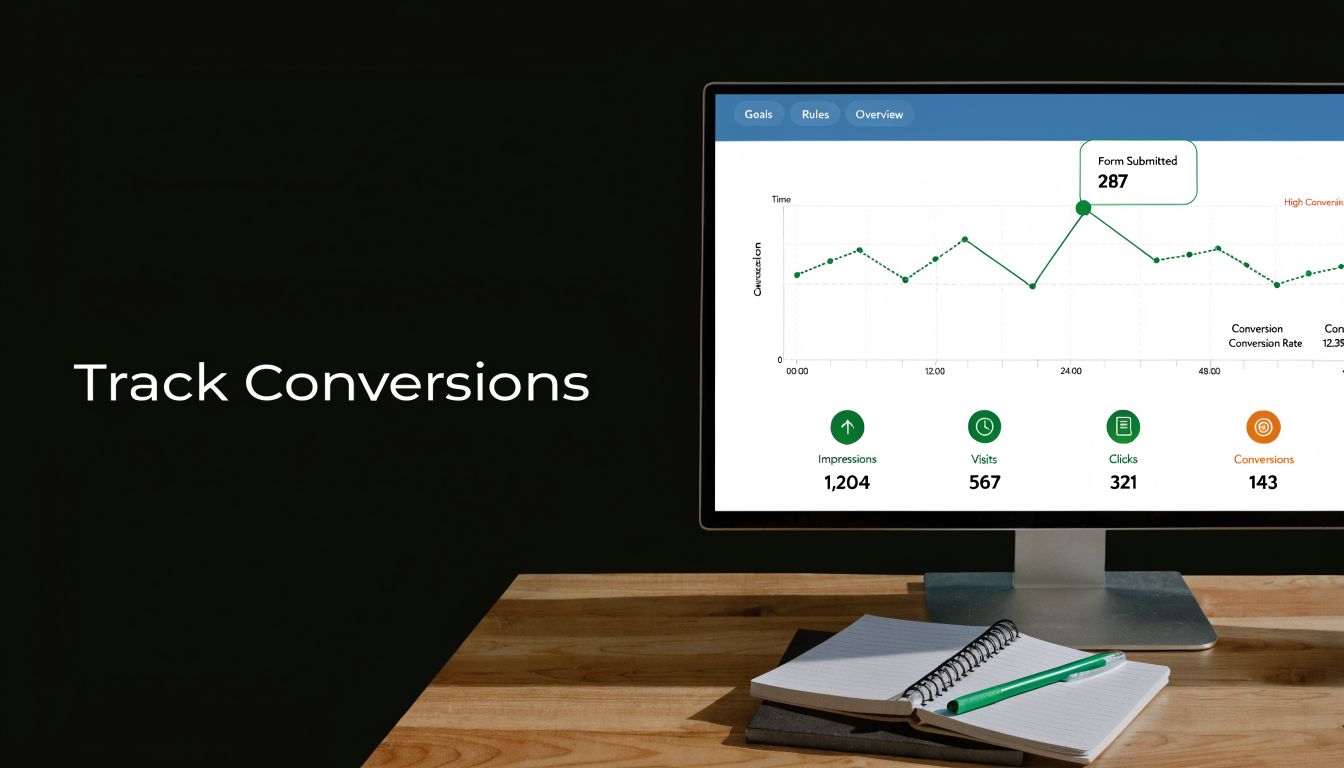
Tracking consistency matters more than attribution debates
I start with the basics. UTMs, event firing, and conversion definitions usually explain more reporting problems than any attribution model ever will. Teams often break channel reporting with inconsistent tagging, such as using utm_source=email in one campaign and utm_source=EmailBlast in another, as noted in LLMRefs' website auditing checklist examples of UTM inconsistency.
I also want proof that the account is tracking actions the business values. A polished dashboard is useless if it is counting low-intent events while missing qualified leads, purchases, booked calls, or offline revenue outcomes. The same LLMRefs article highlights real-time test conversions and goal-to-business-objective alignment. Both are worth checking every time.
My first pass is simple:
- UTM consistency: Campaign, source, medium, and content values follow one naming convention.
- Event accuracy: Primary actions like purchases, lead forms, calls, and booked demos fire once and at the right moment.
- Platform alignment: Google Ads, analytics, and CRM reporting are directionally consistent.
- Attribution sanity: Large reporting gaps have a clear technical or operational explanation.
Paid media needs a separate audit lens
A standard website audit can miss the exact issues that hurt paid search performance. Many website checklists skip PPC-specific measurement checks, including paid search integration, PPC landing page message match, and whether conversion pixels fire correctly across ad paths, as described in Webability's analysis of website audit blind spots for paid search.
That gap matters because paid traffic is less forgiving. If a form event fires on page load, Google Ads may optimize toward accidental conversions. If a thank-you page is blocked, campaigns that generate real leads can look weak and lose budget. If offline conversions never make it back into the platform, Smart Bidding will favor lead volume over lead quality.
I still do a manual validation before any major account change. Click the ad. Load the landing page. Submit the form. Check the browser console, tag assistant, analytics event stream, ad platform conversion log, and CRM record. That process catches problems dashboards gloss over.
If you want a quick walkthrough before reviewing your own setup, this video gives a useful visual primer.
Visible conversions in the interface are not enough. The setup has to record the right action, at the right time, under the right source, and connect that action to business outcomes you can use for bidding and budget decisions.
10-Point Google Ads Audit Comparison
| Item | Implementation Complexity 🔄 | Resource Requirements ⚡ | Expected Outcomes ⭐📊 | Ideal Use Cases 💡 | Key Advantage ⭐ |
|---|---|---|---|---|---|
| Google Ads Account Structure & Organization | Moderate–High; planning and careful restructuring required 🔄 | Medium upfront (audit time, strategist); low ongoing ⚡ | Clearer management, higher Quality Score, faster scaling 📊 | Multi-product, multi-region, or growing accounts 💡 | Foundation for efficient optimization and reporting ⭐ |
| Keyword-to-Ad Group Relevance & Alignment | Moderate; systematic audit and keyword moves 🔄 | Medium (analyst time, tooling like Keywordme) ⚡ | Higher Quality Score, CTR and conversion lifts 📊 | Accounts with large keyword sets or low relevance metrics 💡 | Direct, measurable relevance improvements that reduce CPC ⭐ |
| Negative Keyword List Completeness & Implementation | Low–Moderate; ongoing maintenance and careful rules 🔄 | Low ongoing; tooling speeds bulk application ⚡ | Immediate waste reduction (20–40%), improved CPA 📊 | Broad match usage, high irrelevant traffic, retail or services 💡 | High ROI optimization that quickly reduces wasted spend ⭐ |
| Quality Score Analysis & Improvement Opportunities | Moderate–High; multi-factor analysis and iterative fixes 🔄 | Medium (data exports, landing page work, tests) ⚡ | Lower CPC, better ad position, compounding savings 📊 | High-CPC keywords, competitive verticals, scaling accounts 💡 | Reduces cost across account by improving relevancy components ⭐ |
| Search Term Report Analysis & Keyword Expansion Opportunities | Moderate–High; data-heavy review and prioritization 🔄 | High without tools (manual); lower with automation like Keywordme ⚡ | Discovery of high-converting hidden keywords; lower CAC 📊 | Mature accounts, broad-match campaigns, keyword expansion phases 💡 | Reveals real user intent and new scalable keyword opportunities ⭐ |
| Match Type Strategy & Implementation Review | Moderate; requires testing and coordination with negatives 🔄 | Medium (policy, tests, tooling to apply match types) ⚡ | Better balance of reach vs relevance; cost control 📊 | Accounts mixing exact/phrase/broad or testing scale strategies 💡 | Controls spend while enabling scalable reach through strategy ⭐ |
| Ad Copy Relevance & Testing Performance | Moderate; structured A/B testing and iterative refresh 🔄 | Medium–High (creative resource, time to reach significance) ⚡ | Improved CTR, Quality Score, and conversion rates 📊 | High-impression ad groups, conversion-focused campaigns 💡 | Direct uplift in CTR and conversion through message optimization ⭐ |
| Landing Page Experience & Relevance Assessment | High; design/dev work and A/B testing required 🔄 | High (design, dev, CRO tools, testing time) ⚡ | Significant conversion uplift (10–30%) and better landing page score 📊 | High-traffic, high-cost keywords or product pages 💡 | Largest direct impact on conversion rate and CPC efficiency ⭐ |
| Bid Strategy & Budget Allocation Efficiency | Moderate; analysis and possible staged automation 🔄 | Medium (analytics, monitoring; automated strategies need conversions) ⚡ | Improved ROAS and better budget distribution 📊 | Scaling accounts, seasonal planning, ROAS-driven campaigns 💡 | Allocates spend to most profitable areas to maximize ROI ⭐ |
| Conversion Tracking Setup & Data Accuracy Verification | High; technical implementation and QA required 🔄 | High (dev, analytics, CRM integration, testing) ⚡ | Accurate measurement enabling data-driven bids and attribution 📊 | Accounts using conversion-based bidding or multi-step funnels 💡 | Foundation for reliable optimization and automated bidding decisions ⭐ |
Turn Your Audit into Action and ROI
A strong audit is useful. A prioritized audit is profitable.
That’s the difference that matters.
A lot of teams finish a web audit checklist with a long document, a pile of screenshots, and zero movement. Everything looks important, so nothing gets done quickly. PPC accounts don’t improve from awareness alone. They improve when you rank issues by how directly they affect spend, conversion rate, and measurement quality.
I’d start with the fixes that stop obvious waste first.
Negative keyword cleanup is usually near the top because it can reduce irrelevant traffic without rebuilding the whole account. Search term review comes right after that, because it often reveals both budget leaks and expansion opportunities in the same pass. If your account structure is messy, that’s next. Tightening campaigns and ad groups makes everything else easier to improve, from ad copy to bidding to landing page assignment.
Then move into the post-click path.
Landing page message match, mobile friction, weak forms, and unclear CTAs usually deserve attention before you obsess over cosmetic ad testing. Paid traffic is expensive enough already. You can’t afford to send hard-won clicks into pages that confuse people or ask them to work too hard.
Tracking verification also belongs near the top, not the bottom. If conversion data is wrong, every other optimization gets distorted. Standardized UTMs, validated event firing, and a quick reality check against your CRM should happen before you make aggressive bid or budget changes. Otherwise, you risk scaling a reporting error.
The easiest way to keep this manageable is to sort findings into four buckets:
- Stop waste now: negatives, broken pages, obvious targeting mismatch
- Fix measurement: UTMs, event firing, platform discrepancies, attribution gaps
- Improve relevance: ad group alignment, ad copy fit, landing page message match
- Restructure for scale: campaign hierarchy, match type logic, budget allocation
That sequence works because it follows the actual economics of PPC. First, stop paying for bad traffic. Second, make sure you can trust the data. Third, improve the conversion path. Fourth, reorganize the account so gains stick.
I also wouldn’t treat this as a one-time cleanup project. The best operators build it into a rhythm. Search terms change. Landing pages get edited. forms break. New campaigns inherit old naming problems. Teams add UTMs inconsistently. Someone launches a broad match test without proper negatives. All of that goes unnoticed unless you audit on purpose.
Quarterly is a practical cadence for a full PPC-first review, with lighter monthly checks on search terms, negatives, budget pacing, and conversion tracking. That cadence catches drift before it gets expensive.
And don’t try to fix everything at once. That’s another common mistake. Pick the highest-impact, lowest-effort actions first. Ship those. Recheck performance. Then move to deeper structural work like ad group reorganization, landing page mapping, or match type cleanup.
That’s how this becomes more than a checklist.
It becomes an operating habit. The teams that do this consistently usually aren’t the ones chasing random hacks or reacting emotionally to week-to-week fluctuations. They’re the ones tightening the system, validating the data, and making cleaner decisions with every round.
That’s where better ROI originates.
If you're tired of cleaning search terms by hand, juggling match types in spreadsheets, and losing time on negative keyword formatting, Keywordme makes the heavy lifting much faster. Use it to clean junk queries, expand ad groups from real search term data, apply match types in bulk, and keep your Google Ads account organized without the usual copy-paste mess.
.svg)