
Search Term Optimization: The Complete 2026 Guide
Search Term Optimization: The Complete 2026 Guide


Most advice about search term optimization starts and ends with negative keywords. Pull a report, find irrelevant queries, add them to a list, and move on. That routine is useful, but it misses the decision that usually matters more: why did the query match in the first place, and what should the campaign do with that intent next?
Google Ads now gives practitioners query-level evidence through the Search terms report, while Keyword Planner adds historical metrics such as average monthly searches, competition, competition index, and bid percentiles, based on a 12-month average for monthly searches (Google Ads search terms and historical metrics documentation). That turns search term work into more than account hygiene. It becomes a way to control matching precision, allocate budget, shape ad groups, and understand how automation is finding demand.
The old cleanup mindset is especially limiting in Performance Max and an AI-heavy search environment. The practical question is no longer only, “Which queries should I block?” It's also, “Which queries came from keywords, search themes, or keywordless targeting, and do they represent profitable intent?”
Why Search Term Optimization Is More Than Cleanup
Search term optimization now starts with diagnosis, not deletion. A search terms report is often opened reactively when spend looks messy. The better habit is to treat it as a continuous diagnostic instrument, one that shows how matching, campaign structure, and automation are shaping the traffic you receive.
Negative keywords still protect budget, but they address only one outcome. The more useful question is why a query matched and what the campaign should do with that intent next. Google's match type guidance explains the underlying trade-off: exact match receives priority when the query is identical, phrase match can cover exact-like and related searches, and broad match reaches further into related meaning. Broader matching can reveal demand you did not anticipate, while also requiring closer review.
A search term review should separate campaign type and intent quality before any keyword is added or blocked. Performance Max may surface queries connected to search themes or automated targeting, while a standard Search campaign gives you more direct control through keywords and match types. AI Overviews further complicate the path from a query to a click, so query volume alone is a weak basis for judging value.
Practical rule: Treat every search term as evidence about campaign structure, not merely as a yes-or-no keyword decision.
Review each term against five questions:
- Precision: Does it fit the product, service, location, and buyer stage?
- Economics: Did it convert at an acceptable cost, or use budget without meaningful return?
- Architecture: Should it receive its own exact-match keyword, ad group, or landing page?
- Source: Did it come from a standard keyword, a search theme, or automated matching?
- Intent quality: Does the wording signal research, comparison, employment, support, or purchase intent?
The action depends on those answers. A high-quality query can become an exact keyword. A relevant but unproven query may remain in phrase or broad match for controlled discovery. An irrelevant query can become a campaign-level or ad-group negative.
Monthly cleanup alone misses that feedback. Search behavior changes, campaigns gather new evidence, and automation expands beyond setup assumptions. Search term optimization is an ongoing feedback loop between query data and campaign design.
Understanding Search Terms Versus Keywords and Match Types
The keyword is your targeting rule. The search term is what the market returns. Match types determine how strictly Google applies that rule, so the query report can reveal gaps in campaign structure, not just irrelevant traffic.
Google Ads uses three positive match types:
- Broad match: The default match type. It can show ads on searches related to the keyword.
- Phrase match: Written with quotation marks, it can show ads on searches that include the meaning of the keyword.
- Exact match: Written with square brackets, it can show ads on searches with the same meaning as the keyword (Google's Search Ads match type documentation).
Take the keyword running shoes. An exact keyword gives Google the narrowest matching instruction, although “same meaning” matters more than identical wording. A phrase keyword can admit related searches that retain the underlying intent. A broad keyword reaches adjacent demand and may uncover useful language you did not anticipate, while also attracting searches from another business category.
Why the same keyword produces different traffic
Match type changes both the size and the character of the query pool. Broad match may connect running shoes with training footwear, athletic sneakers, or related product needs. Some queries deserve expansion into new targeting. Others point to jobs, free downloads, repairs, used products, or informational research that the advertiser does not serve.
Phrase match often supports discovery with more control than broad match. Exact match creates the clearest relationship between the intended keyword and the observed query, which helps when the offer or landing page requires tight alignment.
No match type wins in every account. The right choice depends on account maturity, conversion volume, budget tolerance, and how much variation the offer can absorb. Google Ads documentation and academic evidence both indicate a trade-off between reach and precision, rather than a universal setting for every campaign.
Performance Max makes the distinction harder to interpret because a query may originate from search themes or automated targeting rather than a manually added keyword. Standard Search campaigns expose the keyword and match-type relationship more directly. In both campaign types, separate useful discovery from poor intent, then diagnose the query source before adding a negative or promoting the term.
A keyword records what you permitted. A search term records what Google matched and what users sought. Treating them as interchangeable leads to blunt cleanup instead of better targeting decisions.
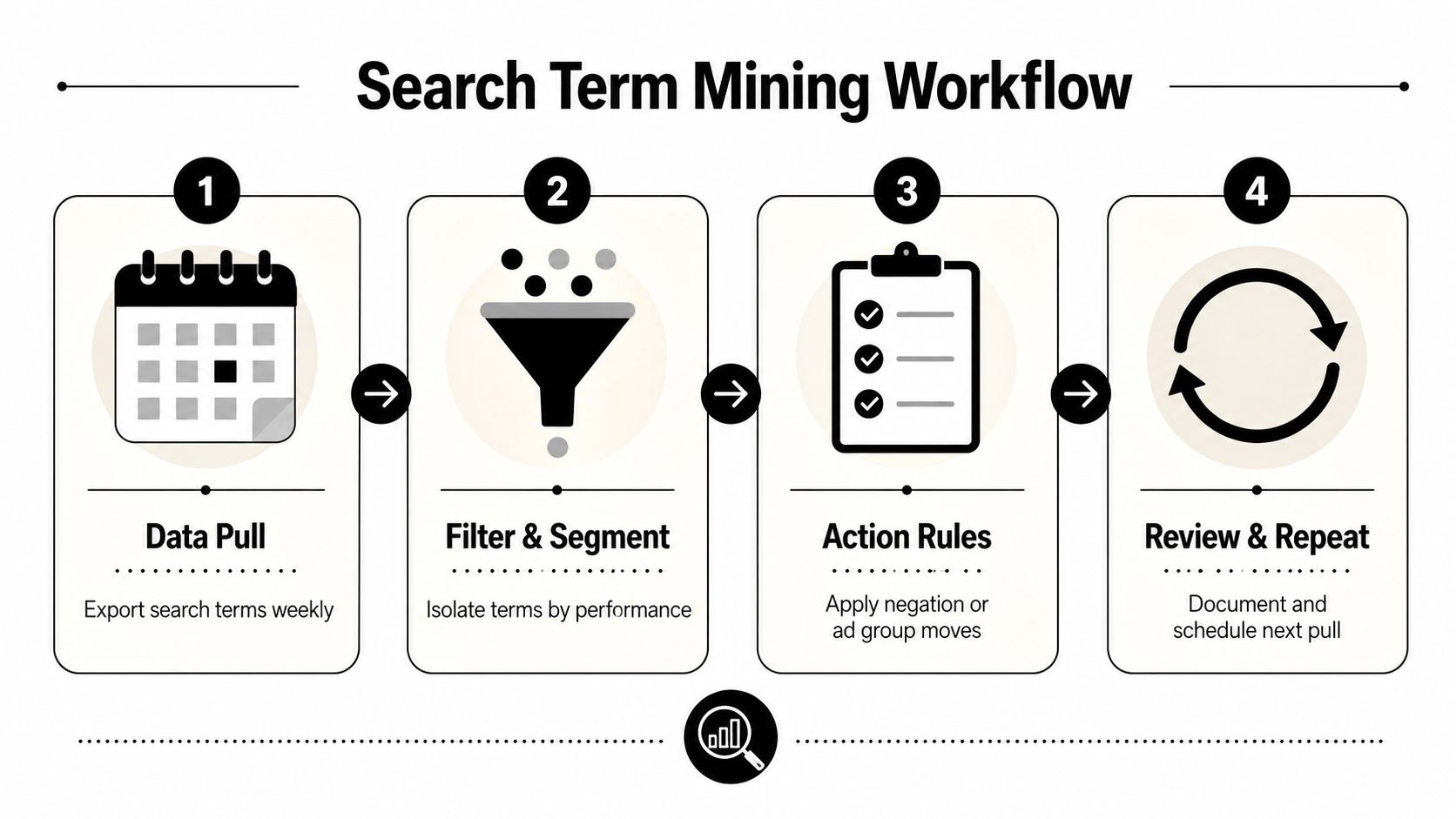
A Repeatable Workflow for Mining Search Term Data
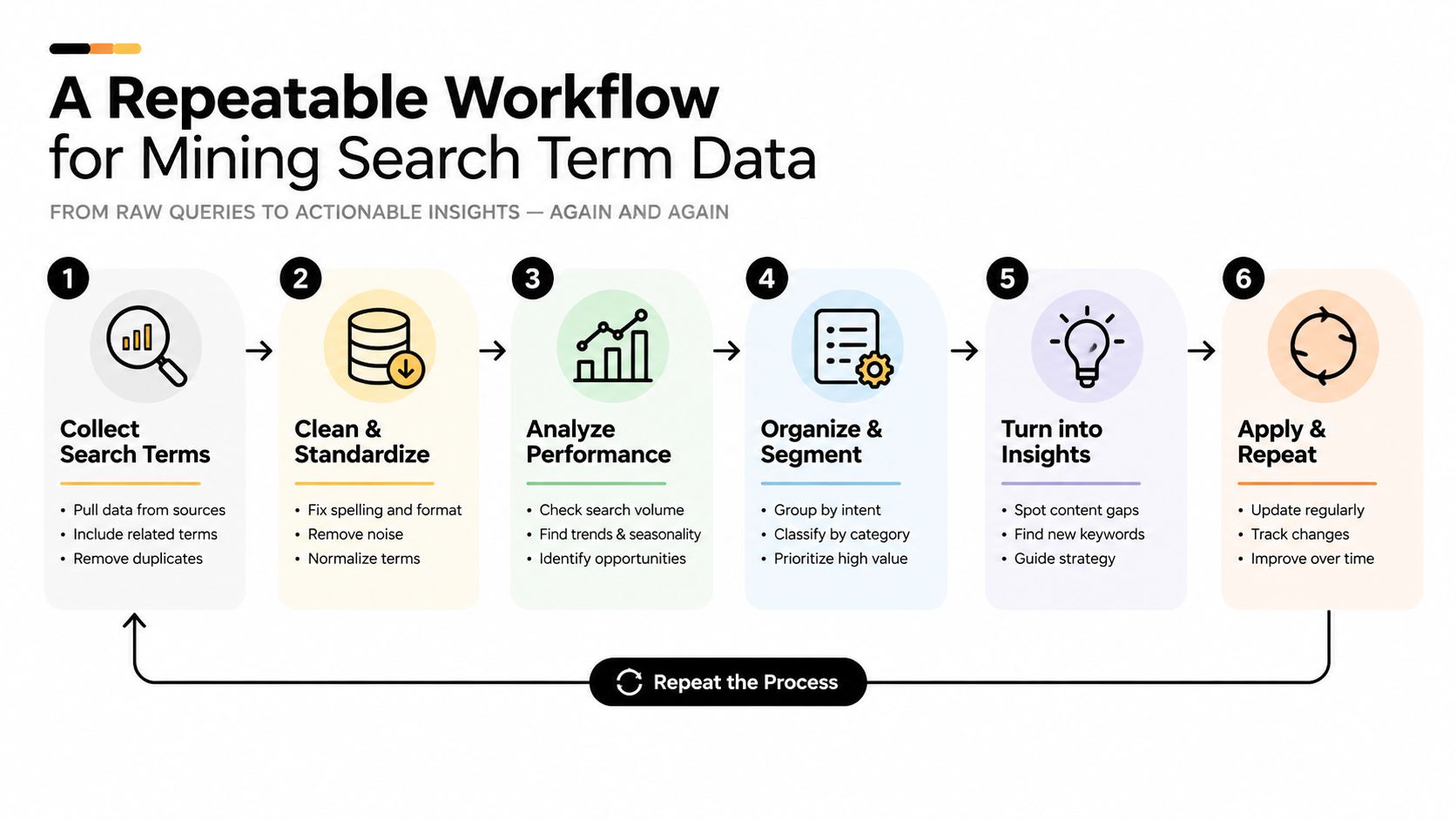
Search term review should run as a scheduled operating process, with the review window matched to account volume and conversion lag. One published Google Ads optimization workflow recommends reviewing the report every 14 days, using the most recent 30 days of data, and sorting by cost descending (Kampaio's search term optimization workflow). That setup balances recent evidence with enough history to expose waste.
Begin with the report pull. Include the query, campaign, ad group, keyword, match type, impressions, clicks, cost, conversions, conversion rate, and conversion value columns relevant to the account. Segment the data by campaign type, product or service line, geography, and conversion goal. Performance Max queries need separate scrutiny from Standard Search queries because the source and targeting controls differ.
Sort for decisions, not curiosity
Cost-first sorting surfaces queries capable of reducing efficiency. Classify each term into a small set of action groups:
- Promote: The query converts, fits the offer, and expresses useful intent. Add it as an exact keyword when tighter control or clearer reporting would help.
- Protect: The query is relevant but has limited evidence. Keep monitoring it instead of reacting to thin data.
- Expand: The query reveals a distinct product, use case, audience, or problem that deserves its own ad group, copy, or landing page.
- Negate: The query is irrelevant, commercially weak for the offer, or expensive without acceptable results.
- Investigate: The wording is ambiguous, or performance depends on a conversion action that may not represent business value.
The published workflow flags queries with zero conversions, or queries with a conversion rate below target when cost exceeds 2× target CPA (Kampaio's documented rules). Treat those rules as a filtering aid. A zero-conversion query with minimal spend needs a different response from an expensive query showing clear intent mismatch.
Separate intent from wording
Target words do not guarantee commercial fit. “Google Ads course,” “Google Ads jobs,” and “Google Ads agency” may share a topic while signaling different needs. Read the complete query, identify the implied action, and compare it with the landing page promise. In Performance Max, also record the campaign and asset context available in the report, since query-level action can be limited by automation.
For keyword expansion, a structured guide to finding prompt gaps can reveal language patterns absent from a standard report. Use that research alongside first-party query data. It should inform discovery, while account data determines priority.
Record the action, reason, owner, and review date. This keeps query-source diagnosis auditable and helps teams distinguish a genuine intent problem from a match-type or campaign-structure issue.
Building Negative Keyword Lists with Precision
Negative keywords prevent ads from entering auctions for known-unhelpful queries. The common error is applying exclusions more broadly than the evidence supports. Google Ads supports broad, phrase, and exact negative keyword match types, each with a different blocking rule (Google's negative keyword match type documentation).
| Match Type | Blocking Rule | Example Negative | Queries Blocked | Queries Still Allowed |
|---|---|---|---|---|
| Broad negative | All negative terms appear in any order | free trial | Searches containing both “free” and “trial” | Searches containing only “free” or only “trial” |
| Phrase negative | The terms appear in the same order | "free trial" | Searches containing the phrase, even with extra words | Searches where the words appear in another order |
| Exact negative | The query matches the negative phrase exactly | [free trial] | Only the exact query | Searches with added words or different wording |
Broad negative keywords do not work as the inverse of broad positive keywords. Google explains that a broad negative blocks searches containing every word in the negative phrase, regardless of order. A search containing only some of those words can still trigger an ad (Google's broad negative keyword explanation). This distinction matters when exclusions are built around themes rather than individual queries.
Choose the smallest effective block
Use a broad negative for a clearly unwanted theme, such as terms that consistently signal employment or free resources. Choose a phrase negative when word order carries meaning and the goal is to exclude one expression without blocking every separate use of those words. Apply an exact negative when a single query is harmful while nearby variations may still carry valuable intent.
Review adjacent queries before making a list-wide decision. A query containing “cheap” may indicate poor fit, or it may represent a buyer seeking an affordable option who still converts. Blocking the term broadly can remove that demand along with the waste.
Account-level discipline: Apply campaign negatives to category-wide irrelevance. Use ad-group negatives for narrower conflicts between closely related offers.
For example, a campaign selling professional bookkeeping services might exclude “jobs” across the campaign. An ad group for small-business bookkeeping could add an ad-group negative for searches clearly focused on a different service category. Shared lists suit universal exclusions, while campaign and ad-group decisions should remain close to the source and offer context. Excessive centralization makes it harder to diagnose why a relevant query stopped serving, especially when automation introduces demand from multiple query sources.
Maintain a reason for each exclusion, along with its scope and review status. A practical guide to building a negative keyword list in Google Ads can support list setup, but query evidence should determine whether a term belongs at account, campaign, or ad-group level.
Optimizing Search Terms Inside Performance Max Campaigns
Performance Max search term data needs a different diagnostic process. Google combines automation, audience signals, search themes, landing-page selection, and keywordless targeting, so a conventional Search campaign cleanup can point you toward the wrong fix.
Google's fuller Performance Max search terms reporting includes a source column showing whether a query came from keywordless targeting or added search themes (Google's Performance Max search terms reporting update). That source reveals how the campaign found the user and helps separate weak query intent from a targeting or setup problem.
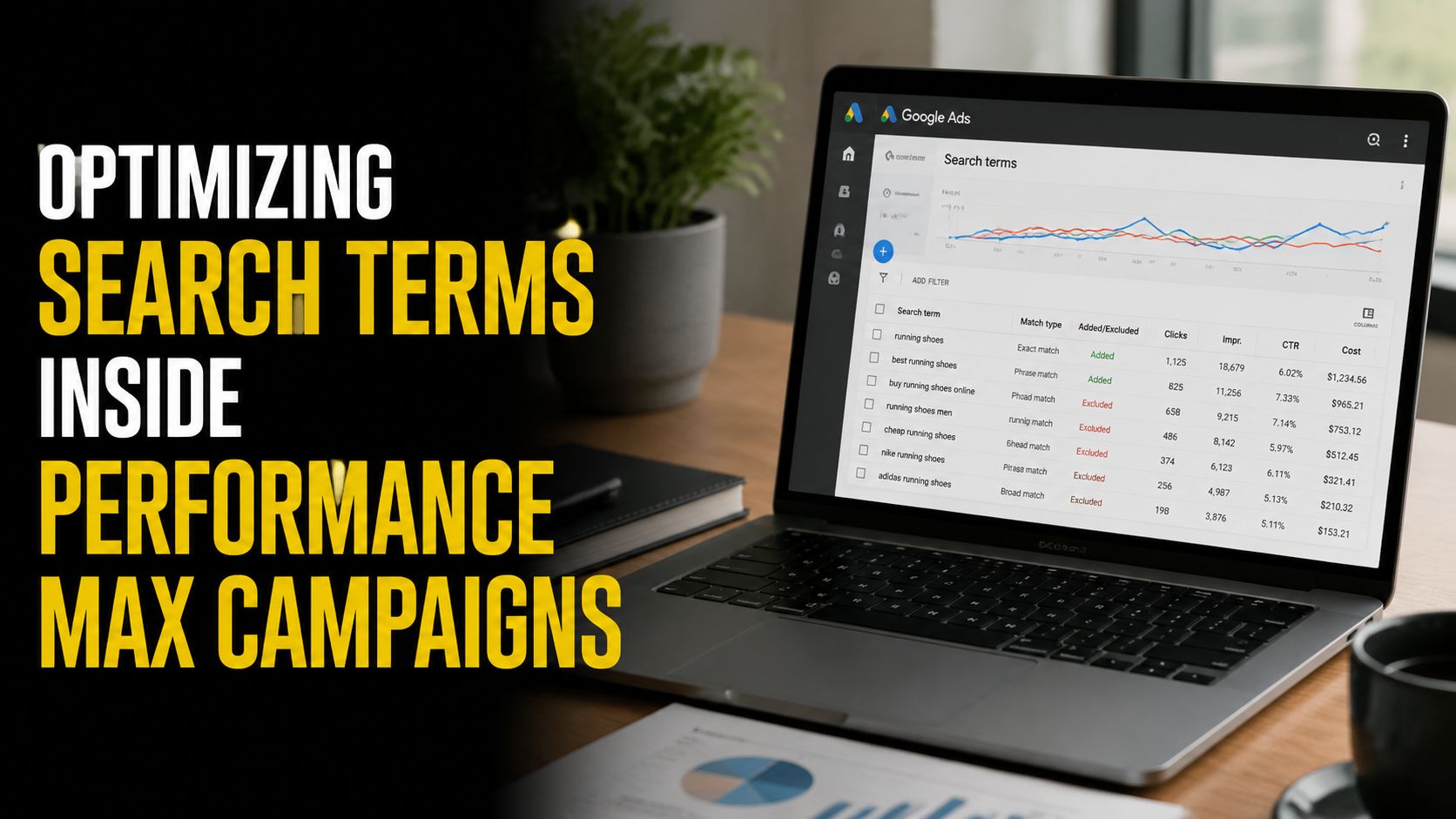
Read the source before changing the target
A relevant query from a search theme can confirm that the theme reaches a useful intent pocket. The same query from keywordless targeting can show that Google is finding demand beyond your supplied inputs. Evaluate both against the business outcome before changing coverage.
Segment the review by:
- Query source: Search theme or keywordless targeting.
- Intent quality: Transactional, comparison, informational, navigational, or irrelevant.
- Business value: Lead quality, revenue potential, and fit with the selected landing page.
- Campaign role: Brand, non-brand, product, local, or lead generation.
Google's update expanded search themes from 25 to 50 per asset group (Google's Performance Max reporting announcement). The added capacity can improve demand coverage, while unchecked theme expansion can dilute intent. Review the resulting query mix after adding themes instead of judging the change by reach alone.
Use negatives as guardrails, not the whole strategy
Performance Max still benefits from exclusions, but negative-keyword cleanup cannot explain every weak result. Repeatedly irrelevant queries from keywordless targeting call for a review of landing-page signals, asset-group structure, audience inputs, and conversion setup. Useful queries clustered around a search theme may justify better themes and matching assets rather than a one-off keyword decision.
The modern workflow prioritizes source diagnosis before campaign changes. Keep profitable intent visible, isolate irrelevant automation leakage, and compare query quality by campaign type. For broader account structure, review this practical guide to Performance Max campaigns.
Measuring Optimization Success in a Zero-Click Search World
Click volume used to be the easiest proxy for search term quality. It's no longer reliable on its own. Recent 2026 coverage reports that AI Overviews appear on nearly half of searches and that more than half of Google searches end without a click (The Stacc's 2026 SEO trends coverage).
That doesn't make clicks irrelevant. It changes their role. A query with fewer clicks may still create valuable exposure, assist a later branded search, or produce a lead after a longer consideration path. Conversely, a high-click query can waste budget if it attracts curiosity without commercial intent.
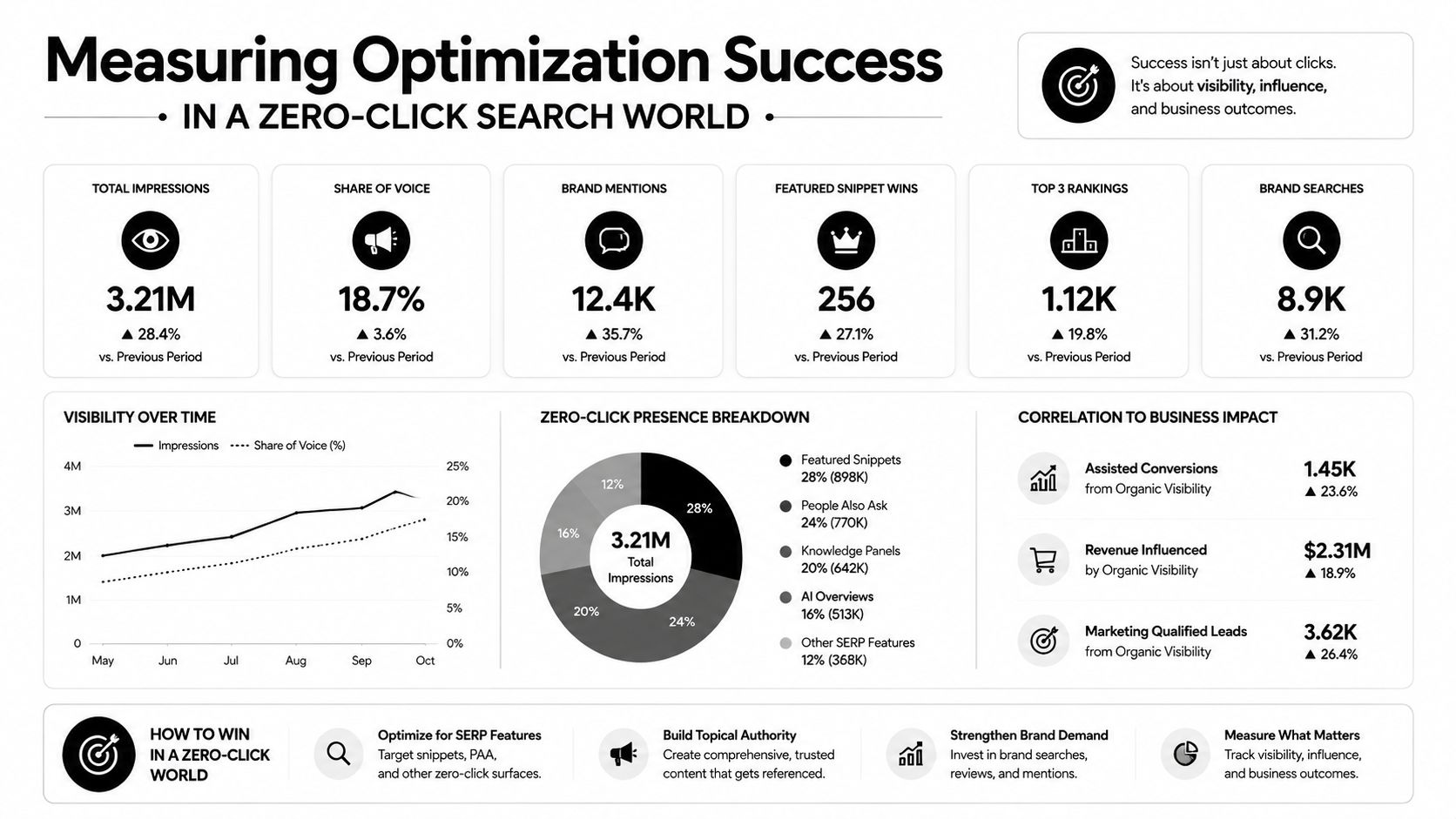
Compare traffic metrics with business outcomes
For each important search-term cluster, compare the whole path:
- Exposure: Impressions and visibility for relevant demand.
- Engagement: Clicks, visits, and on-site behavior.
- Action: Leads, calls, purchases, or qualified pipeline events.
- Economics: Cost per meaningful conversion and revenue contribution.
- Quality: Sales acceptance, close likelihood, and customer fit.
Zero-click search creates a measurement gap. Google Ads reports the ad interaction, but it may not fully explain how a query influenced a user who saw an AI-generated answer, searched again later, or converted through another channel. Teams should connect search term themes to CRM outcomes where possible and ask new leads what they searched for, not just which ad they clicked.
For marketers working across organic and paid search, this explanation of how zero-click affects rankings offers useful context for separating visibility from visits.
Optimize for intent pockets
The goal isn't to maximize every click. It's to locate the highest-intent demand pockets and make them easier to recognize across search experiences. That includes queries tied to specific services, products, audiences, and platforms. Search behavior may also branch into platform-specific discovery such as TikTok SEO, Amazon SEO, and YouTube SEO, so query research shouldn't assume Google is the only place where commercial intent appears.
A strong term can matter even when it produces modest click volume. If it consistently indicates a qualified buyer, aligns with the offer, and supports profitable downstream outcomes, it deserves more attention than a broad term that inflates traffic without business value.
Streamlining Workflows with Keywordme
Manual search term optimization creates friction in places that don't improve judgment. Teams export reports, copy queries into spreadsheets, add brackets or quotation marks by hand, build negative lists, and paste changes back into Google Ads. The strategic work is deciding what a query means. Formatting and transfer work should take as little time as possible.
Keywordme packages those operational steps in a Chrome plugin interface. It can remove junk search terms, create negative keywords, build high-intent keyword lists from search term data, assign exact, phrase, or broad match types, and handle bulk actions without requiring manual formatting. Those functions support both cleanup and expansion, which is important because optimization shouldn't only reduce waste. It should also promote useful demand into a structure you can manage.
Keep human judgment in the loop
Automation helps with repetitive execution. It doesn't know whether “cheap accounting software” is a poor-fit query, a strategic entry point, or a high-value segment for a particular business. Review the intent, landing page, conversion quality, and campaign role before approving changes.
A sensible operating pattern is:
- Export or access recent search term data.
- Group queries by intent and campaign.
- Approve negatives for clearly irrelevant themes.
- Promote strong queries with the appropriate match type.
- Review the resulting structure and monitor downstream outcomes.
If AI visibility matters to your broader marketing program, resources on how to measure brand recall in AI systems can help expand measurement beyond clicks and rankings. Keywordme fits the paid-search portion of this workflow by reducing the copy-and-paste work around query actions. Teams can test the process through its seven-day free trial, then decide whether the interface fits their account-management habits. For the product workflow, see how to optimize Google Ads keywords with Keywordme.
Key Takeaways for Modern Search Term Optimization
Search term optimization connects real queries to match types, ad groups, landing pages, budget decisions, and campaign segmentation through a scheduled review cadence.
Use this operating sequence:
- Pull consistently: Review recent query data before waste becomes obvious.
- Classify intent: Separate profitable, promising, ambiguous, and irrelevant searches.
- Choose the right action: Promote strong terms, preserve useful exploration, create structures for distinct intent, and negate only queries that clearly fail the offer.
- Apply negatives precisely: Match broad, phrase, or exact exclusions to the unwanted theme.
- Diagnose Performance Max sources: Check whether a query came from search themes or keywordless targeting before changing campaign inputs.
- Measure outcomes: Track qualified leads, revenue, and conversion quality alongside clicks and impressions.
Performance Max and AI-driven search make query-source diagnosis more useful than routine negative-keyword pruning. Segment findings by campaign type and intent quality, then decide which demand deserves tighter control, more budget, or continued testing. Automation can expand coverage and execute repetitive changes, while practitioners judge business fit and downstream value.
Keywordme helps PPC teams turn Google Ads search term data into actions such as negative keyword creation, match-type assignment, and high-intent keyword expansion. Visit Keywordme to review the workflow and start the seven-day free trial.
.svg)