
9 Best PPC Keyword Grouping Software Tools Worth Using
Discover the 9 best PPC keyword grouping software tools for 2026, evaluated on clustering capabilities, Google Ads integration, ease of use, and team size suitability. Whether you're a freelancer or agency, the right tool helps you build tightly themed ad groups that improve Quality Scores, reduce CPCs, and eliminate the manual, error-prone process of organizing keywords at scale.


TL;DR: A keyword grouper tool organizes raw keyword lists into tightly themed clusters — the foundation of any well-structured Google Ads campaign. The best dedicated keyword grouper tools range from lightweight clustering utilities (Keyword Grouper Pro, Google Ads Keyword Planner) to full-featured platforms that combine grouping with ongoing optimization inside Google Ads (Keywordme, Optmyzr, Adalysis). This guide covers 9 options ranked by grouping capability, workflow fit, and price — so you can pick the right tool for your campaign build phase, your ongoing optimization work, or both.
Keyword grouping matters because disorganized ad groups bleed budget. Tightly grouped keywords mean better ad relevance, higher Quality Scores, and lower CPCs. The challenge is that sorting hundreds or thousands of keywords manually is tedious and error-prone. The tools below make it faster and more accurate — whether you're building campaigns from scratch or cleaning up an existing account.
The tools break into two categories worth knowing before you choose: pre-build groupers (standalone clustering tools you use before uploading to Google Ads) and in-platform groupers (tools that work inside or directly alongside Google Ads for ongoing optimization). Most workflows benefit from both — a fast grouper at campaign build, and an in-interface tool for day-to-day search term management.
1. Keywordme
Best for: PPC managers who want to group and optimize keywords without leaving Google Ads
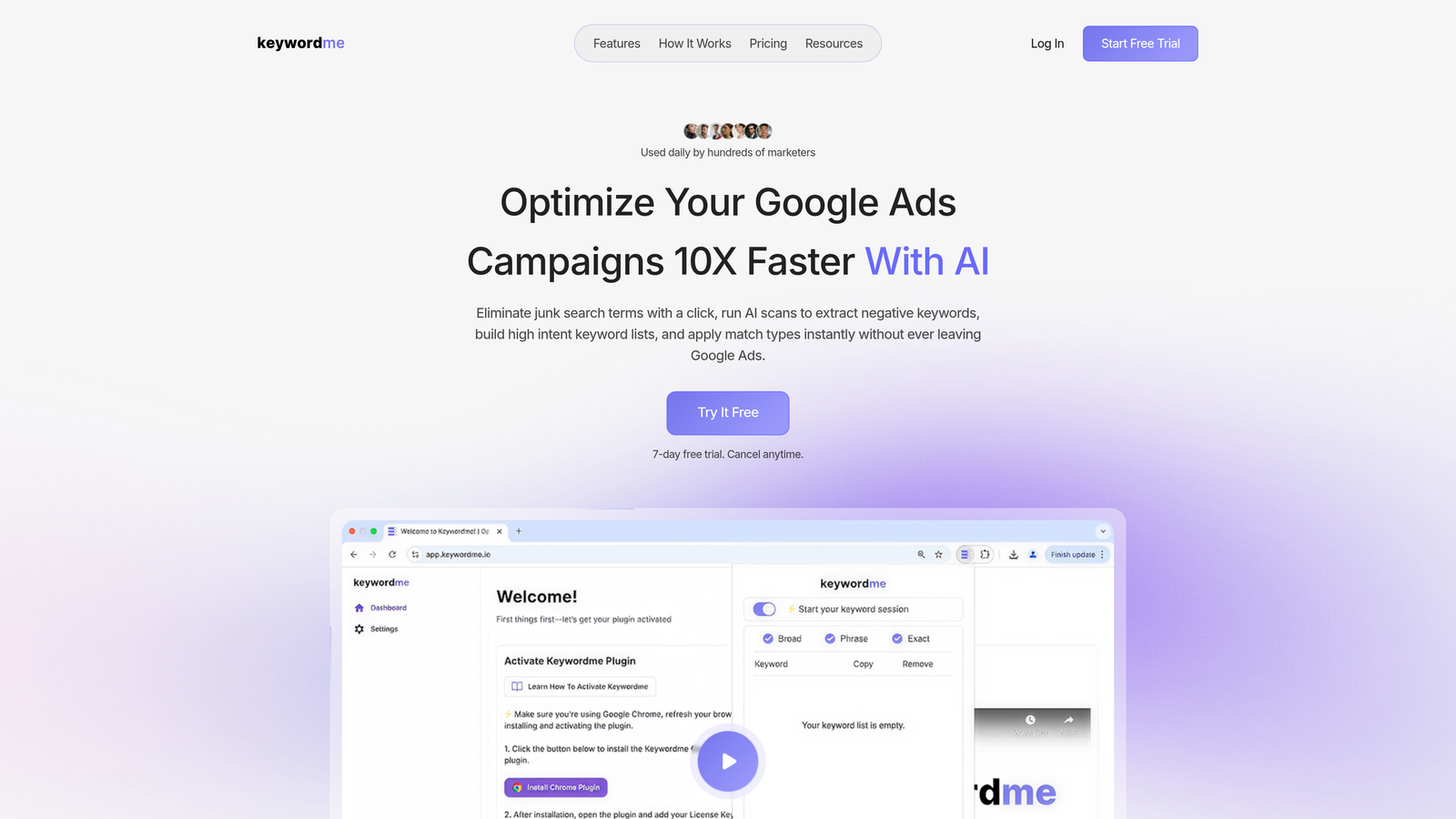
Keywordme is a Chrome extension that brings keyword grouping, clustering, and negative keyword management directly into Google Ads' Search Terms Report.
Where This Tool Shines
The biggest friction in PPC optimization is the constant tab-switching: export to spreadsheet, sort, group, re-import, repeat. Keywordme eliminates that entirely. You're working inside the Google Ads interface you already have open, clicking to cluster, add, or exclude keywords in real time.
In most accounts I audit, the search terms report is either ignored for weeks or processed in clunky CSV exports. Keywordme turns that report into an action center. One click to group high-intent terms, one click to add negatives, done. For agencies handling multiple clients, the multi-account support means you're not logging in and out constantly either.
Key Features
In-Interface Keyword Clustering: Group and organize keywords directly inside Google Ads' Search Terms Report without exporting anything.
One-Click Negative Keyword Management: Add junk search terms as negatives instantly, with match type selection built in.
Match Type Application: Apply broad, phrase, or exact match types to keywords directly from the search terms view.
Negative Keyword List Builder: Build and manage shared negative keyword lists without leaving the interface.
Multi-Account and Team Support: Designed for agencies managing multiple clients, with team collaboration features built in.
Best For
Freelancers and agency teams who spend significant time in the Search Terms Report and want to cut optimization time dramatically. Especially useful for anyone managing five or more active campaigns who's tired of spreadsheet-based workflows.
Pricing
$12/month per user with a 7-day free trial. Flat-rate pricing makes it easy to budget, especially for agency teams adding multiple seats.
2. Optmyzr
Best for: Agencies and advanced PPC managers who want full-suite automation across multiple platforms
Optmyzr is a comprehensive PPC management platform with rule-based automation, keyword grouping workflows, and one-click optimizations across Google Ads, Microsoft Ads, and Amazon Ads.

Where This Tool Shines
Optmyzr is built for teams that need to automate repetitive PPC tasks at scale. The keyword grouping and restructuring features are rule-based, meaning you can define logic once and apply it across campaigns or accounts. That's a serious time saver when you're managing large keyword sets.
The Quality Score tracker tied to ad group structure is particularly useful. It surfaces which ad groups are structurally weak, giving you a clear roadmap for where to focus your grouping efforts first.
Key Features
Rule-Based Keyword Grouping: Define custom logic to automatically sort and restructure keywords into ad groups.
One-Click Optimizations: Customizable playbooks that surface recommended actions and let you apply them in bulk.
Multi-Platform Support: Works across Google Ads, Microsoft Ads, and Amazon Ads from a single dashboard.
Quality Score Tracker: Monitors Quality Score at the keyword and ad group level and ties it to structural recommendations.
Agency Reporting: White-label dashboards and reporting tools built for client-facing work.
Best For
Mid-to-large agencies and in-house teams managing significant ad spend across multiple platforms. The pricing reflects its enterprise positioning, so it's less suited for solo freelancers or small budgets.
Pricing
Starts around $249/month and scales with the volume of ad spend managed. Free trial available.
3. WordStream by LocaliQ
Best for: Beginners and small businesses looking for guided PPC optimization with keyword grouping built in
WordStream is a beginner-friendly PPC platform known for its guided workflow approach, including keyword grouping suggestions and the popular 20-Minute Work Week optimization routine.

Where This Tool Shines
WordStream holds your hand through the optimization process in a way that more advanced tools don't. If you're new to PPC or managing a small business account without a dedicated specialist, the guided keyword grouping suggestions remove a lot of the guesswork.
The 20-Minute Work Week is genuinely useful for busy business owners. It surfaces the most impactful actions, including ad group structure recommendations, and walks you through them step by step. It won't satisfy a seasoned PPC manager, but for its target audience, it works well.
Key Features
Guided Keyword Grouping: Automated suggestions for how to split and organize keywords into tighter ad groups.
20-Minute Work Week Workflow: A structured weekly optimization checklist that surfaces the highest-priority tasks.
Performance Grader: Free Google Ads account audit tool that benchmarks your account against best practices.
Ad Group Structure Recommendations: Flags overstuffed or poorly themed ad groups and suggests fixes.
Cross-Platform Support: Covers Google Ads, Microsoft Ads, and Facebook Ads.
Best For
Small business owners, marketing generalists, and beginners who want guided PPC management without needing deep platform expertise. Less suited for advanced users who want granular control.
Pricing
Custom pricing based on ad spend; contact for a quote. The free Google Ads Grader is available without signing up.
4. SEMrush PPC Keyword Tool
Best for: Keyword researchers who want to build, group, and export campaign-ready keyword sets with competitive context
SEMrush's PPC Keyword Tool combines keyword research and ad group organization in a single workflow, with competitive data baked in throughout.

Where This Tool Shines
What makes this tool stand out is the competitive layer. You're not just grouping your own keywords. You're seeing what competitors are bidding on, identifying gaps, and structuring ad groups with that context in mind. For keyword strategy work, that's genuinely valuable.
The cross-group negative keyword recommendations are a feature I don't see enough people using. When you're building multiple ad groups, SEMrush automatically flags terms that should be negated in adjacent groups to prevent keyword cannibalization. That's a real structural improvement most manual workflows miss.
Key Features
Integrated Research and Grouping: Research keywords and organize them into ad groups in the same tool without switching platforms.
Cross-Group Negative Recommendations: Automatically suggests negatives across ad groups to prevent overlap and cannibalization.
Google Ads Editor Export: Export campaign-ready keyword structures directly into Google Ads Editor format.
Competitive Gap Analysis: Identify keywords competitors are bidding on that you're missing.
CPC and Volume Data: Prioritize keyword groups using real CPC estimates and search volume data.
Best For
PPC managers who also handle SEO or competitive research and want to centralize their toolset. The pricing makes it a better fit for teams already subscribed to SEMrush for other purposes.
Pricing
Starts at $139.95/month on the Pro plan. The PPC Keyword Tool is included in all paid plans.
5. Adalysis
Best for: PPC auditors and managers focused on Quality Score improvement and structural account health
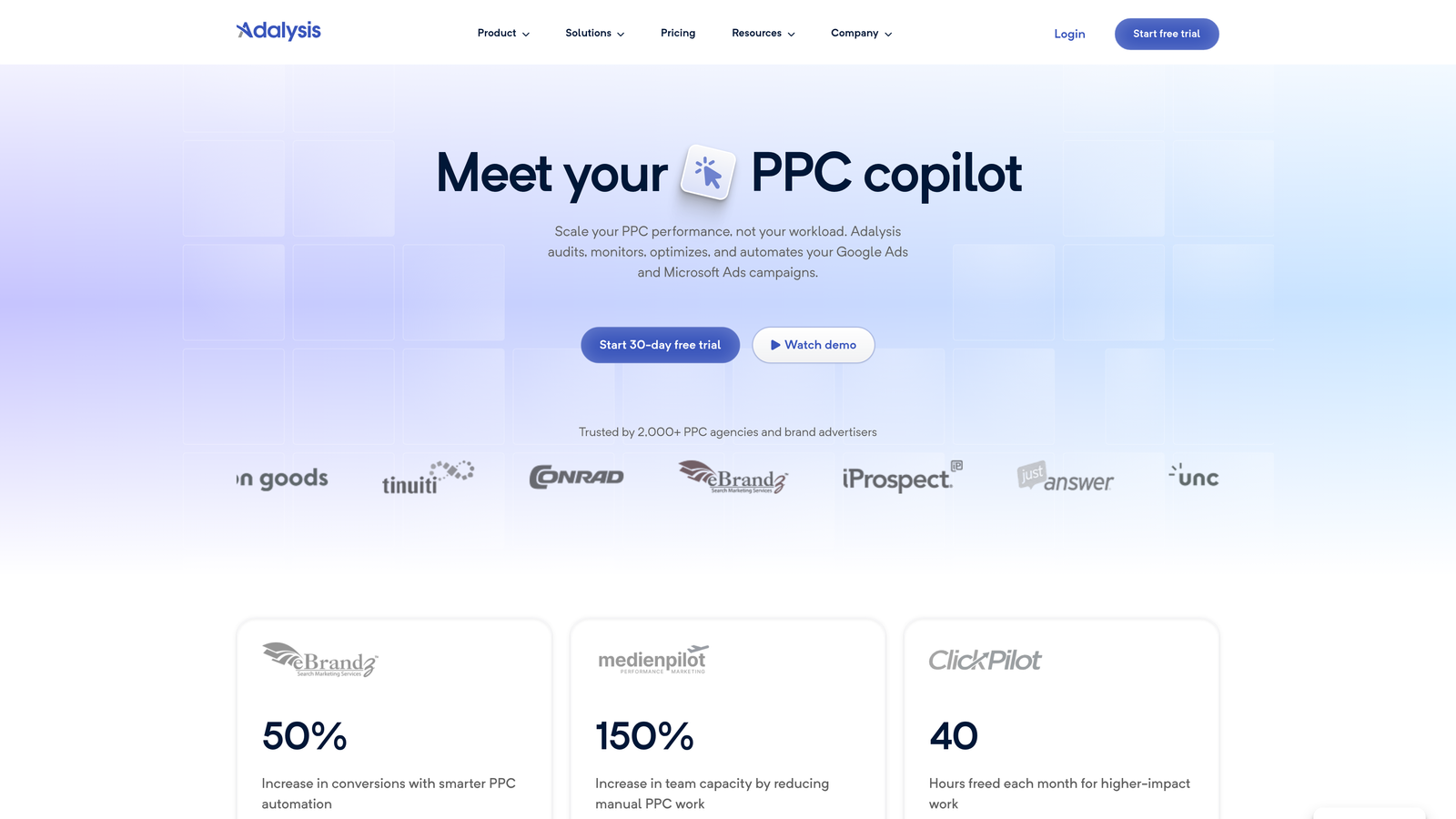
Adalysis is a PPC auditing and optimization platform with automated alerts, Quality Score tracking, and keyword-level insights specifically designed to improve ad group structure.
Where This Tool Shines
Adalysis approaches keyword grouping from an auditing angle. Rather than helping you build groups from scratch, it analyzes your existing structure and tells you where things are broken. Keyword conflict detection is particularly sharp. It identifies cases where keywords in different ad groups are competing against each other, which is a common and costly problem.
The automated alerts mean you're not manually checking for structural issues every week. Adalysis flags underperforming ad groups and surfaces grouping recommendations proactively, which fits well into a systematic optimization workflow.
Key Features
Quality Score Monitoring: Tracks Quality Score at the keyword and ad group level with grouping-specific insights.
Automated Structural Alerts: Flags underperforming ad groups and keyword conflicts without manual checking.
Keyword Conflict Detection: Identifies keywords competing against each other across ad groups.
Search Term Grouping Recommendations: Analyzes search term data and suggests grouping improvements.
Multi-Account Dashboard: Centralized view for managing and auditing multiple accounts.
Best For
PPC managers who inherit messy accounts or run regular audits for clients. Also strong for in-house teams that need automated monitoring without building custom scripts.
Pricing
Starts around $99/month and scales with ad spend. Free trial available.
6. Karooya
Best for: Advertisers focused specifically on negative keyword management and wasted spend reduction
Karooya is a specialized tool built around negative keyword discovery, grouping, and wasted spend analysis for Google Ads and Microsoft Ads accounts.

Where This Tool Shines
Most PPC tools treat negative keywords as a secondary feature. Karooya treats them as the main event. The wasted spend reports are clear and actionable. You can see exactly which search queries are draining budget and group them into negative lists with minimal friction.
For accounts with broad or phrase match keywords running at scale, the shared negative keyword list management is especially useful. Karooya helps you build and maintain those lists systematically rather than adding negatives reactively one at a time.
Key Features
Negative Keyword Discovery: Identifies irrelevant search queries and groups them for bulk exclusion.
Wasted Spend Reports: Quantifies budget lost to irrelevant traffic with specific recommendations to fix it.
Shared Negative List Management: Build and maintain shared negative keyword lists across campaigns.
Search Query Clustering: Groups similar search queries to identify patterns in irrelevant traffic.
Google Ads and Microsoft Ads Support: Works across both major PPC platforms.
Best For
Advertisers running broad or phrase match campaigns who want a dedicated tool for negative keyword hygiene. Also useful for budget-conscious accounts where reducing wasted spend is the primary optimization goal.
Pricing
Free tier available. Paid plans start around $49/month, making it one of the more accessible options on this list.
7. Keyword Grouper Pro
Best for: Anyone who needs to cluster large keyword lists quickly before building campaigns from scratch
Keyword Grouper Pro is a lightweight, purpose-built tool for clustering large keyword lists into tightly themed groups based on root terms or semantic similarity. It's designed for the campaign build phase, not ongoing account management — and for that specific job, it's hard to beat.
What Keyword Grouper Pro Actually Does
You paste in a raw keyword list — whether pulled from Google Keyword Planner, an SEO tool, or a client brief — set your grouping sensitivity, and the tool automatically clusters everything into themed groups based on shared root words and semantic patterns. The output is an organized, structured list you can immediately use to map out your campaign's ad group architecture.
This solves a real problem: most keyword research exports are unordered lists of hundreds or thousands of terms with no structure. Manually sorting them into ad groups is tedious and error-prone. Keyword Grouper Pro turns that mess into a workable structure in seconds, not hours.
Where This Tool Shines
The adjustable grouping sensitivity is the tool's most practical feature. Set it tighter and you get narrow, single-theme clusters suitable for SKAGs (Single Keyword Ad Groups) or highly specific ad groups. Set it looser and you get broader campaign-level groupings for initial mapping. You can run the same list at different sensitivity levels to explore different structural options before committing to a campaign architecture.
One underrated use case: running a client's full industry keyword list through Keyword Grouper Pro before your kickoff call. You arrive knowing the natural semantic clusters in their space, which makes for a much sharper conversation about priorities, themes, and campaign structure. It's a 10-minute prep task that looks like 3 hours of research.
Key Features
- Bulk Keyword Clustering: Groups large keyword lists by root terms or semantic similarity in seconds — no manual sorting.
- Adjustable Grouping Sensitivity: Control how tightly or loosely keywords are grouped to match your campaign structure goals (SKAGs vs. themed ad groups vs. campaign-level planning).
- CSV Import/Export: Simple file-based workflow that drops into any existing process — import your research export, get back a structured group list.
- No Learning Curve: Minimal interface designed for speed. Open it, paste your list, get your groups. Done.
- Campaign Build Support: Output maps directly to ad group architecture — use it to name your ad groups and assign keywords before uploading to Google Ads Editor.
Typical Workflow
- Export your keyword research from Keyword Planner, Semrush, Ahrefs, or any source as a CSV or plain text list.
- Paste the keyword list into Keyword Grouper Pro.
- Set your sensitivity level — start at medium, then adjust based on how tight or broad you want your groups.
- Review the output clusters — each group becomes a candidate ad group, with the root term as your ad group name.
- Export the grouped list and use it as your campaign architecture map in Google Ads Editor or a campaign build sheet.
- Flag outliers — terms that didn't cluster cleanly often reveal niche intent segments worth their own dedicated ad groups.
Keyword Grouper Pro vs. Manual Sorting: Time Comparison
| Task | Manual (Spreadsheet) | Keyword Grouper Pro |
|---|---|---|
| Sort 500 keywords into themes | 2–4 hours | <5 minutes |
| Adjust grouping tightness | Start over from scratch | Change one slider, re-run |
| Identify ungrouped outliers | Easy to miss | Surfaced automatically |
| Export for Google Ads Editor | Manual reformatting required | CSV export ready to use |
Limitations to Know
Keyword Grouper Pro is not an ongoing optimization tool. It doesn't connect to Google Ads, doesn't analyze search term reports, and doesn't help you manage bids, negatives, or match types. It's a campaign build tool — you use it at the start, not throughout the life of a campaign. If you need something that works inside Google Ads for day-to-day optimization, you'll want to combine it with a tool like Keywordme that lives in the Search Terms Report.
Best For
Freelancers, PPC consultants, and campaign builders who regularly start new campaigns from large keyword research exports. Also valuable for agency strategists doing pre-engagement keyword architecture work before a full build. Not designed for ongoing account management, but excellent — and fast — for the initial planning phase.
Pricing
Free version available with core clustering functionality. The Pro version is a one-time purchase (no subscription), making it a low-risk, permanent addition to any PPC toolkit. For anyone doing regular campaign builds, the time savings from a single project more than cover the cost.
8. SpyFu
Best for: PPC managers who want to reverse-engineer competitor keyword group strategies
SpyFu is a competitive intelligence platform that reveals how competitors structure their keyword groups, which ad groups drive the most visibility, and where the gaps in your own strategy are.
Where This Tool Shines
The mistake most agencies make is building keyword groups in a vacuum. SpyFu flips that by showing you what's already working in your competitive landscape. You can see which keyword clusters a competitor has been running consistently over time, which is a strong signal that those groups are profitable.
The historical data is particularly useful. SpyFu tracks competitor ad activity over years, so you can distinguish between experimental campaigns and proven, sustained keyword group strategies. That context shapes how you prioritize your own grouping work.
Key Features
Competitor Keyword Group Analysis: See how top competitors organize their PPC keywords and which ad groups are most active.
PPC Keyword Gap Identification: Find high-value keyword groups your competitors are targeting that you're missing.
Historical Ad Group Data: Access years of competitor keyword and ad group history to identify sustained strategies.
Grouping Suggestions Based on Competitor Structure: Use competitor data to inform how you cluster your own keywords.
Ad Copy and Landing Page Intelligence: See the full picture of how competitors are activating their keyword groups.
Best For
PPC managers in competitive verticals who want to use competitor data to inform keyword grouping decisions. Also strong for agencies doing initial account strategy work for new clients.
Pricing
Starts at $39/month on the Basic plan, making it one of the more affordable competitive intelligence options available.
9. Google Ads Keyword Planner
Best for: Beginners and budget-conscious advertisers who need a free starting point for keyword research and grouping
Google Ads Keyword Planner is Google's native free tool for keyword research, with basic ad group suggestions organized by keyword theme.
Where This Tool Shines
It's free, it's directly inside Google Ads, and the data comes straight from the source. For advertisers just starting out or working with limited budgets, Keyword Planner gives you a solid foundation for building your initial keyword groups without spending anything.
The automatic ad group suggestions are basic compared to dedicated grouping tools, but they're a reasonable starting point. Where Keyword Planner genuinely excels is the forecast data. You can see projected impressions, clicks, and costs for different keyword sets before committing budget, which helps you prioritize which groups to build first.
Key Features
Free Keyword Research: Volume estimates, CPC data, and competition levels at no cost.
Automatic Ad Group Suggestions: Groups keywords by theme automatically as a starting structure.
Forecast Tools: Project impressions, clicks, and budget requirements before launching.
Direct Google Ads Integration: Push keyword groups directly into your campaigns without exporting.
Filtering Options: Narrow results by location, language, date range, and search network.
Best For
Beginners, small business owners, or anyone who wants a free, zero-friction starting point. The grouping features are limited compared to every other tool on this list, but the price is unbeatable and the data quality is solid.
Pricing
Completely free. Requires an active Google Ads account to access full data.
Quick Comparison: PPC Keyword Grouping Software at a Glance
Not sure which tool fits your situation? Here's a side-by-side snapshot of all nine options across the criteria that matter most for PPC keyword grouping work.
| Tool | Best For | Works Inside Google Ads? | Ongoing Optimization? | Starting Price | Free Option? |
|---|---|---|---|---|---|
| Keywordme | In-interface grouping, negatives, daily optimization | Yes (Chrome extension) | Yes | $12/month | 7-day trial |
| Optmyzr | Agency-scale automation, multi-platform | Via integration | Yes | ~$249/month | Trial available |
| WordStream | Guided PPC for beginners and small businesses | Via integration | Yes | Custom | Free Grader tool |
| SEMrush PPC Tool | Research + grouping with competitive context | Export to Ads Editor | Partial | $139.95/month | Limited free tier |
| Adalysis | Auditing, Quality Score monitoring, structural alerts | Via integration | Yes | ~$99/month | Trial available |
| Karooya | Negative keyword management, wasted spend reduction | Via integration | Yes | ~$49/month | Free tier |
| Keyword Grouper Pro | Bulk clustering before campaign build | No (standalone) | No (build phase only) | One-time purchase | Free version |
| SpyFu | Competitor keyword group intelligence | No (standalone) | Partial | $39/month | Limited free data |
| Keyword Planner | Free keyword research and basic ad group suggestions | Yes (native) | No | Free | Yes (fully free) |
Key takeaway: If your priority is faster daily optimization inside Google Ads, Keywordme and Adalysis are the only tools on this list that work directly within the platform's workflow. For campaign build work on large keyword sets, Keyword Grouper Pro and SEMrush handle the research-to-structure phase most efficiently. For competitive intelligence, SpyFu stands alone.
Which PPC Keyword Grouping Tool Is Right for You?
Here's the honest breakdown by use case.
If you're a freelancer or solo PPC manager who lives in the Search Terms Report, Keywordme is the most efficient option on this list. It removes the biggest friction point in daily optimization: the constant export-edit-import cycle. At $12/month, it's also the easiest to justify. Start your free 7-day trial and see how much time you get back in the first week alone.
If you're running a mid-to-large agency managing significant ad spend across multiple platforms, Optmyzr is worth the investment. The rule-based automation and multi-platform support justify the higher price point at scale.
If you're a beginner or managing a small business account without a dedicated PPC specialist, WordStream's guided approach or Google Ads Keyword Planner's free tools are the right starting point. No need to over-engineer it early on.
If competitive intelligence is your priority, SpyFu gives you the most insight into how competitors structure their keyword groups at an accessible price. And if negative keyword management is your main pain point, Karooya's specialized focus makes it a smart, budget-friendly add-on.
The tools that handle keyword grouping best share one trait: they reduce the gap between identifying what needs to change and actually making the change. The faster you can act on your search term data, the less budget you waste and the better your Quality Scores become. That's the core value of every tool on this list, just delivered in different ways depending on your workflow and team size.
.svg)