
PPC and AdWords: What They Mean and How They Connect
PPC and AdWords: What They Mean and How They Connect


PPC (pay-per-click) is the advertising model, and AdWords was Google's name for its PPC platform, now called Google Ads. Google introduced AdWords in 2000 and renamed it in 2018.
So why does an old AdWords tutorial sometimes make your current Google Ads account feel like a completely different product? The name changed, but so did the platform's scope, navigation, and settings. Knowing which old terms still apply saves you from searching for buttons that aren't called that anymore.
What PPC Means and Where AdWords Fits
“Do I need PPC or AdWords?” sounds like a reasonable question, but it compares a payment model with a product name. PPC describes how you pay for advertising. Google Ads is a platform where you can run it.
In a typical paid-search campaign, you choose keywords related to your business, compete for opportunities to show an ad, and pay when someone clicks. You're buying a chance to bring a relevant visitor to your website, not buying a guaranteed customer.
Think of PPC as renting a shop window on a busy street. AdWords was the rental office that handed out the keys. The office now has a different sign, Google Ads, but the basic distinction between the arrangement and the company offering it hasn't changed.
Translate the old name into a current task
People still say AdWords out of habit. Older tutorials, invoices, bookmarks, and agency service descriptions also keep the name alive. An invoice labeled AdWords management usually refers to work on Google Ads, not a separate advertising account you need to open.
Use this translation guide when an older resource sends you looking in the wrong direction:
| Older wording you encounter | What to look for in Google Ads |
|---|---|
| AdWords account | Your Google Ads account |
| AdWords campaign | Campaigns and the campaign's settings |
| AdWords keyword list | Search keywords within the relevant campaign or ad group |
| AdWords search query report | Search terms report |
| AdWords ad extensions | Assets, such as sitelinks |
| AdWords conversion tracking | Conversion actions and measurement settings |
Navigation can change, so search for the task or setting, rather than trying to reproduce an old screenshot exactly. Also check the campaign type: instructions for Search keywords won't necessarily fit a video campaign.
Remember: PPC is what you do, and Google Ads is where you do it. Google Ads isn't the only place you can run PPC.
Key PPC Terms Explained in Plain English
Keep this PPC terms every beginner meets cheat sheet beside your account. Read the money terms first, then attention, outcomes, and diagnostics. That order helps you separate an expensive click from a campaign that doesn't work.
| Term | What It Means | Why It Matters |
|---|---|---|
| CPC (cost per click) | What you pay each time someone clicks your ad | Your main cost lever and the fastest way budget gets used |
| CPM (cost per thousand impressions) | What you pay for a thousand ad appearances | Useful for reach campaigns, but you pay even when nobody clicks |
| Impression | One time your ad appears to a user | Measures exposure, but says nothing about interest |
| CTR (click-through rate) | Clicks divided by impressions, shown as a percent | Shows whether your ad earns attention |
| Conversion | A tracked action such as a sale, form fill, or phone call | Shows whether the clicks you pay for lead to useful actions |
| Quality Score | Google's diagnostic estimate covering expected CTR, ad relevance, and landing-page experience | Points to weak spots; it isn't a direct auction input |
| Impression share | The percent of eligible impressions your ads actually received | Shows how much eligible visibility you're missing |
| Ad group | A set of keywords and ads built around a theme | Keeps relevance tight inside each campaign |
Don't confuse cheap traffic with good results
CPC and CPM describe different things you're buying. CPC charges for a click. CPM charges for ad appearances, whether people click or not. A bidding strategy and a billing model are also separate settings: telling Google to optimize for conversions doesn't turn every charge into payment for a completed sale.
CTR and conversion rate answer different questions. CTR asks whether people who see an ad click it. Conversion rate asks how often an interaction leads to the action you chose to measure. An appealing ad can attract clicks and still send people to a page that doesn't meet their expectations.
A bakery might advertise custom wedding cakes but send every visitor to its general homepage. The ad could earn attention while visitors struggle to find consultations, availability, or cake designs. A lower click price wouldn't fix that mismatch.
Those metrics all feed the auction. The Google Ads auction document describes how bids and ad quality interact.
Know where each term belongs
A campaign holds ad groups, and each Search ad group holds a related theme of keywords and ads. For that bakery, wedding cakes and office catering deserve different messages because the customers want different things.
When a metric confuses you, classify it before changing anything:
- Cost: Check bids, spending, and cost per conversion.
- Reach and attention: Check impressions, impression share, and CTR.
- Results: Check conversion tracking, lead quality, and sales value.
A low CPC isn't a bargain if the visitor never wanted what you sell.
How AdWords Grew Into Google Ads
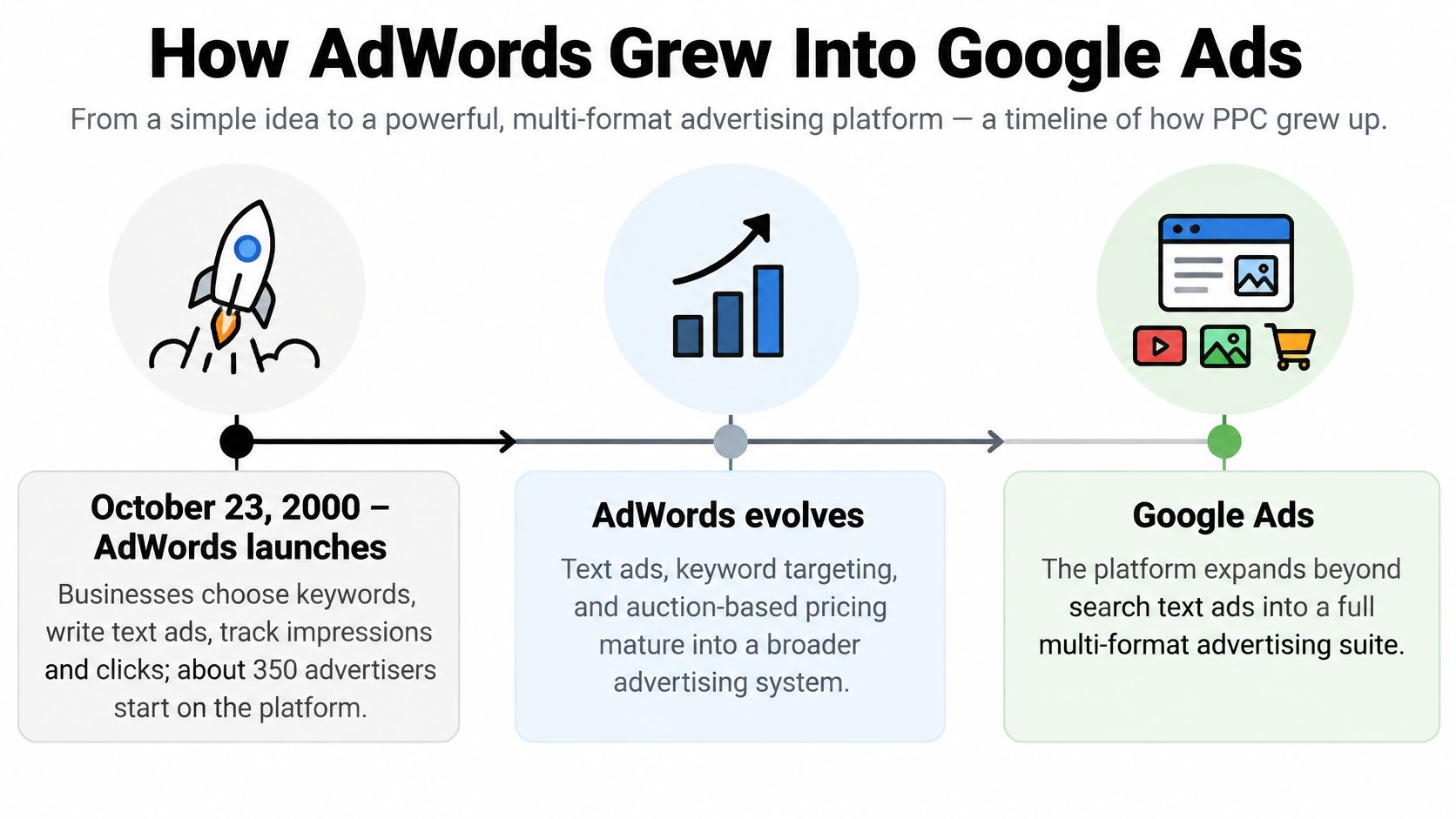
AdWords began as a relatively straightforward way for businesses to appear beside search results. According to the Practice Test Geeks AdWords launch history, Google launched it on October 23, 2000, with approximately 350 advertisers who could choose keywords, write text ads, and monitor impressions and clicks.
The initial pricing wasn't pay-per-click. The same launch history describes impression-based charges of $15 per thousand impressions for the top position, $12 for the middle, and $10 for the bottom. Advertisers paid for exposure rather than a visit.
The major turning point came in February 2002, when AdWords Select introduced cost-per-click pricing, according to that launch history. Paying for clicks made the connection between advertising spend and website traffic more direct.
From buying exposure to managing intent
Say a florist wants to advertise flower delivery. Under impression pricing, the florist buys opportunities for people to see the message. Under click pricing, the florist pays when someone takes the next step toward the website.
That shift makes keyword organization much more consequential. A click from someone seeking delivery nearby has a different business value from a click from someone researching flower symbolism.
The timeline shows how the original text-ad product developed into a broader platform.
A broader platform needed a broader name
Google announced the rebrand on June 27, 2018, and retired the AdWords name in July 2018, reflecting the expansion into Search, YouTube, Google Play, display, shopping, and partner websites, as described in Google Ads' platform background.
That history explains why an old keyword tutorial may still contain useful principles while its screenshots look unfamiliar. The enduring habits are practical: organize keywords, inspect actual searches, exclude irrelevant intent, and connect spending to meaningful outcomes.
How the PPC Auction Picks Your Ad Position
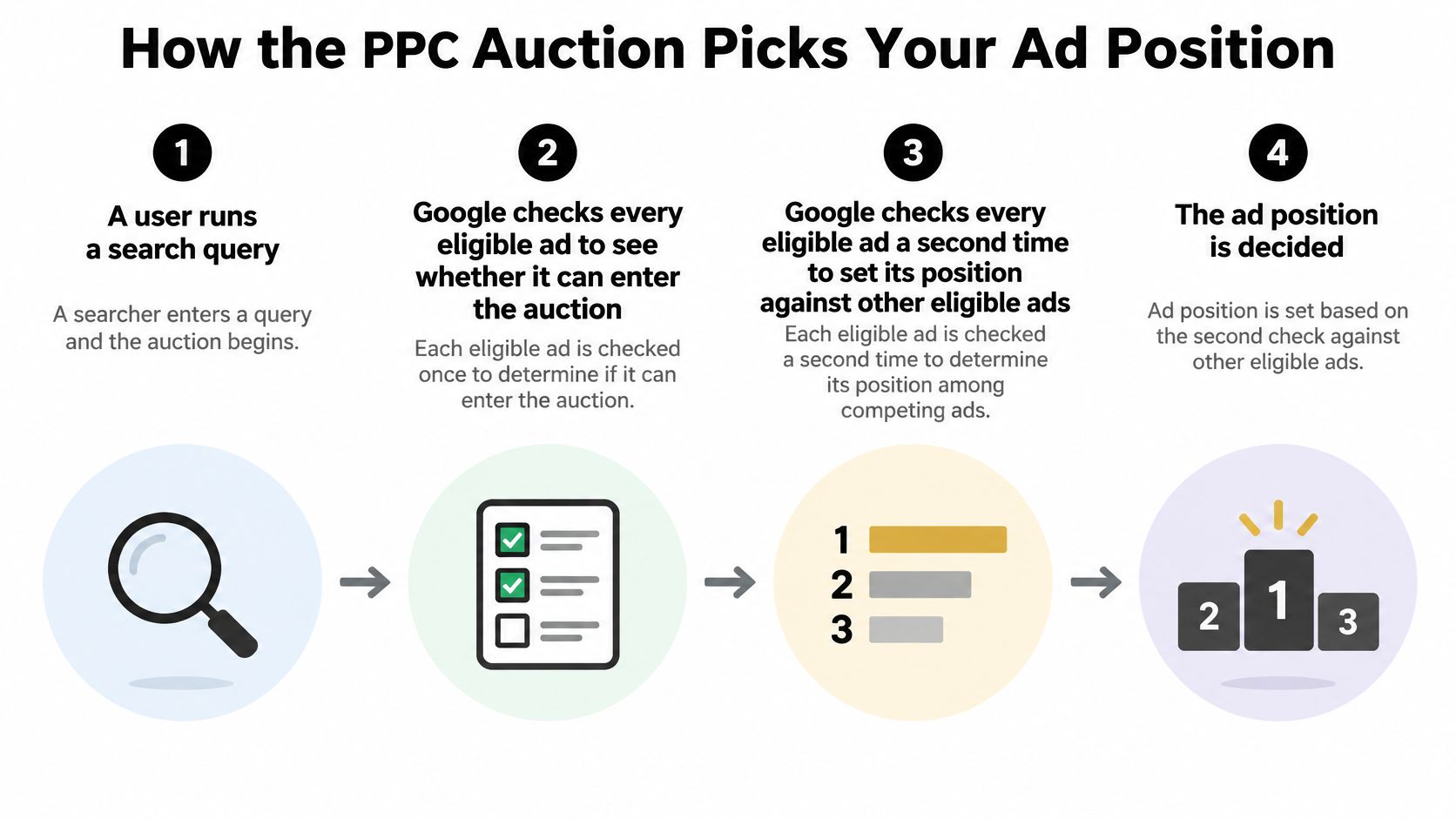
So why does the ad with the bigger budget sometimes lose the top slot? Because Google isn't sorting a list by spending power. It weighs the advertiser's bid against the usefulness of the ad and landing page, the competition, and the circumstances of the search.
Google's Ad Rank explanation says it calculates Ad Rank twice: first to decide whether an ad can show at all, then to rank it against other eligible ads. Two checks, two separate questions. Are you allowed in, and where do you sit?
Follow a search through the auction
- Someone searches. The query sets the context Google uses to consider ads.
- Google identifies matching candidates. Keyword eligibility, plus the campaign's targeting and settings, narrows the field.
- Candidates must clear minimum thresholds. A matching keyword doesn't guarantee an ad appears.
- Ad Rank determines placement. Eligible ads compete using bid, expected click-through rate, ad relevance, landing-page quality, competition, and other auction factors.
- The auction affects the click price. What it takes to beat the next ad matters, so your bid isn't a price tag stuck to a position.
- The searcher responds. They click, pick another result, or leave.
Search context includes location, device, time, search terms, and the ads and results already on the page. Two advertisers can each record "position two" in the same hour and never appear side by side. A position you see in your own search isn't a reliable account-wide performance measurement.
The diagram separates the eligibility check from the placement decision.
Fix the mismatch before increasing the bid
Take an advertiser bidding $1.20 with a relevant ad and a fast, useful landing page. That advertiser can outrank a competitor bidding $2.00 whose ad and page don't match the query. Those illustrative bids aren't benchmarks or a promise about any particular auction.
Read impression share, lost impression share due to rank, CTR, and conversion rate together. If people aren't responding or converting, examine the message and destination before paying more for the same experience.
For competitive context, use Auction Insights in AdWords and Google Ads to see which advertisers overlap with you. Treat any displayed Quality Score as a diagnostic, and improve the experience rather than chasing the number.
Match Types and Negative Keywords That Keep Spend in Check
Match types control how far a keyword can reach, not a literal transcript of what someone must type. Google's keyword matching guidance describes a trade-off between narrower steering and broader opportunities to find relevant searches.
Think of broader matching as extending your reach into more possible search intentions.
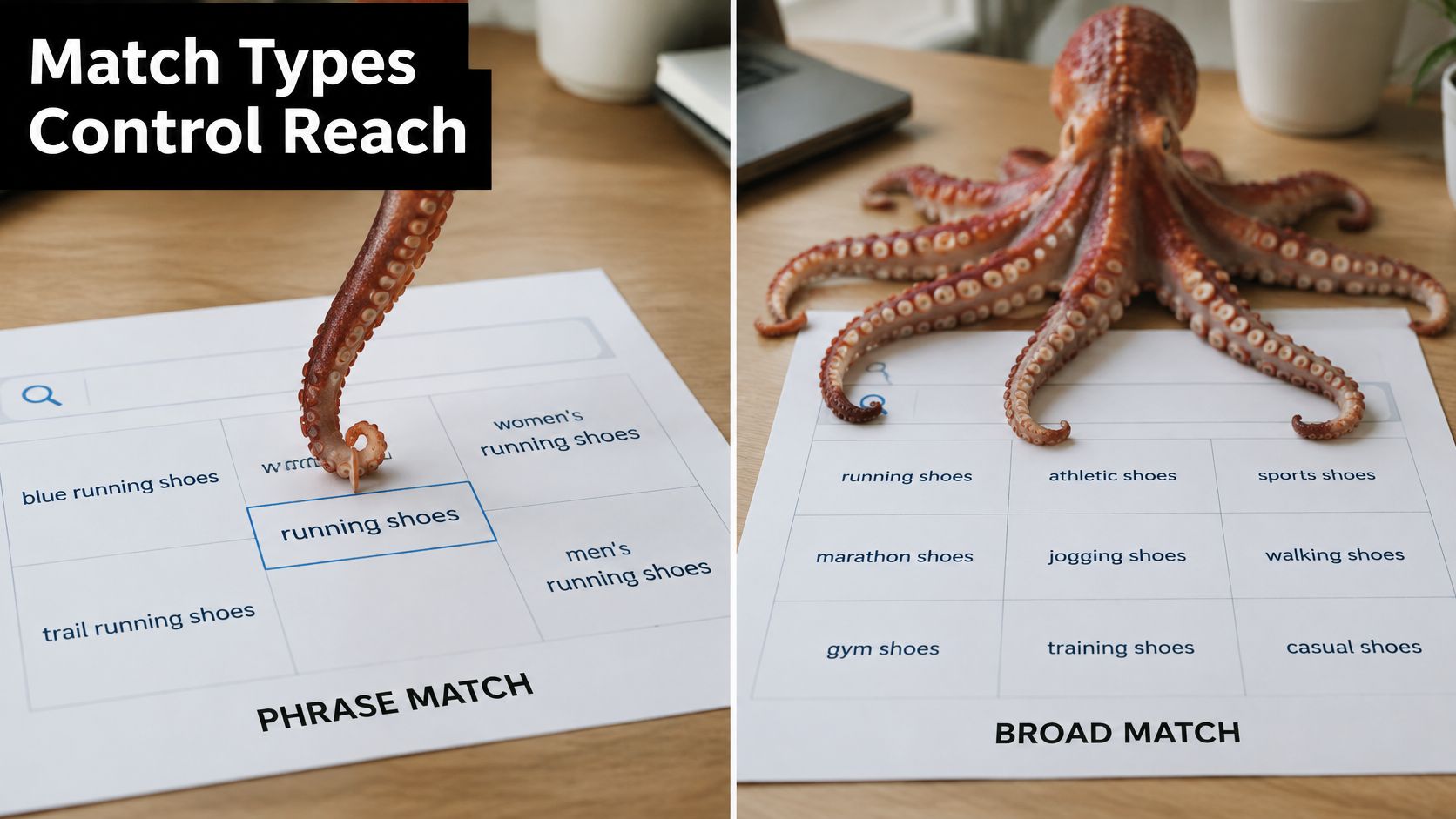
Match types compared on reach and control
| Match Type | How It Triggers | Reach | Control |
|---|---|---|---|
| Exact match | Close variants with the same meaning, including misspellings, plurals, abbreviations, and reordered words | Smallest | Highest |
| Phrase match | Searches containing your keyword's meaning, including more specific searches; word order matters when it changes meaning | Medium | Medium |
| Broad match | Related searches and wider intent, even without your exact words | Widest | Lowest |
Brackets aren't a spelling lock
An exact keyword doesn't require character-for-character matching. Google's close-variant guidance includes misspellings, plurals, abbreviations, reordered words, and searches with the same meaning.
Phrase match also isn't the old rule of preserving a fixed string with words added before or after it. Focus on meaning, then inspect the searches your keywords attract.
Broad match can help discover useful demand you didn't anticipate, but it can also spend money on less useful searches. Treat it as a monitored exploration choice, not an automatic upgrade.
Use negatives as precise exclusions
Negative keywords tell Google which searches to exclude. They can use broad, phrase, or exact matching, but they don't mirror positive keyword expansion: Google's negative-keyword guidance explains that exclusions don't automatically cover every close variation.
For a practical explanation before building exclusions, use Wojo Media's negative keyword walkthrough. For shared exclusions, plan an account-wide negative keyword strategy carefully so a term that's irrelevant to one service doesn't block another service you offer.
Use this video alongside your account when reviewing matching options.
Repeat a simple search-terms routine
The search terms report is where you find visible searches that generated activity, including converting searches. Use it as a feedback loop:
- Promote proven intent: Add repeatedly converting searches as tightly themed exact or phrase keywords when separate control would help.
- Exclude clear mismatches: Add negatives when the meaning conflicts with what you sell, not merely because the wording looks unfamiliar.
- Keep discovery bounded: Maintain a small, watched broad-match portion where exploration serves a clear purpose.
The report isn't a complete record. Privacy filtering can hide low-volume queries or leave them represented only in grouped insights. Judge patterns using conversion value, cost per conversion, and intent, and keep an uncertainty note rather than treating every missing detail as proof of waste.
Set Up Your First Campaign Around Real Search Data
Start with a campaign you can explain in a sentence: who you want to reach, what you offer, and what useful action you want them to take. A complicated account won't compensate for an unclear offer or broken measurement.
Use a checklist to keep setup decisions tied to that goal.
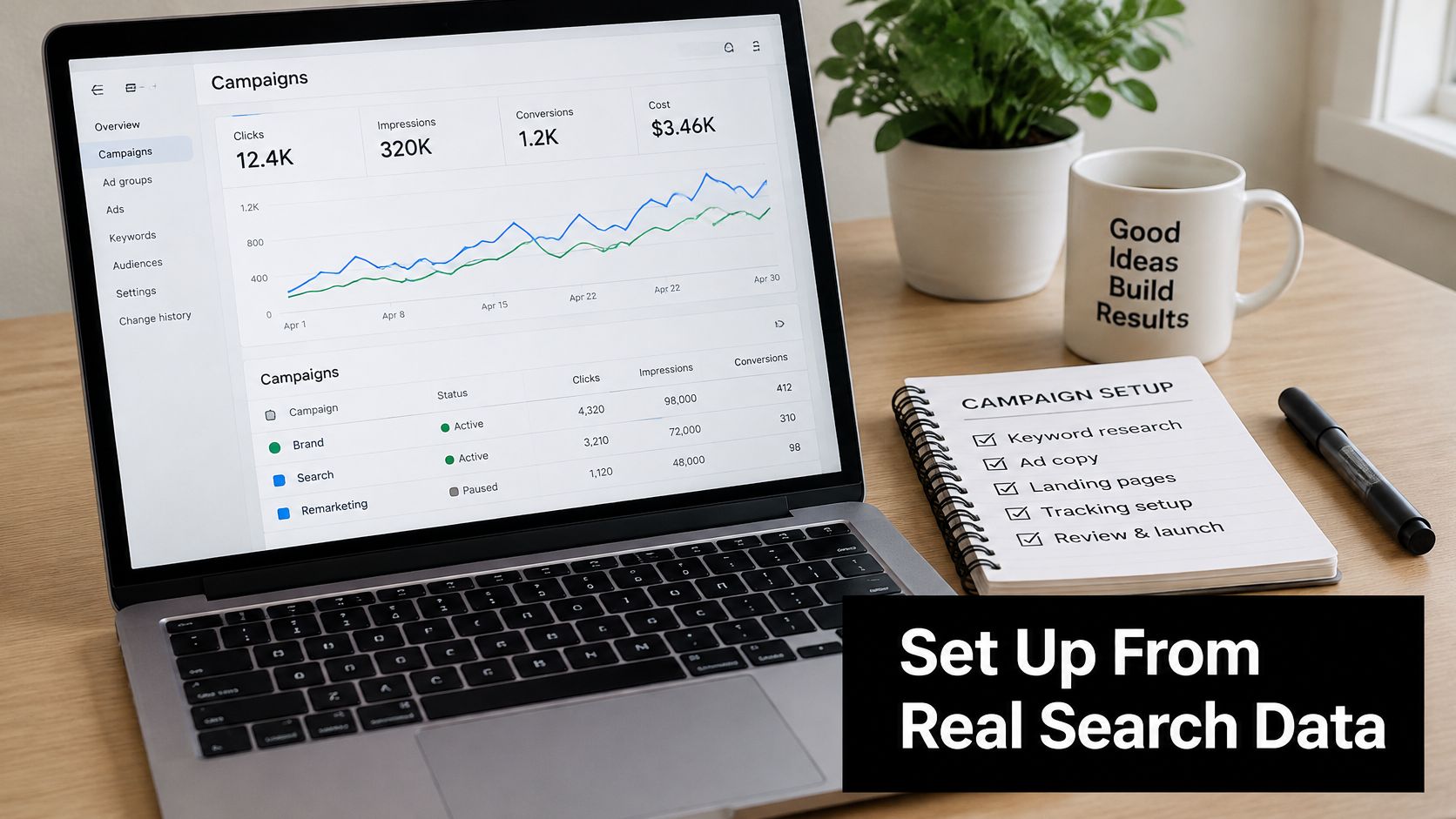
Build a manageable starting campaign
- Choose a goal and a trackable conversion. For a service business, that might be a qualified inquiry. Test the tracking before trusting the results.
- Group keywords by the customer's task. A repair inquiry and a request to buy replacement equipment need different ads and destinations. Use this AdWords keyword research guide to organize your starting themes.
- Begin with controlled coverage. Use phrase or exact keywords around your offer, then add a small broad-match slice if you can monitor discovery separately.
- Set a daily budget you can afford to learn with. Decide what would justify continuing before you start spending.
- Schedule a weekly search-terms review. Use the review loop to make deliberate changes. Google Ads' built-in controls and spreadsheets are options; our Keywordme Chrome plugin also lets you add high-converting keywords straight from the search terms report without leaving Google Ads.
- Hold off on major match-type changes until conversions show a credible pattern. Check lead quality and allow for the time customers need to complete the action.
Make decisions when query details are missing
Google's search terms report documentation explains that privacy requirements limit which searches appear. When individual queries are unavailable, combine the evidence you do have: conversion quality, landing-page intent, audience signals, geography, device, and recurring search subthemes.
Decision rule: Exclude clearly incompatible intent. Investigate ambiguous intent. Don't make a sweeping account-wide exclusion just to resolve uncertainty.
Before scaling, divide cost per conversion by the economic value of a conversion. Use contribution or profit value, not headline revenue alone, and account for the fact that an inquiry isn't a guaranteed sale. Increase spending only when that relationship leaves room for your costs and profit.
Early results can be noisy. Start with a focused campaign and a weekly review, rather than spreading limited evidence across campaigns you keep changing every day.
Keywordme helps you manage search-term-based keyword expansion, match types, and negative keywords inside Google Ads. Visit Keywordme to start a free trial with instant access to the Chrome plugin, then put your next search-terms review into practice without leaving your account.
