
Niche and Keyword Research: A Practical Guide for 2026
Niche and Keyword Research: A Practical Guide for 2026


You've got a spreadsheet full of keyword ideas, a Google Ads search terms report full of odd queries, and fewer sales than you expected. Meanwhile, a keyword that used to bring visitors has stopped getting clicks. It's tempting to block the strange searches and cut the quiet keywords.
That's not always the right fix. Niche and keyword research is a sequence of business decisions, not a contest to collect the biggest list. You need to establish whether a market is worth serving, identify what buyers want, and judge each query against the value it can produce.
The Niche Research Workflow at a Glance
The workflow runs in order, and this table is the map to follow. Each phase produces something you'll need for the next decision, so resist the urge to jump straight into keyword expansion.
Niche and keyword research phases at a glance
| Phase | What You Do | Output | Time Needed |
|---|---|---|---|
| 1. Validate the market | Compare up to five candidate niches in Google Trends and check regional interest | Go or no-go shortlist | 1-2 hours |
| 2. Generate seed terms | Pull phrases from your product, customer problems and support tickets | Seed list of 20-50 phrases | 1 hour |
| 3. Score keywords | Check monthly searches, competition and CPC, then classify each query by intent | Ranked keyword list | 2-3 hours |
| 4. Map to campaigns | Group keywords by theme, intent and landing page fit | Campaign and ad group structure | 1-2 hours |
| 5. Clean search terms | Review real queries, add converting terms and negatives | Updated keyword and negative lists | 30-60 minutes weekly |
| 6. Judge quiet keywords | Assess keywords with falling clicks using conversion and assisted data | Keep, consolidate or cut decisions | 1 hour monthly |
Treat these time budgets and list sizes as a suggested first-pass schedule, not measured benchmarks. An established shop with usable conversion tracking can move faster than a new advertiser still working out which products deserve dedicated landing pages.
Make each output usable
A shortlist needs a reason for passing or failing. A ranked keyword list needs intent labels and an affordable bid assumption. An ad group map needs actual destination pages, not a promise to build them eventually.
Practical rule: Don't expand a keyword list until you can explain who the searcher is and what you'll offer them.
Skipping validation is the easiest way to build an impressive-looking list that sells nothing. Pick one niche you can investigate this week, give the first pass a deadline, and make a provisional decision instead of planning indefinitely.
How to Test a Niche Before You Build Anything
Test the buying opportunity before you commission content or build campaigns. You're looking for a believable connection between customer need, search demand, and an offer you can deliver profitably.
Run a focused validation routine
Write down 10-15 seed topics. Use this as a brainstorming target, drawing from your products, support tickets, sales questions, and customer descriptions of the problem. Don't start by copying competitors, because their vocabulary may reflect their positioning rather than your buyers' needs.
Compare up to five candidate terms in Google Trends, which Google's Trends guidance supports alongside regional analysis and related-query discovery. Set a five-year view as your working window and start with one country; remember that Trends shows normalized relative interest, not absolute searches or impressions.
Check regional interest. A specialist service might have a workable market in the areas you serve even if interest elsewhere is weak. The common mistake is accepting apparent national demand when your shipping coverage, service area, or language excludes much of it.
Open the Top and Rising related queries and inspect what caused the interest. Keep commercially relevant language you can credibly address, but discard news-driven spikes, memes, and unrelated meanings rather than mistaking popularity for a sales opportunity.
Pull monthly searches and advertiser competition in Keyword Planner. Keep location, Search Network, and date range identical across candidates so your comparison stays fair. Don't interpret advertiser competition as an organic ranking-difficulty score, or assume a popular phrase will fit your acquisition budget.
Cross-check existing Search Console queries and country reports against the candidate topics. Existing impressions can help you identify language your site already reaches, but weak visibility on a new or poorly covered topic isn't proof that demand doesn't exist.
Make a provisional go or no-go call. A niche passes when demand looks sustained, commercial queries exist, and the likely acquisition costs fit your economics. Don't approve a market because its chart rises; require a plausible landing page and a reason someone would choose your offer.
Put the decision on paper
A passing niche should fit into a short decision sheet: buyer, problem, geography, language, trend direction, commercial query examples, likely destination page, and budget constraint. Add the main uncertainty, such as whether shoppers want a premium product or the cheapest available substitute.
Competitor checks belong after this independent assessment. Use Google Ads competitor analysis to examine positioning, offers, and landing-page expectations, not to assume another advertiser's keyword choices are profitable.
For international sales, repeat the Trends comparison, related-query filtering, and Keyword Planner pull for each country and language. Line those findings up with Search Console's query and country reports before calling the niche global.
Build a Seed List and Score Keywords That Matter
Intent beats raw volume. Volume is often the first column people sort, but it can push a broad, commercially vague query above a specific buying request.
Keep a working document beside your keyword tool so you can record the need behind each phrase.

Expand your seeds with Google autocomplete, People Also Ask, product specifications, and customer questions. Treat suggestions as discovery prompts, not proof of demand, then assign each candidate an intent.
Search intent types and where each keyword belongs
| Intent | Example Query | Where It Goes | Priority Signal |
|---|---|---|---|
| Problem research | how do I clean a cast iron pan | Content or top-funnel ad group | Volume trend and assisted conversions |
| Comparison | best eco dog toys vs plastic | Comparison landing page ad group | Conversion rate on similar terms |
| Purchase | buy organic puppy chew toy | Tightly themed product ad group | CPA against break-even CPC |
| Navigational | your brand name login | Separate brand ad group | Keep brand traffic out of generic groups |
The cast iron cleaning query needs instructions, not an immediate product pitch. Question-style terms deserve consideration: Google's Year in Search reported that searches beginning with “How do I…” reached an all-time high in 2025, increasing 25% year over year.
Score intent, affordability, then demand
Rank by intent first, affordable CPC second, and volume third. Keep advertiser competition as context, not a reason to chase an expensive phrase.
Say a hypothetical $60 product converts at 4%. Revenue per click is $60 × 0.04 = $2.40, so that's the revenue-only CPC ceiling before product costs, fulfillment, returns, or profit. A $5 CPC needs a stronger conversion or order-value case, otherwise the query may belong in organic content rather than paid acquisition.
For metric interpretation, Keyword Planner's statistics documentation explains that average monthly searches use exact-match statistics for the selected location, date range, and Search Network, normally averaged over 12 months, even when you enter broad or phrase keywords. Forecast clicks and costs account for match type, while competition is low, medium, or high relative to other keywords under the selected targeting.
Use the video alongside your working list as you evaluate candidate phrases.
Group long tails by the job
Long-tail keywords don't need a universal minimum-volume cutoff. Extract real queries and group variants by the task: removing grease is different from buying a cast iron pan, even when both mention the same product.
Keep a cluster together only when one page can satisfy its intent. Use this guide to find long-tail keywords for expansion, then assess informational click risk separately before bidding.
Geography also changes the job a query represents. For service businesses, Growth 4 Trades' guide to local keyword research for trades is a useful companion when separating service demand from location-specific buying needs.
Map Keywords Into Campaigns and Ad Groups
Use one theme per ad group, with keywords close enough that the same ad and landing page make sense for all of them. Shared vocabulary alone isn't enough: someone researching destructive chewing needs a different experience from someone ready to buy a puppy toy.
Say you run an eco-friendly dog toy shop. Start with a clear campaign structure, then separate product demand, comparisons, brand searches, and problem research.
Example campaign and ad group mapping for a niche shop
| Campaign | Ad Group | Example Keywords | Match Type |
|---|---|---|---|
| Eco Dog Toys | Chew Toys for Puppies | eco chew toys for puppies; natural puppy chew | Exact and phrase |
| Eco Dog Toys | Comparison Terms | best eco dog toys; eco vs plastic dog toys | Phrase |
| Eco Dog Toys | Brand Terms | brand name reviews; brand name toys | Exact |
| Eco Dog Toys | Problem Research | dog chewing furniture fix | Phrase, feeding content |
Give each group an appropriate destination
Send puppy chew searches to a collection or product page that addresses suitability, materials, sizing, and relevant safety information. A general homepage makes shoppers find those answers themselves, adding friction between the ad promise and the purchase.
Comparison terms need a page explaining meaningful differences, with evidence for any environmental claims. Brand review searches need product proof and reviews, while login or support searches need separate treatment rather than being treated as new-customer demand.
The furniture-chewing group should lead to useful guidance. If you test paid traffic there, give it a separate budget and success criterion so research clicks don't drain product-acquisition spend.
Choose control before reach
Start with exact and phrase match when you need tighter control. They still require query monitoring; a match-type label isn't a substitute for checking what triggered the ad.
Consider broad match only when conversion measurement is dependable, Smart Bidding has an appropriate goal, and your negative lists and budget can support exploration. If those conditions aren't in place, widening reach can make diagnosis harder rather than improve sales.
Split an ad group when the searcher needs a different promise, a different page, or a different measure of success.
As a practical size guide, split a group that grows beyond a few dozen loosely related terms. Don't split close variants just to make the account look tidy; use ad group management to maintain useful boundaries.
Before launch, ask: Would this landing page satisfy the exact person who typed this query? If the answer needs an elaborate explanation, change the grouping or destination.
Clean Up Search Terms and Negative Lists Safely
The search terms report is where real customer language appears. As Google's search terms report guidance explains, those queries can differ from your keyword list because of matching options, and the report helps identify both useful keywords and irrelevant searches.
Use this checklist to keep the review focused.
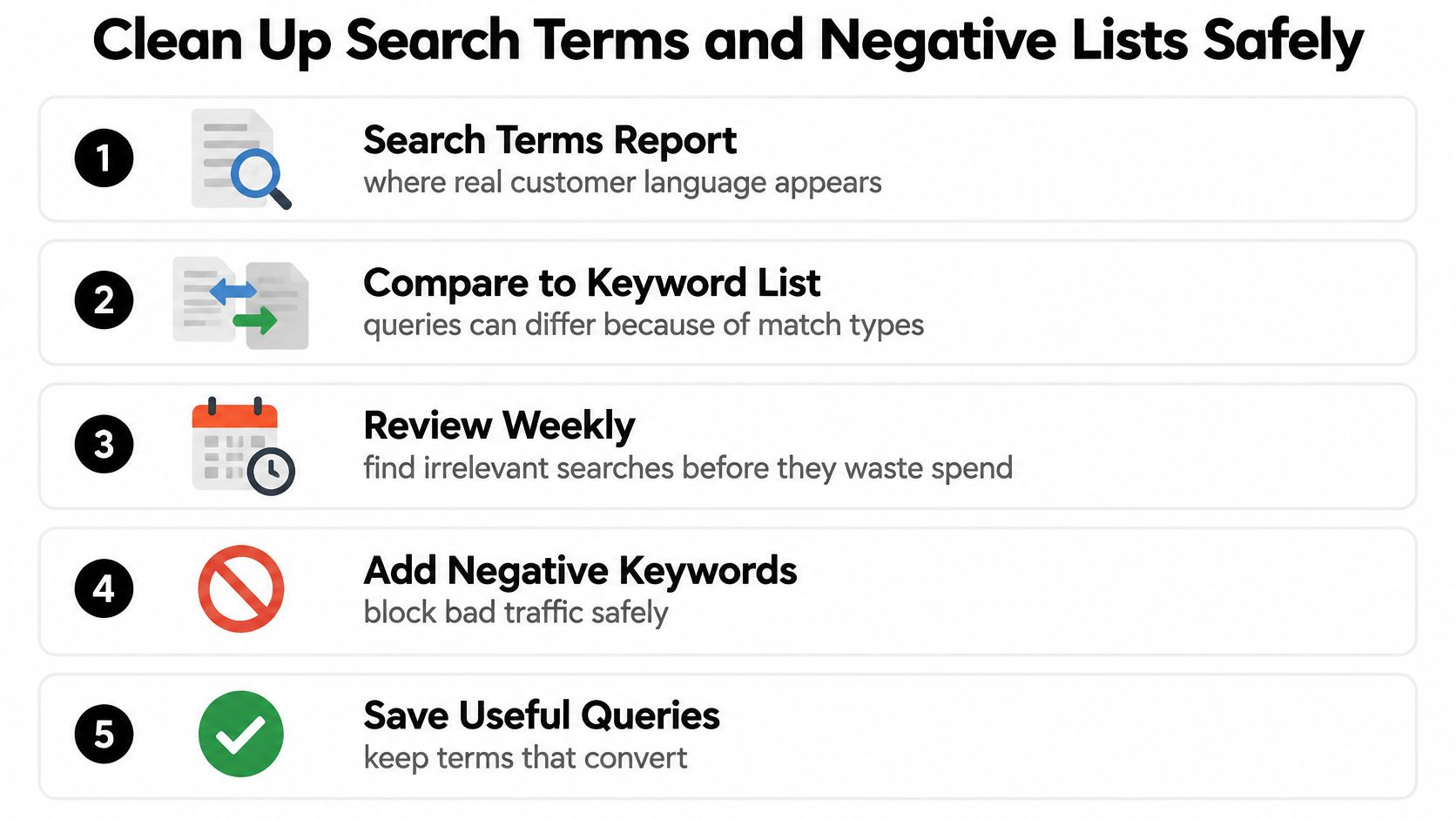
Separate clear waste from uncertainty
Review weekly, sorting by spend and conversions. Check conversion quality before promoting a query into exact or phrase targeting, especially if your account counts lightweight actions alongside sales or qualified leads.
Divide questionable terms into distinct buckets:
- Repeated, clearly irrelevant intent: Employment searches for a product shop, or requests for free products you don't offer, can justify exclusions immediately.
- Ambiguous individual queries: Hold unusual wording for review when it could describe a legitimate buyer need.
- Relevant but unprofitable traffic: Investigate bids, offer fit, and landing-page performance before declaring the query irrelevant.
Modifiers aren't verdicts. A DIY query may be irrelevant to a done-for-you service but valuable to a shop selling repair supplies.
Pick the negative match type deliberately
Google Ads Editor's negative-keyword documentation distinguishes broad, phrase, and exact negative matching and notes that negatives don't automatically expand to synonyms or singular and plural variants. Their behavior differs from positive keyword matching.
Negative keyword match types compared
| Negative Match Type | Blocks When | Example Negative | Main Risk |
|---|---|---|---|
| Broad | Search contains every negative term in any order | free dog toys | Blocks valid mixed searches such as dog toys with free shipping |
| Phrase | Search contains the terms in the same order, extra words allowed | free dog toys | Blocks cheap free dog toys, which may still be relevant |
| Exact | Search is exactly those terms in that order, no extra words | free dog toys | Lowest risk, but misses singular, plural, and reworded variants |
The phrase example could still matter to a shop offering a qualifying giveaway. The broad example is more dangerous: excluding free dog toys could also exclude a shopper seeking dog toys with free shipping.
Add variant exclusions yourself when they need blocking. Don't blanket-block a root word just to avoid maintaining a careful list.
Record each exclusion with its intent category, match type, scope, and reason. A note such as employment intent, campaign-level exclusion is more useful than a bare word that nobody remembers approving.
Judge Keywords That Stop Getting Clicks
Across 68,879 Google searches from 900 U.S. adults in March 2025, Pew Research Center found that AI Overviews appeared on about 18% of searches; users clicked a traditional result in 8% of visits with a summary, compared with 15% without one. Clicks on links inside the summary occurred in about 1% of visits.
That challenges a click-only definition of keyword value. A falling click-through rate may mean people consume more information on the results page, not that they've stopped caring about the subject.
Use declining clicks as a prompt to investigate, not an automatic deletion trigger.

Ask three questions before cutting
What does the searcher need? Classify the query as a quick answer, comparison, proof, or transaction. A self-contained cleaning answer faces a different click challenge from a product purchase or a request for detailed evidence.
Has demand fallen, or have clicks fallen? Compare Trends direction with Search Console impressions, rankings, and CTR. Stable demand with fewer clicks calls for a different response from sustained declines in interest, and lost rankings require a separate diagnosis.
Can you connect visibility to valuable actions? Set a review window, such as the next month, and inspect assisted conversions, calls, tracked store visits where available, and branded-search changes. Treat these as supporting evidence, not proof that an individual no-click exposure caused a sale.
A large Ahrefs analysis of AI Overviews estimated a 34.5% click reduction when AI Overviews are present, while noting their disproportionate appearance for informational and longer queries. That makes informational long tails especially important to inspect rather than automatically treating specificity as protection.
Make the commercial call
Say a how to remove grease from cast iron page keeps receiving impressions but fewer visits. It might support brand recall before a later purchase, but impressions alone don't establish that value, and paid clicks still have to justify their cost.
Low CTR isn't proof of failure. Visibility isn't proof of profit, either.
Keep keywords with credible direct or assisted value. Consolidate overlapping informational pages when a stronger resource can serve the same need. Cut or pause activity that lacks a defensible business role after review, but never cut on click rate alone.
Scale the Audit When Query Data Is Partial
Once your lists exist, the challenge is maintaining them without pretending you can see every buyer journey. Google's advertising privacy overview describes aggregated reporting on ad interactions and controls that let people limit personalized advertising and related data use.
Treat visible search terms as observed evidence, not a complete market map. Aggregation and privacy constraints don't make the report useless, but they do limit what you can conclude from missing detail.
Build confidence into the repeat audit
Read each report as evidence, not a census. A query that disappears from your view hasn't necessarily disappeared from the market. Compare the broader intent cluster before changing its coverage.
Promote queries when they produce valuable conversions or clearly match a validated buying need. Reserve pattern-level negative decisions for repeated, demonstrably irrelevant intent rather than unfamiliar wording alone.
Keep a shared exclusion log. Record the intent category and account scope so a colleague doesn't block the same idea under another spelling, or apply a local campaign's restriction across unrelated services.
Before calling a quiet keyword dead, recheck Keyword Planner using consistent settings. Use its keyword research and forecasting tools to reassess demand and potential campaign traffic, not to turn an estimate into a guaranteed outcome.
Assign an owner to unresolved terms and give each a next action: inspect conversion quality, review the destination page, or wait for more evidence. Otherwise, the same ambiguous queries get reconsidered every week without anyone learning anything.
Automate sorting, not the verdict
Keywordme runs AI scans to extract negative keywords, and its plugin works inside Google Ads so you don't have to leave the account. You can also add high-converting keywords straight from the search terms report, keeping approved expansion decisions close to the evidence.
Keep candidate generation separate from approval. Review suggested exclusions against your offer, geography, and conversion evidence before applying them, especially in multilingual accounts and specialist niches where unusual wording can still describe a valuable buyer.
Use the suggested weekly cleanup slot for operational changes and the monthly review for commercial decisions. Intent labels, affordable CPC assumptions, assisted-conversion interpretation, and the final keep, consolidate, or cut decision stay with the marketer.
A useful audit ends with a short change log, not just a cleaner-looking spreadsheet. Record what changed, why you changed it, and what outcome would make you reverse the decision.
Keywordme helps you turn search-term evidence into keyword additions and negative-keyword candidates inside Google Ads. Visit Keywordme to start a free trial and get instant access to the Chrome plugin, then use your next cleanup session to review one validated niche before expanding further.
