
Boost ROI with a Negative Keywords Tool
Boost ROI with a Negative Keywords Tool


Negative keywords usually become urgent after the same ugly pattern shows up a few times in a row. Spend goes out. Clicks come in. Conversions do not.
You open the search terms report and find traffic you never wanted in the first place. Maybe it is “free,” maybe it is a mismatched product type, maybe it is research intent when you only sell to buyers. The frustrating part is not just the wasted spend. It is that this waste keeps returning unless someone catches it and blocks it fast.
That is why a negative keywords tool matters. It changes the job from occasional cleanup to a repeatable system. The good tools do more than dump suggestions into a list. They help you spot patterns, choose the right match type, and avoid blocking traffic you want.
The Silent Budget Killer in Your Google Ads Account
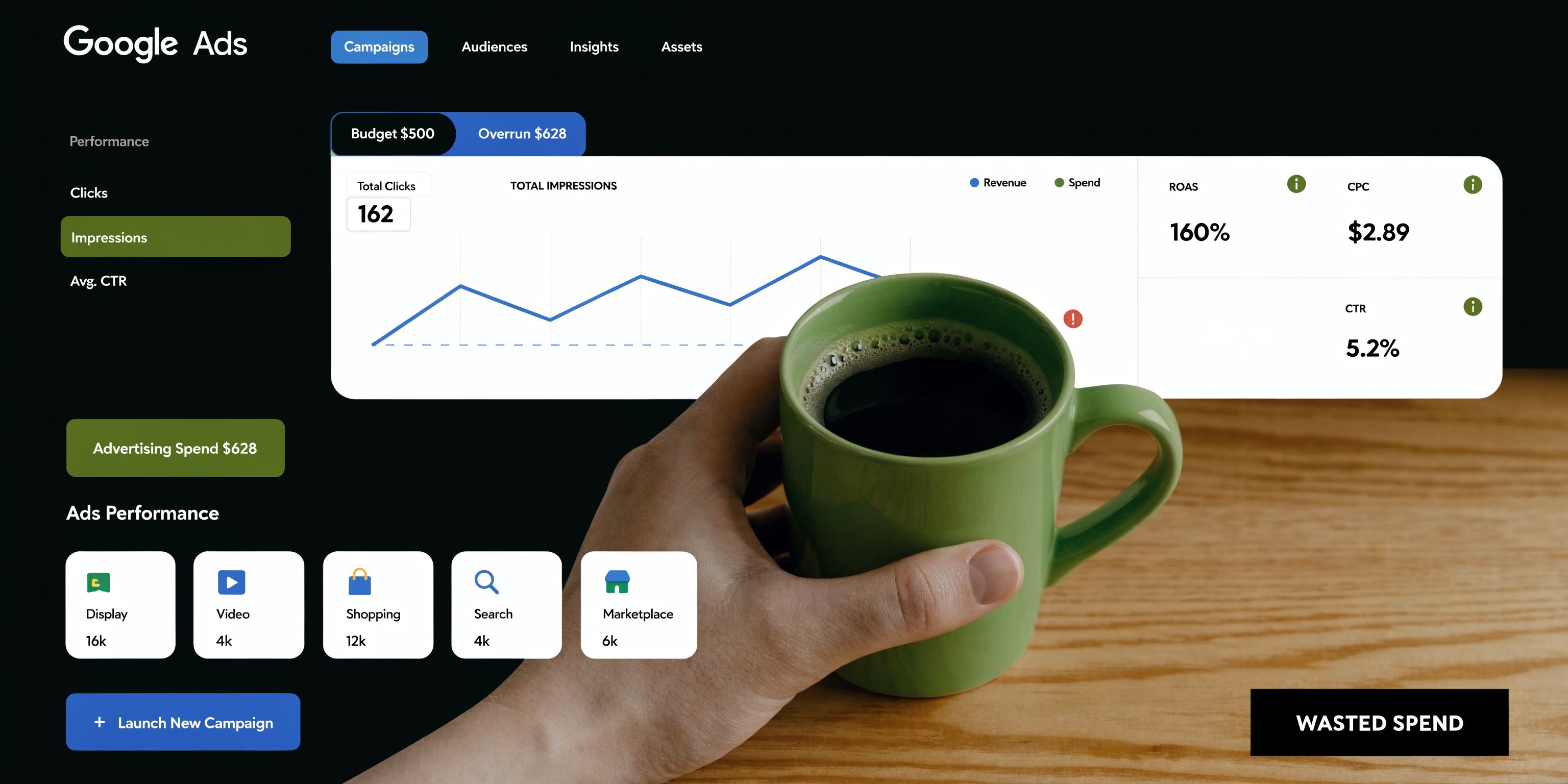
Most Google Ads accounts do not fail because bids are wildly wrong. They leak money because irrelevant queries slip through.
Broad match, loose intent, and mixed search language create a steady stream of junk traffic. You will not always notice it in the campaign view. You notice it when spend rises faster than qualified leads, or when one ad group looks busy but feels unproductive.
Why this problem sticks around
Negative keywords are your first line of defense. They stop your ads from showing on searches that do not fit your offer, price point, audience, or sales model.
The problem is volume. Search term reports get messy fast. Negative keyword tools emerged as essential assets in PPC management around 2010, moving away from manual processes that involved sifting through tens of thousands of search queries. By 2026, AI-powered options have become the standard for efficiency, according to MarketingProfs.
Manual review still has a place, but it breaks down once accounts scale. Agencies juggling multiple accounts feel this first. In-house teams running lean feel it next. Small businesses feel it when they realize they are paying for curiosity clicks instead of buyer intent.
What a tool changes
A negative keywords tool provides an advantage. Instead of reviewing everything one term at a time, you can work from grouped waste patterns and act faster.
That matters even more when click prices are already under pressure. If you want a grounded view of what paid search can cost before waste enters the picture, this overview of the real cost of Google Paid Search is useful context.
Tip: If your search terms review is something you “get to when there’s time,” you do not have a negative keyword process. You have a negative keyword backlog.
For teams trying to make this manageable, the practical starting point is consistent query review. This guide on search query analysis is worth keeping handy: https://www.keywordme.io/blog/search-query-analysis
How a Negative Keywords Tool Works
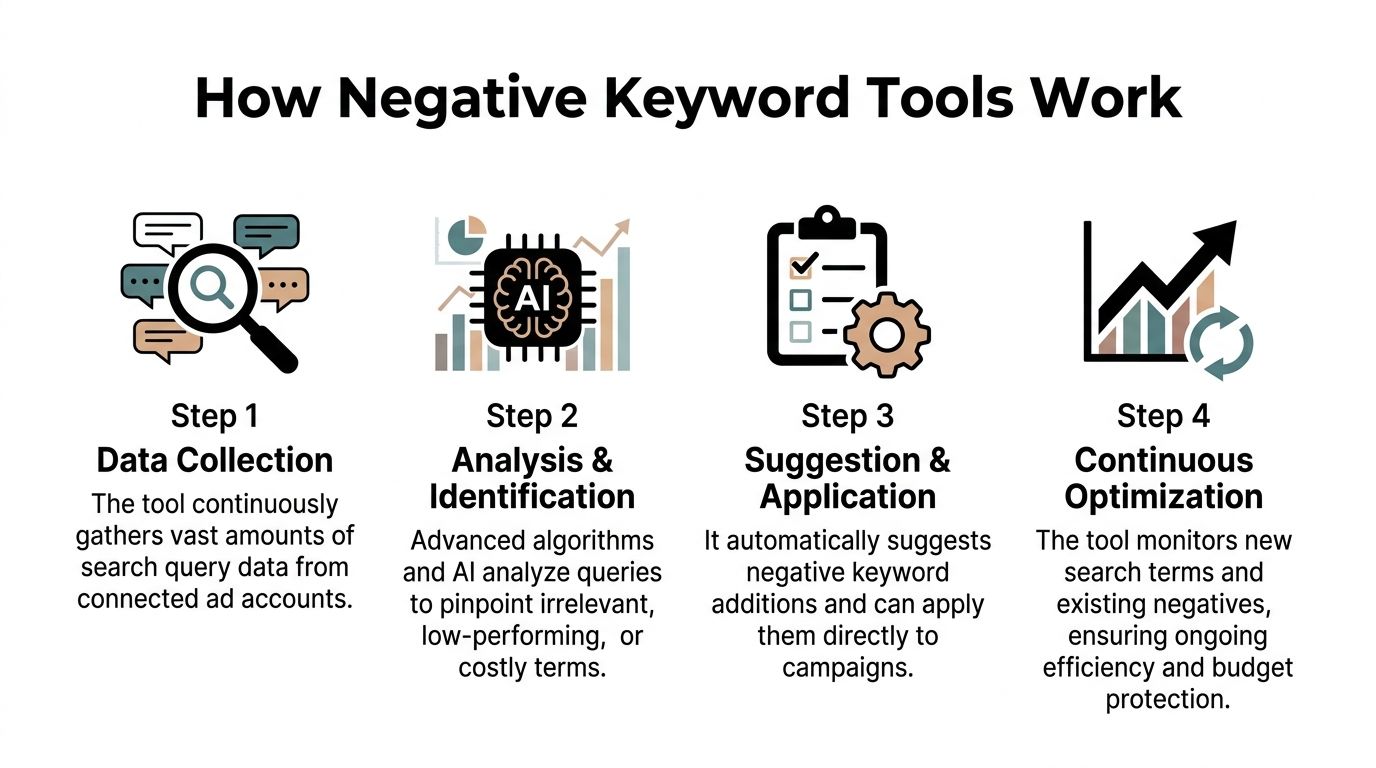
A good negative keywords tool works like an automated quality inspector for your traffic. It pulls in the raw material, checks for defects, and flags what should never move further down the line.
The basic idea is simple. The execution is where tools separate.
It starts with search term data
Most tools begin by connecting to your Google Ads data or by importing a search terms report. That report shows the exact queries people typed before they clicked.
From there, the tool looks for signals such as:
- Irrelevance: Queries that do not match the product, service, or audience.
- Bad intent: Terms that suggest freebie seekers, job hunters, DIY research, or unrelated use cases.
- Waste concentration: Repeating words or phrases that appear across many poor-fit searches.
Basic tools stop here. They surface suggestions from visible patterns and leave the rest to you.
Better tools use pattern analysis
N-gram analysis becomes useful here. Instead of judging one query at a time, the tool breaks search terms into recurring word patterns and scores them by performance.
That matters because waste often hides inside multi-word phrases, not single terms. A campaign can look fine at the keyword level while losing budget through repeated long-tail variants that all share the same poor intent.
A stronger workflow usually looks like this:
- Collect recent queries from campaign, ad group, or account level.
- Cluster repeated phrases and close variants.
- Score likely negatives by cost, clicks, conversions, or CPA/ACoS signals, depending on the platform and tool.
- Recommend a match type so you block the waste without overreaching.
The AI layer is about context
The newer shift is contextual analysis. Advanced AI tools can process up to 1,000 search terms per scan, save approximately 8-16 hours of manual spreadsheet work per campaign audit, and crawl landing pages for business context so suggestions are more accurate, according to Skai.
That landing-page step is more important than it sounds. A phrase can look irrelevant in isolation and still be perfectly valid for the business. When the tool understands what you sell, brand terms, target audience, and geography, it is less likely to recommend a bad exclusion.
Key takeaway: Pattern matching finds candidates. Context decides whether they should become negatives.
Match type is not a small detail
Many teams make preventable mistakes here. They find a junk query, then block too broadly.
A tool that only says “add this as a negative” is incomplete. A practical tool should help you decide whether the negative belongs as:
| Match type | Best use |
|---|---|
| Exact | One clearly bad query you want gone without affecting nearby traffic |
| Phrase | A recurring waste pattern that shows up in many variants |
| Broad | Terms that are consistently unrelated across the account and unlikely to ever help |
The safest workflow is usually exact first, phrase second, broad last.
If you want a cleaner process for applying those decisions inside daily account work, this walkthrough is useful: https://www.keywordme.io/blog/how-to-use-negative-keyword-tools
Benefits of Automating Negatives
The headline benefit is cost control. The deeper benefit is cleaner decision-making.
When poor-fit traffic keeps mixing with qualified traffic, every performance read gets noisier. Your CTR gets distorted. Your CPC trend becomes harder to interpret. Even good ad copy can look weaker than it is because the wrong people keep seeing it.

The savings are real, but that is only step one
Unoptimized campaigns can lose 20-40% of their budgets to irrelevant clicks, and regular negative keyword optimization with a dedicated tool can boost CTR by 10-15% and lower CPC by 12%, according to Karooya.
That combination matters because it compounds in practical ways. Cleaner traffic improves the signal you use to make every next decision. You can judge search intent more clearly. You can spot which ad groups need tighter segmentation. You can trust conversion patterns more.
Cleaner inputs lead to better account management
A negative keywords tool helps in three ways that people often underestimate:
- It protects testing budgets. New campaigns are especially vulnerable to broad, messy traffic.
- It improves reporting quality. When fewer irrelevant clicks enter the account, your trend lines mean more.
- It cuts operational drag. Teams stop living in exports, filters, and copy-paste cleanup.
Video walkthroughs can help if you want to see this in motion before changing your workflow:
Time savings change how often optimization happens
This is the less glamorous benefit, but it is often the one that changes performance fastest. If reviewing negatives is painful, teams do it less often. If it is fast, they do it weekly or even more often in volatile accounts.
That rhythm matters. A campaign with regular search term cleanup usually becomes easier to scale because you are not pouring fresh budget into the same old leaks.
Practical rule: The best negative keyword workflow is not the smartest one on paper. It is the one your team will run on schedule.
Beyond the Obvious The Hidden Risk of Over-Negation
A lot of PPC advice treats more negatives as automatically better. That is not true.
The wrong negative can block searches with buying intent, especially when tools rely on shallow pattern matching. Words like “cheap,” “affordable,” “near me,” or a product variant can look suspicious in aggregate and still convert for the right business.
How over-negation happens
It usually comes from one of three mistakes:
- Pattern without context: The tool sees a repeated phrase but does not understand your offer.
- Broad-match overreach: A user applies a broad negative when an exact negative was the smarter move.
- Blind trust in automation: Suggestions get pushed live without review or traffic impact thinking.
Recent PPC surveys show 28% of advertisers report a 10-15% traffic loss due to over-aggressive negation, according to Optmyzr.
That number explains why some marketers hesitate to automate. The hesitation is reasonable. The answer is not avoiding tools. The answer is using tools with guardrails.
What safer automation looks like
A dependable negative keywords tool should show its reasoning. It should help you understand why a term was flagged, not just drop it into a recommendation queue.
Look for signals like these:
- Context checks: The tool compares search terms with landing page content or business inputs.
- Review layers: You can inspect suggestions before applying them.
- Match-type control: You are not forced into broad exclusions when exact would do.
- Undo-friendly workflow: Changes are easy to reverse if performance shifts.
The best teams also keep a short review loop after major negative updates. If branded queries, high-intent variants, or assisted-conversion searches disappear, something got blocked too aggressively.
For a practical framework on that balancing act, this guide is useful: https://www.keywordme.io/blog/how-to-balance-negative-keywords-without-limiting-reach
Choosing Your Tool A Practical Evaluation Checklist
There is no shortage of tools that claim to find waste. The question is whether they fit the way PPC work happens.
Some tools are basically suggestion generators. Others become part of the daily optimization loop. That difference matters more than a flashy dashboard.
Start with the analysis engine
If a tool only flags obvious single words, it will miss substantial waste. Advanced tools use N-gram analysis to reveal that approximately 20-40% of wasted ad spend comes from long-tail phrase combinations rather than single irrelevant keywords, according to Karooya.
That one point filters out a lot of weak options.
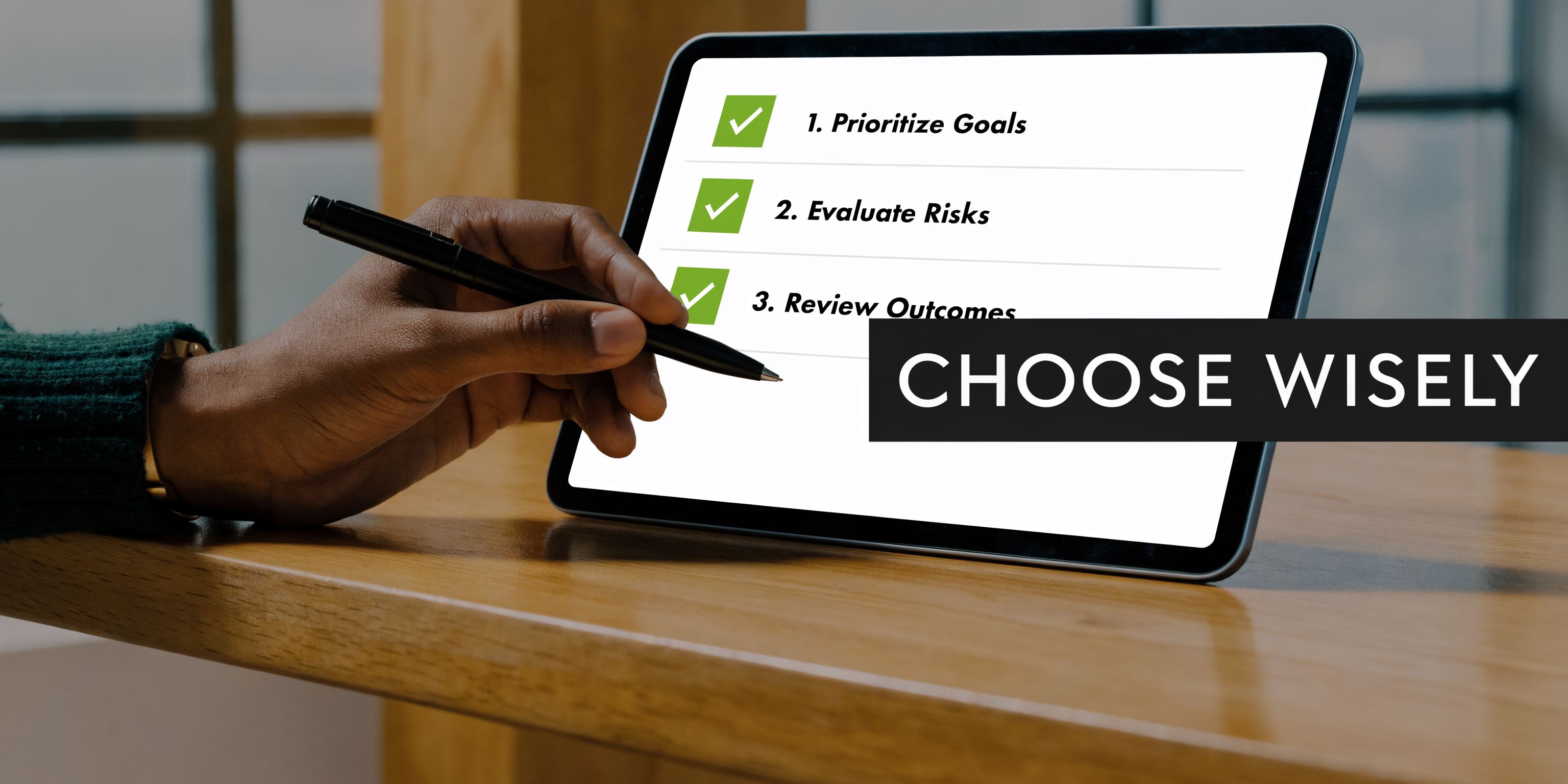
Here is a simple checklist I use.
The practical checklist
| Question | Why it matters |
|---|---|
| Does it analyze phrases, not just single terms? | Long-tail waste often hides in repeated combinations |
| Does it understand business context? | This reduces bad exclusions and cuts over-negation risk |
| Can it recommend match types? | Exact, phrase, and broad negatives solve different problems |
| Can you apply changes quickly? | Slow workflows kill consistency |
| Can it work at account, campaign, and ad group level? | Waste patterns do not always live in one place |
| Does it make review easy? | If the interface is clunky, the team will delay using it |
What works well in practice
Some advertisers start with Google Keyword Planner for basic idea generation. That can help with proactive research, but it is not enough for serious cleanup on its own.
WordStream made early negative keyword discovery easier by clustering irrelevant terms instead of forcing users to sift through isolated suggestions manually. Sitechecker is useful when marketers want broader generator-style support across major ad platforms. Karooya is strong when the account needs deeper search term report analysis with pattern-based recommendations.
Then there are workflow-first tools. Keywordme fits into that category. Its Chrome plugin workflow is built around working directly from search term data, adding negatives with match types, handling bulk actions, and expanding useful terms without bouncing through manual formatting steps.
Red flags worth taking seriously
A tool is probably the wrong fit if it does any of the following:
- Pushes broad negatives too freely
- Hides the basis for its recommendations
- Makes import and export harder than the native ad platform
- Feels detached from the actual search terms report
- Offers no easy way to review before applying
Tip: Demo the tool on a messy campaign, not a clean one. Good tools prove themselves when the query report is full of edge cases.
Choose for workflow, not just features
The best feature list can still produce a bad buying decision if it does not match the account setup.
Freelancers usually need speed and clarity. Agencies need repeatability across accounts. In-house teams need a workflow other people can understand when ownership shifts. Small businesses need something simple enough that it gets used.
That is why I would evaluate the day-to-day path first. How many clicks does it take to review suggestions? Can you go from search term to negative in one motion? Can you separate “block now” from “watch list”? Those practical details determine whether the tool helps or becomes another tab you ignore.
Quick Start Guide Getting Your First Win in 15 Minutes
Do not start by trying to perfect your whole account. Start where wasted spend is most visible.
Pick one campaign with broad or mixed-match traffic. Choose a recent date range with enough search term data to show patterns. Then work through a short pass focused on obvious junk and repeat offenders.
A fast workflow that works
Open one campaign, not the whole account
Narrow scope keeps the first pass clean. Start where spend is active and intent is mixed.Pull the search terms report
Sort by cost first. Do not start with impressions. Expensive mistakes deserve attention before noisy low-volume queries.Run the data through your negative keywords tool
Let the tool group repeated patterns and surface candidates. You are looking for quick exclusions, not philosophical debates about every edge case.Review the top suggestions manually
Keep anything clearly unrelated. Be careful with adjacent intent, modifiers, and local qualifiers.Apply the safest match type first
Exact negatives are usually the easiest first win. Phrase negatives come next when a repeated pattern is clearly wrong. Save broad negatives for terms you are sure you never want.Create a short “monitor” list
Some terms are not good enough to keep spending on freely, but not bad enough to block. Watch those before making a harder decision.
What to look for on the first pass
Your goal is not volume. It is certainty.
Focus on:
- Mismatched products or services
- Free or DIY intent when you sell paid solutions
- Job seekers, definitions, and research-only terms
- Audience mismatches
- Geographic irrelevance if location matters
Skip anything ambiguous on the first pass. Early wins come from obvious waste.
What not to do
Do not bulk-apply every suggestion just because the interface makes it possible.
Do not use broad negatives when you are irritated by one ugly query.
Do not judge success only by lower spend. The better signal is cleaner traffic and stronger relevance in the searches that remain.
Key takeaway: Your first win should be small, clear, and reversible. That is how you build trust in the process.
Once you get through that first pass, repeat it on a schedule. Weekly is realistic for active accounts. More often can make sense when campaigns are new, broad match heavy, or changing quickly. Over time, the negative keywords tool stops being a rescue tactic and becomes part of the operating system for the account.
If you want a simpler way to handle search term cleanup, match-type assignment, and bulk negative keyword actions inside your daily Google Ads workflow, take a look at Keywordme.
.svg)