
Negative Keyword Research from Search Terms
Negative Keyword Research from Search Terms


The average business wasted $1,127.54 a month on Google Ads clicks that never converted, according to WordStream's 2025 Performance Grader study. That's not a rounding error buried in a giant account. It's the quiet leak that gets shrugged off because the keyword list looked fine on the screen.
It didn't look fine in the queries. Matching stretches a keyword into searches you never wrote, and a short junk list of "free," "jobs," and "DIY" feels like you already handled it. You didn't. Negatives don't grow into close variants, so the core job in negative keyword research is which variant you add, which match type you put on that line, and whether that line could kill a sale.
Pull the Search terms export. I'll walk the sheet the way I'd walk a teammate through a live file.
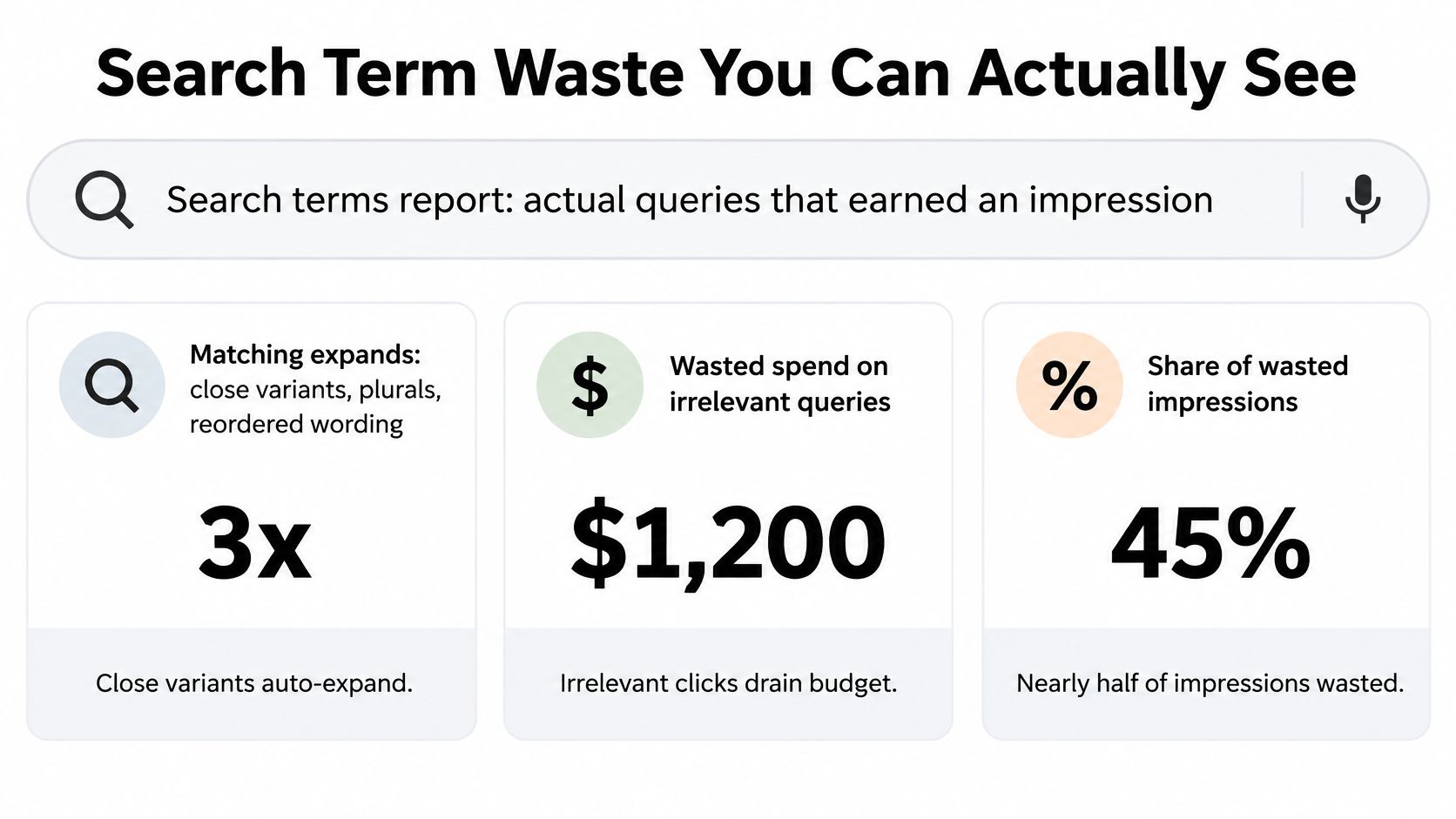
Search Term Waste You Can Actually See
Open that export and the gap shows up before you add a single negative. A 2025 WordStream Performance Grader analysis covering 15,666 unique accounts found that accounts with at least one negative keyword had an average monthly conversion rate of 13%, versus 4.6% for accounts with none. Same auction, wildly different habit. One group reads what people typed. The other trusts the keyword they bid on.
Google's Search terms report is the record of queries that earned an impression. Those queries can differ from the keywords you chose because matching expands them. If you want the mechanics of that report, the Google Ads search terms report walkthrough is the companion piece. Don't add a negative until the sheet is complete.
Before anyone touches an exclusion, export a fixed window and keep these columns on the file:
- Campaign and ad group: Waste in one offer is not waste in another.
- Search term and triggering keyword: You need the query and the keyword that invited it.
- Match type: This tells you whether a broad keyword, a phrase keyword, or an already-wide positive is the source.
- Cost, conversions, and conversion value: Cost with zero conversions is a clue, not a verdict.
A low-volume query can assist a sale that lands after conversion lag. An expensive query can still be a buyer using clumsy wording. Block those and you'll "save" money by deleting the customer.
Separate junk from odd demand
A 2025 Scaletrics audit of 38 Google Ads accounts found that 34% of search-term spend was recoverable as clearly irrelevant spend. The accounts spent about $2.4 million across Q4 2023 through Q1 2024. That's the scale of the leak you can see, not a brainstorm of obvious words.
Practical rule: If you can't say the query is commercially irrelevant, leave it. High cost alone never earns a block.
Sort irrelevant rows with spend and no conversions into one pile. Park odd wording, brand-adjacent phrases, and anything that might have assisted a sale in another pile. The first pass is classification. Exclusions come after you can defend them.
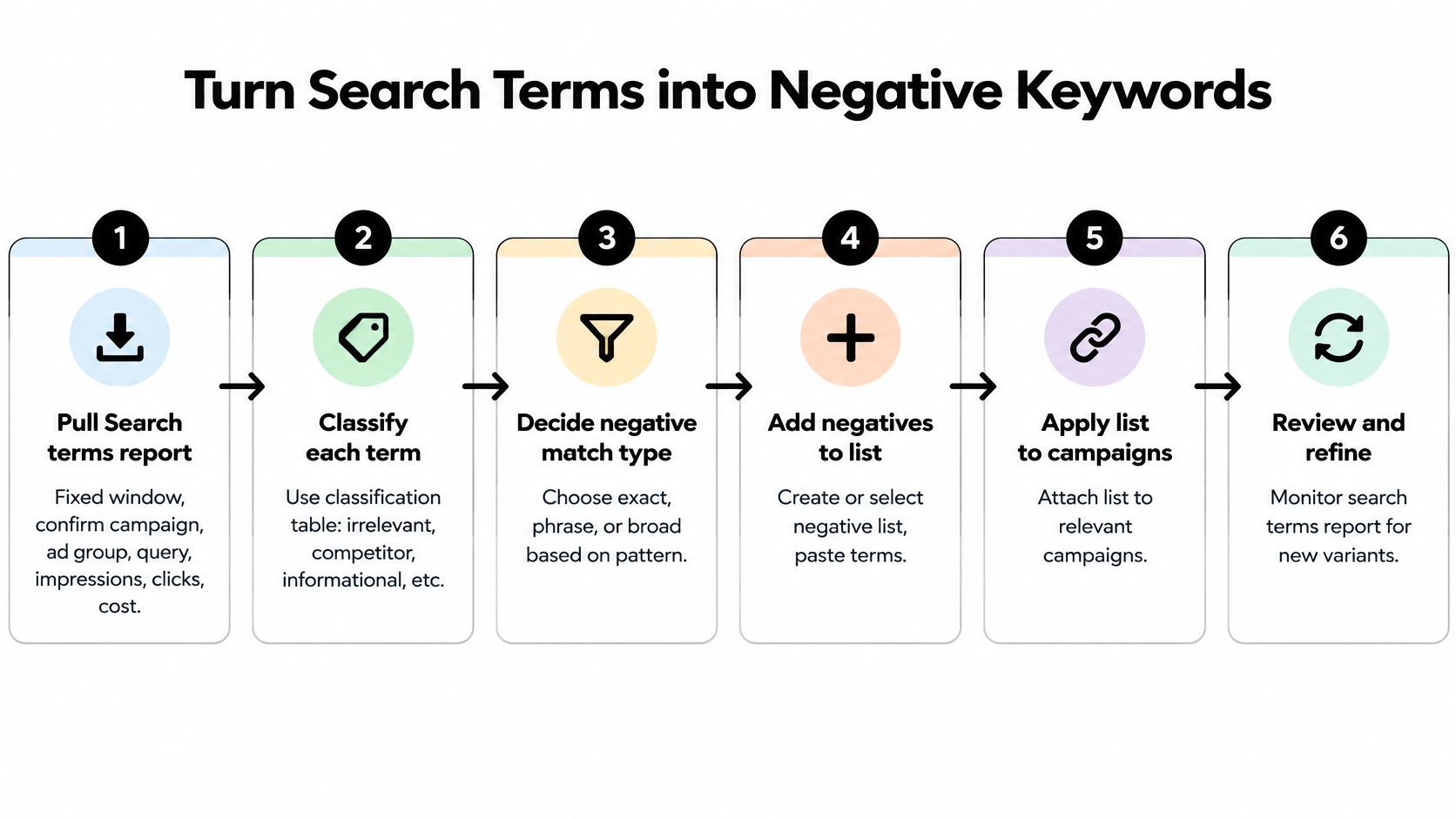
Turn Search Terms into Negative Keywords
Work the export in this order. The class of the query decides the action, not a gut list.
Pull the Search terms report for a fixed window. Confirm the sheet holds campaign, ad group, triggering keyword, match type, cost, conversions, and conversion value. If a column is missing, stop and re-export. Guessing from a partial file is how good queries get cut.
Mark every query relevant, irrelevant, or ambiguous using the table below. "Free" and "jobs" are sometimes junk. They're not a system. A how-to query on a parts campaign is irrelevant. The same words on a content offer might be the buyer.
Total the cost on irrelevant rows with no conversions. That's the waste number you can defend in a standup. Set low-volume rows aside even when they look ugly. They may have assisted a sale that hasn't posted yet.
Pick the narrowest exclusion that kills the unwanted intent. Exact for one bad query you've seen. Phrase for a wording pattern. Broad only when every combination of those words is junk. The next section is the match-type call. Don't jump there until the row is classed.
Apply it at ad group, campaign, or a shared list. Not at account level by default. Google's Search terms report lets you add a selected term to an ad group, a campaign, an existing negative list, or a new list, and it shows the match type that triggered each impression. Log the reason, the scope, the date, and the effect you expect. Future you will not remember why "manual" got blocked.
After conversion lag, reopen the report. The junk query should be gone. Converting queries that share a word with it should still be there. If a good query vanished, the line was too wide or it sat too high.
How to class a search term before you exclude it
| Class | What you see | What to do |
|---|---|---|
| Relevant | Conversions or conversion value and intent that matches the offer | Keep it and consider adding it as a positive keyword |
| Irrelevant | Spend, no conversions, and a clear mismatch with what you sell | Exclude it with the narrowest match type that blocks that intent |
| Ambiguous | Low volume, odd wording, or a possible assisted conversion | Leave it and review again after conversion lag |
| Brand or product | Your brand, SKU, or a core product term | Do not add it as a broad or account-wide negative |
Say a bakery runs a paid search campaign for custom cakes. "Cake jobs near me" is irrelevant, so it gets a narrow negative. "Vanilla wedding cake price" with one conversion stays, and I'd add it as a positive if the ad group doesn't already own that intent. "How to ice a cake" with two clicks and no conversion is ambiguous. Wait. The report is a feedback loop, not a one-time cleanup, and Google treats the same file as a source for positives when a phrase sells.
Cost is not intent. A $40 query with the wrong product is a block. A $40 query that sounds like a buyer is a keep until lag says otherwise.
Choose Exact Phrase or Broad Match
Negative match types are not positive match types with a minus sign. Exact, phrase, and broad still exist, and none of them reach close variants for you. The choice is how wide a net you want, not a free pass on plurals.
Google's negative keyword documentation lets you add a term from the Search terms report at the ad group, at the campaign, or to an existing or new negative keyword list. It defines negative broad match as blocking the ad only when every word in the negative appears in the search, in any order. The negative keyword match type guide is worth a read before you save a wide line.
Negative match types and the risk of each
| Negative match | What it blocks | Best use | Main risk |
|---|---|---|---|
| Exact | That query, not close variants, plurals, or synonyms | One clearly bad query you have already seen | Misses every linguistic variant |
| Phrase | Those words in that order inside a longer query | A stable unwanted wording pattern | Can block good queries that happen to contain the phrase |
| Broad | Every word in the negative, in any order | Cases where every combination of those words is irrelevant | Highest chance of suppressing converting searches |
Exact is the line I start with. A competitor name that hit one ad group, or "cake decorator jobs" on a retail campaign, gets an exact negative on that query alone. You saw it. You block it. You don't pretend you've blocked the family.
Phrase fits a pattern that keeps arriving in the same order. On a replacement-parts campaign, "how to repair" shows up again and again inside longer queries. Phrase match catches that wording without demanding you list every tail. It can also catch a buyer who typed the phrase on the way to a purchase, so read a few converting queries that contain those words before you save.
Broad feels powerful and then goes quiet in the wrong way. A broad negative of "free manual" blocks "manual free download" because both words are present, order ignored. It does not block a query that only contains "free." That's why a one-word broad negative silences good traffic. I would only use broad when every combination of those words is irrelevant to the offer.
Where the line should live
Put the negative at the smallest level that shares the problem.
- Ad group: The mismatch is local to that offer. A jobs query on the retail ad group stays there. The hiring ad group, if you have one, never inherits it.
- Campaign: Every ad group in that campaign would waste money on the query. Don't spray it across the account because one campaign is dirty.
- Shared list: Several campaigns sell the same thing and share the same junk. Build or pick the list in Google Ads, name it by theme, and attach it only where that theme is waste.
Google Ads Editor has a Keywords, Negative view if you're applying the same finding across related campaigns. Before you hit save, spot-check converting queries that contain any of the same words. A poorly scoped exclusion removes the traffic you wanted the campaign to buy.
Add the Variants Google Will Not Catch
The leak after a tidy list is language, not laziness. You blocked a phrase, felt done, and the plural kept spending.
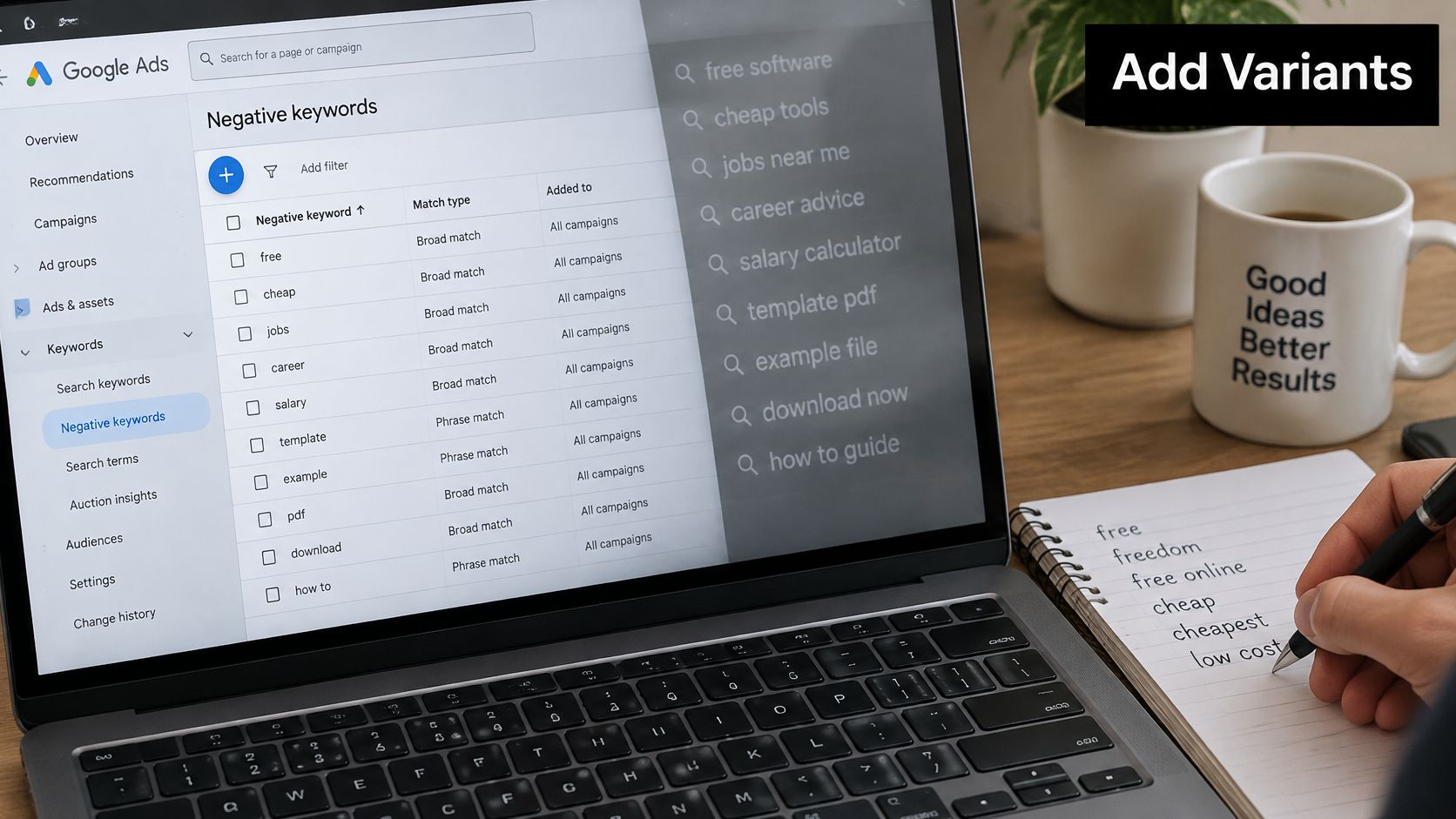
Google's close variants guidance is blunt about this. Negative keywords do not match close variants or other expansions, so you may need synonyms and singular or plural forms as their own lines. An exclusion of "running shoes" will not necessarily block "running shoe," or every related variation. Exclude "house" and "houses" can still show. That's the miss.
Positive keywords get stemming, reordering, abbreviations, and synonyms in many languages. Negatives don't. A short universal list creates false confidence and leaves half the bad intent through in other words. The broad match close variants problem is the other side of the same gap. Positives expand. Your block list does not follow them.
What to add and what to skip
Work only from queries you received. If "cheap widgets" is junk in this ad group, add the plural and the synonym that also appeared, each at the match type you already chose. Don't invent a blocklist from a blog post.
Skip capitalization and misspellings. Google already treats those as the same search. Duplicating "Free," "FREE," and a typo only makes the list harder to audit, with no extra protection.
The test for every added variant is the same. Would every query this line can block be a wasted click, or might a buyer say it that way?
- Seen in the report, clearly the wrong intent: Add it at the match type you picked, on the ad group where it appeared.
- A synonym you have not seen: Don't add it. Wait until the export shows it.
- You can't tell whether a buyer would say it: Keep the variant on exact match, limited to that ad group. I would rather miss one junk click than blanket a core product word.
If you can't answer the buyer question, you don't have a negative yet. You have a guess, and guesses are how converting searches disappear without a spike in the error log.
There's a short walkthrough of building the list from live queries if you want it on a second screen while you work the sheet.
Check Results and Run the Next Pass
The week after an edit is the audit, compared with the week before, once conversion lag has passed. Look at impression volume, spend, conversion rate, and whether known good queries disappeared. Google's negative match type rules are the reason this pass exists. Broad, phrase, and exact don't behave like the positive versions, negatives don't cover close variants, and a generic term at the wrong scope cuts waste while it cuts sales.
When a negative keyword cleanup goes wrong
| What you see | Likely cause | Fix |
|---|---|---|
| Spend and conversions both drop | Negative is too broad or applied above the ad group that had the problem | Tighten to exact or phrase and move it to that ad group |
| The junk query is still showing | A plural, synonym, or reordered form was never added | Add the variant that appeared, at the same narrow scope |
| The list is full of capitals and typos | Duplicates of differences Google already ignores | Delete them so the list stays auditable |
| Branded or converting queries vanish | The negative collided with a product term or a query that already converts | Remove that line and log the conflict |
Read the symptom before you "add more negatives." If spend and conversions fall together, the exclusion was too wide or it sat above the ad group that had the problem. Move it down and tighten it to exact or phrase. If the junk query is still in the report, you blocked one form of the intent and left a variant live. Add the variant you can see, at that same narrow scope. Don't promote it to the account because you're annoyed.
Collision check before a wide add
Before any broad negative or any shared-list add, run a collision check against converting queries and against brand or product names. Search the converting rows for every word in the new line. If your SKU, your brand, or a query that already has conversion value contains those words, that line does not ship.
For negative broad match, every word in the negative has to appear in the query, in any order, before the ad is excluded. A query with only some of the words can still trigger the ad. That's useful when you're testing, and dangerous when one of those words is your product. Delete odd caps and typos from the list while you're in there. They add noise and zero protection.
Cadence and the log
Review search terms weekly on busy campaigns and monthly on quiet ones. Start each pass from queries added since the last log date, not the full history. Re-reading two years of terms is how people re-block a query they already refused.
Keep shared lists by theme. Jobs in one list, competitors in another, the wrong product in a third. One campaign can subscribe to jobs without inheriting another offer's product blocks. Apply the narrowest lines first. Leave ambiguous rows for the next cycle.
Close each pass by logging the shared list, the date, and the queries you refused to block. That refusal log matters as much as the additions. It's how the next person on the account knows "manual" was left alone on purpose.
If a negative would also block the way a real buyer asks for the product, it doesn't go on the list. Waste you can see is cheaper than a sale you can't.
Doing this by hand on a fat export is slow, which is where the sheet usually gets abandoned. We run AI scans in Keywordme to extract negative keywords, and you can build a negative or positive list with a single click or a drag of the mouse. The plugin works inside Google Ads, so you don't leave the account to format the list. You still class the row. The tool doesn't get to decide that a clumsy buyer is junk.
If the export is already open, don't start another universal junk list. Keywordme pulls negative keywords out of the queries you're looking at, builds the list in one click or a mouse drag, and stays inside Google Ads while you pick exact, phrase, or broad. Run the next pass on the terms that showed up since your last log, and try it at Keywordme.
