
Monitoring the Competition: A PPC Playbook
Monitoring the Competition: A PPC Playbook


You log into Google Ads, check the campaign that usually carries the account, and something feels off. Impression share is down. CPCs are climbing. A competitor you only half-paid attention to last month is suddenly everywhere.
That’s usually the moment people say they need to start monitoring the competition. The problem is, monitoring the competition is already done in theory. They peek at Auction Insights once in a while, search a few keywords manually, maybe save a couple of competitor ads in a doc, then get pulled back into budget pacing, search term cleanup, and stakeholder requests.
That isn’t monitoring. That’s occasional sightseeing.
In PPC, passive watching breaks because the gap between seeing a change and acting on it is where money leaks out. Competitors launch a new angle, push a promo, change match type coverage, or lean harder into a category. If you notice it late, you’re not responding to strategy. You’re paying tuition.
Why Passive Competitor Watching Is a Losing Game
Most accounts don’t lose ground all at once. They lose it in small, boring ways. A rival starts showing more often on a cluster of high-intent terms. Another tests sharper ad copy. Someone else tightens their landing page offer and subtly starts converting traffic you used to own.
That’s why random checks don’t help much. They tell you what happened. They rarely tell you fast enough to do anything useful.
Recent 2025 reporting notes a 40% increase in adoption of real-time competitive intelligence tools among agencies, while only 22% of in-house teams use them effectively because setup is hard according to this competitive analysis overview from monday.com. That gap matters. The advantage doesn’t come from owning tools. It comes from building a system your team uses.
The real problem is the missing playbook
I see the same failure pattern over and over. Teams collect data, but they don't turn it into account changes. They know who the competitors are, but they haven’t defined what counts as a meaningful move, who reviews it, or what action follows.
A useful competitor monitoring process needs three things:
- A clear watchlist: Not every advertiser in Auction Insights deserves your attention.
- Fast detection: If a change matters, you need to know quickly.
- Action rules: Every alert should lead to a decision, not another spreadsheet tab.
Practical rule: If your competitor monitoring ends with “interesting” instead of a bid, budget, ad, landing page, or keyword decision, it’s not finished.
A lot of generic advice stops at “track competitor ads” or “watch their messaging.” Fine. But that still leaves the hardest part unresolved. What do you do with the signal once you find it?
That’s where most PPC managers get stuck, and it’s why a more concrete practical guide to monitoring the competition is useful as a framing resource. The idea worth borrowing is simple. Monitoring only matters when it changes execution.
What passive watching misses
Passive checks create blind spots because PPC moves fast and account managers are busy. A weekly glance can miss:
- New promotional hooks: A rival starts emphasizing price, speed, setup, or a niche feature.
- Coverage expansion: They branch into adjacent query themes you haven’t grouped yet.
- Landing page shifts: Their copy changes signal a repositioning before sales teams even notice.
- Auction pressure changes: Their aggressiveness rises on a small pocket of terms that later spreads account-wide.
You don’t need more observation. You need tripwires and operating rules.
That’s the difference between “monitoring the competition” as a task and monitoring it as an advantage. One creates notes. The other protects spend.
Building Your Competitor Watchlist
Monday morning. CPL is up, impression share is slipping on your highest intent campaigns, and the usual suspect your sales team complains about is nowhere near the auction. A different domain is showing up across your money terms, using a sharper offer and a cleaner landing page. If that company is not on your watchlist, you are reacting late.
That is the first job of the watchlist. Identify the advertisers that can take clicks, conversions, and budget from you in Google Ads.
A weak watchlist usually comes from internal bias. Teams start with the brands leadership mentions, the companies they see at trade shows, or the vendors that look similar on a slide. That is fine for market research. It is not enough for PPC. Search competition is defined by query overlap and ad visibility, not by who shares your category label.
Start with Auction Insights, then validate on the SERP
Auction Insights is the fastest way to get out of opinion mode. Pull it for the campaigns that produce revenue, not for the whole account rolled together. Keep brand, non-brand, and experimental campaigns separate so you do not hide a real threat inside blended averages.
Then validate what you see with manual searches. I still do this because the SERP shows context that reports miss. You can spot offer framing, extensions, landing page intent, and whether the competitor is persuasive or just present.
Use a simple process:
Pull Auction Insights for your top commercial campaigns
Start where missed clicks are expensive.Highlight repeat domains across those campaigns
A domain that overlaps in multiple high intent segments belongs on the list.Search your core terms manually
Check who appears, what promise they make, and whether their ad answers the query better than yours.Open the landing pages
Look for pricing cues, feature emphasis, form friction, and how tightly the page matches the keyword.Tag the threat level
Separate the advertisers you need to watch weekly from the ones that only matter in edge cases.
The manual step matters more than some teams admit. I have seen a marketplace, a review site, and a niche SaaS tool beat a direct competitor because their ad and page matched intent better.
Split the list by auction threat, not by company type alone
A useful watchlist is built for action. That means each competitor needs a clear reason for being there.
| Competitor type | What they are | Why they matter |
|---|---|---|
| Direct competitors | Same or very similar offer | They compete for your highest intent commercial searches |
| Indirect competitors | Different offer, same search intent | They win clicks by solving the same problem from another angle |
| SERP disruptors | Aggregators, directories, marketplaces, publishers | They change click behavior and raise the bar for ad messaging |
Direct competitors are easy to spot. Indirect competitors usually cause more confusion because they do not look threatening in a boardroom, but they can still take demand in the auction. SERP disruptors matter for a different reason. They can crowd the page, reshape what users expect to see, and force you to adjust copy even if they are not selling the same product.
I classify each watchlist entry by overlap, intent match, and conversion risk. That keeps the list tied to account decisions instead of turning into a generic competitor file.
Keep the list short enough to manage
A watchlist with 20 names is a research project. A watchlist with 5 to 8 real threats is usable.
The goal is coverage, not completeness. If an advertiser rarely overlaps, appears only on low value terms, or has weak intent alignment, leave them off for now. Every extra company adds review time, and bloated monitoring systems break first during busy weeks.
Use three tiers:
- Must-watch: frequent overlap on high value campaigns, strong offers, credible landing pages
- Secondary: appears in adjacent themes or mid-funnel searches you plan to expand into
- Low priority: occasional overlap, weak message, or low conversion relevance
That shortlist gives the team a clear operating order. It also makes reporting cleaner because every name on the list has a reason to be there.
Add keyword coverage before you automate anything
Auction Insights shows who is in the room. It does not show the full shape of their keyword coverage or where they may be testing next.
That is why I add a keyword overlap pass before finalizing the watchlist. If you need a practical method, this walkthrough on how to find competitor PPC keywords is useful because it helps you move from domain names to actual query themes you can map inside your account.
This is also where Keywordme becomes useful inside the workflow. Instead of keeping a static list of competitors in a sheet, you can tie each watchlist domain to keyword clusters, ad group themes, and live Google Ads actions. If a competitor starts pushing into a term set you care about, the point is not just to log it. The point is to decide whether to add coverage, write a counter-message, isolate a budget, or protect the query with negatives elsewhere.
If you run Google Ads changes through automation, a google ads mcp setup can help connect that monitoring loop to execution without adding another manual handoff.
Build the watchlist so it survives a busy week
A good watchlist fits on one screen and answers six questions fast:
- Who is the competitor?
- Where do they overlap with us?
- What message are they pushing?
- Which landing page are they sending traffic to?
- How serious is the threat?
- Who on the team owns the follow-up?
That is enough to keep the list current and useful. If the document takes ten minutes to explain, nobody will maintain it properly. The watchlist should help you spot risk early, assign ownership fast, and feed the next layer of monitoring that turns competitor movement into changes inside Google Ads.
The PPC Metrics That Reveal Competitor Secrets
Monday morning. CPCs are up on your best commercial terms, CTR is flat, and conversion rate has not moved enough to explain the spend jump. That usually means the auction changed before your dashboard made it obvious. The job here is to catch who changed, where they changed, and whether it threatens revenue or just creates noise.
A metric matters only if it changes a decision. Auction Insights is useful for that, but only if you read it as a set of competitive signals tied to specific actions inside the account.
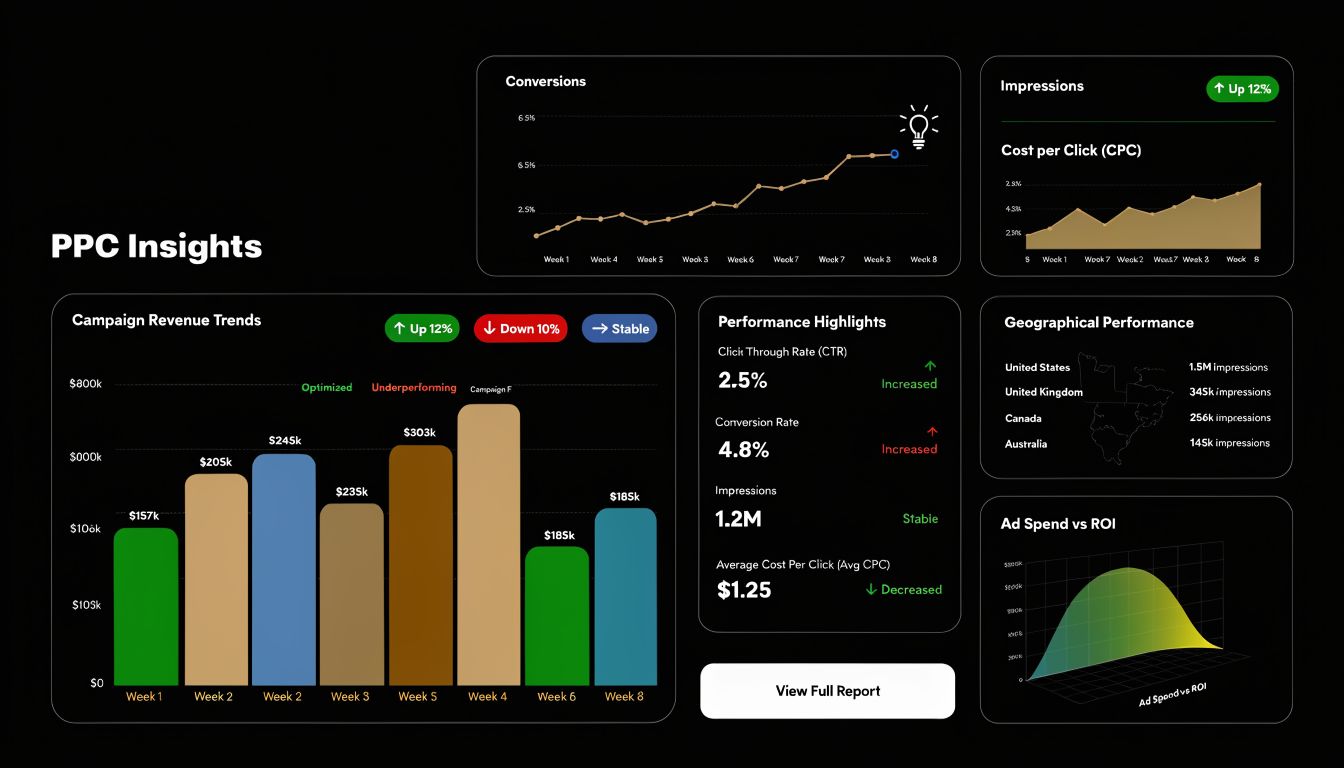
I group competitor metrics into four buckets. Presence, overlap, position, and message. If a change does not affect one of those four, it usually does not deserve immediate attention.
Impression share shows who is pushing harder
Impression share answers the first question. Who is showing up on the terms that matter?
A rising competitor impression share usually points to one of a few moves:
- Higher budgets
- Stronger bids
- Better ad rank
- More focus on your core keyword set
A drop can mean less budget pressure, but it can also mean the competitor narrowed their targeting to a smaller, more profitable segment. Check whether the decline is broad across campaigns or limited to one theme, geo, or device before you react.
Overlap rate tells you where the fight is spreading
Overlap rate is one of the fastest ways to see whether a rival is drifting into your territory or committing to it.
If overlap climbs across your highest-intent campaigns, review search terms, match types, and campaign boundaries. If it climbs only in a secondary cluster, the right move may be containment instead of escalation. That is a real trade-off. Protecting every edge term can waste budget that should stay on proven revenue drivers.
Outranking share shows who is winning the auction
Outranking share is the cleanest measure of competitive pressure because it gets past theory. If a competitor is outranking you day after day on profitable terms, you are losing visibility where buying intent is strongest.
Use shifts in outranking share to decide what to inspect next:
| Signal | What it may mean | What to check next |
|---|---|---|
| They outrank you more often | More aggressive bidding, stronger relevance, better landing page alignment | Query mapping, ad copy, landing page message, bid strategy |
| You outrank them more often | Their pressure eased, or your relevance improved | Whether the gain holds across themes or only one segment |
| Movement is isolated | A targeted promo, test, or seasonal push | The exact keyword cluster, device split, and landing page |
Teams that want this analysis to feed account changes without another manual handoff often add a google ads mcp layer so auction changes can trigger broader review and downstream actions.
Ad copy changes explain the strategy behind the numbers
Auction metrics show pressure. Copy changes usually explain the motive.
If a competitor starts repeating a new claim across multiple ads, pay attention to the pattern. Look for shifts such as:
- A feature they barely mentioned before
- A stronger guarantee
- A price or discount hook
- Faster setup or implementation
- Industry-specific language aimed at one segment
One ad variation is not enough to justify a response. Repeated message changes, paired with a matching landing page, usually signal a real test or a repositioning effort.
Many PPC managers waste time. They react to wording instead of intent. The better move is to ask what behavior the competitor is trying to change. Are they trying to raise CTR with a promotion, improve lead quality with niche positioning, or defend against price objections? That answer determines whether you need a new ad angle, tighter negatives, or no response at all.
Search query patterns often reveal expansion before other reports do
Your own search term report is often the earliest useful source of competitive movement, especially when a rival expands into adjacent themes that are not obvious from headline metrics.
Watch for:
- Core terms getting more crowded
- New modifiers that suggest a different buying stage
- Long-tail themes adjacent to your main campaigns
- Repeated low-intent queries that should become negatives
- Commercial phrasing that matches a competitor’s updated message
This is also where Keywordme becomes operational, not just observational. If new query patterns start matching a competitor push, map those terms to clusters inside your account, decide which ones deserve coverage, and push the right response into Google Ads. That could mean building a new ad group, rewriting ad copy around the pressure point, splitting budgets by theme, or adding negatives to keep weaker campaigns from absorbing the traffic.
If you want a stronger read on the report itself, this guide to Auction Insights in AdWords is a useful companion.
A quick walkthrough helps if you want to see how practitioners read these kinds of signals in context:
Ignore motion that does not force a decision
Competitive monitoring gets expensive when every fluctuation becomes a meeting, a rewrite, or a bid change.
Treat a move as actionable only when it matches one of these patterns:
- Sustained pressure on high-intent terms
- Repeated copy changes around one value proposition
- Landing page repositioning that supports the ad message
- Wider overlap across multiple important campaigns
- A measurable efficiency drop in your account while their presence rises
That filter matters. Good competitor monitoring does not mean mirroring every move. It means spotting the changes that affect your auction position, your traffic quality, or your conversion path, then responding with enough speed and precision to protect margin.
Set Up Your Automated Monitoring System
Manual checks are fine when you inherit a small account or want to investigate a specific rival. They break once the account grows, the product line expands, or several competitors start shifting at the same time.
At that point, you need an always-on system. Not a huge one. Just something that catches important changes before they become expensive.
According to Flipflow’s overview of competitive monitoring strategies, proactive monitoring through automated tools can yield 25% to 40% better market responsiveness, and top-performing teams generate more than 12 actionable insights per month, leading to an 18% boost in conversions when they react quickly to competitor moves.
Build tripwires, not dashboards for their own sake
A lot of teams overengineer this. They build a reporting layer so large that nobody checks it unless there’s a monthly review.
That’s backward. The monitoring system should interrupt you only when something important changed.
Set alerts around events like:
- A competitor starts appearing more often on core campaigns
- Their ad copy changes across multiple ads
- A pricing or promo page changes
- Their landing page headline shifts
- A recurring search theme starts spiking in your own query data
Use a stack with clear jobs
Different tools should do different work. Don’t ask one platform to solve the entire problem.
A simple stack often looks like this:
| Tool type | Job | Good use case |
|---|---|---|
| Google Ads reports | Auction visibility checks | Impression share, overlap, outranking movement |
| Page change monitors | Landing page and pricing alerts | Promo updates, offer changes, new value props |
| Ad libraries and ad spy tools | Creative and message monitoring | Search, display, social ad changes |
| Search term workflows | Query-level pattern detection | Negatives, expansion themes, intent drift |
You don’t need every category on day one. You need enough coverage to avoid being surprised.
What to alert on weekly and what to alert on immediately
This split matters because not all competitor data deserves instant attention.
Alert immediately when:
- A rival changes pricing language or launches a visible promo
- Their ads switch to a new message across core terms
- A high-value campaign sees a sharp shift in who outranks you
Review weekly when:
- Overlap trends rise gradually
- New indirect competitors appear
- Search themes expand at the edges
- Landing pages evolve without a clear offer change
If every alert is urgent, none of them are. Set thresholds around commercial impact, not curiosity.
Keep ownership painfully clear
The easiest way to ruin a monitoring system is to make it everybody’s job.
Assign roles like this:
- PPC lead: reviews auction movement and approves bid or structure changes
- Analyst or specialist: validates whether the change is real or a blip
- Creative or CRO partner: reviews ad copy and landing page implications
- Account owner: decides whether to act now, test later, or ignore
Without an owner, alerts pile up and become background noise.
Log only what leads to action
Your monitoring sheet or dashboard doesn’t need to become a history book. Keep a short change log with five fields:
- What changed
- Which competitor moved
- Where it showed up
- Why it matters
- What action was taken
That final field is the one that matters. If the answer is always blank, the system isn’t helping. It’s decorating.
Turn Insights into Action with Keywordme
Most competitor monitoring advice dies right before the useful part. It tells you how to notice a move, then leaves you sitting there with a screenshot, a note, and no workflow.
That gap is where PPC teams burn time.

The reason action matters so much is straightforward. Effective monitoring can reduce wasted ad spend by 20% to 35% through proactive negative keyword automation, and it helps marketers refine bidding and keyword strategy by identifying which pages and terms competitors are successfully promoting, according to Prowly’s competitive monitoring guide.
Scenario one, a competitor moves upmarket in their messaging
Say a competitor starts pushing a premium angle in their ads. Their headlines shift from generic claims to feature-specific language. Their landing page follows with stronger qualification cues.
A weak response is copying the ad angle.
A better response is asking two questions:
- Which search terms in your account now look less qualified for your offer?
- Which terms deserve tighter segmentation because the market message is splitting?
Keywordme naturally fits into the process. If you spot a competitor shift, you can use it to sort real search terms quickly, clean out junk traffic, assign match types, and build negative keyword lists in bulk from the terms that no longer fit the campaign intent. That matters because competitor moves often expose structure problems in your own account more than they create copy problems.
Scenario two, a rival leaves long-tail demand exposed
This happens all the time. A competitor gets aggressive on broad commercial terms, but their coverage on long-tail, high-intent searches stays thin.
That’s your opening.
Instead of fighting harder on the broad head terms, pull the search term clusters around those intent pockets and split them into cleaner ad groups. A competitor may be dominating surface-level visibility while still ignoring the exact phrasing that converts best.
Scenario three, their promo is attracting the wrong clicks into your account
Sometimes a rival launches a discount or limited-time hook and your search term report starts filling with price-sensitive noise.
That’s not just annoying. It’s a signal to act fast.
Do three things in order:
Identify the affected query patterns
Look for modifiers tied to discount intent, free expectations, or promo hunting.Separate salvageable traffic from bad-fit traffic
Not every pricing term should become a negative. Some belong in a dedicated lower-funnel campaign.Apply negatives in bulk
Speed matters here. If you wait, the waste compounds across campaigns.
Working rule: Competitor intelligence is only valuable when it changes keyword inclusion, keyword exclusion, bid posture, or message alignment.
Don’t answer every competitor move with a bid increase
This is one of the most expensive habits in PPC.
When a rival gets louder, many managers react with the bluntest tool available. They raise bids. Sometimes that’s warranted. Often it isn’t.
A stronger response may be:
- tightening match types,
- isolating stronger queries,
- removing weak traffic,
- splitting intent-heavy ad groups,
- or rewriting ads to meet the user more directly.
That’s why the best use of competitor monitoring is usually structural, not emotional.
A simple action map for competitor signals
| Competitor signal | Weak response | Strong response |
|---|---|---|
| New promo language | Match their wording immediately | Review search intent, add negatives, isolate promo-seeking traffic |
| Broader keyword coverage | Expand broadly too | Build focused ad groups from proven search term clusters |
| Premium positioning | Copy premium claims | Re-segment traffic by intent and tighten ad relevance |
| Landing page shift | Rewrite homepage ads only | Align keyword grouping, ad copy, and destination page logic |
The five-minute rule after an alert
When a monitoring alert lands, don’t open five tools and start wandering. Use a short sequence.
- Check where the change appeared
- Confirm whether it touches revenue-driving campaigns
- Review your search terms for related pattern shifts
- Decide whether the right move is exclusion, expansion, or message change
- Push the account update before the insight goes stale
That’s what closes the loop. Monitoring the competition becomes useful when it feeds your Google Ads workflow without adding another hour of admin work.
Your Competitor Reporting Cadence and Checklist
Competitive monitoring falls apart when it depends on memory. If the team only reviews competitor activity when performance drops, the process is already broken.
You need a cadence that’s light enough to keep doing and strict enough to produce action.
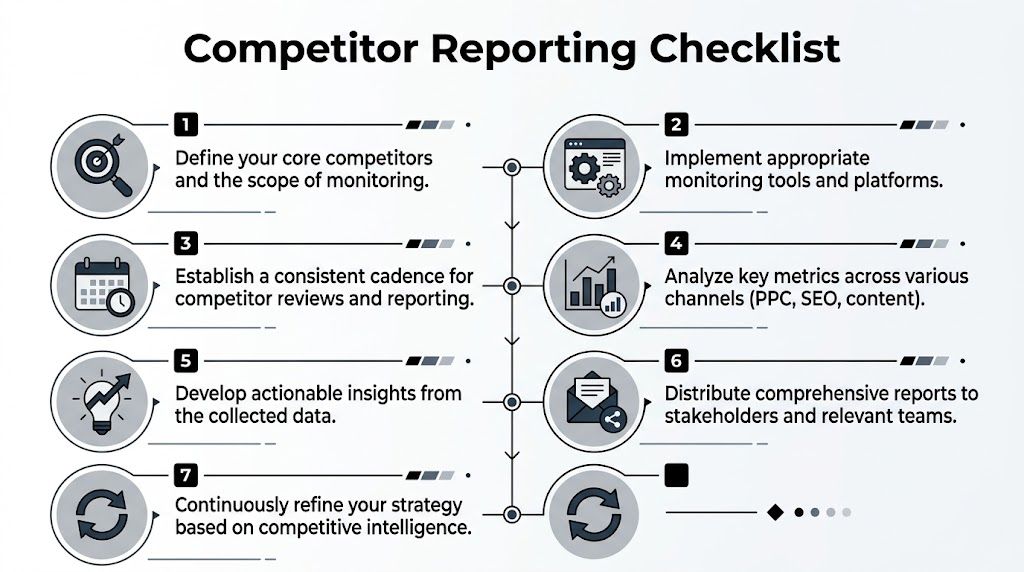
Weekly review for tactical moves
The weekly review should be short. If it takes an hour and a half, it won’t survive a busy month.
Use it to answer one question. What changed in the last week that deserves a campaign-level response?
A clean weekly checklist looks like this:
Auction pressure check
Review impression share, overlap, and outranking shifts for priority campaigns.Ad message review
Note any repeated changes in competitor headlines, offers, or extensions.Landing page scan
Check for visible page or promo changes on top competitors’ money pages.Search term inspection
Look for new themes, low-fit queries, and commercial modifiers worth isolating or negating.Action log update
Record what changed and what the account team decided to do about it.
Weekly reporting should end with assigned actions, not observations.
Monthly review for strategic patterns
The monthly review is different. It shouldn’t rehash the weekly notes one by one. It should look for patterns.
Ask:
- Which competitors are becoming more aggressive in core categories?
- What message themes keep recurring?
- Are new indirect competitors entering the same searches?
- Is your account structure still aligned with the market’s current intent?
- Which repeated search term patterns suggest expansion or exclusion opportunities?
This is the level where competitor monitoring starts influencing roadmaps, not just optimizations.
A reporting template that people actually use
The best report isn’t the most detailed one. It’s the one your team will open, understand, and act on.
Here’s a practical format.
| Section | What goes in it | Why it matters |
|---|---|---|
| Top competitor changes | The few moves that mattered most | Keeps attention on signal, not noise |
| Impact on our campaigns | Where pressure showed up | Connects competitor behavior to account reality |
| Actions taken | Negatives, ad updates, bid changes, restructuring | Proves the process affects execution |
| Open questions | Unclear shifts worth watching | Prevents rushed overreactions |
| Next review focus | What to monitor next week or month | Keeps the system forward-looking |
If you need a broader reporting structure to pair with this, this guide to pay per click reporting is a solid companion because it helps frame competitor insight inside normal PPC reporting instead of treating it as a separate side project.
What agencies and in-house teams should handle differently
The cadence should stay similar, but the audience changes how you present it.
Agency teams should emphasize:
- competitive changes affecting client spend,
- clear account actions taken,
- and what needs approval versus what can be executed immediately.
In-house teams should emphasize:
- market positioning shifts,
- product or pricing signals,
- and where PPC findings should inform sales or landing page updates.
One mistake both sides make is overreporting screenshots and underreporting decisions.
The meeting agenda that keeps this useful
A competitor review meeting should be fast and slightly unforgiving. If there’s no decision to make, there’s probably no reason to meet.
Use this agenda:
- What changed that matters
- What changed that looks noisy
- What we already acted on
- What still needs a decision
- Who owns the next follow-up
The best competitor report is a management tool for action, not a scrapbook of rival ads.
Copy-paste checklist for your team
If you want a simple operating rhythm, use this:
- Every week: Check priority competitors, auction movement, ad shifts, landing page changes, and search term patterns.
- Every month: Summarize repeating themes, structural risks, and account opportunities.
- Every quarter: Rebuild the watchlist and remove competitors that no longer matter.
- After every meaningful change: Document the action taken and the result observed.
That’s enough structure to keep monitoring the competition from becoming another abandoned dashboard. It turns the process into habit, and habit is what protects accounts when the auction gets messy.
If you want a faster way to turn competitor signals into keyword actions inside Google Ads, Keywordme gives you a practical workflow for cleaning search terms, building negatives, assigning match types, and expanding ad groups without the usual copy-paste mess.
.svg)