
A Modern Playbook to Manage Adwords Campaigns
A Modern Playbook to Manage Adwords Campaigns


If you want to get a real handle on your Google Ads campaigns, everything starts with a logical, scalable account structure. This isn't just some administrative busywork; it's the foundation for everything that follows. How you set things up from the jump will dictate how you control budgets, target keywords, and measure what’s actually working.
Get it right, and your account will be intuitive and easy to manage. Get it wrong, and you're pretty much guaranteed to waste money.
Building An Account Structure That Actually Works

Before you even dream of writing killer ad copy or digging into keyword research, you have to nail your account structure. Think of it like building a house—you can't start hanging pictures before the foundation is poured and the walls are up. A solid structure makes every other task, from budget allocation to reporting, infinitely simpler.
The main goal here is to create a hierarchy that mirrors your actual business. This means your campaigns should line up with your main product categories, services, or even the different cities or countries you operate in. That logical separation is what gives you real, granular control.
Aligning Campaigns with Business Goals
Your top-level campaigns need to be broad, but distinct from one another. Let's say you run an e-commerce store that sells athletic apparel. A smart setup would involve separate campaigns for "Running Shoes," "Workout Clothes," and "Gym Accessories."
Structuring it this way immediately lets you assign different budgets to each category. Maybe your running shoes have the best profit margins, so you want to push them harder. Easy. Got too much inventory of workout clothes? Bump up that campaign's budget for a bit.
Inside each campaign, you then create ad groups. This is where you zoom in. Following our example, the "Running Shoes" campaign could be broken down into ad groups like:
- Men's Trail Running Shoes
- Women's Road Running Shoes
- Cushioned Running Sneakers
This level of segmentation is key. It ensures the keywords inside each ad group are super tight, which is absolutely critical for writing relevant ad copy. When someone searches for "women's road running shoes," you can serve them an ad that speaks directly to that query, not a generic ad about footwear.
SKAGs vs. Themed Ad Groups
A big debate in the PPC world has always been how to best structure these ad groups. For years, Single Keyword Ad Groups (SKAGs) were the gold standard. The concept was simple: one keyword per ad group. This let you create perfectly tailored ad copy and landing pages, giving you maximum control and often leading to a sky-high Quality Score.
But let's be real. As Google Ads has evolved with more machine learning and broader match types, SKAGs have become a massive headache to manage. Creating and maintaining thousands of individual ad groups just isn't realistic for most advertisers.
Today, the smarter approach is to use tightly themed ad groups. Instead of a single keyword, you group a small, closely related cluster of keywords. For instance, one ad group might contain "men's trail running shoes," "best trail runners for men," and "men's off-road running sneakers."
This method gives you the best of both worlds. It keeps your ads highly relevant to the search query, but in a way that’s far more manageable. You can still write specific, compelling ad copy that nails the user's intent without drowning in an ocean of SKAGs. For most of us in the trenches, this is the most effective and efficient way to get things done.
Nailing Your Keyword Strategy and Match Types
Alright, so your account is neatly structured. That’s a great start, but it’s the keywords that actually put your ads in front of people. This is where the magic—and the money—happens.
Get this part wrong, and you're basically lighting your budget on fire with irrelevant clicks. But with a smart, thoughtful strategy, you’ll pull in qualified traffic that's actually looking for what you sell. Think of it as learning to speak your customer's language. You need to go beyond the obvious terms and dig into the high-intent phrases people are really typing into that search bar.
Finding Keywords That Actually Convert
The goal isn't just to find any keywords; it's to find the right ones. Kick things off with the foundational terms for your product or service, then get a little creative and expand from there.
Let's say you sell "custom mechanical keyboards." That's your seed term. Now, put yourself in the searcher's shoes. What are they thinking?
- Just browsing (Informational): "what are the best switches for gaming"
- Doing their homework (Commercial): "custom mechanical keyboard vs prebuilt"
- Ready to buy (Transactional): "buy 65% hot-swappable keyboard"
Those transactional and high commercial-intent keywords? That’s where the gold is. These are the people with their credit cards out, not the ones just kicking tires.
The Power of Match Types
Once you've got a solid keyword list, you need to tell Google how strictly to follow it. This is where match types come in, and getting the balance right is everything. A sloppy approach here will have you showing up for all sorts of unrelated searches, draining your budget fast.
Each match type gives you a different level of control. If you want to really get into the nitty-gritty, we've got a full guide on Google Ads keyword match types that breaks it all down.
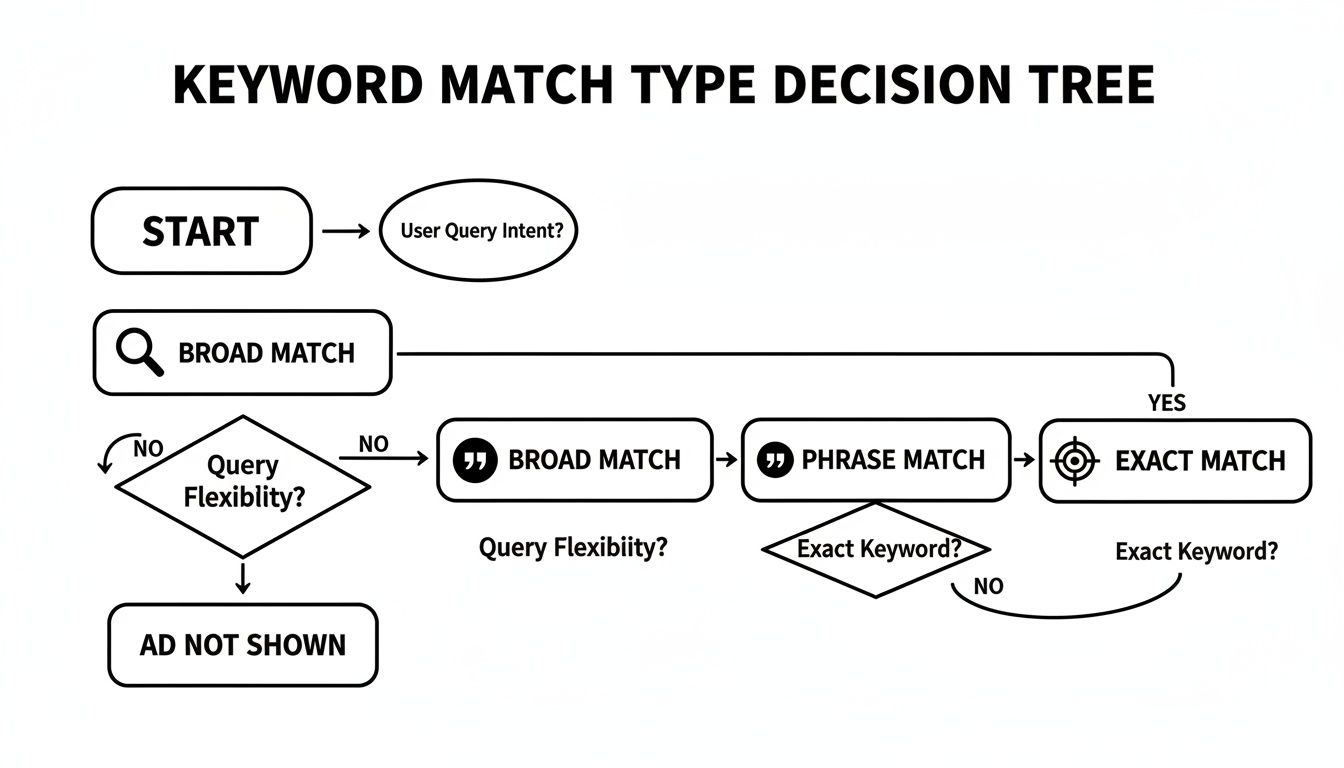
Here's a simple way to think about it: Broad match is like casting a giant fishing net. You'll catch a ton of stuff, but most of it won't be what you want. Exact match is like spear fishing—you're aiming for one specific fish, giving you total precision but limiting your reach.
Choosing the right match type is a strategic decision that directly impacts your budget and traffic quality. This table should help clarify when to use each one.
Strategic Guide to Keyword Match Types
A clear breakdown of when to use each match type to maximize traffic quality and control your ad budget.
For most advertisers, especially when starting out, sticking with Phrase and Exact match is the safest and most effective play. It gives you a strong foundation of controlled, high-quality traffic. You can always experiment with Broad match later on, but only if you’re ready to watch your search terms report like a hawk.
Negative Keywords: Your Campaign's Best Friend
Speaking of watching your reports, your negative keyword list is one of the most powerful tools in your entire Google Ads arsenal. These are simply the terms you don't want your ads to show up for. Every single irrelevant click you prevent is pure profit saved.
To truly get the most out of your campaigns, you have to be proactive here. Building out comprehensive negative keyword lists isn't optional; it's a core part of running a tight ship and slashing wasteful spending.
Let's go back to our keyboard example. What kind of searches would be a complete waste of money?
freeDIYrepairjobsused
Someone searching for "mechanical keyboard repair" is not your customer. By adding "repair" as a negative keyword, you instantly stop paying for that click. Your Search Terms Report is a goldmine for finding these budget-killers. Make it a weekly habit to dig in there and add new negatives.
Crafting Ads That People Actually Want to Click
Your ad copy is the critical link between someone’s search and your landing page. I like to think of it as a 30-second elevator pitch. If it’s bland and generic, it’s going to get ignored. But if you can nail the searcher's problem and instantly offer the solution, you've just earned yourself a high-quality click.
This is all about mirroring the user's intent. Someone frantically searching "emergency roof repair" doesn't care about your company's founding story. They need to know if you're fast, reliable, and available right now. Your headline and description have to scream that value proposition from the get-go.
Writing Headlines That Resonate
Honestly, your headline is 80% of the battle. It's the first thing people see and, frankly, often the only thing they'll read before deciding to click or scroll past. Don't just state what you sell; focus on the user’s pain point or what they’re trying to achieve.
A headline like "Durable Hiking Boots" is fine, I guess. But "Boots for All-Day Comfort on the Trail" speaks directly to a real benefit. See the difference? You're not just selling a product; you're selling a better experience.
One of the best ways to sharpen your own copy is to see what’s working for others. I always recommend checking out a variety of compelling ad copy examples to get a feel for headlines and descriptions that really hit the mark.
The Power of Ad Extensions
Ad extensions are my secret weapon for dominating the search results page. They make your ads bigger, pack in more useful info, and make them way more clickable—and here's the best part: they don't cost you a single extra cent per click.
Think of them as free ad upgrades. Using them well can give your Click-Through Rate (CTR) a serious boost, which in turn helps your Quality Score.
If you’re not using these, you’re leaving money on the table. Here are the must-haves:
- Sitelink Extensions: These are extra links that pop up under your main ad. You can point people to specific pages like "Pricing," "Contact Us," or a popular product category. They get users where they want to go, faster.
- Callout Extensions: These are short, punchy snippets of text that highlight your value. Think "Free Shipping," "24/7 Customer Support," or "Money-Back Guarantee." They aren't clickable, but they add some serious persuasive power.
- Structured Snippets: This extension lets you show off aspects of your products or services in a neat list. For example, a hotel might list "Amenities: Free Wi-Fi, Pool, Gym." It’s a great way to give users key details at a glance.
Pro Tip: Google's algorithm plays favorites with extensions. It decides when to show them based on your ad rank. The better your Quality Score and bid, the more likely your extensions will appear. Make a habit of using them—it signals to Google that you’re providing a great user experience.
Strong ad copy and smart use of extensions are fundamental to seeing a solid Return on Ad Spend (ROAS). For context, 2025 benchmarks show businesses typically earn $2 for every $1 invested on Google Ads, reaching an audience that covers 90% of internet users. Yet, I see so many advertisers fall behind by sticking to manual bidding and letting junk search terms eat their budget. This is especially painful with the 5.13% rise in cost-per-lead we've seen. Effective management, whether through diligent work or smart tools, makes all the difference.
Choosing the Right Bidding and Budget Strategy
Alright, let's talk about the money. How you set your bids and manage your budget is the difference between a smart investment and just, well, spending. It’s easy to get lost in the jargon of Google's automated bidding strategies, but picking the right one is what makes the algorithm work for you, not against you.
Think of it this way: your budget is the fuel, and your bidding strategy is the engine. You need both working in harmony to actually get somewhere. A poorly chosen bid strategy can burn through your cash with little to show for it, even if you have a massive budget.
Decoding Automated Bidding Strategies
Google's Smart Bidding is incredibly powerful, but it's not a magic "set it and forget it" button. You have to feed it the right data and, more importantly, choose the strategy that actually matches your business goals. Each one is designed for a specific outcome.
Here’s a quick rundown of the big three and when I've seen them work best:
Maximize Conversions: This one does exactly what it says on the tin. It aims to get you the most conversions possible within your daily budget. It's a great starting point for new campaigns where you're focused on volume and don't yet have enough data for a specific cost-per-acquisition target.
Target CPA (Cost Per Acquisition): Once you know how much you're willing to pay for a lead or sale, this is your go-to. You tell Google, "I don't want to pay more than $50 per conversion on average," and it will adjust bids to hit that number. This strategy is a lifesaver for lead generation campaigns where every lead has a similar value.
Target ROAS (Return On Ad Spend): This is the holy grail for e-commerce. Instead of a cost per action, you set a target return. For example, a 400% Target ROAS means you want to make $4 for every $1 you spend. It's incredibly effective but requires accurate conversion value tracking to work properly.
To make any of these work, you absolutely need rock-solid conversion tracking. Without that data, the algorithm is just flying blind.
Setting a Budget That Makes Sense
One of the most common pitfalls I see is setting a daily budget that's way too low. If your average cost-per-click is $3, a $15 daily budget means you’re tapping out after just five clicks. That’s not nearly enough data for you or for Google to learn anything meaningful.
A good rule of thumb is to set a daily budget that allows for at least 10-20 clicks per day for your most important campaigns. This gives you a baseline of traffic to start making informed decisions.
It’s also crucial to understand where the ad spend is going. In 2025, Search campaigns are expected to capture 56.2% of total Google Ads investments, which shows just how vital they are. While industry benchmarks hover around a $0.73 CPC, this varies wildly. Many advertisers are still stuck on manual bidding, which has been dwarfed by automated strategies like Maximize Conversions and Target ROAS, each accounting for about a third of the spend.
The key is to avoid wasting that budget on junk terms, a problem that tools like Keywordme solve by automating negative keyword builds and helping you exceed the typical 38% impression share. To see how these benchmarks break down, you can discover more insights about 2025 Google advertising trends.
Ultimately, your PPC bid management is an ongoing process of testing and adjusting. Don't be afraid to shift your budget from underperforming campaigns to your winners. It’s not about spending more; it’s about spending smarter. Start with a realistic budget, choose a bid strategy that aligns with your goals, and let the data guide your next move.
Your Rhythm for Ongoing Campaign Optimization

Here's the thing: launching your campaign is just the starting line. The real wins—and the real profits—come from getting your hands dirty with consistent, thoughtful optimization. To really manage Google Ads campaigns well, you need a routine. A rhythm. This keeps you on top of what’s happening without getting lost in every little up and down.
This isn’t about gluing your eyes to the dashboard 24/7. It's about knowing exactly what to look for, when to look, and what to do with the information you find. If you can build a repeatable workflow, you’ll turn your campaigns from a potential money pit into a money-making machine.
Your Weekly Campaign Check-In
Your weekly review is your bread and butter. It's often enough to spot trouble before it gets out of hand, but it also gives the data enough time to actually mean something. Think of this less as a deep-dive analysis and more as a focused, high-impact health check.
The main goal here is to trim the fat and pour more fuel on the fire. And the single best place to start is your Search Terms Report. I’m not exaggerating when I say this report is a goldmine—it shows you the exact queries people typed that triggered your ads.
Every single week, I'm in this report looking for two things:
- Find Negative Keywords: I'm hunting for any irrelevant searches that are eating my budget. If I'm selling "men's leather boots," I absolutely do not want to pay for clicks from searches like "leather boot repair" or "free boot images." The second I see them, "repair" and "free" get added to my negative keyword list. Done.
- Discover New Keywords: You'll often find high-intent, long-tail keywords you never would have thought of. A search for "waterproof leather work boots for winter" is a fantastic find. That’s probably getting added as a new phrase match keyword to the right ad group immediately.
This simple weekly habit is one of the highest-leverage things you can do. It directly cleans up your traffic quality and plugs budget leaks.
Monthly and Quarterly Strategic Reviews
While your weekly checks are all about tactics, your monthly and quarterly reviews are for looking at the big picture. This is when you zoom out and ask, "How are we really doing against our business goals?" Are you actually hitting your Target CPA? Is your ROAS moving in the right direction?
Don't get fooled by vanity metrics like clicks or impressions. The only numbers that truly matter are the ones tied to your bottom line: Cost Per Conversion, Conversion Rate, and Return On Ad Spend (ROAS).
During your monthly review, start analyzing performance at the campaign and ad group level. See an ad group with a high spend but zero conversions for the month? It might be time to pause it. On the flip side, if a campaign is crushing its ROAS target, you should seriously consider giving it more budget to run with.
Your quarterly review is even more strategic. Look for the long-term trends. How did this quarter stack up against the last one? Are you seeing any seasonal patterns you can get ahead of next year? This is also the perfect time to test bigger swings, like a new landing page design or a fundamentally different offer, to unlock the next level of performance.
A Simple Optimization Checklist
To keep yourself honest and efficient, a checklist is your best friend. It makes sure you don’t skip a crucial step and keeps your weekly process tight.
Here’s a simple checklist to guide your weekly tasks and help you build that crucial optimization muscle.
Your Weekly PPC Optimization Checklist
Following this rhythm—quick tactical checks weekly and deeper strategic dives monthly—is the absolute foundation of successful campaign management. It turns optimization from a chaotic, reactive scramble into a proactive, data-driven process that just works.
Got Questions About Managing Your Google Ads Campaigns?
Look, even the most seasoned pros run into head-scratchers. When you’re managing Google Ads campaigns, you're playing in a live environment where things can change in a heartbeat. It's totally normal to have questions pop up.
Let's walk through some of the most common issues that trip people up. Getting these fundamentals right will save you a ton of time, budget, and late-night stress.
How Often Should I Actually Check My Campaigns?
This is the classic "it depends" question, but I can give you a practical rhythm that works for most accounts. The key is to find that sweet spot between obsessive micromanaging and letting things run wild for too long.
When a campaign is brand new, you need to be in there daily for the first week. No exceptions. This is when you'll catch the big, budget-draining mistakes—ads getting disapproved, search terms going haywire, or spend running way too hot. Catching these early is everything.
After that initial week or two, once things have settled down and you have some data to work with, you can ease up. A solid check-in two to three times per week is perfect. It’s frequent enough to spot developing trends and make smart adjustments without overreacting to the normal daily ups and downs.
What’s a "Good" Click-Through Rate, Anyway?
Everyone asks this, hoping for a magic number. But honestly, asking for a "good" CTR is like asking "how long is a piece of string?" It varies wildly depending on your industry, the keywords you're bidding on, and where your ad shows up on the page. You might see articles quoting a 2-3% average, but that number is practically useless without context.
The only benchmark that truly matters is your own. Is your CTR getting better over time? That's the real measure of a healthy campaign.
Think of CTR as a diagnostic tool, not a vanity metric. If you see a keyword pulling a super high CTR—say, 10% or more—that's a fantastic sign that your ad copy is perfectly in sync with what the searcher wants. On the flip side, a consistently low CTR (under 1%) is a red flag. It’s telling you there’s a mismatch, either with your ad copy or the audience your keywords are attracting.
Help! Why Are My Ads Not Getting Any Impressions?
It’s the worst feeling. You've poured hours into building a beautiful campaign, you hit "enable," and... crickets. Just a flat line of zero impressions. Before you panic, run through this quick troubleshooting list. It's usually one of a few common culprits.
- Your bids are too low. This is the most frequent reason. If your competitors are bidding $5 for a click and you're at $1, you might not even make it into the auction.
- Your budget is strangling the campaign. With a tiny daily budget in a competitive space, Google might just decide not to show your ads at all, predicting that one or two clicks would wipe you out for the day.
- Your Quality Score is in the gutter. Ad Rank is a mix of your bid and your Quality Score. If your Quality Score is terrible, you'll need to bid way higher just to be seen—and sometimes, Google won't show your ad at all if it's low enough.
- You've targeted yourself into a corner. It's surprisingly easy to get too specific with location, audience, or device settings. Double-check that you haven't accidentally told Google there's nobody to show your ads to.
- Something got disapproved. Always, always check for policy flags on your ads or keywords. A simple disapproval can bring an entire ad group to a dead stop.
Should I Dare to Use Broad Match Keywords?
My advice here is pretty straightforward: use Broad Match with extreme caution. Google has been pushing it hard, especially paired with their Smart Bidding strategies, promising that its AI can figure out which searchers are relevant.
And while that can work for massive, mature accounts with tons of conversion data, it’s a fantastically quick way for most advertisers to burn through their entire budget on irrelevant junk. You just give up too much control, which is a massive risk when you're trying to be efficient.
A much smarter, safer approach is to build your campaigns on a solid foundation of Phrase and Exact match keywords. This puts you in the driver's seat, ensuring your money is spent on clicks that actually have a chance to turn into customers. To get a better handle on how this fits into the bigger picture, it's worth reading up on the fundamentals of PPC campaigns.
If you’re dead set on experimenting with Broad Match, treat it like a quarantined science experiment. Put it in its own campaign with a strict, limited budget, and get ready to be ruthless with your negative keywords. You'll need to live in your Search Terms Report daily, weeding out all the garbage queries it inevitably matches to.
Ready to stop wasting time on manual keyword tasks and start optimizing your campaigns up to ten times faster? Keywordme integrates directly into your workflow, allowing you to clean junk terms, expand with high-converting keywords, and assign match types in a single click. Start your free seven-day trial and see the difference at https://www.keywordme.io.
.svg)