
Keywords with Low Search Volume: Keep, Pause or Expand
Keywords with Low Search Volume: Keep, Pause or Expand


Most PPC advice treats keywords with low search volume like clutter you should pause on sight. A tiny monthly count, the story goes, can't pay for the click. That shortcut saves a meeting and throws away the searches that name the product, the suburb, and the problem in one line.
A single quiet phrase rarely looks worth a bid. A cluster of related phrases, judged together on intent and conversions, often does. Volume is a measurement problem, not a verdict on the person searching.
Say you sell emergency plumbing. "Burst pipe tonight" can look empty in a planner and still be someone who wants a van on the way. Kill it for a small count and you never meet the cousins sitting next to it. I would rather keep a thin converting cluster than feed one crowded head term that spends the daily budget before lunch.
Keep, Pause or Expand Decision Rules for Every Low-Volume Term
You need a scan sheet, not another debate about whether small keywords are "worth it." Each row assumes you already know your target cost per acquisition, the most you can pay for one conversion and still make the numbers work. Read the last 30 to 60 days, not a hunch from last quarter.
| Situation | Signal to watch | Action |
|---|---|---|
| Converting at target cost per acquisition | At least one conversion in 30 days, cost within target | Keep and bid normally |
| Relevant but no clicks yet | Clear intent, no clicks after 30 days | Keep for now and check match type and ad relevance |
| Unrelated searches | Search terms show intent that doesn't match the offer | Add a negative keyword, then pause or remove |
| Low volume but converting well | Few searches, steady conversions | Expand with related variants |
| Spending with no results | Cost above threshold, no conversions after about 50 clicks | Pause and review the landing page |
Why a mix beats a volume chase
Google's Keyword Planner guidance calls approximately 10,000 or more average monthly searches "extremely high" volume. Those terms are generally harder to compete for and often carry higher suggested bids. The same guidance tells advertisers starting a campaign to consider mid-level phrases so budget doesn't pile onto a few highly competitive terms.
That's the trade-off that shows up in the account. Head terms can fill the impression graph and still leave you bidding against every similar offer in the auction. Mid-level phrases give you room to learn what the ad and the page can do. Specific phrases, kept only when the intent is real, catch the person who already named the job.
A balanced mix is a budget choice. Keep a few high-volume queries if they convert inside your target. Fill the middle with phrases you can afford to test for a month. Hold the specific ones that already produced a sale, even when the planner looks thin. Chasing the biggest number is how a new campaign spends its learning budget on the same three auctions.
What each action is really doing
Keep and bid normally means the term already earned its place. One conversion inside 30 days, with cost inside target, is enough to stop tinkering with the bid.
Keep for now fits a relevant term with clear intent and no clicks after 30 days. The match type may be too tight, or the ad may never mention what they typed. Fix that before you call the keyword dead.
Add a negative, then pause or remove when the search terms report shows intent that doesn't match the offer. A job-seeker query on a product campaign is junk, not a slow starter.
Expand with related variants when a low-volume term converts steadily. Add close wording in the same intent. Don't pad the ad group with longer strings that only share one noun.
Pause and review the landing page when cost sits above your threshold with no conversions after about 50 clicks. The query can be fine and the page can still be the leak.
Practical rule: Decide on evidence from the last 30 to 60 days, and change one thing at a time so you know what moved the result.
Change the bid, or the match type, or the landing page. Not all three on a Tuesday.
What Low Search Volume Really Means in Google Ads
In Google Ads, low search volume is a serving status, not a grade on the keyword.
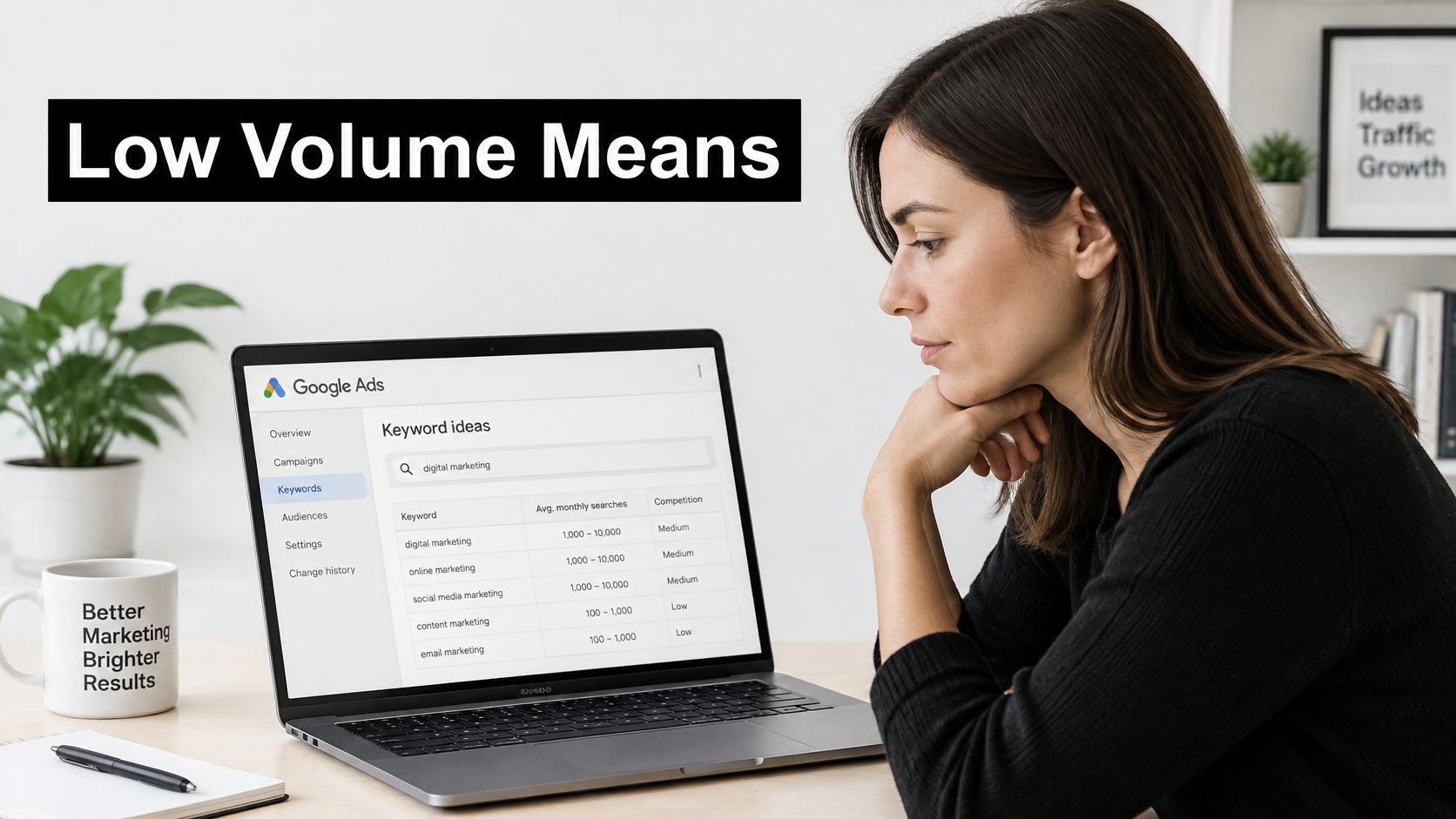
Google's support note on keyword status treats it as a flag for keywords with very little or no recent search history. Google evaluates worldwide searches over the previous 12 months before making the keyword inactive. There is no single permanent number that flips the switch. Think of a shop with quiet hours, not a shop that has closed for good. When searches pick up, even a little, Google can automatically reactivate the keyword and let it enter auctions again. The status gets checked regularly, and advertisers may wait for a later review, commonly about one week.
How the states differ
| Keyword state | What it means | What to do |
|---|---|---|
| Active | Eligible to enter auctions and show ads | Monitor and optimize as usual |
| Low search volume | Little or no recent search history over the past 12 months | Check intent and keep it, since it can reactivate when searches rise |
| Paused by advertiser | Turned off manually and not serving | Review before turning it back on |
Quiet demand shows up for ordinary reasons. A phrase can be seasonal, so winter gear looks dead in July and busy again in October. It can be highly specific, like a model plus a fault plus a city. It can be newly emerging, so last year's history has nothing to report. None of those cases means the intent is worthless. The status only means the keyword may not trigger ads right now.
What the status does not tell you
A paused keyword is your choice. Low search volume is Google's read of recent demand. Mixing those two up is how good phrases get buried in a "cleanup" export and never come back.
Broader or phrase matching can help when the exact string is too narrow, as long as the ad stays relevant and you read the search terms. Planner figures are estimates, and a missing forecast is not the same thing as a dead market. If the numbers in Keyword Planner look softer than your search terms, our note on how Keyword Planner volume lines up with real queries is the comparison worth running before you delete anything.
While you wait on a status review, look at understanding Google Ads Quality Score so a thin keyword isn't also dragging expected click-through rate or landing-page experience. A reactivated term still has to win the auction on relevance, not just on a status change.
The question to ask next is simple. Is this intent worth paying for when it does show up?
Why Hundreds of Tiny Keywords Add Up
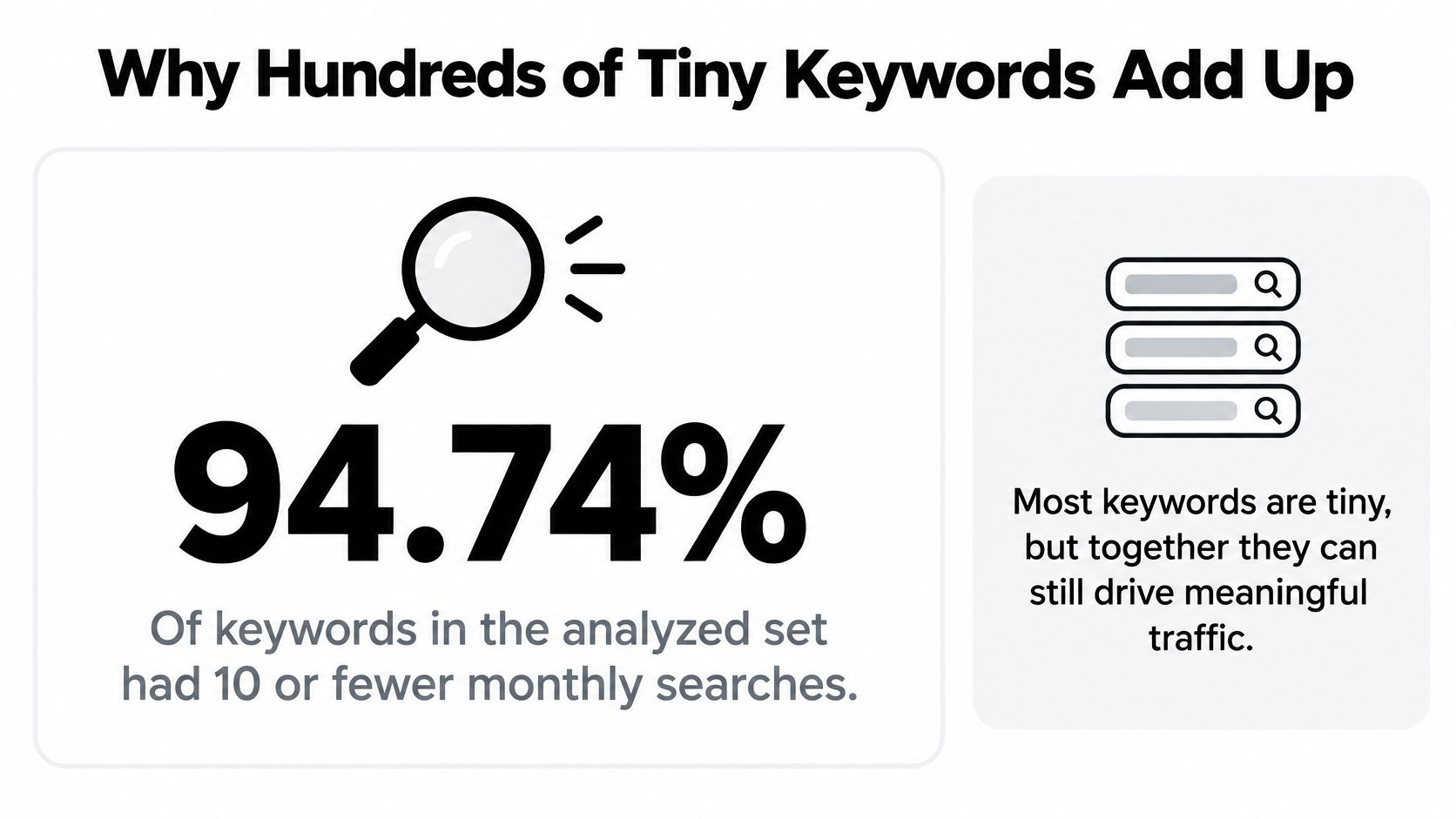
Most keywords are tiny, and that is the part the volume sort hides.
In 2024, 94.74% of keywords in the analyzed dataset had a monthly search volume of 10 or fewer, according to Ahrefs data reported by Contentmation. That figure describes keyword strings, not guaranteed clicks or sales. A separate look at 306 million keywords found that 91.8% of analyzed queries sat in the 1 to 100 searches per month band, yet those terms represented only 3.3% of total search volume, in a 2024 keyword analysis from Increv. A few popular terms hold most of the aggregate demand. Millions of smaller phrases hold the specific need.
A plumbing calendar, not a single query
Picture a plumbing company that only bids on "plumber." The auction is busy, the click is expensive, and half the searches want a quote for a remodel they will book next year.
Now look at the long tail they close:
- Emergency water heater repair might bring two calls a month.
- Tankless water heater leak might bring one.
- A dozen close phrases, each naming a fault, a suburb, or a same-day need, fill the rest of the calendar together.
None of those lines looks like a strategy on its own. Together they are the jobs the van runs. Headline volume metrics miss that pile because each row is small.
History is not the only clock
A phrase with no visible demand last year can be the one climbing this month. New product names, local slang, and fresh faults don't wait for a 12-month average to look respectable. If you only trust last year's chart, you show up after the cluster is already expensive.
Judge low volume by intent, conversions, and how many related terms it covers, not by monthly searches alone.
That is the rule the rest of the account should run on. A pile of small phrases matters when the wording, the place, and the question line up with something you can sell. It wastes time when you treat every rare string as a keyword worth its own bid.
How to Surface Low-Volume Keywords Before They Slip Away
Short date ranges hide the phrases that convert slowly. Pull a wider window, sort by what already sold, then group the leftovers before they fall out of the report.
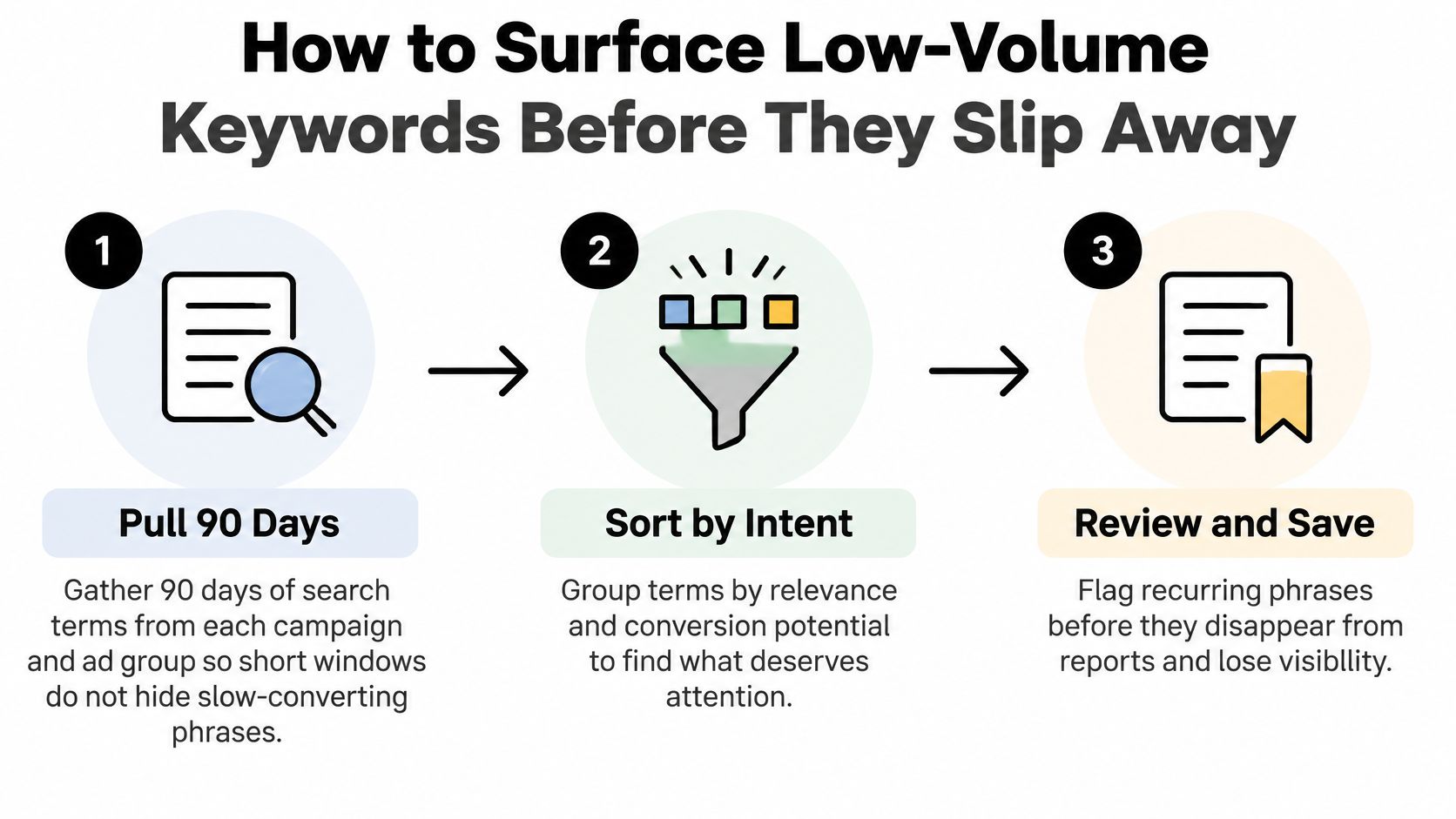
- Pull 90 days of search terms from each campaign and ad group. A 7-day or 14-day view buries a phrase that converts once a month. Ninety days is long enough to see the slow ones and short enough that old offers don't dominate the list.
- Sort by conversions first, then clicks. Flag every term with at least one conversion and a low monthly count. Clicks without conversions stay in a second pile. They are clues, not automatic keywords.
- Check each seed in Keyword Planner. Google's Keyword Planner help calculates average monthly searches from a selected 12-month history, and the figure depends on location and Search Network settings. Volumes are rounded estimates, reported for exact matches. Impression forecasts use your match types and also factor in bid, budget, seasonality, and historical ad quality, so a limited-volume keyword can still forecast different impressions when the match type changes.
- Broaden the input when the planner returns nothing. Very specific, new, or local phrases may not be discoverable or forecastable. An error asking you to try different keywords or URLs is a data gap, not proof of zero demand. Add a related idea, or start from the landing page URL, and read what comes back.
- Group queries into intent clusters. All the emergency-repair phrasings for one service area belong together. "How to fix it myself" does not belong in that group, even if it shares the product name.
- Launch each cluster in one ad group on phrase or exact match, then review it every two weeks. One cluster per ad group keeps the ad specific. Two weeks is enough to see junk without waiting a quarter to notice a winner.
You can run the same six steps in a spreadsheet or in Google Ads Editor. No extra platform is required to start. If you want a second read on competitor queries while you build the seed list, tools like SpyFu are useful for phrases your own account has never triggered.
What a working cluster looks like
A working cluster holds a steady conversion rate as you add variants. The search terms report grows, and you can point at a short list of phrases to pause. If the rate falls as the cluster grows, you widened past the intent. Pull the new variants back out and keep the ones that still convert.
Don't wait for the planner to bless a phrase your search terms already sold. The report is the demand. The planner is the context around it.
Expanding Low-Volume Keywords with Match Types and Variants
Match type is a dial between reach and control. Turn it toward exact and you protect intent. Turn it toward broad and you go looking for wording you didn't write down. For keywords with low search volume, that dial matters more than it does on a head term, because a small shift in phrasing can be the whole month's traffic.

| Match type | Best use for low-volume terms | Main risk |
|---|---|---|
| Exact | Cleanest intent for proven converting terms | Misses close variants, so the term can stay quiet |
| Phrase | Catches word-order changes and added words | Can pull loosely related searches |
| Broad | Finds new phrasings you did not think of | Needs strong negatives and careful bidding |
| Long-tail variant ad group | Gives one proven phrase its own bid and space | More ad groups to maintain |
How the dial behaves
Exact match is the cleanest read of intent and the smallest net. A proven converter belongs here. A brand-new specific phrase can sit silent if people add one extra word, so exact is a poor place to discover demand.
Phrase match is the default I would use for most low-volume variants. It catches word-order changes and added words without inviting the whole category. You still have to read search terms, because "loosely related" shows up here too.
Broad match finds phrasings you didn't think of. It also finds people who share a noun and nothing else. It behaves only when negatives are already in place and bids aren't set like you expect every click to convert.
A long-tail variant ad group takes one phrase that already converts and gives it its own bid, ad, and landing page. Maintenance goes up. Precision goes up with it. Use it when one variant is clearly more valuable than the rest of the cluster, not as a home for every new string.
If you want the match-type mechanics in one place while you set this up, the breakdown of Google Ads keyword match types is the reference to keep open. Forecasts move with the dial as well. Limited volume in the planner can still produce a different impression range once you switch match type, because the forecast follows the matching rules, the bid, and the budget, not the keyword string alone.
A photographer, in order
A freelance photographer wants bookings for wedding photographer Lisbon sunset elopement. Start on phrase match so "sunset elopement photographer Lisbon" and close word-order changes can show. When one variant converts, promote that exact string into its own exact-match keyword. Try broad only after negatives block job boards, stock-photo hunters, and free-shoot requests.
This short walkthrough is the sequencing in practice, not a tour of the interface.
Start tight, widen after evidence, and never widen everything at once. If three ad groups go broad on the same afternoon, you won't know which negatives failed.
Negative Keywords That Keep Low-Volume Terms Honest
Every turn of that dial toward more reach is a leak until you plug it. Wider matching brings searches you didn't intend, and on a small cluster those wasted clicks are a large share of the spend. Negatives are what keep the test honest.
Three places catch most of the waste.
- The search terms report, weekly. Irrelevant intent shows up here before it shows up in a monthly CPA. A week is short enough that a bad theme doesn't get a second invoice.
- Job-seeker and competitor phrases. "Jobs," "salary," "careers," and a rival's brand name rarely belong on a campaign built to sell your offer.
- Free and DIY wording. "Cheap," "free," "template," and "how to make" often signal someone who isn't going to buy.
What changes after the block
A luxury candle seller adds cheap, free, and DIY as negatives. Bargain searches drop out of the report. A cluster of gift-set terms keeps converting, because those searches were never the leak. The campaign didn't get "more volume." It stopped paying for the wrong volume.
Phrase negatives and exact negatives do different jobs. A phrase negative blocks a wider set and suits clear junk, like "free" on a premium product. An exact negative removes one wasteful query that might still matter in another campaign, so you don't ban a useful word everywhere because it was junk once.
The mistake that kills a winner
Over-negating is the failure mode. A broad blocker can shut out a converting variant because it shares one word with a bad search. "Free parking near the venue" is not the same intent as "free candle." Check the converting list before you add the negative. If the word appears in a sale, use an exact negative on the bad query instead of a phrase negative on the shared word.
Keep a shared negative list per cluster, label it so the next person knows what it blocks, and review it whenever you change match types. Old blocks unintentionally limit new tests. A list built for exact match can strangle a phrase-match experiment you launch six months later.
When you're ready to apply those blocks without exporting the report to a sheet, the steps for how to add negative keywords cover the account-level and list-level choices.
Set Up a Monthly Low-Volume Review Routine
Run this once a month so small keywords don't pile into a graveyard tab. The point is a habit, not a heroic cleanup after the budget is already gone.
- Export last month's search terms for each campaign. Use the same report you already pull when you go looking for slow converters, so you're not maintaining two definitions of "recent."
- Sort every row against keep, pause, or expand. Converting inside target stays. Clear intent with no clicks stays for a match-type check. Unrelated intent gets a negative. Spend above your threshold with no conversions after about 50 clicks gets paused, and the landing page gets a look.
- Promote every high-converting term into the ad group and match type where it belongs. High-converting keywords can be added straight from the search terms report, so a winner doesn't stay buried as a query you "meant to add."
- Move junk into a labeled negative list and apply that list to each campaign that needs it. Junk keywords can be removed from the search terms report with a single click or a quick mouse highlight, which is faster than rebuilding the same block by hand next month.
- Check the negative list against converting terms before you apply it. One shared word should not take a sale offline.
If you use Keywordme, promoting winners and building negatives happens inside Google Ads. The plugin works inside Google Ads, so you don't leave the account for a spreadsheet.
Start this week, not next quarter
Pick the 20 low-volume terms that already have at least one conversion. Cluster them by intent. Launch the strongest cluster on phrase match. Put a review date two weeks out on the calendar before you close the laptop.
A monthly pass beats a quarterly rescue. The queries are small, and the waste compounds when nobody looks.
Keywordme helps you add high-converting search terms and clear junk negatives without leaving Google Ads, which is exactly the monthly work keywords with low search volume demand. Hundreds of marketers use it daily to keep small, specific queries from getting lost in exports. Visit Keywordme and run your next low-volume review from inside the account.
