
Keyword Match Type Generator: A Google Ads Guide
Keyword Match Type Generator: A Google Ads Guide


You've got a keyword sheet open with a few hundred rows, some of them pasted four times in three different formats, and a client call in the morning. Half the list has quotation marks in random places, one term appears both naked and bracketed, and nobody remembers which version is live in the account.
It looks like a formatting job. It isn't. Every one of those rows is a decision about how wide you're opening the auction on that term, and the punctuation is just the shorthand Google Ads reads. A keyword match type generator handles the shorthand in seconds. The decisions are still yours, and getting them wrong is how broad match eats a month of budget.
So treat the generator as a reach dial with a label on it, not a spell-checker for keywords. Below is how the three types behave in the auction, how to build a clean upload list, where negatives break the pattern, and the weekly loop that tells you whether any of it worked.
Match Type Syntax and Reach at a Glance
One phrase, three ways to write it, three different sizes of search pool. Put running shoes into a Google Ads account three times and watch what happens.
Written as plain text, it's a broad match keyword, and Google can serve your ad on searches that relate to running shoes without containing those words at all. Wrapped in quotation marks it becomes phrase match, and it only reaches searches that carry the keyword's meaning. In square brackets it's exact match, the tightest of the three, and it still matches close variants of the phrase.
| Match type | Syntax | Example | Reach | Default |
|---|---|---|---|---|
| Broad | no punctuation | running shoes | widest, includes related searches | yes |
| Phrase | quotation marks | "running shoes" | searches that keep the meaning, plus exact-match searches | no |
| Exact | square brackets | [running shoes] | searches with the same meaning or intent, including close variants | no |
The pools overlap in one direction only. Phrase match reaches every search the exact version could reach, plus more. Broad reaches everything phrase and exact can reach, plus further related searches that don't contain the keyword's direct meaning (Google Ads help on match type). Broad is also what you get when nobody chooses anything, because it's the default applied to a bare keyword.
That means switching a term from exact to phrase isn't a cosmetic edit. It's the same words pointing at a bigger auction with the same bid behind them.
Rule of thumb: start narrow when the budget is tight, widen once the search terms report shows you what converts. Exact first for terms with a proven history, phrase when you want volume without losing the thread, broad only where you can afford to review queries every week.
The more common mistake isn't choosing the wrong type. It's choosing all three for every keyword and letting them fight over the same impressions.
What a Match Type Generator Actually Does
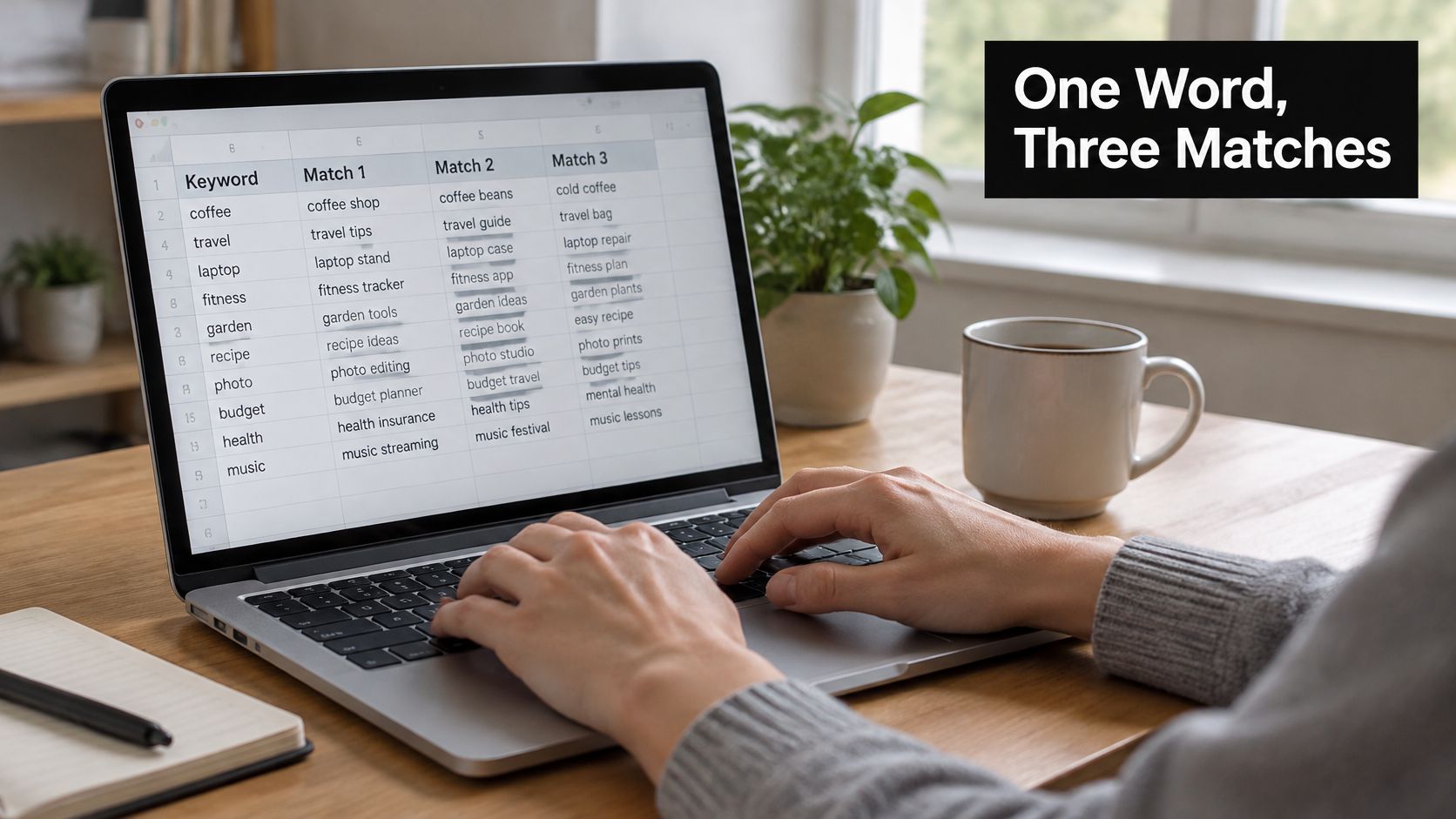
Strip it back and the tool does one thing: it takes a cleaned keyword and writes the three strings Google Ads reads as broad, phrase, and exact, without changing the underlying words. It doesn't research demand, it doesn't bid, and it has no idea which of your terms converts. What it changes is reach, because Google defines broad, phrase, and exact purely by how closely a search has to relate to the keyword before an ad can enter the auction (Google Ads help on keyword match types).
The limit to keep in mind is that exact match stopped being literal string matching years ago. Google's own example is the keyword [yosemite camping], which can match searches for "yosemite campground", "campsites in yosemite", and "yosemite national park ca camping" through close variants (Google Ads help on close variants). Implied words and paraphrases are already covered.
Which means a generator that emits a fresh bracketed row for every plural, misspelling, and reordered phrase is manufacturing duplicate keywords that compete for one intent. Don't ask the tool to expand your list. Ask it to label it.
A file worth uploading carries three fields on every row:
- Original text: running shoes, unchanged, so you can still read the sheet.
- Match type: broad, phrase, or exact, written as a name and not just implied by punctuation.
- Syntax-ready string: running shoes, "running shoes", [running shoes], ready to paste.
Those labels are what make a bulk upload auditable in six months, when nobody remembers why a term was bracketed. Each row changes how many searches can enter the auction and how much budget sits behind them, and the file can't tell you which of those searches will convert. So set the rule before you generate: broad gets produced only for terms where discovering related searches is the actual goal.
How to Generate Match Types Step by Step
Order matters more than speed here. Build the list in this sequence and you'll skip most of the cleanup that comes after a sloppy bulk upload.
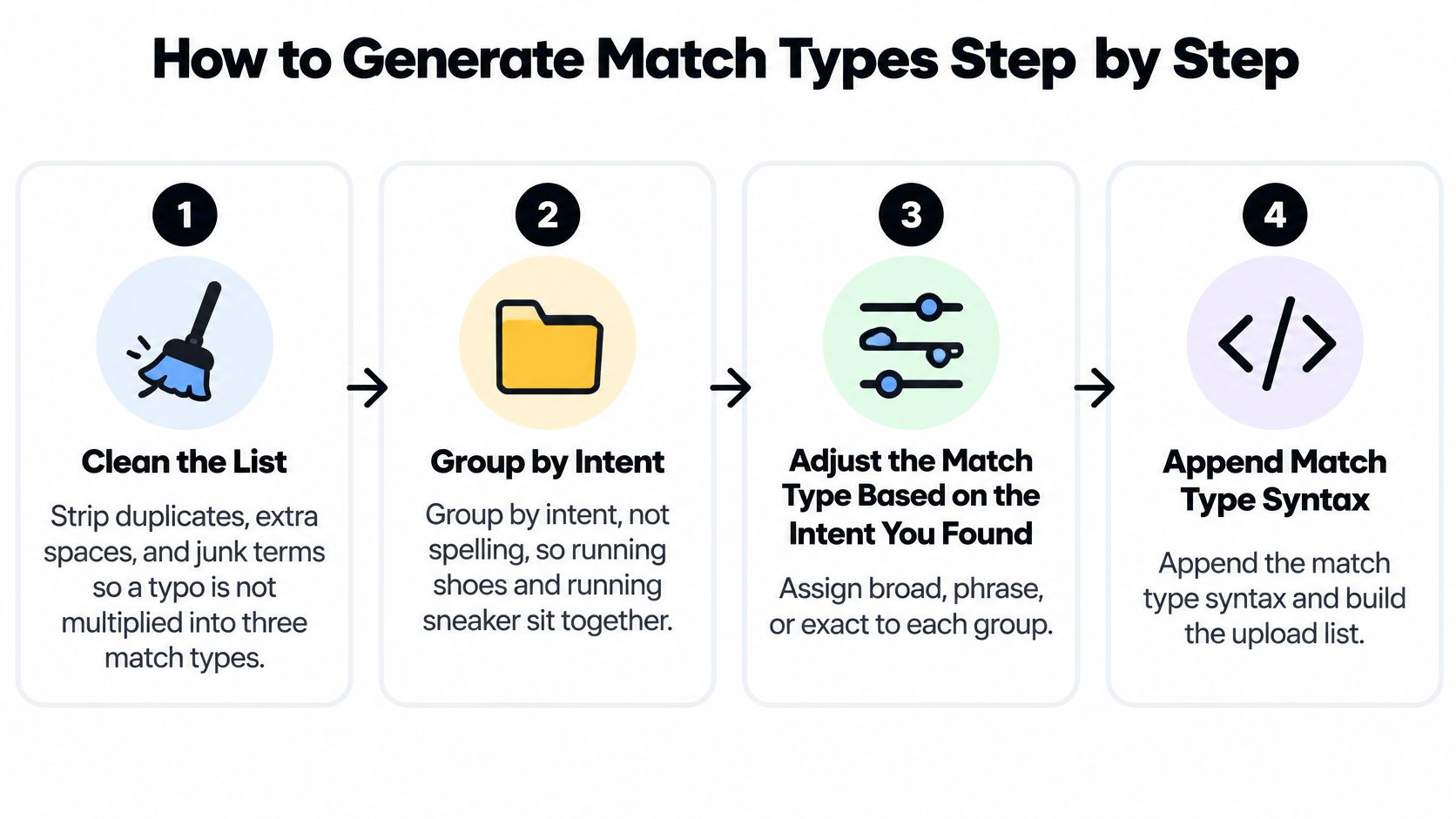
- Clean the list first. Strip duplicates, double spaces, trailing punctuation, and terms you'd never bid on. A typo multiplied by three match types is three typos in the account, and they'll resurface in the next audit.
- Group by intent, not by spelling. Running shoes and running sneakers belong to the same theme even though the strings differ. The group is what your ad copy answers. The match type is how wide you open the auction on it.
- Write broad as plain text, and only where discovery is the job. Core terms you want to learn from, not every row on the sheet. The classic slip is pasting broad keywords into a manual-bidding campaign with no negative list behind them, then wondering where the spend went.
- Wrap the same words in quotation marks for phrase. Phrase reaches searches that include the keyword's meaning, and that pool already contains the exact-match searches. You don't need reordered copies to force an old word-order rule, and adding them just gives you two rows chasing one query.
- Bracket the proven terms for exact. This is your tightest control and your smallest reach. The slip is padding it with plurals, misspellings, and synonyms that close variants already handle.
- Resolve overlap before anyone uploads. If an exact row and a phrase row cover the same intent in the same ad group, keep the one that fits your budget and bidding plan. One keyword per intent, per group, is the version you can read later.
- Export with the match type named on every row. Google's guidance treats these types as a hierarchy to be controlled deliberately, so expose the selected type as a field rather than relying on visual punctuation alone (Google Ads help on phrase and broad reach).
Step 6 is the one people skip, and it's the one that decides whether the upload is useful. Two rows competing for the same query split the data, and split data tells you nothing about which match type earned the conversion.
Finished sample: running shoes (broad), "running shoes" (phrase), [running shoes] (exact). Three rows, three labels, nothing pasted into the account until someone has read the list.
Notice what didn't happen. No spelling variants, no reordered copies, no synonym expansion. The words are identical in all three rows. Only the reach changed.
Why Negative Keywords Break the Usual Rules
Picture the moment it goes wrong. Someone decides running shoes is pulling in too much junk, adds running shoes to the negative list as a broad negative, and watches good impressions collapse within the week. Nothing was formatted incorrectly. The tool did what it was told, and the instruction was built on a false assumption.
Negative keywords don't expand the way positives do. In Search campaigns they can use broad, phrase, or exact syntax, but they don't reach close variants or related searches (Google Ads help on negative match types). The mechanics run in the opposite direction from everything above.
| Negative type | Syntax | Blocks | Does not block |
|---|---|---|---|
| Negative broad | running shoes | cheap running shoes sale, shoes for running | a search with only the word running |
| Negative phrase | "running shoes" | best running shoes, running shoes sale | shoes for running |
| Negative exact | [running shoes] | running shoes | running shoes women |
Read the rows slowly, because they invert the instincts you built in the last section. Negative broad blocks a search when it contains all of the negative terms in any order, which is why "shoes for running" disappears along with the junk. Negative phrase needs the terms in the same order. Negative exact blocks only those exact terms with no extra words around them, so "running shoes women" sails straight through.
The other trap is coverage. Synonyms, singular and plural forms, and regional spellings often need their own negative entries rather than being absorbed automatically, so a tool that just converts one term into negative syntax hands you a false sense of protection (Google Ads help on excluding search terms). For multilingual campaigns this gets sharper, because a direct translation doesn't guarantee equivalent search behavior.
If the manual pass gets long, negative keyword automation for SMBs walks through how smaller teams sequence the list without blocking their own best traffic. It's worth pairing with a read on how negative keywords interact with match types before you touch a live campaign.
Practical rule: keep each negative as narrow as it can be while still blocking the junk you keep seeing, and reread the whole list after every search term export.
Using Search Terms to Pick the Right Match Type
The search terms report is the scorecard for everything you just generated. It records the match type behind each query that triggered an ad, and it lets you compare clicks, impressions, CTR, and conversion rate by match-type segment (Google Ads help on the search terms report). That's the only dataset that tells you whether a bracketed row is earning tighter control or just starving the ad group of volume.
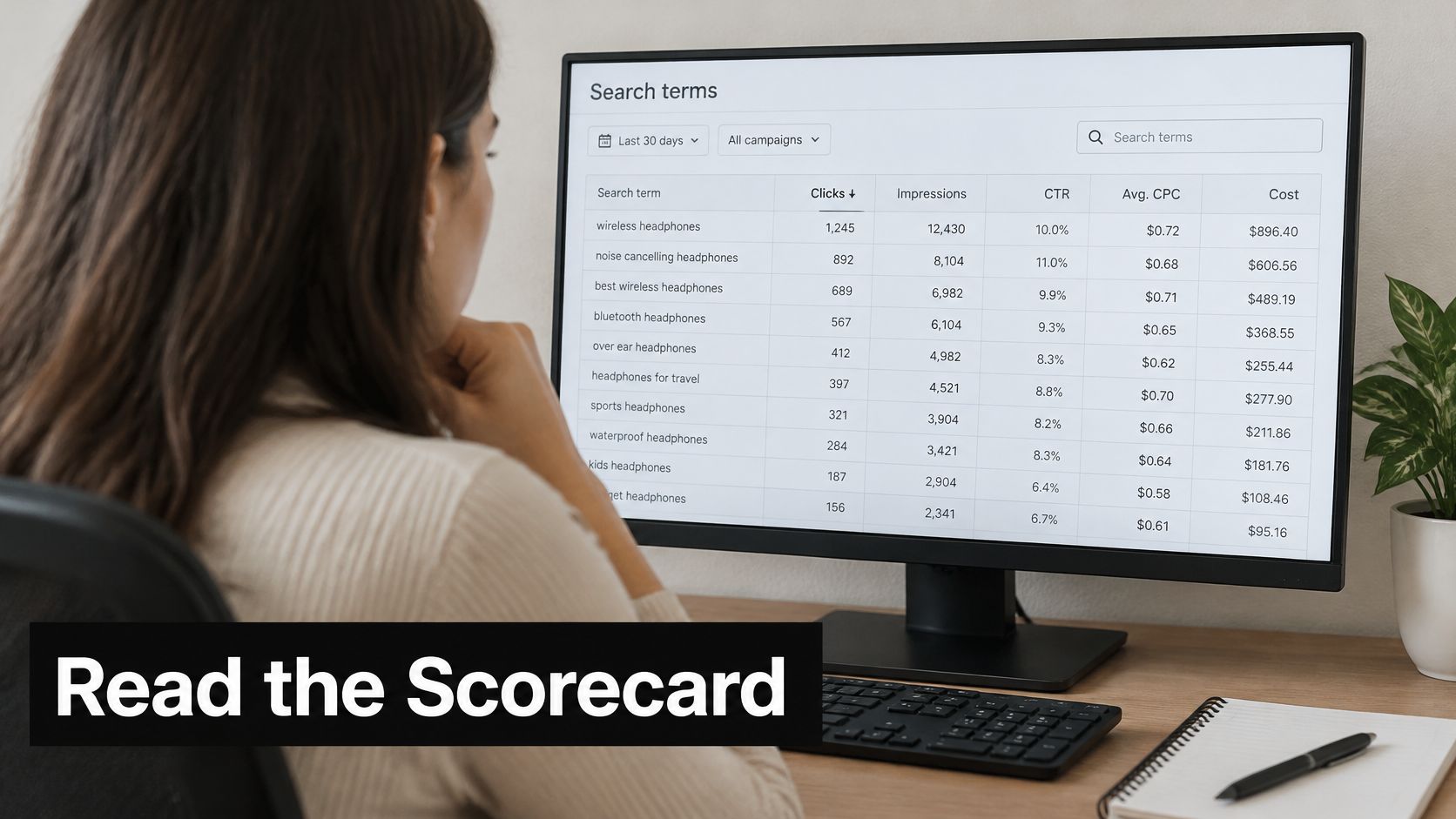
The weekly loop
Export the search terms, then group the queries by intent rather than by string. Running shoes and running sneaker land in the same bucket even though they're spelled differently. If the export mechanics are new to you, this guide to pulling the Google Ads search terms report covers the columns you need.
Then do the arithmetic. Conversion rate is conversions divided by clicks, and cost per conversion is spend divided by conversions. Segment both by match type and you can see whether broad is buying you discovery or just shopping trips.
From there the actions are mechanical. Queries that convert get promoted into exact-match keywords with their own row. Recurring irrelevant themes go onto the negative list. Everything else stays under observation until there's enough data to judge it.
Broad needs this loop more than the other two, because it reaches related searches by design and it pairs well with Smart Bidding strategies such as Maximize Conversions, Target CPA, and Target ROAS once conversion data is solid. Without the loop, broad has nothing correcting it.
Say a broad keyword pulls in a cheap-shoes query that never converts. That query becomes a negative. A "shoes for running" search converts twice in a week, so it earns its own bracketed row and a slightly higher bid. Two decisions, both driven by evidence.
Keep the source query and campaign details attached to each new row. Without them you can't tell incremental reach from traffic you already had.
Match Type Problems the Report Can Hide
Not every flat result is a formatting failure. Some symptoms look like a match type problem and turn out to be a data problem, and the fix is usually to stop adding rows.
| Symptom | Likely cause | Fix |
|---|---|---|
| Converting query has no exact row | Close variants already match it | Confirm it in the report and do not add a duplicate |
| Exact keyword gets almost no impressions | Demand is too thin to measure | Add the phrase version and compare volume |
| Same search under several keywords | Overlapping keywords share one intent | Keep one keyword per intent and add cross-group negatives |
| Long-tail demand missing from the export | Low-volume queries omitted or grouped as other queries | Treat the export as a sample and avoid over-narrowing |
| A change looks flat after two days | Learning and reporting lag | Judge results over about a week |
The hidden-query row is the one that gets ignored. Google leaves some low-volume searches out of the report for privacy reasons and may fold them into grouped themes instead, so an export is a sample rather than a census (Google Ads help on how match types relate to searches). Adding more exact rows won't fill that gap, and a list narrow enough to feel safe can leave too little volume to measure anything at all.
The pattern behind most of these symptoms is generating every match type for every keyword and hoping the data sorts itself out. It doesn't. One row per intent, with the type chosen deliberately, gives you a report you can read.
Run Your First Match Type Audit This Week
Give it five working days and you'll know more than another month of guessing.
Day one: export the last 30 days of search terms and sort by conversions, then by cost. Day two: mark the converting queries as exact-match candidates and the recurring junk as phrase negatives. Day three: hold each live keyword against the reach table and pause any broad term that isn't earning its extra auctions. Day four: check exact keywords with almost no impressions for a phrase version, and look for several keywords matching one intent. Day five: upload the edits and leave them alone.
That last part matters. Learning and reporting lag means CPA and conversion rate need roughly a full week before you judge them. Two days of flat numbers is not evidence of anything. If you want to keep the cycle running past week one, this match type audit framework sets out how to schedule it.
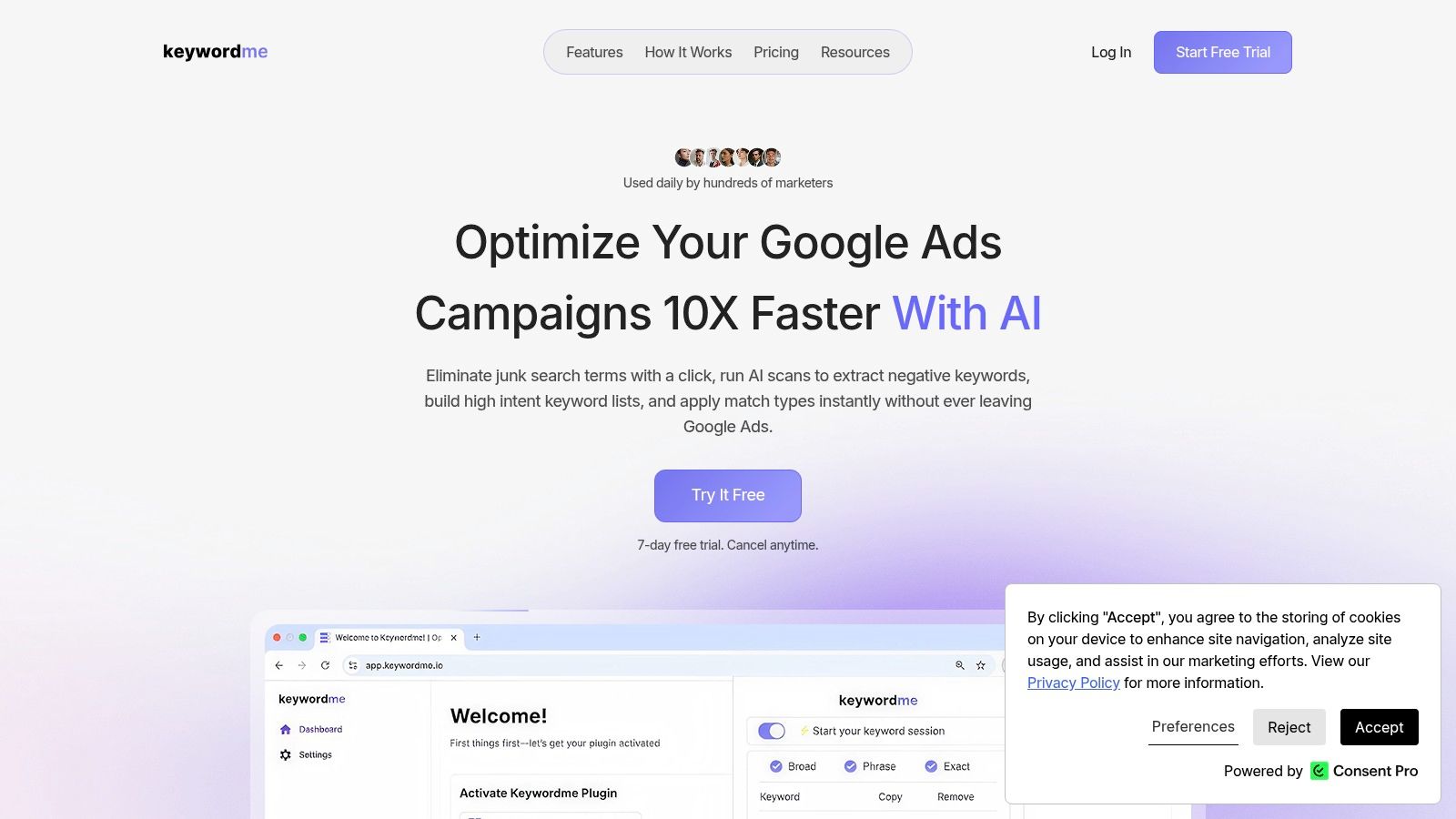
Keywordme covers the repetitive half of this audit. The plugin runs inside Google Ads, so you don't leave the account, and it applies exact, phrase, and broad match types to a pasted list with one click. Fully formatted lists download in seconds, and hundreds of marketers use it daily.
The file is only the starting list. The search terms report is still where you decide which rows stay, which become negatives, and which broad keywords deserve another week of budget.
Match type syntax is the one part of Google Ads you can hand off to a tool without losing anything, which is exactly what Keywordme does: paste your cleaned keyword list, apply broad, phrase, and exact in one click inside the Google Ads interface, then copy or download the labeled result for upload. Start there, and spend the saved hour on the search terms report instead, because that's where the budget decisions live.
