
How to Track Calls from Google Ads Without Call Extensions
How to Track Calls from Google Ads Without Call Extensions


A prospect clicks your Google ad, reaches your homepage, sees the sales number in the header, and calls. Your team answers, qualifies the lead, and books the appointment. Later, you open Google Ads and find zero phone conversions.
That gap is common when advertisers remove call extensions, or when their campaigns send people to landing pages instead of placing a phone action directly in the ad. The phone still rings, but the account isn't listening for calls that happen after the website visit.
The practical answer to how to track calls from Google Ads without call extensions starts with Google's website call conversion tracking. The more complete answer goes further, joining the original ad click to the caller's CRM record and importing qualified outcomes back into Google Ads. Counting a ring is useful. Knowing which keyword produced a booked job is what improves bidding.
Why Call Tracking Breaks Without Call Extensions
Most attribution problems begin with a reasonable assumption: if the phone number appears on the landing page, Google Ads will know when somebody calls it. It won't, unless the website has been configured to identify that call as an ad-related conversion.
A call extension, now commonly presented as a call asset, gives Google a direct ad interaction to measure. Website call tracking measures a different path. The user clicks the ad, lands on your site, sees a phone number, and calls from the page. Without a website-call setup, that second interaction remains disconnected from the original click.
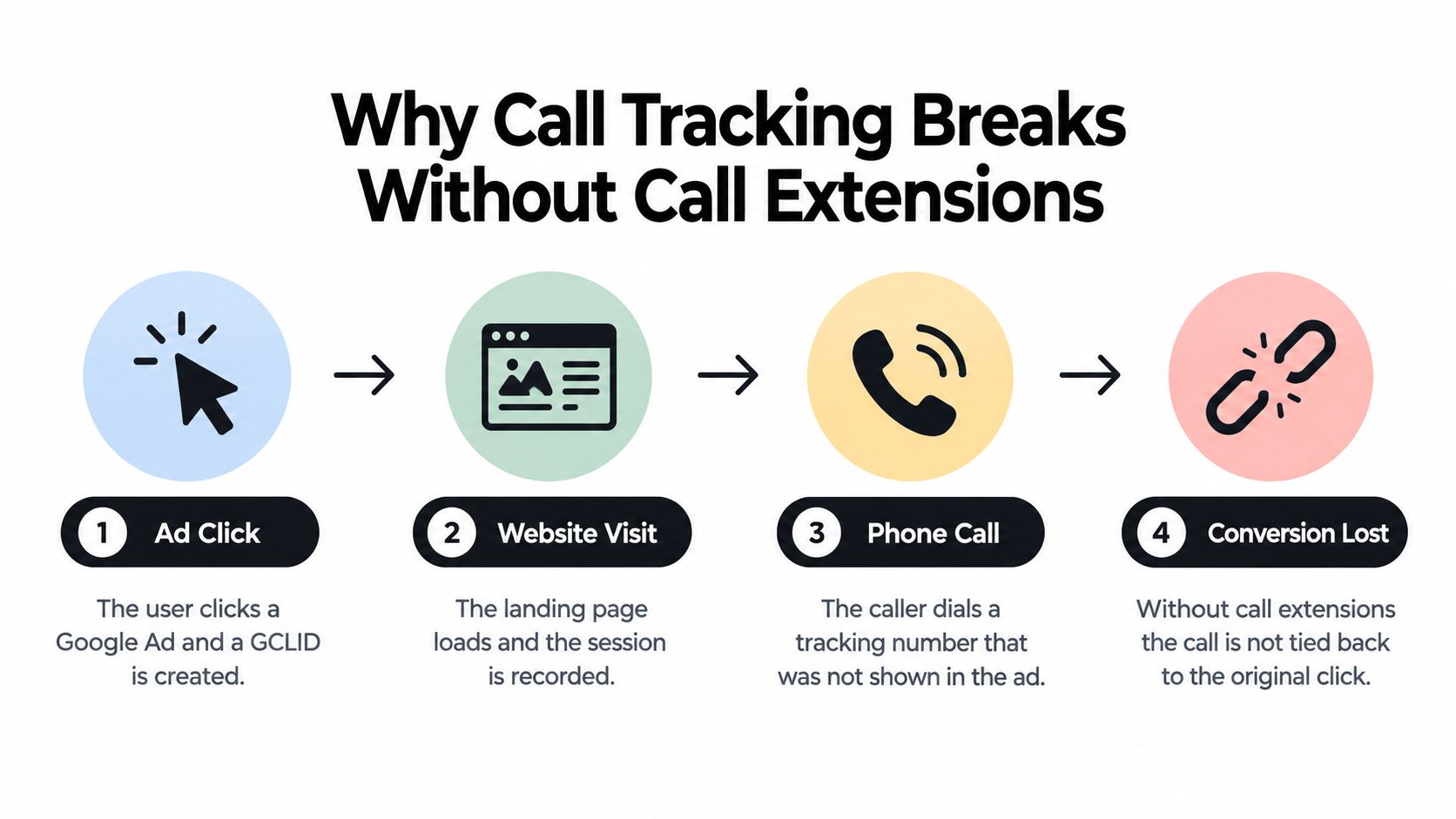
The website-call path
Google's native solution uses a Google forwarding number. After an eligible ad click, Google temporarily replaces the business number displayed on the landing page with a dynamically generated forwarding number. The caller reaches that forwarding number, Google routes the call to the company's real line, and Ads can associate the interaction with campaign and ad-group data, along with the call's time and duration. The forwarding number is a measurement intermediary, not a replacement for the company's phone service, and it shouldn't be published permanently.
That setup requires a phone-call conversion action, the Google tag, and a website-call event snippet. You also specify the business number that Google should replace. A minimum call duration lets you exclude interactions that don't represent a meaningful conversation. A number click alone isn't proof that somebody spoke with your sales team, so this filter matters.
Practical rule: Treat website call tracking and call-extension reporting as two different conversion paths. They solve different attribution problems.
This is especially relevant for local service advertisers. The reasoning behind why Alpha Omega Digital builds for local is useful here: local campaigns often depend on fast, high-intent conversations, but the customer may call from a page element rather than the ad itself. Before changing tags, review how Google tracking numbers work and identify every number template your site uses.
The simplest reliable baseline is therefore clear. Keep the business number visible, replace it dynamically for eligible ad visitors, and count only calls that pass a commercially sensible duration threshold. That gets calls into Google Ads, but it doesn't yet tell you whether those calls became qualified opportunities.
Setting Up Google Website Call Conversion Tracking
Start in Google Ads, not in Google Tag Manager. Create a Calls from a website conversion action and choose a minimum call duration that represents a qualified lead for your business. A short inquiry might be useful for one company, while another may need a longer conversation before a sales representative considers it viable.
The threshold shouldn't be chosen because it is a familiar default. Compare it with how your team qualifies calls, then document the reason for the setting. Google can report calls and duration separately, so the conversion action can represent a meaningful subset while the call details remain available for analysis.
Build the implementation
Create the conversion action. Select the website-call option, define the minimum duration, and record the conversion ID and label. Give the action a clear name that separates website calls from CRM-qualified calls.
Install the Google tag sitewide. The global tag needs to load throughout the site so Google can recognize eligible ad visitors.
Add the phone snippet everywhere the number appears. The snippet must receive the exact phone number displayed on the page. Include landing pages, navigation headers, footers, contact pages, and mobile-specific templates. Installing it only on the contact page is one of the most common production failures.
Configure Google Tag Manager. Use the Google Ads calls from website conversion tag type, enter the conversion ID and label, and set triggers that cover every relevant page.
Validate the swap. Use Tag Assistant to confirm that the tag fires and that the visible business number changes for an eligible ad visitor. Then place a controlled test call and confirm that it routes to the actual line.
After an ad click, the phone snippet dynamically replaces the displayed number with a Google forwarding number. Google routes the call to the company number and can attach campaign, ad group, ad, and keyword information to the resulting event. The caller's phone number is generally reported only for calls lasting more than 15 seconds, except in India, so short calls may not support caller-level matching. That limitation is documented in Google's website call conversion setup.
Implementation check: Search the live site for every version of the phone number, including text, links, structured components, and responsive templates. One uncovered number can create an attribution blind spot.
Google forwarding numbers can change or be reassigned. They exist for Google Ads call reporting and website call tracking, not for business cards, printed material, or permanent offline publication. If you need a broader operational process, guidance on how to measure cleaning quote conversions offers a useful example of connecting paid traffic with service inquiries. You can also compare this setup with tracking phone calls in Google Ads.
The result is a working baseline: calls from eligible ad visitors can appear in Google Ads even though the ad itself doesn't contain a call extension. The next question is whether those platform conversions are good enough for bidding.
Adding Dynamic Number Insertion and GCLID Passthrough
Google's forwarding-number approach solves the first attribution gap, but many sales teams need more context. They want to know whether the caller was answered, sales-qualified, booked, or connected to revenue. That requires a join between the ad click, the phone event, and the CRM record.

Dynamic number insertion, or DNI, displays a tracking number to an eligible visitor while preserving the underlying business line as the destination. Google can provide the native forwarding layer. A call platform such as CallRail or Twilio can provide session-level number assignment and call records, depending on the architecture and consent requirements.
The important identifier is the GCLID, Google's click identifier. Capture it when the visitor lands, then persist it in a cookie or server-side session. Your call system needs a way to associate that identifier with the caller's lead record. Common methods include a call-system integration, an IVR capture, an agent workflow, or an authenticated form process.
Join the call to the outcome
A workable pipeline looks like this:
- Capture the click. Store the GCLID or another permitted first-party identifier at landing.
- Preserve the session. Keep the identifier available while the visitor browses and calls.
- Create the lead record. Associate the phone event with the caller in the CRM.
- Qualify the outcome. Mark the call as answered, sales-qualified, booked, or revenue-producing.
- Send the result back. Upload the qualified conversion with its timestamp and required identifiers.
Consider a home-services campaign as an operational example. A very short hang-up and a long estimate conversation should not carry the same optimization weight merely because both reached a tracking number. The first may be noise. The second may become a qualified lead. The CRM status gives Google a better signal than raw ring volume.
The upload process requires the conversion timestamp, conversion action resource, caller ID where required, and optional value and currency. Google requires the caller ID, conversion date and time, and conversion action resource name for imported call conversions. After creating the conversion action, wait at least four hours before the first upload, as specified in the Google Ads offline call conversion documentation.
This architecture introduces real trade-offs. Session-level DNI can give you richer call records, but it adds another system to govern. GCLID persistence improves the join, but privacy, consent, retention, and access controls must be handled deliberately. Imported outcomes also arrive later than the call itself, so bidding decisions depend on a stable CRM process rather than a single platform report.
The point isn't to replace Google's native tracking immediately. Use it as the baseline, then add CRM-joined imports when the sales cycle makes call quality more important than call volume.
Importing Offline Call Conversions Through the API
A call counted in Google Ads is only an initial signal. The CRM may show whether that caller became a qualified lead, booked an appointment, or generated revenue. Offline imports connect those later outcomes to the original ad interaction, giving bidding systems a more useful signal than ring volume alone.
Start with the CRM export. Each record should contain the caller ID, conversion date and time, and conversion action resource name. Add value and currency only when your organization has a defensible method for assigning them. The GCLID, or another permitted identifier, must already be linked to the lead through the capture process described earlier.
A practical upload sequence
Define the conversion actions. Create separate actions for raw website calls, qualified calls, booked appointments, and revenue events when those stages affect decisions. Clear names stop teams from treating every phone interaction as the same result.
Export a small sample. Check timestamps, time zones, caller identifiers, resource names, and duplicate handling before sending a larger file. A small test exposes mapping errors without contaminating the main dataset.
Choose the transfer route. Google supports recurring transfers through CSV, Google Sheets, HTTPS, SFTP, or an API workflow. Choose the method your team can monitor consistently, with clear ownership for failures and retries.
Confirm activation. Follow the activation timing noted earlier and verify that the conversion action is active before the first upload. Sending records too soon creates avoidable failures.
Schedule and reconcile. Run recurring transfers, inspect rejected rows, and compare imported qualified outcomes with platform-reported website calls. For lead-based imports, see how enhanced conversions for leads complements call uploads.
Timezone errors can move a conversion into the wrong reporting period or cause Google to reject the record when the CRM stores local time differently from the upload interpretation. Duplicate rows can inflate totals, while missing caller identifiers can stop the system matching an event to the correct record.
Data-quality rule: A call should enter the optimization dataset only after the business has decided what outcome it represents.
Google's website-call method remains the browser-side foundation. After an ad click, the phone snippet identifies the displayed number, replaces it for eligible visitors, and routes calls through the forwarding number. The offline import adds the outcome layer, showing what happened after the phone event. Google's website call conversion documentation describes that setup.
Reconciliation does not require identical totals. Google-reported website calls and CRM-qualified calls represent different stages. Investigate gaps such as calls that never entered the CRM, records without a click identifier, rejected uploads, duplicate rows, or calls below the selected qualification threshold.
Once the join is reliable, automated bidding can optimize toward qualified leads or sales instead of raw call counts. That may change which keywords receive budget when high-volume terms produce weak conversations and lower-volume terms create stronger opportunities. Consistent CRM statuses determine whether the imported signal deserves that confidence.
Testing and Validating Your Call Attribution Pipeline
Tracking isn't finished when the tag is published. A site redesign, consent change, template update, or new phone component can break the number swap without making the page look broken. Validation needs to test the complete path, from eligible ad visitor to reported call and, where applicable, CRM record.
Start with Tag Assistant. Confirm that the Google tag fires, the website-call snippet identifies the exact displayed number, and the conversion configuration is present on each page template. Test the landing page, header, footer, contact page, and mobile layout separately. A single successful contact-page test doesn't validate the site.
What to inspect
- Number replacement: The displayed business number should change for an eligible ad visitor.
- Routing: A test call should reach the actual business line.
- Duration behavior: A call below the selected threshold shouldn't count as the chosen conversion, while a qualifying call should.
- Connection status: Review whether Google recorded the call as connected.
- Caller details: Expect caller phone reporting to depend on regional availability and calls lasting more than 15 seconds, except in India, according to Google's call reporting guidance.
Google's reporting columns also require careful interpretation. Calls from mobile search ads are included as standard conversions in the main Conversions column. Calls that happen after ads are viewed on tablets and computers are reported in All conversions. Teams that compare these columns without understanding the distinction can count the same business outcome incorrectly or conclude that a campaign is under-reporting.
Call duration is another source of confusion. Google can use a minimum duration threshold to classify a call as a conversion, but call duration data isn't always available. When a forwarding number can't be assigned or duration data can't be used, Google's classification may fall back to ad-interaction data rather than verified call details. That makes conversion labels and reporting notes essential.
Validation habit: Run the same test after every major tag, consent, landing-page, or phone-system change. A passing test from last month doesn't prove today's template works.
Keep platform-reported calls separate from CRM-qualified calls. The first tells you that Google observed an attributed phone interaction under its reporting rules. The second tells you what your business decided happened after the call. Both are useful, but they shouldn't share an ambiguous conversion name.
Choosing the Right Tracking Strategy for Your Campaigns
Three approaches cover most account needs.
| Approach | Best fit | Main trade-off |
|---|---|---|
| Basic website call tracking | Teams that need a native Google Ads baseline | Measures platform-attributed calls, not necessarily qualified sales |
| DNI with GCLID passthrough | Advertisers using a call platform or CRM that can preserve session data | Adds implementation and governance work |
| Offline call imports | Businesses with reliable CRM qualification and meaningful downstream stages | Requires accurate identifiers, timestamps, uploads, and reconciliation |
Basic website tracking is the right starting point for a campaign with a visible phone number and no dependable CRM integration. It closes the most obvious gap without adding another call platform. Set the duration threshold carefully, cover every number placement, and validate the swap before using the data for bidding.
DNI with GCLID passthrough earns its complexity when the business needs session-level call records or when several campaigns share the same phone infrastructure. The value comes from retaining the connection between the click and the caller, not from displaying a different number for its own sake.
Full offline imports belong where sales outcomes are recorded consistently. If representatives rarely update lead status, an elaborate API connection will merely automate unreliable data. Fix the CRM workflow first, then send qualified outcomes back to Google Ads.
My practical verdict is to layer these systems rather than treat them as competing choices. Start with Google's website-call conversion action, validate it with Tag Assistant, then add GCLID persistence and CRM imports when the business can distinguish a call from a qualified result. For keyword and budget decisions, that final distinction is usually more valuable than another report showing raw call volume.
Keywordme can support the surrounding PPC workflow by helping teams research keywords, handle negative keyword lists, assign match types, and expand campaigns from search-term data. Visit Keywordme to streamline the optimization work that follows once qualified call data starts identifying which searches deserve more budget.
.svg)