
How to Structure Google Ads for Multi Location Businesses
How to Structure Google Ads for Multi Location Businesses


You've got 12 locations, one Google Ads account, and a reporting spreadsheet that tells you almost nothing useful. Total spend looks fine. Total leads look fine. Then a branch manager asks why her location is quiet while another manager is turning customers away, and you can't answer without digging through three reports and making educated guesses.
That's not a bidding problem. It's a structure problem. Learning how to structure Google Ads for multi location businesses starts with measurement and naming, not keywords. Get those foundations right and optimization gets a lot simpler. Get them wrong and you'll spend months adjusting bids inside an account that can't tell you what's working.
Why Multi-Location Google Ads Need a Different Structure
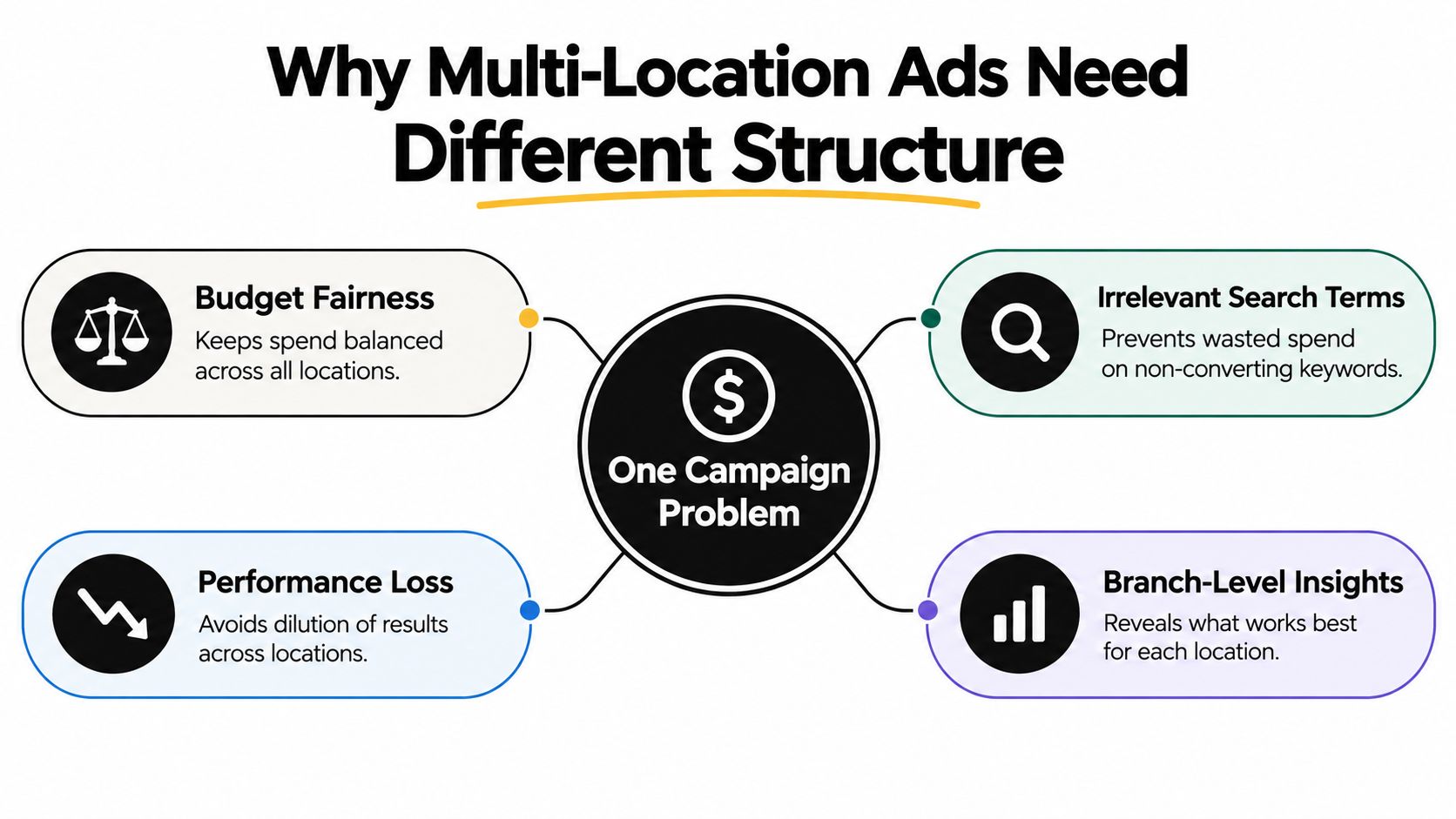
Most multi-location accounts I audit start the same way. Someone built one national campaign when the business had three branches, then kept adding locations to it. Now every branch shares one budget, one set of ads, and one landing page, and nobody wants to rebuild it because it's, technically, working.
It isn't working. It's just spending. A busy urban branch can eat the budget before a suburban branch gets a fair shot at its own morning searches. Search terms for one city trigger ads for another. Someone clicks an ad mentioning a service, lands on a generic homepage listing every location, and has to figure out which phone number to call. Most visitors leave without calling.
What actually breaks in a flat structure
The core issue is that you're mixing two jobs into one campaign. Geographic control decides where ads can show and how much each market can spend. Keyword and ad relevance decides what someone sees when they search. When those jobs are tangled together, you can't fix one without disturbing the other.
Google lets you select geographic locations and uses signals like user settings, devices, and on-platform behavior to decide whether someone matches your target, which is explained in Google's guide to geographic targeting options. That flexibility only helps if your campaigns are organized around meaningful service areas like cities, regions, or individual branches. Dump everything into one national campaign and those signals get averaged away.
- Budget fairness disappears: High-volume locations consume spend that quieter branches needed, and you can't protect either one.
- Blended CPAs hide weak branches: A strong location subsidizes a failing one for months because the account average looks acceptable.
- Landing pages stop matching intent: A searcher looking for one specific branch lands on a page that serves all of them, and conversion rate pays for it.
- Search terms lose context: You can't tell whether a bad term is a national problem or one market's local slang.
Structure determines what you can measure, optimize, and defend in a quarterly review.
This matters even more in franchise systems, where individual owners fund their own marketing and expect clear reporting on their money. If you're building that kind of system, it's worth understanding how franchise development marketing handles the tension between brand consistency and local owner accountability, because your account structure has to reflect those ownership lines.
Bid adjustments can't rescue a flat account. You can nudge bids up or down by location all day, but if budgets, ads, and conversion tracking are pooled, you're still guessing. Separation comes first.
Building a Three-Tier Account Hierarchy
The structure that scales without becoming unmanageable has three tiers. National brand campaigns sit on top, regional or city campaigns sit in the middle, and location-specific campaigns sit at the bottom for branches that justify their own budgets or messaging. Each tier exists for a different reason, and conflating them is where accounts get messy.
National campaigns protect your brand terms and catch broad demand that isn't tied to one branch. Regional campaigns give you market-level budget control, so you can push spend into a competitive metro without starving a smaller city. Location campaigns carry branch-level offers, local landing pages, and the ad copy that mentions the actual neighborhood someone searched from.
Naming conventions that save you later
Naming sounds trivial until three people build campaigns three different ways. Pick a template and enforce it from day one.
| Tier | Template | Example |
|---|---|---|
| National brand | Brand_BrandTerm_National | Brand_DentalGroup_National |
| Regional service | Service_Region_City | Implants_Midwest_Chicago |
| Location specific | Service_BranchID_Location | Cleanings_014_Naperville |
That format lets anyone filter the account by tier, service, or branch ID in seconds. It also makes reporting imports into spreadsheets or dashboards far less painful, because the campaign name itself carries the segmentation.

Take a 30-location dental group as a concrete example. One national brand campaign handles searches for the group name. Regional campaigns cover each metro where the group operates, each with its own budget reflecting local competition. Then the handful of flagship offices running implant promotions get their own location campaigns with dedicated landing pages and call tracking, because their economics differ from a standard cleaning offer.
Businesses in other sectors handle the same tiering instinct operationally, too. A gym chain operations playbook makes a similar point about standardizing what should be standard while letting individual sites flex where local conditions demand it, and your ad account should mirror that logic.
When to skip a tier
You don't need all three tiers on day one. An account with five locations in similar markets can collapse the regional and location tiers into one campaign per branch and add the middle layer later. What you shouldn't skip is the separation between brand and non-brand, because brand terms will flatter your reporting and hide weak generic performance.
The test is simple. If a branch needs a different budget, offer, or landing page than its neighbors, it needs its own campaign. If it doesn't, grouping it regionally keeps the account lean.
Geo-Targeting Strategies That Match Your Business Model
One setting causes more quiet waste in multi-location accounts than almost any other. Google distinguishes between people who are physically present or regularly present in a target area and people who merely show interest in that area. Interest can include searches containing a city name, postal code, or nearby location, even when the searcher is nowhere near you.
For a business that only serves customers who can walk through the door, that distinction is everything. A dental clinic, repair shop, or restaurant advertising to someone three states away who typed the city name into a search is buying clicks that can't convert. Overly broad settings generate interactions from users who were never potential customers, and your conversion rate absorbs the damage.
Presence for visit-based businesses
If the customer has to be there, use presence-focused targeting. Clinics, salons, gyms, restaurants, and local trades all fall into this bucket. Review the location options inside your campaign settings rather than accepting defaults, and confirm the setting matches how people buy from you.
There's a deeper breakdown of this choice in this guide to presence versus interest location targeting, which walks through where the setting lives and how to audit it across an existing account.
Interest for destination businesses
Some businesses should deliberately include interest signals. Hotels, tourism providers, and relocation services sell to people who aren't in the area yet. Someone searching for your city from across the country might be booking next month's trip or planning a move, and excluding them would cut off your best audience.
Practical rule: Ask where the customer is when they decide, not where they are when they consume. Bookings happen remotely. Haircuts don't.
The decision isn't always account-wide, either. A hotel group might run interest-based targeting on its destination campaigns and presence-only targeting on campaigns promoting the on-site restaurant to locals. Match the setting to the offer, campaign by campaign.
Whatever you choose, verify it with a geographic report after launch. If impressions show up in places you never intended to advertise, your settings and exclusions need another pass. Don't trust the setup screen. Trust the delivery data.
Connecting Radius Targeting to a Store Locations Feed
Radius targeting gets tedious fast when you're drawing circles around dozens of branches by hand. Google Ads Editor offers a cleaner route. You can connect radius targeting to a location-groups feed containing your business addresses, then apply one geographic rule across every branch in that feed.
The mechanics matter here. When you target one or all locations from the feed, you must enter a radius value greater than 0. You can enter a location name to restrict targeting to a specific address, or leave that field blank so the radius applies around every address in the feed. Google's Editor documentation on location groups and radius fields lays out exactly how those fields interact.
How this differs from standard geo-targeting
With general geographic targeting, the location-groups feed stays set to None and the radius sits at 0, because you're targeting named places like cities or postal codes instead. The feed-based approach is different in kind. Your store list becomes the targeting input, so when a new branch opens and joins the feed, the geographic rule extends to it without rebuilding campaigns.
That shared-rule setup suits a chain where every branch draws from a similar catchment. Branches with unusual offers, bigger budgets, or different catchments still get their own campaigns. The feed handles the baseline. Exceptions get handled deliberately.
Choosing a radius that reflects reality
Start from how far customers travel, not how far you'd like them to. As a working example, a dense urban branch might use a tight radius of around 10 miles or less, a suburban branch something closer to 25 miles, and a rural branch 40 miles or more, because population density changes what a reasonable trip looks like.
- Check overlap between nearby branches: Two radii covering the same streets means your own campaigns compete in the same auctions.
- Match the radius to the service: Emergency services draw from close by. Destination purchases pull from further out.
- Revisit after delivery data arrives: If conversions cluster well inside your radius, you're paying for reach that doesn't convert.
One feed, one rule, and separate campaigns only where a branch differs. That's the balance that keeps a growing account buildable.
Shared Budgets Versus Isolated Location Budgets
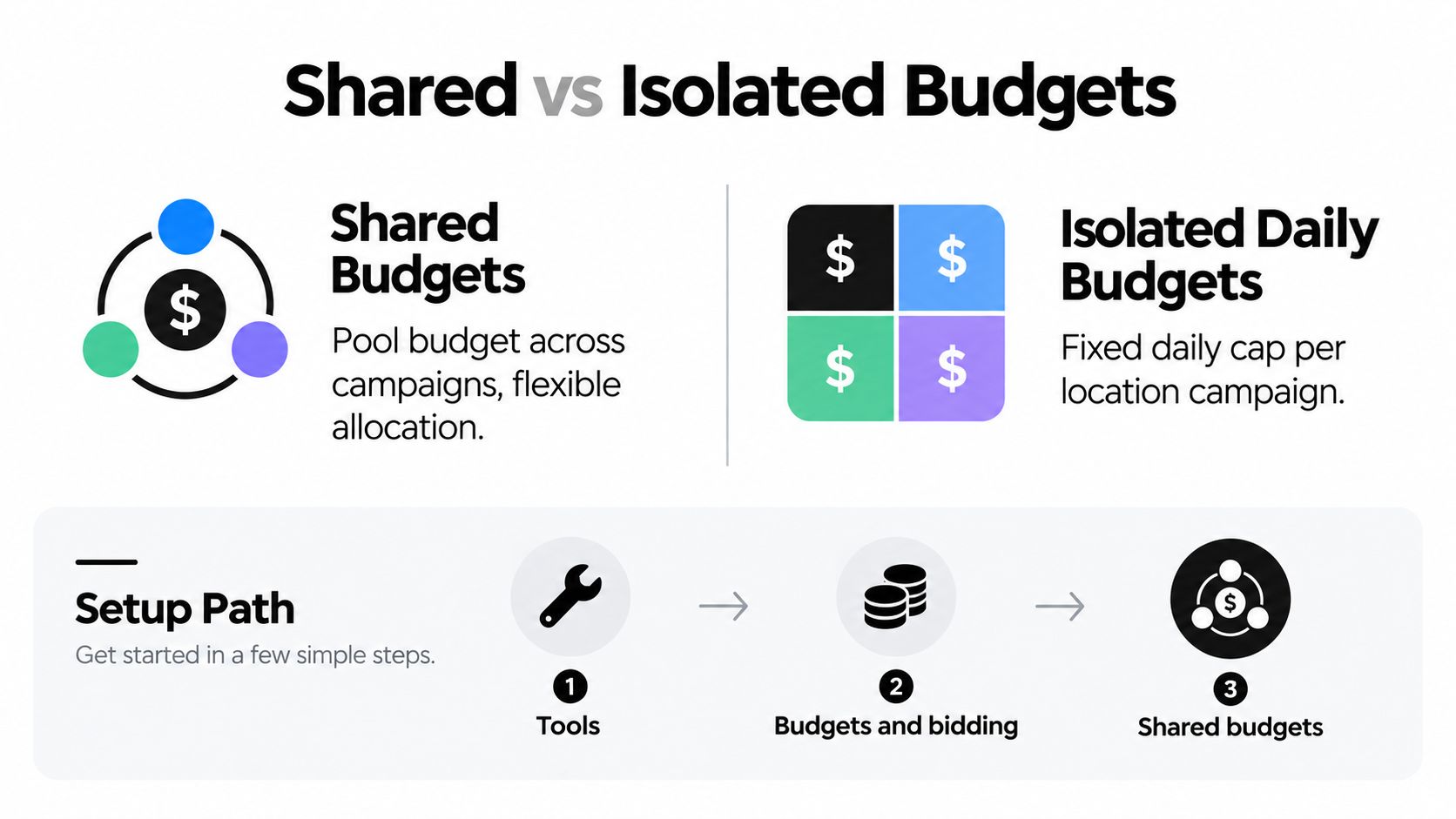
Budget structure is where multi-location politics meet math. Google supports shared budgets that distribute a defined amount across multiple campaigns for the same client. You set one up through Tools, then Budgets and bidding, then Shared budgets, create the budget, set the amount, optionally add campaigns, and save. Google's shared budget setup and reporting guide covers the full path, including the budget-report view for inspecting delivery across campaigns using that allocation.
A shared budget lets Google move spend toward whichever branch or regional campaigns have traffic available that day. That's efficient when demand varies by market and you care about total conversions across the portfolio. It also means a high-volume location can consume most of the pool.
When isolated budgets are non-negotiable
Separate daily budgets give each location a guaranteed spend level. Franchise systems usually need this, because each owner funds their own advertising and won't accept their budget drifting to another owner's territory. The same applies when branches report into different P&Ls or when a struggling location needs a protected test budget that stronger branches can't absorb.
Shared budgets fit corporate-owned networks where leadership judges the portfolio as a whole. If one city has more demand this week, spend follows it, and nobody files a complaint. There's a fuller treatment of budget mechanics in this overview of Google Ads budgets if you want the detailed trade-offs before committing.
The budget question isn't really about efficiency. It's about who has the right to complain when spend moves.
My default for new accounts is isolated budgets first. Run each location on its own allocation until you have baseline performance per branch, then consider pooling the locations where flexibility helps more than control. Reversing that order means you never learn what each branch could do with a fair budget.
Either way, use the reporting available to you. The shared budget report view exists so you can inspect performance and delivery across pooled campaigns, and skipping it means you're flying blind on exactly the allocation question you set up the pool to answer.
Setting Up Location Assets and Store-Visit Measurement
Measurement architecture isn't the step you do after launch. It's the foundation that decides whether your structure produces usable data. Location assets are the starting point, because they connect your ads to real branches instead of a generic corporate presence.
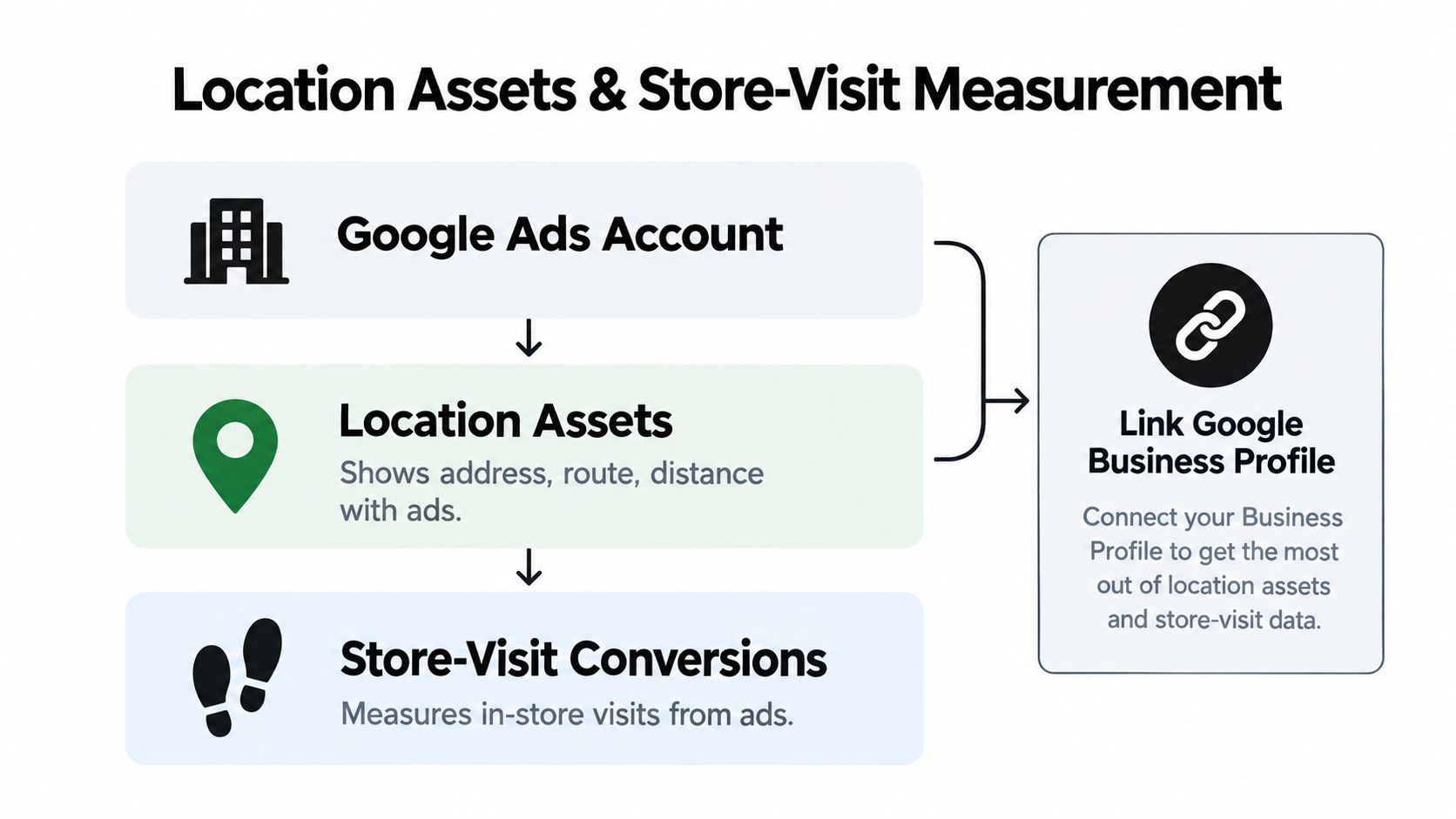
Location assets can display a store's address, a map route, and approximate travel distance directly with an ad. They also support store-visit conversion measurement, which makes them essential when your goal is connecting paid search to physical foot traffic. You create them by linking Google Ads to a verified Business Profile so the profile's locations become your location assets, including chain locations that aren't available through Google's selectable chain list. Google's location asset documentation explains how that linking works and what the assets display.
Store-visit eligibility prerequisites
Store visits don't switch on just because you linked a profile. Eligibility depends on active location assets, sufficient clicks or impressions, adequate foot traffic, eligible locations, and privacy thresholds, with the required volume varying by advertiser. Keep location assets enabled at both campaign and ad-group levels, and keep the underlying Business Profile data clean, because inactive or unverified locations attached to the account will pollute everything downstream.
Once active location assets generate at least one relevant conversion, Google automatically creates local-action conversion goals. Those goals can be included in campaign-level bidding for Search, Shopping, and Performance Max campaigns, which is detailed in Google's store visits and local actions guidance. That's the moment your local measurement starts feeding your bidding instead of just sitting in a report.
The value shows up clearly in service businesses where customers search by suburb before booking. A customer checking where to get lash lifts in Bankstown is signaling exactly which branch matters to them, and location assets let your ad answer with that branch's address and distance rather than a head office listing across town.
Build separate conversion pathways per location for calls, direction requests, website visits, and appointment forms. If every action rolls into one undifferentiated conversion, you've rebuilt the flat-structure problem inside your measurement.
Scaling Keyword and Negative Keyword Workflows Across Branches
Structure gets you clean separation. Keyword operations keep that separation healthy, which is exactly where multi-location accounts fall apart. Every branch generates its own search terms, its own junk queries, and its own local phrasing. Multiply that by dozens of campaigns and manual spreadsheet work stops being a workflow. It becomes the whole job.
Start by splitting negative keyword management into three layers, because one giant list creates as many problems as it solves.
- Shared cross-location lists: Junk terms that are irrelevant everywhere, like job searches, freebie hunters, and DIY queries for a business that sells a done-for-you service. Build once, apply everywhere.
- Per-location lists: Terms that are fine in one market and waste in another, including neighboring city names, local competitors you don't want to bid on, and regional slang that means something different two states away.
- Branch-specific service exclusions: Services a particular branch doesn't offer. A location without a specialist on staff shouldn't pay for searches about that specialty, even if sister branches convert well on them.
That layering only works if someone maintains it, and maintenance is the bottleneck. Keywordme fits into the workflow. It's a Chrome plugin interface for Google Ads keyword work that lets you clean up junk search terms, apply match types, and expand ad groups with high-converting keywords drawn from real search term data, without the manual formatting and copy-and-paste routine that usually eats an analyst's week.
Consider a 50-branch account as a working example. Done manually, weekly search term reviews across every location campaign can justify a dedicated analyst doing little else. Automate the list building, match type assignment, and bulk handling, and that same review becomes a fraction of the workload. The person you freed up can spend their time on structural decisions, budget allocation, and landing page problems, which is where the actual money gets made or lost.
If you want the detailed mechanics of list architecture across campaigns, this guide to managing negative keywords across multiple campaigns covers how to organize shared and campaign-level lists without them stepping on each other.
Branch-level value modeling before Smart Bidding
Clean keywords feed into bidding, and bidding is only as good as the values you hand it. Build a branch-level value model before you trust automated bidding with your budget. Assign higher values to booked appointments or completed sales than to low-intent actions like page views. Import offline CRM outcomes where you can, so the system learns from qualified revenue rather than raw form fills. Exclude duplicate and unqualified calls instead of counting every phone click as a win.
One blended account-wide CPA is the reporting version of the flat campaign problem. It assumes every branch has the same margins, the same close rate, and the same customer value, which is almost never true. Optimizing toward direction requests is equally risky when branches have different profitability, because directions measure curiosity, not revenue.
A note on store visits: Those figures are modeled estimates, not counted transactions. Treat them as one incremental signal alongside observed revenue, not as ground truth.
Validate your attribution regularly. Compare Google's store report, which can show visits and store-specific actions like calls, website visits, and driving directions, against your CRM and call-tracking records. When the sources disagree, investigate before you reallocate budget. A branch that looks weak in Google Ads but books steadily through tracked calls has a measurement gap, not a performance problem, and cutting its budget would punish it for your tracking setup.
Segment every recurring report by location. Cost per qualified conversion, conversion volume, and spend per branch should be visible in one view, so a deteriorating location surfaces in weeks rather than at the end of a quarter. The whole point of the three-tier structure was making weak branches visible. Reporting that re-aggregates everything throws that advantage away.
Pre-launch checklist
Before you call the rebuild done, confirm each piece is in place.
- Hierarchy built: National, regional, and location campaigns exist where branch differences justify them, with consistent naming.
- Geo-targeting aligned: Presence or interest settings match how customers convert for each campaign.
- Radius feed connected: The location-groups feed powers shared geographic rules, with exceptions broken out.
- Budget strategy chosen: Shared or isolated budgets reflect ownership and reporting needs, not habit.
- Location assets active: Business Profile linked, assets enabled, local-action conversions flowing.
- Negative keyword workflow running: Shared, per-location, and branch-specific lists maintained on a schedule.
- Branch-level reporting live: Performance segmented by location with values tied to real outcomes.
None of this is glamorous work. It's plumbing. But accounts built this way answer the branch manager's question in about thirty seconds, and that answer is what turns Google Ads from a pooled expense into something you can manage location by location.
If keyword maintenance across dozens of location campaigns is eating your week, Keywordme automates the negative keyword list building, match type assignment, and search term cleanup that keep a multi-location structure healthy, so you can spend your time on budgets and strategy instead of spreadsheets. Try it on your own account and see how much faster branch-level optimization gets at Keywordme.
.svg)