
Google Ads Presence vs Interest Location Targeting Explained
Google Ads Presence vs Interest Location Targeting Explained


You've got traffic, a live client, and a budget that keeps disappearing into the wrong places. The ads are “working” on paper, but the lead quality is muddy, the local team is frustrated, and nobody can explain why a campaign aimed at one city is pulling interest from halfway around the world. That's usually where Google Ads presence vs interest location targeting stops being a settings debate and starts being a measurement problem.
The fix isn't guessing harder. It's understanding what Google is eligible to show, then judging each setting by matched location performance and conversion quality, not by clicks that look busy and do nothing. If you've already been burning spend on the wrong geographies, the pattern will feel familiar, and it's worth pairing this read with see how Google Ads outperforms other channels plus the internal breakdown on wasted ad spend.
| Criterion | Presence | Presence or Interest |
|---|---|---|
| Reach | People likely to be physically in or regularly in the area | People in the area plus people outside it who showed interest |
| Intent | Physical proximity | Expressed location interest |
| Best fit for | Local services, regulated offers, delivery, commuter-heavy areas | Travel, relocation, education, property, events |
| Risk of wasted spend | Lower for hyper-local campaigns | Higher for local-only offers |
| Reporting visibility | Cleaner read on local demand | Broader, noisier demand that needs tighter analysis |
| Ideal campaign type | Service-area, compliance-sensitive, location-constrained | Demand capture, cross-border, research-driven |
When the Default Location Setting Quietly Wastes Budget
A local client reports that the account looks healthy, yet the phones stay quiet. Impressions rise, clicks rise, and lead forms keep arriving. Then you inspect the location settings and find the default serving ads to people interested in the area, not necessarily people the business can serve.
That is the trap. Presence or Interest is broad by design. If nobody changed the location options, the campaign may reach people who research a city, property, or service area from elsewhere. The account can still appear “properly targeted,” particularly when it uses a city name or radius.
Location targeting is a budget and measurement decision, not a minor settings adjustment. It determines who qualifies to see the ad, which locations receive spend, and whether reported leads represent local demand or casual research. Judge the setting by matched location performance and conversion quality, not by click volume.
Practical rule: if the business serves only people who are physically nearby, start with Presence. Broaden only after location-level conversion quality proves that expansion earns its cost.
Check targeted locations against matched locations, then compare qualified leads, sales, or booked jobs by group. A campaign can produce attractive click numbers while sending little usable demand from outside the service area. For a broader review of related account waste, see the guide to wasted ad spend. You can also see how Google Ads outperforms other channels.
Location leakage usually travels with broad match and loose negatives, so audit all three together before changing the setting.
What Presence and Presence or Interest Actually Mean
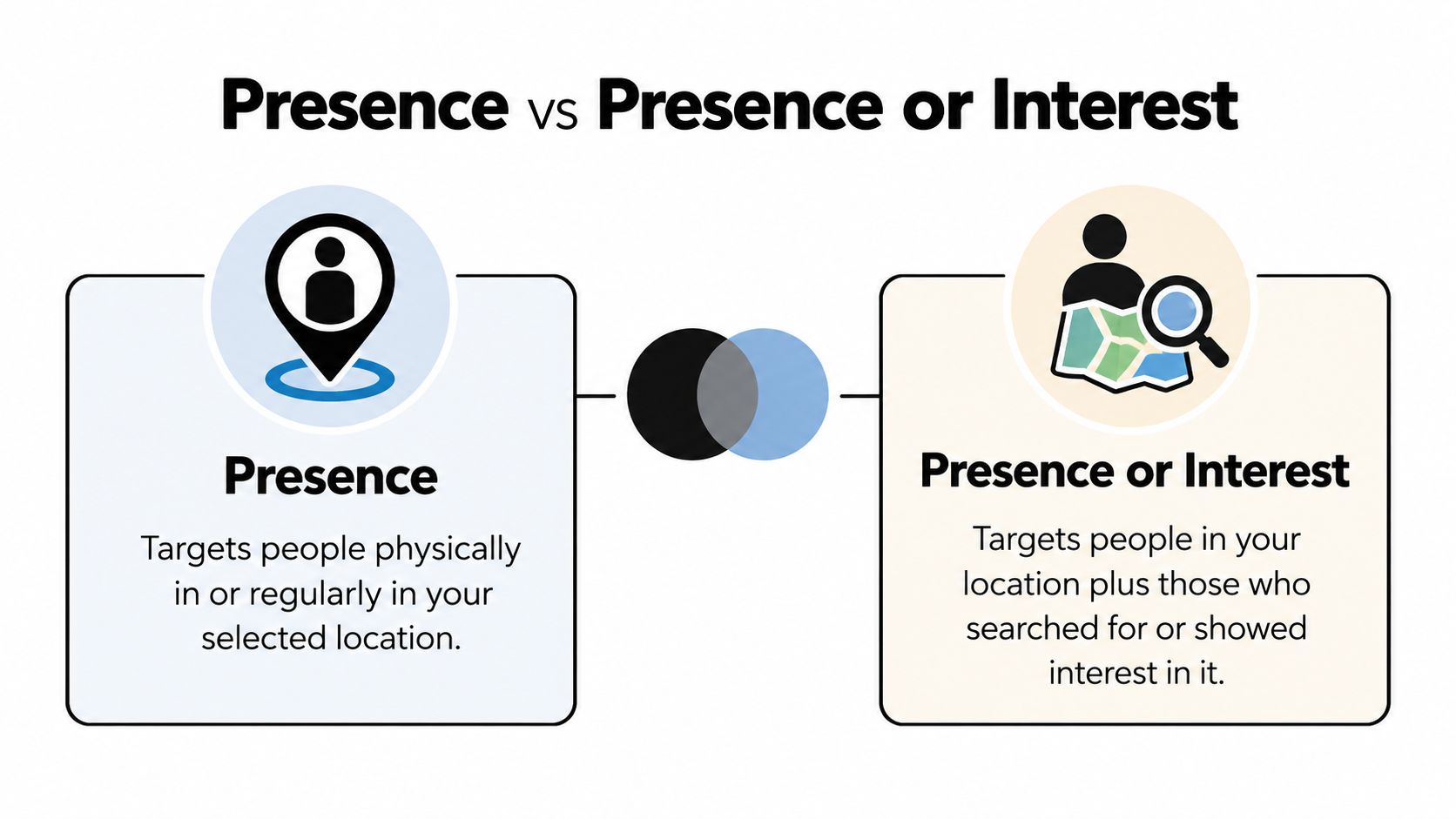
Presence means Google is trying to reach people likely to be in, or regularly in, your selected area. Presence or Interest expands that pool to include people outside the area who have shown interest in it through searches, past visits, or content they've engaged with about that place. Google's documented location logic relies on multiple signals, so this is always a targeting rule, not a guarantee that every impression lands inside a perfect boundary.
The mental model that actually helps
Think of Presence as a filter for physical reality. It's the setting you want when the buyer has to be there, or at least regularly there, for the offer to matter. Think of Presence or Interest as a filter for intent tied to place, which is useful when interest in the location itself is part of the sale.
That difference matters more than most accounts admit. A campaign targeting “New York” with Presence or Interest can reach someone abroad researching New York, while Presence is designed to keep delivery focused on people likely to be there or regularly there. Google also exposes the same logic in the API as PRESENCE and PRESENCE_OR_INTEREST, which is useful if your account setup relies on scripts or bulk operations.
The setting is not a promise. It's an eligibility rule built from signals, and Google still infers location from behavior, devices, and settings.
The clean takeaway is simple. Presence optimizes for physical reach, Presence or Interest optimizes for expressed interest in a location. Once you internalize that, the rest of the account review gets a lot less mystical.
Side by Side Comparison and Decision Criteria
The right location option depends on how a conversion becomes valuable. Compare targeted locations with matched locations, then judge conversion quality rather than clicks. That measurement approach exposes whether broader reach is producing revenue or only adding curiosity traffic.
| Decision criterion | Presence | Presence or Interest |
|---|---|---|
| Customer access | The customer can usually act from the targeted area | The customer may be planning from elsewhere |
| Revenue timing | Suits immediate, location-dependent demand | Suits future demand and longer consideration |
| Bid strategy | Gives automated bidding a cleaner pool of locally relevant conversions | Needs stronger conversion signals so bidding does not reward low-value research |
| Audience interaction | Works well with local audiences, service areas, and nearby intent | Can extend reach among destination researchers and planning audiences |
| Measurement priority | Compare qualified leads, appointments, and revenue by targeted location | Compare bookings, applications, and revenue by matched location and audience quality |
| Main control | Tight geographic eligibility | Wider eligibility with closer search-term and location review |
For a regulated business, plumber, locksmith, clinic, or service-area company, Presence usually protects spend because the customer must be close enough to act. For a hotel, relocation service, university, property business, or tourism offer, Presence or Interest can reach buyers before they arrive.
Neither setting is universally better; the deciding factor is whether revenue requires the customer to be physically present. If an out-of-area click cannot produce a sale, broader eligibility gives Google room to spend on the wrong intent.
A decision rule you can use fast
Choose Presence when proximity determines fulfilment, eligibility, or response time. Choose Presence or Interest when research, planning, or a future visit is part of the buying process. For national ecommerce or shipping businesses, test both in separate campaigns. Keep budgets, bidding, creative, and conversion definitions comparable, then evaluate qualified conversion value by targeted and matched locations.
A low CPC does not rescue weak customers. Review lead qualification, booked appointments, completed applications, purchases, and revenue before changing the setting. If matched-location traffic produces interest but poor downstream value, tighten eligibility. If targeted locations limit profitable demand from planners, test broader reach with stronger conversion tracking.
Single biggest difference: Presence prioritizes physical reach, while Presence or Interest prioritizes expressed interest. Choose the option that matches how a visitor becomes a paying customer.
Real World Scenarios Where Each Setting Wins

A plumbing business doesn't need curiosity. It needs a person who can book a call inside the service radius, and that makes Presence the obvious choice. If the ad reaches someone outside the area, that click is usually dead weight, so the KPIs to watch are qualified lead rate and cost per qualified lead.
A boutique hotel in Lisbon is the opposite. A traveler researching the city from another country may be exactly the right buyer, because the research happens before the trip does. That's where Presence or Interest earns its keep, and the KPIs are booking inquiries, assisted conversions, and how often the campaign captures early-stage planners instead of empty clicks.
A DTC skincare brand sits in the middle. It can ship nationally, but not every city contributes the same value, so the smart move is to separate campaigns and let each location option do a different job. Use one campaign to lean into broad interest, another to weight spend toward the metros that produce better customers, then compare conversion quality instead of pretending all traffic is equal.
How I'd judge each scenario
- Plumbing or emergency repair: watch cost per qualified lead and location match quality, not just form fills.
- Hotel or travel offer: watch booking intent, inquiry quality, and the share of leads that come from real planners.
- Ecommerce with location bias: watch conversion value by market, repeat purchase behavior, and whether certain areas keep outperforming.
The pattern is consistent. If the location itself is part of the buying journey, Presence or Interest can be productive. If the location is just the boundary around a service area, broad interest is usually noise.
How to Change the Location Option in Google Ads
Start in Campaigns, then go to Settings, open Locations, and click Location options. From there, choose the dropdown and switch between Presence and Presence or Interest based on what the campaign is trying to accomplish. Google's default for many campaign types is the broader setting, so plenty of advertisers are already on Presence or Interest without realizing it.
If you're running Search or Performance Max, expect the surrounding controls to behave a little differently than a simple campaign-by-campaign toggle fantasy would suggest. Radius targets can also surprise first-timers, because the shape of the area and the location option interact, and a wide radius with the broad setting can get sloppy fast.
For scripted accounts, the same choice can be managed through the Google Ads API, which is useful if you're moving changes at scale or using a workflow tool. Teams using bulk edits or tools like Keywordme can keep that setting consistent across accounts instead of relying on one person to remember where the dropdown lives.
After you flip the setting, don't stop there. Review the search terms and location segments together so you can see whether the new setup is tightening delivery or just changing the flavor of waste.
A good companion walkthrough is how to use location targeting effectively, especially if you're cleaning up multiple campaigns and want the same logic applied consistently.
The point isn't to memorize the menu path. The point is to stop treating location settings like passive account decoration, because they're one of the biggest levers on lead quality you can touch without rebuilding the campaign.
Metrics That Tell You Which Setting Is Actually Working
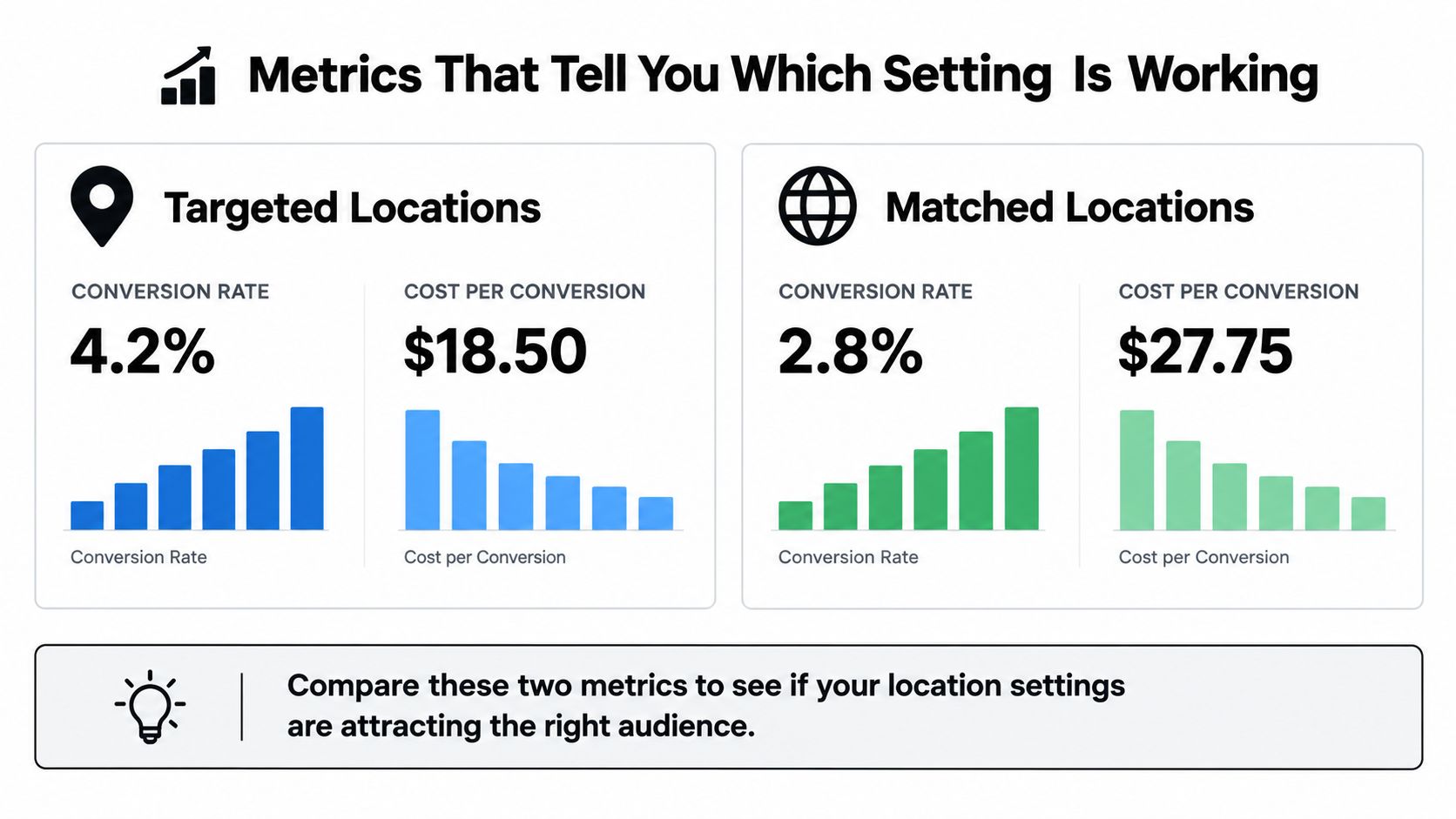
Google gives you two different views here, but only one gets looked at. Targeted locations report performance by the locations you selected in the campaign settings, while matched locations show where the ads appeared, sometimes down to postal-code, airport, university, or congressional-district level. That gap is the whole story, because you can't judge location settings if you only inspect the places you told Google to target.
What to compare, and what to ignore
Pull both location views, then line them up against conversion value and cost per qualified lead. Clicks can flatter the broader setting, and session metrics can look lively even when the traffic is useless. If the goal is real customers, a location cluster with lots of engagement but weak conversion value is not a win.
The disciplined workflow is boring, which is why people skip it. Look for matched locations that aren't in the intended area, check whether they convert better or worse than the targeted locations, and decide whether the interest-based audience is adding incremental buyers or just creating more reporting noise.
The threshold I trust
If the extra geography brings in qualified leads at a cost you can defend, keep it. If it doesn't, tighten the settings and cut off the drift. That's cleaner than arguing about click-through rate, because CTR can rise for all the wrong reasons when the ad starts attracting researchers instead of buyers.
Use this test: compare where Google says the campaign was targeted with where the conversions actually came from. If the second view is weaker, the setting is probably too broad for the business.
This is also where better negative keyword hygiene matters, because junk search terms can make location interest look more valuable than it is. Keywordme helps teams clean search terms and build negatives faster, which matters when noisy queries are disguising bad geography as good intent.
Optimization Playbook and Common Pitfalls to Avoid
Run a staged test, not a gut check. Start one campaign on Presence or Interest for a short period, segment the matched-location data, then mirror the setup with Presence only and compare qualified-lead cost, not just raw conversions. If the business needs help excluding irrelevant areas as well, the practical companion is how to exclude cities from a Google Ads campaign, because location options and exclusions solve different problems.
The mistakes I keep seeing
- Switching too fast: a few noisy days don't tell you anything useful, especially in low-volume accounts.
- Ignoring recurring visitors: commuters and regulars can be valid Presence matches, and that's not a bug.
- Treating tourists as waste automatically: for hotels, events, and relocation offers, they're often the buyer.
- Optimizing to CPC alone: cheap clicks from the wrong geography are still wasted spend.
- Skipping lead qualification: if your sales team can't tell a real prospect from a browser, the location test won't teach you much.
The best setup is the one that reflects how your qualified leads arrive. That means location settings have to be tied to lead scoring, call outcomes, or another real qualification rule, otherwise you'll keep rewarding the wrong traffic with more budget.
The right setting is the one your qualified leads come from, not the one that gives you the lowest CPC.
If you want the account to get cleaner over time, make the location test part of a bigger hygiene process. Keep the search terms tight, exclude obvious junk, and stop letting broad interest traffic define success for a local offer.
Keywordme helps PPC teams clean search terms, build negative keyword lists, and apply bulk keyword changes without the copy-and-paste mess. If you're sorting out Google Ads presence vs interest location targeting across multiple campaigns, visit Keywordme and use it to tighten the account around the locations and queries that produce qualified leads.
.svg)