
How Many Negative Keywords Should I Have Google Ads
How Many Negative Keywords Should I Have Google Ads


SEO Title: How Many Negative Keywords for Google Ads
Meta Description: How many negative keywords should I have Google Ads? Skip the magic number. Learn the right process, audit habits, and list strategy.
Most advice on negative keywords starts in the wrong place.
People ask, how many negative keywords should I have in Google Ads, as if there's a clean benchmark that separates a healthy account from a sloppy one. There isn't. That question sounds practical, but it usually pushes advertisers toward the least useful metric in the whole conversation.
A better question is this: Are your negative keywords filtering bad intent without choking off good traffic?
That's the core job. Not hitting some arbitrary count. Not bragging about a giant shared list. Not stuffing every campaign with every possible exclusion you can think of. Good negative keyword work is less like filling a bucket and more like maintaining a filter. If the filter catches junk, great. If it starts catching buyers, you've got a problem.
The Wrong Question to Ask About Negative Keywords
The obsession with quantity usually comes from a desire for certainty. Advertisers want a number because numbers feel tidy. But Google Ads doesn't reward tidy. It rewards relevance.
One campaign might only need a compact list because the targeting is narrow and the search terms are clean. Another might need a deep, layered setup because the account runs broad intent, multiple service lines, or several regions. Asking for one universal target misses how search behavior works.
Why the number itself tells you almost nothing
A negative keyword count, by itself, doesn't tell you whether the account is disciplined or broken.
An account with a short list might be tight and efficient. It might also be leaking budget every day. An account with a massive list might be carefully maintained. It might also be blocking half the searches that could convert.
Practical rule: Stop treating negative keyword count as a KPI. Treat it as a byproduct of search-term quality control.
Google's own documentation supports that mindset. Negative keywords exist to stop ads from showing on terms you don't want, and the system allows a lot of room to do that. If you need a sense of scale, Google's limits are high enough that most advertisers should think in terms of relevance and coverage, not scarcity. If you're comparing platform setups or broader digital advertising solutions, this is one of those details that matters more operationally than most blog posts admit.
Ask a performance question instead
If you're still searching for the answer to how many negative keywords should I have Google Ads, reframe it this way:
- What unwanted intent keeps showing up? Those are your real candidates.
- What patterns repeat across campaigns? Those belong in shared lists.
- What exclusions might be too broad? Those need an audit before they keep cutting off useful traffic.
That shift sounds small. It isn't. It moves you from collecting negatives to managing them.
Why Quality Beats Quantity for Negative Keywords
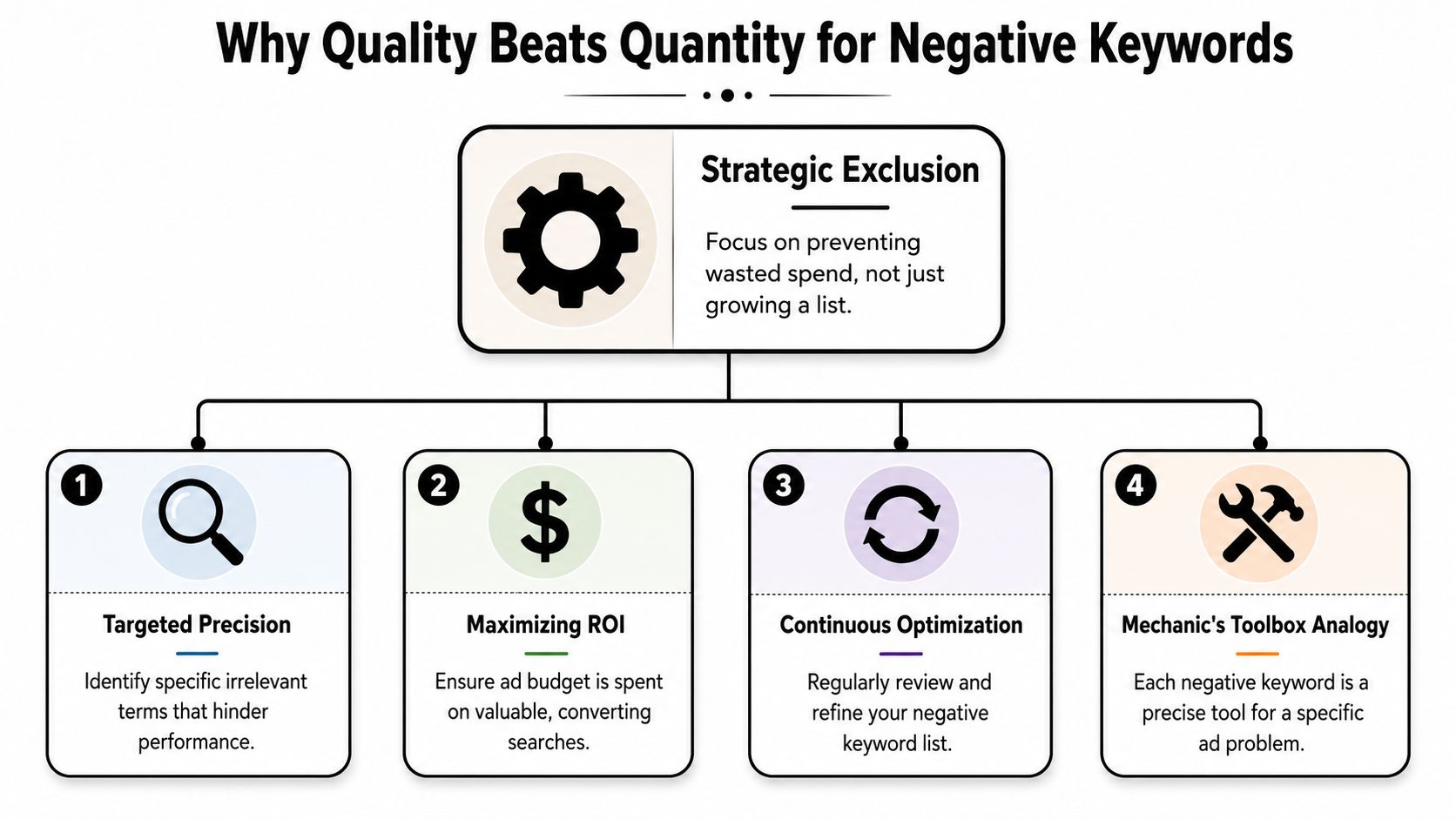
A negative keyword list works like a mechanic's toolbox. You don't judge the toolbox by how many tools are inside. You judge it by whether the right tool is there when the problem shows up.
That's how I think about search intent hygiene. You're not building a museum of excluded words. You're building a working set of filters that stops low-fit queries from wasting budget.
What a useful negative actually does
A good negative keyword has a job. It blocks a specific kind of mismatch.
Sometimes that's obvious. You don't sell free versions, jobs, templates, or support, so those themes belong on the list. Other times it's subtler. Maybe the query is technically related to your offer, but the intent is wrong. Research intent, DIY intent, education intent, or unrelated product variants can all eat spend without helping the campaign.
A long list isn't impressive if it's full of vague, generic terms that overlap with buyer language.
Google built for depth, not tiny lists
Google Ads doesn't have a fixed ideal count for negative keywords. What it does have is a lot of capacity. Google supports up to 10,000 negative keywords per campaign, and shared account-level lists can include up to 20 lists with 5,000 keywords each according to Google Ads negative keyword limits.
That tells you something important. Google expects advertisers to build substantial exclusions when the account needs them. The limit isn't the strategy. The strategy is coverage with control.
For teams trying to organize that control, a structured resource like this general negative keyword list guide can help you think in themes instead of random one-off additions.
Quantity helps only when it reflects real patterns
Here's a simple comparison:
| List type | What it looks like | What usually happens |
|---|---|---|
| Big but sloppy | Generic words added fast, little review | Useful traffic gets blocked |
| Small but sharp | Focused exclusions tied to search terms | Waste drops without hurting reach |
| Large and disciplined | Shared themes plus campaign-specific filtering | Better control across complex accounts |
The strongest lists aren't short or long. They're maintained.
That's the piece most advertisers skip.
A Repeatable Process for Finding Negative Keywords
Negative keyword work gets a lot easier when you stop improvising.
The best source is your own search-term data. Not hunches. Not a giant spreadsheet somebody downloaded from a forum years ago. Actual queries that triggered your ads.

Start with the Search Terms Report
Pull the Search Terms Report and review it with one goal: find queries that repeatedly show the wrong intent.
You're looking for patterns like these:
- Mismatch by offer: You sell one service, but people search for another.
- Mismatch by intent: They want information, jobs, training, or a free option when you need transactional intent.
- Mismatch by audience: The search is relevant to a different customer type than the one your campaign is built for.
- Mismatch by geography or scope: The query includes places or use cases you don't support.
That process sounds basic because it is. The hard part is doing it consistently and resisting the urge to act too fast.
Wait for enough evidence
One bad search term is not a pattern.
Industry practice leans toward waiting for enough signal before adding negatives. A common recommendation is to use meaningful search-term evidence, such as terms with 20+ clicks and no conversions, so you're filtering persistent irrelevant intent rather than random noise, as discussed in this negative keyword management guidance from Optmyzr.
That doesn't mean you need to ignore obviously wrong queries until they hit that threshold. It means you shouldn't turn every underperforming term into a negative just because it annoyed you this week.
If the query is clearly irrelevant, exclude it. If it's merely disappointing, gather more data first.
For a deeper walkthrough, this guide on how to find negative keywords is useful because it keeps the focus on search-term evidence instead of guesswork.
Use a checklist instead of gut feel
When I audit accounts, I like a quick pass/fail checklist:
- Is this query unrelated to the product or service?
- Does it signal the wrong stage of intent?
- Is it repeated enough to matter?
- Should it be blocked in one campaign or across many?
- What match type creates the least collateral damage?
That last question matters more than is generally comprehended.
A short explainer helps if you want to see the workflow in action:
Build from the bottom up
The cleanest way to grow a negative keyword system is bottom-up.
Start with obvious campaign-level negatives based on real queries. Then promote repeated themes into shared lists when they show up in multiple places. That keeps your setup flexible. You avoid turning account-wide negatives into blunt instruments too early.
Auditing Your List and Avoiding Common Mistakes
A neglected negative keyword list can hurt an account just as much as a missing one.
The trap is simple. A term that looked irrelevant months ago can become valuable later because match behavior shifts, campaign structures change, or your own offer expands. If nobody audits the exclusions, the account keeps blocking traffic unnoticed.
The biggest mistake is overconfidence
Advertisers get into trouble when they assume a negative keyword is permanent. It usually isn't.
Google's match behavior has made negative strategy more fragile. Broad or phrase negatives can block valuable traffic when used too widely, and negative keywords don't behave exactly like positive keywords. They may need separate handling for synonyms, singular and plural variants, and related close-variant logic, as explained in this 2025 negative keyword analysis from Karooya.
That means an exclusion can be technically correct and still operationally risky.
Broad and phrase negatives should earn their place. Don't hand them out because they feel efficient.
Mistakes that cost more than they save
A few show up over and over:
Using broad negatives too casually
One common word can wipe out a whole cluster of useful searches.Applying campaign-specific negatives account-wide
A term that's irrelevant in one campaign may be essential in another.Never revisiting old shared lists
Legacy exclusions tend to pile up, especially in inherited accounts.Ignoring blocked-intent audits
Teams review search terms that got through, but they don't review what might be getting blocked.
If you work in complex lead-gen accounts, especially software, this gets even more important. The overlap between category terms, competitor language, and high-intent problem-aware searches can be messy. This checklist of strategies for B2B SaaS Google Ads is useful context because SaaS campaigns often suffer from over-filtering as much as under-filtering.
A practical audit routine
Use a simple cadence and keep it boring. Boring works.
| Audit area | What to review | What to do |
|---|---|---|
| Shared lists | Old themes and generic exclusions | Remove anything too broad or outdated |
| Campaign negatives | Terms added during reactive cleanup | Confirm they still fit the campaign |
| Search terms | New high-intent variants | Check whether an old negative is blocking them |
If you suspect your exclusions are too aggressive, this guide on negative keywords blocking good traffic is a good place to pressure-test the list.
The point of auditing isn't to make the list smaller. It's to make it safer.
Automate Your Negative Keyword Workflow with Keywordme
Negative keyword work breaks down for a simple reason. The strategy is not usually the bottleneck. The admin is.
You find bad queries, export search terms, clean up the sheet, decide on match types, paste everything back into Google Ads, and repeat the same sequence a few days later. That routine is manageable in one small account. It gets sloppy fast across multiple campaigns, clients, or markets.
What automation should fix
A good tool does not decide intent for you. It speeds up the part after you have made the call.
For negative keyword management, that usually means:
- Pulling search-term patterns into view faster
- Selecting batches of irrelevant queries without spreadsheet cleanup
- Applying the intended match type correctly
- Sending negatives to the right place, such as a campaign or shared list
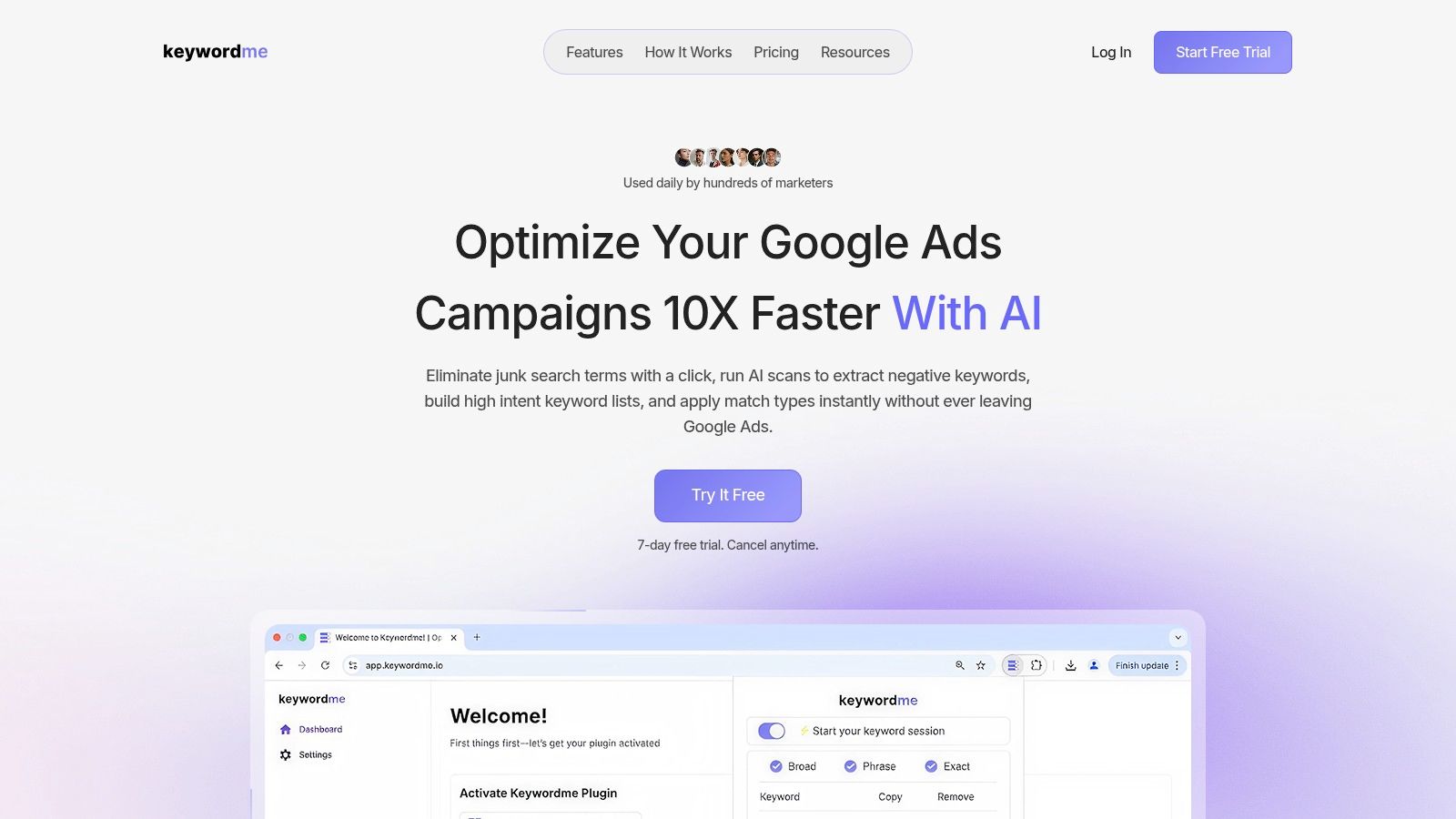
Keywordme fits that job. It is built to turn search-term reviews into usable negative keyword actions, with bulk workflows and match type handling built into the process.
A workflow people will keep using
The best negative keyword process is the one the team will still follow next month.
A practical setup looks like this:
- Review search terms during normal optimization.
- Mark clear mismatches and repeat low-intent patterns.
- Choose match types based on scope, not habit.
- Push those negatives to the right level without extra exports and manual formatting.
Small reductions in friction matter here. If cleanup takes too many steps, teams delay it. Delayed cleanup means irrelevant traffic hangs around longer, and fixes become reactive again.
Good process beats heroic effort. If the workflow is annoying, the work will not happen often enough.
What stays manual
Automation works best in the execution layer, not the judgment layer.
Keep these manual:
- Intent decisions
- Campaign vs shared-list decisions
- Reviews for accidental over-blocking
Automate these:
- Bulk selection
- Match type application
- List routing
- Repetitive entry and formatting
That split is what makes automation useful in PPC. It saves time without pretending that negative keyword strategy can run on autopilot.
Consistency is the payoff
The biggest benefit is consistency.
When it takes less effort to go from "bad query found" to "negative added correctly," account hygiene improves. Agencies can apply the same standard across more accounts. In-house teams stop postponing cleanup until wasted spend forces the issue. Freelancers get time back for analysis instead of copy-paste work.
That is the case for automating this part of the workflow. Not to chase a bigger list, but to keep a good process running.
Frequently Asked Questions About Negative Keywords
Should I use campaign-level or shared negative keyword lists
Use campaign-level negatives when the exclusion only makes sense inside that campaign.
Use shared negative keyword lists when the same unwanted intent appears across multiple campaigns and you want one place to maintain it. Shared lists are cleaner for recurring themes. Campaign-level exclusions are safer for nuance.
How do negative keyword match types differ from regular keywords
They don't behave the same way, and that's where a lot of mistakes start.
Negative match types are used to exclude traffic, but they don't mirror positive keyword behavior neatly. That's why broad and phrase negatives need more caution. If you're not sure, start narrower and only widen the match type when the data supports it.
How often should I review negative keywords
Don't use a rigid calendar if the account doesn't justify it.
Review frequency should follow search volume and spend. Fast-moving accounts need tighter monitoring. Lower-volume accounts can work on a lighter rhythm. The basic rule is simple: review often enough that irrelevant themes don't linger, and audit often enough that old negatives don't become blockers.
Is there an ideal number after all
No universal number. That's still the wrong benchmark.
A good account has as many negative keywords as it needs to protect relevance, no more and no less. If you're asking how many negative keywords should I have Google Ads, the better answer is this: enough to reduce wasted spend, but not so many that you start excluding buyers.
If you're tired of turning search-term cleanup into a spreadsheet chore, Keywordme is worth a look. It helps you review search terms, choose match types, and add negatives without the usual copy-paste routine, which makes regular account hygiene much easier to maintain.
.svg)