
Google Ads Policies Explained: What Advertisers Must Know
Google Ads Policies Explained: What Advertisers Must Know


Google Ads enforcement operates at a scale that makes policy compliance impossible to treat as a quick pre-launch checkbox. Google reported that it blocked or removed over 5.5 billion ads and suspended over 12.7 million advertiser accounts in 2023, after blocking or removing over 5.2 billion ads and suspending over 6.7 million accounts in 2022. Those figures show what experienced PPC specialists already know: a clever headline can't rescue an account with weak policy controls. Google's Ads Safety Report makes the broader point clear through its enforcement data. Google Ads policies shape what can run, where it can run, and whether your account remains eligible to advertise.
Why Google Ads Policies Matter More Than You Think
Google Ads policies function as the operating system of the advertising platform. Keywords, bids, budgets, and creative are the visible controls, while policy rules determine whether those controls can produce impressions at all. The platform applies those rules across advertisers, publishers, and available inventory, so a campaign can be technically well built and still fail before delivery begins.
The scale of enforcement explains why policy work cannot sit at the end of a launch checklist. Google reported blocking or removing billions of ads, restricting billions more, removing ads from publisher pages, and stopping ads from serving on publisher sites in 2020. It also added or updated more than 40 policies for advertisers and publishers that year. The figures describe platform governance, not a small moderation queue. Google's policy enforcement overview
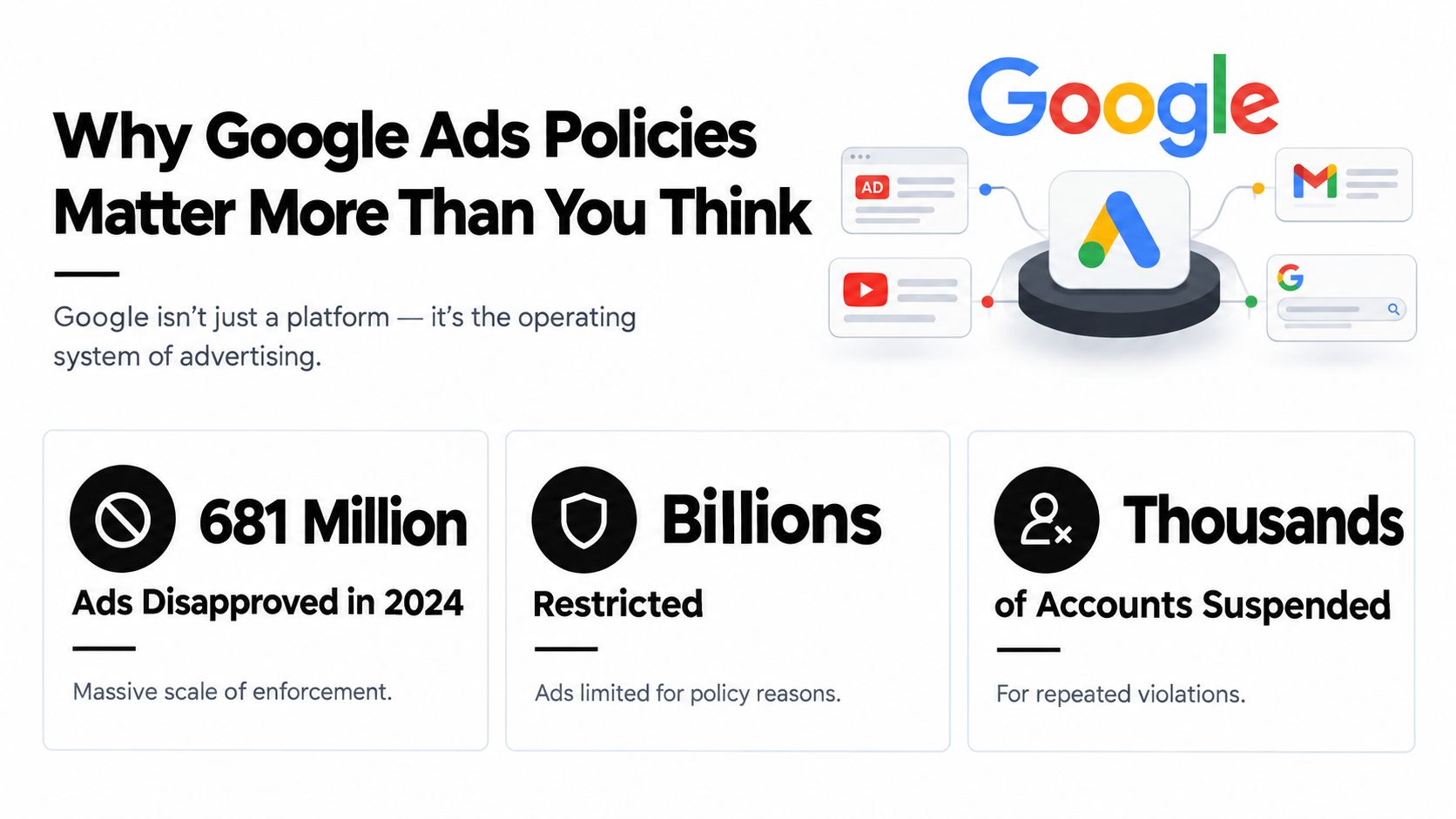
What enforcement looks like in practice
A policy issue can affect delivery at several levels:
- Ad disapproval: The affected ad does not serve.
- Limited serve: The ad may remain eligible but appear only under conditions involving factors such as age, location, device, or local law.
- Account suspension: Google can stop an account from advertising when violations are repeated or serious.
The practical impact reaches beyond one headline. A disapproved ad can delay a launch, a restricted ad can distort delivery, and a suspended account can interrupt every active campaign. The cost includes wasted time, missed demand capture, and a frantic afternoon spent staring at a red status label.
Policy risk also follows account relationships. A child account may depend on its Manager account for access and administration, so enforcement affecting that higher-level account can disrupt otherwise compliant campaigns. That architecture is easy to overlook when teams review ads one by one.
You do not need to memorize every policy page. Learn the logic behind the major categories, spot high-risk claims, inspect the destination experience, and check how linked accounts can affect enforcement. Policy work then becomes a normal PPC control rather than reactive firefighting.
How Google Organizes Its Policy Categories
Google Ads policies become easier to interpret when you sort them into three practical buckets. These buckets aren't a perfect substitute for Google's full policy library, but they help you ask the right first question: Is this content forbidden, regulated, or poorly presented?
Prohibited content
Prohibited content is the hard-no category. It covers advertising that Google doesn't allow, such as counterfeit goods, dangerous products, misleading health claims, and adult content in contexts where the policy prohibits it. Editing punctuation won't save an ad that belongs here. The offer itself is the problem.
For example, an ad promising a guaranteed medical outcome with no credible support may be treated as misleading. An ad promoting counterfeit branded products won't become acceptable because the landing page uses a cleaner font. Google is protecting users and its advertising ecosystem, not grading your copywriting style.
Restricted content
Restricted content may be allowed, but only under conditions. Financial products and services, healthcare, gambling, alcohol, and political advertising can involve certification, regional eligibility, licensing, or other controls.
Google defines financial products and services broadly. The category includes products and services related to managing or investing money and cryptocurrencies, including personalized advice. For certain financial products, Google requires the advertiser to be a licensed provider or aggregator, comply with local laws and industry standards, target an eligible location, and hold Google certification. Google's financial products and services policy
Editorial and technical standards
The third bucket covers presentation and destination quality. Capitalization, punctuation, clarity, trademark use in ad copy, and landing-page relevance can all affect approval. These issues often feel less dramatic than prohibited content, but they're common sources of disapproval because the ad may technically be allowed while the execution isn't.
| Category | Examples | Enforcement Outcome |
|---|---|---|
| Prohibited content | Counterfeit goods, dangerous products, misleading health claims, prohibited adult content | Removal or disapproval |
| Restricted content | Financial services, healthcare, gambling, alcohol, political advertising | Certification, regional limits, limited serve, or disapproval |
| Editorial and technical standards | Unclear copy, capitalization issues, trademark use, irrelevant destinations | Correction request, disapproval, or limited serving |
Consider a CBD advertiser. The same phrase could be evaluated differently depending on the product, market, landing page, and applicable category rules. A trademark scenario works similarly. Bidding on a competitor's brand as a keyword isn't identical to placing that trademark in ad text, where a valid complaint may create a separate issue. Context decides which policy bucket matters.
The Policy Categories That Get You Disapproved Most Often
Most disapprovals don't come from an advertiser trying to break the rules. They come from a rushed claim, a missing disclosure, or a landing page that says less than the ad promises. The fix starts with identifying the category rather than randomly rewriting headlines.
Misrepresentation
Google's misrepresentation rules target ads that mislead users through claims, omissions, or presentation. A headline such as “Lose weight effortlessly” becomes risky when the advertiser can't substantiate the result. Before-and-after imagery can create the same problem if it implies a predictable outcome without adequate evidence.
A more defensible version might say, "Explore nutrition coaching options," with a landing page that explains the service, limitations, and expected process. The compliant version doesn't promise a personal result. It tells users what they're going to find.
Trademark policy
Trademark problems confuse even seasoned marketers because keyword use and ad-text use aren't the same question. A competitor's trademark might be used as a search term, yet a complaint about the mark appearing in your headline can lead to an ad-text restriction.
A safer example is an ad for an authorized reseller that clearly identifies the relationship and accurately describes the products available. A flagged version uses the competitor's trademark in a headline to imply official ownership or affiliation that doesn't exist. Keyword insertion can also create risk if it automatically places competitor names in ad copy. Keep the landing-page comparison factual, and don't let automation turn a keyword into an unsupported affiliation claim.
Pharmaceutical and healthcare content
Healthcare advertising often combines content restrictions with certification and regional requirements. Online pharmacies may need certification, while prescription-drug advertising can face limits in particular regions. The important distinction is that a well-written ad doesn't replace eligibility.
“Licensed pharmacy services, order support, and pharmacist information” is more controlled than “Buy prescription medicine with guaranteed results.” The first describes a service and leaves room for required verification. The second combines a sensitive product with an absolute promise.
Financial products and services
Financial services demand unusually visible transparency. Google requires disclosures such as the physical business address, associated fees, and links to third-party accreditation or endorsement where an affiliation is asserted or implied. Those disclosures can't be hidden in rollover text or placed behind another link or tab. Google's financial-services disclosure requirements
A compliant ad might describe debt-management consultation while linking to a page that clearly presents fees, identity, and relevant qualifications. A flagged version advertises a loan, cryptocurrency exchange, or debt service while concealing material costs or implying an endorsement that the business can't prove. In this category, the landing page is part of the ad's policy footprint, not a place to tuck away the awkward details.
From Limited Serve to Account Suspension Explained
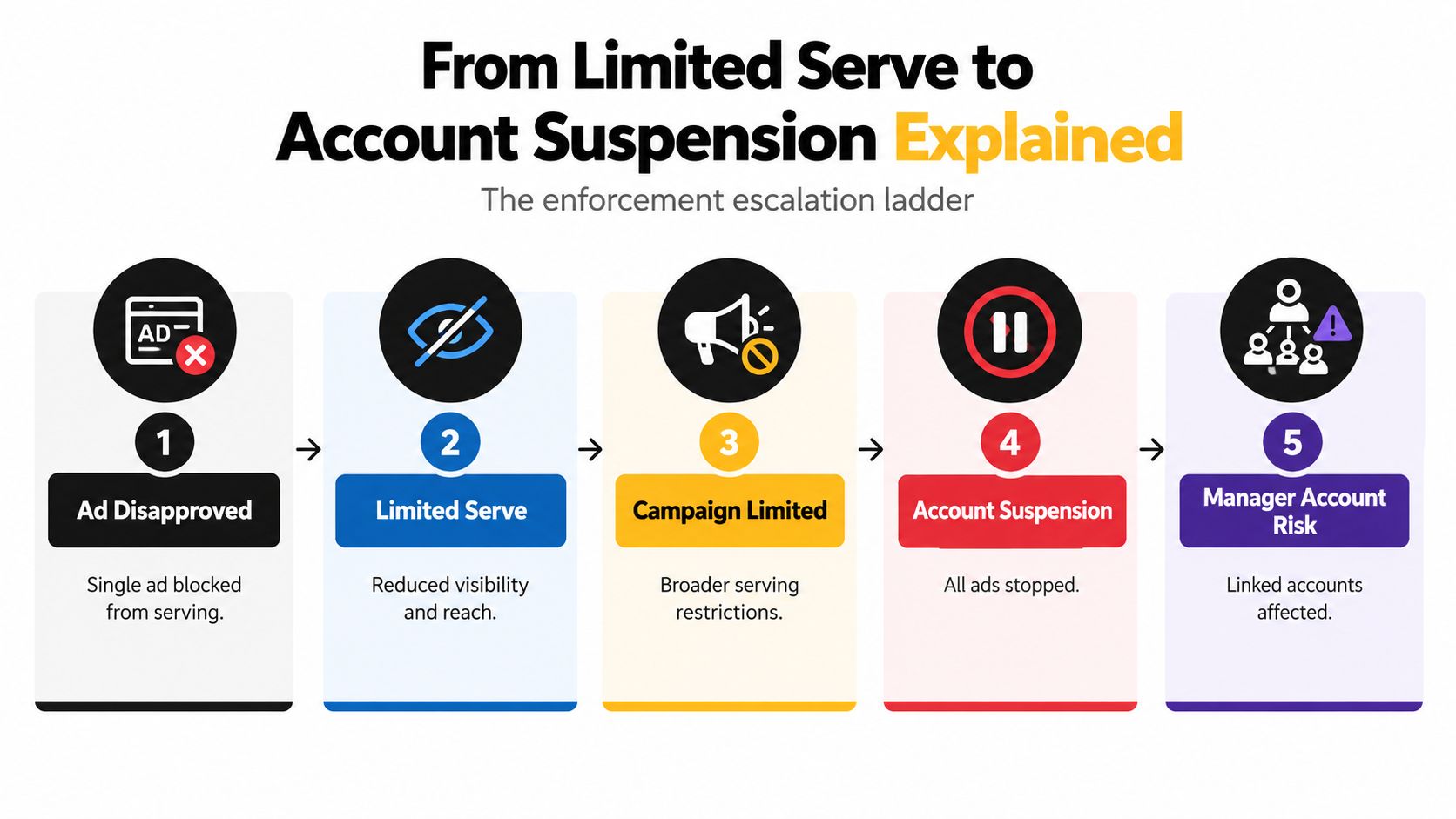
Google Ads enforcement isn't always a trapdoor. A single ad can be disapproved without taking down the account, while repeated or severe violations can move the advertiser toward broader restrictions. The exact outcome depends on the policy, account history, and relationship between the assets involved.
The practical severity ladder
Start with the narrowest result:
- Ad disapproval: One ad is blocked from serving.
- Limited ad serving: An otherwise eligible ad serves only under specific constraints, such as location, age, device, or local-law conditions.
- Campaign or ad-group restriction: Delivery is reduced across a larger set of assets.
- Account suspension: Google stops the account from advertising.
- Related-account risk: A policy issue connected to a Manager account can affect linked accounts.
Google distinguishes between a policy finding, which identifies an issue for review or correction, and a policy decision, which determines whether the ad can serve. Don't treat every warning as equivalent to a final suspension notice. Read the exact status and policy language.
Practical rule: Fix the underlying policy issue before submitting another version. Repeatedly changing surface wording while leaving the landing page or business model untouched usually makes the problem harder to diagnose.
A weight-loss supplement ad illustrates the danger. An unsupported result claim can lead to disapproval. Editing the wording may resolve that particular finding, but another claim, image, or destination element can still trigger review. If the advertiser continues submitting variations that violate policy, Google may treat the pattern more seriously than the original headline.
Appeals matter most early, when you can show a precise correction or provide documentation. If an account is suspended, copy the reason exactly as Google presents it. That wording identifies the policy basis and tells you whether the problem concerns the ad, the business, verification, or a related account.
A short video can help junior account managers recognize the interface and enforcement context:
How to Read Which Policy Disapproved Your Ad
A yellow or red status label is not a diagnosis. It's an invitation to open the diagnosis instead of rewriting headlines by instinct.
Use the status column first
In Google Ads, open the Campaigns menu and locate the affected ad. Hover over Disapproved in the Status column, then select Read the policy. Google says this flow shows the specific policy affecting the ad. You can also use View and fix policy issues from the policy email and review affected assets in Policy Manager. Google's ad disapproval troubleshooting flow
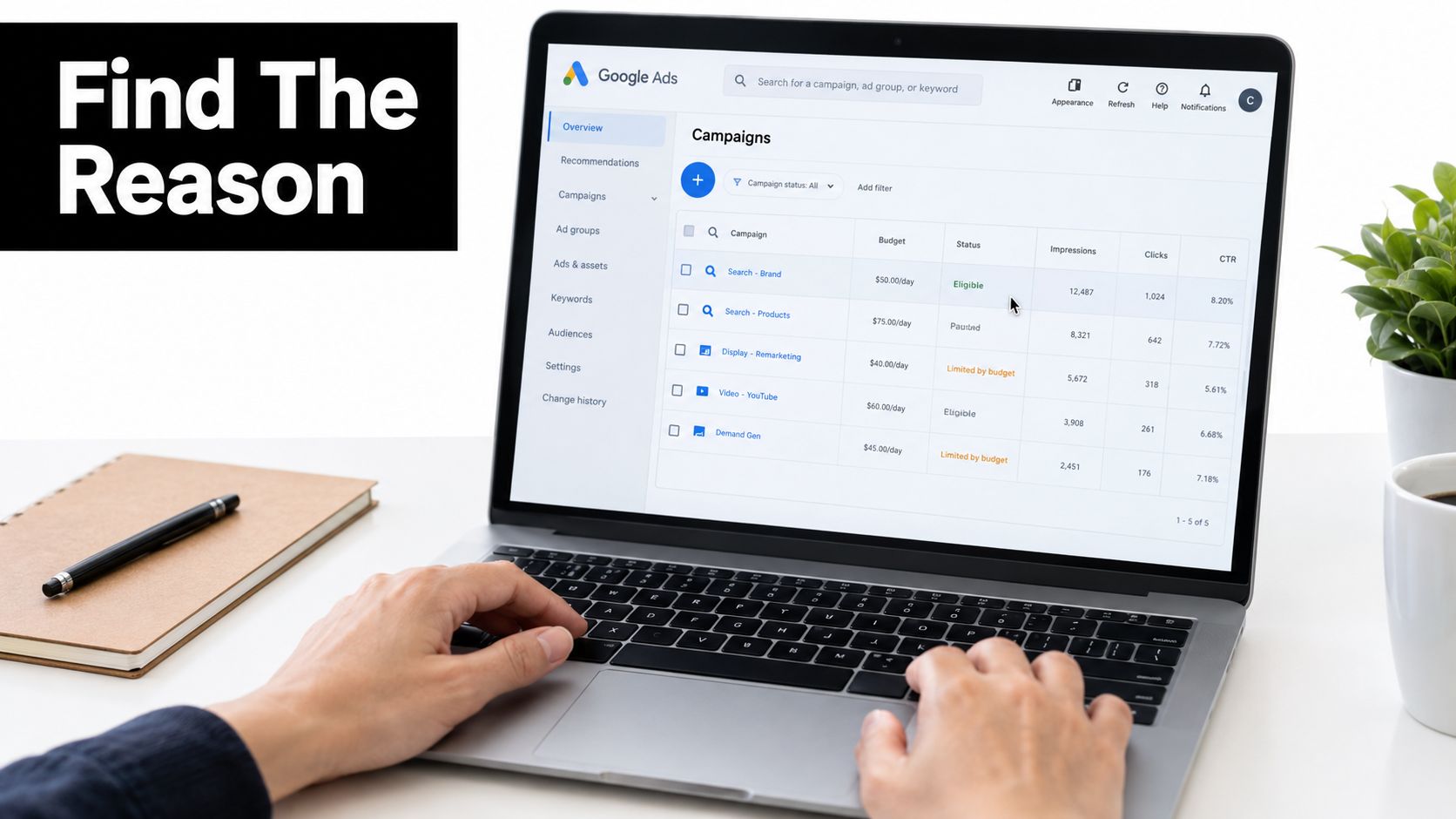
The policy detail matters because “financial services” and “trademark in ad text” require completely different fixes. A financial advertiser might find that two ads lack required disclosures while another triggers a trademark complaint. Editing all three with the same template would be efficient only in the way using a hammer on every household problem is efficient.
Inspect the asset and destination together
Read the ad preview and the policy explanation, then inspect the landing page element Google identifies. Look for missing business information, unclear fees, unsupported claims, or content that doesn't match the promise in the ad.
For broader destination work, this guide to landing page optimization that converts is useful because policy compliance and user experience overlap. A clear page helps users understand the offer, and it gives reviewers fewer reasons to question what the ad represents.
Filter the ad table by Policy issues to isolate affected assets. For client work, export the diagnosis so the change request contains the policy name, affected text, destination element, and proposed correction. You can also use this Google Ads disapproved ads troubleshooting guide when documenting the remediation process.
The Manager Account Risk Most Advertisers Overlook
Many teams still think of policy enforcement as a single-account problem. Google's 2025 third-party policy clarification changes that assumption. Google says an individual account can be paused if it's linked to a Manager account that violates the third-party policy, and the available remedy may be unlinking the account. Google's third-party policy clarification
That matters to agencies, freelancers, and companies using shared account structures. A client account can be clean while its relationship to a non-compliant Manager account creates a separate exposure. This isn't merely an ad-copy problem. It's an account-architecture problem.
What the relationship risk means
Google's 2025 Ads Safety reporting says it blocked or removed over 8.3 billion ads and suspended 24.9 million accounts in 2025. The scale reinforces a shift toward account-centric enforcement, where identity, ownership, management relationships, and repeated behavior can matter alongside individual creative. Google's 2025 Ads Safety reporting
Don't invent a dramatic agency horror story to understand the risk. The scenario is already enough: one client introduces a prohibited campaign, the Manager account becomes part of the review, and unrelated clients suddenly need to prove that their accounts aren't connected to the violation. The more accounts share infrastructure, administrators, and billing relationships, the more complicated recovery can become.
Build separation into the operating model
Use architecture as a control:
- Isolate higher-risk clients: Separate sensitive or heavily regulated advertisers into appropriate Manager-account structures.
- Review before linking: Check the child's business model, website, verification status, and active policy issues before connecting it.
- Assign ownership: Give a named compliance owner responsibility for monitoring related-account notices.
- Keep records: Document account relationships, administrators, certifications, and remediation decisions.
Google Ads account management also benefits from clear ownership, naming conventions, and access controls. This Google Ads account management guide can support that operational work.
A Manager account isn't just a convenient dashboard. It's part of the compliance perimeter.
Appeals That Actually Get Approved
An appeal works better when it reads like a compact legal brief rather than a frustrated support message. Start with the exact policy name Google cited, then explain clearly why the corrected ad or business complies.
Build the first submission around evidence
Use this sequence:
- Name the policy: Copy the policy title from the disapproval or suspension notice.
- Explain the correction: State what changed in the ad, landing page, business information, or account structure.
- Show proof: Attach relevant screenshots, product packaging, certification, license, trademark registration, or reseller agreement.
- Give access: Include a working URL that a reviewer can open without a login.
- Describe the destination: Identify where the required disclosure, qualification, or product information appears.
For financial services, provide the relevant business and disclosure evidence. For healthcare, include applicable licensing or certification documentation. For trademark disputes, show authorization or a reseller relationship where that is the basis of your appeal.
Use current screenshots that show the page state clearly. A reviewer can't verify a compliance change if the evidence is cropped, inaccessible, or disconnected from the URL in the account.
Ask for another review intelligently
If Google upholds the rejection, submit a second review through the same process with new documentation or a materially clearer explanation. Repeating the original text without addressing the reviewer's concern doesn't add evidence.
Don't rely on an invented deadline or promise of a particular response time. Google's help flow is the authority for the available appeal option and status of your case. Escalate only after the available reviews have failed, and use the Google Ads Help community when you need additional visibility around an unresolved issue.
The strongest appeal answers one question without drama: what did Google see, and what can you prove now?
Quick Reference Guide to Google Ads Policies
Use this table when a campaign manager asks why an ad stopped serving. It isn't a substitute for the live policy notice, but it helps classify the first diagnostic step.
| Policy Category | Common Trigger | Enforcement | Appeal Window |
|---|---|---|---|
| Misrepresentation | Unsupported results, clickbait, material omissions | Ad disapproval or broader account action when repeated | Use the appeal option shown in the account |
| Trademarks | Trademark in ad text after a valid complaint, or unsupported affiliation | Ad disapproval or correction request | Appeal with authorization or reseller evidence |
| Healthcare and pharmaceuticals | Ineligible product, missing certification, or regional restriction | Disapproval, limited serve, or account action | Follow the account's review flow with licensing evidence |
| Financial products and services | Missing address, fees, accreditation, or certification | Limited serve, disapproval, verification revocation, or suspension | Submit the requested business and compliance documents |
| Third-party policy | Linked Manager account violation | Linked-account pause or suspension risk | Review the relationship and follow Google's stated remedy |
Treat “appeal window” as an operational instruction, not a guaranteed calendar promise. Google's interface and policy notice determine what action is available for the specific case.
Staying Compliant Without Burning Out
Compliance becomes manageable when it becomes a recurring workflow instead of a quarterly emergency. Set a fixed monthly review for negative keyword hygiene, restricted-category disclosures, and verification documents.
Negative keywords deserve special care because their matching behavior differs from positive keywords. Google says the default negative match type is broad, and a negative broad keyword blocks a query only when the search contains all the negative terms in any order. Google also provides account-level negative keyword controls with a stated limit of 1,000 negative keywords per account. Google's negative keyword guidance
Use a saved Google Ads filter for ads whose status isn't Eligible, then inspect it weekly. For search-term review and exclusion workflows, this guide to reviewing the Google Ads Search Terms Report faster can help turn query cleanup into a repeatable task. Teams comparing operating processes can also review how I manage Google Ads accounts for another practical perspective.
Keep verification documents, disclosures, and account ownership records in one accessible place. Google can revoke financial-services verification immediately if it finds false verification information or a post-verification violation, and the account may be suspended. Google's financial-services verification policy
For keyword hygiene and search-term scanning, Keywordme identifies negative keywords and terms to exclude or isolate from Google Ads search-term data. The tool can sit alongside your policy review process, but it doesn't replace reading Google's policy decision or checking the destination page.
Keywordme helps marketers turn Google Ads search-term data into cleaner negative-keyword workflows, while policy checks keep the surrounding account structure and landing pages ready for review. Visit Keywordme to explore the tool and start building a more disciplined PPC compliance routine.
.svg)