
Google Ads Account Management: A Complete 2026 Guide
Google Ads Account Management: A Complete 2026 Guide


Three years of organic growth can turn a Google Ads account into a museum of forgotten decisions. Campaigns have names nobody recognizes, budgets belong to nobody in particular, and search terms pull spend toward queries the business never intended to target. Then performance slips, and the team starts debating bidding strategies before checking whether a human changed the campaign three weeks earlier.
That's why Google Ads account management isn't clerical work. It's the operating system behind budget control, keyword relevance, reporting, automation, and team accountability. The practical approach is to make the account easy to understand, difficult to damage accidentally, and flexible enough for automation without surrendering judgment.
Why Google Ads Account Management Matters More Than Ever
A messy account rarely fails in one dramatic event. It degrades through small compromises. Someone creates a campaign for a temporary offer, another manager adds broad keywords to an existing ad group, and a third person changes a budget without documenting the reason. Months later, the account still spends, but nobody can explain which parts are intentional.
That confusion creates three problems. First, budget decisions become disconnected from business priorities. Second, performance diagnosis turns into guesswork because unrelated products, locations, or intents share the same campaign and ad group. Third, automation receives weak signals and gets blamed for outcomes caused by poor structure or incomplete tracking.
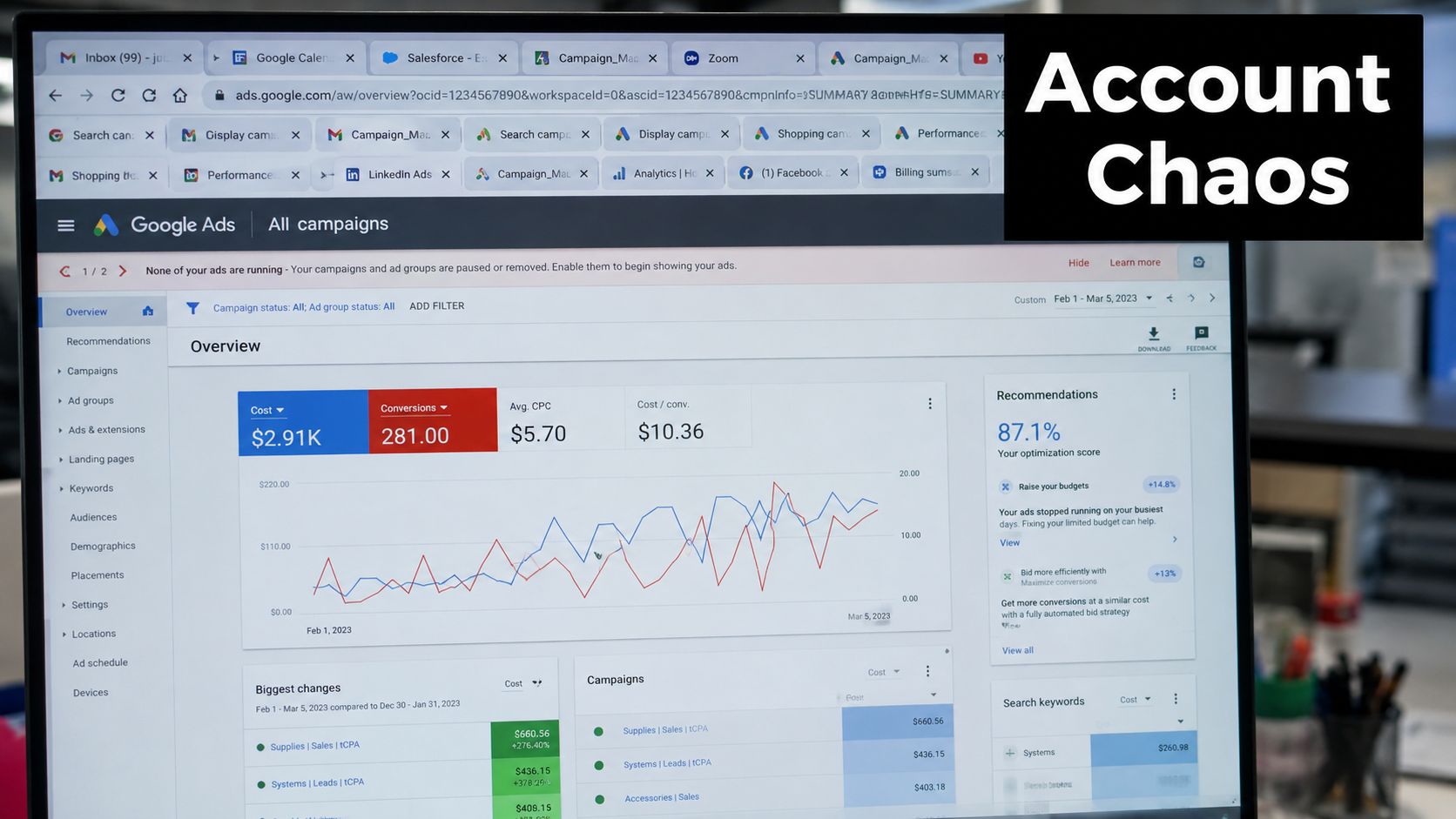
The account is an operating system
Good management connects five disciplines:
- Structure: Campaigns reflect meaningful budget and targeting decisions, while ad groups keep related intent together.
- Workflow: Managers review performance, pacing, search terms, alerts, and edits on a repeatable rhythm.
- Governance: Access levels make ownership clear and limit accidental changes.
- Measurement: Reports focus on outcomes that stakeholders can act on, not impressive-looking interface metrics.
- Automation boundaries: Teams decide what Google's systems may optimize and what still requires human approval.
Google's Change history supports this governance mindset by retaining campaign and ad group edits for the past 2 years, while older data isn't available. Managers can inspect who made a change, what changed, when it happened, and undo specific changes from the account history interface. Google's Change history documentation makes the practical point clear: account management should leave an evidence trail.
The market also leaves little room for casual waste. A 2025 benchmark based on more than 16,000 campaigns reported an average CTR of 6.66%, average CPC of $5.26, average conversion rate of 7.52%, and average cost per lead of $70.11. The same report recorded year-over-year CPC growth of 12.88% and CPL growth of 5.13%, with search ad costs rising for five consecutive years. The complete digital marketing statistics report shows why query hygiene and budget discipline matter. Small leaks become expensive when traffic costs rise.
The Three-Layer Account Structure Explained
A software company can spend efficiently in one campaign and waste budget in another because the hierarchy hides the difference. Brand, competitor, and generic product terms often need different budgets, targeting, and messages. Putting them together turns those decisions into a reporting and optimization problem.
Google Ads has three layers:
| Layer | Main responsibility | Practical question |
|---|---|---|
| Account | Billing and identity | Who owns this advertising operation? |
| Campaign | Budget and placement settings | Where should this money and targeting apply? |
| Ad group | Closely related ads and keywords | What specific search intent does this message serve? |
The account controls billing and identity. Campaigns control budgets and placement settings. Ad groups group closely related ads and keywords. The official Google Ads documentation on account structure explains why the distinction matters. Each layer has a defined job, and placing a decision at the wrong level makes control and analysis harder.
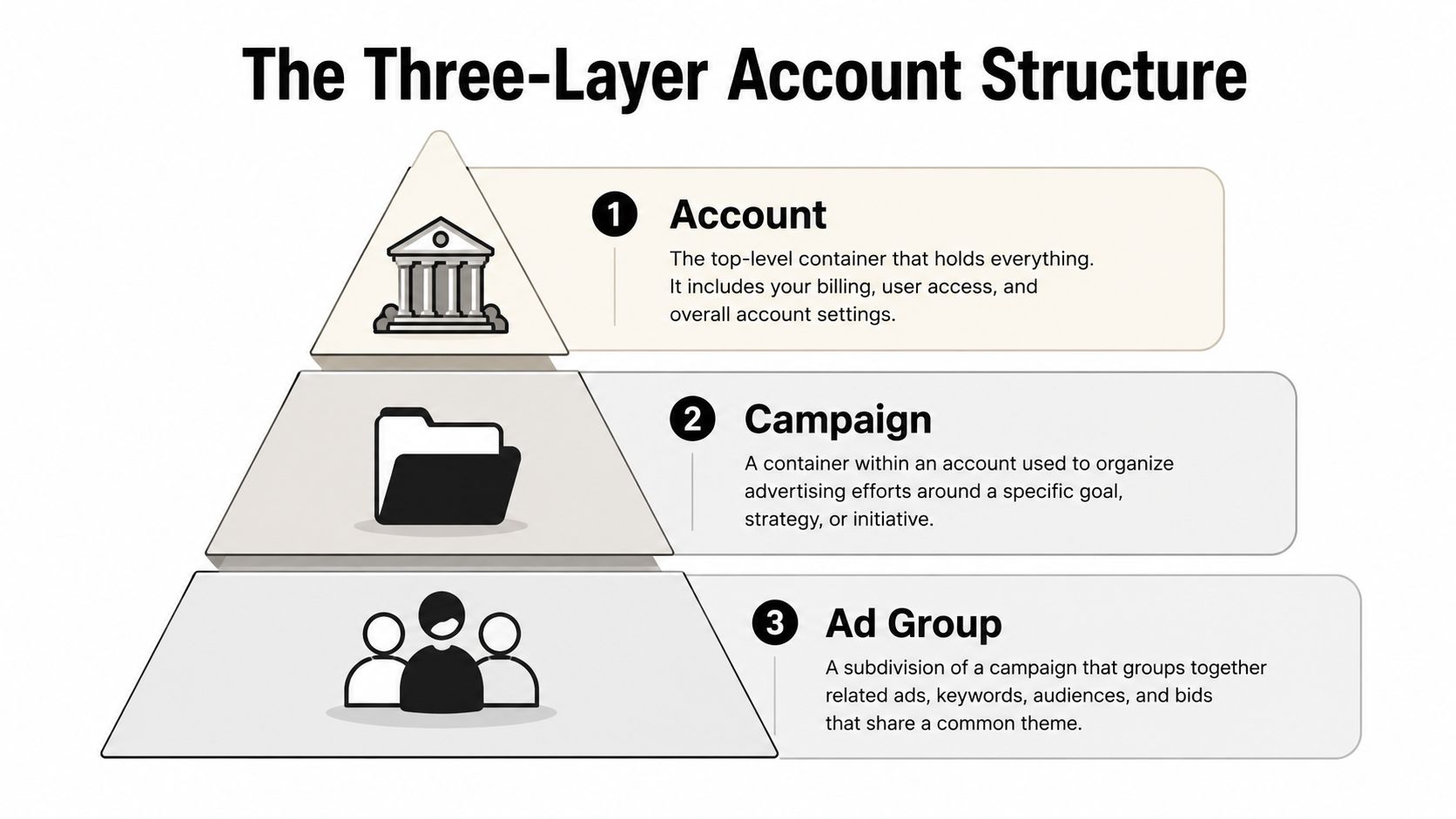
A quick audit test
Review a software account that mixes several products inside the same ad groups. The budget cannot be allocated cleanly, ads may answer the wrong intent, and a strong product line can conceal weak performance elsewhere.
Separate campaigns when the budget or targeting decision is materially different, such as brand versus non-brand intent or distinct product lines. Keep ad groups focused on a narrow theme. The keyword set and ad message should address the same underlying question.
Segmentation has a cost. Too many campaigns create thin data and add maintenance without improving decisions. The practical test is whether a manager can answer these questions without opening several reports:
- Which business objective owns this spend?
- Which settings control its budget and placement?
- Which search intent do these ads and keywords address?
- Where would an irrelevant query be blocked?
Automation makes this structure more important, not less. AI Max, Performance Max, and Demand Gen can expand reach and shift delivery across signals, but managers still need clear campaign boundaries, conversion goals, and approval points. Structure should show which decisions automation may make and which outcomes require human review.
For a closer review of naming, campaign boundaries, and ad group choices, use Google Ads account structure best practices. A clean hierarchy does not guarantee performance. It does make budget ownership, query review, and automation QA easier to manage.
Access Levels and Who Can Do What
Role-based access should match the decision a person owns. Giving every stakeholder the same permissions may save setup time, but it makes accountability harder and increases the chance of an expensive accidental change.
A common failure looks like this: a Standard user is asked to update campaign settings, then unlinks a product account while working through connected tools. The campaigns may keep running, but product-dependent workflows can lose their connection. The team now has to identify the change, restore the link, and determine what happened. Admin permission was not needed for the original task.
Google Ads user access is role-based. Email-only users receive notification emails and reports. Read-only users can view campaigns and planning tools but cannot edit campaigns. Standard users can edit campaigns. Admin users can make Standard-level changes, change access levels, link product accounts, and cancel invitations, as documented in Google Ads access levels.
| Access Level | What They Can Do |
|---|---|
| Email only | Receive notification emails and reports |
| Read only | View campaigns and planning tools |
| Standard | Edit campaigns |
| Admin | Make Standard-level edits, change access levels, link product accounts, and cancel invitations |
Manager accounts use a separate model with five levels: Administrative, Standard, Read only, Email only, and Billing. Standard users can manage linked client accounts and campaigns. Read-only users can inspect accounts without making changes. Billing users can view and edit billing information for client accounts using automatic or manual payments. Google's manager account access documentation explains these distinctions.
A separate constraint matters during agency and partner setup. A Google Ads account can be managed by up to 5 manager accounts. Google's account linking documentation becomes relevant when an advertiser has an agency, analytics partner, internal manager, and other linked operators requesting access.
For a team of five or more, keep Admin permission with a small ownership group. Give day-to-day PPC operators Standard access. Use Read-only access for auditors and clients, Email-only access for stakeholders who need reports and alerts, and Billing access only for payment administrators.
This arrangement preserves operating speed while separating campaign work from access and billing control. It also gives QA a clear owner. A person reviewing performance does not automatically need permission to change account access, connect product data, or alter payment settings. Automation makes this boundary more important, because AI Max, Performance Max, and Demand Gen can change delivery without granting the systems broader account permissions.
Core Workflows for Daily Account Management
Account management works best as a rhythm, not a heroic cleanup session. The daily job is to catch abnormalities early. The weekly job is to interpret patterns. The monthly job is to decide whether the structure, budgets, and automation still reflect the business.
Start every investigation with evidence. If a campaign suddenly loses volume, check Change history before blaming an algorithm. A budget change, location edit, status change, bid strategy adjustment, or ad pause can explain a performance shift that looks mysterious in the reporting interface.
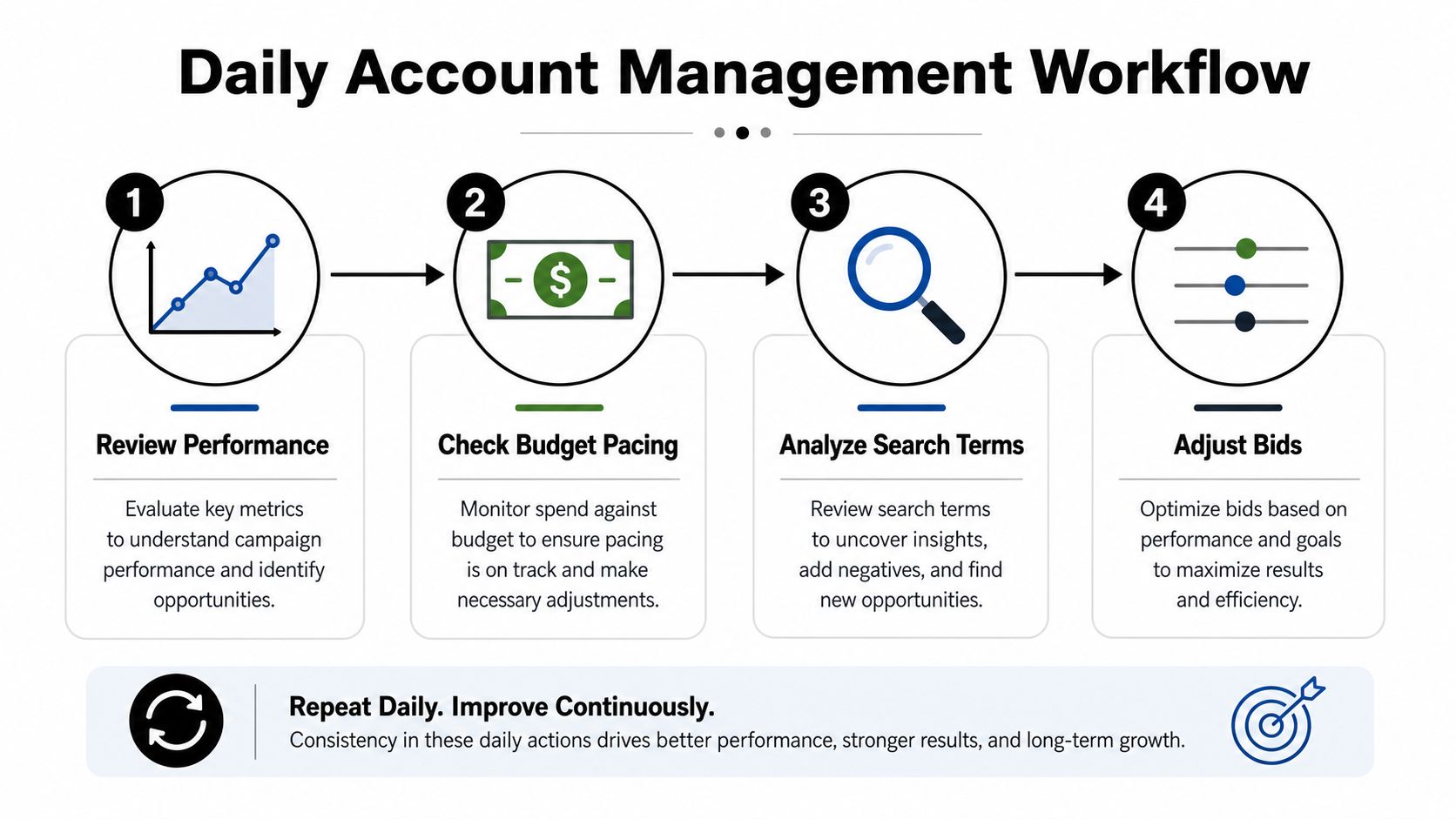
A workable operating rhythm
Daily checks should be short and defensive:
- Review movement: Look for unusual spend, conversion, CPC, or impression changes.
- Check pacing: Compare current spend with the budget plan and remaining period.
- Read alerts: Investigate disapprovals, billing issues, tracking warnings, and campaign status changes.
- Inspect important edits: Use Change history to identify recent human or system changes.
Weekly work requires judgment rather than interface scanning. Review search terms, compare campaign performance by intent, inspect budget pressure, and assess whether automation is expanding into queries or placements that don't fit the objective. Record the reason for every meaningful change, not only the action itself.
Monthly management is where you clean up accumulated drift. Retire obsolete campaigns, review access, validate conversion actions, examine naming consistency, and compare results with the business target. Don't rebuild an account because its labels look untidy. Fix the parts that distort budget control, relevance, measurement, or reporting.
Practical rule: Before changing a strategy, identify whether the account changed first.
A written log can be simple. Record the date, campaign, observed issue, action, expected effect, and review date. Google retains Change history for the past 2 years, and managers can undo specific changes from the history interface, according to Google's Change history guidance. That makes disciplined rollback possible, but only if the team knows what it changed.
For teams connecting reporting, automation, or other systems around paid search, it can help to browse Google Ads integration posts for workflow ideas. The tool isn't the operating model. The operating model is a consistent loop of observation, controlled action, and review.
Negative Keyword Management That Stops Wasted Spend
A campaign can have sound targeting and still waste budget on queries the business will never serve. Start negative keyword work with the Search terms report, which shows the actual searches that triggered ads rather than only the keywords selected during setup. Google recommends adding irrelevant terms as negative keywords. Account-level negative keyword lists can apply across eligible Search and Shopping inventory in relevant campaign types, making shared suppression useful for recurring junk.
Use a repeatable workflow:
- Open the Search terms report.
- Group queries by intent, not isolated wording.
- Separate universally irrelevant terms from campaign-specific exclusions.
- Choose the narrowest negative match type that solves the issue.
- Apply the negative and record the reason.
A company selling paid accounting software may repeatedly see “free accounting software” in its report. If no free product exists, add the phrase to a shared negative list for relevant campaigns. If an exclusion concerns one competitor or an unrelated product category, keep it at campaign level. Review shared lists carefully before applying them broadly, because an overly broad exclusion can remove useful demand from campaigns with different offers.
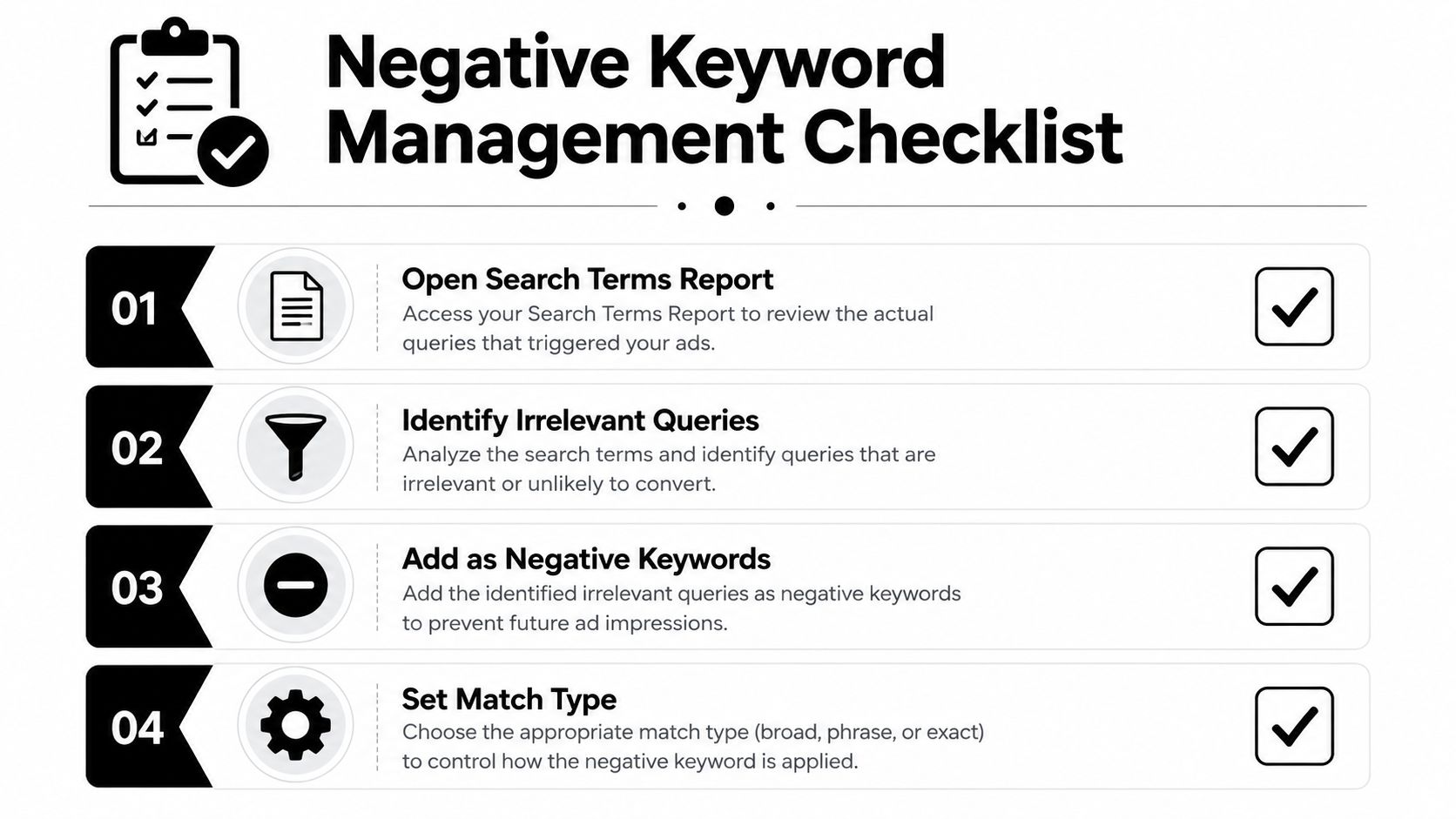
Match types behave differently here
Negative keywords follow different matching rules from positive keywords. A negative phrase match blocks an ad when the search contains the terms in the same order, even with additional words. A negative exact match blocks only the same terms in the same order with no extra words. Google's negative keyword match type documentation explains the distinction.
A phrase negative for “free accounting software” can block “best free accounting software” because the terms remain in order. An exact negative blocks only the query without added words. Use phrase when the concept is consistently irrelevant. Use exact when the wording might fit another context.
Account-level lists support broad, phrase, and exact negative match types. Google's negative keyword list documentation also points managers back to the Search terms report. Tools such as Keywordme can format terms, assign match types, and apply bulk negative actions inside Google Ads, reducing manual copy-and-paste work. For a closer examination of query suppression strategies, see this guide to Google Ads negative keywords.
Do not classify every non-converting query as junk. Some queries have limited data, delayed conversion behavior, or legitimate relevance despite producing no conversion yet. Base exclusions on intent, business fit, and recurring evidence, then check whether the negative affects Search, Shopping, or automated campaign coverage before applying it broadly.
Managing Accounts When Automation Runs the Show
A PMax campaign can expand into brand searches while a human-managed Search campaign is built to protect brand coverage and control messaging. If both campaigns pursue the same conversion action, automation may treat that overlap as efficient. The account manager may see duplicated spend, inconsistent landing-page intent, or brand traffic counted against the wrong budget. The boundary belongs with the human: define where brand demand should route, then let bidding and delivery operate inside that rule.
Old manual-era advice focused on keyword lists, bid changes, and tightly separated campaigns. That playbook is incomplete. AI Max, Performance Max, and Demand Gen can handle matching, bidding, audience signals, and creative assembly, while managers decide whether the conversion action represents qualified revenue, which products share a budget, and which campaigns need distinct objectives.
Keep these decisions human
Set the business and routing rules yourself:
- Conversion quality: Confirm that the primary action reflects qualified leads or revenue, not just a convenient event.
- Campaign boundaries: Separate products, markets, or objectives when their budgets or economics differ.
- Brand and competitor policy: Decide which queries may be targeted, excluded, or routed to another campaign.
- Budget guardrails: Set acceptable efficiency ranges and determine when a campaign needs intervention.
- Automation permissions: Approve expansion and recommendations only after tracking and landing-page relevance are reliable.
Delegate auction-time bids, signal weighting, asset combinations, and query expansion when the campaign has useful conversion feedback. Automation can optimise within the brief. It cannot define the brief.
Automation should operate inside a structure you can explain to a client, finance lead, or new hire.
Performance Max now supports up to 10,000 negative keywords per campaign, and search term visibility has expanded, according to Impression Digital's paid media updates. That capacity creates a prioritisation problem. A retailer might collect thousands of irrelevant queries across products, locations, and employment searches. Put repeated, high-cost, clearly irrelevant themes first, then add negatives that protect brand routing or prevent a material mismatch. Keep lower-volume suspicions in a review queue instead of filling the list with one-off terms.
The workflow should now separate decision types. Review PMax queries and asset signals on a fixed cadence, maintain a ranked negative queue, and record why an exclusion was added or rejected. For account teams adapting to machine-led optimisation, AI AdWords optimization offers related guidance. The objective is controlled delegation, with a human owner for the rules and a clear response when automation crosses them.
Building a Reporting and Optimization Cadence
A reporting cadence should match the decisions the team can make. Weekly reviews are suited to budget pacing, search-term findings, tracking alerts, and changes that need a quick response. Monthly reviews should assess allocation, lead quality, automation settings, and whether earlier tests produced enough evidence to keep, revise, or stop them.
Assign an owner for each review and use the same reporting window every time. Record the comparison period, conversion definition, budget changes, major exclusions, and any tracking qualification. Without that context, a performance change can look like an optimisation result when it came from seasonality, a landing-page release, or a measurement error.
A monthly review loop
Use a fixed sequence:
- Prepare the decision view: Group campaigns by objective and intent, then show spend, conversions, efficiency, and budget pacing in a format that exposes exceptions.
- Explain the movement: Separate auction pressure, demand changes, account edits, landing-page issues, and tracking changes before recommending action.
- Choose a short action list: Prioritise budget transfers, query exclusions, measurement fixes, landing-page work, or automation changes that have a clear owner.
- Document the decision: Log the change, expected effect, affected campaigns, and evidence used. A change log prevents the team from re-testing rejected ideas without new information.
- Set the next checkpoint: Define when the change will be reviewed and what result would justify keeping, modifying, or reversing it.
The executive summary should fit on one page. Put spend and business outcome at the top, followed by the largest month-over-month movements and their likely causes. Close with three decisions: what to change, what to investigate, and what to leave alone. A CFO usually needs budget risk, forecast confidence, and lead quality. A client may also need the explanation for lost or gained reach. Both audiences benefit from a clear distinction between observed results and proposed action.
Keep benchmark context in the appendix or supporting view rather than letting it dominate the discussion. Account targets depend on offer, geography, conversion definitions, and lead quality, so a benchmark can frame a question but cannot approve a budget change by itself.
Make efficiency legible
Leadership does not need a list of negative keywords. It needs evidence that the team found irrelevant demand, protected budget, and preserved valuable reach. Report the operational result: which intent problem was addressed, where spend was redirected, and whether qualified outcomes changed afterward.
Teams that feed account data into broader reporting systems can review guidance on scraping Google Ads data. Keep field definitions and attribution rules stable across reporting periods. A smaller consistent dataset supports better decisions than a larger report whose columns or logic change every month.
Putting It All Together
Effective Google Ads account management doesn't require constant tinkering. It requires a system that makes the important decisions visible and the risky decisions reviewable.
The biggest levers are straightforward:
- Clean structure: Keep account, campaign, and ad group responsibilities distinct.
- Governed access: Give each person only the permissions needed for their role.
- Traceable workflows: Use Change history and a decision log before diagnosing unexplained movement.
- Search-term hygiene: Turn recurring irrelevant queries into appropriately scoped negatives.
- Automation boundaries: Let Google optimize within business, budget, and measurement guardrails.
A practical this-week sequence looks like this:
- Audit campaigns and ad groups for mixed objectives or unrelated intent.
- Review Change history for unexplained edits before making new changes.
- Mine the Search terms report and add one carefully reviewed batch of negatives.
- Check every user and manager account role, then remove unnecessary editing or administrative access.
- Write down which automated recommendations the team accepts, modifies, or rejects.
Great management is boring on purpose. The account should produce fewer surprises, less wasted spend, clearer reporting, and a workflow that keeps working even when the usual manager is away.
Keywordme helps PPC teams work directly inside the Google Ads Search terms report to review queries, format negatives, apply match types, and add relevant terms without repetitive copy-and-paste work. Visit Keywordme to see whether its workflow fits your account cleanup and ongoing optimization process.
.svg)