
Google Ads Negative Keyword List Template (Free Download)
Google Ads Negative Keyword List Template (Free Download)


Meta title: Google Ads Negative Keyword List Template
Meta description: Use a Google Ads negative keyword list template to cut irrelevant clicks, customize exclusions by intent, and manage shared lists cleanly.
You launch a campaign, the clicks come in, and the search terms report immediately starts insulting your budget.
A B2B SaaS account shows ads for “free software.” A local service campaign starts matching to “jobs.” An ecommerce brand gets traffic from people looking for manuals, PDFs, used parts, or a competitor's product line you don't even carry. None of those clicks are harmless. They're the slow leak that makes an account look busy while performance gets worse.
That's why a solid Google Ads negative keyword list template matters. Not as a random spreadsheet you download once and forget, but as a working system. You need a starter list for common junk traffic, a process for finding account-specific negatives, and a clean way to push those exclusions across campaigns without turning account maintenance into spreadsheet theater.
If this is the problem you're dealing with right now, it helps to first spot the usual patterns behind Google Ads wasting money on irrelevant clicks. Most of the waste isn't mysterious. It's usually the same handful of intent mismatches showing up over and over.
Stop Wasting Your Ad Budget on Irrelevant Clicks
Most advertisers don't have a bidding problem first. They have a query filtering problem.
You can write strong ads, build decent landing pages, and choose reasonable keywords, then still pay for traffic that never had a chance. The issue usually appears in plain sight once you review actual search terms. Words like “free,” “cheap,” “jobs,” “training,” “template,” “DIY,” or “meaning” tend to attract users who want something different from what the campaign sells.
What wasted clicks usually look like
A few patterns show up constantly:
- Low-buying intent searches like free versions, downloads, definitions, or tutorials
- Wrong audience terms such as careers, internships, salary, or resume
- Wrong product category when Google matches your keyword to adjacent products you don't offer
- Research-only searches from users comparing, studying, or browsing with no commercial intent
That doesn't mean every informational search is bad. Sometimes early-stage traffic matters. But if you're running lead gen or direct response campaigns, you need to be ruthless about terms that almost never belong.
Practical rule: If a term repeatedly brings the wrong person, the wrong need, or the wrong stage of intent, block it.
Negative keywords are the cleanest fix
Negative keywords pull their weight. They don't improve a weak offer. They won't rescue bad conversion tracking. But they do stop your ads from entering auctions that were never worth joining in the first place.
A good negative keyword workflow does three things well:
- Catches universal junk that appears across almost every account
- Finds business-specific waste from your own search term data
- Keeps exclusions organized so you don't rebuild the same list every month
Busywork is adding the same “jobs,” “free,” and “DIY” terms manually in campaign after campaign. Useful work is creating a repeatable structure you can maintain without guessing.
Here's the uncomfortable part. A lot of accounts either underuse negatives or overdo them. Too few, and you bleed spend. Too many broad negatives, and you choke off queries that could convert. The rest of this guide is about avoiding both mistakes.
Your Universal Negative Keyword List Templates
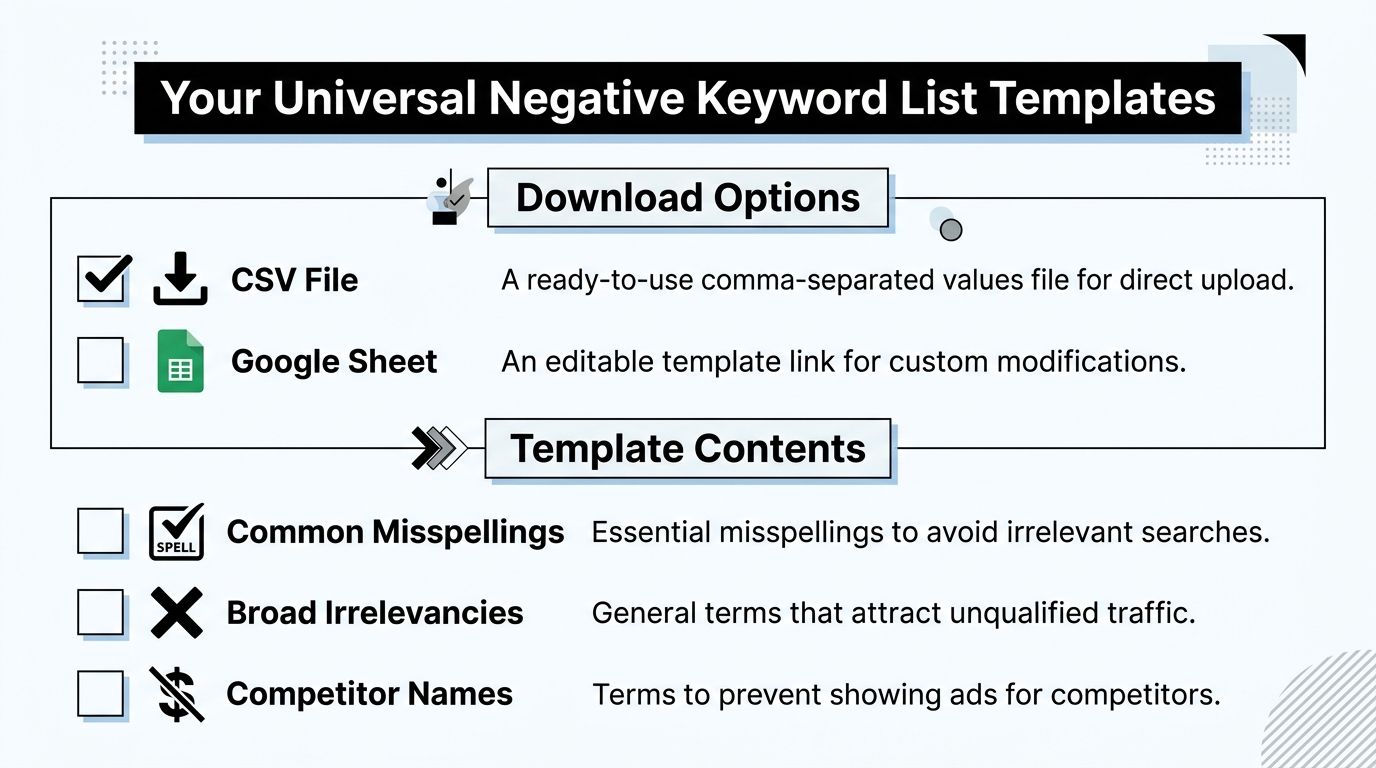
If you want a quick starting point, use a universal negative keyword list template as a first pass, not a final answer. The purpose is simple. Block the common junk that shows up in almost every account before you start deeper cleanup.
Download formats to use
I recommend keeping the template in two working formats:
| Format | Best use |
|---|---|
| CSV | Fast upload into Google Ads or Google Ads Editor |
| Google Sheets | Ongoing edits, comments, sorting by theme, and collaboration |
The actual file matters less than the structure. What you want is a list grouped by intent type so you can remove, adapt, or split sections without turning the sheet into a mess.
What belongs in the starter template
A practical starter list usually includes categories like these:
- Job seeker terms such as resume, careers, internship, hiring, salary, and interview
- Freebie intent like free, download, torrent, cracked, coupon, sample, or open source when those don't fit your offer
- Learning-only queries such as what is, definition, tutorial, course, training, and how to
- Support-style intent including manual, troubleshooting, customer service, login, or phone number if the campaign is meant for acquisition rather than existing customers
- Mismatched audiences like students, research, academic, or examples, depending on the account
What this template is good for, and what it isn't
A universal template is useful because it saves time on the obvious waste. It is not smart enough to know your margins, sales process, or product boundaries.
For example:
- A software company may want to block free, but a freemium brand might not.
- A plumber should probably exclude many DIY queries.
- A training business definitely should not exclude course or certificate.
- An ecommerce brand might block manual and used, while a parts reseller may keep both.
Don't upload a giant list just because it looks thorough. A shorter list that matches your business beats a bloated one every time.
A good Google Ads negative keyword list template gives you categories, not blind instructions. Treat it like a starter pack. Then cut anything that conflicts with your offer before you import it.
How to Customize and Build Your Own Lists
Actual work starts in the Search Terms Report. That's where you stop guessing and start using your own account data.
Google's own workflow for building negative lists still starts there. You review the queries that triggered your ads, identify irrelevant terms, and then turn those into exclusions. If you want a deeper walkthrough of the review process itself, this guide on how to build a negative keyword list in Google Ads is a useful companion.

Start with actual queries, not assumptions
This is the habit that separates tidy accounts from chaotic ones. Don't brainstorm negatives first. Pull search terms first.
Look for repeated patterns:
- Queries that clearly describe something you don't sell
- Searches from the wrong user type
- Terms with research intent when your campaign needs purchase intent
- Competitor names, if those clicks don't fit your strategy
- Adjacent services that sound related but don't belong to your business
Industry examples that make this easier
A few examples make the process more concrete.
| Business type | Likely negative themes |
|---|---|
| B2B SaaS | free, open source, jobs, resume, tutorial, internship |
| Local services | DIY, how to, salary, certification, training |
| Ecommerce | used, manual, replacement only if not sold, competitor products not carried |
| Agencies | jobs, templates, courses, definitions, freelancer if irrelevant |
The point isn't that every account should block those terms. The point is that each business has a repeatable pattern of irrelevant intent. Once you spot it, your custom list gets sharper fast.
Build by theme, not by random additions
When managers add negatives one by one with no structure, maintenance gets ugly. Grouping by theme is cleaner and easier to audit later.
A simple framework looks like this:
- Jobs and careers
- Free and low-intent
- Education and research
- DIY and support
- Competitors or unrelated brands
- Products or services not offered
Review search terms like an editor, not a collector. You're looking for recurring intent patterns, not trying to save every oddball query ever seen.
Watch for false positives
Many lists go bad here. A term can look irrelevant in isolation and still belong in a valuable long-tail search.
For example, “software training” may be junk for a SaaS trial campaign, but it may be excellent for a training provider. “Cheap” may be bad for premium services, but not for discount retail. “Template” might be irrelevant for a service business and highly relevant for a software tool.
That's why I prefer writing a short reason beside each negative in the working sheet. If you can't explain why a term should be blocked, don't add it yet.
Importing and Managing Lists in Google Ads
Once your list is clean, implement it in a way that doesn't create more account clutter later.
Google Ads supports shared negative keyword lists in the Shared Library, which lets advertisers define one list and apply it to multiple campaigns. Google's help documentation says these lists can be organized by themes, which reduces manual work and helps keep exclusions consistent across large accounts (Google Ads shared negative keyword lists).
The workflow that stays manageable
Shared lists are better than rebuilding the same exclusions inside every campaign. If you're managing multiple campaigns with the same risk profile, centralizing common negatives keeps the account cleaner.
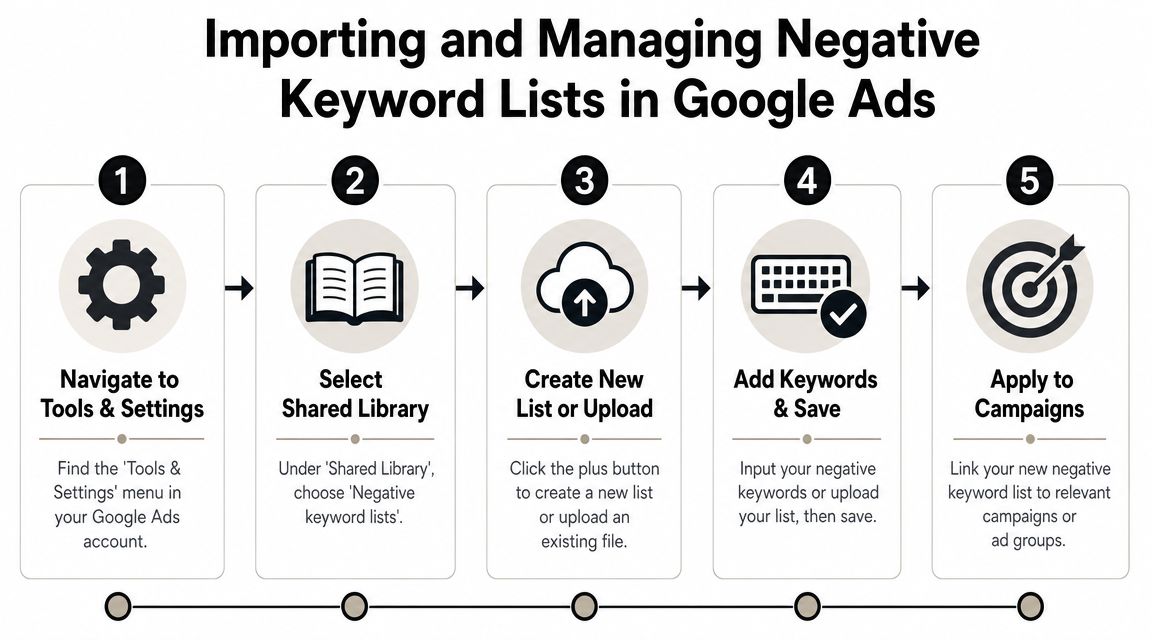
Use this implementation path:
- Go to Tools and Settings
- Open Shared Library
- Choose negative keyword lists
- Create a new list or paste in your terms
- Apply the list to the right campaigns
If you need a separate walkthrough for moving lists in and out of the platform, this article on how to export and import negative keyword lists is helpful.
A quick visual makes the interface flow easier to follow:
Choose the right level
Not every negative belongs in a shared list. Scope matters.
- Account-wide or widely shared campaign negatives fit lists like jobs, support queries, or unrelated products
- Campaign-level negatives work when one campaign has a distinct offer or audience
- Ad group negatives help control internal query routing and keep close variants separated
Here's the rule I use:
| Scope | Best for |
|---|---|
| Shared list | Universal waste across many campaigns |
| Campaign | Offer-specific exclusions |
| Ad group | Tight control between similar keyword themes |
The mistake is dumping everything into one giant list. That feels organized at first, then turns into a black box no one wants to touch. Keep shared lists thematic and readable.
Best Practices for Long-Term List Maintenance
Negative keyword management isn't a one-time cleanup. It's account hygiene.
The strongest setup is usually simple: a few themed shared lists, a habit of checking search terms, and careful use of negative match types. If you skip the maintenance side, your nice template turns stale fast.
Use match types with restraint
Experts advise using layered match types to control reach: negative exact for specific exclusions, negative phrase for irrelevant term sequences, and broader negatives sparingly. The biggest pitfall is overblocking, which can suppress legitimate long-tail queries and reduce impression share (negative match type guidance from Karooya).
That matches what tends to work in practice. Start narrow unless you're certain the entire concept is useless.
- Negative exact works when one query is clearly bad but nearby variants might still be useful
- Negative phrase fits repeated unwanted patterns
- Broad negatives need the most caution because they can cut off traffic you wanted
A broad negative often looks efficient on paper and reckless in a live account.
Organize lists so future you can understand them
You don't want a list named “misc negatives final v2.” You want labels that tell you what they do.
A cleaner structure looks like this:
- Jobs and careers
- Informational intent
- Free and low-quality intent
- Support and existing customer terms
- Competitor exclusions
- Not offered products or services
That naming convention makes reviews much easier. When performance shifts, you can inspect the likely list instead of scanning a giant mixed file.
Keep a review cadence that you'll actually follow
I've seen too many advertisers promise themselves daily search term reviews and then stop after a week. A sustainable cadence is better than an ambitious one you'll abandon.
For most accounts, this is enough:
- Check new search terms regularly
- Add obvious waste quickly
- Test uncertain negatives in a limited scope first
- Only roll exclusions outward after checking for side effects
If a term is questionable, isolate it. Don't push it across every campaign immediately.
What usually fails
The bad habits are predictable:
- Uploading huge generic lists without trimming them
- Using broad negatives too early
- Mixing campaign routing negatives with universal junk traffic negatives
- Never documenting why a term was blocked
- Letting lists grow without any cleanup
The goal isn't to have the biggest negative list. The goal is to have the right exclusions, applied at the right scope, with enough clarity that another manager can understand the account in five minutes.
Streamline Your Workflow with Keywordme
Manual negative keyword work still functions. It's just tedious.
You pull the search terms report, scan for patterns, copy terms into a sheet, assign match types, format a CSV, upload it, apply it to campaigns, then repeat the process next week. That's manageable in a small account. It gets old fast when you're handling multiple clients, multiple markets, or a search campaign structure with lots of segmentation.

Where manual workflows break down
The friction usually comes from three places:
- Too much copy and paste between reports, sheets, and Google Ads
- Inconsistent match type decisions when different people manage the same account
- Slow implementation after you've already identified the junk traffic
That's the gap automation tools try to close. If your workflow lives in exports and spreadsheets, you spend more time formatting than deciding.
A more practical way to handle negatives
Keywordme is one option for reducing that manual work. It's built to work from real search term data so you can clean up junk queries, apply match types, and handle keyword actions without all the usual copy-and-paste steps. For teams that routinely build and maintain a Google Ads negative keyword list template, that changes the job from spreadsheet management into review and decision-making.
That matters because the hard part of PPC isn't typing terms into cells. It's judging intent correctly and acting fast enough to keep waste from stacking up.
If your account is small, a sheet and shared lists may be enough. If you're scaling, the better question is whether your current process helps you make better decisions or just keeps you busy.
If you want a faster way to turn messy search term data into usable negatives, expansions, and match-type-ready keyword actions, take a look at Keywordme. It's built for the part of Google Ads work many advertisers still do by hand.
.svg)