
8 Best Google Ads Keyword Grouping Tools in 2026
Finding the right Google Ads keyword grouping tool can transform chaotic campaigns into profitable, organized account structures. This comprehensive guide reviews the 8 best keyword grouping tools in 2026, ranging from Chrome extensions that integrate directly into your Google Ads interface to AI-powered standalone platforms with advanced clustering capabilities, helping PPC managers and agencies save hours of manual work while improving campaign performance.


Keyword grouping is one of those tasks that separates messy, money-wasting Google Ads accounts from tight, profitable ones. The right tool can turn hours of spreadsheet wrestling into a few clicks. This list covers the best Google Ads keyword grouping tools available right now—from Chrome extensions that work inside your Ads interface to standalone platforms with AI-powered clustering. Whether you're a solo freelancer managing a handful of accounts or an agency juggling dozens of clients, there's something here for you. We've prioritized tools that actually save time, integrate smoothly with existing workflows, and don't require a PhD to operate.
1. Keywordme
Best for: PPC managers who want fast keyword clustering without leaving Google Ads
Keywordme is a Chrome extension that brings keyword grouping directly into the Google Ads Search Terms Report interface.

Where This Tool Shines
Most keyword grouping tools force you to export data, manipulate it in spreadsheets, then re-import everything back into Google Ads. Keywordme skips all that friction. You work right inside the Search Terms Report where you're already reviewing performance.
The clustering happens in real-time as you review search terms. Click to group related keywords, apply match types instantly, and build negative keyword lists without ever opening a CSV file. For agencies managing multiple client accounts, the multi-account support and team collaboration features mean everyone can work in the same streamlined workflow.
Key Features
In-Interface Clustering: Group keywords directly in the Search Terms Report with no exports or imports required.
One-Click Match Type Application: Apply exact, phrase, or broad match modifiers instantly as you build keyword groups.
Bulk Negative Keyword Lists: Create and manage negative keyword lists on the fly while reviewing search terms.
Multi-Account Support: Switch between client accounts seamlessly without losing your workflow momentum.
Team Collaboration: Share access across team members with consistent processes and permissions.
Best For
Solo PPC managers and agencies who spend significant time in the Search Terms Report and want to eliminate the export-edit-import cycle. Especially valuable if you manage multiple accounts and need a consistent, repeatable keyword optimization process.
Pricing
Flat-rate pricing at $12/month per user with a 7-day free trial. No pricing tiers based on ad spend, which makes budgeting predictable for agencies.
2. Optmyzr
Best for: Enterprise teams that need advanced automation and rule-based keyword management
Optmyzr is a comprehensive PPC management platform built for advertisers who want deep automation capabilities across Google, Microsoft, and Amazon Ads.

Where This Tool Shines
Optmyzr goes beyond basic keyword grouping by letting you build custom automation rules that reorganize campaign structures based on performance triggers. You can set up workflows that automatically split ad groups when they grow too large or merge underperforming keywords into broader groups.
The platform's strength is in its flexibility. You're not limited to pre-built templates—you can create custom scripts and automation recipes tailored to your account structure and optimization philosophy. The reporting dashboards also give you visibility into how your keyword organization impacts overall account health.
Key Features
Rule-Based Automation: Create custom rules that trigger keyword reorganization based on performance thresholds you define.
Campaign Structure Recommendations: Get AI-driven suggestions for splitting or consolidating ad groups based on keyword performance patterns.
Cross-Platform Support: Manage keyword grouping across Google Ads, Microsoft Ads, and Amazon Ads from one interface.
Custom Scripts: Build and deploy custom automation scripts for unique workflow requirements.
Detailed Reporting: Track how structural changes impact Quality Score, CTR, and conversion metrics over time.
Best For
Enterprise PPC teams and larger agencies managing high ad spend accounts where automation saves significant time. Best suited for experienced advertisers comfortable with rule-based systems and custom scripting.
Pricing
Starts at $249/month for accounts spending up to $50k in monthly ad spend. Pricing scales up based on total managed spend across all accounts.
3. WordStream
Best for: Beginners who need guided keyword organization with minimal learning curve
WordStream is a beginner-friendly PPC platform that uses a guided workflow approach to help advertisers organize keywords without getting overwhelmed.

Where This Tool Shines
WordStream's "20-minute work week" philosophy is built around simplifying complex PPC tasks into digestible chunks. The keyword grouping suggestions come with plain-English explanations of why certain keywords should be grouped together, which helps newer advertisers understand the strategy behind the structure.
The interface doesn't assume you know PPC jargon. Instead of throwing you into a spreadsheet view, it presents keyword organization tasks as actionable recommendations with clear next steps. The built-in landing page tools also help you align keyword groups with relevant landing pages, which is often overlooked in other grouping tools.
Key Features
Guided Grouping Suggestions: Get step-by-step recommendations for organizing keywords with explanations of the reasoning.
Performance Alerts: Receive notifications when keyword groups need attention based on performance changes.
Cross-Platform Management: Handle Google Ads and Microsoft Ads keyword organization from one dashboard.
Beginner-Friendly Interface: Clean, intuitive design that doesn't overwhelm new advertisers with advanced features.
Landing Page Integration: Connect keyword groups to specific landing pages and track alignment.
Best For
Small business owners managing their own Google Ads, new PPC managers still learning account structure best practices, and agencies that need a simple tool for entry-level client accounts.
Pricing
Custom pricing based on monthly ad spend, typically starting around $300/month. Includes access to the full WordStream platform beyond just keyword grouping.
4. Keyword Grouper Pro
Best for: Bulk keyword research projects with massive lists that need semantic clustering
Keyword Grouper Pro is a desktop application designed specifically for handling enormous keyword lists using advanced clustering algorithms.
Where This Tool Shines
When you're dealing with keyword research lists in the tens or hundreds of thousands, most tools choke. Keyword Grouper Pro is built to handle that scale. It uses semantic clustering algorithms that group keywords by meaning and search intent, not just word matching.
The desktop application works offline, which means you're not limited by API rate limits or internet connectivity. You can process massive lists overnight and export them in Google Ads-ready formats. The one-time purchase model also makes it cost-effective for agencies that do heavy keyword research regularly but don't need ongoing subscription costs.
Once your keyword groups are export-ready, our step-by-step guide on how to add keywords to Google Ads covers exactly how to import them into your campaigns correctly.
Key Features
Massive List Processing: Handle keyword lists with 100,000+ terms without performance degradation.
Multiple Clustering Algorithms: Choose between semantic, pattern-based, or hybrid clustering approaches depending on your needs.
Google Ads Export Format: Export grouped keywords in formats that import directly into Google Ads Editor or the web interface.
Offline Functionality: Process keywords without internet connectivity or API limitations.
One-Time Purchase: Pay once and own the software permanently with free updates for a year.
Best For
Agencies and consultants who do extensive keyword research projects, especially for new account builds or major campaign restructures. Also valuable for SEO professionals who need to organize keyword research for both paid and organic strategies.
Pricing
One-time purchase around $97 with a year of free updates. No recurring subscription fees, which makes it economical for occasional heavy use.
5. SEMrush PPC Keyword Tool
Best for: Advertisers who need competitive intelligence alongside keyword grouping
SEMrush PPC Keyword Tool combines keyword research, competitive analysis, and automatic clustering within the broader SEMrush platform.

Where This Tool Shines
SEMrush's competitive intelligence capabilities set it apart. You can discover what keywords your competitors are grouping together, then use that insight to inform your own campaign structure. The tool automatically clusters keywords based on semantic similarity and search intent, then overlays CPC and volume data to help prioritize which groups to build first.
If you're already using SEMrush for SEO research, the PPC Keyword Tool integrates seamlessly with your existing keyword lists and competitive analysis. The direct export to Google Ads means you can move from research to implementation without manual reformatting.
Key Features
Competitor Keyword Discovery: See what keywords competitors are bidding on and how they're organized into ad groups.
Automatic Clustering: AI-powered grouping based on semantic relationships and search intent patterns.
Negative Keyword Recommendations: Get suggestions for negative keywords to add based on irrelevant search patterns.
CPC and Volume Integration: See cost and traffic estimates for each keyword group before building campaigns.
Direct Google Ads Export: Export grouped keywords in formats that import cleanly into Google Ads.
Best For
Advertisers who run both SEO and PPC campaigns and want unified keyword research, agencies that need competitive intelligence to inform campaign strategy, and teams already invested in the SEMrush ecosystem.
Pricing
Included with SEMrush Pro at $139.95/month and higher-tier plans. No additional cost if you're already using SEMrush for other marketing functions.
6. Adalysis
Best for: PPC audits and AI-driven campaign structure optimization
Adalysis is a PPC audit and optimization platform that uses AI to identify structural issues and recommend keyword reorganization strategies.

Where This Tool Shines
Adalysis approaches keyword grouping from an audit perspective. Instead of just clustering keywords, it analyzes your existing account structure and identifies problems like bloated ad groups, keyword cannibalization, and misaligned match types. The AI-driven recommendations tell you exactly which ad groups to split or merge and why.
The Quality Score monitoring is particularly valuable because it shows how structural changes impact your Quality Scores over time. You can see whether your keyword grouping decisions are actually improving ad relevance and landing page experience scores.
Key Features
Automated Structure Audits: Get detailed reports on account structure issues with specific recommendations for fixes.
Ad Group Split/Merge Suggestions: AI identifies when ad groups should be divided or consolidated based on performance patterns.
Quality Score Monitoring: Track how structural changes affect Quality Scores at the keyword and ad group level.
Ad Testing Automation: Coordinate keyword grouping with automated ad testing to ensure message match.
Cross-Account Reporting: Compare account structures across multiple clients or brands to identify best practices.
Best For
Agencies conducting regular PPC audits for new clients, in-house teams optimizing mature accounts with complex structures, and advertisers focused on improving Quality Scores through better campaign organization.
Pricing
Starts at $149/month for accounts managing up to $50k in monthly ad spend. Pricing scales based on total managed spend.
7. Google Ads Editor
Best for: Bulk keyword moves and offline campaign reorganization
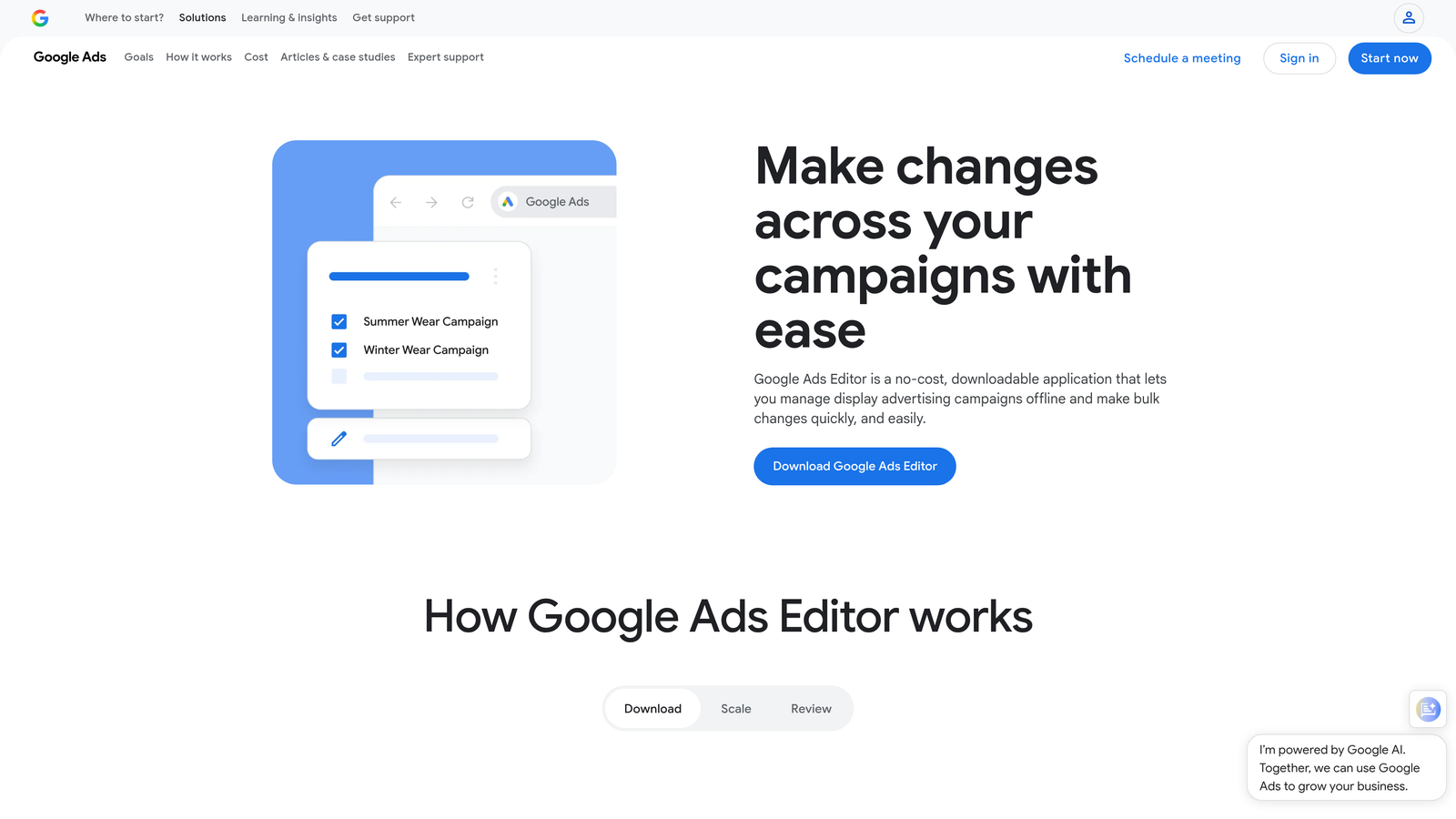
Google Ads Editor is Google's free desktop application for bulk editing and managing campaigns offline.
Where This Tool Shines
Google Ads Editor doesn't have fancy AI clustering, but it excels at bulk operations. You can select hundreds of keywords and move them between ad groups in seconds. The find-and-replace functionality lets you quickly reorganize keywords based on patterns you identify manually.
Working offline means you can experiment with different grouping strategies without affecting your live campaigns. You can restructure entire campaigns, review the changes, then push them live only when you're confident. For advertisers managing multiple accounts, the multi-account switching is faster than the web interface.
Key Features
Bulk Keyword Moves: Select and move large groups of keywords between ad groups with simple drag-and-drop.
Offline Editing: Make structural changes without internet connectivity and push updates when ready.
Find and Replace: Use search patterns to quickly identify and reorganize keywords across campaigns.
Multi-Account Management: Switch between accounts and apply similar grouping strategies across multiple profiles.
Free with No Limitations: Full functionality at no cost, regardless of account size or ad spend.
Best For
Advertisers who prefer manual control over automated clustering, agencies doing major account restructures, and anyone who needs to reorganize keywords in bulk without paying for specialized tools.
Pricing
Completely free with no limitations on account size, number of accounts, or features. Available for Windows and Mac.
<strong>8. Karooya</strong>
Best for: Negative keyword management and conflict detection
Karooya specializes in negative keyword management, keyword conflict detection, and identifying cannibalization issues between ad groups.
Where This Tool Shines
Karooya focuses on the often-overlooked side of keyword grouping: making sure your positive keywords aren't competing with each other or getting blocked by negative keywords. The conflict finder identifies when negative keywords in one ad group are blocking positive keywords in another, which is a common issue in accounts with complex structures.
The keyword cannibalization detection shows you when multiple ad groups are competing for the same search terms, which drives up costs and dilutes Quality Scores. The automated negative keyword suggestions help you build cleaner negative lists as you organize keyword groups. If you're starting from scratch, our guide on how to find negative keywords walks through the Search Terms Report, competitor analysis, and keyword tools to surface the best exclusion candidates.
Key Features
Negative Keyword Conflict Finder: Identify when negative keywords are inadvertently blocking positive keywords in other ad groups.
Keyword Cannibalization Detection: See which ad groups are competing for the same search terms and costing you money.
Automated Negative Suggestions: Get AI-powered recommendations for negative keywords to add based on search term patterns.
Account Audit Reports: Comprehensive reports on keyword conflicts, duplicates, and structural issues.
Free Tier Available: Basic functionality available at no cost for small accounts or testing purposes.
Best For
Advertisers with large, complex accounts where keyword conflicts are common, agencies cleaning up inherited accounts with messy structures, and teams focused on reducing wasted spend through better negative keyword management.
Pricing
Free tier available for basic conflict detection. Paid plans start at $49/month for more advanced features and larger account support.
Making the Right Choice
If you want speed and simplicity without leaving Google Ads, Keywordme is the move. It eliminates the friction of exporting and importing data, which is where most keyword grouping workflows break down. For enterprise automation with deep rule-building capabilities, Optmyzr delivers the power to create custom workflows that scale across massive account structures.
Beginners should start with WordStream's guided approach. The plain-English explanations help you understand why certain keywords belong together, which builds better long-term instincts. Agencies handling massive keyword research projects will appreciate Keyword Grouper Pro's ability to process enormous lists without choking.
If you're already paying for SEMrush, their PPC tool adds solid grouping functionality without another subscription. The competitive intelligence layer is particularly valuable when you're building campaigns in competitive verticals. For accounts with complex structures and potential conflict issues, Karooya's specialized focus on negative keyword management and cannibalization detection solves problems other tools ignore.
The best tool is the one you'll actually use—so pick based on where you spend most of your time and how hands-on you want to be with the grouping process. In-interface tools like Keywordme work best when you're already living in the Search Terms Report. Standalone platforms make more sense when you're doing major account restructures or research projects.
Optimize Google Ads Campaigns 10X Faster. Without Leaving Your Account. Keywordme lets you remove junk search terms, build high-intent keyword lists, and apply match types instantly—right inside Google Ads. No spreadsheets, no switching tabs, just quick, seamless optimization. Start your free 7-day trial (then just $12/month) and take your Google Ads game to the next level.
.svg)