
Google Ads for Ecommerce: Master Your Campaigns
Google Ads for Ecommerce: Master Your Campaigns


You launched your campaigns, watched clicks come in, and expected sales to follow. Instead, the budget started draining into vague search terms, weak product data, and traffic that looked busy but bought nothing.
That’s the part most ecommerce brands don’t hear enough about. Google Ads for ecommerce can scale a store fast, but it punishes sloppy setup even faster. A feed mismatch, a weak campaign structure, or an ignored search terms report can turn a promising account into a leak you keep funding.
The upside is still real. When managed well, ecommerce Google Ads campaigns in 2025 reached an average 2.30% conversion rate, $17.19 CPA, and 1180% ROAS, according to retail and ecommerce Google Ads benchmarks. Those numbers don’t come from luck. They come from disciplined execution.
Why Your Google Ads Aren't Converting (And How to Fix It)
You launch Performance Max on Monday. By Friday, the account has clicks, a few add-to-carts, and no clear path to profit. Search queries are drifting, product titles are too broad, landing pages are doing half the selling job, and the campaign is learning from messy conversion data.
That pattern is common in ecommerce accounts that go live before the operating system is in place.

Poor conversion rates usually come from basic execution gaps, not some hidden Google Ads trick. The account sends weak signals, Google follows them, and spend flows into traffic that looks active but does not buy. I see the same four causes again and again in struggling ecommerce accounts.
- Traffic quality is off: Ads match to research queries, low-intent searches, or product terms that are too broad.
- Product data is weak: Titles, pricing, availability, and landing pages do not line up tightly enough to win the right click.
- Creative inputs are thin: Asset groups give Google very little context on the product, offer, or buyer.
- Measurement is unreliable: Conversion tracking fires inconsistently or counts the wrong actions.
Creative fatigue adds friction too. Even strong account structure needs fresh inputs, and the ShortGenius AI ad creative tool helps teams produce usable ad assets faster without slowing down launches.
The fix is operational discipline.
Start with feed and landing page alignment. Then choose campaign types based on margin, catalog shape, and the amount of control you need. Tighten conversion tracking so bidding can learn from purchases, not noise. Review search terms every week, because irrelevant queries are where a lot of ecommerce waste starts. If you need a practical reference point, this guide on how to optimize Google Shopping campaigns covers the product-level work that improves traffic quality before you touch bids.
Search term control is where many stores fall behind. Manual cleanup works for a while, then volume catches up and wasted spend spreads across dozens or hundreds of queries. That is why tools like Keywordme are required if you plan to scale seriously. Cleaning search terms and managing negatives by hand is slow, inconsistent, and expensive once the account starts generating real data.
Judge the account by signal quality. Are you feeding Google clean product data, clear creative inputs, reliable conversion events, and a search term list that gets sharper every week? If yes, conversion performance usually starts improving for a very practical reason. The account is finally set up to find buyers instead of just finding clicks.
Build Your Unshakable Foundation in Merchant Center
If your Merchant Center setup is shaky, everything built on top of it gets shaky too. Shopping and Performance Max depend on feed quality more than most advertisers realize. You can write sharp copy and use smart bidding, but a broken feed will still choke delivery.
Google is strict here. If pricing in the feed differs from the site, products can be disapproved. If shipping data is wrong, the merchant account can face suspension. SavvyRevenue puts it plainly in its guidance on feed management: submitting static feeds without ongoing optimization is “an absolute waste of time” in this data feed accuracy write-up.
Start with feed accuracy, not campaign setup
Before worrying about structure inside Google Ads, make sure your feed is dependable.
Match price and availability to the site
If your store says one thing and the feed says another, Google trusts the site check, not your intent. That can knock products out of eligibility fast.
Audit shipping settings carefully
Shipping errors don’t just hurt performance. They can create account-level trouble.
Keep the feed updating
Static exports are where many stores get into trouble. Product catalogs change. Inventory changes. Promotions change. Your feed has to keep up.
If you need a practical walkthrough, this guide on Google Merchant Center setup is a useful reference for getting the account structure right.
Build feed fields that help performance
A functional feed is the minimum. A useful feed gives you an advantage.
Use your feed to make segmentation easier inside campaigns and reports. Custom labels matter a lot here because they help you group products by business value instead of just catalog category.
A strong working setup often includes labels such as:
- Margin tiers: Separate products you can push aggressively from products that need tighter efficiency.
- Seasonality tags: Helpful when promotions or demand cycles change quickly.
- Inventory status: Useful when you want to avoid scaling products with unstable stock.
- Top sellers: Makes it easier to isolate proven winners.
Many stores leave money on the table. They upload a feed that’s technically acceptable, but not strategically useful.
For a deeper look at how to improve Shopping performance from the product data side, Keywordme’s guide on how to optimize Google Shopping is worth reading.
Your feed is not admin work. It’s targeting, eligibility, and campaign control packed into a spreadsheet-shaped asset.
A simple Merchant Center operating standard
Use this as a baseline:
| Feed area | What to check | Why it matters |
|---|---|---|
| Product price | Matches site exactly | Prevents product disapprovals |
| Shipping info | Accurate and current | Protects account health |
| Availability | Synced to inventory | Reduces bad clicks and poor user experience |
| Titles and attributes | Clear, specific, complete | Improves relevance and categorization |
| Custom labels | Added with intent | Makes profitable segmentation possible |
Merchant Center doesn’t get much attention because it isn’t glamorous. It’s still one of the highest-impact parts of google ads for ecommerce. Clean this up first, and the rest of the account gets easier to manage.
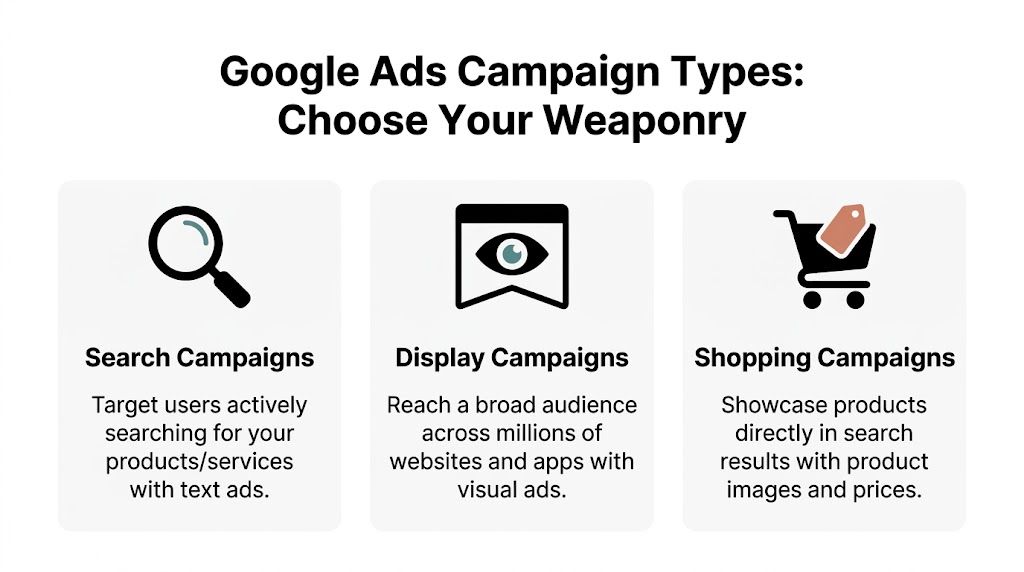
Choose Your Campaign Weaponry for Maximum Impact
Most ecommerce accounts don’t need more campaigns. They need the right campaigns doing the right jobs.
That’s where advertisers get themselves into trouble. They hear that Performance Max is the future, so they dump everything into it. Or they stay overly manual with Search and Standard Shopping long after the catalog and account complexity outgrow that approach. Neither extreme works well for long.
Shopping is still the backbone
For ecommerce, Shopping remains the anchor channel. In 2025, Google Shopping Ads accounted for 76% of all retail search ad spending and captured over 85% of clicks in Google Ads or Shopping campaigns, with an average CPC of $0.66, according to Google Shopping advertising statistics. That click share tells you where buyer attention sits.
Shopping works because it answers the buyer’s first questions immediately. Product image, price, merchant, and relevance are all right there.
When each campaign type earns its place
Use campaign selection as a business decision, not a platform preference.
| Campaign Type | Best For | Control Level | When to Use |
|---|---|---|---|
| Search | High-intent query capture | High | Use when you want tight control over keyword intent, ad copy, and landing page matching |
| Display | Reach and remarketing support | Medium to low | Use when you need broader visibility or want to stay in front of non-buyers who already visited |
| Shopping | Product-led demand capture | Medium | Use when your feed is strong and you want scalable product discovery with clear commercial intent |
Search for precision
Search campaigns are where you can be brutally specific. If you know your buyers search with clear commercial terms, Search gives you direct control over query targeting, ad messaging, and landing page pairing.
Search is especially useful for:
- Branded protection: Own your own name and product lines.
- High-intent category terms: Catch buyers already close to a decision.
- Promo-specific pushes: Tailor ad copy around offers, bundles, or urgency.
- Message testing: Learn what angle gets clicks and conversions before rolling it wider.
The trade-off is management load. Search gets messy fast if query control slips.
Shopping for scalable product discovery
Shopping is often the strongest first scaling layer for physical products because the ad format does the qualifying for you. The shopper sees the product and the price before clicking. That pre-filters some curiosity traffic.
What doesn’t work is treating Shopping like autopilot. If titles are vague, categories are thin, or feed labels are missing, Google still serves the product with weak context.
Good Shopping campaigns are built in Merchant Center first and Google Ads second.
Performance Max for coverage, not blind trust
Performance Max can be powerful when your feed, conversion tracking, and creative assets are all in good shape. It gives Google room to find buyers across placements. It also asks you to surrender a lot of control.
That’s fine when your account already knows what a valuable customer looks like. It’s dangerous when tracking is weak or the catalog is messy.
Use PMax when:
- You already have reliable conversion data.
- Your feed is clean and segmented.
- You can supply solid image and video assets.
- You’re comfortable managing through inputs and outputs rather than placement-level control.
Don’t use PMax as a shortcut for a poorly built account. It won’t fix weak fundamentals. It just automates them.
The practical mix that works
For many stores, the strongest structure is layered:
- Shopping or PMax for scale
- Search for precision
- Display for remarketing support
That gives you breadth without giving up control everywhere. It also makes diagnosis easier. If Search is efficient and PMax is drifting, you know where to tighten inputs. If Shopping is strong but branded Search is weak, the issue is probably messaging or landing page fit.
The right google ads for ecommerce setup isn’t about picking a winner. It’s about assigning each campaign type a clear job.
Mastering Bids Budgets and Conversion Tracking
Bidding, budgeting, and tracking aren’t separate tasks. They’re a loop. If tracking is weak, bidding learns the wrong lessons. If bids are too aggressive for the data quality, budgets disappear into noise. If budgets are too tight, strong campaigns never get enough room to stabilize.
That’s why ecommerce advertisers get stuck. They adjust one lever and expect the rest of the system to compensate.

Tracking comes first
If you run ecommerce campaigns without dependable purchase tracking, you’re training Google on partial truth. That usually leads to bad traffic selection, unstable optimization, and false confidence in campaigns that look active but aren’t profitable.
A clean setup usually means native Google Ads purchase tracking, dynamic values, and enhanced conversions where appropriate. If your tracking needs work, Keywordme’s article on Google Ads conversion tracking is a solid reference point.
Watch for these basics:
- Primary purchase action: Make sure the sale event is the thing your campaigns optimize toward.
- Transaction value: Revenue needs to pass through accurately or ROAS bidding becomes guesswork.
- Duplicate prevention: Double-counted purchases can wreck bidding decisions.
- Enhanced conversions: Helpful for improving signal quality when standard tracking misses attribution.
Bidding only works when the signal is clean
For ecommerce, the north star is usually conversion value, not just conversion count. That’s why Target ROAS is often the best fit once the account has enough stable purchase data.
The mistake is forcing Target ROAS too early or setting it unrealistically high. When advertisers do that, delivery tightens, traffic quality becomes inconsistent, and volume drops before the system has room to learn.
A safer approach looks like this:
- Verify tracking before changing bid strategy
- Start with a realistic target based on actual business economics
- Give the strategy enough time to respond
- Adjust targets gradually, not emotionally
Field note: If a campaign can’t spend, the target is often too strict, the signal is too weak, or both.
Budgeting is where strategy becomes real
Budgets should reflect role, not hope. Your best campaign should earn more room. Your experimental campaign should get enough budget to learn, but not enough to do damage.
A practical budget framework looks like this:
| Budget bucket | What belongs there | How to think about it |
|---|---|---|
| Core revenue | Proven Shopping, Search, or PMax campaigns | Protect and scale these first |
| Controlled tests | New product groups, new campaign types, new creatives | Fund learning without risking account stability |
| Support spend | Remarketing and brand defense | Keep these efficient and aligned with the main funnel |
A quick walkthrough can help if your setup feels messy at the tag and bidding level:
Don’t separate budget decisions from bid decisions
If a campaign is hitting budget caps while staying efficient, that’s a scaling signal. If it’s spending freely but dragging down return quality, changing the budget alone won’t save it. You need to fix traffic quality, product segmentation, or bid targets first.
In healthy accounts, measurement feeds bidding, bidding shapes spend, and spend reveals where the business should lean in harder. Treating those as one system is what turns Google Ads from channel activity into channel control.
Stop Wasting Money Taming Your Search Terms
Monday morning. Spend is up, orders are flat, and the campaign that looked fine on Friday has spent the weekend matching to research queries, low-intent comparisons, and searches that were never going to buy. That is how ecommerce accounts bleed margin. The search terms report is usually where the leak shows up first.
That cleanup work has a direct effect on profitability in google ads for ecommerce.

Advertisers rarely lose money because they forgot search terms exist. They lose money because they review them too slowly, too lightly, or without a system for acting in bulk.
According to Bigflare’s breakdown of common ecommerce Google Ads mistakes, irrelevant queries are a primary driver of wasted spend in ecommerce accounts. That matches what I see in practice. Smart Bidding can price traffic. It cannot fix bad traffic quality after you let it in.
Manual cleanup creates lag you pay for
The old workflow still shows up in too many accounts. Export the report. Filter terms. Label winners and losers. Build negatives. Pick match types. Paste everything into a sheet. Upload it later. Then repeat the process after another batch of weak queries has already spent money.
That reactive cycle turns into backlog management instead of strategic optimization.
The true cost is not the admin time. It is the delay between seeing a bad query and blocking it. Every extra day keeps bad traffic live, and every extra week makes the account harder to steer because the spend data is now mixed with avoidable noise.
What disciplined query control actually looks like
Strong search term management comes down to judgment and speed.
- Negative keywords block traffic that does not fit the offer
- Match type discipline controls how far Google can stretch your intent
- Promotion rules for winning queries turn proven searches into assets you can bid and segment more precisely
The judgment matters because not all terms should be handled the same way. Some belong on an account-level negative list because they are irrelevant across the board. Others should be blocked only in one campaign because they belong somewhere else in the account. Some converting queries deserve promotion into exact or phrase so you can control bids, ad copy, and landing page alignment with more precision.
A practical operating pattern looks like this:
- Review fresh query data often enough to catch waste early
- Separate true purchase intent from research intent and junk
- Add negatives in bulk, not one by one
- Promote proven terms into the right match type
- Expand from real customer language, not brainstorming alone
For a cleaner process, use Keywordme’s workflow for the Google Ads search terms report. It cuts down the spreadsheet work that usually slows teams down.
Your account already contains the language buyers use and the language non-buyers use. Profit improves when you process that difference fast enough to act on it.
Why automation is now a requirement
Manual cleanup can work in a small account with limited volume. It breaks once the store expands across categories, search themes, countries, or campaign types.
At that point, query review stops being a simple housekeeping task. It becomes an operating system problem. If the team cannot classify terms, build negatives, and promote winners quickly, account quality slips even when bidding, creative, and feed structure are solid. This is why automation tools like Keywordme matter so much. They remove repetitive PPC work and let the team spend time on decisions that improve revenue.
Good automation should help with:
- Bulk negative keyword creation from repeated waste patterns
- Fast match type application for proven search terms
- Keyword expansion based on actual query data
- Shorter workflows so search term review happens consistently instead of occasionally
A lot of generic Google Ads advice misses this point. Bidding automation depends on clean inputs. If query quality degrades, the algorithm optimizes around bad traffic and calls it learning.
What works and what fails
A few patterns show up again and again:
| Approach | What happens |
|---|---|
| Letting Smart Bidding handle everything without query review | Waste builds quietly and intent quality gets weaker |
| Adding negatives without a structure for levels and themes | Useful traffic gets blocked and campaign roles get muddy |
| Promoting every converting query into exact match | The account gets bloated and maintenance gets heavier |
| Reviewing terms consistently and acting in bulk with the right tool | Traffic quality improves and scaling decisions get easier |
Search term management should sit close to the center of your ecommerce workflow. It protects budget, improves traffic quality, and gives you a clearer base for expansion. The accounts that scale cleanly are usually the ones that stop treating this work like occasional cleanup and start treating it like a core operating process.
Your Weekly Optimization and Growth Routine
Most ecommerce accounts don’t fall apart because of one catastrophic mistake. They drift. A few bad queries stay live too long. Feed warnings go unchecked. A campaign keeps spending after efficiency slips. Quality Score declines and CPC pressure rises with it.
That’s why a repeatable routine matters more than random bursts of account cleanup.
Low Quality Scores are expensive. Shift4Shop notes that poor scores can inflate CPC and limit reach, creating a hidden tax on every click, and recommends weekly Quality Score monitoring with a target of 8+ in its Google Ads guidance for ecommerce.
The weekly rhythm
Every week, check the account in the same order. That prevents reactive decisions.
- Search term quality: Review what traffic came in. Add negatives and flag terms worth promotion.
- Feed health: Look for disapprovals, warnings, and any mismatch issues affecting visibility.
- Campaign spend pattern: Identify campaigns that are capped, drifting, or spending without quality.
- Quality Score trend: Look at relevance, landing page alignment, and expected CTR issues where applicable.
- Landing page fit: Make sure the traffic being sent still matches the promise in the ad and the product page.
This doesn’t need to take forever. It needs to happen consistently.
What to do when Quality Score slips
Quality Score problems usually point back to alignment. The keyword doesn’t fit the ad. The ad doesn’t fit the page. The page doesn’t help the shopper finish the job.
When scores start falling, check:
Keyword to ad match
Tighten ad groups or rewrite copy so intent and message line up better.
Landing page relevance
Send traffic to the exact product or closest commercial page, not a generic collection if a sharper page exists.
Mobile usability
Slow pages, messy layouts, and awkward checkout flows hurt the post-click experience.
Negative keyword gaps
Irrelevant traffic can depress engagement and make the account look less relevant than it should.
Weekly checkpoint: If CPC is rising and reach is tightening, inspect relevance before blaming bids.
The monthly review
Weekly work keeps the account healthy. Monthly review is where you make bigger calls.
Use the monthly pass to ask:
- Which product groups deserve more budget?
- Which devices are attracting low-quality traffic?
- Are some locations spending without producing enough value?
- Which campaigns are carrying the account, and which are coasting?
- Has the margin reality changed for any product category?
This is also where you adjust structure. Pause weak tests. Split out strong product themes. Refresh creatives. Revisit campaign roles.
A clean operating checklist
| Cadence | Focus | Main action |
|---|---|---|
| Weekly | Query quality | Add negatives and promote useful terms |
| Weekly | Quality Score | Fix relevance and landing page issues |
| Weekly | Feed health | Resolve warnings and disapprovals |
| Monthly | Product performance | Reallocate budget toward stronger segments |
| Monthly | Device and geo trends | Tighten targeting where traffic quality is weaker |
| Monthly | Campaign structure | Separate winners from mixed buckets |
Good optimization isn’t flashy. It’s repetitive, disciplined, and boring in the best way. That’s usually what profitable accounts look like behind the scenes.
The Scaling Playbook From Profitable to Unstoppable
A lot of store owners get nervous when an account finally works. They should be happy, but instead they freeze. They worry that any budget increase will wreck efficiency, so they leave a profitable setup untouched for too long.
That instinct is understandable. It’s also a common way to stall growth.
Scaling is not the risky move people think it is
The actual risk isn’t scaling a healthy account. The actual risk is forcing weak campaigns to spend more before the foundation is ready.
When an account has stable tracking, disciplined search term control, clean feed management, and campaigns with clear roles, increasing spend becomes a controlled decision. It’s not blind gambling anymore.
Good signs you’re ready:
- Core campaigns are converting consistently
- Search term quality is under control
- The feed is healthy and current
- Budget caps are limiting campaigns that are still profitable
- You know which products and themes drive value
If those conditions aren’t in place, scaling is premature. If they are in place, avoiding scale can become the bigger mistake.
Scale in two directions
The safest growth usually comes from a mix of vertical and horizontal expansion.
Vertical scaling means pushing harder on what already works. Increase budget on proven campaigns. Give your best product groups more room. Expand coverage on the terms and categories with established intent.
Horizontal scaling means widening the account carefully. Launch campaigns for adjacent product lines. Test new creative angles. Add campaign types that support the funnel, such as remarketing layers through Display or broader asset coverage through PMax.
Protect the account while you grow
A few rules keep scaling sane:
- Increase budget where intent quality is already proven
- Don’t scale and restructure the same campaign at the same time
- Expand product coverage only when feed segmentation supports it
- Keep reviewing query quality during growth, not after problems appear
- Use creative testing to support scale, not as a replacement for account hygiene
Profitable scale comes from repeating a working system on a larger surface area.
What usually breaks during scale
Not bids. Not budgets by themselves.
What usually breaks is discipline. Teams stop checking feed issues because revenue is up. Query cleanup gets skipped because there’s more data to sort through. New campaigns launch before tracking and product segmentation are ready. The account starts growing faster than the operating habits that made it profitable.
That’s fixable if you treat scale as process expansion, not just spend expansion.
A strong ecommerce account doesn’t become unstoppable because Google’s automation suddenly gets smarter. It becomes unstoppable because the operator keeps the machine clean while increasing volume.
If you're tired of wasting hours inside search term reports, spreadsheets, and messy keyword formatting, Keywordme is the tool built for the often-dreaded part of Google Ads management. It helps you clean junk search terms, build negative keyword lists, expand ad groups from real query data, and apply match types fast without the copy-paste grind. For agencies, in-house teams, freelancers, and store owners running google ads for ecommerce, that kind of speed isn’t a luxury. It’s how you keep accounts efficient while they grow.
.svg)