
Optimize Google Shopping: Stop Wasting Ad Spend
Optimize Google Shopping: Stop Wasting Ad Spend


Your Shopping campaign launched. Products are approved. Clicks are coming in. Spend is moving every day.
And yet the account feels mushy.
ROAS stalls. Search terms look messy. Your best products don’t get enough budget, while random low-intent queries keep slipping through. You tweak bids, then titles, then budgets, and nothing feels clean enough to scale. That’s the normal state of an under-optimized Google Shopping account.
To optimize google shopping well, you need to stop treating it like regular search. Shopping rewards strong feed data, clean structure, disciplined query control, and consistent review. If one of those pieces is weak, the rest of the account usually gets dragged down with it.
A lot of teams also misread performance because they only look at platform-reported conversions. If your reporting setup is muddy, it helps to revisit how revenue attribution works before making major account decisions. Bad measurement turns decent optimization into guesswork.
Your Google Shopping Campaign is Leaking Money
Most leaking Shopping accounts don’t fail because of one dramatic mistake. They fail through small, repeated inefficiencies.
The feed is incomplete. Product titles are too generic. Campaigns are lumped together. Search terms aren’t reviewed often enough. Negatives are an afterthought. Mobile traffic behaves differently from desktop, but nobody checks. The account keeps spending because Google can always find another place to show a product.
That’s why “set it and let Smart Bidding figure it out” usually disappoints in rough accounts. Automation can help, but it won’t rescue weak inputs.
The fastest way to improve a Shopping account is usually not a clever bid trick. It’s removing the junk that should never have entered the auction in the first place.
Good optimization is less glamorous than people want it to be. It’s operational. You clean the feed. You tighten structure. You mine search terms. You route traffic more intentionally. You keep iterating.
What works is boring in a useful way:
- Fix what blocks relevance: If Google can’t understand the product, the campaign starts crooked.
- Separate products by business value: Best sellers, new items, clearance, and margin-sensitive products shouldn’t compete under one blunt setup.
- Control the query mix: Shopping may not target traditional keywords, but you still pay for the specific queries users typed.
- Review performance in cycles: Daily panic edits usually make the account worse.
If your Google Shopping campaign feels expensive and vague, that’s not unusual. It just means the account needs a real operating process.
The Pre-Optimization Audit A Reality Check
Before changing bids, split the account into diagnosis layers. That keeps you from “optimizing” the wrong thing.
Google Shopping works differently from search. Product feed data is the primary targeting mechanism rather than keywords, and when merchants provide detailed and accurate product data, Google can serve ads in more relevant ways, directly expanding reach and improving performance, as explained in this overview of Google Shopping feed-driven targeting.
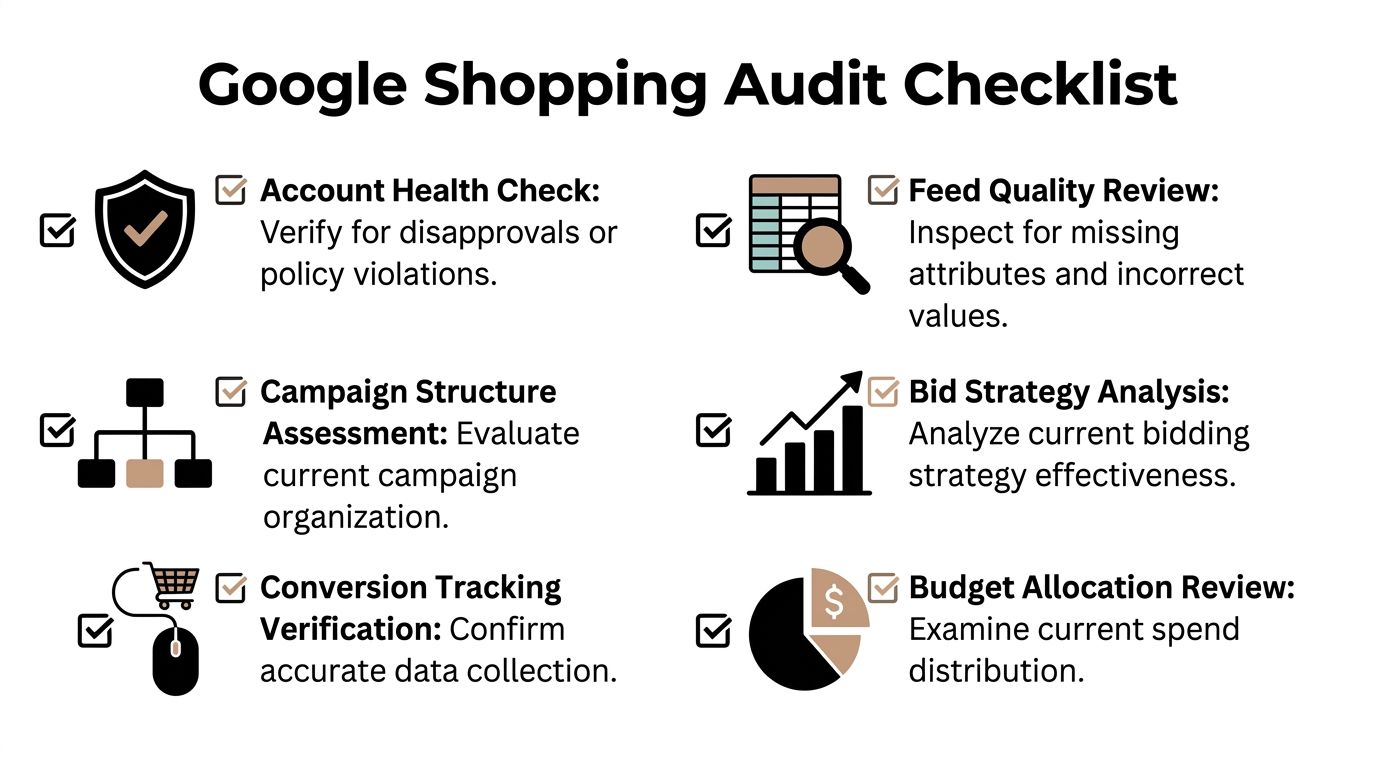
Start with Merchant Center health
Open Merchant Center first. If products are disapproved, limited, or carrying warnings, campaign-side changes won’t solve the root problem.
Look for the obvious issues fast:
- Disapprovals and policy flags: These can shut off visibility without much warning.
- Missing identifiers: GTIN, brand, and category gaps create weak matching.
- Price or availability mismatches: If your feed says one thing and the site says another, trust drops fast.
- Image problems: Bad or missing images often hurt eligibility and click quality.
Don’t skim diagnostics. Product-level errors often sit on a small slice of SKUs that represent a large share of spend.
Audit the feed like a merchandiser, not just a media buyer
Junior PPC managers often check only whether the feed “works.” That’s too shallow.
Ask tougher questions:
| Audit area | What to check | Why it matters |
|---|---|---|
| Titles | Are they descriptive, specific, and differentiated? | Generic titles attract broad, lower-quality matching |
| Categories | Are products mapped tightly? | Loose categorization makes query matching sloppy |
| Attributes | Are size, color, material, model, and brand present where relevant? | Missing attributes weaken long-tail relevance |
| Images | Do they clearly show the exact product variant? | Strong visuals improve click quality and shopper confidence |
| Pricing fields | Are sale price and standard price synced correctly? | Broken pricing creates trust and approval issues |
If you sell variant-heavy products like apparel, furniture, or electronics accessories, weak attribute depth causes most of the chaos.
Practical rule: If a human can’t identify the exact product from the title, image, and core attributes in two seconds, Google probably has a matching problem too.
Review campaign structure before touching bids
A lot of accounts look “active” but are structurally unusable.
The usual red flags:
- One campaign holding everything: No real budget control.
- No separation by product value: Winners and losers share the same bid logic.
- No custom-label strategy: You can’t segment by business intent if everything is flat.
- No visible negative keyword process: Query waste accumulates.
Check whether the account gives you enough levers to make decisions. If not, bid tweaks won’t help much.
Verify tracking before trusting any conclusion
If conversion tracking is shaky, the audit stops here.
Make sure the account is capturing purchases consistently and assigning revenue in a way the team trusts. Compare platform reporting against your store platform or analytics setup. If there’s a large mismatch, treat all optimization conclusions carefully until measurement is cleaned up.
Look at the account like an operator
This part matters. Don’t ask only “what is underperforming?” Ask “what kind of failure is this?”
- Feed failure: Google is matching badly because product data is weak.
- Structure failure: Good products are trapped in blunt campaign design.
- Query failure: Spend is leaking through irrelevant searches.
- Measurement failure: The account may be fine, but your reporting is lying to you.
- Offer failure: The products are priced or positioned poorly against the market.
That distinction saves time. It also stops random edits that create more noise.
Mastering Your Product Feed and Merchant Center
Your feed is the brain of the account. If the data is weak, every downstream decision gets weaker too.
A Shopping campaign can survive average bidding for a while. It cannot survive a sloppy feed for long.

Build titles for matching, not for internal catalog neatness
Internal product naming is usually useless for Shopping.
What works better is a title structure that helps Google understand the item fast and helps shoppers decide whether it matches what they want. For many catalogs, that means putting the most distinguishing attributes earlier.
A simple approach:
- Brand first when brand matters
- Product type next
- Then the differentiators like model, material, size, color, or intended use
Examples:
- Nike Air Max 270 Men’s Running Shoes Black Size 10
- Herman Miller Aeron Office Chair Size B Graphite
- Le Creuset Dutch Oven 5.5 Qt Round Enameled Cast Iron Cerise
Those aren’t fancy. They’re clear.
Fill attributes like they matter
Because they do.
Titles do heavy lifting, but attributes often decide whether the product enters the right auction. Missing GTINs, vague categories, and half-complete variant data make Google guess. Guessing is expensive.
The must-check fields usually include:
- Brand
- GTIN when available
- Google product category
- Color, size, material, gender, pattern, or model where relevant
- Accurate availability
- Correct price and sale price
For a broader PPC operating context, this write-up on ecommerce PPC marketing is a useful companion if you’re aligning Shopping with the rest of your paid acquisition setup.
Pricing is part of optimization, not just merchandising
A lot of PPC teams act like pricing sits outside ad performance. It doesn’t.
Industry data shows that a 43% increase in average product price can lead to a 70% decrease in total impressions, while products priced below the market average can receive up to 135% more clicks, according to AMA’s Google Shopping in 2025 analysis.
That changes how you should think about product selection and bidding.
If a product is significantly overpriced against the market, throwing more budget at it usually won’t solve the visibility issue. In practice, that means your Shopping strategy has to account for price competitiveness at the product or category level. Some items are poor traffic magnets because the market doesn’t like the offer.
A feed is also a pricing document. Google reads it that way, and shoppers definitely do.
Images can make a good product look irrelevant
Teams often over-focus on titles and forget the click happens on a visual.
For Shopping, your image needs to answer one quick question: “Is this the exact product I want?” If the answer is fuzzy, CTR quality drops. If the image is messy, too small, confusing, or inconsistent with the product variant, you create friction before the click.
A few practical checks help:
Keep the primary image clean
Use the clearest product-forward image you have. Busy backgrounds, text overlays, and distracting compositions usually hurt more than they help.
Match the variant exactly
If the user sees a blue version on the ad and lands on a black version by default, conversion friction starts immediately.
Watch category-specific expectations
Furniture, fashion, beauty, and electronics all carry different visual expectations. A good image in one category can be mediocre in another.
Merchant Center hygiene needs a routine
This is the part many teams neglect because it isn’t exciting.
Build a recurring review habit around:
- Diagnostics
- Price and availability sync
- Recently added products
- New warning patterns
- Landing page consistency
- Feed rule changes
That routine matters more than one heroic cleanup. Merchant Center rewards consistency.
What doesn’t work
Some feed “optimizations” create noise instead of clarity.
Avoid these habits:
- Keyword stuffing titles: Shopping titles still need to read like product names.
- Using the same template on every SKU: Different product types need different emphasis.
- Ignoring variant specificity: Broad parent-style titles can tank relevance.
- Treating missing identifiers as minor: They aren’t.
- Running promotions without feed coordination: Price mismatches cause pain fast.
If you want to optimize google shopping accounts reliably, start with the feed every time. Not because it’s trendy. Because the account can’t become precise until the product data becomes precise.
Building Campaign Structures That Work
Putting every product in one campaign is easy. It’s also how you lose control without noticing.
That setup usually creates three problems at once. Budget flows to whatever gets clicks fastest. High-value products compete with low-value products. Search intent gets mixed together so badly that optimization turns into guesswork.
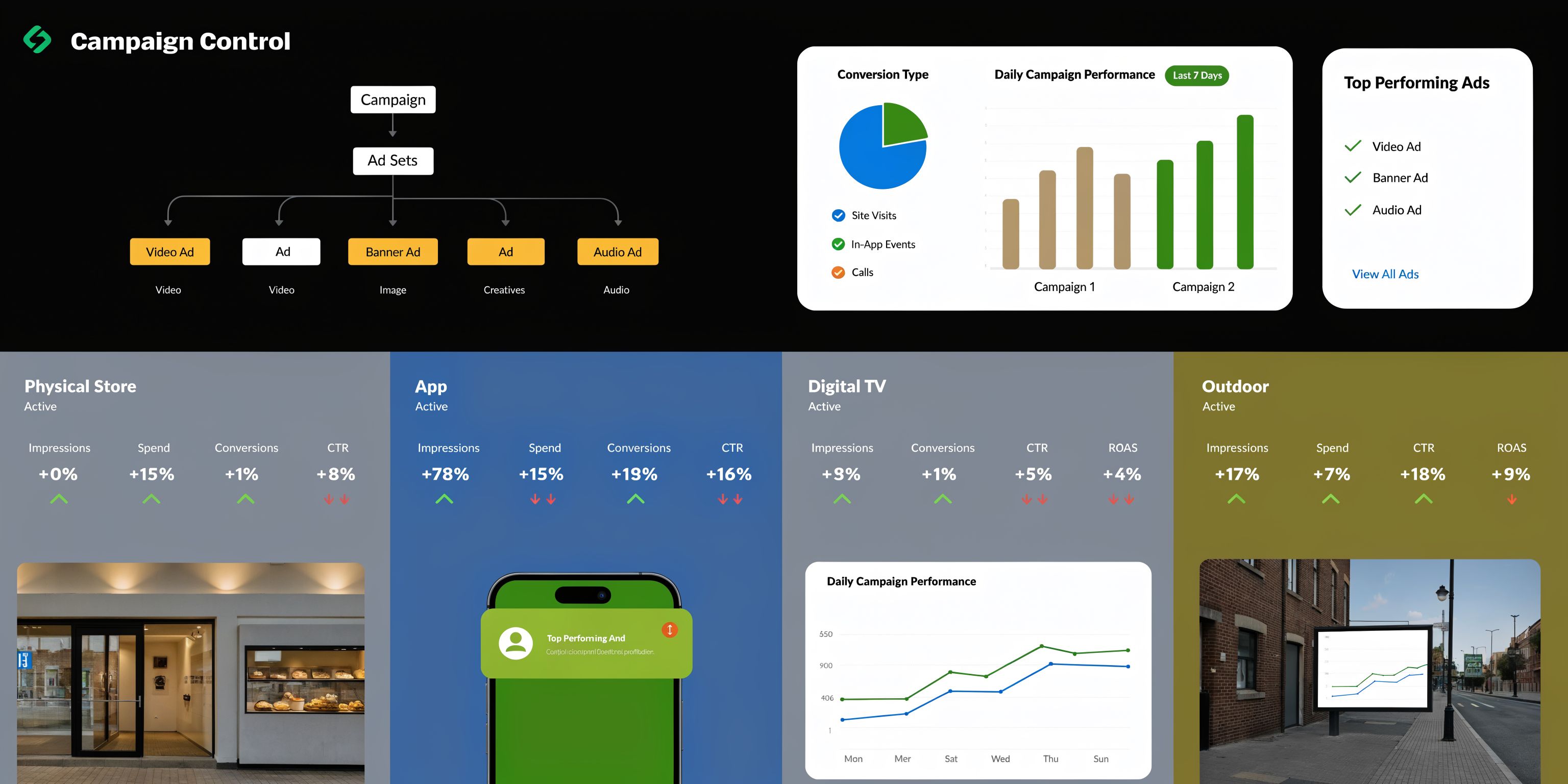
The single-campaign setup breaks as soon as the catalog matters
A tiny catalog can sometimes limp along with a simple build. Most real ecommerce accounts can’t.
Once you have meaningful differences in margin, best sellers, seasonality, or product intent, a flat structure starts hiding the truth. Good products don’t get enough room. Weak products borrow spend. Reporting gets muddy.
A better structure creates intentional lanes.
Use priorities to shape traffic, not just organize products
Campaign priority is one of the most underused controls in Shopping.
Consider it traffic routing. You’re not only telling Google which products exist. You’re telling it which campaign gets first shot at certain kinds of queries.
That matters because for generic, high-volume queries like “couch,” the wrong product variants can trigger 30-40% of clicks, wasting budget, and campaign priorities with fallback structures can recover 15-25% of impression share, based on findings discussed in this guide to advanced Google Shopping campaign optimization.
If you’ve ever seen broad generic traffic hit the wrong SKU set, that’s exactly the problem.
A structure that works in practice
You don’t need a giant maze of campaigns. You need useful separation.
A practical pattern looks like this:
| Campaign lane | Typical purpose | Common product set |
|---|---|---|
| High priority | Catch broader, less qualified traffic with tighter control | Generic query handling |
| Medium priority | Handle more refined traffic or mid-tier product groups | New arrivals or secondary categories |
| Low priority | Funnel the most qualified, valuable traffic to the right products | Best sellers, proven converters, strong-margin items |
The point isn’t to copy a template blindly. The point is to stop letting all query types hit the same product pool with the same logic.
For a deeper breakdown of segmentation logic, this article on the best way to structure campaigns and ad groups is worth keeping handy.
Custom labels give structure business meaning
Without custom labels, your structure often mirrors the catalog instead of the business.
That’s a mistake.
Catalog organization helps merchants. Custom labels help advertisers. Use them to group products by what matters for budget decisions.
Examples of useful labels:
- Best sellers
- Seasonal push
- Clearance
- New arrivals
- High-margin
- Price-competitive
- Low-priority inventory
If your structure can’t answer “which products deserve more budget right now,” it’s not a usable structure.
What usually fails
Bad structures tend to share the same symptoms.
Too much simplicity
One campaign, one ad group, broad product groups. Easy to launch. Hard to optimize.
Too much complexity too early
Teams sometimes overbuild from day one. They create so many campaign slices that the account becomes fragile and hard to maintain.
Segmenting by the wrong thing
Not every account should segment by margin first. Sometimes conversion history, stock urgency, or price competitiveness is more useful operationally.
The best structures aren’t the fanciest. They make budget allocation clearer, query routing cleaner, and weekly decisions faster.
Discover Hidden Profit with Search Term Mining
If feed work is the foundation, search term mining is the cleanup crew that keeps profit from leaking out every week.
This is the part teams often postpone because it’s repetitive. That’s also why it’s one of the highest-value habits in Shopping management.

You don’t bid on keywords, but you absolutely pay for search terms
That distinction matters.
In Shopping, Google decides matching from the feed, but the account still pays for the specific queries users typed. So if you never review the search terms report, you’re basically outsourcing too much judgment.
That gets expensive. Neglecting negative keywords can lead to a 35% budget leak, and reviewing search terms weekly to add negatives can cut 20-40% of wasted spend and improve ROAS by 30-50%, according to this guide on profitable Google Shopping ads.
That’s why this isn’t optional account maintenance. It’s core profit work.
The manual process still matters
Even if you use software later, you should understand the manual review process first.
A solid weekly pass usually looks like this:
- Pull the search terms report
- Sort by spend, then by clicks
- Flag irrelevant intent
- Flag weak intent modifiers
- Spot repeat winners
- Decide where the term belongs
You’re looking for two things at once.
First, waste. Terms that never should’ve matched.
Second, opportunity. Terms that show buying intent strongly enough to influence feed copy, campaign routing, or dedicated coverage.
What to exclude fast
Some search terms are obvious budget drains.
Common patterns include:
- Research intent: reviews, how to, ideas
- Low-buying modifiers: free, used, cheap
- Wrong product class: queries adjacent to your category but not your product
- Mismatch variants: wrong size, style, or product subtype
- DIY intent: repair, tutorial, replacement if you don’t sell those items
The point isn’t to block aggressively for the sake of it. The point is to stop paying for people who were never realistic buyers.
A Shopping account gets cleaner when you make more “no” decisions, not just more bid changes.
What to promote from the report
Search term mining isn’t only defensive.
The best reports also reveal language your customers use. That can improve:
- Product titles
- Product types
- Category mapping
- Priority routing
- Negative keyword logic for adjacent campaigns
If one phrase keeps converting and your current title barely reflects it, the feed is telling you what to fix.
A more detailed workflow for that process lives in this overview of the search terms report.
A key bottleneck is workflow speed
Here’s the practical problem. Manual query mining becomes miserable at scale.
You export reports. Filter in sheets. Copy terms. Decide match types. Build negative lists. Paste them back into Google Ads. Repeat. The logic is fine. The workflow is slow.
That’s why teams often delay the task until wasted spend piles up.
A better setup uses Keywordme to work directly from real search term data inside the Google Ads workflow. The Chrome plugin makes it easier to clean junk terms, build negatives in bulk, expand useful terms, and assign match types without the usual copy-and-paste mess.
That matters because the issue is rarely knowing what to do. It’s having enough time to do it consistently across campaigns.
A quick walkthrough helps if you want to see the broader process in motion:
A simple operating rhythm
Search term mining works best when it follows a cadence.
| Timing | What to review | What to do |
|---|---|---|
| Daily | Outlier spend and glaring mismatches | Add urgent negatives |
| Weekly | Search terms by spend, clicks, and conversions | Build negatives and spot winners |
| Monthly | Pattern shifts by product type or campaign lane | Refine structure and feed language |
That rhythm is what keeps the account from drifting back into waste.
What works better than heroic cleanups
Teams sometimes do one massive cleanup, then ignore search terms for a month. That’s how junk creeps back in.
What works is lighter, steady review. Not dramatic. Just consistent.
When people ask how to optimize google shopping profitably, this is usually the missing habit. They’ve adjusted bids. They’ve rewritten titles. They’ve split campaigns. But they haven’t built a reliable system for deciding which queries deserve budget and which ones don’t.
The Measure and Iterate Loop for Continuous Growth
Once the account is clean enough to trust, the job changes. You’re no longer fixing obvious damage. You’re running a repeatable improvement loop.
That loop is where stronger Shopping accounts separate themselves from accounts that stay “fine.”
Watch the right signals on the right schedule
Daily checks should be light and focused. You’re scanning for unusual spend, sudden conversion drops, tracking weirdness, stock issues, or a campaign that starts pulling the wrong mix of traffic.
Weekly checks are where real decisions happen. That’s usually the right pace for reviewing search terms, product-group performance, campaign-level efficiency, and changes in traffic quality.
Monthly reviews should be slower and more strategic. That’s where you look at trends across product lines, title patterns, segmentation logic, and whether your structure still fits the business.
Don’t stop at ROAS
ROAS matters, but it’s not enough on its own.
Use it with context:
- CTR: Helps identify weak relevance or poor images
- Conversion rate: Helps expose landing page or product-market friction
- Cost efficiency by product group: Shows where budget is too loose
- Search term quality: Shows whether traffic is getting cleaner or noisier
- Device performance: Helps catch intent and usability differences
This last point gets missed all the time. Mobile drives 60-70% of Shopping traffic, but without device-specific adjustments and optimizations, ROAS can drop by 25% as CTR lags desktop for some products, according to this article on Google Shopping feed optimization and device performance.
So if mobile is carrying volume but underperforming on complex products, don’t just shrug and call it blended performance. Inspect product pages, page speed, image clarity, checkout friction, and whether mobile traffic requires more comparison than a mobile session usually allows.
Good optimization loops ask “what changed?” before they ask “what should we edit?”
Run tests that have a reason behind them
Don’t test random ideas because the account feels stale.
Form a hypothesis first.
Examples:
- Mobile CTR is weak on a specific category, so the primary image may not communicate enough on small screens.
- Certain product groups are getting broad traffic, so title specificity may be too weak.
- A best-seller segment may deserve more aggressive bidding because it consistently converts with cleaner queries.
- New arrivals may need a separate lane because they’re getting buried under established products.
That’s a better standard than “let’s try changing bids and see.”
If you want a broader framework for measurement discipline, this guide on how to optimize Google Ads with a thorough performance playbook is a useful reference.
Keep an experiment log
Teams often skip this and then forget what they changed.
Track:
| Item | Example |
|---|---|
| Hypothesis | More specific titles will improve traffic quality for dining chairs |
| Change made | Rewrote titles to include material, style, and seat count |
| Start date | Logged internally |
| Primary metric | Conversion rate and query quality |
| Secondary metric | CTR |
| Result | Keep, revise, or roll back |
That process sounds simple because it is. But it keeps your account from becoming a pile of undocumented edits.
Continuous growth is usually quiet
It rarely looks dramatic week to week.
Instead, it looks like cleaner search terms, stronger product segmentation, more reliable budget allocation, better device awareness, and fewer reactive edits. Over time, that compounds into an account you can scale without feeling like every extra dollar is a gamble.
Your Top Google Shopping Questions Answered
Should I optimize the feed first or the campaign structure first
Start with the feed if the product data is weak or Merchant Center is messy. If Google can’t understand the products properly, structure changes won’t solve much. Move to campaign structure once the listings are clean enough to trust.
How often should I review search terms
Weekly is the practical baseline for most accounts. If spend is high or the catalog changes often, check more frequently. The key is consistency. Long gaps usually mean junk queries get too much room.
When should I use custom labels
Use them when product categories alone don’t reflect business priorities. Best sellers, seasonal items, clearance products, high-margin items, and price-competitive products are common examples. Labels make budget decisions easier because they reflect commercial value, not just catalog taxonomy.
Is one campaign ever okay
Sometimes, for a tiny catalog or a short validation phase. But once products differ meaningfully in performance, intent, or business importance, one campaign usually becomes too blunt.
What’s the biggest waste pattern in Shopping accounts
Irrelevant query matching is near the top. It hides in plain sight because clicks still come in, so the account looks active. That’s why disciplined search term review matters so much.
What if mobile gets lots of clicks but weak return
Treat that as a diagnosis problem, not just a bid problem. Check the product page experience on mobile, how clearly the image reads on a smaller screen, and whether certain products require more comparison than a mobile session usually allows.
Keywordme helps PPC teams turn the most tedious part of Shopping optimization into a faster, cleaner workflow. If you’re tired of combing through search terms manually, building negative lists in spreadsheets, and copy-pasting match types back into Google Ads, take a look at Keywordme. It’s built to speed up search term mining, negative keyword management, and campaign expansion without the usual friction.
.svg)