
Google Ads for Beginners: A Simple Guide to Get Started
Google Ads for Beginners: A Simple Guide to Get Started


Dipping your toes into Google Ads for the first time can feel a little overwhelming, like trying to find your way through a massive, unfamiliar city. But here's the simple truth: it's just a powerful way to pay for a prime spot right at the top of Google's search results. You get to connect with customers at the very moment they're searching for something you sell.
The goal? To get targeted, ready-to-buy traffic heading straight to your website, fast.
Your First Step Into Google Ads
So, you're officially in the world of Google Ads! If you've just opened the dashboard and are thinking, "What on earth am I looking at?"—don't worry, you're in the right place. This guide is designed to take you from total beginner to a confident advertiser, cutting through all the confusing jargon along the way.
Think of it this way: you're essentially getting a front-row seat in the world's biggest marketplace, a place where over 8.5 billion searches happen every single day.

The whole system runs on a model called Pay-Per-Click (PPC). It’s like a giant, never-ending auction where businesses bid to show their ads to specific groups of people. The brilliant part is that you aren't paying for a giant billboard that everyone sees; you only pay when someone is interested enough to actually click on your ad.
This simple concept levels the playing field, letting small businesses go head-to-head with big brands without needing a huge marketing budget. Google Ads is a cornerstone of the broader practice of Paid Search Advertising, and it’s all about getting your ads seen right in the search results.
Google Ads Core Concepts at a Glance
Before we dive deeper, let's get a quick handle on the fundamental terms you'll hear over and over. Think of this as your cheat sheet for talking the talk.
Getting comfortable with these core ideas is the first real step. It's the language of the platform, and once you speak it, everything else starts to make a lot more sense.
Why Google Ads Is a Game Changer
So, what makes this platform such a big deal for businesses, big and small? It really boils down to having incredible control and insight into your advertising.
- Targeted Reach: You can get incredibly specific. Target people based on their location, age, interests, and—most importantly—the exact keywords they're typing into the search bar. Your ads only show up for people who are actively looking for a solution like yours.
- Measurable Results: Every single dollar is accounted for. You can see precisely how many people saw your ad, how many clicked it, and how many went on to do something valuable on your website, like making a purchase or filling out a form.
- Budget Control: You are the boss of your budget. You can start small, see what works, and adjust on the fly. There's no minimum spend, which gives you total flexibility to test and scale at a pace you're comfortable with.
The potential here is huge. It’s not unheard of for businesses to see an 8:1 return on investment—that’s the average Google itself reports for every dollar spent on the platform.
For someone just starting out, Google's own advice is to begin with a daily budget somewhere between $13 and $65 USD. This lets you gather data and learn the ropes without risking your entire marketing budget. This first step is all about building your confidence and seeing for yourself just how powerful it is to reach customers right when they need you.
Laying the Groundwork: Your First Google Ads Campaign
Alright, let's roll up our sleeves and build your first campaign. I know the Google Ads interface can look a little intimidating at first, but we'll walk through it together. Getting this initial setup right is like laying a solid foundation for a house—it prevents a world of headaches down the road.
First thing's first: when you create a new account, Google will try to nudge you into a "Smart Campaign." It sounds easy, but you'll be giving up a ton of control. We don't want that.
Look for a small link that says something like "Switch to Expert Mode" or "Create a campaign without a goal's guidance." Click it. This unlocks the full-featured dashboard and puts you in the driver's seat.
Choosing Your Goal and Campaign Type
The first question Google asks is about your campaign objective. This is just a simple way of asking, "What do you want people to do?" You'll see options like Sales, Leads, and Website Traffic. For someone just starting out, "Website Traffic" is a perfect, no-fuss choice.
Next up is the campaign type. This is a huge decision because it dictates where your ads show up. The two main players for beginners are:
- Search Campaigns: These are the classic text ads that appear on Google's search results page. They're golden for catching people who are actively looking for your product or service right now. This is where we'll focus.
- Display Campaigns: Think visual, banner-style ads. They pop up on millions of websites, apps, and even on YouTube. They're great for getting your name out there and building brand awareness, but less direct for immediate sales.
We're going with a Search campaign. Why? Because it puts you right in front of people who are already raising their hand and saying, "I need help with this."
Dialing in the Core Settings
Now we get into the nuts and bolts.
First, give your campaign a name you'll understand later. Something clear and descriptive like "Plumbing Services - Search - NYC" works way better than "Campaign #1." Trust me, you'll thank yourself later.
You'll then see a section for "Networks." This is important. You'll want to uncheck the box for the "Display Network." Mixing Search and Display ads in the same campaign is a rookie mistake that muddies your data and wastes money. Keeping them separate gives you way more control. You can leave "Search Partners" checked for now, but keep an eye on performance there later.
Next, let's talk about targeting.
Pro Tip: When you set your location, click into the advanced options and choose "Presence: People in or regularly in your targeted locations." If you don't, Google might show your ads to people who are just interested in your area but don't actually live there, which can chew through your budget fast.
This is also where you'll pick the language your customers speak. These little tweaks make sure your ad spend is focused on the right people in the right places.
The last pieces of the puzzle are your budget and bidding strategy, which we'll dive into more deeply soon. For now, you can just pick "Maximize Clicks" as your bidding strategy—it's a simple, automated option to get things rolling. Then, tell Google how much you're willing to spend each day.
And that's it. By moving through these steps thoughtfully, you're not just flipping switches. You're building a smart, well-structured campaign that's ready to find your ideal customers from the get-go.
Finding the Keywords That Actually Make You Money
Let’s get one thing straight: keywords are the heart and soul of your Google Ads account. They’re the bridge connecting what someone is desperately searching for with the solution you’re selling. Getting this right isn’t just a nice-to-have; it's the whole game.
Picking the wrong keywords is like setting up a fancy lemonade stand in the middle of the desert. You can have the best product in the world, but if no one's looking for it there, you're just wasting your time and money.
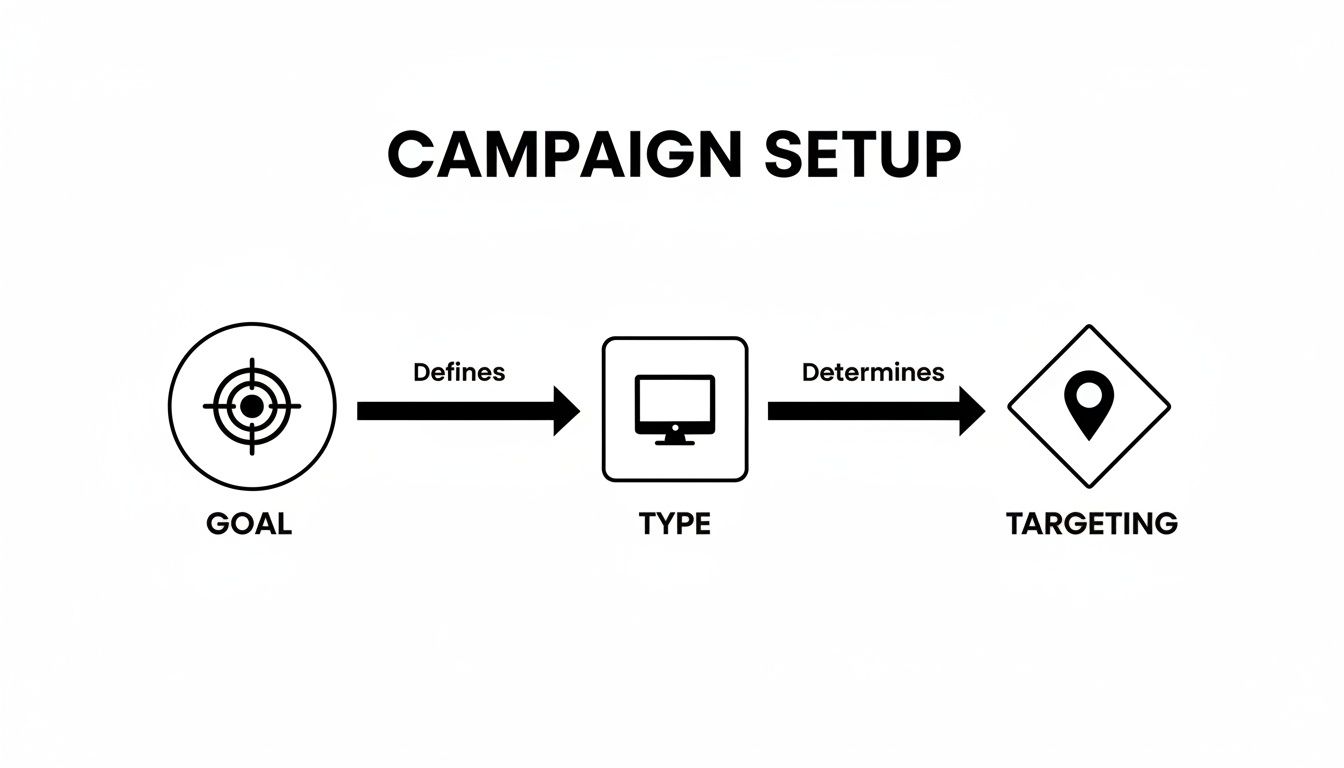
This simple flowchart shows how everything connects. Your business Goal dictates the campaign Type, which in turn guides your Targeting—and keywords are a massive piece of that puzzle.
Getting a Grip on Keyword Match Types
Google doesn’t just let you throw keywords into the ring and hope for the best. It gives you control knobs called match types to define how precisely a search needs to align with your keyword to trigger your ad. Mastering these is key to not blowing your budget on useless clicks.
Here are the three big ones you need to know:
- Broad Match: This is like casting the widest fishing net possible. If your keyword is
women's running shoes, your ad might pop up for "ladies sneakers" or even "best shoes for exercise." It gets you the most eyeballs, but be warned—it can also attract a lot of irrelevant traffic if you aren't careful. - Phrase Match: This is the happy medium. Your ad shows up for searches that include the meaning of your keyword. So for
"women's running shoes", you might appear for "buy women's running shoes online" or "comfortable running shoes for women." The core intent is still there. It’s a great balance of reach and relevance. - Exact Match: This is your sniper rifle. It triggers your ad only when the search means the exact same thing as your keyword. For
[women's running shoes], you'd show for searches like "running shoes women" or "women running shoes." You get way less traffic, but it’s usually high-quality and ready to convert.
So many beginners fall into the trap of using only broad match. It's tempting because it looks like you're getting tons of traffic, but you're often paying for clicks from people who will never, ever buy. A smart mix of phrase and exact match gives you the control you really need.
Your New Secret Weapon: Negative Keywords
Okay, now for the part that separates the rookies from the pros: negative keywords. These are the terms you tell Google you never want your ads to show up for. Honestly, they’re just as important as the keywords you’re actively targeting.
Let’s say you sell premium, top-of-the-line running shoes. You absolutely do not want to waste a single penny on someone searching for "cheap running shoes" or "free running shoes," right? By adding "cheap" and "free" to your negative keyword list, you instantly filter out those budget-hunters and protect your ad spend.
Taking the Headache Out of Keyword Research
The old-school way of doing keyword research was a total grind. You'd spend hours, even days, buried in spreadsheets, guessing at what people might be typing into Google. It felt like trying to find a needle in a haystack.
This is where a good tool can completely change your workflow. A platform like keywordme, for example, has a Chrome plugin that lets you see what’s working for your competitors right on the Google search results page.
Instead of guessing, you can see what keywords are already making them money.
As you can see, you can assign match types and build out your negative keyword list on the fly, without ever leaving the search results page.
Forget about endless copy-pasting. With a single click, you can add a killer keyword to your campaign or banish a worthless one to your negative list. This turns a long, frustrating task into something you can do in minutes. If you want to really nail this down, our guide on choosing keywords for AdWords is a great place to start. It’s this seamless blend of research and action that really makes a campaign sing.
Managing Your Budget Without Breaking the Bank
Alright, let's talk about the big question everyone has: how much should you actually spend? It’s the first thing on every new advertiser's mind when they dip their toes into Google Ads. Let's break it down and make it feel less like a guessing game.
First, you need to understand the difference between your budget and your bids. They’re two totally different levers you can pull.
Think of your daily budget as your financial guardrail—it’s the absolute maximum you've told Google you're willing to spend on a campaign for that day. A bid, on the other hand, is what you're willing to pay for a single click. Google looks at your bid when deciding who wins the ad auction and where your ad shows up.
You'll set your overall budget at the campaign level, but your bids are set deeper, at the ad group or even individual keyword level. This is great because it gives you granular control. You can decide to bid more aggressively for those super-valuable keywords and pull back on the ones that are less important.
Bidding Strategies for Beginners
When you’re just starting out, Google’s list of bidding strategies can feel a bit overwhelming. My advice? Don't overthink it. Stick with one of the simpler automated options and let Google's machine learning do the hard work for you.
A fantastic starting point is Maximize Clicks. It does exactly what it says on the tin—it tells Google to get you the most clicks possible within your daily budget.
- Pros: It’s incredibly easy to set up and is a great way to drive a bunch of traffic to your site right away. All that early traffic gives you valuable data on what’s working and what isn’t.
- Cons: The focus is purely on the quantity of clicks, not the quality. You’ll get visitors, sure, but they might not all be your ideal customers ready to make a purchase.
Once you have conversion tracking properly set up (we’ll get to that!), you can move on to more sophisticated strategies like "Maximize Conversions." But for now, Maximize Clicks is a solid, no-fuss choice to get your campaign off the ground.
Setting a Realistic Starting Budget
Before you even punch in a number, you need a basic feel for how much Google Ads cost and what drives those prices up or down. There’s no magic number here, and you definitely don't need a massive war chest. Many small businesses get started with just $10-$20 per day.
The trick is to pick a number you're truly comfortable with and can stick to for at least a full month. Why a month? Because that’s how long it takes to gather enough data to make smart decisions.
The goal of your first month isn't necessarily to get rich. It's to learn. You're essentially paying for data that will show you which keywords actually convert, which ads people respond to, and where you should really be putting your money for long-term growth.
For a much deeper look at setting up a budget that’s right for your business, check out our guide on managing Google Ads budgets.
And yes, getting a great return is absolutely possible, even when you're new to the game. Many advertisers aim for an 800% ROI—that's a whopping $8 back for every $1 you spend. This journey starts with a solid conversion rate, which averages around 4.6% for most industries.
Small businesses typically set aside anywhere from $100 to $10,000 per month, with click costs often falling between $0.11 and $0.50. But be warned: picking the wrong keywords can send your costs soaring. This is exactly where a tool like keywordme saves the day, automating your negative keyword list straight from real search queries to stop wasted spend in its tracks and boost that ROI.
Why Conversion Tracking Is a Non-Negotiable
Trying to run Google Ads without conversion tracking is like driving blindfolded. Sure, you're burning gas and moving forward, but you have no earthly idea if you're even on the right road, let alone getting closer to your destination. This single step is what transforms your ad spend from a hopeful guess into a calculated investment.
At its core, conversion tracking is the bridge that connects your ad clicks to actual business results. It tells you exactly what happens after someone clicks your ad and lands on your site.
So, what’s a "conversion"? It’s any action you've decided is valuable to your business. It's not always about a direct sale, though that's a popular one. A conversion could be:
- A customer checking out on your e-commerce store.
- Someone filling out your "Request a Quote" form.
- A prospect calling your business directly from an ad.
- A visitor signing up for your email list.
Without this feedback loop, you're just guessing. You can see how many people clicked, but you have no clue which keywords, ads, or campaigns are actually ringing the cash register.
Measuring What Truly Matters
Once you have tracking in place, you can finally stop obsessing over vanity metrics and start focusing on what grows your business. This is where you level up from just looking at data to truly understanding your campaign's performance.
For beginners, two metrics cut through the noise:
- Cost Per Conversion (or Cost Per Acquisition): This is your bottom-line number. It tells you precisely how much you had to spend on ads to get one valuable action. If you're paying $10 to get a lead that brings in $100 of business, you're in a great spot.
- Conversion Rate: This is simply the percentage of ad clicks that turn into a conversion. A healthy conversion rate is a great sign that your ad message and landing page are working together perfectly to give people what they want.
Think of it this way: Clicks tell you if your ads are interesting. Conversions tell you if your ads are working. This is the critical shift that separates advertisers who get amazing results from those who just waste their budget.
Setting this up usually involves adding a small piece of code, called the Google Tag, to your website. Don't let that scare you; it’s a pretty straightforward process, and Google gives you clear instructions. For a detailed walkthrough, you can explore our in-depth guide to setting up Google Ads conversion tracking.
Mobile traffic is also a huge piece of the puzzle. By 2026, a staggering 63% of all Google ad clicks are expected to come from smartphones. And get this—mobile ads are often five times more effective at driving conversions than desktop ads. While the average conversion rate sits around 2.85% (and up to 4.2% for search campaigns), many beginners miss out by not having a mobile-friendly strategy. You can learn more about these Google Ads statistics and see how they impact campaign strategy.
Beginner vs. Pro Campaign Management
It's easy to fall into common traps when you're just starting out. The difference between a beginner's approach and a pro's often comes down to a few key shifts in thinking and process. Here’s a quick look at how those differences play out in the real world:
As you can see, the professional approach is all about being more deliberate, data-driven, and disciplined. It's not about having secret knowledge; it's about having a solid process.
Common Beginner Mistakes to Avoid
Look, every expert was a beginner once, and every beginner makes mistakes. Trust me, I've made my share. The trick is knowing what the common pitfalls are ahead of time so you can sidestep them entirely.
Think of this as your personal cheat sheet for dodging the costly traps that make so many new advertisers throw in the towel way too soon. Jumping into Google Ads is exciting, but a few simple slip-ups can drain your budget fast. Knowing what not to do will put you miles ahead of the competition. Let's dig into the big ones.

Mistake 1: Overusing Broad Match Keywords
It’s so tempting to use broad match for everything. Why? Because it casts the widest net and gets you the most traffic. But here’s the thing: "traffic" isn't the goal—relevant traffic is. Relying only on broad match is like leaving your front door wide open. You'll get plenty of people wandering in, but most of them won't be the customers you're looking for.
This is a classic budget-killer. You end up burning through your ad spend on clicks from people searching for things that are only loosely related to what you actually sell. Before you know it, your budget is gone, and you have nothing to show for it.
- The Fix: Start your campaigns with a smart mix of phrase match and exact match keywords. This gives you way more control over who sees your ads, making sure your money is spent on clicks from people who are actually interested in buying.
Mistake 2: Forgetting About Negative Keywords
This one is just as crucial as picking the right keywords to target. Think of negative keywords as the bouncers for your ad campaign—their job is to keep the wrong crowd out. Forgetting to set them up is a guaranteed way to waste a ton of money.
Imagine you sell premium, high-end running shoes. You absolutely do not want your ad showing up when someone searches for "cheap running shoes" or "free running shoe giveaway," right? Without negative keywords in place, you’ll pay for those clicks every single time.
Building a strong negative keyword list is one of the fastest ways to improve your campaign's profitability. It’s an ongoing process, not a one-and-done task.
- The Fix: Create a starting list of obvious negative terms like "free," "cheap," "jobs," "DIY," or "reviews." Then, make it a habit to regularly check your Search Terms Report. This report shows you the actual search queries that triggered your ads, so you can find irrelevant ones and add them to your negative list.
Mistake 3: Sending All Traffic to Your Homepage
Sending traffic from a specific ad to your generic homepage is like inviting someone to a party but not telling them where the drinks are. Your homepage is built for a general audience and is usually packed with different options and distractions. Someone who clicked an ad for "blue women's running shoes" wants to see blue women's running shoes, not your company's mission statement.
This disconnect creates a jarring experience and leads to sky-high bounce rates. Visitors get confused, can't find what they're looking for, and hit the "back" button. You just paid for a click that had zero chance of converting.
- The Fix: Always, always send ad traffic to a dedicated and highly relevant landing page. The headline, the images, and the call-to-action on that page should perfectly match what you promised in the ad. This creates a smooth, seamless journey that guides the user straight toward the action you want them to take.
A Few Lingering Questions About Google Ads
Still got a few things on your mind? That's completely normal. Getting into Google Ads for the first time brings up some common questions, so let's tackle the biggest ones right now.
How Long Until I See Results?
This is the big one, isn't it? The good news is that you can see activity almost immediately. Clicks, impressions, and traffic can start rolling in within a few hours of your campaign launching.
But let's be real—you're looking for profitable results, not just data. Getting your campaigns to a place where they're consistently bringing in a positive return usually takes about one to three months. That gives you enough time to gather data, figure out what's working (and what's not), and make the smart adjustments that lead to profitability.
Is Google Ads or SEO Better?
Ah, the classic debate. But it’s not really an "either/or" situation. Think of it like a hammer versus a screwdriver—they’re both essential tools, but for different jobs.
- Google Ads is all about speed and immediate traffic. Need leads today? Testing a new product? Running a limited-time sale? Google Ads is your go-to. You pay to play, and you get in front of customers right away.
- SEO (Search Engine Optimization) is the long game. It’s about earning trust with Google to get that coveted "free" organic traffic. This is a slow and steady process that builds a powerful, sustainable asset for your business over many months, or even years.
The best strategy is to use them together. Run Google Ads for instant results while your SEO efforts are building momentum in the background for long-term, stable growth.
Can I Really Use a Small Budget?
You absolutely can. You don't need a huge war chest to get started with Google Ads. In fact, starting with just $5 to $10 a day is a perfectly smart way to begin.
A small budget is your best friend when you’re learning. It lets you test the waters with different keywords and ads without risking a ton of money. You can gather that crucial initial data, find out what resonates with customers, and then scale up your budget with confidence once you know what works.
Ready to stop wasting time and money on the wrong keywords? keywordme transforms your Google Ads workflow. Clean up junk search terms, find high-converting keywords, and optimize your campaigns up to 10x faster. Start your free trial at https://www.keywordme.io and see the difference.
.svg)