
Google Ads Account Management at Scale: A Pro Framework
Google Ads Account Management at Scale: A Pro Framework


The same challenge frequently arises in Google Ads management. The campaigns are live, spend is rising, and performance still feels fragile. One broken naming pattern, one sloppy search terms review, one automation setting left unchecked, and suddenly the account becomes a cleanup project instead of a growth channel.
Such is the nature of Google Ads account management at scale. The work stops being about isolated optimizations and starts looking more like operations. You need structure, governance, clean data, and a workflow your team can repeat without reinventing it every week. AI can help, but “set it and forget it” usually turns into “pay for noise and explain it later.”
The accounts that scale well tend to have the same traits. They're centrally managed. Their keyword hygiene is aggressive. Their automation has guardrails. Their reporting is built for decisions, not vanity dashboards. And the team running them knows exactly where manual judgment still matters.
Building Your Scalable Account Foundation
Scaling starts with architecture. If you're still managing accounts one by one, with inconsistent settings and scattered reporting logic, you're building friction into every task.
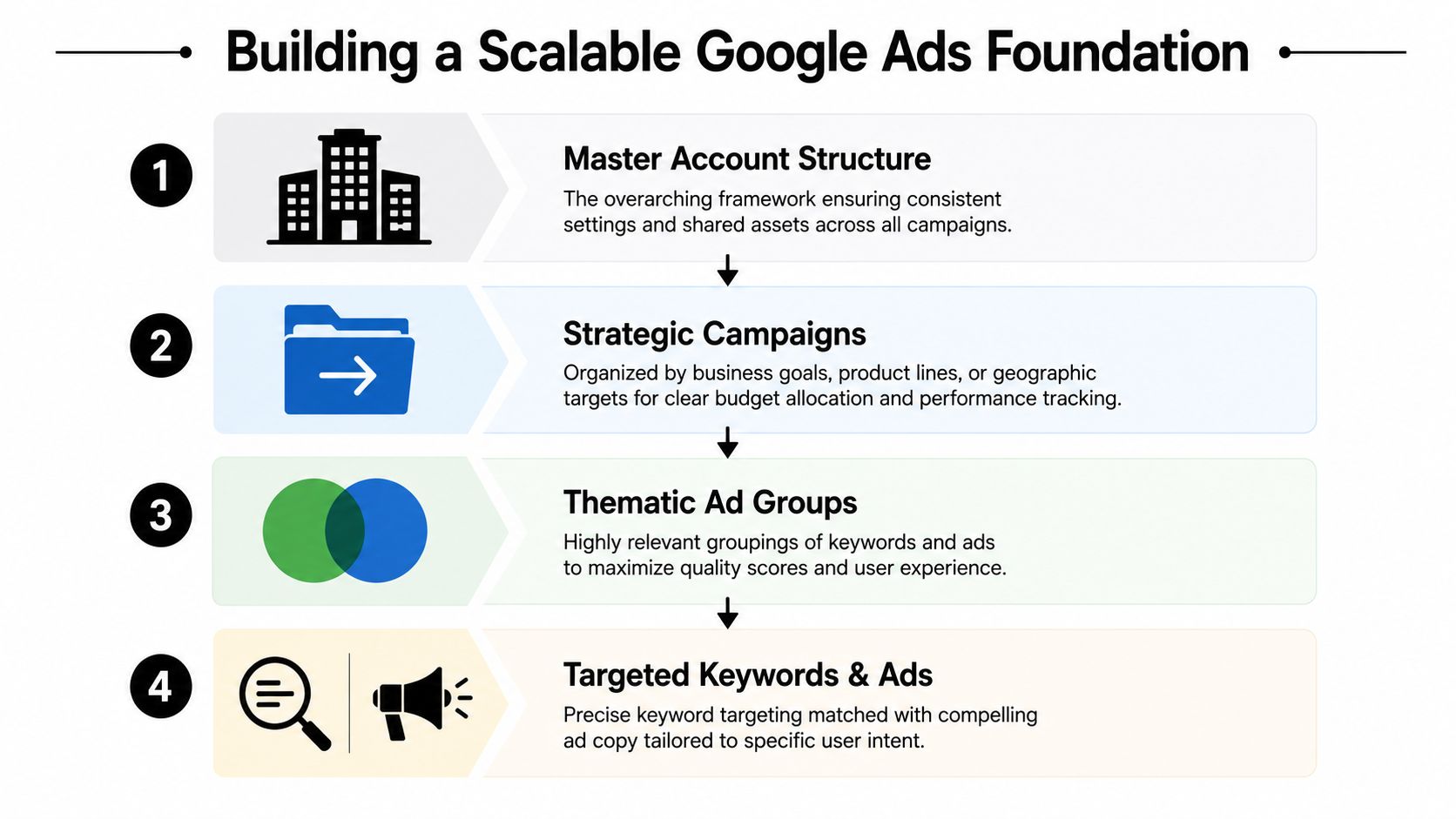
A real scaled setup begins with a Google Ads Manager Account. Google positions Manager Accounts as the way to oversee multiple accounts from one dashboard, apply shared negative keyword lists, and use consolidated billing. That shift from account-by-account work to centralized control is a core milestone in scaled account management, because it also supports standardized governance and cross-account conversion tracking for a cleaner ROI view across portfolios, as outlined in this breakdown of Google Ads account management.
Start with the control layer
The first job is not campaign creation. It's control.
Use a Manager Account to standardize:
- Access and permissions so no one is requesting emergency logins from old client emails
- Shared assets such as negative keyword lists and conversion settings
- Billing and admin workflows so finance isn't chasing account-level invoices
- Reporting logic so each account rolls up the same way
Google's guidance also stresses that reporting can't be trusted until the setup is correct. Linking Google Ads and Analytics, plus enabling auto-tagging, is a basic requirement before you start making portfolio-level decisions. Teams skip that step more often than they should, then wonder why performance reviews turn into attribution arguments.
Practical rule: If two account managers would label the same campaign differently, your structure isn't ready for scale.
Build campaign structure for today's automation
A lot of older account structures were built for manual control. They made sense in a tighter-match world. They break down when broader matching and Smart Bidding need cleaner signals.
That's why I'd rather see campaigns grouped by business goal, product line, geography, or margin logic than by endless micro-segmentation. You still want relevance. You just don't want structural clutter that slows optimization and muddies reporting.
A workable example looks like this:
- Campaign level by market or business line
- Ad group level by theme or intent cluster
- Ads and landing pages matched to that theme
- Shared exclusions and conversion settings managed centrally
If you manage app campaigns alongside search, it also helps to study how adjacent teams scale app advertising with AI, because the same lesson applies here. Automation works better when the operating model around it is disciplined.
Use names that survive growth
Bad naming conventions don't seem urgent until reporting gets ugly. Then every dashboard filter becomes manual labor.
Here's a simple framework that scales:
| Element | Example | Purpose |
|---|---|---|
| Account | US_Main_Brand | Distinguishes business unit or region |
| Campaign | NonBrand_Search_Plumbing_TX | Identifies traffic type, network, offer, and geo |
| Ad Group | Emergency_Repair | Groups intent cleanly |
| Asset Label | LP_A_Service_Area | Tracks landing page or asset variant |
| Audience Label | Remarketing_LeadForm | Keeps audience usage readable |
A naming system should help someone answer three questions fast: what this is, who it targets, and how it should be reported.
For teams managing a growing portfolio, this guide on how to manage multiple Google Ads accounts efficiently is worth reviewing because it addresses the operational side, not just campaign setup.
Mastering Keyword Hygiene at Scale
The biggest misconception in scaled search management is that more automation means less need for keyword control. It's the opposite. Once match behavior broadens, loose query control gets expensive fast.
Recent guidance makes the shift pretty clear. With broader matching and AI-driven bidding, negative keyword lists become the primary control mechanism, while campaign structure, ad group organization, and bid method choice act as the main guardrails that decide whether automation learns cleanly or wastes spend, as discussed in this analysis of managing Google Ads with AI.
Negative keywords are no longer housekeeping
For years, negative keywords were treated like maintenance. Useful, but secondary. That framing is outdated.
Now they're one of the main ways you steer the system.
If your campaigns use broad match, phrase expansion, or bidding strategies focused on conversions or conversion value, Google can reach farther than many managers expect. Sometimes that's productive. Sometimes it turns into a pile of low-intent searches that look “engaged” in the platform and weak everywhere else.
That's why scaled teams need a negative strategy with layers:
- Shared negatives for universal junk terms that don't belong anywhere
- Campaign negatives for product, service, or geo mismatches
- Ad group negatives to protect internal query routing when themes overlap
Good scaled management doesn't come from adding more keywords. It comes from excluding bad traffic faster than the account can absorb it.
If you need a simple refresher on the mechanics, this explainer on how to stop wasting ad spend is a useful companion resource.
Search terms reviews need a system
Search Query Reports can either be a goldmine or a time sink. These reports often become a spreadsheet exercise, then delay the review because nobody wants to spend half a day sorting search terms line by line.
That's the wrong workflow for scale.
A better process is shorter and more disciplined:
- Review by campaign intent first. Don't mix branded, non-branded, competitor, and remarketing logic in one pass.
- Bucket queries quickly into keep, exclude, expand, or watch.
- Act in bulk. Add negatives, harvest useful terms, and apply match types without bouncing between exports.
- Push updates on a recurring rhythm so the account doesn't drift for weeks.
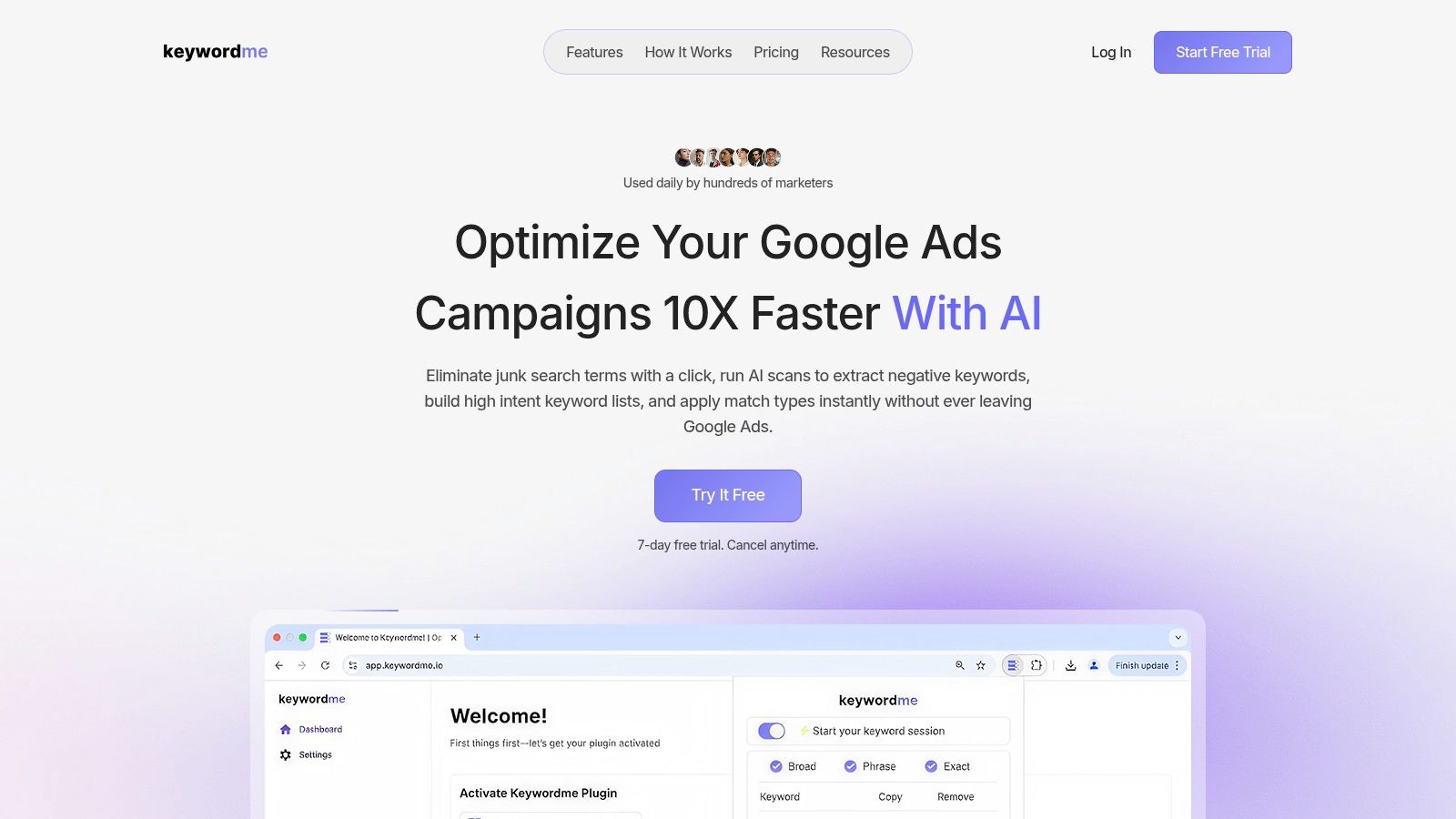
The operational bottleneck here is not judgment. It's the interface. That's where a tool like Keywordme fits. It works inside the Google Ads Search Terms Report and lets users remove junk terms, add negatives, and apply match types without the usual export-and-format routine. That matters when one person is reviewing search terms across many campaigns and needs to make clean bulk actions quickly.
What works and what doesn't
At scale, some keyword habits hold up. Others don't.
What works:
- Shared negative lists maintained at the portfolio level
- Themed ad groups with a clear intent boundary
- Regular query mining for both exclusions and expansions
- Separate treatment for branded and non-branded traffic
What doesn't:
- Blind trust in broad matching
- Manual one-off cleanup with no repeatable cadence
- Huge ad groups where search intent gets mixed
- Treating negatives as a monthly afterthought
Keep the machine fed with clean signals
Automation isn't smart in a vacuum. It learns from the traffic you allow in, the conversions you count, and the structure you give it.
That's why keyword hygiene matters so much in Google Ads account management at scale. You're not just filtering waste. You're controlling the training environment. If the account keeps swallowing irrelevant queries, Smart Bidding will optimize around messy signals and call it progress.
Automating for Efficiency Not Complacency
Automation should reduce repetitive work. It should not replace oversight.
That distinction matters because plenty of scaled accounts drift into passivity. The team enables Smart Bidding, turns on a few recommendations, and assumes the machine will sort things out. Then CPCs jump, weak queries creep in, and nobody catches the slide until the monthly report.

Automate the checks, not the judgment
The best automation setups act like guardrails around human strategy.
Use rules for tasks like:
- Pausing low-value outliers when clear thresholds are breached
- Alerting on sudden CPC shifts so someone can inspect auction pressure or query quality
- Flagging budget-limited campaigns that need a real allocation decision
- Catching disapprovals or broken assets before they sit untouched
That's different from handing over strategic control. A rule can tell you spend changed. It can't tell you whether the change happened because your best segment expanded or because broad matching wandered into bad traffic.
Field note: If you can't explain why an automation exists, it shouldn't be running in a live account.
Rules are useful. Scripts fill the gaps.
Rules cover the basics well. Scripts help when the workload gets wider and more repetitive.
Scripts make sense for portfolio checks such as landing page monitoring, naming validation, or surfacing anomalies across many campaigns. They're especially handy when the native interface makes a simple audit far too manual.
The mistake is trying to automate everything at once. Start with points of failure that are predictable and expensive. Build alerts first. Then add action rules where the outcome is obvious and low risk.
If you're tightening this side of your process, this walkthrough on Google Ads workflow automation is a practical next read.
Smart Bidding still needs supervision
A lot of teams talk about AI as if it removes the need for account management. It doesn't. It changes where the work sits.
The work shifts toward:
- Conversion quality review
- Search term governance
- Budget reallocation
- Structure cleanup
- Exception handling
This video covers the mindset well and is worth watching if your team is leaning too hard on default automation settings.
A healthy scaled account usually looks less dramatic than people expect. There aren't constant hero moves. There's a lot of quiet prevention. Good automation helps you spend more time on impactful work and less time on repetitive maintenance. That's the win.
Smart Bidding and Budgeting Across Portfolios
When you manage a large portfolio, bidding strategy can't be chosen in isolation. One campaign might need volume. Another needs efficiency protection. A third might be constrained by weak data quality and shouldn't be pushed into an aggressive automated target yet.
The mistake is standardizing too hard. Teams often pick one Smart Bidding strategy and force it across the portfolio because it simplifies management. It also flattens context.
Match the bid strategy to the account situation
Here's the practical version.
Maximize Conversions is usually the better choice when you want to ramp a campaign and let the system chase volume within budget. It's often useful in growth mode, especially when the business can tolerate some movement in acquisition efficiency.
Target CPA fits better when lead value is fairly consistent and the primary priority is maintaining cost discipline. It gives the system a stronger efficiency boundary, but it can also become too restrictive if the target is unrealistic for the market.
Target ROAS makes more sense when conversion value tracking is dependable and revenue quality matters more than raw conversion count. If value tracking is messy, this strategy tends to create false confidence.
Maximize Conversion Value works when the business wants the highest possible value from a set budget but doesn't want to pin the system to a fixed return target.
Portfolio logic beats campaign-by-campaign instincts
At scale, budgeting gets cleaner when you stop asking, “How is this campaign doing on its own?” and start asking, “What role does this campaign play inside the portfolio?”
A few examples:
- A branded campaign may look efficient but shouldn't absorb every spare dollar.
- A non-branded growth campaign may look less efficient short term but still deserve budget if it drives incremental demand.
- A mature regional campaign may need steady funding, while a test market deserves tighter pacing and closer supervision.
That's why portfolio bid strategies can be useful. They let Google optimize bids across multiple campaigns toward a shared objective. Used well, they reduce fragmentation. Used poorly, they blur differences between campaigns that shouldn't be treated the same.
Shared budgets are convenient and dangerous
Shared budgets save time. They also create lazy budgeting if you're not careful.
Use them when campaigns share the same goal, urgency, and performance expectations. Avoid them when one campaign can easily starve the others. That happens all the time in mixed portfolios, especially when high-volume campaigns soak up spend before lower-volume but strategically important campaigns get traction.
A simple review lens helps:
| Situation | Better fit | Risk to watch |
|---|---|---|
| New campaign seeking traction | Maximize Conversions | Can over-prioritize volume |
| Lead gen with stable value per lead | Target CPA | Target may become too restrictive |
| Revenue-focused campaign with reliable values | Target ROAS | Weak value data distorts bidding |
| Mixed campaigns with common objective | Portfolio bidding | Lower transparency by campaign |
| Closely aligned campaigns with similar priority | Shared budget | One campaign can consume spend too fast |
The true skill in Google Ads account management at scale isn't choosing the fanciest bidding model. It's knowing when to give automation room and when to narrow the lane.
Reporting That Matters for Large Accounts
Most large-account reporting is bloated. Too many tabs, too many slices, not enough decisions. When reporting takes longer to digest than to build, the system is upside down.
Industry guidance now treats monthly review as the minimum standard, while high-velocity accounts need weekly audits of search query reports, branded versus non-branded segmentation, and budget allocation by campaign. The same guidance also cites a published case study that scaled a client's ad budget by 4x and generated 5.1x more conversions, showing what disciplined management can achieve when structure and optimization are handled systematically, according to this Google Ads management guide.
Dashboards should answer a short list of questions
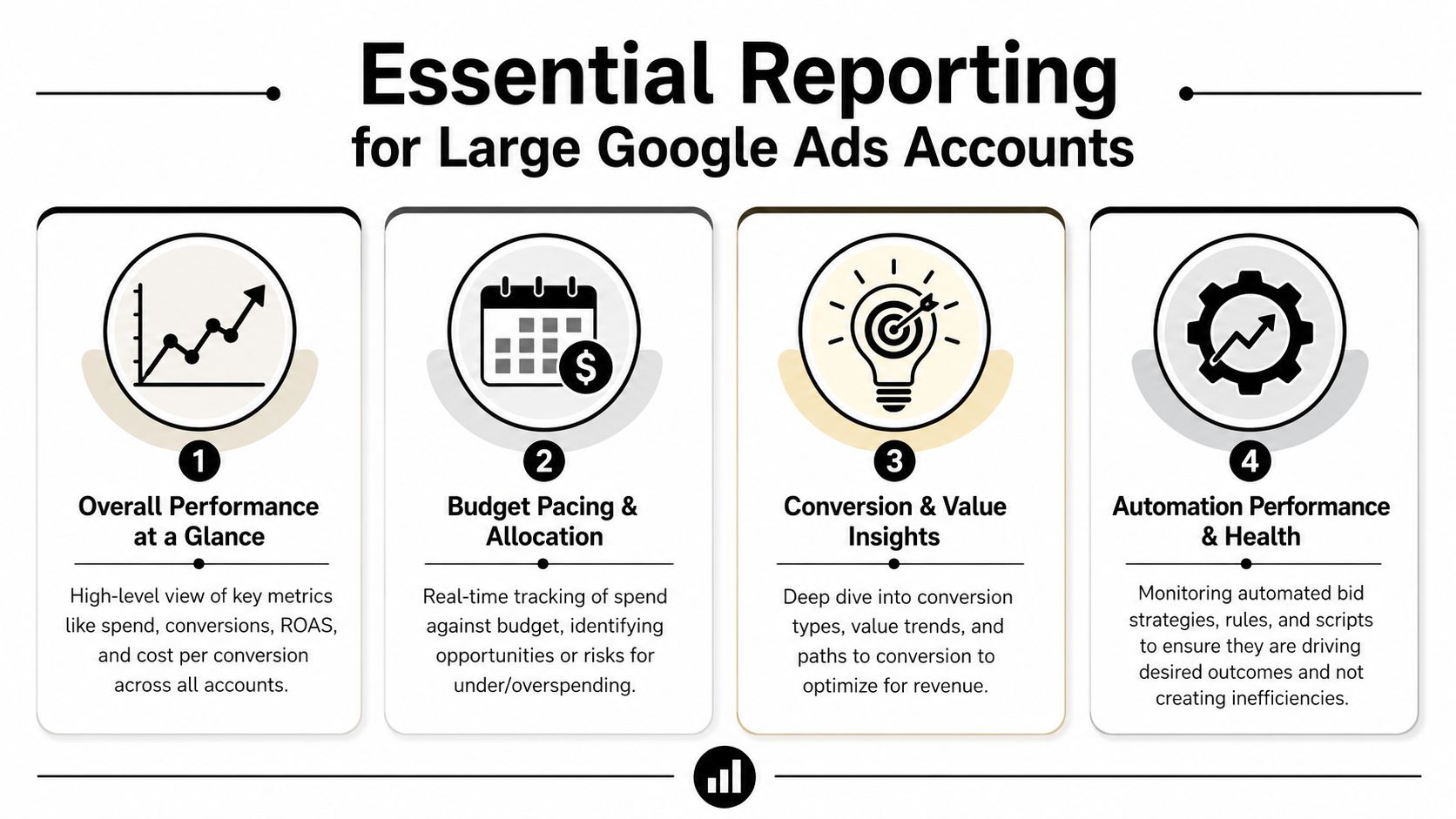
A useful large-account dashboard should tell you, fast:
- Where spend is going
- Whether conversion volume or value is trending the right way
- Which business lines or geographies are slipping
- Whether automation is behaving as expected
- Which campaigns are budget constrained
That means fewer vanity charts and more operational views. I'd rather see one page that clearly separates branded and non-branded performance than a dozen widgets no one acts on.
Build reporting around decisions
Looker Studio is often enough for this if the inputs are clean. The key is deciding what each report is for.
One view should be for executives, focused on spend, conversions, conversion value, and major trend lines.
Another should be for operators, focused on pacing, impression share, budget constraints, and campaign-level variance.
Reporting should reduce action time. If your dashboard creates more questions than decisions, it's overbuilt.
For teams refining their dashboard structure, this guide to a pay-per-click report is a solid reference point.
Keep the cadence tight
Big accounts rarely fail because of one catastrophic mistake. They slip because small issues sit unnoticed for too long. Reporting fixes that only when it's tied to review rhythm.
A weekly review for active portfolios is often where significant value lies. That's enough to catch demand shifts, budget misallocation, search query drift, and automation weirdness before they become month-end surprises.
Assembling Your Team and Tool Stack
No one scales Google Ads alone for long. At some point, the account volume, reporting load, search term review, and budget management outgrow a one-person system.
The leanest healthy team usually has clear separation between execution, analysis, and strategy.
A simple team model that holds up
You don't need a giant department. You do need role clarity.
- Analyst or coordinator handles recurring checks, search term reviews, labeling hygiene, and QA
- Account manager or specialist owns optimizations, testing, and campaign changes
- Senior strategist or lead makes portfolio budget calls, bidding decisions, and structural changes
That setup works because the senior person isn't buried in repetitive maintenance, and the junior person isn't guessing at strategy.
The stack should remove friction
At minimum, scaled teams usually rely on:
- Google Ads Manager Account for centralized governance
- Google Ads Editor for bulk changes
- Looker Studio for dashboarding
- Rules and scripts for monitoring and repetitive checks
- A search term workflow tool for keyword hygiene at speed
The gap in many teams is the handoff between insight and action. They can identify waste, but acting on it is still too manual. That's where a focused workflow matters. If your process still depends on exporting search terms, cleaning sheets, reformatting match types, and uploading changes in batches, the process itself is the bottleneck.
The teams that scale best usually aren't doing magical things. They're running a repeatable operating system. Clean structure. Fast query control. Guardrailed automation. Tight reporting. Clear ownership.
If your team is spending too much time wrangling search terms and negative keywords by hand, Keywordme is worth a look. It gives Google Ads managers a faster way to work inside the Search Terms Report, apply negatives and match types, and keep keyword hygiene under control without turning every review into a spreadsheet project.
.svg)