
How to Manage Multiple Google Ads Accounts Efficiently
How to Manage Multiple Google Ads Accounts Efficiently


If you're managing several Google Ads accounts, you already know the part nobody mentions in polished tutorials. The issue isn't just logging in. It's the constant tab-hopping, the repeated fixes, the naming mess, the search term cleanup, and the low-grade panic that comes from wondering whether one tiny account got ignored for a week.
Most advice on how to manage multiple Google Ads accounts efficiently stops at, “Use an MCC.” That's necessary, but it isn't enough. A Manager Account gives you visibility. It doesn't automatically give you discipline, consistency, or a sane workflow.
The difference between a manageable portfolio and a chaotic one usually comes down to operating system, not talent. You need a structure for account access, a standard for shared assets, automation for repetitive checks, and a way to handle keyword work without living in spreadsheets. That's the playbook.
Build Your Command Center with a Manager Account
Google Ads Manager Accounts are still the foundation for multi-account work because they let you manage multiple accounts from one login and dashboard, with shared access control, reporting, and consolidated billing, as described on Google's Manager Accounts page. If you're still bouncing between separate logins, you're burning time on the wrong task.
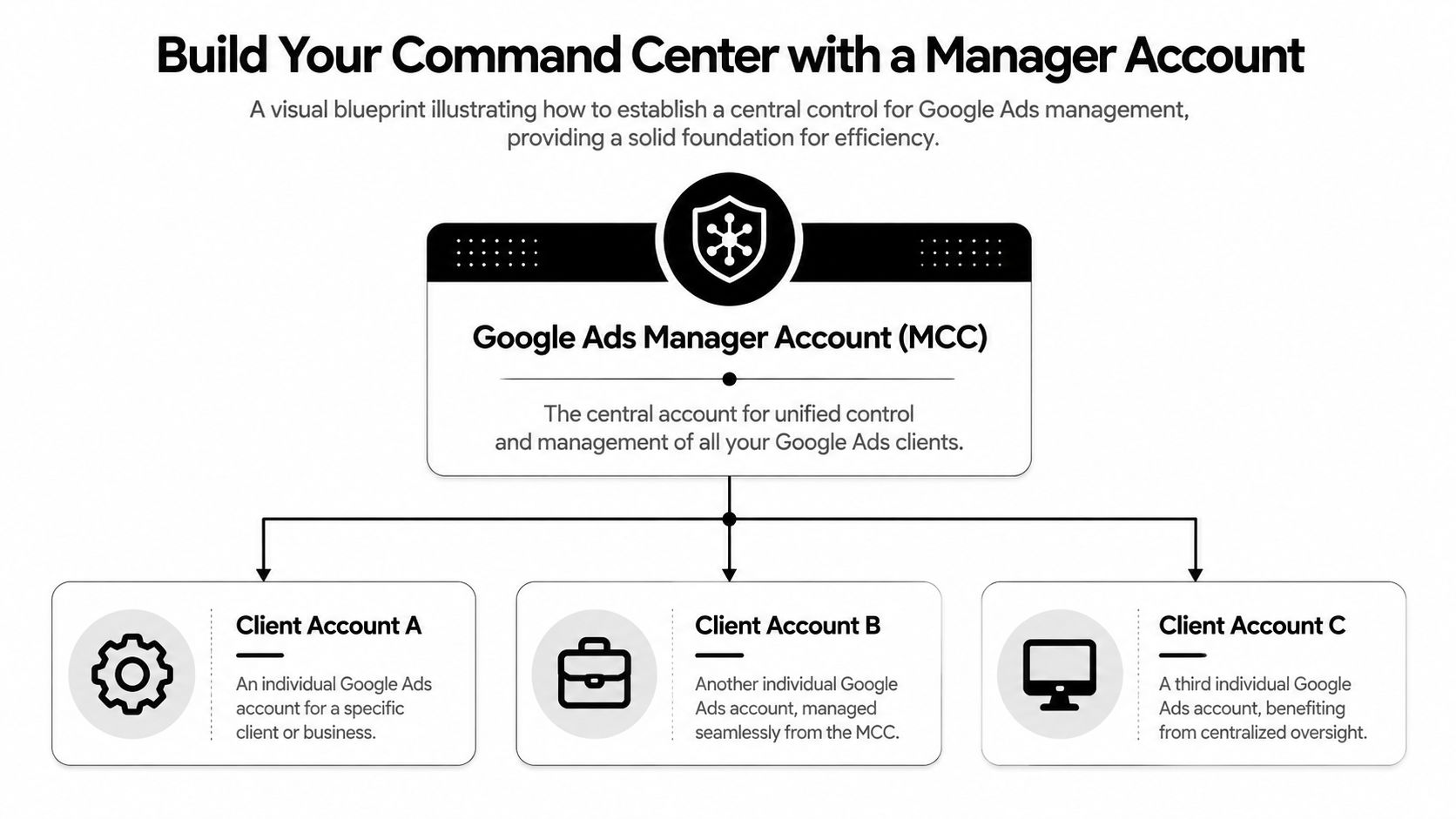
A good Manager Account setup does two things. First, it reduces friction. Second, it makes mistakes easier to spot. When a team handles multiple brands, regions, or clients, one clean dashboard matters more than people think. It's also easier to compare performance when more than one Google Ads account can be linked to Google Analytics instead of treating every account like an island.
Structure the account list before it gets messy
Most account chaos starts with naming. Someone creates an account quickly, uses whatever label feels convenient, and six months later nobody knows what “US Search New” means.
Use a naming format that answers four questions at a glance:
Who is this for
Client, brand, or business unit name.What market is it for
Country, region, or language.What type of account is it
Lead gen, ecommerce, franchise, local, or internal.What stage is it in
Active, test, archive, onboarding.
A simple example is: Brand | Market | Type | Status.
That format isn't glamorous, but it scales. It also helps when you're filtering reports, assigning work, or reviewing billing.
Treat the MCC like an operating layer
A Manager Account works best when it's not just a login hub. It should be the place where your team defines standards.
Practical rule: If a new account can be onboarded without asking, “How do we usually name this?” your structure is doing its job.
I like to set up a lightweight governance checklist for every new child account:
- Access added correctly so the right people can edit and the wrong people can't.
- Naming applied immediately to campaigns, asset groups, labels, and conversions.
- Billing and ownership documented so finance questions don't become Slack archaeology.
- Analytics and tracking aligned with the rest of the portfolio.
- Status labels added for onboarding, active management, and archival.
That kind of discipline sounds boring until you inherit a portfolio with no standards. Then it becomes the only thing that matters.
For a more detailed walkthrough on account hierarchy and setup, see this guide to multi-account Google Ads Manager workflows.
What doesn't work
There are a few setups that always come back to bite teams:
| Approach | Why it breaks |
|---|---|
| Separate logins for each account | Access gets fragmented and reporting becomes slow |
| Loose naming habits | Nobody can filter, audit, or compare cleanly |
| One-off onboarding per client | Every account becomes a special case |
| No archive process | Old campaigns and stale accounts clutter decisions |
The cleanest portfolios usually aren't the most complex. They're the most consistent.
Standardize Operations with Shared Assets
Once the account structure is clean, the next win comes from reducing repeated work. If your team rebuilds the same exclusions, conversions, and labels in every account, you're paying a tax on avoidable labor.
Industry guidance for multi-account operations recommends shared negative keyword lists, cross-account conversion tracking, and standardized naming conventions at the manager level so exclusions, measurement, and reporting stay consistent. The same guidance also recommends weekly optimization checks and periodic audits to remove old campaign clutter, as outlined in this multi-account management resource.

Build a central library, not a pile of duplicates
Shared assets work like a central library. You create the rule once, then apply it across the right set of accounts instead of rebuilding it from scratch every time.
The obvious one is negative keywords. If you're managing similar businesses, regions, or product lines, certain exclusions should travel together. That doesn't mean every account gets the exact same negative list. It means common junk gets handled centrally, while account-specific nuance stays local.
A practical split looks like this:
- Portfolio-level negatives for broad junk, irrelevant intent, and known low-quality query themes
- Vertical-level negatives for industry-specific exclusions
- Account-level negatives for client quirks, geography, or offer constraints
That layered setup avoids two common mistakes. One is duplicating the same cleanup across every account. The other is forcing one giant list onto accounts that need flexibility.
Standardize measurement before you scale spend
Cross-account conversion tracking matters because a portfolio is only as manageable as its measurement setup. If one account counts form submits one way, another counts calls differently, and a third has half-finished tracking, your reporting isn't centralized. It's just bundled confusion.
Use one naming standard for conversion actions and stick to it. Keep the names human-readable. If a stakeholder can't understand the goal by reading the label, rewrite it.
Shared assets save the most time when they remove decisions, not when they add another layer of admin.
A simple weekly rhythm helps keep shared systems useful:
- Audit shared negative lists to remove overreaches and add obvious junk themes.
- Check conversion consistency so new accounts don't drift from the standard.
- Review naming compliance for campaigns, labels, and assets.
- Remove leftovers from paused tests, old promos, and legacy builds.
What teams usually get wrong
The biggest mistake isn't failing to standardize. It's standardizing halfway. They create a naming convention, but no one uses it. They build a shared list, but never maintain it. They define conversions, but let each account improvise.
That kind of partial system creates more confusion than no system at all. If you're going to centralize, centralize for real.
Put Your Accounts on Autopilot with Rules and Scripts
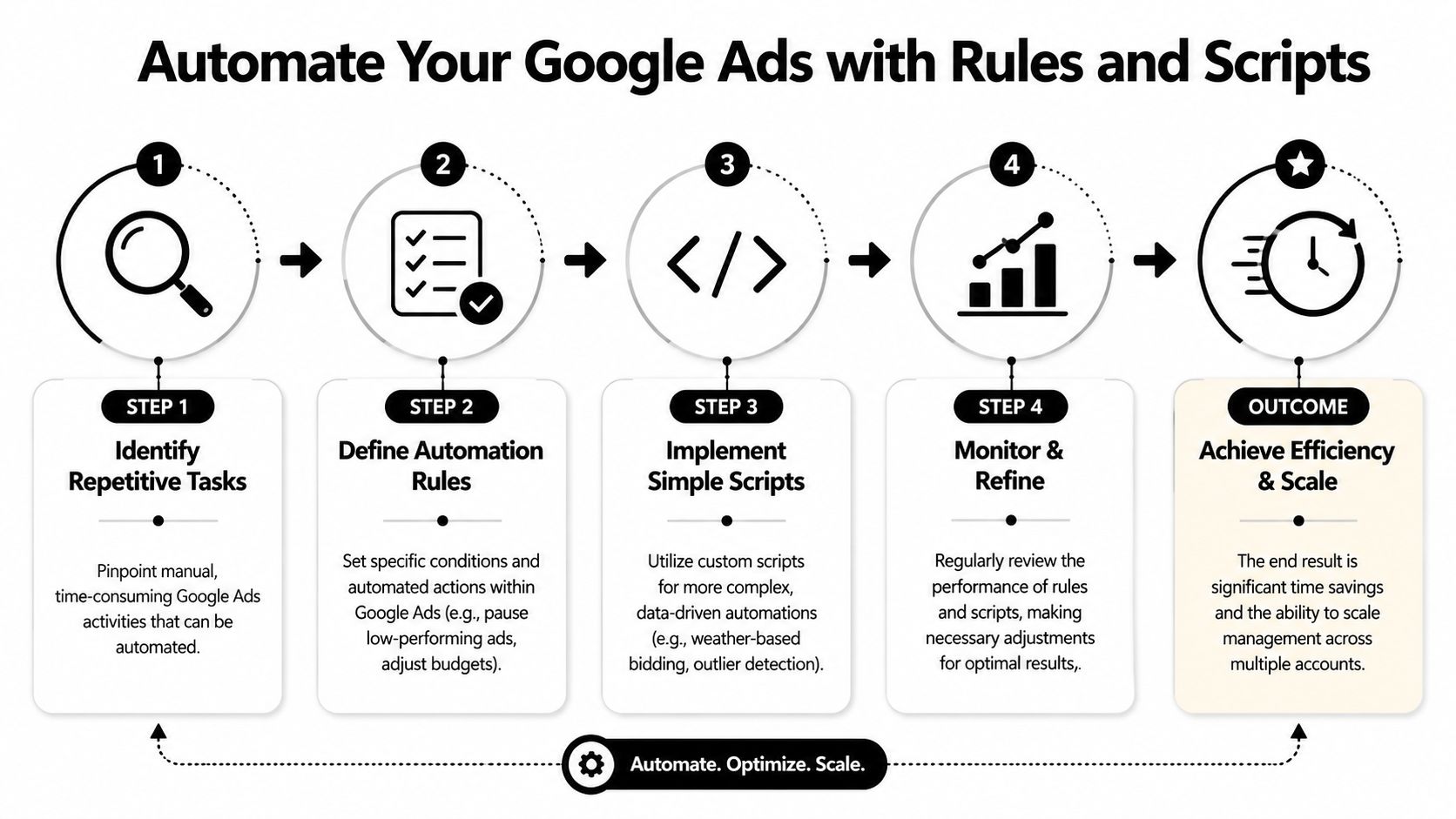
Automation doesn't replace account management. It removes the repetitive checks that drain attention. That's a big difference. A lot of teams either over-automate and lose control, or they avoid automation completely and stay buried in manual upkeep.
The sweet spot is simple. Automate what is repetitive, rule-based, and easy to verify. Keep judgment-heavy decisions in human hands.
Start with low-risk automations
The most useful account automations are rarely fancy. They're the ones that catch obvious problems before they become expensive.
Good first moves include:
- Budget pacing alerts when campaigns underspend or burn through budget too fast
- Ad disapproval alerts so policy issues don't sit unnoticed
- Scheduled reports for account health checks
- Rules for pausing edge cases like clearly outdated promos or time-bound campaigns
- Bid adjustment rules only when the logic is narrow and well tested
Those are practical because they're visible. You can review the action, understand why it happened, and refine it if needed.
For more ideas on structuring these automations inside a repeatable system, this workflow automation guide for Google Ads teams is a useful companion.
A short demo can help if you're building this stack for the first time:
What deserves a rule and what doesn't
Use this filter before automating anything:
| Task type | Automate it | Keep it manual |
|---|---|---|
| Repetitive checks | Yes | No need |
| Binary conditions | Yes | Rarely |
| Sensitive strategy shifts | Usually no | Yes |
| Account cleanup reminders | Yes | Sometimes |
| Query intent interpretation | No | Yes |
That's why some scripts save a lot of time while others create cleanup work later. Machines are good at spotting thresholds, labels, dates, and simple anomalies. They're not good at understanding business nuance without strict guardrails.
Don't confuse automation with management
A rule can pause something. It can't tell you whether the underlying campaign structure is wrong. A script can flag an outlier. It can't decide if the landing page offer is off, the market changed, or the account needs a new segmentation model.
Automations should reduce monitoring load. They shouldn't hide the account from you.
The teams that benefit most from automation usually review it on a cadence. They don't set it and disappear. They check the logs, tighten thresholds, and remove rules that no longer match the current strategy.
That approach keeps rules useful. It also prevents the classic problem where an old automation keeps doing the wrong thing because nobody remembered it existed.
The Real Bottleneck in Multi-Account Management
A Manager Account makes account access easier. It does not solve the hardest part of multi-account PPC work. The primary challenge sits lower in the stack, inside keyword operations.
That's the part most guides skip. Search term reviews across many accounts. Negative keyword list building. Match type decisions. Bulk ad group expansion. All the small, repetitive actions that don't look strategic individually, but consume huge chunks of time when repeated all week.
A 2025 WordStream industry report found that 68% of agency PPC spend is wasted on “search term junk” because manual negative keyword processes are too slow to scale across multiple clients, and Google's own data indicates that campaigns with optimized keyword structures and strict negative lists achieve 22% higher ROI than campaigns relying only on MCC oversight, according to this Google Ads discussion reference.
Why clean dashboards still leak money
You can have a tidy Manager Account, neat labels, and decent reporting, and still waste budget daily if keyword hygiene is weak. That's because the account-level interface doesn't remove manual keyword labor. It just gives you a better place to see the accounts.
The hidden problem looks like this:
- Search term reports pile up across many accounts
- Teams export data into spreadsheets
- Someone decides what to negate
- Someone else formats it
- Then it gets pasted back into the right campaigns or lists
That process is slow, and slow processes create drift. Negatives don't get added fast enough. Good search terms don't get promoted quickly. Match types stay inconsistent because nobody has time to clean them up properly.
Manual keyword work doesn't scale well
Agencies often hit an invisible ceiling. They think they need another dashboard, another reporting layer, or another meeting. What they need is a cleaner keyword workflow.
If your team handles keyword cleanup by exporting, sorting, formatting, and copy-pasting, your workflow is the bottleneck.
The worst part is that manual keyword work pushes skilled PPC managers into clerical tasks. Instead of deciding what to test next, they spend hours moving search terms around, fixing formatting, and checking whether the same exclusion got applied everywhere.
That doesn't just waste time. It makes the entire portfolio slower to improve.
Streamline Keyword Workflows with Keywordme
When teams ask how to manage multiple Google Ads accounts efficiently, they're often really asking how to stop drowning in keyword maintenance. That's the operational pressure point. Not access. Not billing. Not even reporting. Keyword work.
The old workflow is familiar. Pull search term data. Scan for junk. Build a negative list in a spreadsheet. Decide which terms should become keywords. Pick match types manually. Copy. Paste. Reformat. Double-check the destination. Repeat for the next account.
That process is survivable at small scale. It gets ugly fast across a larger portfolio.
The before and after is mostly about friction
Before using a dedicated keyword workflow tool, managers usually end up with disconnected steps across Google Ads, Sheets, docs, and internal notes. Every handoff creates one more chance for an error. One misplaced paste, one wrong match type, one skipped list, and the account drifts.
A tool like Keywordme fits here because it's designed for the exact keyword tasks that Manager Accounts don't solve well. According to the product information provided by the publisher, it works through a Chrome plugin inside Google Ads and helps users clean up junk search terms, expand ad groups with new keywords, and apply match types in bulk without relying on manual formatting.
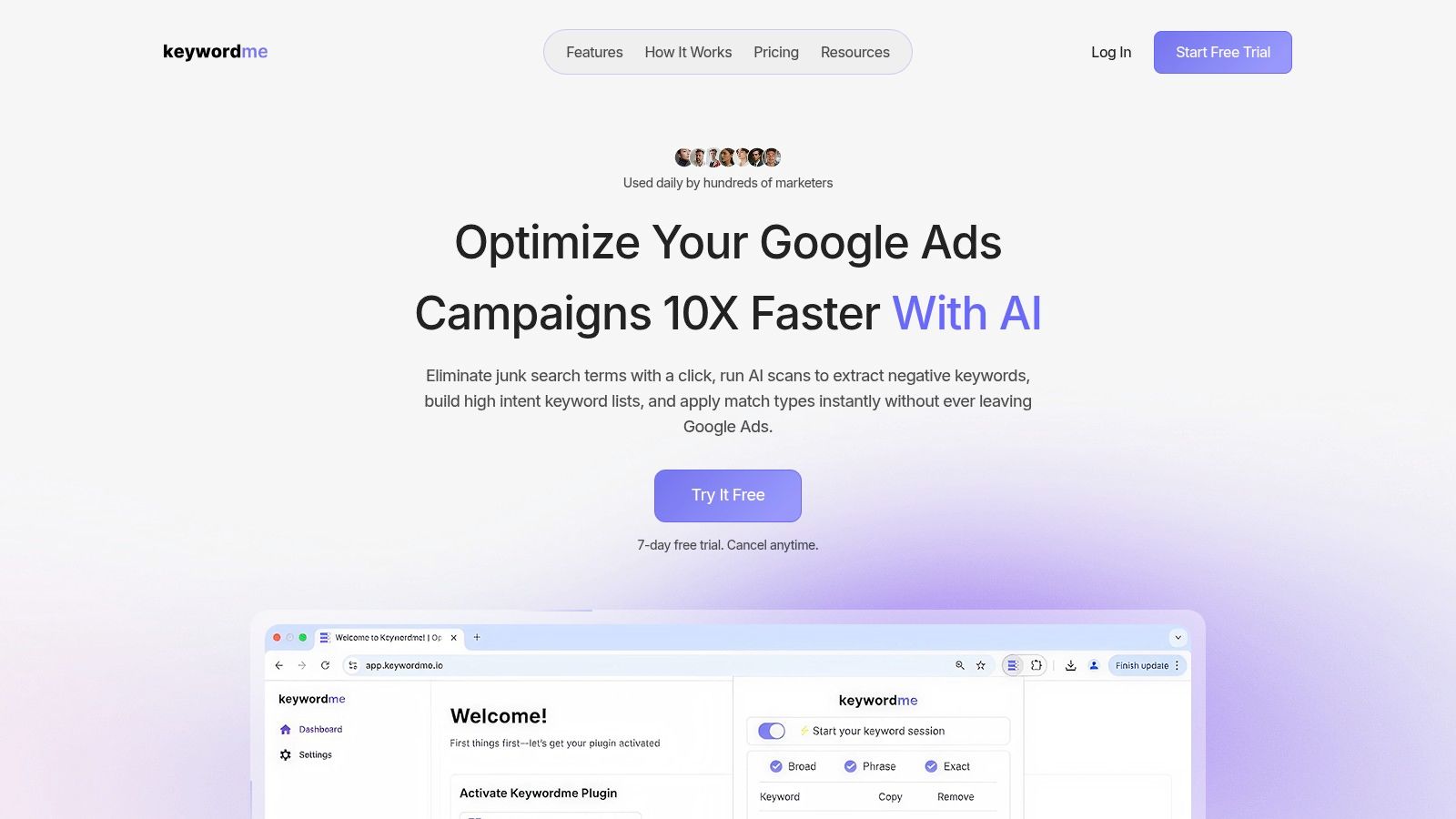
The practical advantage isn't abstract. It removes steps.
What a cleaner keyword workflow looks like
Instead of dragging everything through spreadsheets, the process becomes tighter:
- Review search terms in context inside your normal Google Ads workflow.
- Identify junk queries quickly and turn them into negatives without format cleanup.
- Promote useful terms into ad groups based on actual search behavior.
- Apply match types in bulk instead of editing one by one.
- Repeat the workflow across accounts with less tab-switching and less manual handling.
That matters because keyword hygiene is one of those jobs where friction compounds. If every action takes a few extra clicks and a formatting pass, managers delay the work. Delayed keyword cleanup means wasted spend sticks around longer than it should.
Where it fits in the stack
Keyword workflow software isn't a replacement for your Manager Account, your tracking setup, or your reporting process. It's a missing operational layer between strategy and execution.
Use it when the team is dealing with:
- Frequent search term cleanup across many campaigns
- Large negative keyword maintenance tasks
- Bulk match type updates
- Repeated ad group expansion work
- Too much spreadsheet handling
If your current process still depends on copy-paste discipline, there's a good chance you're paying in slower optimization rather than direct software cost.
For a closer look at this kind of workflow, this guide on automating Google Ads keyword management goes deeper into the day-to-day mechanics.
What works and what doesn't
What works is a system where keyword decisions happen close to the interface, in batches, with minimal reformatting. What doesn't work is treating keyword operations like a side chore your team gets to when they have spare time.
The teams that stay sharp across multiple accounts usually separate two jobs clearly. Strategy decides what should happen. Workflow determines how fast and accurately it gets done. When those two parts are aligned, the account gets cleaner faster, and the manager gets their time back for actual PPC thinking.
Secure and Delegate Access for Scalable Growth
Multi-account management usually gets more fragile as the team grows. More people need access. More clients want visibility. More junior staff need room to work. If permissions are loose, one accidental change can create a mess across several accounts.
The fix isn't to lock everything down so tightly that nobody can move. The fix is role-based access with regular review.
Assign access by job, not by person
A lot of teams grant permissions based on convenience. Someone asks for access, and they get broad permissions because it's faster. That's how portfolios become risky.
Build access around responsibilities instead:
| Role | Recommended access approach |
|---|---|
| Stakeholder or client contact | Read-only visibility where possible |
| PPC specialist | Standard access for daily optimization |
| Senior lead or director | Higher-level control for structural changes |
| Finance or operations contact | Billing visibility only if needed |
| Temporary contractor | Time-limited, account-specific access |
That framework keeps people productive without exposing every account to unnecessary risk.
Use a simple permission policy
A practical access policy should include a few essential elements:
- Give the lowest access level that still allows the work
- Avoid shared logins entirely
- Remove access promptly when roles change
- Review user lists on a recurring schedule
- Limit billing permissions to the people who need them
These checks don't take long. They save a lot of headaches later.
A scalable account structure isn't only about campaigns and keywords. It's also about knowing exactly who can touch what.
Keep delegation clean
Delegation works when junior team members know the boundaries. If someone is learning account management, don't give them broad control and hope for the best. Give them a defined set of accounts, clear naming standards, and a review process for larger changes.
That creates confidence without opening the door to random edits in live campaigns.
There's also a client-side benefit. Clean access control makes agencies look more professional. Clients can see the right information without wandering into settings they don't understand, and your internal team can move faster because nobody is stepping on each other.
The more accounts you manage, the more this matters. Operational maturity isn't just campaign performance. It's access discipline, handoff clarity, and an account environment that doesn't become more dangerous every time the team expands.
If keyword cleanup, match type updates, and negative list maintenance are the part of multi-account management that keeps slowing your team down, Keywordme is built for that workflow inside Google Ads. It helps reduce the spreadsheet and copy-paste work that tends to pile up once a portfolio gets bigger.
.svg)