
Mastering Comparison Shopping Engines for ROAS
Mastering Comparison Shopping Engines for ROAS


You’re probably seeing it already. Shopping terms in your account are pulling in traffic with sharper intent than a lot of standard search campaigns, but the performance feels uneven. Some products get traction fast. Others barely surface. CPCs look manageable until margin gets squeezed by competitors who are willing to win the click at any cost.
That’s where comparison shopping engines get interesting.
Comparison shopping engines are often treated as a separate ecommerce channel, something you “also run” alongside Google Ads. That’s the wrong frame. The better way to use them is as part traffic source, part pricing battlefield, and part research engine for the rest of your PPC program. If you handle them that way, they stop being a feed management chore and start becoming a practical source of better bids, cleaner negatives, and tighter campaign decisions.
What Are Comparison Shopping Engines Anyway
If you manage PPC for ecommerce, you’ve seen the pattern. A user searches for a very specific product, compares a few offers, and clicks when the listing looks trustworthy enough to justify the visit. That environment is the heart of comparison shopping engines.
A comparison shopping engine, or CSE, is a platform that pulls product listings from multiple retailers and displays them side by side so shoppers can compare price, features, seller reputation, and often shipping details before they click through. The key point for advertisers is what happens after the click. The shopper lands on the merchant’s website, not inside the CSE’s own checkout flow.
CSEs versus marketplaces
That’s the practical difference between a CSE and a marketplace.
A marketplace like Amazon keeps the shopper inside its own ecosystem for the transaction. A CSE works more like a referral engine. It helps the shopper compare options, then sends that user back to your site to complete the purchase. That means you keep control of the landing page, the offer, the checkout experience, and the customer relationship.
From a PPC perspective, that matters a lot.
When a shopper is comparing listings on a CSE, they’re usually past broad research. They’re no longer asking vague category questions. They’re evaluating real products, real prices, and real merchants. That puts them much closer to conversion than someone clicking an informational search result.
Practical rule: Treat CSE traffic like bottom-funnel intent with strict merchandising requirements. If your price, feed quality, or landing page is sloppy, the click won’t save you.
Why PPC teams care
The channel is valuable because it combines two things that don’t always show up together. First, users signal strong purchase intent. Second, the listing itself pre-qualifies the click with product details before the user even reaches your site.
That pre-click filtering is why CSE traffic often feels more decisive. The shopper has already seen the image, the product name, and the price. In many cases, they’ve also compared you against other sellers. If they still click, that click tends to be worth more than a casual browse session.
What doesn’t work is treating comparison shopping engines as passive inventory syndication. Uploading a feed and hoping the channel sorts itself out is how you get mediocre visibility, weak traffic quality, and no useful insight back into the rest of the account.
How Comparison Shopping Engines Actually Work
A shopper searches for a specific product, sees five nearly identical offers, and clicks the one with the clearest title, the right price, and a merchant they trust. That is the CSE decision point. Your job is to make sure your listing survives that comparison and feeds useful signals back into the rest of your PPC account.

At the platform level, the process is straightforward. You send product data to the engine, the engine reviews and organizes that data, and then a ranking system decides which listings appear for a given query or category page. The mechanics are simple. The execution is not.
Your feed controls what the engine can do
The feed is the operating layer behind every listing. It supplies the product title, price, availability, image, brand, GTIN or MPN where relevant, and the category attributes the platform uses for matching and filtering.
If that data is weak, the engine has very little to work with. It may match the product to the wrong searches, suppress it in filtered results, or show a listing that gets ignored because the title and image do not answer the shopper’s question fast enough.
Useful feeds usually get four things right:
- Titles reflect search behavior: Product names need to match the language shoppers use, not just your catalog conventions.
- Price and availability stay current: If the listing says one thing and the landing page says another, click quality drops and disapprovals become more likely.
- Images do selling work: On many CSEs, the image is the first filter.
- Attributes are complete: Size, color, brand, condition, compatibility, and other specifics improve matching and visibility.
If you want a quick sense of the top comparison shopping sites, look at how consistently they rely on feed quality to determine who gets useful visibility.
Merchant centers are quality control, not a performance guarantee
Most comparison engines require merchants to submit inventory through a portal such as Google Merchant Center or a platform-specific feed manager. That portal checks format, policy compliance, taxonomy mapping, and basic data accuracy.
Passing review only gets you into the auction or listing pool. It does not make you competitive.
I see this mistake all the time in retail accounts. A team gets products approved, assumes the channel is set up correctly, and then wonders why traffic is thin or unprofitable. The actual problem is usually one of three things. Weak titles, weak pricing, or missing attributes.
Visibility comes from ranking logic plus bid pressure
On paid CSEs, your placement is usually shaped by two forces at once. First, the platform decides whether your listing is relevant enough to show. Second, your bid and commercial competitiveness influence how often and how high it appears.
That matters because CSEs do not reward blunt bidding for long. A higher bid can buy exposure, but it cannot fix a bad title, an uncompetitive price, or a landing page that loses the sale. In practice, strong results come from aligning three pieces at the same time: feed quality, price position, and bid discipline.
This is also where CSEs become useful beyond the channel itself. Query patterns, product-level click behavior, price sensitivity, and category-level conversion gaps can sharpen your Google Ads decisions. If a product gets visibility but loses clicks on a CSE, the issue may be price or merchandising. If it gets clicks but weak conversion, the landing page or offer is usually the problem. Those are PPC decisions, not just feed decisions.
Where performance usually breaks
Poor CSE results often come from operational gaps inside the account, not from the engine itself.
| Problem | What it does |
|---|---|
| Thin product titles | Reduces matching accuracy and lowers click-through rate |
| Outdated availability | Sends paid traffic to dead inventory and hurts trust |
| Weak images | Makes the listing easier to skip in side-by-side comparisons |
| Flat bidding across products | Overpays for low-margin or low-intent clicks |
| Poor landing-page alignment | Turns high-intent traffic into expensive bounce sessions |
The main lesson is simple. Comparison shopping engines do not rescue weak merchandising. They expose it faster. Used well, they also give PPC teams a practical testing ground for pricing, feed messaging, and product prioritization before those lessons are pushed back into core search campaigns.
The Big Players in the CSE Arena
Not every comparison shopping engine deserves equal attention. If you’re managing budget seriously, you don’t spread spend evenly across every platform that will accept a feed. You start with the places where user behavior, visibility, and economics line up with your catalog.
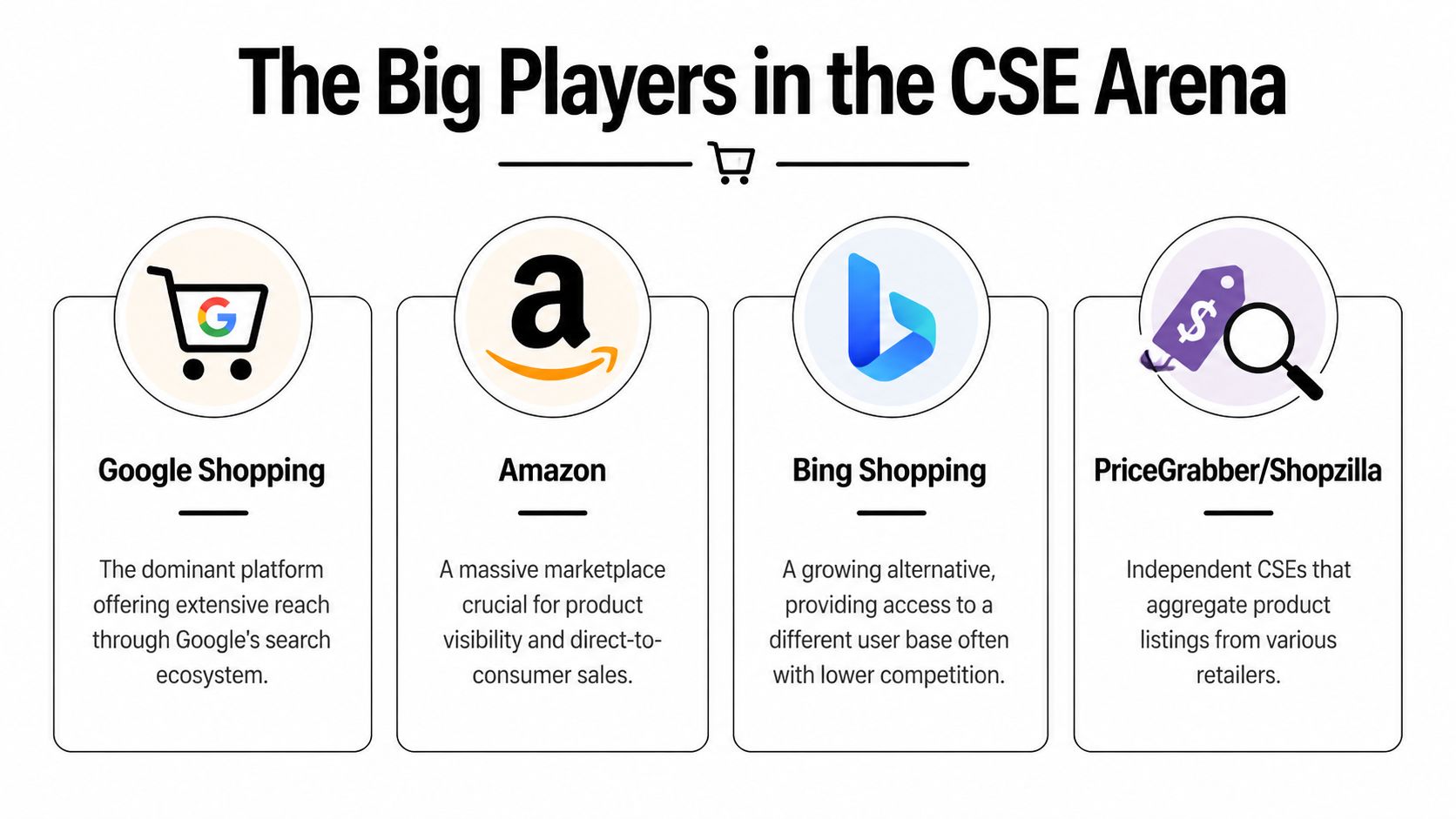
Google Shopping
For most advertisers, Google Shopping is the center of gravity. It’s the leading CSE and attracts approximately 1.7 million monthly visitors while operating on a PPC model with an average CPC of around $0.44, according to SEO.ai’s overview of comparison shopping engines. That same source notes Google Shopping’s strength comes from its tight connection to Google Search, where product listings appear with images, prices, and star ratings.
That integration is why Google Shopping often acts like an extension of core search demand rather than a side channel. If the product query has commercial intent, Google can surface shopping results right where the user is already searching.
For a PPC strategist, the upside is obvious. You get access to shoppers who are already comparing concrete offers. The downside is obvious too. Everyone else wants those clicks as well.
Microsoft Bing Shopping
Bing Shopping usually comes up after Google, and that’s fair. It’s not the volume leader. But it can still be useful when you want to diversify traffic and avoid putting all Shopping spend into one ecosystem.
Its practical appeal is usually lower competition and a different audience mix. For some accounts, that means cleaner economics on products that get crowded quickly on Google. It’s rarely the first platform I’d use to validate product-market fit, but it can be a solid second move once the feed and merchandising basics are under control.
Shopzilla and similar independent CSEs
Independent CSEs can still be worth testing, especially if your products compete well on price or if your catalog fits categories where comparison behavior is strong. Shopzilla is a familiar example because it leans hard into side-by-side shopping behavior.
IronPlane notes that Shopzilla’s system uses a $4 minimum bid and increments by $0.01 over the next highest bid in categories, while also favoring conditions like in-stock products and fast shipping in its conversion logic. That’s a good reminder that many CSEs aren’t pure lowest-price engines. They reward merchants who combine competitive offers with operational credibility.
Price-focused alternatives
Some platforms attract shoppers who are aggressively deal-oriented. That can be useful if your pricing is sharp and your margins can tolerate direct comparison pressure. It can be rough if your brand wins more on experience, bundling, or perceived quality than on headline price.
Many advertisers waste time. They list products on every available engine without asking a simple question first: does this product survive a side-by-side price check?
If the answer is no, broader distribution can just amplify the problem.
Where Amazon fits
Amazon isn’t a CSE in the strict sense because it hosts the transaction. Still, marketers compare it with CSEs all the time because product discovery overlaps. The strategic distinction matters. On Amazon, you’re operating inside Amazon’s rules. On a CSE, you’re using the platform to bring users back to your site.
That difference changes how you think about value. CSEs can support brand control, first-party customer experience, and better integration with your existing PPC and CRO efforts. Amazon brings sheer shopping gravity, but not the same control.
For a broader roundup of top comparison shopping sites, that list is useful as a starting point when you’re deciding what deserves a test and what can wait.
A simple way to choose
If you’re deciding where to invest first, use this filter:
- Start with Google Shopping if you want the widest intent capture and your feed is ready
- Add Bing Shopping when you want a secondary source with different competitive pressure
- Test independent CSEs when your products can win direct comparisons on price, availability, and shipping confidence
- Be selective with price-led engines if margin is already tight
The platform matters less than the fit between your catalog and the comparison environment. A bad offer gets exposed faster on a CSE than in a standard text ad.
The Real Benefits and Risks for Advertisers
Comparison shopping engines can be excellent acquisition channels, but they’re not forgiving. They reward clean product data, competitive offers, and disciplined account management. They also expose weak pricing, messy feeds, and overconfident bidding almost immediately.
The upside is intent
The biggest advantage is the quality of the shopper.
Users on comparison shopping engines are usually doing final-stage evaluation. They’re not just discovering a category. They’re weighing actual products from actual sellers. That changes the quality of the click. You’re not paying for vague interest. You’re paying for someone who has already screened products and chosen to investigate yours.
That’s why CSE traffic often feels more commercially mature than other channels. The user has already seen enough information to disqualify plenty of options before reaching your site.
The click is pre-qualified
That pre-qualification cuts both ways. When your price, image, or seller credibility is strong, the click tends to arrive with momentum. When your listing is weak, users skip you before you get the chance to pitch them on-site.
That’s one of the hidden truths of CSEs. You do a lot of your selling before the visit happens.
A strong listing can help in practical ways:
- Cleaner traffic: Shoppers know what they’re clicking into
- Better on-site alignment: Product expectation matches landing-page reality
- Less wasted spend: Users self-select before they visit
Price wars are real
The biggest commercial risk is margin erosion.
Comparison shopping engines make side-by-side evaluation easy. That’s the point of the format. If your category is highly substitutable, you can get pulled into repeated pricing pressure just to stay visible and attractive enough to earn the click. That doesn’t mean low price always wins, but price is often the first thing the shopper notices.
In this context, inexperienced teams overvalue ROAS at the click level and undervalue profitability at the product level. A campaign can look efficient while slowly training the business to compete on the thinnest possible margin.
If you can’t explain why a product deserves traffic beyond having a lower price, the channel can turn into a race you don’t want to win.
Opacity is a real concern
There’s another issue that a lot of glossy guides ignore. Some CSEs are not fully transparent about how rankings work or how they protect merchants and users from bad clicks.
An older but still relevant E-Commerce Times analysis of comparison shopping engine flaws highlighted a persistent problem. Vendors said their “black boxes” prevented fraudulent clicks, but the logic was opaque, and analysts warned that users could end up seeing snapshots shaped by vested suppliers rather than fully objective comparisons.
That matters because opaque ranking systems create planning risk for advertisers. If you don’t know how strongly the platform weighs price, bid, partner status, or feed quality, optimization becomes part strategy and part interpretation.
The management burden is bigger than it looks
CSEs also create operational overhead.
You have to keep feed data current. You have to monitor products that attract clicks but not conversions. You have to decide when a visibility problem is caused by bid, price, title quality, stock status, or platform bias. None of that is impossible, but none of it is passive either.
A lot of teams fail here because they treat Shopping and CSE management as a weekly cleanup task. It works better when it’s part merchandising, part PPC, and part landing-page review.
Mastering Your Product Feed for Top Placement
If bids decide how hard you compete, the product feed decides whether you deserve to compete at all. Weak feed data makes every later optimization harder. Strong feed data gives the platform enough context to match your products correctly and present them in a way that earns the click.

Start with the fields that do the heavy lifting
Most feed audits get too fancy too early. Start with the elements that shape visibility and click quality most directly.
- Title quality: Product titles should reflect how people search. Lead with the most useful identifying terms, not internal naming conventions.
- Image quality: Use clean product imagery that makes the item understandable at a glance.
- Price accuracy: If the listing price doesn’t match the landing page, trust drops immediately.
- Availability status: Don’t pay for interest on products users can’t buy.
- Brand and identifiers: These help platforms understand exactly what the item is and reduce ambiguity.
Titles need search logic, not catalog logic
A lot of merchants write titles for inventory management instead of discovery.
Bad title thinking sounds like this: internal shorthand, vague names, or titles that bury actual product terms under style language. Good title thinking starts with what differentiates the item in a competitive listing environment. Brand, product type, model, size, color, and other decisive attributes belong where they help matching and click-through.
If your catalog team names a product “Summer Essential Pro,” that may make sense internally. It’s not enough for a shopping engine. The platform and the shopper both need a usable description of the item.
Images are not a supporting asset
On comparison shopping engines, the image is often part of the qualification process. Users scan visually before they thoroughly read. If your image is unclear, oddly cropped, low quality, or confusing, it can lose the click before your price even enters the decision.
That doesn’t mean every product needs elaborate creative. It means the image must reduce uncertainty.
Build a practical feed checklist
Here’s the checklist I’d use before worrying about more advanced testing:
| Feed element | What to check |
|---|---|
| Product title | Search-friendly wording, key attributes included |
| Main image | Clean, readable, product-focused |
| Price | Matches landing page exactly |
| Availability | Current and synced |
| Brand and identifiers | Present and consistent |
| Description | Useful support text, not stuffed filler |
| Category mapping | Product sits in the right place |
Audit habit: Pull a sample of poor performers and review the feed next to the live landing page. Most issues show up fast when you compare the listing promise with the on-site reality.
Don’t ignore identifiers and taxonomy
Brand, GTIN, MPN, and other identifiers aren’t glamorous, but they matter. They help platforms map your product to the right reference points and can make the difference between broad eligibility and messy ambiguity. The same goes for category alignment. If the product is mapped poorly, visibility suffers before bidding even enters the conversation.
If you want a more platform-specific walkthrough, this guide on how to optimize Google Shopping is a useful next step for tightening feed structure and listing quality.
What usually doesn’t work
Three habits show up again and again in underperforming feeds:
- Overwriting titles with branding fluff
- Using the same copy pattern across every SKU
- Letting feed updates lag behind inventory or price changes
That kind of laziness is expensive in a comparison environment because the platform and the shopper both notice the gaps.
Advanced Bidding and PPC Integration Strategies
A familiar pattern shows up in ecommerce accounts. Shopping and CSE campaigns hit their ROAS target, paid search runs on its own track, and nobody connects the two. The result is decent channel reporting and weak account strategy.
CSEs work best as part of the bidding system for the whole account. They sit close to the purchase decision, which makes them useful for more than revenue. They also show which products can carry higher CPCs, which queries deserve dedicated search coverage, and where low-intent traffic keeps slipping through.

Bid by margin, inventory pressure, and conversion quality
Flat bidding across a catalog is lazy account management. A $25 accessory with healthy margin and repeat purchase potential should not be bid the same way as a bulky low-margin item with high return rates.
The better model is product-level bid pressure based on commercial value. Margin comes first. Then layer in stock position, seasonality, return rate, average order value, and what happens after the click. Some SKUs deserve aggressive coverage because they close profitably and support the rest of the basket. Others attract clicks, start price comparisons, and create work for customer service without leaving enough contribution margin.
That trade-off matters even more on CSEs because you are often competing in a visible price environment. If a product is already in a race to the bottom, raising bids can buy more unprofitable traffic. In those cases, the right move is often lower exposure, tighter feed segmentation, or exclusion.
Use CSE query data to improve paid search
At this juncture, CSEs stop being a side channel and start improving the rest of the account.
Search term reviews from CSE traffic usually surface three useful buckets. First, high-intent product queries that deserve exact match coverage or tighter search buildouts. Second, comparison and modifier patterns that belong in ad copy, landing page tests, or promo strategy. Third, weak queries that should go straight onto shared negative lists before they spread spend across Shopping and search.
I like to treat CSE search terms as a filtering layer. Search campaigns tell you what people ask for directly. CSE campaigns show what they type when they are close enough to compare sellers, prices, and product specifics. That distinction helps with prioritization.
A workflow that holds up in real accounts
Keep the process simple enough to run every week.
- Export CSE search terms on a fixed schedule, not only after spend spikes.
- Group queries by commercial intent, not just by wording.
- Move proven buying terms into search campaigns where copy, match type, and landing pages can be controlled more tightly.
- Add weak or irrelevant patterns to negative lists fast.
- Review performance by SKU or product group before changing bids account-wide.
- Check whether bid increases are creating profitable orders or just feeding a price war.
If you want a stronger framework for setting those rules, this guide to PPC bidding strategies is a useful reference alongside Shopping management.
Use CSEs to pressure-test your Google Ads assumptions
CSE data is useful because it exposes where Google Ads logic is too broad.
A product may look strong inside standard Shopping because volume hides inefficiency. Put that same product into a comparison-heavy environment and the weaknesses show up fast. Price sensitivity becomes obvious. Brand demand gets separated from true non-brand demand. Conversion rate gaps between products become harder to ignore. That makes CSEs a good place to test whether your current bid model reflects business reality or just platform averages.
I have seen this play out with catalogs that looked healthy at the campaign level but fell apart once product-level economics were examined. CSE performance helped identify which products could support expansion in paid search and which ones needed lower bids, tighter query control, or a merchandising fix first.
Cross-channel signals matter
Teams running CSEs, Google Ads, and marketplace media need one reporting view. Product demand does not stay inside one platform, and neither does bid pressure. If your team also runs Amazon, tools that streamline Amazon Ads reporting make it easier to compare shifts in product interest, spend efficiency, and budget needs without manual spreadsheet work.
That matters during promotions, seasonal spikes, and inventory constraints. If the same product line is getting more expensive across CSEs and marketplace ads at the same time, bids should change with that context. So should budgets and stock priorities.
Common mistakes that cut profit
| Mistake | What it causes |
|---|---|
| One bid philosophy for the full catalog | Margin differences and return risk get ignored |
| No shared negative keyword process | Low-intent traffic keeps leaking into multiple campaign types |
| Treating CSEs as reporting-only channels | Query intelligence never improves search structure |
| Raising bids on price-sensitive products | More clicks come in, profit does not |
| Reviewing only ROAS at campaign level | Weak SKUs hide inside blended averages |
The best CSE programs do two jobs at once. They drive profitable shopping traffic, and they make the rest of the Google Ads account smarter.
Putting It All Together for Your Business
The profitable way to use comparison shopping engines is to stop treating them like a bolt-on channel.
They work best when you run them as part of a larger PPC system. That means your feed is clean enough to support strong matching, your bids reflect real business value, and your search term analysis doesn’t stay trapped inside Shopping reports. The traffic itself is useful. The insight it creates is often even more useful.
For most brands, winning comes from discipline. Keep weak products out of expensive comparison battles. Give your best products the feed quality and bid support they need. Review search terms often enough to catch low-intent waste before it becomes normal account behavior. And don’t assume every CSE deserves equal attention just because it accepts your catalog.
Once you do that, comparison shopping engines become a lot more than product listing venues. They become a way to capture buyers near the point of decision and a way to sharpen the rest of your acquisition strategy at the same time.
That same mindset should carry into the site experience after the click. If you need a CRO perspective to tighten what happens once traffic lands, Marvyn's insights on boosting sales are worth reading alongside your Shopping work. And if you’re pressure-testing profitability, this guide to the return on ad spend formula is useful for keeping channel performance tied to actual business outcomes instead of surface-level metrics.
If you want to turn messy search term data into usable PPC decisions faster, Keywordme helps clean up junk queries, build negative keyword lists, expand ad groups, and handle match types without the usual copy-paste grind. It’s a practical fit for marketers who want tighter Google Ads workflows and less wasted spend.
.svg)