
AI Max for Search Explained: How It Works in 2026
AI Max for Search Explained: How It Works in 2026


AI Max for Search is an optimization layer added to an existing Google Ads Search campaign, not a separate campaign type, introduced by Google in May 2025. So why do so many teams switch it on and then stop checking what queries they're buying?
That's the gap. AI Max for Search isn't a set it and forget it growth button. It's a search term hygiene job with a test attached. You'll get more reach, sure. You'll also get more queries to judge, more pages to audit, and more chances to fool yourself with averages.
I would treat it like this. Switch it on carefully. Measure it against a control. Review the expansion every week.
What AI Max for Search Actually Is
Say you've got a solid Search campaign already running. AI Max for Search sits inside that campaign, since Google introduced it in May 2025 as a layer for existing campaigns, as the Google announcement for AI Max explains. Your structure stays put. Your history stays put.
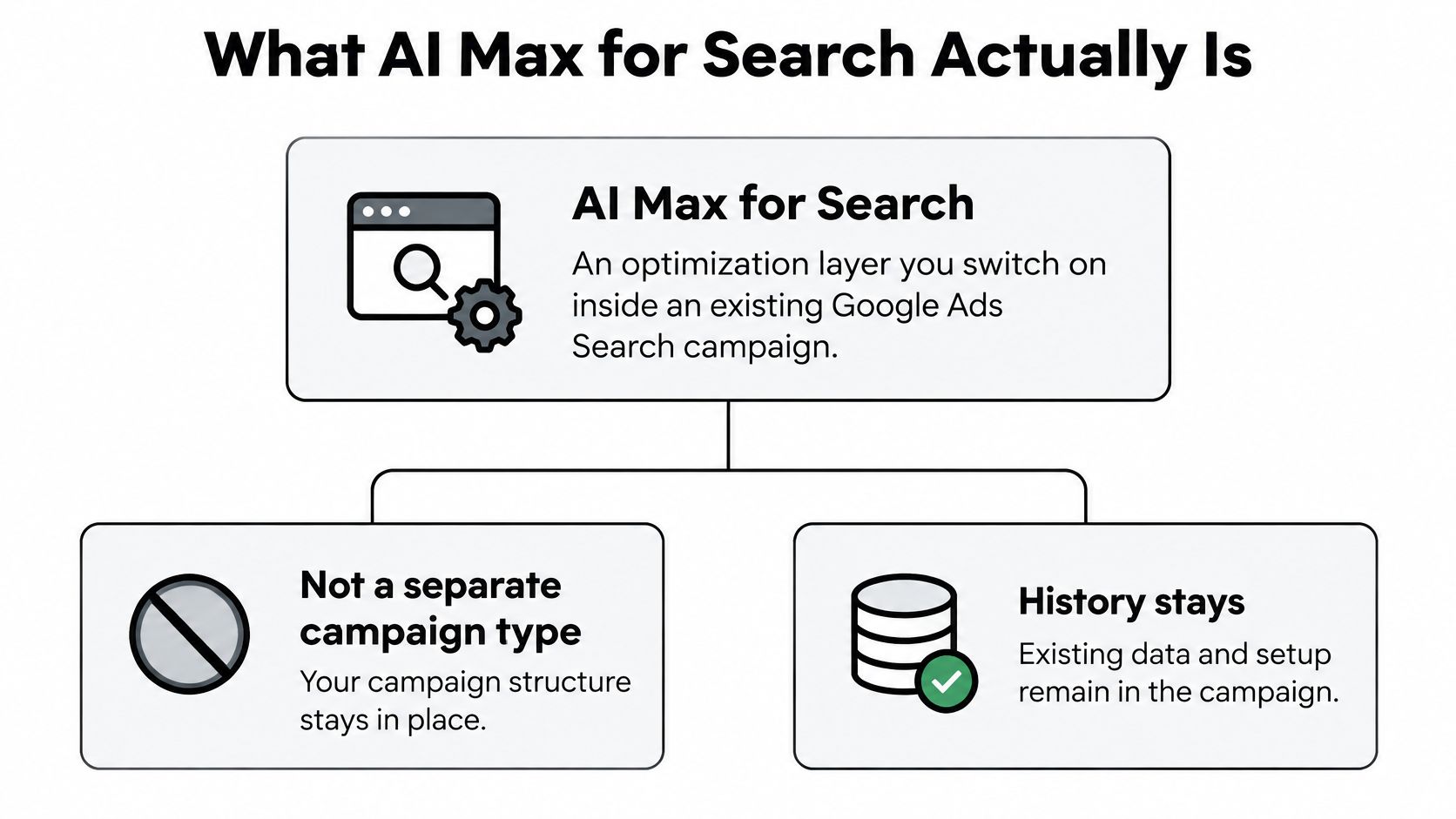
Think of your keywords as a guest list. Before, you mostly let in names on the list. Now Google lets in people who fit the spirit of the event, even if their names aren't written down. Sometimes that's perfect. Sometimes it's a stranger eating your budget.
The Three Moving Parts
- Search term matching: Google reaches queries beyond the keywords you typed, based on intent.
- Text customization: Headlines and descriptions adapt to fit each query more closely.
- Final URL expansion: Clicks can land on another page Google judges more relevant than your set URL.
That changes what a keyword is. It's no longer a hard wall. It's an intent signal, a hint about who you want, and Google fills in the gaps around it.
Keywords now steer the campaign. They don't fence it in.
Before you touch anything, check two things. You need an automated bidding strategy and a campaign that isn't budget limited. If either one fails, your test is muddled before it starts.
One broader note. As paid search blends with AI answers, some teams are also rethinking organic visibility alongside ads. If that's on your plate, this guide to choosing an AI visibility agency is worth a read before you hire anyone.
Your first two checks
- Bidding is automated: Manual setups won't give you the full matching behavior.
- Budget has headroom: A capped campaign can't show you true expansion.
The Settings Behind AI Max and What Each One Does
Start with the map, then walk the rows. The Google Ads help page on AI Max settings describes Search Term Matching as on by default at campaign level when AI Max is enabled, with an ad group level off switch, plus location of interest at ad group level and brand controls at campaign and ad group levels.
| Control | What it does | Where you set it |
|---|---|---|
| Search Term Matching | Reaches queries beyond your keyword list | Campaign, with per-ad-group off switch |
| Location of interest | Targets users by geographic intent, not only current location | Ad group |
| Brand controls | Lists brands your ads should or should not appear alongside | Campaign and ad group |
| Text customization | Adapts headlines and descriptions to each query | Asset automation opt-in or opt-out |
| Final URL expansion | Sends clicks to pages judged more relevant to the query | Asset automation opt-in or opt-out |
Matching and Location Controls
Search Term Matching is the big one. It's on by default, so don't assume enabling AI Max is a small change. If one ad group needs tight control, say a brand group, you can turn matching off there while testing elsewhere.
Location of interest targets geographic intent. A user in Chicago searching for hotels in Austin cares about Austin. Physical location alone would miss that nuance, or misread it.
Brand and Asset Controls
Brand controls let you name brands to associate with or keep away from. Set these before launch, not after you spot an awkward query in a report. It's cheaper to prevent a bad match than to clean it up.
Text customization rewrites your ad copy per query, and final URL expansion picks a different landing page. Both run through asset automation opt in or opt out settings. They're powerful, but they're also where message control gets fuzzy.
You'll find the umbrella switch in your Search campaign settings. Select AI Max, opt in to the features you want, and remember each control can still be set on its own. Don't flip everything at once and hope.
Practical rule: Turn on one lever at a time, or you'll never know which lever moved the result.
A cautious first setup
- Keep Search Term Matching on: That's the core test.
- Keep brand exclusions active: Protect brand queries from day one.
- Add text and URL expansion later: Layer them in round two so you can isolate the effect.
- Watch match source reporting: That's where you'll see what expansion bought you.
How AI Max Matches Searches to Your Ads and Pages
Say a running shop bids on running shoes. With AI Max on, it starts showing for trail running shoes for flat feet, a query nobody added. One searcher lands on the product page. Another, matched through page content, lands on the fitting guide instead.
That's the mechanism. The Google Ads API guide to AI Max says search term matching uses signals from keywords, landing pages, and ad assets to reach beyond explicitly added keywords, and Google labels this traffic as "AI Max expanded matches" and "AI Max landing page matches." The same guide advises waiting at least two weeks after activation before major changes such as adding negative keywords.
Reading the Two Match Sources
AI Max expanded matches are new queries picked up through search term matching, closer to classic keyword expansion. AI Max landing page matches come from your page content, so a strong page can pull in queries your keyword list never hinted at. A weak or bloated page can pull in junk, too.
Audit both separately from exact, phrase, and broad. If you blend them, you'll credit the wrong keyword and learn the wrong lesson. If you're rebuilding how you read account data, this take on measuring search engine marketing performance pairs well, and our guide to how broad match keywords behave helps you separate old expansion from new.
Prerequisites Before Matching Works Well
- Use automated bidding: Search term matching doesn't work with manual CPC.
- Check budget limits: Google warns AI Max is unlikely to help when budget caps the campaign, and an alert flags it.
- Expect a learning period: Don't make big changes right away, or you'll cut off patterns before they prove out.
Match source matters later, too. A bad landing page match might mean fix the page. A bad expanded match might mean a negative. Same wasted click, different fix.
What the Uplift Numbers Really Say
How much of that headline number should you trust before you flip the switch?
The Google Ads help page on AI Max performance reports advertisers typically see 14% more conversions or conversion value at a similar CPA or ROAS, based on Google internal 2025 data for non-Retail advertisers. Treat that as a platform average, not a promise for the next campaign you turn on.
| Claim | Who reports it | Scope | What it means for you |
|---|---|---|---|
| 14% more conversions or value at similar CPA or ROAS | Google, internal 2025 data | Non-Retail advertisers | Aggregate platform claim, so test it on your own account |
| 7% average increase over search-term matching alone | Google, internal global data | Non-retail advertisers | Compares the full suite to matching alone, not to a campaign with no AI Max |
Why These Figures Don't Agree
Don't average the 14% and the 7%. They don't share a baseline. One compares AI Max against not using it. The other compares the full suite against matching alone. Different questions, different answers.
If search term matching is already on, the 7% is the tighter bar. The 14% includes the jump from having no AI Max at all. Stacking them, or picking the prettier one, will make a modest gain look like a breakthrough.
Google credits broader automated matching plus creative and destination page adaptation. More relevant queries, copy tuned to the query, and a better landing page should convert better. That story is plausible. It is not proof for your account.
These are platform claims, not independently controlled results. Google picks the population, the window, and the framing. Your margins, query mix, and conversion quality won't match a global average. For a sanity check on reading results side by side, see our comparison of performance across setups.
An average across thousands of accounts tells you almost nothing about the next dollar in yours.
A Test Design That Holds Up
Run a randomized experiment. The treatment arm gets AI Max. The control arm keeps the toggle off. Hold bidding strategy, budget, conversion definitions, and geography steady in both arms. If those move, you're testing your own edits, not the feature.
Judge conversion volume, CPA or ROAS, search term quality, and wasted spend. Clicks are the easiest metric for expanded matching to inflate, and the least useful one to celebrate. I'd rather lose a week of learning than scale a query mix you haven't cleaned.
Read the result like this
- Volume up, CPA flat: Check customer quality before you scale.
- CPA flat, mix shifted to brand: You may be paying for demand you'd have won anyway.
- Waste share climbing: Expansion is outrunning your negatives. Pause and review search terms before you add budget.
Where AI Max Falls Short
Here's the honest version, with the trade offs laid out before we get into detail.
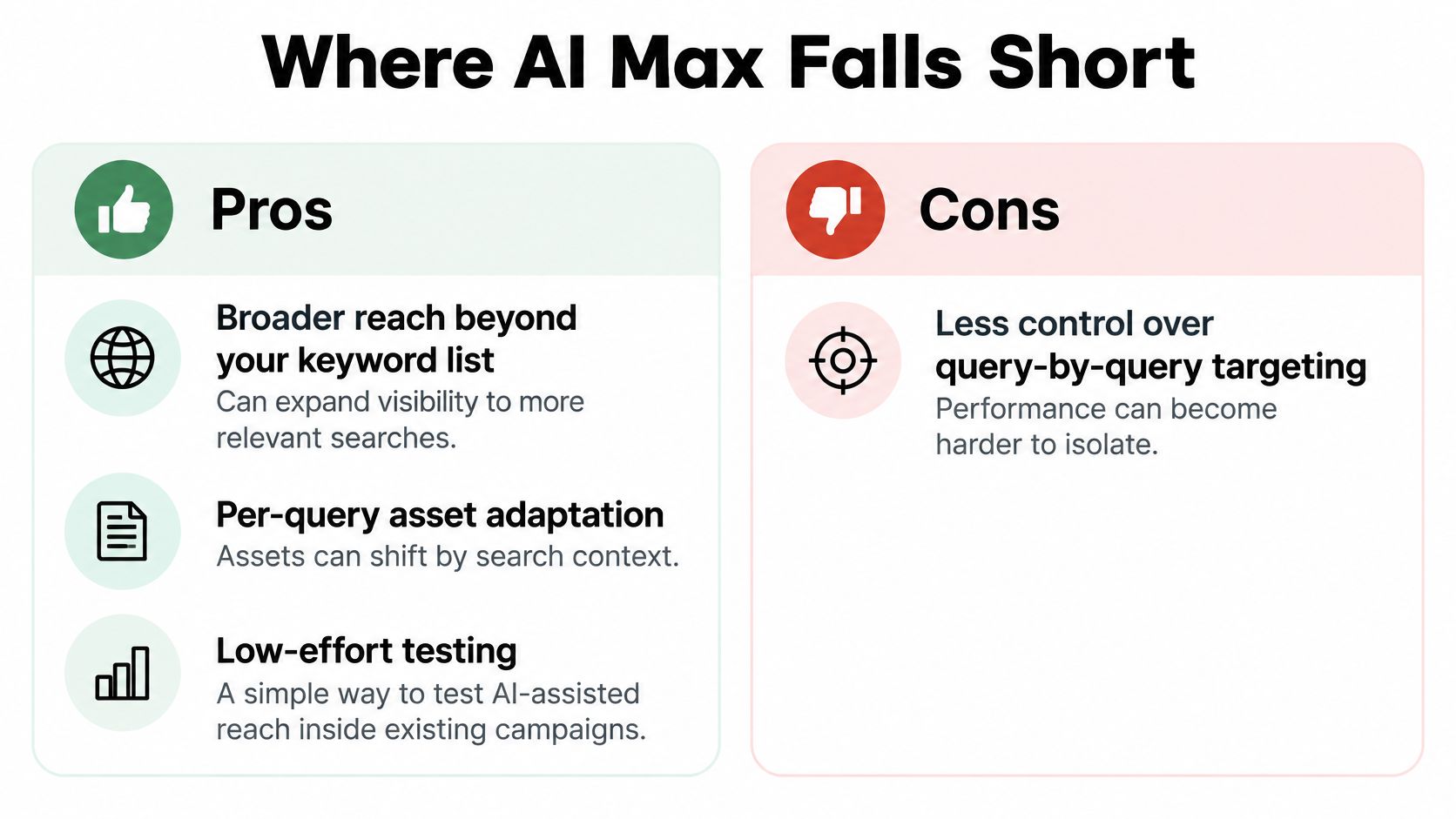
Pros
- Broader reach: You show for relevant queries you'd never have listed.
- Per query adaptation: Copy and landing pages shift to fit intent.
- Low effort testing: You experiment inside existing campaigns, no rebuild.
Cons
- Budget limited campaigns stall: There's no headroom for expansion to find volume.
- Manual CPC is excluded: Search term matching needs automated bidding.
- Irrelevant queries slip in: Expanded reach means expanded waste, too.
The blended reporting problem deserves its own mention. The Google Business announcement on AI Max reports the full suite produces an average 7% increase in conversions or conversion value at a similar CPA or ROAS compared with search-term matching alone, based on Google internal global data for non-retail advertisers, and ads in AI Overviews or AI Mode aren't separately reported, blending into broader top ad reporting.
This walkthrough shows the interface in practice, which helps before you judge the reporting gaps.
Say a law firm sees free consultation near me converting nicely and DIY divorce forms burning clicks. Both arrive through expanded matches. Only a search term review tells them apart, because the campaign level average hides both.
That's my core argument. AI Max raises the need for search term hygiene rather than removing it. You still judge intent and commercial fit. Nobody automated that away.
None of this is a reason to skip the test. It's a reason to write escalation thresholds down first, a maximum CPA and a waste share that triggers a rollback, so the decision isn't made in a panic.
Pre-Launch Checklist Before You Switch AI Max On
Don't touch the toggle yet. Get these five things ready first, because each one makes your later review possible.

- Dated baseline: Record conversions, CPA or ROAS, and search term waste today.
- Core exact match list: Name the proven keywords you'll keep no matter what.
- Shared negative lists: Group them by theme so updates apply everywhere.
- Escalation thresholds: Write down the CPA ceiling and waste share that trigger action.
- First review date: Put it about two weeks out, in the calendar, with an owner.
Without a baseline, you can't tell useful expansion from drift. You'll just have vibes and a bigger invoice.
A tool can speed up the pulling and tagging. Keywordme runs AI scans to extract negative keywords, high converting keywords can be added straight from the search terms report, and junk keywords can be removed with a single click or a quick mouse highlight. The keep, add, or negative calls still stay with you.
Do this week: Pull the last 30 days of search terms, mark five queries as keep, add, or negative, and only then touch the AI Max toggle.
How to Test AI Max Without Fooling Yourself
Most failed tests aren't failed features. They're messy setups. The Google Ads help page on AI Max experiments notes experiments compare a treatment campaign with an existing Search campaign whose AI Max toggle remains off, and creation is unavailable for campaigns using shared budgets, Display targeting, portfolio bidding strategies, bidding exploration, active experiments, or already-enabled Text Customization. It also warns AI Max is unlikely to be effective when a campaign is budget limited.
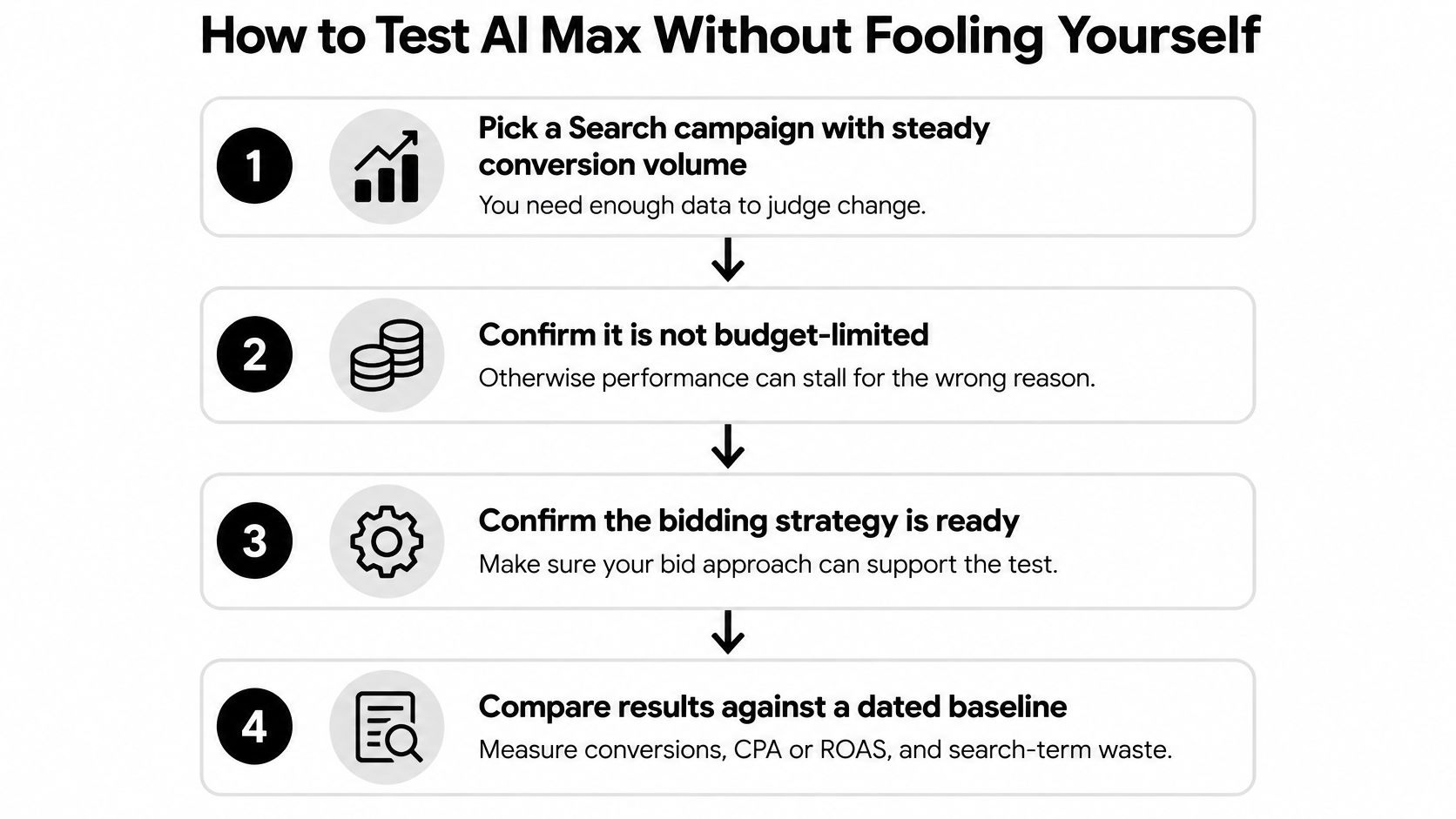
The Eight Steps
- Pick a campaign with steady volume: You need enough conversions to judge change. The usual slip is testing on a tiny campaign and reading noise as signal.
- Confirm it isn't budget limited: A capped budget starves both arms. People often raise budget mid test, which breaks the comparison.
- Confirm automated bidding: Write down the exact conversion definition you'll judge on. Switching goals halfway is the classic self own.
- Create the AI Max experiment: Treatment on, control off. If you need a refresher, our guide to Google Ads drafts and experiments covers the mechanics.
- Check eligibility first: Shared budgets, portfolio bidding, and active experiments can block creation. Discovering that on launch day wastes everyone's time.
- Set success criteria before launch: Conversion volume, a CPA or ROAS target, a maximum waste share, and a rollback threshold. Deciding afterward invites cherry picking.
- Leave settings alone during the run: Budget, geography, and conversion settings stay frozen. Every helpful tweak is a confound you'll never untangle.
- Wait before major changes: Avoid new negatives and big edits for at least two weeks after activation. Early pruning kills emerging query patterns.
Reading the Finish Line
Judge the result on conversions, CPA or ROAS, search term quality, and margin. If revenue per conversion dropped while CPA held, that's not a win, it's a mix problem wearing a costume.
A clean result: Both arms ran under identical conditions, and the treatment won on criteria you wrote down before launch.
Final test checklist
- Criteria documented: Saved where the whole team can see them.
- Change log empty: Or every change dated and explained.
- Margin checked: Not just platform CPA.
Reviewing Search Terms Without Overreacting
Timing is everything here. Review too early and you'll strangle good expansion. Review too late and you'll fund weeks of junk queries.
| Window | What to review | Action |
|---|---|---|
| Days 0-14 | Search terms split by match source | Log patterns and avoid adding negatives |
| Day 14 onward | Recurring irrelevant queries across days | Add to a shared negative list when a pattern repeats |
| Ongoing | Expanded versus landing page matches | Compare conversions, CPA and waste by segment |
| Before September 2026 | Dynamic Search Ads, automatically created assets, campaign-level broad match | Inventory campaigns and plan the upgrade |
The Google Ads help page on the AI Max upgrade separates "AI Max expanded matches" from "AI Max landing page matches," advises waiting at least two weeks before changes such as adding negative keywords, and says campaigns using Dynamic Search Ads, automatically created assets, and campaign-level broad match are scheduled for automatic upgrades beginning in September 2026.
The Workflow in Order
First, split the report by match source and compare conversions, CPA, and waste per segment. Second, keep your core exact match keywords in place so proven coverage stays protected. Third, promote a query to a shared negative list only when it recurs across several days or sources.
Say a plumber sees water heater installation cost converting well. That stays. Water heater repair manual pdf wastes clicks, but it only becomes a shared negative after it recurs over two weeks. One bad query is an anecdote, not a pattern.
Check brand exclusions, location settings, and regulated industry exclusions weekly. Those safeguards need human eyes, since expanded matching tests boundaries constantly.
Your repeatable routine
- Weekly: A 20 minute search term review, split by match source.
- Monthly: Update shared negative lists with confirmed recurring patterns.
- Quarterly: Re check experiment results against your pre launch criteria.
Rolling Back AI Max and Preparing for the 2026 Upgrade
Sometimes the test fails your thresholds. Fine. Roll back in order, smallest change first, so you keep whatever is working.
Rollback Steps in Order
- Turn off Search Term Matching per ad group: Start with any group that drifts into irrelevant queries.
- Opt out of asset automation: Switch off text or final URL expansion if one asset type underperforms.
- Turn off the umbrella AI Max setting: Use this when the whole campaign fails your rollback threshold.
Log the change date before you touch anything. Reverting mid test breaks the comparison, and an undated change makes the post mortem useless. You'll stare at a performance shift in three weeks and argue about what caused it.
Getting Ready for September 2026
Google says campaigns using Dynamic Search Ads, automatically created assets, and campaign-level broad match face automatic upgrades beginning in September 2026. Treat that as a deadline, not a rumor. Waiting means upgrading on Google's schedule instead of yours.
Inventory every Search campaign now. Keep it simple, a plain list you can build in one afternoon, and test AI Max first where volume is steady.
One afternoon readiness check
- Campaign inventory: Name, which of the three legacy features it uses, conversion volume, and owner.
- Test order set: Steady volume campaigns first, fragile ones documented and scheduled.
- Safeguards rechecked: Brand exclusions, location settings, and regulated industry exclusions verified before any upgrade lands.
Ready to clean up the queries AI Max brings in? Keywordme helps you add high intent search terms as keywords, build negative lists in a click, and apply exact, phrase, or broad match without the spreadsheet slog. Start your cleanup today at Keywordme and turn expanded reach into spend you can defend.
