
A Guide to Small Business PPC Success
A Guide to Small Business PPC Success


Feeling a bit lost when it comes to paid ads? You're definitely not the only one. But here's the honest truth: for a small business, PPC (pay-per-click) is one of the fastest ways to show up right when customers are searching for what you offer.
Imagine it this way: instead of buying a giant, expensive billboard on the highway for everyone to see, you're placing a small, highly relevant ad directly in front of someone who’s already looking for you.
Why PPC Is a Game-Changer for Small Businesses
I get it. The idea of paying for every single click can feel a little scary. A lot of small business owners worry they'll just burn through their budget with nothing to show for it. But when you approach it the right way, PPC isn't just an expense—it's a smart, measurable investment that can seriously fuel your growth.

Unlike SEO, which is a long game that can take months to pay off, PPC gives you instant visibility. You can launch a campaign in the morning and have traffic hitting your website by the afternoon. For a small business that needs to make an impact now, that speed is a huge advantage.
The Core Benefits of PPC Advertising
The real power of PPC for small businesses boils down to three key things. It gives you the control to compete with the big guys, even on a tight budget.
Here’s what makes it so darn effective:
- Laser-Focused Targeting: Want to reach people in a specific zip code? Or only those who searched for a particular phrase? You can. Target customers by their location, age, interests, and the exact words they type into Google. This kind of precision means your ad dollars are spent on people who are actually likely to buy.
- Complete Budget Control: You set the rules. Decide exactly how much you're willing to spend each day or month, and you’ll never go over. There are no surprise bills, which lets you start small, see what works, and then scale up once you're getting good results.
- Totally Measurable Results: You can track everything—every click, every view, and every sale that comes from your ads. This data gives you a crystal-clear picture of what's working (and what's not), allowing you to calculate your return on ad spend (ROAS) and make decisions based on real numbers, not guesswork.
It's no surprise that so many businesses are jumping on board. In fact, about 65% of small to medium-sized businesses are running at least one PPC campaign. It's become a vital tool for growth. You can dive deeper into these PPC benchmarks and key statistics to see the bigger picture.
Building the Foundation for Your First Campaign
Jumping into the world of small business PPC without a plan is like trying to build a house without a blueprint. Sure, you might get a wall or two up, but you'll probably end up with a costly mess instead of a masterpiece. Nailing the foundation isn't just a good idea—it’s the only way to avoid burning through your budget.
Before you even think about spending a dollar, you need to get brutally honest about what you want to achieve. What does a "win" actually look like for your business? Vague goals like "get more traffic" are the fastest way to waste money. You need something concrete.
Are you trying to get people to click "buy now" on your e-commerce site? Or maybe you're a local plumber who just needs the phone to ring more often. Perhaps success is getting potential clients to fill out a contact form. Each of these goals demands a completely different strategy and, just as importantly, is measured in a totally different way.
Here’s a quick guide to help you connect your business goals to the numbers that actually matter in your PPC account.
PPC Campaign Goals and Key Metrics
Thinking through this table forces you to define success before you start, which is half the battle won right there.
Setting a Realistic Budget
Once your goals are locked in, it's time to talk money. I get it—the biggest fear for any small business owner is a runaway ad budget. The great news is, you're in the driver's seat.
You'll start by setting a daily budget, which is exactly what it sounds like: the most you're comfortable spending on a campaign each day. Google Ads won't let you exceed your monthly spending limit (which is your daily budget multiplied by 30.4, the average number of days in a month), so you can kiss those surprise bills goodbye. This lets you dip your toes in the water, see what's working, and then confidently scale up.
Truly Understanding Your Audience
Okay, who are you actually trying to reach? Knowing their age and where they live is a start, but that's just scratching the surface. You need to dig deeper. What are their real-world problems? What's keeping them up at night? Most importantly, what specific words and phrases are they typing into that Google search bar when they're desperate for a solution?
Thinking like your customer is the secret sauce. A super helpful trick is to create a simple "customer persona." Give this imaginary person a name, a job, and a problem that you are uniquely positioned to solve. This simple exercise immediately shifts your mindset from "selling a product" to "offering a solution," which changes everything.
Structuring Your Campaign for Success
Last but not least, let's get organized. A messy account structure is a surefire way to waste money and get bogged down in confusing data. The best way to visualize your Google Ads account is as a digital filing cabinet.
Think of it this way: your Campaigns are the main filing drawers, your Ad Groups are the folders inside each drawer, and your Keywords and Ads are the individual documents tucked inside those folders. Each level gets more and more specific, which is the key to keeping everything tidy and effective.
Why does this matter? Because this structure ensures your ads are hyper-relevant to what people are actually searching for.
Here’s how it breaks down:
- Campaigns (The Drawers): Organize these by your main products, services, or even locations. A local shoe store might have campaigns for "Men's Running Shoes" and "Women's Hiking Boots."
- Ad Groups (The Folders): Inside a campaign, you get more specific. Within the "Men's Running Shoes" campaign, you could have ad groups like "Trail Running Shoes" and "Marathon Racing Shoes."
- Keywords & Ads (The Documents): This is where the magic happens. The "Trail Running Shoes" ad group would have very specific keywords (like "best waterproof trail runners for men") and ads written exclusively for someone looking for that exact item.
By setting up this simple but incredibly powerful structure from day one, you build a solid foundation that makes managing, measuring, and improving your small business PPC efforts so much easier down the road.
Finding Keywords That Attract Eager Customers
Alright, let's get into the heart of any PPC campaign that actually makes money: the keywords. Think of keywords as the bridge connecting someone’s problem to your solution. Getting this right is everything. It’s the difference between a flood of ready-to-buy customers and a trickle of window-shoppers who just cost you money.
Your goal isn't just to find any keywords; it's to zero in on terms with high buyer intent. These are the specific phrases people type when they're done browsing and are ready to pull out their wallets.
This whole process is built on the foundation you've already set. Your goals, budget, and audience all feed into how you structure your campaigns and, ultimately, which keywords you choose to power them.
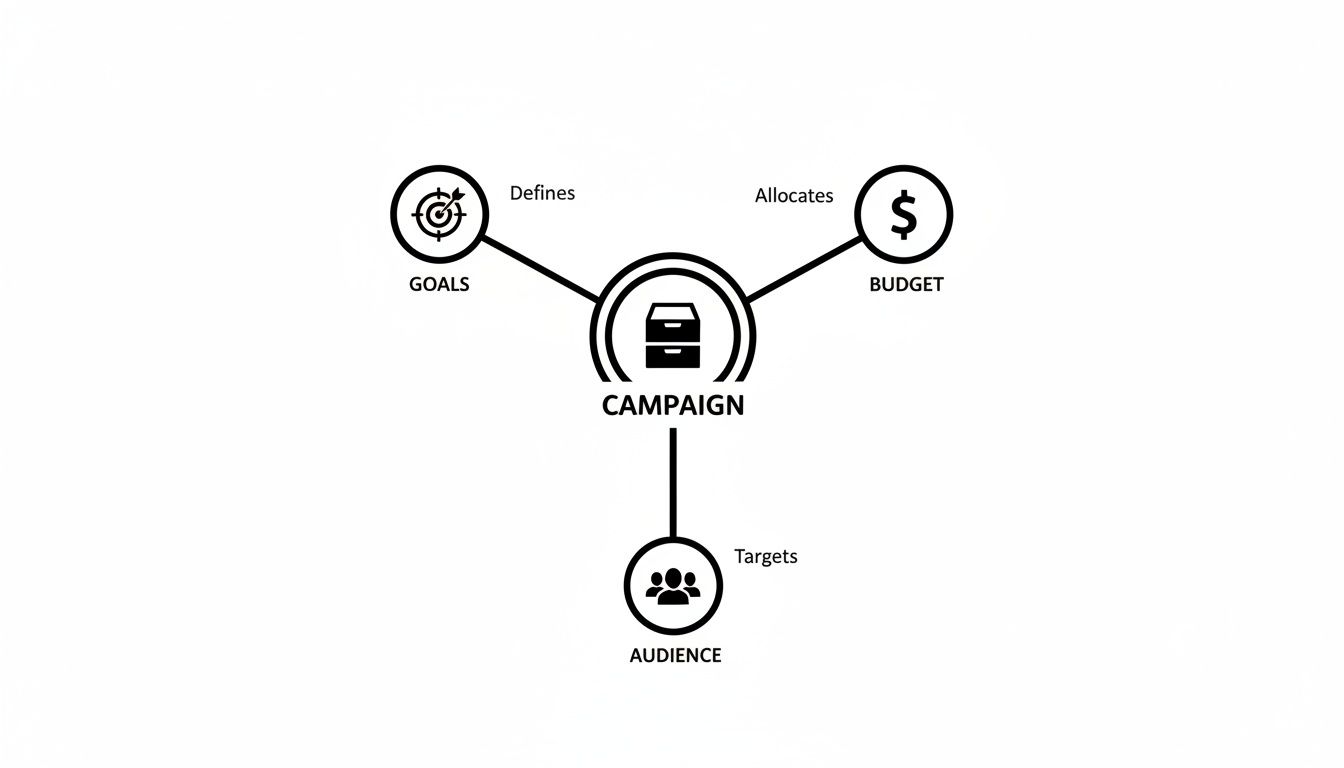
As you can see, a solid campaign isn’t just a random list of keywords. It’s a thought-out strategy where every part works together.
Understanding Keyword Match Types
Google Ads doesn’t just let you pick keywords; it lets you control how closely a search has to match your keyword for an ad to show up. These settings are called match types, and they're your main tool for controlling your ad spend.
Let’s use a simple coffee shop example to make this crystal clear.
Broad Match: This is like telling Google, "Hey, if it has anything to do with coffee, show my ad." If your keyword is coffee, you could show up for "free coffee machine" or "how coffee is grown." It casts a super wide net, but you'll get a lot of clicks that have nothing to do with buying a cup of coffee.
Phrase Match: This tightens things up. It’s like saying, "Show my ad when the search includes the idea of my keyword." For "iced latte," your ad might pop up for "best iced latte near me" or "order iced latte delivery." The core concept is there, even with extra words.
Exact Match: This is your sniper rifle. You're telling Google, "Only show my ad for this exact search or something incredibly close." For [large oat milk latte], you'll only show up for that search or maybe "oat milk latte large." The traffic is top-quality, but there won't be a ton of it.
If you really want to get good at this, you need to learn how to conduct keyword research like an expert to find those hidden gems. This is a skill that will pay for itself over and over.
The Critical Role of Negative Keywords
Just as important as telling Google what you want to show up for is telling it what you don't. That's where negative keywords come in, and they are your budget's best friend.
Think of negative keywords as the bouncer for your ad campaign. They stand at the door and turn away all the irrelevant searches that would otherwise waste your money.
For our coffee shop, we'd definitely add "free," "jobs," and "at home" as negatives. This stops us from paying for clicks from people searching for "free coffee coupons," "barista jobs," or "how to make iced latte at home." Every bad click you block is a dollar you can spend on a good one.
Automating Your Way to a Cleaner Keyword List
Honestly, one of the biggest time-sucks in PPC is digging through search term reports to find new keywords and negatives. It’s a painful cycle of downloading spreadsheets, sorting data, and hoping you don't miss anything.
This is exactly why tools like Keywordme exist. It's designed to automate this whole messy process right inside your Google Ads account. Instead of spending hours in Excel, you can spot junk search terms, promote good ones to the right match type, and build powerful negative lists with just a few clicks.
It helps you get way more efficient, way faster, by making sure your budget is only spent on the searches that can actually turn into customers. If you're looking to explore more options, our guide on the 12 best PPC keyword research tools is a great place to start.
5. Writing Ads and Landing Pages That Actually Convert
Getting someone to click your ad is a great start, but let's be honest—it's only half the job. What happens after the click is what turns your ad spend into actual revenue. This is where your ad copy and landing page have to work together like a perfect team, guiding a potential customer from mild interest to taking action.
A powerful ad doesn't just list what you sell. It speaks directly to a user’s problem and frames your business as the obvious, immediate solution. Think of your ad as the first line you say to someone to get a conversation started. It has to be compelling enough to make them want to hear the rest.
This is a make-or-break step in any small business PPC strategy. A killer ad that leads to a crummy landing page is one of the fastest ways to waste money. You paid for that click, so you better make it count.
The Anatomy of a Great Ad
Every ad you see that performs well, whether it’s on Google or Bing, follows a similar formula. It’s built to grab attention, spark interest, and push for a specific action, all within a handful of characters. Your mission is to make every single word earn its spot.
Here’s what goes into a winning ad:
- A Magnetic Headline: This is your first impression. You absolutely want your main keyword here, but also focus on a killer benefit. A headline like "Emergency Plumber in Brooklyn" hits a lot harder than a generic "Plumbing Services."
- A Value-Packed Description: You get a little more room to play with here, so use it to explain why they should pick you. Mention your unique selling points—things like "24/7 Service," "Free Estimates," or "5-Star Rated." This is your chance to build a little trust and stand out from the other guys.
- A Can't-Resist Call-to-Action (CTA): Be direct. Tell people exactly what you want them to do next. Don't be vague. Use strong, action-oriented phrases like "Get a Free Quote Now," "Shop the Sale," or "Book Your Appointment."
Getting inspired is key. Check out these compelling ad copy examples to see how these elements all come together in the wild.
The All-Important Landing Page
Okay, so they clicked your awesome ad. Now they're on your landing page. This is the moment of truth. If the page is confusing, slow, or doesn't deliver on the promise you just made, they're gone. They'll hit that back button in a heartbeat, and you just paid for nothing.
The most important rule for a landing page? Message match. The headline, the offer, and the whole vibe of your landing page must align with the ad that brought them there. If your ad shouted "50% Off Running Shoes," that exact offer better be the first thing they see on the page.
Any disconnect creates confusion and instantly vaporizes trust. Your job is to create a totally seamless path from search to sale.
Checklist for a High-Converting Landing Page
Your landing page has one job, and one job only: get the user to do the thing you want them to do. It’s not your homepage. It’s a laser-focused sales tool.
To make sure your pages are primed for conversions, brushing up on web form design best practices can make a huge difference in getting people to follow through.
Here’s a quick checklist to run through:
- Clear, Compelling Headline: It needs to echo your ad copy and instantly reassure visitors they're in the right spot.
- Minimal Distractions: Get rid of the main navigation menu, footer links, and anything else that could tempt them to wander off.
- Benefit-Oriented Copy: Use bullet points to quickly show how you solve their problem. Focus on the results they'll get, not just a list of features.
- A Single, Obvious CTA: One big, clear button. Use a color that stands out and stick to action-focused text like "Download My Guide" or "Start My Trial."
- Social Proof: Nothing builds credibility faster. Add testimonials, reviews, or logos of happy clients.
- Mobile-First Design: A huge portion of your clicks will come from phones. Your page has to load fast and look fantastic on a small screen. No excuses.
Getting Smart with Your Budget and Bids
Alright, let's get into the nitty-gritty of managing the money side of your PPC campaigns. This part can feel a bit daunting, but honestly, it’s where you have the most control to turn a decent campaign into a seriously profitable one.
Think of your budget as the gas in your car. Too little, and you won't get very far. Pour it into the wrong places, and you'll just burn through it with nothing to show for the trip. The real goal is to spend just the right amount, on the right keywords, to get where you want to go.
Picking the Right Bidding Strategy for Your Goal
When you first open up Google Ads, the sheer number of bidding options can make your head spin. The trick is to simply match the strategy to what you’re trying to achieve. Are you just trying to get as many eyeballs on your site as possible, or are you hunting for actual sales and leads?
Here are two of the most common starting points for small businesses:
- Manual CPC (Cost-Per-Click): This is you, in the driver's seat. You get to set the absolute maximum you're willing to pay for a single click on any given keyword. It gives you incredible control, which is perfect when you're starting out and need to get a feel for what things actually cost.
- Maximize Clicks: This is an automated strategy that’s pretty straightforward. You tell Google your daily budget, and its algorithm goes to work trying to get you the most clicks it can for that amount. It’s a solid "set it and forget it" option if your main goal is simply driving a flood of traffic to build brand awareness.
Once you have some solid data under your belt, you can graduate to more advanced strategies like Maximize Conversions, but trust me, starting simple is the way to go.
Your Secret Weapon: Quality Score
Now, let's talk about the single most critical factor in keeping your costs down: your Quality Score. Think of it as Google's report card for your ads. It grades the relevance of your keywords, your ad copy, and your landing page on a simple 1-to-10 scale. The higher your score, the more Google sees your ad as a perfect match for what someone is searching for.
A high Quality Score is how you win the game. It directly lowers your cost-per-click and can actually boost your ad position. You can literally pay less than your competitor but still show up higher on the page if your Quality Score is better.
This is exactly why just throwing more money at a campaign doesn't work. You have to be relevant. Google’s whole business model is based on giving people what they want, so they reward advertisers who create a seamless, helpful experience for the user. It's a true win-win: the searcher finds their solution, and you get cheaper, better-placed ads.
How to Actively Manage Your Budget
Managing your ad spend isn’t a one-and-done task. It’s an ongoing process of peeking under the hood and making smart adjustments based on what the data is telling you. Don't worry, you don't need a Ph.D. in data science—you just need to know what to look for.
Make it a habit to check in on your account a few times a week. Are you burning through your daily budget too early? Are certain campaigns or ad groups gobbling up cash without delivering any results?
It also helps to know the lay of the land. For example, the average cost-per-click for Google Ads is projected to be around $5.26 in 2025. This kind of benchmark, which you can read more about in these PPC industry statistics on Shopify.com, gives you a baseline to see if your costs are in the normal range. Nailing a high Quality Score is your ticket to beating those averages and making every dollar work harder.
Here are a few practical tips to keep your budget in check:
- Start Small, Then Scale: Don't bet the farm on day one. Set a comfortable daily budget, see what’s working, and then slowly shift more money into the campaigns that are actually making you money.
- Don't Be Afraid to Pause Losers: If you have a keyword that's getting a ton of clicks but has zero conversions to show for it, pause it. It's a leak in your budget, plain and simple.
- Double Down on Your Winners: As soon as you spot a campaign or ad group that's a clear winner, give it more budget. That's how you maximize your return.
Budgeting is a constant cycle of learning and tweaking. For a deeper dive into the mechanics, check out our full guide on how to set and manage your Google Ads budgets. By staying involved and making these small, consistent changes, you’ll build confidence and ensure your small business PPC efforts lead to real growth.
Tracking Success and Steering Clear of Common Pitfalls
Getting your campaign live is just the starting line. The real work—and the real money—is made in the weeks and months that follow. Running a small business PPC campaign without tracking is basically just gambling. You have to know what's hitting the mark and what’s a complete dud.
This isn’t about becoming a data scientist overnight. It’s simply about knowing which numbers tell the real story and what they mean for your business. By keeping your eyes on a few key metrics, you can make smart decisions that continuously sharpen your results.
The Metrics That Actually Move the Needle
Don't get lost in the sea of data inside your Google Ads dashboard. For now, just focus on these three heavy hitters. They’ll give you a crystal-clear snapshot of your campaign's health.
- Click-Through Rate (CTR): This is just the percentage of people who saw your ad and clicked it. A strong CTR—the average is about 3.17% for search ads—is a great sign that your ad copy is connecting with the right people. If it’s low, that’s a big red flag telling you the message is off.
- Conversion Rate: This is the big one. It's the percentage of clicks that turn into something valuable, like a sale, a quote request, or a phone call. This metric tells you if your landing page is sealing the deal or just letting good leads walk away.
- Return On Ad Spend (ROAS): This is your profitability, plain and simple. For every dollar you spend on ads, how much revenue comes back? A ROAS of 4:1 means you’re generating $4 for every $1 you put in. It's the ultimate indicator of whether your campaigns are making you money.
Common (and Costly) Rookie Mistakes
Trust me, every PPC expert has made these mistakes. The great thing is, once you know what to look for, they are completely avoidable. Sidestepping these common traps will save you a ton of money and frustration down the road.
One of the most frequent blunders I see is sending all that expensive ad traffic straight to the homepage. Your homepage is a general store, built for browsing. A landing page is a specialist, built for one single, focused action. Always, always send traffic from a specific ad to a dedicated landing page that continues the conversation.
Here are a few other tripwires to watch out for:
- Forgetting About Negative Keywords: I know we've talked about this, but it’s so important it’s worth saying again. Not blocking irrelevant searches for things like "free," "DIY," or "jobs" is like leaving your back door wide open. It’s the single fastest way to burn through your budget.
- Relying Only on Broad Match Keywords: Casting a super-wide net with broad match might feel like you're getting a ton of traffic, but most of it will be junk. You'll end up paying for clicks from people who have zero interest in what you're actually selling.
- Ignoring Mobile Users: A massive amount of searches happen on phones these days. If your landing page is a clunky, hard-to-read mess on a small screen, you're not just losing sales—you're actively annoying potential customers.
- Setting It and Forgetting It: A PPC campaign isn't a slow cooker. It needs constant attention. A quick weekly check-in to cut the losing keywords and double down on your winners can be the difference between breaking even and knocking it out of the park.
Got Questions About PPC? We’ve Got Answers.
Jumping into pay-per-click advertising can feel like learning a new language. You’re bound to have questions, and that's a good thing! Let's clear up a few of the most common ones we hear from small business owners just like you.
How Much Should a Small Business Really Spend on PPC?
This is the big one, isn't it? While there's no one-size-fits-all answer, a solid starting point for most small businesses is somewhere in the $500 to $1,500 per month range. That’s usually enough to get the ball rolling, collect some real-world data, and figure out what's resonating with customers without risking the whole farm.
The key is to start with a number you won't lose sleep over. Think of it as an investment in learning. Once you find a campaign that's making you money, you can—and absolutely should—pour more fuel on that fire.
When Will I Actually See Results?
One of the beautiful things about PPC is its speed. You can literally start seeing clicks and traffic the very same day you hit "launch." It’s almost instant feedback.
But let's be real: clicks aren't sales. Seeing meaningful results, like a steady stream of leads or actual purchases, usually takes about one to three months. That's the typical timeframe needed to collect enough data, tweak your ads, and really dial in your targeting.
Think of your first month as pure R&D. You're gathering intel. Months two and three are where you take what you've learned and start optimizing for real growth. Patience is the name of the game here.
Can I Run PPC Ads Without a Website?
You can, but it's like trying to fish without a net. Options like Google's call-only campaigns or ads that point to a Google Business Profile are out there, and they can work wonders for local businesses that just need the phone to ring.
For pretty much everyone else, though, a solid landing page is non-negotiable. It’s your digital storefront, the place where you turn a click into a customer. Without it, you're missing out on tracking, storytelling, and ultimately, conversions.
How Often Should I Be Checking My Ad Account?
When you're first starting out, it's smart to pop in daily for about 15-20 minutes. You're just looking for red flags—is your budget disappearing too fast? Is one keyword eating all your cash? Quick daily check-ins help you stop a small problem from becoming a big one.
After that initial week or two, you can relax a bit. A deep dive two or three times a week is plenty to keep things running smoothly. You'll be able to spot trends, kill off ads that aren't working, and double down on your winners. It’s all about consistent attention, not constant anxiety.
Ready to stop wasting time in spreadsheets and start optimizing your campaigns faster? With Keywordme, you can automate keyword cleanup, assign match types in a click, and build powerful negative lists right inside Google Ads. Try Keywordme free for 7 days and see how much time you can save.
.svg)