
Fix: Search Terms Report Google Ads Too Many to Review
Fix: Search Terms Report Google Ads Too Many to Review


SEO Title: Search Terms Report Google Ads Too Many to Review
Meta Description: Search terms report Google Ads too many to review? Use a practical workflow to triage waste, spot patterns, build negatives, and scale faster.
You open the Google Ads search terms report, sort by volume, scroll for a minute, and realize you're not reviewing a report. You're doing digital archaeology. Layers of odd queries, half-relevant searches, obvious junk, borderline junk, and some expensive terms that somehow slipped through while nobody was looking.
That's the point where a lot of teams freeze.
Not because they don't know what a bad query looks like. They do. The problem is scale. On large accounts, the search terms report google ads too many to review issue isn't a time-management problem. It's an operations problem. If your process depends on one person manually scanning everything in a spreadsheet once a month, you're already behind.
The fix isn't reviewing every term. That's fantasy. The fix is building a workflow that catches the important terms fast, turns repeated patterns into negatives, and pushes the repetitive work out of your hands.
That "Too Many To Review" Feeling Is Real
You open the search terms report planning to clean up a few obvious misses. Forty minutes later, you are still scrolling through a mix of junk intent, edge cases, and queries that are expensive enough to matter but ambiguous enough to slow you down.
That reaction is justified.
On large accounts, the search terms report Google Ads too many to review problem shows up for two reasons at the same time. The first is volume. Branded bleed, broad match expansion, research intent, competitor comparisons, local modifiers, low-quality clicks, and accidental relevance all land in the same report. The second is visibility. Google does not show every paid query in the report, so even a careful review starts from an incomplete sample.

Why it got harder
Search term review used to feel more straightforward because the report behaved closer to a ledger. Now it behaves more like a filtered view. Google reduced reporting detail years ago, and PPC teams have been working from partial query data ever since. Industry analysis from sources like SpyFu suggests a meaningful share of paid search queries can remain hidden, with the exact amount varying a lot by account structure, traffic mix, and volume.
That limitation changes the job.
A review process built on "read every line and clean it up later" breaks fast once the account has enough spend, enough campaigns, or enough broad match coverage. The teams that stay on top of waste are not reading everything. They are using a repeatable system to catch expensive mistakes early, turn recurring patterns into negatives, and hand repetitive detection off to scripts or tools once manual review stops scaling.
Search term management works best as a tiered workflow. Manual triage first, pattern control second, automation after that.
I have seen the same failure pattern in agency accounts and in-house programs. Someone exports the report with good intentions, gets pulled into pacing, creative approvals, feed issues, or a client escalation, and returns a week later to a fresh pile of irrelevant traffic. Waste rarely arrives as one dramatic mistake. It usually builds through delayed cleanup and inconsistent review habits.
The wrong instinct
Random filtering burns time.
A manager clicks into one campaign, spots a weird query, adds a negative, jumps to another ad group, changes the segment, exports a tab, then chases another oddball term. Two hours disappear. The account gets a few useful negatives, but no one has addressed the bigger question. Where is spend leaking, and which patterns are repeating often enough to deserve system-level treatment?
A better way to frame the work is operational. Search term review sits inside spend control, just like bid management, query-to-intent mapping, and conversion quality checks. If you want a broader view of how that connects to bigger paid search strategies and ROI tactics, that context helps. The report is not something you "finish." It is something you process in layers, then automate where possible. That is the difference between occasional cleanup and a workflow that still holds together when the account gets big.
First Triage Applying The 80/20 Rule to Your Report
When the report is huge, don't start with relevance debates. Start with damage control.
The first pass is not about finding every bad term. It's about finding the terms doing the most financial harm right now. That means sorting by Cost in descending order and reviewing the expensive terms that haven't produced the outcome you care about.

The fastest useful review pass
This is the triage routine I'd hand to any PPC manager taking over a messy account:
Sort by cost first
Don't start with impressions. High impressions can distract you with cheap noise. Cost shows where bad matching is hurting.Filter for no conversions
If your setup tracks leads, purchases, or qualified primary actions, isolate terms with spend and no return signal.Read the query precisely
Don't overthink. If a search is clearly job-seeking, educational, freebie-focused, unrelated, or mismatched to the offer, it goes on the negative pile.Mark themes, not just terms
If you see the same bad intent pattern repeated across many queries, stop adding one-off negatives and note the root word or phrase.Check where the term came from
Bad queries often point to a broader issue such as match type looseness, a muddled ad group, weak audience layering, or a campaign that's too broad for the budget.
What to filter for first
A simple triage view usually catches the worst waste:
High spend and zero conversions
These are your first stops. They may not all deserve negatives, but they do deserve immediate review.Queries that obviously signal the wrong intent
Think education, support, careers, definitions, reviews, or freebies when you're trying to drive commercial action.Searches unrelated to your offer
These are the easiest wins because they rarely need debate.Terms that belong in a different campaign
Not every bad report line is a negative keyword problem. Sometimes the issue is account structure.
Practical rule: If a term is expensive, irrelevant, and easy to understand, deal with it now. Don't save obvious cleanup for a “deeper analysis” session that never happens.
Cadence matters more than ambition
This kind of review has to happen on a schedule. Best-practice guidance recommends checking new or high-spend Search campaigns every 2–3 days, and mature campaigns at least weekly. Waiting for monthly reviews lets irrelevant queries accumulate and waste budget (search terms review cadence guidance).
That's why the 80/20 approach works so well. It respects the fact that you don't have time to inspect everything, but you do have time to stop the biggest leaks before they spread.
A lot of PPC teams fail here because they turn search term review into a “when we get a minute” task. It needs to be attached to operating rhythm. Launch review. Midweek review. Weekly hygiene pass. Without that, the report becomes a graveyard of missed decisions.
Dig Deeper with Segments and Smart Filters
Once the expensive junk is under control, the useful work starts. At this point, you stop swatting individual terms and start finding patterns that explain why certain queries keep getting through.
Raw search terms are flat. Segments make them dimensional.
Segment the report before you judge it
A query can look mediocre in aggregate and still tell you something important when you break it apart. Device is usually the first segment I check. A term that's acceptable on desktop can be a money sink on mobile if the landing page experience is weak or the query is more casual on phones.
Network and campaign segmentation can reveal the same thing. If the same search theme behaves differently across campaign types or structures, you're not looking at one performance problem. You're looking at context.
A simple way to understand this is:
| Segment | What it often reveals | What to do next |
|---|---|---|
| Device | Mobile-only waste or desktop-only strength | Adjust negatives, bids, landing pages, or campaign split |
| Campaign | Structural bleed between themes | Tighten campaign scope or move themes into dedicated buckets |
| Search theme or n-gram pattern | Repeated low-intent words across many queries | Build thematic negatives instead of one-off exclusions |
Stop reading terms one by one
This is the stage where individual review becomes less useful than n-gram thinking.
If you keep seeing words like “free,” “jobs,” “meaning,” “template,” or “examples” attached to different query variations, the report is telling you about intent drift. The word matters more than any single full query. That's the shift that makes large-scale review manageable.
A lightweight n-gram pass can be manual if the account is small enough. Export, isolate repeated words and phrases, then compare them against spend and conversion columns. On bigger accounts, you'll want tooling or scripts because repeated wording is where hidden waste tends to cluster.
For a deeper breakdown of how to turn query mess into patterns, this guide on search query analysis is worth a read.
Most wasted spend doesn't come from one bizarre query. It comes from the same weak intent pattern repeating in slightly different forms.
Layer filters like an operator
Good filtering is cumulative. You don't need a complicated dashboard. You need combinations that answer real questions.
Try combinations like:
Mobile + high spend + no conversions
Good for spotting casual or accidental query behavior.Specific campaign + repeated modifier word
Useful when one campaign is drifting around a weak theme.Low conversion intent wording + rising spend
Helps catch issues before they become account-wide habits.
The mistake I see most often is reviewing terms in isolation. A manager sees one bad query, adds one exact negative, and moves on. That's reactive work. Pattern-based filtering tells you whether the issue is a stray search or a structural problem worth solving at the root.
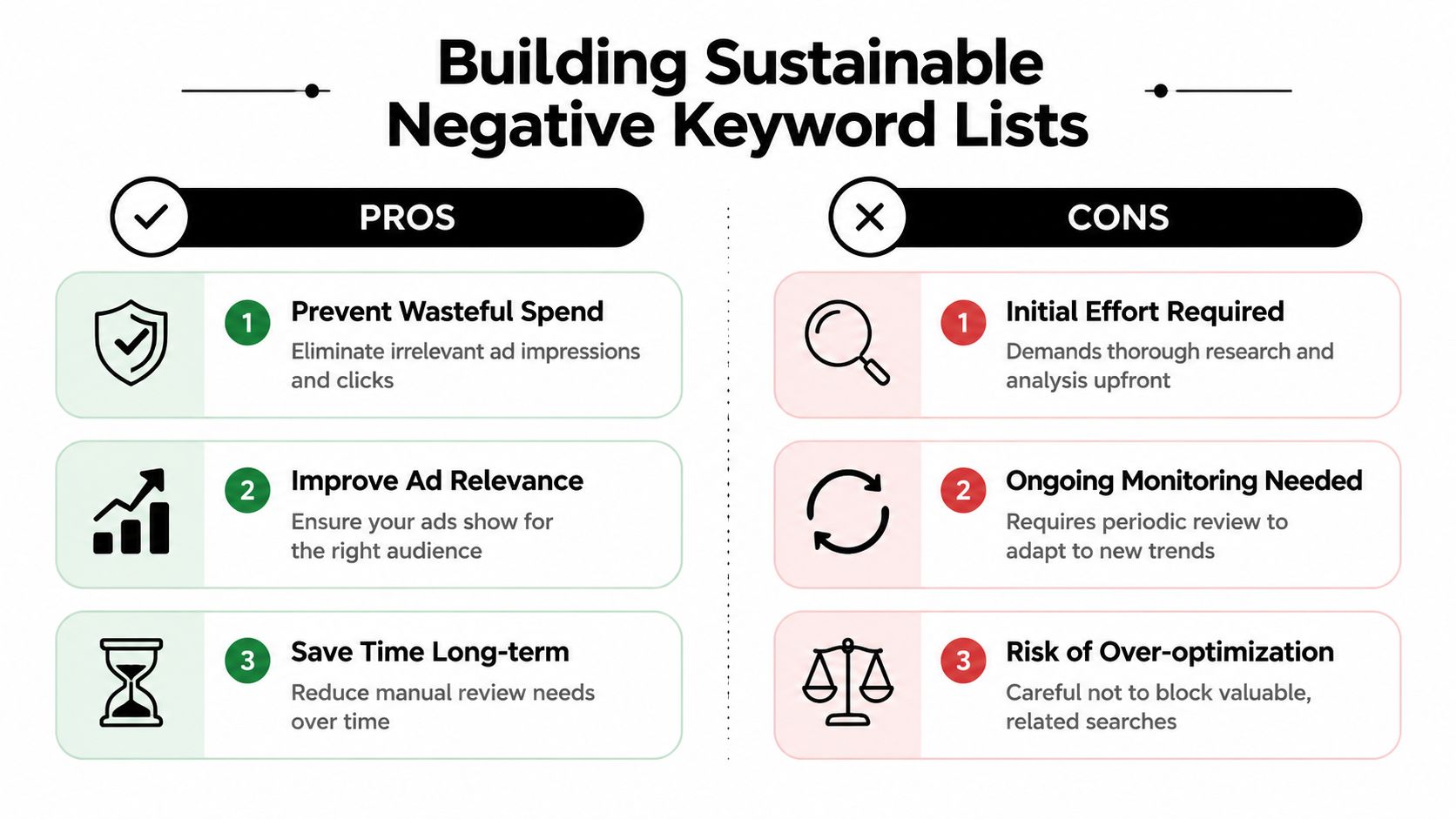
Build Sustainable Negative Keyword Lists
A negative keyword found in the report has almost no value until it lives in the right place, with the right match type, for the right reason.
Smart accounts distinguish themselves from messy ones. Reactive accounts add negatives one at a time forever. Systematic accounts build a library of exclusions that gets stronger every week.
One-off negatives won't save you
If you only add exact-match negatives for isolated bad terms, you'll always be behind. The report will keep producing close cousins of the same intent. Different wording. Same useless click.
That's why I push teams to organize negatives by theme:
Research intent
Terms that suggest someone is learning, comparing casually, or looking for general information.Low commercial fit
Terms tied to free options, low-budget intent, or unsupported offers.Non-buyer audiences
Careers, training, support seekers, and other traffic that has no path to conversion.Structural exclusions
Brand spillovers, product lines that belong elsewhere, or terms better handled in separate campaigns.
If you want a practical framework for this, Keywordme has a helpful post on how to build a master negative keyword list.
Match type discipline matters
Negative keywords are powerful because they can block waste at the source. They're also dangerous because they can block useful traffic if you get sloppy.
Here's the trade-off in plain terms:
| Negative type | Best use | Main risk |
|---|---|---|
| Broad negative | Blocking clear junk themes account-wide | Overblocking if the word has valid commercial uses |
| Phrase negative | Blocking a repeated wording pattern | Missing close variants outside the phrase |
| Exact negative | Removing a specific search cleanly | Too narrow to stop theme-level waste |
Broad negatives deserve special respect. A single-word broad negative can clean up a lot of bad traffic fast. It can also knock out valuable queries if that word appears in legitimate searches. That's why thematic review has to come before bulk action.
A negative keyword list should behave like a policy, not a reaction.
Where to place negatives
Placement changes how much collateral damage you risk.
- Ad group level works when the exclusion is tightly tied to one cluster of intent.
- Campaign level makes sense when the whole campaign should never show for that theme.
- Shared lists are the right home for repeated account-wide junk that nobody wants anywhere.
This is also where it helps to perform reverse keyword research occasionally. Looking at what you don't want, by theme and intent, often cleans up accounts faster than brainstorming positives.
The accounts that stay clean aren't the ones with the most negatives. They're the ones with the clearest logic behind them.
Scale Your Workflow with Automation and Scripts
By the time an account reaches serious volume, search term review stops being a judgment problem and becomes an operations problem.
One analyst can spot bad queries. One analyst cannot keep pace with thousands of new terms across campaigns, match types, markets, and weekly budget shifts. That is the point where spreadsheets start creating drag instead of control.

Manual review versus scripts versus tools
Each workflow option solves a different problem.
Manual review is still the best way to make close calls on intent. It is strong on judgment and weak on throughput. Scripts are useful when you have stable rules and someone on the team who can maintain them. They can flag high-cost non-converters, run n-gram checks, and send alerts when spend moves outside your guardrails. They also break without warning, get abandoned, or become one more internal system nobody wants to touch.
Dedicated tools sit between those two extremes. They give teams a repeatable workflow without turning search term management into a side engineering project. That matters in large accounts, where consistency usually creates more value than custom logic.
The other reason automation matters is simple. Search term data is incomplete, as noted earlier. With partial visibility, the process has to be tighter. Missed reviews, inconsistent tagging, and slow negative handling cost more when you are already working from an imperfect report.
What automation should do
Good automation handles repetitive execution and leaves the strategic calls to the account team.
It should:
- Flag recurring junk patterns before they drain another week of spend
- Cluster related queries so actions happen at the theme level, not one line at a time
- Speed up negative additions across the right scope and match type
- Surface promotion candidates for exact match, new ad groups, or dedicated landing pages
- Keep review cadence intact during busy weeks, handoffs, and account growth
That is the difference between automation and prettier filtering. Filtering helps you look at the mess. Automation helps you clear it.
For teams trying to reduce manual cleanup, negative keyword management automation is the right direction. Keywordme is a practical example. It works inside the Search Terms Report workflow, helps identify junk search terms, supports one-click negative actions, and removes a lot of the export, cleanup, and formatting work that slows teams down. It does not replace judgment. It gives judgment a usable process.
A short demo helps if you're comparing workflow options:
The trade-off nobody likes to admit
Automation does not solve ambiguity.
A query can still sit in the gray area between irrelevant, low-intent, competitor research, and future opportunity. Somebody still needs to decide whether to block it, watch it, or build around it. The difference is that automation keeps those decisions from piling up in a backlog.
That is the practical progression for overloaded accounts. Start with manual triage. Add filters and segmentation. Build negative list logic. Then move repetitive review and execution into scripts or a purpose-built tool. That last step is how teams protect quality as account volume grows, and it is often what helps them boost paid search ROI without adding another half-day of admin to every optimization cycle.
From Overwhelmed to In Control of Your Search Terms
The search terms report doesn't get easier because you stare at it longer. It gets easier when you stop asking it to be perfect.
You are not going to review every search. You are not going to recover every hidden query. You are not going to build a flawless negative structure in one cleanup sprint. Once you accept that, the work gets much more manageable.
What actually holds up in the real world
The workflow that survives busy weeks is the one built in layers:
- Triage first so the worst spend leaks get handled quickly.
- Segment and filter so you can see behavior in context.
- Build thematic negatives so the same bad intent stops recurring.
- Automate repetitive actions so account growth doesn't bury the team.
That stack works because each layer fixes a different failure mode. Triage handles urgency. Analysis handles ambiguity. negative lists handle recurrence. Automation handles scale.
Search term management is not about catching everything. It's about reliably catching what matters before it gets expensive.
Control looks different now
A lot of PPC managers still measure discipline by how thoroughly they can inspect the report manually. That's old thinking. In modern Google Ads, control looks more like process than visibility. You need routines, thresholds, pattern recognition, and clean execution.
If you're trying to boost paid search ROI, this is one of the least glamorous places to do it, but it's one of the most dependable. Bad queries have a habit of turning into “normal spend” if nobody owns the cleanup system.
The good news is that this stops feeling chaotic once the workflow is in place. Search terms become a signal stream again, not a punishment. You spend less time scrolling, more time making real decisions, and a lot less time wondering whether junk traffic is chewing through budget in the background.
If you want a faster way to clean up search terms, build negatives, and handle match types without living in exports and spreadsheets, take a look at Keywordme. It's built for the exact workflow problem behind “too many search terms to review,” especially when account size has already outgrown manual cleanup.
.svg)