
Master Your Google Search Terms Report and Boost ROI
Master Your Google Search Terms Report and Boost ROI


Welcome to what is, without a doubt, the most powerful tool in your entire Google Ads account. I'm talking about the search terms report. This isn't just another column of data; it's a direct window into your customers' minds, showing you exactly what they typed into Google moments before clicking your ad. It’s a genuine treasure map where 'X' marks the spot for both wasted spend and incredible opportunities.
Why Your Search Terms Report Is Your Greatest Advantage

Here's the best way to think about it: your keywords are the bait you cast out, but the search terms report shows you what you actually reeled in. Sometimes you catch the exact fish you wanted. Other times, you pull up an old boot, a tangle of seaweed, or something totally unexpected. If you're not checking what you caught, you're just blindly casting over and over, hoping for the best.
This one report is often the dividing line between amateur advertisers and seasoned pros who consistently drive a high return on their ad spend. Honestly, ignoring it is like leaving money on the table every single day. To really get a handle on this, you need to understand how it fits into the bigger picture of running effective Google Ads campaigns.
The Core of Smart Advertising
At its heart, using this report is about mastering one thing: matching user intent. You might be bidding on the keyword "running shoes," but are people actually searching for "cheap running shoes for kids" or "best marathon running shoes"? The intent behind those searches is wildly different, and so is their value to your business.
The search terms report gives you the raw, unfiltered data to see what’s really happening. It cuts through the guesswork and separates what you think your customers are searching for from what they actually are.
This distinction is so important, it’s worth a quick breakdown.
Search Term vs. Keyword: A Quick Guide
The difference between a keyword and a search term is the most common point of confusion for new advertisers. Let’s clear it up.
| Concept | Your Keyword | User's Search Term |
|---|---|---|
| Your Bid | You tell Google to bid on “blue running shoes”. | This is what you control. |
| User's Action | A user types buy navy blue running shoes size 10 into Google. | This is what they actually search for. |
| The Connection | Your keyword was broad enough to match their query. | The report shows you this connection. |
This simple relationship is the foundation of PPC optimization. You bid on keywords to capture a wide net of relevant search terms.
Key Benefits of Analyzing Your Report
Making a habit of digging into this data isn't just a "best practice"—it's a fundamental pillar of profitable advertising. Here’s exactly why it’s so critical:
- Eliminate Wasted Spend: You'll immediately spot and block irrelevant queries that are silently draining your budget with clicks that will never, ever convert.
- Discover New Opportunities: Uncover high-converting search terms you never even thought to target. These are proven winners you can build new ad groups around.
- Refine Your Ad Copy: When you see the exact language your customers use, you can write more compelling, relevant ads that speak their language and solve their problems.
- Improve Your Quality Score: Tightly aligning your keywords, search terms, and ad copy signals high relevance to Google, which boosts your Quality Score and lowers your cost-per-click.
By mastering the search terms report, you shift from a reactive "set it and forget it" approach to a proactive, surgical strategy. You start telling Google precisely who you want to reach, rather than letting the algorithm guess for you.
Ultimately, this report gives you the power to sculpt your campaigns with precision. You stop paying for junk traffic and start investing your budget where it delivers real, measurable results. It’s the closest you'll ever get to reading your customers' minds.
Making Sense of the Numbers That Matter
I get it. You open the search terms report for the first time, and it looks like an intimidating wall of data. It’s completely normal to feel a bit lost in all those columns and numbers.
The good news? You don't have to analyze every single data point. The real pros know you just need to focus on a handful of metrics that tell you the real story. Think of yourself as a detective. Each number is a clue, and once you learn how to piece them together, you'll see a clear picture of what's working and what's just wasting your money.
The Key Players on Your Report
Let's walk through the main columns you'll be looking at. Each one answers a very specific question about what's happening when someone searches on Google.
Impressions: This is simply how many times your ad was shown for a particular search term. A big number here means you're getting seen, but it doesn't say much else on its own.
Clicks: Okay, people saw your ad, but did they do anything? This number tells you how many people were interested enough to click through to your site. Clicks are your first real signal of engagement.
Click-Through Rate (CTR): This is where it starts getting juicy. Your CTR is just the percentage of people who clicked your ad after seeing it (Clicks ÷ Impressions = CTR). This is probably the best single metric for judging how relevant your ad is to the search term. A high CTR is a fantastic sign that your message is hitting the mark.
Average Cost-Per-Click (Avg. CPC): This is what you're paying, on average, every time someone clicks your ad. A term might get you a ton of clicks, but if the CPC is through the roof, it could be eating your budget alive without delivering any value.
Conversions: This is the big one. The whole point of the exercise. A conversion is when someone takes the valuable action you wanted them to take—like buying a product, filling out your contact form, or calling your business. This metric directly ties search terms to actual business results.
Reading the Story Between the Numbers
The real skill isn't just knowing what each metric means, but seeing how they work together. That's how you spot the winners and losers.
Let's go back to our local plumber example. When they open their search terms report, they might see a few different scenarios play out:
High Clicks, Zero Conversions: The term "free plumbing advice" racked up 150 clicks but led to 0 conversions. This is a huge red flag. People are clicking, but they aren't looking to hire someone. This is a classic money pit and a perfect candidate for your negative keyword list.
Low Impressions, High Conversion Rate: A very specific term like "emergency plumber near me for burst pipe" only got 10 impressions and 2 clicks. But here's the kicker—both of those clicks turned into a paying customer. This search is a gold mine! The search volume is low, but the user's intent is off the charts. You'd want to immediately add this as an exact match keyword to make sure you show up every single time someone searches for it.
High Impressions, Low CTR: The super broad term "plumber" got a whopping 5,000 impressions, but the CTR is terrible. This tells you your ad is getting lost in the noise. For a general term like this, your ad just isn't specific enough to grab anyone's attention. The fix might be to tighten up your targeting with a different match type or write much more compelling ad copy.
The goal isn't just to find terms with lots of clicks or a low cost. You're hunting for that profitable sweet spot where relevance (CTR) meets real results (Conversions) at a cost you can live with (Avg. CPC).
Now, what’s a "good" number? It varies. Industry data from 2026 shows that the average CTR for Search Ads hovers around 3.17%. But industries that are obsessive about their search terms reports, like Travel, can hit a CTR of 4.68% or even higher. Knowing these benchmarks gives you context and helps turn all that data into smart decisions for your business. If you're curious, you can dive into more Google Ads benchmarks to see how your campaigns stack up.
Finding and Eliminating Wasted Ad Spend
Alright, this is where the real work—and the real fun—begins. It's time to find all the little leaks in your ad budget and plug them up for good. Think of your budget like a bucket of water. Every irrelevant click is a tiny hole. One or two won't make a difference, but hundreds will leave you high and dry.
The search terms report is your patch kit. It helps you stop paying for clicks that will never turn into customers. This isn’t just about saving a few bucks. It's about teaching Google's algorithm exactly who you want to reach, which leads to better ad placements and a much healthier account. We call this "negative keyword mining," and it’s how you take a campaign from good to great.
The Obvious Culprits Wasting Your Money
When you first open your search terms report, some search terms will practically scream "I'm wasting your money!" These are the easy wins, the low-hanging fruit you can trim right away to stop the bleeding.
A great place to start is by filtering your report to show any search terms that have racked up a bunch of clicks but have zero conversions. These usually fall into a few familiar buckets:
- Tire-Kickers & Researchers: Watch out for queries with words like
free,reviews,jobs,salary,how to, orDIY. These people are looking for information, not to make a purchase. You're essentially paying for their education. - Competitor Searches: Unless you're running a specific campaign to poach competitor traffic, these clicks are usually a waste. Someone searching for "Nike running shoes" is almost certainly going to buy Nikes, not your brand of sneakers.
- Total Mismatches: You can thank broad match for these. I’ve seen some wild ones, like a company selling high-end "designer bags" showing up for searches like "trash bags." These are easy to spot and an absolute must to block.
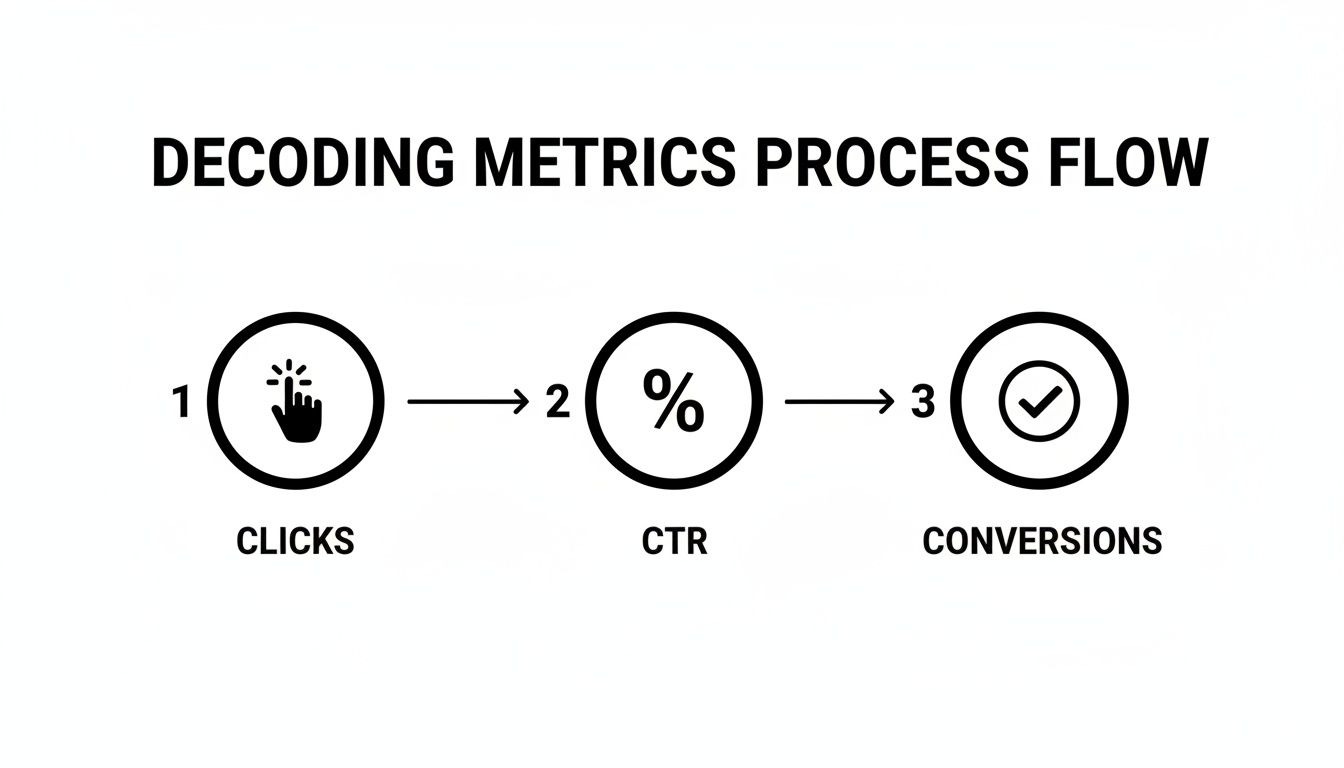
Looking at the flow from Clicks to Conversions makes it obvious which terms are all cost and no reward.
Spotting the Subtle Mismatches
Okay, so you've cleared out the obvious money-wasters. But the real gold is often hidden in the queries that seem relevant at first glance. This is where your deep knowledge of your own business becomes your superpower.
Think about these kinds of subtle mismatches:
- Wrong Product Type: You sell premium leather wallets, but you're getting clicks from people searching for "cheap vegan wallets."
- Wrong Service Level: You offer enterprise-level software, but your ads are showing up for "free CRM for startups."
- Wrong Audience: You’re a B2B company, but you’re attracting individual consumers who need a personal solution.
Every time you add a negative keyword, you're doing more than just blocking a bad search. You're giving Google’s algorithm direct feedback, teaching it what not to bid on. This constant refinement is the secret to long-term performance and a killer ROI.
This strategy of analyzing user queries to cut waste isn't unique to Google. It's a core principle of effective Target PPC Management across all platforms. The idea is always the same: find what doesn't work and block it.
How to Add Negative Keywords Effectively
Once you've got a list of terms to block, you need to decide where to add them. You have three options, and picking the right one is key to blocking bad traffic without accidentally cutting off good traffic.
- Ad Group Level: This is your precision tool. Use it for super-specific negatives. For example, if you have an ad group for "red shoes" and see a click for "red shoe polish," you'd add "polish" as a negative keyword to that ad group only.
- Campaign Level: This is for negatives that apply to an entire campaign. If your campaign is all about men's shoes, you could add "women's" as a campaign-level negative to block those searches across all your ad groups.
- Account Level (Negative Keyword List): This is for the universal deal-breakers you never want to show up for. I'm talking about terms like "free," "jobs," or "torrent." You can build a master list and apply it to all your campaigns to keep your account clean.
Making a habit of cleaning up your search terms report is one of the highest-impact things you can do for your Google Ads account. You can learn more about how to find negative keywords in our other guide. By stopping the bleed, you free up your budget to double down on the searches that actually bring you customers.
Discovering and Scaling Your Hidden Gem Keywords

While adding negative keywords is great for stopping the bleeding, the real magic of the search terms report is on the offensive side. It’s not just about saving money—it’s about finding new ways to make more. This is where you flip the script.
Hiding in plain sight, right there between all the junk queries, are your "hidden gems." These are the actual search terms people typed into Google that led to clicks and, more importantly, conversions. The kicker? You're probably not even bidding on them directly. They’re just pure, untapped potential.
This whole process is what we in the business call "keyword harvesting," and frankly, it's the engine of real, scalable growth in Google Ads.
Identifying Your Star Performers
So, what does a hidden gem actually look like? You’re on the hunt for search terms with strong performance signals. It’s pretty much the mirror image of finding negatives; you're just looking for the gold instead of the garbage.
As you filter and sort your report, keep an eye out for queries that have a few key traits:
- High Conversion Rate: This one’s a no-brainer. If a search term is consistently bringing in sales or leads, it’s a keeper.
- High Click-Through Rate (CTR): A killer CTR is a sign that your ad is perfectly aligned with what the user is looking for. They see your ad and immediately think, "Yep, that's it."
- Multiple Conversions: Don’t get hung up on just the rate; the raw numbers matter, too. A term that has converted 5 times is a proven winner, even if another term has a higher rate from a single conversion.
This isn't just busywork. Think about it: around 65% of clicks on high-intent 'buy' keywords go to paid ads, while organic results only get about 35%. That's why digging through your search terms is non-negotiable. You can find more stats like this for 2026 over at Strataigize.com.
From Hidden Gem to Keyword Powerhouse
Okay, so you've found a promising search term. The biggest mistake you can make now is just leaving it buried in a broad match ad group. You have to promote it. This means taking that search term and adding it as a new keyword, usually as a phrase or exact match, in a tightly controlled ad group.
Why is this so important?
By promoting a high-performing search term to an exact match keyword, you're telling Google, "This specific query is incredibly valuable to me. I want to show up every time and I'm willing to bid more for it." This single action gives you granular control over your best traffic sources.
Doing this gives you a few immediate wins. First, you can set a specific, more aggressive bid for that keyword because you already know it works. Second, you get to write hyper-relevant ad copy that speaks directly to that search query, which almost always boosts your Quality Score. And a higher Quality Score means better ad positions and a lower cost-per-click. It's a beautiful thing.
The Keyword Graduation Process
I like to think of this as a promotion system for your keywords. A search term proves itself in the Wild West of a broad match ad group, and as a reward for its great performance, it gets "graduated" to a more important role.
Here's the step-by-step game plan:
- Identify the Gem: Sift through your report and find a search term with a solid conversion rate, like "waterproof hiking boots for women."
- Add as a New Keyword: Add
[waterproof hiking boots for women]as an exact match keyword into your most relevant ad group. - Create an Ad Group (Optional): If you strike gold and find a handful of related gems, you might even build a whole new ad group just for them. This gives you even more control over your ad copy.
- Add as a Negative: This last step is crucial. Go back to your original broad match ad group and add that same term as a negative exact match keyword. This simple step stops your broad match campaign from competing against your new, highly optimized keyword.
This cycle of finding, promoting, and refining is what separates the okay campaigns from the truly great ones. It ensures your budget constantly flows toward what’s actually working.
How to Automate Your Workflow With Keywordme
Alright, we've walked through the old-school way of cleaning up your search terms report: finding negatives, spotting new keywords, and tweaking your campaigns. It works, but let's be honest—it's a total grind. Manually digging through thousands of search terms, copying them into a spreadsheet, and then pasting them back into Google Ads is just begging for mistakes and wasted hours.
There’s a much better way to do this. Instead of drowning in repetitive tasks, you can automate that whole process and free yourself up to think about the bigger picture.
Ditch the Spreadsheets and Work Smarter
What if you could analyze your entire search terms report and take action without ever leaving the Google Ads interface? No more exporting CSVs, no more juggling browser tabs, and definitely no more copy-paste fatigue.
That’s exactly what the Keywordme Chrome plugin does. It turns that clunky, hour-long chore into a few simple clicks. This is the secret weapon PPC pros use to get more done, faster and with way more accuracy.
The old way meant hours of mind-numbing data entry. The new way lets you turn insights into action in seconds.
See a search term that's burning your budget? Just click to add it as a negative. Spot a hidden gem that’s converting like crazy? One click adds it as a new keyword to the perfect ad group. It really is that simple.
Taking Action in Just a Few Clicks
The real magic of automation isn't just about going faster; it’s about making the right moves almost effortless. Keywordme plugs directly into your Google Ads dashboard, adding simple, powerful controls right where you need them.
This screenshot shows you what it looks like in action. You get checkboxes next to your search terms and clear buttons to add them as positive or negative keywords. You can see how fast it is to make decisions without ever leaving the report. It just feels like a natural part of the Google Ads platform.
Here’s how it works day-to-day:
- Bulk Actions Made Easy: Select dozens—or even hundreds—of junk search terms at once and add them to a negative list with a single click.
- Instant Keyword Harvesting: Find a handful of high-performing queries? In one move, add them all as new exact match keywords to the right ad groups to get better control over your bids.
- Smart Match Type Assignment: The tool automatically handles the formatting for you. You'll never have to fiddle with brackets
[]or quotation marks""again.
Freeing Up Your Time for What Actually Matters
At the end of the day, automating your search terms report analysis is about buying back your most valuable resource: time. Account managers who automate these routine tasks report getting their work done up to 10 times faster.
That extra time adds up. When you’re not stuck in spreadsheets, you can finally focus on work that moves the needle:
- High-Level Strategy: Thinking about market trends, planning better campaign structures, and finding new ways to grow the account.
- Creative Development: Testing new ad copy, building better landing pages, and coming up with irresistible offers.
- Client Communication: Spending more quality time explaining results and building stronger relationships.
This is the shift that separates good account managers from great ones—moving from tedious labor to strategic work. If you're ready to learn more, check out our article on why you should automate your keyword management. It's time to stop the busywork and start making a real impact.
Your Search Terms Report Questions Answered
Alright, even after you get the hang of the basics, the search terms report can leave you scratching your head sometimes. It’s a fantastic tool, but it definitely has its own quirks. Let's dig into some of the most common questions that pop up.
How Often Should I Check My Search Terms Report?
This is probably the number one question I get, and the honest answer is… it depends. How much you're spending and how many clicks you're getting will completely change the answer. There’s no magic one-size-fits-all schedule.
The real goal is to find a rhythm. You want to check in often enough to stop wasteful spending before it hurts, but not so often that you're just staring at a trickle of data. You need enough information to see real patterns.
Finding the right frequency is key. To help you get started, here's a simple schedule I recommend based on monthly ad spend.
Search Terms Report Analysis Frequency
| Monthly Ad Spend | Recommended Frequency |
|---|---|
| Under $1,000 | Once a month |
| $1,000 - $10,000 | Weekly |
| Over $10,000 | 2-3 times per week |
For smaller accounts, monthly is fine because data comes in slowly. For most businesses in that middle tier, weekly is the sweet spot. But once you're spending big, a few bad search terms can burn through hundreds of dollars in days, so you have to be much more vigilant.
What About the Search Terms Report in Performance Max?
Ah, the PMax "black box." This has been a huge headache for advertisers for a while now. For the longest time, running Performance Max campaigns meant giving up a ton of control and visibility.
Thankfully, Google is finally opening the doors. They are rolling out full search terms reporting for PMax, which is a game-changer. You'll get the same detailed view you're used to in your Search campaigns. This means you can finally see the queries triggering your PMax ads and, more importantly, add negative keywords at the campaign level to cut out the junk.
Why Does My Report Say (other search terms) or Show Limited Data?
You've probably scrolled to the bottom of your report and seen that frustrating line item: "(other search terms)." It can feel like Google is hiding things from you.
This is all about privacy. A few years back, Google changed its policy to protect user anonymity. Now, they only show you search terms that a "significant number of users" have searched for. If a query is too unique or rare, it gets lumped into that "(other search terms)" bucket.
While it's annoying, don't lose sleep over it. These terms usually account for a tiny fraction of your clicks and ad spend. Your time is much better spent optimizing the terms you can see—that's where you'll find the biggest wins.
Stop wasting hours sifting through spreadsheets. Keywordme integrates directly into your Google Ads dashboard, turning your entire search term analysis into a few simple clicks. Add negatives, harvest new keywords, and take back control of your ad spend.
Start your free 7-day trial and see the difference at https://www.keywordme.io.
.svg)