
Create PPC Landing Pages That Actually Convert
Create PPC Landing Pages That Actually Convert


If you're sending expensive ad clicks straight to your homepage, you might as well be setting your marketing budget on fire. It’s like trying to fill a leaky bucket—you just keep pouring money in while conversions drip away.
Dedicated PPC landing pages are built for one purpose: to catch that high-intent traffic from your ads and steer users toward a single, specific action. This focus is the key to boosting conversions and making your ad spend actually work for you.
Why Your PPC Ads Need a Dedicated Landing Page
Let's get inside the head of someone clicking your ad. They aren't just window shopping. They're on a mission, actively looking for a solution to a problem right now. When you send that person to a homepage cluttered with navigation links, blog posts, and an "About Us" section, you're creating friction and confusion. That’s a fast track to a wasted click.
Your homepage is your digital storefront, designed to greet everyone. A PPC landing page, however, is a specialist. It has one job and one job only: to convert that click into a lead or a customer.
It's All About Message Match
One of the most powerful reasons for using a dedicated page is message match. This is simply the art of making sure your landing page says the exact same thing your ad promised.
If someone clicks an ad for "24/7 emergency roof repair," they need to land on a page that screams "24/7 Emergency Roof Repair." A generic homepage that also talks about siding and new construction just won't cut it.
Getting this right does a few crucial things for your campaign:
- Builds Instant Trust: The visitor immediately knows they're in the right place.
- Slashes Bounce Rates: With no distracting links, they’re more likely to stay and take action.
- Boosts Google Ads Quality Score: Google loves relevance. A strong message match signals that your page is a great result for the search, which can lead to lower ad costs and better ad placement.
A high Quality Score is your secret weapon in PPC. It's Google's way of telling you that your ad and landing page are relevant and useful to the user, directly impacting how much you pay and how often your ads are shown.
The Conversion Gap: Where Your Money Disappears
Let's look at a quick comparison to see just how big the difference is between using a dedicated landing page and your standard homepage for paid traffic.
PPC Landing Page Vs Homepage Traffic Performance
The numbers don't lie. Sending traffic to a page that isn't optimized for conversion means you're leaving a lot of money on the table.
Every time a user clicks your ad, lands on a confusing homepage, and leaves, you've paid for nothing. Multiply that by hundreds or thousands of clicks, and the waste becomes staggering. Understanding the core reasons Why Use PPC is the first step, but optimizing where you send that traffic is what delivers a real return.
The data proves it: visitors from pay-per-click search ads are 50% more likely to make a purchase than organic visitors. This high-intent traffic converts like crazy, but only when you send it to a focused page. Research consistently shows that while average landing pages convert around 6.6%, dedicated PPC pages can hit conversion rates of 10.9% or even higher.
The Anatomy Of A High-Converting Landing Page
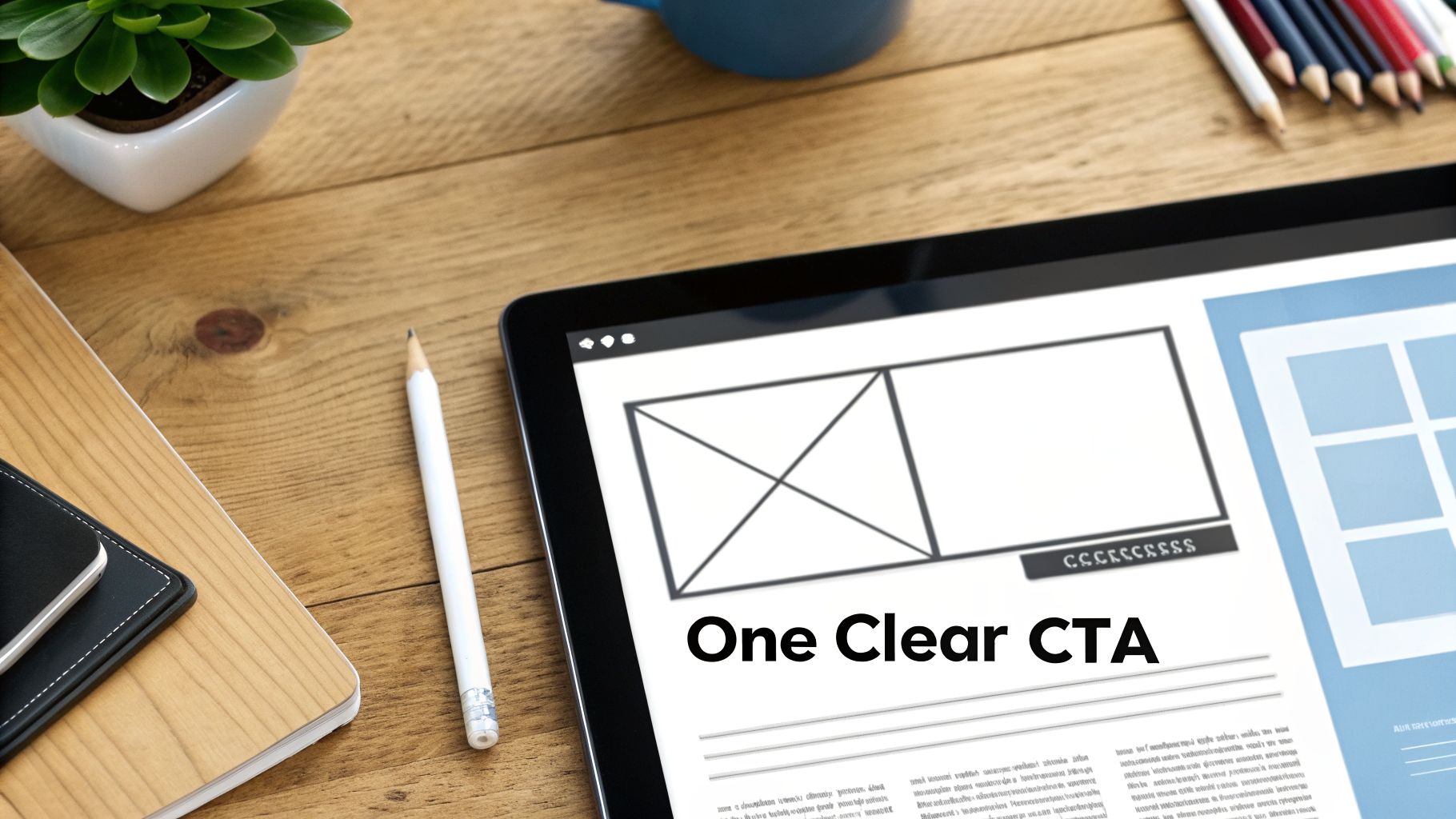
Let's get one thing straight: a high-converting landing page isn't a piece of art. It’s a finely tuned machine. Every single element has a specific job, and they all work together toward one single goal. Flashy design doesn't drive action; strategic psychology does.
When someone clicks your ad, they land on your page with a question or a problem. Your page's only job is to answer that question so clearly and persuasively that taking the next step feels like the most natural thing in the world.
The Hero Section: Your First Impression
The moment your page loads, a visitor makes a snap judgment. What they see "above the fold"—your hero section—has about three seconds to convince them to stick around. No pressure, right?
This critical space needs to do three things almost instantly:
- Grab Attention: A powerful, benefit-driven headline is non-negotiable.
- Confirm Relevance: It must immediately reflect the promise made in your ad.
- Show the Path Forward: The call-to-action should be right there, clear as day.
A bad headline is something like, "Our Marketing Services." A great one? "Stop Wasting Ad Spend. Get a Free PPC Audit Today." The first is generic and forgettable. The second hits a pain point and offers a direct solution, perfectly setting the stage for one of the most important elements on all ppc landing pages.
The hero section isn't just a greeting; it's a contract. It promises the visitor that investing a few more seconds of their time will solve the exact problem that brought them there.
Build Trust With Social Proof
People trust other people way more than they trust brands. It's just human nature. That's why social proof isn't a "nice-to-have"—it's an absolute must for building credibility and knocking down a visitor's natural skepticism.
You can weave social proof throughout your page to back up your claims. Here are a few types that work wonders:
- Direct Testimonials: Use quotes from real customers highlighting specific wins. Ditch "They're great!" for "They cut our cost-per-lead by 40% in just two months."
- Company Logos: Slapping the logos of well-known clients on your page is a shortcut to credibility. It's an instant, powerful endorsement.
- Awards and Certifications: Industry recognition tells people you're a trusted expert without you having to say a word.
This works because it changes the conversation from you telling people you're great to others showing them. It’s a subtle but powerful psychological shift.
The Single, Unmistakable Call-to-Action
I've seen so many landing pages get this wrong. They offer too many choices. Your PPC landing page must have one primary goal, which means it needs one primary call-to-action (CTA). Period.
A classic mistake is leaving the main website navigation on the page. Every link—to your blog, your "About Us" page, your careers section—is an escape route. It’s a distraction pulling users away from the one action you paid to get them to take. Removing the navigation can significantly boost conversions because it creates a focused, frictionless path.
Your CTA button itself needs to be:
- Visually Striking: Use a color that contrasts with your page and makes the button impossible to miss.
- Action-Oriented: Start with a command verb like "Get," "Download," or "Start."
- Value-Focused: The text should scream value. "Get My Free Template" crushes a generic "Submit" every time.
The Frictionless Form
Finally, we come to the form. If you're trying to generate leads, your form is the final gatekeeper. The rule here is simple: only ask for what you absolutely need. Every extra field you add is more friction, and more friction means fewer leads.
Do you really need their phone number and company size right this second? Or can you get the conversation started with just a name and an email? You could even use a two-step form, where you ask for the basics first, then ask for more details on the "thank you" page. This gets the user to make a small commitment up front.
A short, simple form respects your visitor's time and makes converting feel easy, not like a chore.
Writing Copy That Connects and Converts
Your landing page copy is your tireless, 24/7 salesperson. If the design is the skeleton of your ppc landing pages, the copy is its soul. It's the voice that speaks directly to your visitor's biggest frustrations and hopes, making your offer feel like the only logical answer.
Good copy isn't just a laundry list of features. It’s about translating those features into real-world benefits that solve a problem. Remember, people don't buy a drill; they buy a hole in the wall.
Speak Your Customer's Language
The first rule of writing copy that converts? Stop guessing what your customers want to hear and start listening to what they’re actually saying. Your job is to mirror their language, their phrasing, and their pain points.
This is where digging into keyword data from a tool like Keywordme is pure gold. Search terms are a direct line into your customer's head. If they’re searching for "how to stop wasting ad money," your headline shouldn't be "Our Advanced Budgeting Tool." It needs to be "Stop Wasting Ad Money." It’s that simple.
Copywriting isn't about being clever; it's about being clear. Use the words your customers use, and you’ll build an instant connection that fancy vocabulary can never match.
Great copy feels like a one-on-one chat, not a corporate memo. It’s human, it's empathetic, and it shows the reader you actually get them.
Use a Proven Copywriting Framework
You don't need to be a literary genius to write copy that sells. You just need a solid framework. One of my go-to's for landing pages is the Problem-Agitate-Solution (PAS) framework. It’s straightforward but incredibly effective.
- Problem: You start by calling out the exact problem your visitor is dealing with. Hit that pain point right away to show you understand.
- Agitate: Don't just mention the problem—twist the knife a little. Talk about the frustrations, the wasted time, and the negative feelings that come with it. Make them feel it.
- Solution: This is where you swoop in. Introduce your product or service as the perfect solution that makes all that pain go away.
Here’s a quick example for a made-up project management tool:
- Problem: "Tired of tracking projects across messy spreadsheets and endless email chains?"
- Agitate: "Deadlines get missed, important files get lost, and nobody is ever on the same page. It’s chaotic and stressful."
- Solution: "Get your entire team organized in one place. With our tool, you’ll know exactly who’s doing what, by when. Never miss a deadline again."
This structure takes the reader on an emotional journey from pain to relief, making your solution feel like a lifesaver. For more ideas, it's always smart to see what you can learn from 7 viral ad copy examples.
Build Trust and Create Urgency
Okay, you’ve presented the solution. Now you have to close the deal. This comes down to two things: trust and urgency.
Trust comes from being transparent and offering proof. You can sprinkle these elements throughout your page:
- Risk Reversals: Things like a "30-day money-back guarantee" or "Cancel anytime" take the fear out of the decision.
- Clear Pricing: Be upfront about costs if you can. Hidden fees are one of the fastest ways to kill trust.
- Specifics Over Hype: Don't just say "Our tool is super fast." Say, "Generate a report in under 5 seconds." Specific details are far more believable.
Urgency, on the other hand, is the little nudge that gets people to act now. It answers the question, "Why shouldn't I just do this later?" You can create it with limited-time offers, countdown timers, or scarcity ("Only 3 spots left!"). When used ethically, urgency is a powerful tool against procrastination.
As you build out your pages, make sure you're baking in all of these conversion rate optimization best practices from the start. They often include smart, effective ways to build both trust and urgency.
Setting Up Tracking You Can Actually Use
Let's be real. If you're not measuring your landing page performance, you're just throwing money at a wall and hoping something sticks. Building a slick PPC landing page is only half the job; the real wins come from knowing exactly what’s working and what’s falling flat. Without solid data, you're just making changes based on a gut feeling, and that's a quick way to burn through your ad budget.
But here’s the good news: effective tracking doesn't mean you need to get lost in a jungle of custom code and confusing dashboards. It's all about laying a simple, clean foundation to capture data you can actually use. This goes way beyond just slapping a tracker on your "thank you" page. We need to dig into the little actions people take before they decide to convert.
This whole process can be boiled down to three core steps. Get these right, and you'll have everything you need.
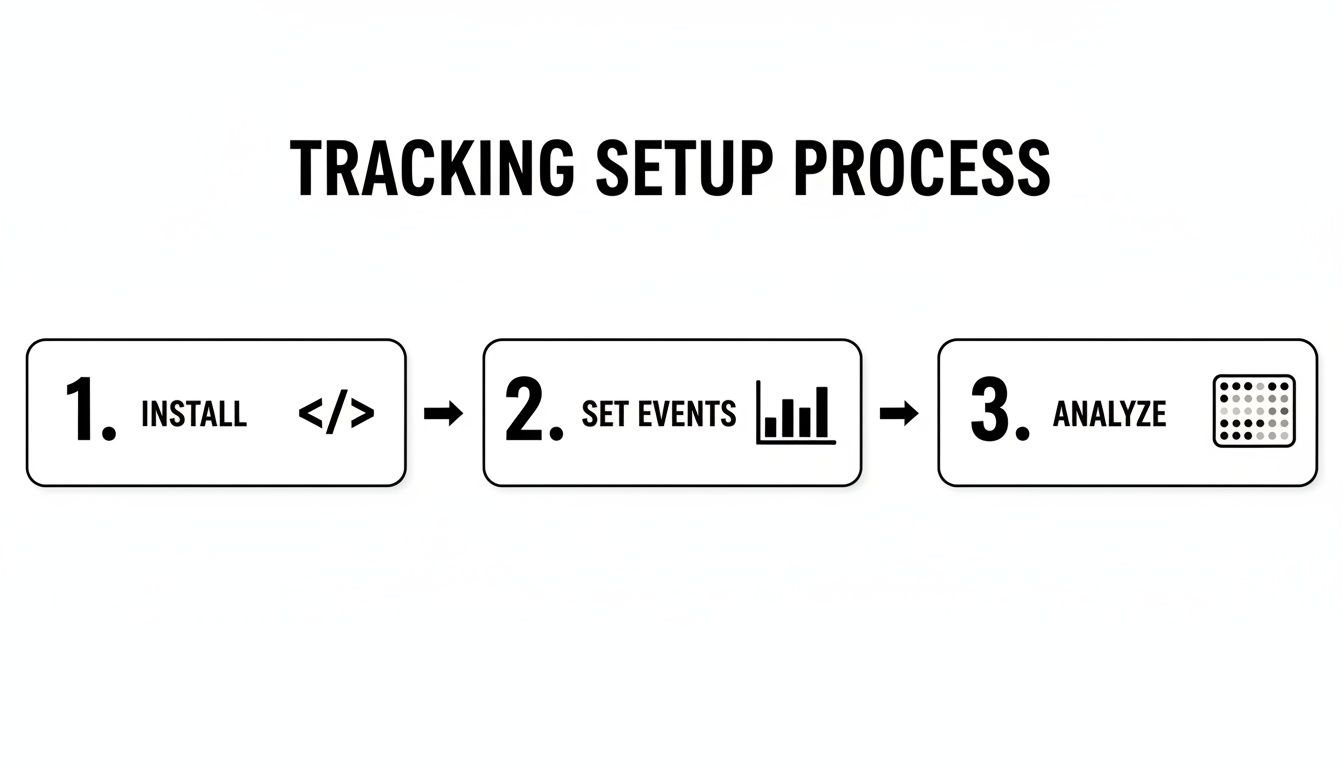
Think of it like this: install your tools, tell them what to watch for, and then analyze the results. It's a simple loop that unlocks powerful insights.
Install Your Core Tracking Tags
First things first, you have to get your tracking codes (or "tags") onto your page. This is non-negotiable. Without them, you're completely in the dark.
- Google Ads Tag: This is your direct line to measuring ROI. It’s what tells Google Ads which campaigns, ad groups, and keywords are actually bringing in leads or sales. Without it, you can't connect your ad spend to real results.
- Google Analytics 4 (GA4) Tag: Think of GA4 as your home base for understanding the big picture. It fills in the context around your ad data, showing you where visitors came from, how they navigate your site, and what content holds their attention.
Getting these installed is usually a simple copy-and-paste job. Most landing page builders and CMS platforms have a dedicated spot for these code snippets. To make sure you get this crucial first step right, our complete guide on Google Ads conversion tracking walks you through the entire process.
Set Up Your Key Conversion Events
Once your tags are live, you need to tell them what counts as a win. A "conversion" isn't always the final sale or form submission. Tracking smaller actions, or micro-conversions, gives you a much clearer picture of user intent and engagement.
I always recommend setting up a mix of event types:
- Primary Conversion: This is your main goal—the lead form submission, the e-commerce purchase, the demo request. It's the whole point of the campaign.
- Key Button Clicks: Someone might click your "Get Started" button but then abandon the form. Tracking that click shows they were interested, even if they didn't finish.
- Video Plays: If you have an explainer video, track how many people press play and how many make it to 50% or 75%. A huge drop-off early on is a red flag that your video isn't hitting the mark.
- Scroll Depth: See how far people are actually scrolling down your page. If 90% of visitors never make it past the halfway point, anything below that is essentially invisible.
Tracking these smaller events is a game-changer. If your page gets 1,000 visitors but only 10 form fills, you have 990 people who didn't convert. Understanding their behavior—what they did click, watch, or read—is the key to figuring out why they left.
Analyze Behavior with Heatmaps and Session Recordings
Analytics gives you the "what," but you still need to know the "why." This is where qualitative tools like heatmaps and session recordings are worth their weight in gold. They’re like getting to watch over your user's shoulder.
- Heatmaps: Tools like Hotjar or the free Microsoft Clarity create a visual report card for your page. They show you exactly where people are clicking, how far they scroll, and which elements they completely ignore. It's the fastest way I know to spot if your main CTA is being overlooked or if people are rage-clicking on an image they think is a button.
- Session Recordings: These are anonymous video playbacks of real user sessions. You can watch as someone moves their mouse, hesitates over a form field, or gets stuck and leaves in frustration. I've uncovered major UX issues just by watching a handful of these recordings—problems I never would have found in a spreadsheet.
By combining these three things—installing tags, defining events, and watching user behavior—you get a complete diagnostic toolkit. You'll stop guessing and start making data-backed decisions that actually move the needle on your conversion rates.
A Realistic Guide To A/B Testing Your Pages
Alright, you've built a solid page and your tracking is all set up. So, what's next? This is the fun part—where we take a good page and start dialing it in to become a serious conversion machine. We'll do this with A/B testing, or what some people call split testing. This is the engine that drives systematic, data-driven growth.
The concept is straightforward: create two versions of your page (version 'A' and 'B'), show each to a segment of your audience, and see which one performs better. But the real secret to successful testing isn't just about randomly changing button colors and hoping for the best. It's about testing with intent.
Don't just test for the sake of testing. Every experiment should be designed to answer a specific question you have about your audience. That’s how you uncover real insights that lead to lasting improvements for your ppc landing pages.
Formulate A Strong Hypothesis
Before you touch a single pixel, you need a hypothesis. A good hypothesis isn't a wild guess like, "I bet a blue button would be better." It’s an educated statement rooted in the data you've already gathered from your analytics and heatmaps.
A strong hypothesis typically follows a clear framework: "If I change [X], then [Y] will happen, because of [Z]."
Let’s walk through a real-world scenario. Imagine your heatmap shows almost no one is clicking your generic "Submit" CTA button.
- Weak Hypothesis: "Changing the CTA button text will increase conversions."
- Strong Hypothesis: "If I change the CTA button text from 'Submit' to 'Get My Free Audit,' then form submissions will increase, because the new text emphasizes the value the user gets, not the action they have to take."
See the difference? The strong hypothesis is specific, measurable, and tied to a psychological principle. It gives your test a real purpose.
What To Test For The Biggest Impact
When you're just starting out, the sheer number of things you could test can feel overwhelming. The key is to prioritize changes that have the potential for the biggest impact first. Don't waste your traffic A/B testing the color of a link in your footer.
Focus on these high-impact elements to start:
- Your Headline: This is the first thing people read. Try testing a completely different angle—maybe a benefit-driven headline versus one that speaks to a major pain point. A change here can create massive swings in performance.
- Your Call-to-Action (CTA): Experiment with the button copy, its color, and even its placement on the page. A simple switch from "Learn More" to "Start Your Free Trial" can make a world of difference.
- Your Hero Image or Video: The main visual sets the immediate tone. Test a clean product shot against a photo of a happy customer using it. You might be surprised by what truly resonates.
- The Form Itself: Try removing a form field. Does asking for just an email instead of an email and a phone number dramatically boost your lead volume? It often does. Also, remember that pages with video can sometimes increase conversions by up to 86%, making a video vs. static image test a fantastic idea.
Focus on "big swing" tests first. Changing the entire offer or headline will teach you more about your audience than tweaking a button's corner radius. Save the small, iterative changes for when your page is already performing well.
Understand Statistical Significance
This is a concept that trips up a lot of marketers, but it's pretty simple. Statistical significance is just a way to confirm that your test results are legitimate and not just a random fluke. Most A/B testing tools, like Google Optimize or Unbounce, will calculate this for you, usually aiming for a 95% confidence level.
So what does that mean in plain English? It means you can be 95% certain that the performance difference between your two pages is due to your changes, not just random chance.
To get reliable results that you can actually trust, you need two things:
- Enough Conversions: You can't declare a winner after five conversions. As a general rule, you need at least 100 conversions per variation to make a sound decision.
- Enough Time: Let your test run for at least one or two full business cycles—one to two weeks is a good starting point. This helps smooth out any daily fluctuations, like a slow Monday or a busy Friday.
If you're looking to dive deeper into the nitty-gritty, our guide to landing page A/B testing covers more detail on running tests that produce truly trustworthy results.
Once you have a statistically significant winner, roll out the change to 100% of your traffic and start brainstorming your next hypothesis. This cycle of testing, learning, and improving is how you build PPC landing pages that consistently crush their goals.
Common Questions About PPC Landing Pages
Even with the best game plan, a few nagging questions always seem to pop up when you're in the trenches building and optimizing PPC landing pages. Let's tackle some of the most common ones I hear from clients all the time. Getting these right can save you a ton of headaches and help you sidestep the usual traps.
These are the straight-up, actionable answers that will help you solve real-world problems and fine-tune your campaigns.
How Many PPC Landing Pages Do I Really Need?
In a perfect world, you'd have one unique landing page for every single ad group. I know, I know—that sounds like a mountain of work. But it's the secret sauce for achieving a perfect message match, which is when your keywords, ad copy, and landing page all sing the same song.
Think about it. If you're a plumber, you're targeting a bunch of different needs. Someone searching for "emergency plumbing services" has a completely different mindset than someone looking for "kitchen sink repair." Each person deserves a page that speaks directly to their specific problem, using the exact language they used to search.
The more specific your page is to the ad they clicked, the more relevant you become. Higher relevance directly translates to a better Quality Score, lower ad costs, and—most importantly—way more conversions.
So how do you pull this off without going crazy? Templates. Create a solid master layout, and then you can just swap out the headlines, copy, and images for each new ad group. It’s a bit of work upfront that pays for itself over and over again.
How Much Does Page Speed Affect My Performance?
Page speed isn't just a "nice-to-have"—it's a massive deal for two big reasons. First, it’s all about the user. Nobody has the patience to wait for a slow page to load, especially on mobile. Studies have shown that even a one-second delay can tank your conversions. A slow page is a one-way ticket to a high bounce rate.
Second, Google is obsessed with it. Page speed is a huge part of the "landing page experience" that goes into your Quality Score. A sluggish page will drag your score down, which means your cost-per-click (CPC) goes up and your ad position goes down.
Here are a few quick wins to keep your pages zippy:
- Crush Your Images: Huge image files are the #1 cause of slow pages. Compress them before you upload them.
- Keep Your Code Clean: Avoid loading up your page with unnecessary scripts and plugins that bog things down.
- Get Good Hosting: Don't cheap out on your web host. It plays a surprisingly big role in how fast your page loads for visitors around the world.
Use Google’s free PageSpeed Insights tool to see where you stand. You should be aiming for a load time under three seconds to stay in the game.
Should My Landing Pages Be On A Subdomain?
Using a subdomain (like go.yourwebsite.com) to host your landing pages is a super common practice, and it’s totally fine. A lot of marketers do this, especially when using third-party tools like Unbounce or Instapage, because it keeps campaign pages separate from the main website's structure. This makes them much easier to manage.
From a pure SEO standpoint, Google sees subdomains a bit differently than subdirectories (yourwebsite.com/offer), but for PPC, the impact is pretty much zero. You aren't trying to build link equity here; you're trying to convert a click.
What truly matters is that the page is fast, perfectly matches the ad's promise, and gives the user a smooth experience. Whether it's on a subdomain or a subdirectory won't be the thing that makes or breaks your campaign.
What Is The Single Most Important Element On The Page?
This is like asking a chef for the most important ingredient—it's the whole recipe that makes the dish work! But if you twisted my arm, I’d have to say it’s the headline and the Call-to-Action (CTA). They’re a one-two punch that determines in a split second whether someone sticks around or hits the back button.
Your headline is your first and only shot at reassuring the visitor they're in the right place. It has to instantly connect with the ad they just clicked, grab their attention, and shout the main benefit of your offer. If the headline misses the mark, the rest of the page might as well be invisible.
Then there’s the CTA—the finish line. It has to be clear, compelling, and so obvious it’s impossible to miss. Your headline can do all the heavy lifting to get them excited, but if your CTA is weak or hard to find, you've just lost a sale. It’s the final command that turns a browser into a buyer. If these two elements are off, nothing else you do will save the page.
Ready to stop wasting ad spend and turn more clicks into customers? Keywordme gives you the power to find high-converting keywords and streamline your entire Google Ads workflow. Start optimizing smarter, not harder.
Begin your free 7-day trial at https://www.keywordme.io and see the difference for yourself.
.svg)