
Local Services Ads vs Google Ads for Contractors
Local Services Ads vs Google Ads for Contractors


Everyone tells contractors the same thing. Run Local Services Ads first because they're cheaper. You only pay for a lead, not a click, so where's the risk?
That advice sounds tidy until you watch the invoice land next to the dispatch board. A cheap lead that never books, shows up late, or closes on a thin ticket isn't cheap. A pricey click that turns into a booked estimate with a strong margin can be the best money you spent all month.
If you're weighing Local Services Ads vs Google Ads for contractors, stop asking which lead costs less. Ask which channel gives you a booked, sold job for less, after your own close rate and capacity get a vote.
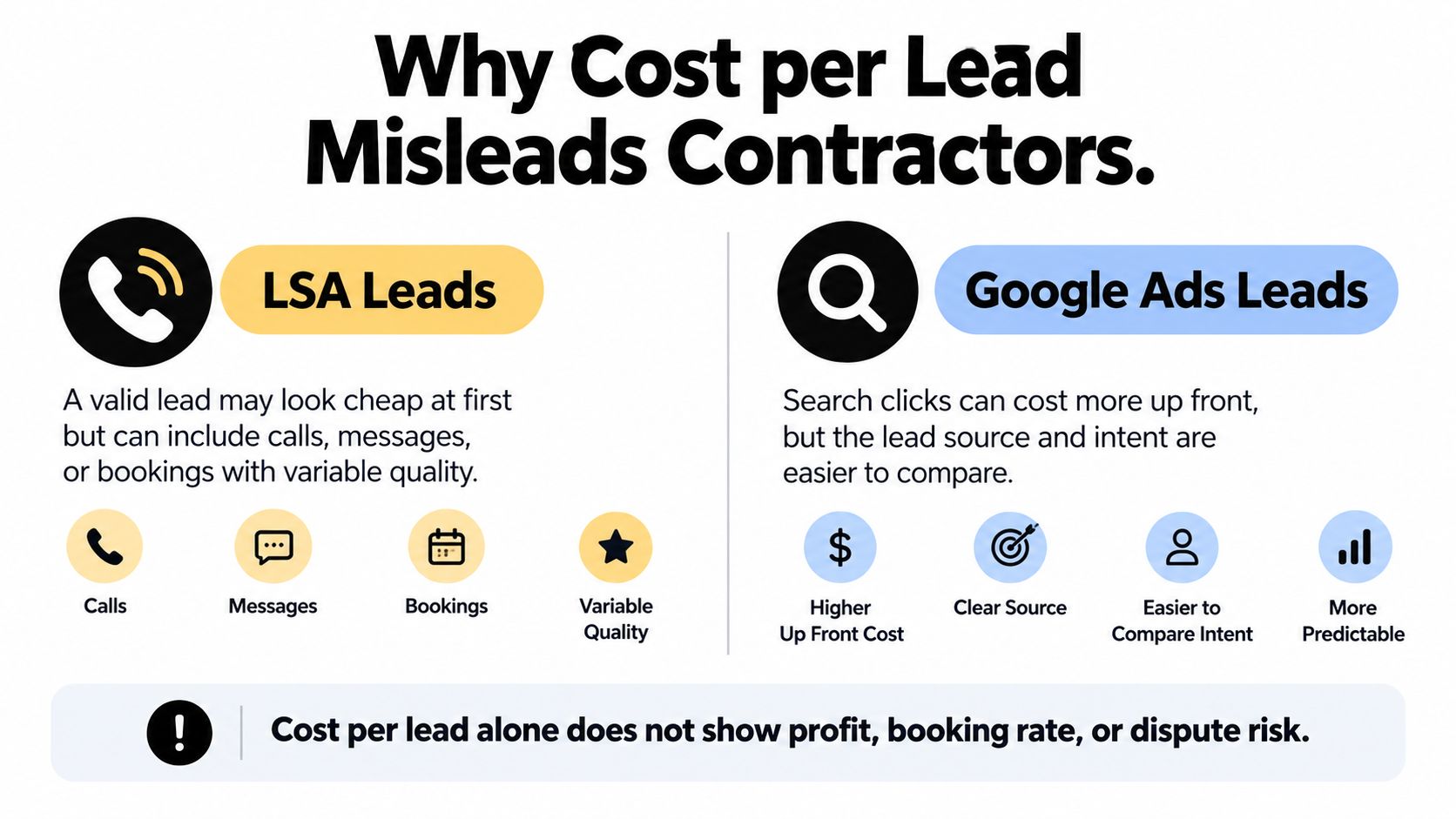
Why Cost per Lead Misleads Contractors
The popular claim is simple. LSAs win because the cost per lead looks lower. That comparison falls apart the second a lead has to become revenue.
One benchmark puts the gap in plain numbers. It reported an average LSA cost of $53 per lead, a 43.9% booking rate, and about $233 per paying customer, while non-branded Google Ads came in at $149 per lead, a 37.6% booking rate, and $804 per paying customer. Read only the first number and LSAs look like a bargain. Read the last number and you're finally comparing business outcomes.
The Math That Actually Pays a Crew
Use two formulas and ignore the rest until they're clean. Cost per sold job equals advertising cost divided by sold jobs. Contribution profit per channel equals sold jobs multiplied by gross profit, minus advertising cost.
That math explains why a higher CPL can still win. If Search leads book better, show up more often, and close on larger tickets, the channel with the uglier lead price can produce the lower cost per booked job. The reverse is also true, which is why you need your own booking rate, show rate, close rate, average ticket, and gross margin in the spreadsheet, not someone else's average.
A lead is an expense. A sold job with margin left after ad spend is the only result that funds the next truck.
High-value trades make this unforgiving. Roofing and HVAC attract aggressive bidding because one job can cover a lot of wasted clicks. That cushion hides sloppy measurement for a while, then it doesn't.
Homeowners face a version of the same problem when they compare quotes without checking what's included, which is why resources on understanding painting estimates in Dublin push readers to compare scope, not just the headline price. Contractors buying leads should apply the same discipline. Price per lead is scope-free. Profit per channel isn't.
How LSA and Search Ads Billing Actually Works
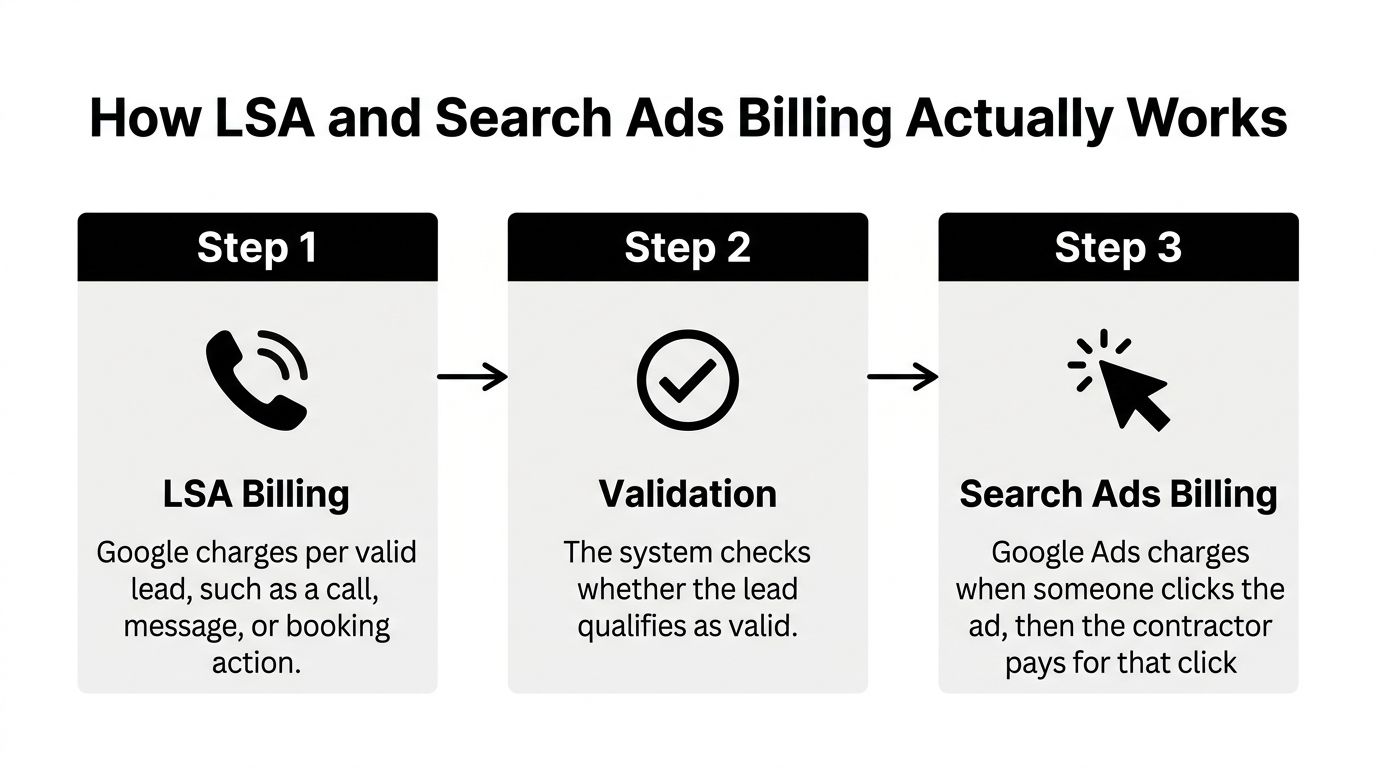
Start with the billable event, because that's where these channels split. With LSAs, you don't pay when someone sees or clicks your listing. You pay when Google decides a contact counts.
For contractors getting oriented, this breakdown of how Local Services Ads are structured for local businesses is a useful primer on placement and eligibility. The short version is that LSAs function as a lead marketplace sitting above normal search results. Search Ads are an auction you control keyword by keyword.
Pay per Valid Lead Versus Pay per Click
Google's billing documentation explains the distinction clearly. Local Services Ads charge for each valid lead, prices vary by location, job type, lead type, and bidding mode, and automated systems filter spam and duplicate contacts while machine learning can credit low-quality leads. A call, a message, and a booking action are not priced as identical products.
Search Ads work the other way. You pick keywords, write the ad, choose the landing page, and generally pay for the click whether that visitor calls, fills out a form, or leaves in four seconds. That sounds riskier, and for a lazy build it is. It's also where your control lives.
- LSA control: You choose services, service area, hours, and budget, then Google matches you to searches it deems relevant.
- Search Ads control: You choose match types, negative keywords, ad copy, offers, and the exact page each search lands on.
- Measurement gap: An LSA lead is already a contact action, while a Search click still has to convert on your site or by phone.
That last point drives the reporting difference. LSAs compress the distance between ad spend and inquiry, so CPL feels concrete. Search Ads force you to connect clicks to calls to booked jobs yourself, and contractors who skip that plumbing blame the channel for a tracking failure.
The walkthrough below shows how the two formats appear and behave in a live account.
Neither model is safer on its own. Pay per lead protects you from empty clicks and exposes you to contact quality. Pay per click exposes you to wasted visits and gives you the tools to cut them off at the query level.
What the Contractor Benchmarks Really Show
Benchmarks are useful for spotting whether you're in the right ballpark. They're terrible as a budget promise. With that warning attached, the trade-level spread is instructive.
LocaliQ-based figures for campaigns running from April 2024 through March 2025 put median Search Ads cost per lead at $228.15 for roofing and gutters, $127.74 for air conditioning, $129.02 for plumbing, and $93.69 for electricians. The same reporting cites a broader home-services average of $8.33 cost per click, an 8.05% conversion rate, and a $90.92 cost per lead. Roofing sits at the top for an obvious reason. The ticket supports the bid, so competitors bid like it.
| Channel | Trade | Cost per Lead | Booking Rate | Cost per Booked Job |
|---|---|---|---|---|
| Search Ads | Roofing and gutters | $228.15 | Varies by contractor | Depends on close rate |
| Search Ads | Air conditioning | $127.74 | Varies by contractor | Depends on close rate |
| Search Ads | Plumbing | $129.02 | Varies by contractor | Depends on close rate |
| Search Ads | Electricians | $93.69 | Varies by contractor | Depends on close rate |
| LSAs | Multi-trade benchmark | $53 | 43.9% | About $233 per paying customer |
| Search Ads, non-branded | Multi-trade benchmark | $149 | 37.6% | About $804 per paying customer |
Why the Same CPL Produces Different Job Costs
Notice what the table can't fill in for you. Booking rate and close rate belong to your office and your sales process, not to Google. Two plumbing companies buying identical leads will report wildly different job costs if one answers live and the other returns calls after lunch.
Geography moves these numbers too, sometimes more than trade does. A dense metro with ten well-reviewed competitors is a different auction from a mid-size market with three. Seasonality piles on. An AC contractor in a heat wave and the same contractor in a mild shoulder month are running different businesses on the same account.
Practical rule: Use benchmarks to sanity-check your account, then throw them out and price jobs off your own booked and sold data.
Call tracking and lead definitions create the quietest distortions. If one contractor counts every call over a few seconds as a lead and another counts only booked estimates, their CPLs aren't comparable even inside the same channel. That's why the honest comparison for Local Services Ads vs Google Ads for contractors has to run on qualified-lead rate, booked-job rate, revenue per job, and wasted-spend rate. Anything less is two price tags for two different products.
Targeting Control and Query Coverage Compared
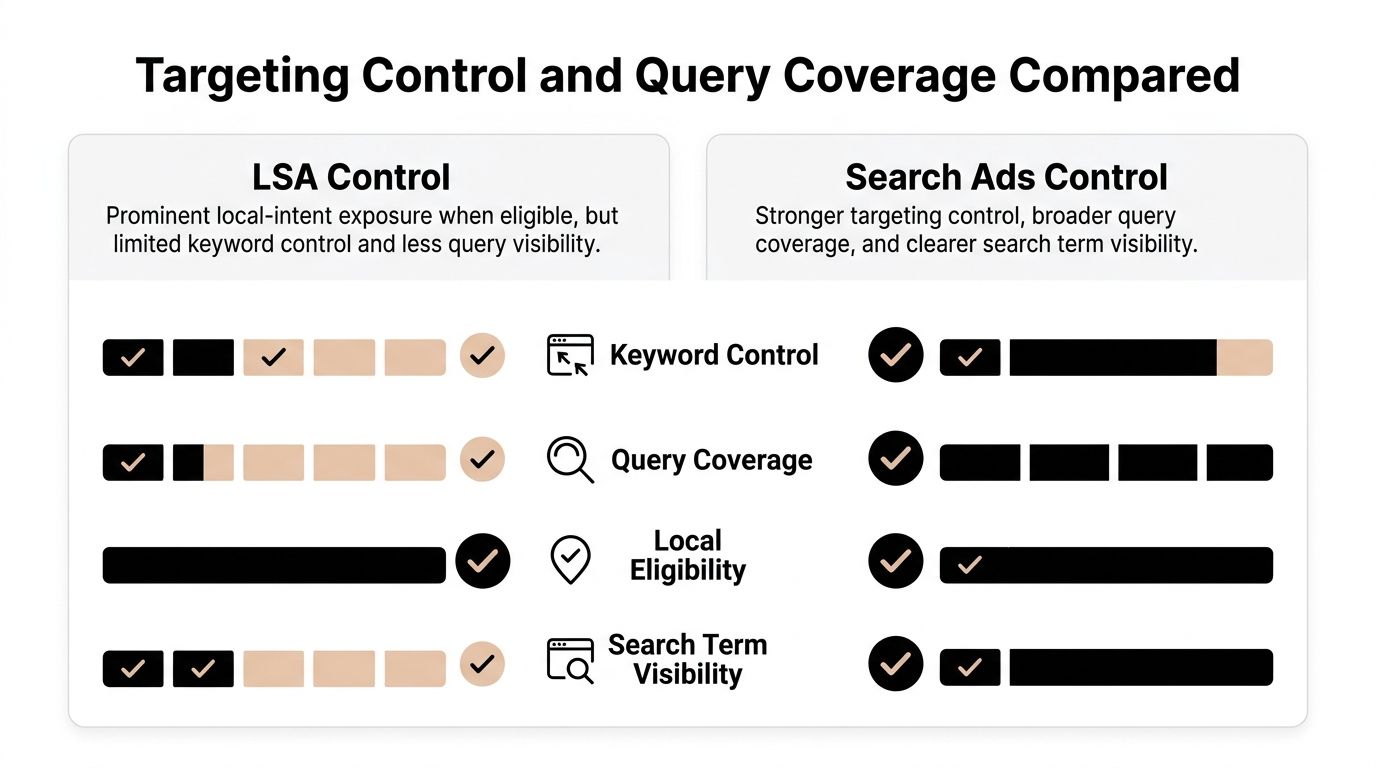
LSAs can dominate a screenshot without covering a contractor's full search demand. Their placement depends on eligibility, service categories, location, and Google's decision to show the ad. Search Ads give you more control over which queries trigger an ad, but that control takes setup and ongoing management.
An industry report found that LSA visibility varied across repeated searches for home-service queries, rather than appearing consistently for every keyword or search. Treat that finding as a reminder to check your own service area and search terms, not as a forecast of how often your ads will show. Neither channel covers every relevant query on its own.
Where Each Channel Leaves Gaps
LSAs can capture local-intent searches when your business is eligible and the ad appears. They do not guarantee coverage for branded searches, emergency wording, highly specific service requests, or every location-modified query. Those gaps matter when a missed call could have become a booked job.
Search Ads let you build coverage around those queries. Separate emergency repairs from planned replacements, then send each to a page that matches the need. For example, a page about Stultz Plumbing repair services gives a homeowner a more direct next step than a generic homepage. Search ad copy can also address financing, warranties, or same-day availability in your own words.
- Keyword control: Search Ads let you add, pause, and negative-match queries. LSAs match searches to service categories.
- Landing pages: Search traffic can go to a page you choose. LSA contacts follow Google's lead flow.
- Remarketing: Search visitors can be included in follow-up campaigns. LSA contacts who leave without calling are harder to reach.
- Service mix: Multi-line contractors can direct Search budget toward services with available capacity and suitable margins.
That flexibility has a management cost. A contractor with limited service areas or several trades at different margins may find query-level control useful, but only if someone reviews search terms and adjusts bids and budgets. Judge each channel by the jobs it helps book and the profit those jobs contribute, not by lead cost alone. A lower-cost LSA lead can still lose to a more expensive Search lead if the latter books and closes at a better rate.
Lead Quality, Verification, and Dispute Workflows
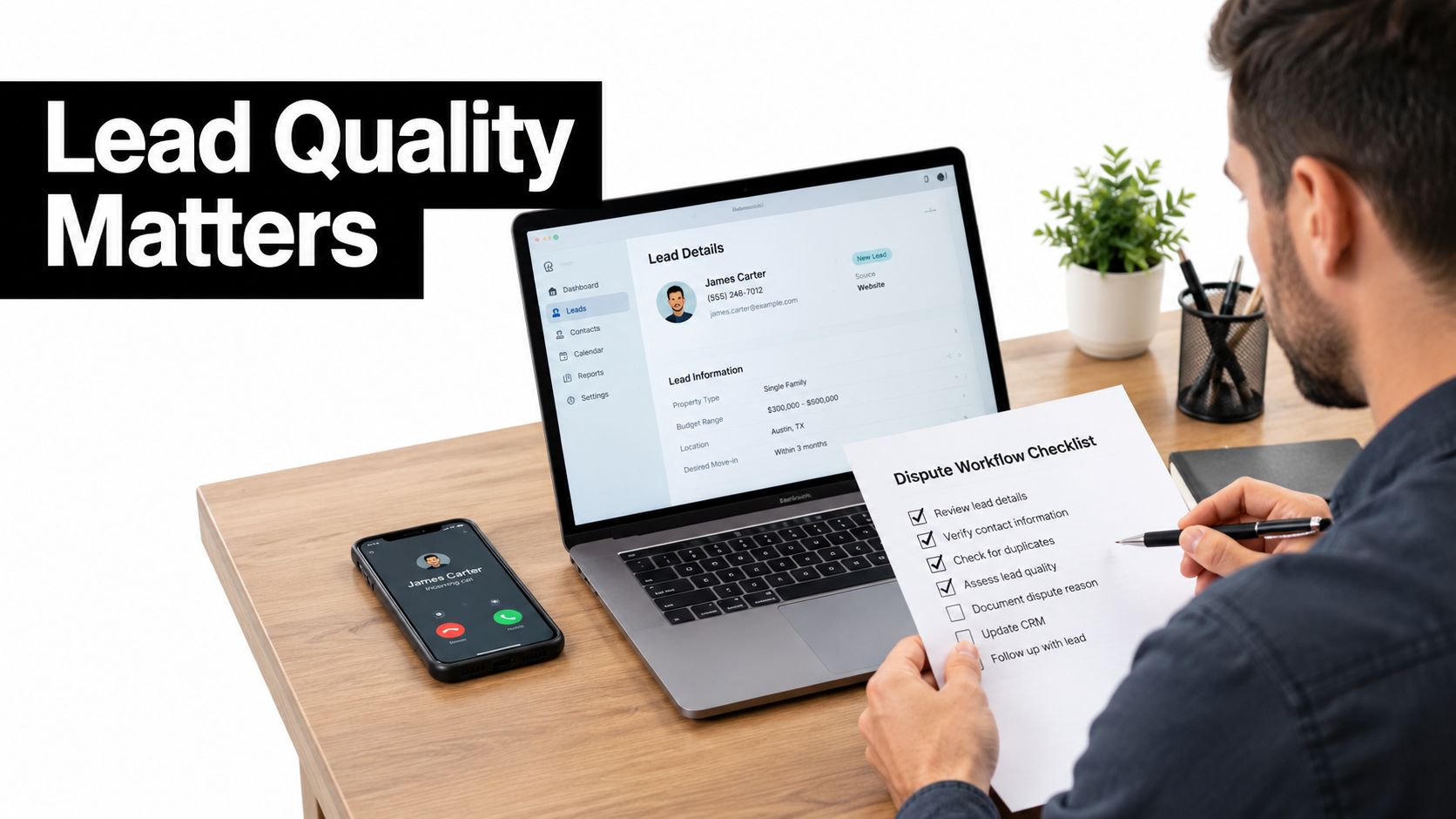
Ask a room of contractors about LSA lead quality and you'll hear platform verdicts. Good leads, junk leads, spam. The more useful framing is operational. Lead quality is what your workflow does with a contact in the first hour and the following month.
LSA leads can be charged, reviewed, or credited, and invalid-lead decisions commonly take up to about 30 days when Google reassesses a charged lead, per the operational guidance on how LSA lead review and feedback work in practice. Industry reporting in that same source estimates 20 to 35% of LSA leads may be unqualified, including wrong service areas, tire-kickers, and spam, and that estimate is not an official Google benchmark. Treat it as a planning warning, not a guarantee.
The July 2024 Credit Change Matters
Google moved the goalposts in a way many accounts still haven't absorbed. Its documentation confirms that in July 2024 the lead-credit process shifted to automated lead credits, and the updated process no longer supports credit requests for leads categorized solely as a job type or geographic area the contractor does not service.
Translation for the office manager. If your service list and service area are sloppy at setup, you may pay for contacts you never wanted, with no manual appeal path for that specific complaint. The fix happens before launch, not after the charge. Contractors who need the mechanics can follow this walkthrough on how to dispute a Local Services Ad lead and what documentation to keep.
Verification Is Part of the Product
LSA eligibility runs through screening that Search Ads don't require. Google's policies state that businesses must certify licensing, Google may verify professional licenses, and workers providing services in customers' homes or properties must pass third-party background checks. Eligibility sits at the company level, and leads must be fulfilled by your own vetted technicians. You can't resell them.
Homeowners do a similar screening on their side, whether they're reading reviews for an HVAC company or learning how to compare commercial painting companies before requesting quotes. Verification is a trust signal buyers understand. It's also overhead you have to maintain.
Build the boring system anyway. Record calls, timestamps, caller intent, service area, and duplicate status. Tag every lead as valid, invalid, booked, missed, or sold. Then compare credits recovered against the labor spent recovering them, because an hour of office time chasing a small credit is a cost your CPL never shows.
Choosing LSA, Search Ads, or Both for Your Business
There's no universal winner, and anyone selling you one is selling. There are fits. Start with how your work gets bought.
The benchmark that best frames the choice covers 888 contractors, 126,650 LSA leads, and $6.72 million in LSA spend, and it reported an average LSA cost per lead of $53 alongside Google Ads costs of $34 for branded, $149 for non-branded, $72 for Performance Max, and $104 blended. Branded Search at that price is a natural partner for LSAs. Non-branded Search at nearly triple the LSA figure needs much tighter qualification to earn its place.
Three Contractor Profiles
An emergency plumber lives on speed and call volume. Burst pipes and sewer backups don't involve three-quote research projects, so LSAs feeding direct calls fit the buying behavior, provided someone answers around the clock. Search Ads still earn budget for specific high-value terms like water heater replacement, where a dedicated page can pre-sell the bigger ticket.
A roofing company plays a longer game. Tickets are large, sales cycles stretch, and one signed job covers a pile of ad spend. LSAs can deliver leak-repair urgency, but Search Ads let the roofer target replacement intent, storm-related queries, and specific neighborhoods, then send each click to proof that supports a considered decision.
A multi-service HVAC business usually lands on the hybrid. It has branded demand worth defending cheaply, emergency repair demand worth capturing through LSAs, and replacement demand that needs its own campaigns, copy, and financing message.
A Short Decision Checklist
- Capacity check: Can your team answer and follow up within minutes during every hour your ads run?
- Margin check: Do you know gross profit per job by service line, not just revenue?
- Close rate check: Can you state your close rate by lead source from the last quarter?
- Coverage check: Which revenue-driving queries would an LSA-only setup miss entirely?
- Waste check: What share of current spend goes to unqualified leads or irrelevant search terms?
Pick the channel mix your operations can actually service. The best-performing account structure loses to a ringing phone nobody picks up.
Run your own numbers through cost per booked estimate and cost per won job for each channel, including cancellation rate and repeat value where they're real. If non-branded Search can't clear that bar after honest negative-keyword work, cut it without sentiment. If LSAs can't fill the board, that's a coverage problem, and more LSA budget won't fix it.
Optimizing Each Channel Without Wasting Spend
Optimization looks different on each side of this comparison. On the LSA side, you're largely optimizing a profile and an operation. On the Search side, you're optimizing queries.
Google states the LSA auction weighs more than money and distance. Its ranking documentation lists bid, likelihood of generating a lead, search context, business relevance, and profile quality, with profile signals including ratings, review volume, average response time, high-quality images, and completed verification checks. Google also says higher-quality profiles may rank higher and may pay lower costs per lead. Reviews and response speed aren't branding garnish here. They're bid modifiers you earn.
LSA Moves That Change Economics
Answer fast and keep the profile current. Add real project photos, complete every service description, and remove job types you don't want before they generate charges you can't dispute. Treat message response time like a ringing phone, because in ranking terms it behaves like one.
Search Moves That Cut Waste
Search waste hides in the search terms report. DIY queries, job seekers, research phrases, and services you don't offer will happily spend your budget every week until someone builds the negative lists to stop them. Separate branded from non-branded, keep match types deliberate, and review actual queries on a schedule, which is the core discipline covered in this guide to running Google Ads for local service businesses without leaking budget.
This is the manual work that eats a PPC manager's afternoon. Tools built for it, such as Keywordme, let you clean up junk search terms, expand ad groups with converting keywords, apply exact, phrase, and broad match types in one click, and automate negative keyword list building from real search term data. The value isn't sophistication. It's that the cleanup happens weekly instead of quarterly.
Measure both channels the same way after every change. One dashboard, one definition of a qualified lead, one cost per booked job per channel. Optimization that can't survive that comparison is just activity.
Your 30-Day Plan to Test Both Channels
Pick one service line with healthy margin and open capacity. Don't test the whole company at once.
Week one is setup. Finish LSA verification, tighten services and service areas, install call tracking, and define qualified lead, booked job, and sold job in writing. Week two, launch LSAs and a small branded Search campaign. Week three, add non-branded Search for that single service with negative lists built before spend starts, not after. Week four, stop tweaking and read the results.
Track cost per qualified lead, booking rate, show rate, close rate, cost per booked estimate, cost per won job, and wasted-spend rate. Segment everything by service, geography, device, and call duration, and import qualified calls and booked jobs as offline conversions so you're judging revenue events, not raw lead counts.
At day thirty, move the next dollar to whichever channel produced the lower cost per booked job at a profit. If neither did, fix answering and follow-up first. That's usually the leak.
If your Search campaigns are losing money to junk queries while your LSA leads book just fine, the fix is disciplined search-term cleanup, match-type control, and negative lists that stay current. Keywordme handles that work inside a Chrome plugin, so you can clean terms, expand winners, and build negatives in minutes instead of formatting spreadsheets. Try it on one campaign, rerun your cost per booked job, and let the number decide.
.svg)