
9 Best Keyword Research Tools for PPC in 2026
Discover the 9 most effective keyword research tools for PPC campaigns in 2026, tested across real advertising accounts and ranked by accuracy, usability, and workflow integration. This comprehensive guide helps PPC managers find high-intent keywords, build negative keyword lists, analyze competitor bids, and streamline their research process—whether you need a simple Chrome extension or an enterprise-level platform that saves hours and maximizes your ad budget.


TL;DR: The right keyword research tool can make or break your PPC campaigns. Whether you're hunting for high-intent search terms, building negative keyword lists, or analyzing competitor bids, having the right tool saves hours and stretches your ad budget further. This guide covers 9 keyword research tools for PPC that actually deliver—from in-platform Chrome extensions to enterprise-level suites. We've tested these tools across real campaigns and ranked them based on accuracy, ease of use, pricing, and how well they integrate into a typical PPC workflow. Let's dig in.
Most PPC managers juggle multiple tools just to get through basic keyword research. You pull data from Google Keyword Planner, export to spreadsheets, cross-reference competitors in another tab, then manually upload everything back into Google Ads. It's slow, error-prone, and kills momentum.
The tools below cut through that mess. Some work directly inside Google Ads. Others excel at competitive intelligence or long-tail discovery. Here are the top keyword research tools for PPC in 2026.
1. Keywordme
Best for: PPC managers who want to optimize keywords without leaving Google Ads
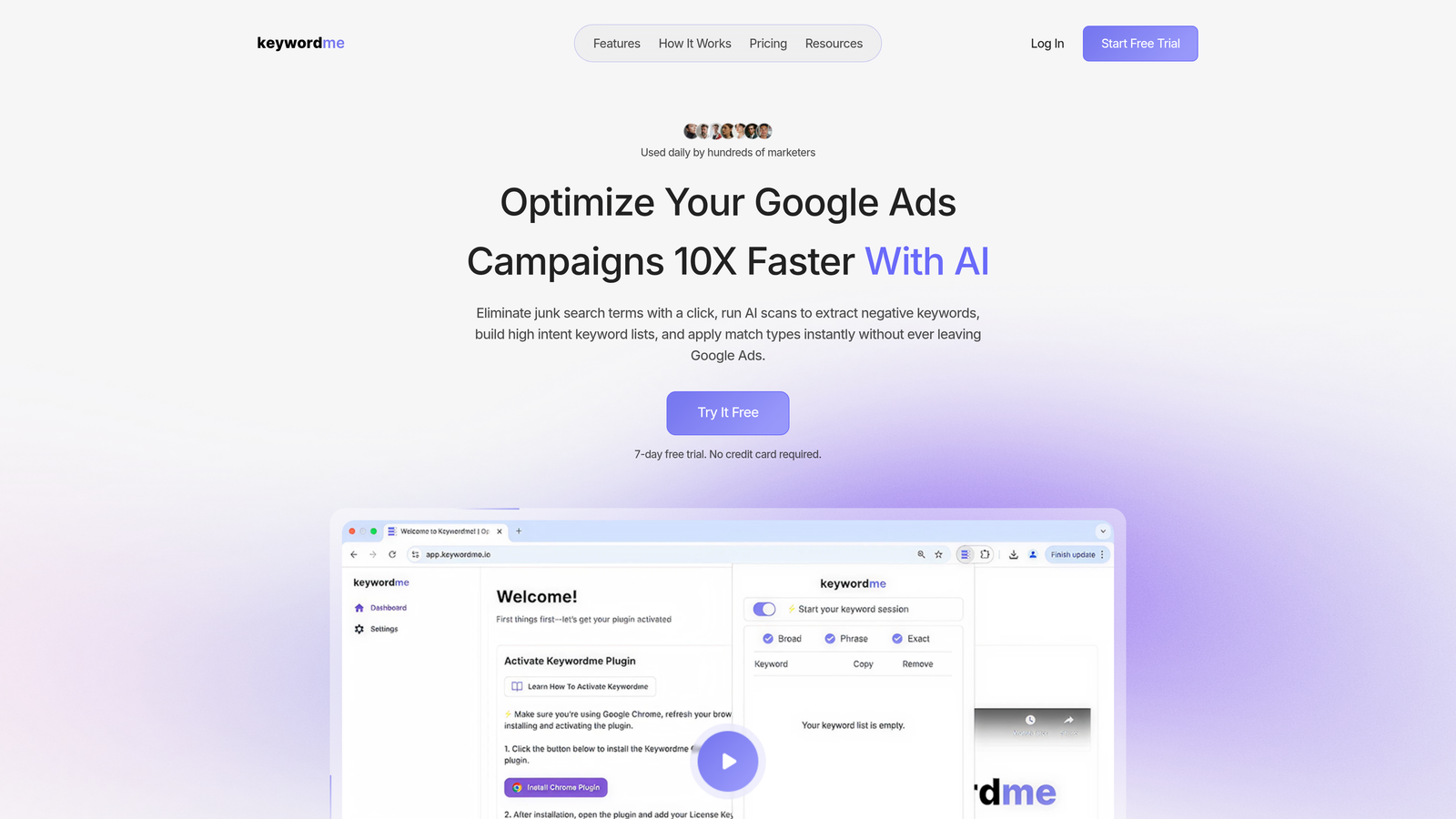
Keywordme is a Chrome extension that lives inside the Google Ads Search Terms Report, letting you remove junk keywords, add negatives, apply match types, and build keyword groups with one click.
Where This Tool Shines
Most keyword research tools force you to export data, manipulate spreadsheets, then upload changes back into Google Ads. Keywordme eliminates that entire workflow. You're already reviewing search terms in Google Ads—now you can act on them instantly without switching tabs or opening Excel.
The real power shows up when you're managing multiple accounts or working with a team. Instead of everyone downloading CSVs and emailing updates, the extension syncs actions across accounts. Agencies particularly love the multi-account support and bulk editing features.
Key Features
One-Click Junk Removal: Flag and remove irrelevant search terms directly from the report interface.
Instant Match Type Application: Apply broad match, phrase match, or exact match without leaving the screen.
Keyword Clustering: Automatically group related keywords into logical ad groups based on search intent.
Bulk Editing: Make changes to dozens of keywords simultaneously instead of one at a time.
Team Collaboration: Share negative keyword lists and optimization actions across team members managing the same accounts.
Best For
Solo PPC managers tired of spreadsheet workflows, agency teams managing multiple client accounts, and anyone who spends more than an hour per week processing search terms reports. If you're already comfortable inside Google Ads and want to move faster, this tool fits naturally into your existing routine.
Pricing
Flat rate of $12 per month per user with a 7-day free trial. No hidden fees or per-account charges—straightforward pricing that scales with team size.
2. Google Keyword Planner
Best for: Free baseline keyword research with official Google search volume data
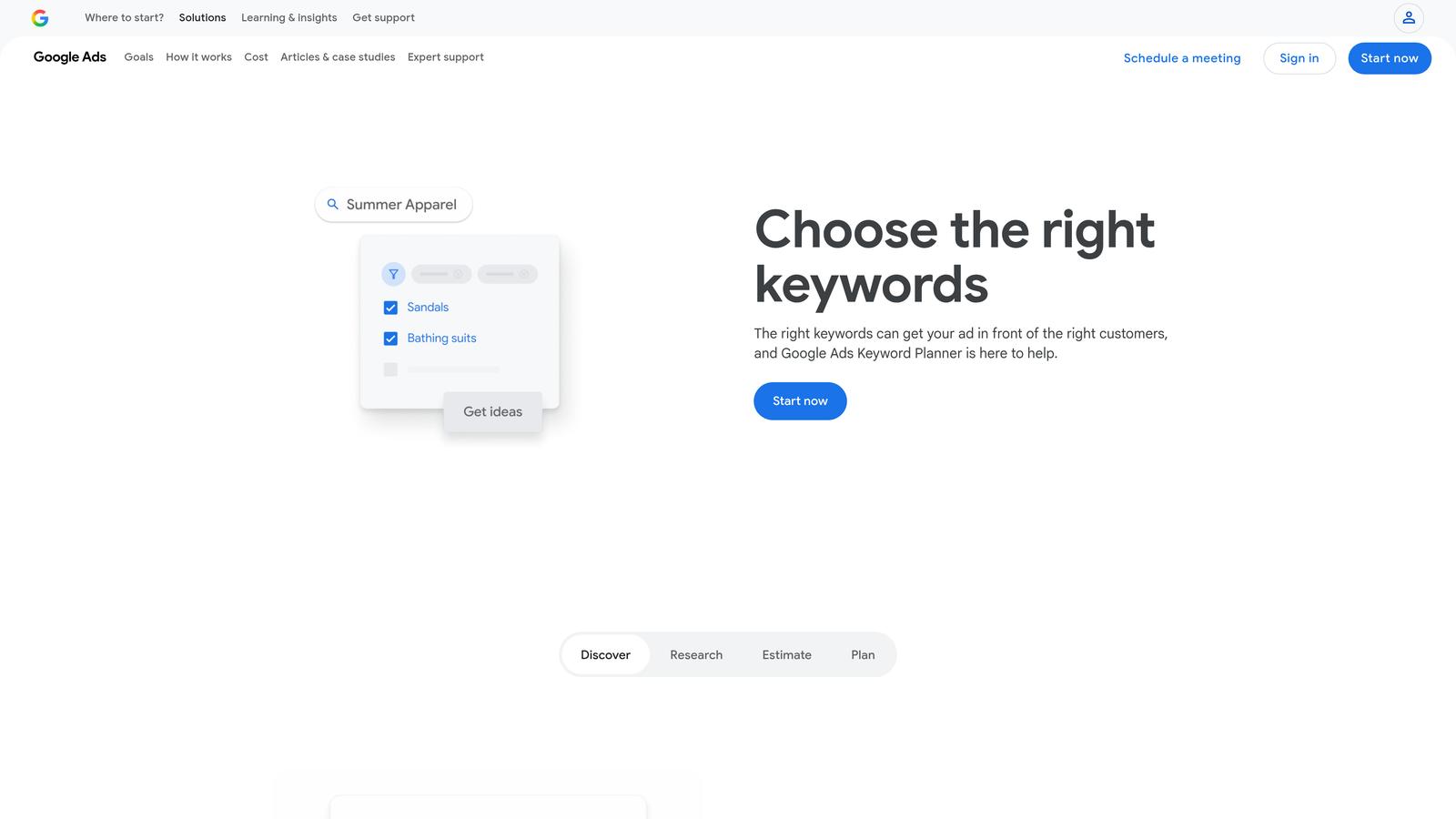
Google Keyword Planner is the free keyword research tool built directly into Google Ads, offering search volume estimates, bid ranges, and keyword suggestions straight from the source.
Where This Tool Shines
When you need official Google data without paying for third-party tools, Keyword Planner delivers. The search volume ranges come directly from Google's auction system, so you're not relying on estimates from scraped data or modeled projections. For advertisers launching new campaigns or testing unfamiliar verticals, this is the logical starting point.
The forecasting feature also helps with budget planning. You can input a list of keywords and see projected impressions, clicks, and costs based on your bid and budget settings. It's not perfect, but it's more accurate than guessing.
Key Features
Official Search Volume Data: Google's own estimates for monthly searches, updated regularly based on actual query data.
Bid Estimates and Competition Levels: See what other advertisers are bidding and how competitive each keyword is in the auction.
Keyword Ideas from Seed Terms: Enter a few starting keywords or a landing page URL and get hundreds of related suggestions.
Historical Trends and Forecasting: View seasonal patterns and predict future performance based on your budget and bid strategy.
Free with Google Ads Account: No subscription fees—just sign in to any active Google Ads account to access the tool.
Best For
Advertisers on tight budgets who need reliable baseline data, new PPC managers learning keyword research fundamentals, and anyone launching campaigns in unfamiliar industries who wants to start with Google's official numbers before investing in paid tools.
Pricing
Completely free. You just need an active Google Ads account to access the tool—no spending requirement.
3. SEMrush
Best for: Competitive intelligence and cross-channel keyword research for PPC and SEO
SEMrush is an all-in-one marketing platform with deep PPC keyword research capabilities, competitive ad analysis, and keyword gap tools that show exactly where competitors are outbidding you.
Where This Tool Shines
SEMrush excels when you need to understand what competitors are doing with their paid search budgets. The Advertising Research tool shows which keywords they're bidding on, which ad copy variations they're testing, and which landing pages they're sending traffic to. You can reverse-engineer entire campaigns just by entering a competitor's domain.
The Keyword Gap feature is particularly useful for agencies. You can compare up to five domains at once and see which keywords your competitors rank for that you're missing. This makes it easy to identify quick wins—keywords with decent volume and manageable competition that you're not currently targeting.
Key Features
Keyword Gap Analysis: Compare your domain against competitors to find keyword opportunities you're missing.
PPC Keyword Research with CPC Data: Get cost-per-click estimates, search volume, and competitive density for any keyword.
Ad Copy and Landing Page Analysis: See the exact ad variations and landing pages competitors are using for specific keywords.
Keyword Difficulty and Intent Metrics: Understand how hard it is to rank organically and what search intent drives each query.
Cross-Channel Marketing Insights: Integrate PPC data with SEO, content marketing, and social media research in one platform.
Best For
Agencies managing competitive industries where understanding competitor strategy matters, in-house teams juggling both paid and organic search, and advertisers who want a single platform for keyword research across multiple marketing channels.
Pricing
Starts at $139.95 per month for the Pro plan, which includes basic PPC research tools. Higher tiers unlock more competitive data and team collaboration features.
4. Ahrefs
Best for: SEO-focused teams who need accurate paid search keyword metrics and SERP analysis
Ahrefs is primarily known for SEO, but its Keywords Explorer includes strong paid search data with click metrics that show how much traffic goes to paid results versus organic listings.
Where This Tool Shines
Ahrefs provides one of the cleanest interfaces for understanding the paid-versus-organic split on any keyword. The click metrics show what percentage of searchers click paid ads, organic results, or don't click anything at all. This helps you decide whether a keyword is worth bidding on or if you're better off ranking organically.
The Parent Topic feature groups keywords into broader themes, which is useful for building out ad groups and campaign structures. Instead of treating every keyword as isolated, you can see how they relate to each other and organize campaigns around parent topics rather than individual terms.
Key Features
Keyword Difficulty Scoring: Understand how hard it is to rank organically, which helps prioritize PPC spending on high-difficulty terms.
Click Metrics: See the distribution of clicks between paid ads, organic results, and zero-click searches.
Parent Topic Grouping: Automatically cluster related keywords into broader themes for better campaign organization.
SERP Feature Tracking: Identify which keywords trigger shopping ads, local packs, or featured snippets that compete with your paid ads.
Competitor Paid Keyword Analysis: Discover which keywords competitors are bidding on and estimate their traffic from paid search.
Best For
SEO-focused teams who also run PPC campaigns and want integrated keyword data, advertisers deciding whether to invest in paid or organic for specific keywords, and agencies that need clean reporting on both paid and organic performance.
Pricing
Starts at $129 per month for the Lite plan, which includes keyword research and basic competitive analysis. Higher tiers add more keyword tracking and team features.
5. SpyFu
Best for: Deep competitive intelligence on competitor PPC keyword history and ad copy variations
SpyFu specializes in competitive research, showing you every keyword a competitor has bought on Google Ads, every ad variation they've tested, and their estimated monthly PPC spend.

Where This Tool Shines
SpyFu's historical data goes back years, so you can see how competitors have adjusted their PPC strategy over time. If a competitor suddenly stops bidding on a keyword they used to dominate, that's a signal—either the keyword stopped converting or they found something better. You can learn from their experiments without spending your own budget testing.
The Most Profitable Keywords report is particularly useful. It shows which keywords drive the most traffic to a competitor's site based on their estimated ad spend and ranking consistency. These are the terms they keep bidding on month after month, which usually means they're profitable.
Key Features
Complete Competitor Keyword History: See every keyword a competitor has bid on, including when they started and stopped bidding.
Ad Copy Variations Over Time: Review all the ad headlines, descriptions, and display URLs a competitor has tested for each keyword.
Estimated Monthly PPC Spend: Get a rough estimate of how much competitors are spending on Google Ads each month.
Most Profitable Keywords Identification: Discover which keywords competitors invest in consistently, signaling strong ROI.
Keyword Grouping Suggestions: Automatically organize keywords into logical ad groups based on competitor campaign structures.
Best For
Agencies competing in crowded verticals where knowing competitor moves gives you an edge, advertisers launching campaigns in new industries who want to learn from established players, and PPC managers who want to reverse-engineer successful campaigns before building their own.
Pricing
Starts at $39 per month for the Basic plan, which includes keyword research and basic competitive data. Higher tiers unlock more historical data and advanced reports.
6. Optmyzr
Best for: Enterprise PPC teams needing automated keyword management and optimization at scale
Optmyzr is an enterprise-level PPC management platform with automated keyword bid management, search query analysis tools, and rule-based optimizations that run on autopilot.

Where This Tool Shines
Optmyzr is built for teams managing large accounts with thousands of keywords across multiple campaigns. The N-Gram analysis tool breaks down search queries into common word patterns, making it easy to spot negative keyword opportunities and build smarter match type strategies. Instead of manually reviewing every search term, you can quickly identify patterns and apply bulk actions.
The automation rules are where Optmyzr really separates itself from simpler tools. You can set up custom rules that adjust bids based on performance, pause low-performing keywords automatically, or move high-converting search terms into new ad groups—all without manual intervention. For agencies managing dozens of accounts, this level of automation is essential.
Key Features
Automated Keyword Bid Management: Set rules to adjust bids based on performance metrics like ROAS, conversion rate, or cost per conversion.
Search Query Analysis and N-Gram Tools: Break down search queries into word patterns to identify negative keyword opportunities and refine match types.
Negative Keyword Management: Automatically flag and add negative keywords based on custom rules and performance thresholds.
Custom Rule-Based Optimizations: Build complex automation rules that run daily, weekly, or on-demand to optimize campaigns at scale.
Multi-Platform Support: Manage keywords across Google Ads, Microsoft Ads, and Amazon Advertising from a single interface.
Best For
Enterprise PPC teams managing large budgets across multiple platforms, agencies with dozens of client accounts that need consistent optimization workflows, and advertisers who want to automate repetitive keyword management tasks while maintaining strategic control.
Pricing
Starts at $249 per month for the Starter plan. Pricing scales based on managed ad spend and the number of platforms you connect.
7. WordStream
Best for: Small businesses and freelancers who need free keyword tools and campaign performance audits
WordStream offers a free keyword research tool and a Google Ads Performance Grader that audits your campaigns and suggests keyword improvements.
Where This Tool Shines
WordStream's Free Keyword Tool is one of the most accessible options for advertisers just getting started with PPC. You enter a seed keyword or industry, and it returns a list of related keywords with search volume estimates and competition levels. It's not as robust as paid tools, but it's fast and doesn't require a subscription.
The Google Ads Performance Grader is particularly useful for freelancers and small business owners who want a quick audit of their campaigns. It scans your account and flags issues like wasted spend on irrelevant keywords, missing negative keywords, and ad groups with poor Quality Scores. The grader doesn't fix the issues automatically, but it points you in the right direction.
Key Features
Free Keyword Tool for Initial Research: Get keyword suggestions and search volume estimates without paying for a subscription.
Google Ads Performance Grader: Audit your campaigns for common issues like wasted spend, poor Quality Scores, and missing negatives.
Keyword Suggestions by Industry: Browse pre-built keyword lists tailored to specific industries like legal, healthcare, and e-commerce.
Negative Keyword Recommendations: Identify search terms that are draining budget without converting.
Simplified Campaign Management: Manage basic campaign optimizations directly from the WordStream platform (paid plans only).
Best For
Small business owners managing their own Google Ads accounts, freelancers who need quick keyword research without expensive subscriptions, and advertisers who want a free performance audit before investing in more advanced tools.
Pricing
Free tools are available without a subscription. Paid campaign management plans start at $294 per month, which includes hands-on support and optimization recommendations.
8. Keyword Tool
Best for: Long-tail keyword discovery using Google Autocomplete data across multiple platforms
Keyword Tool generates hundreds of long-tail keyword suggestions by leveraging Google Autocomplete, YouTube, Amazon, and Bing search data.
Where This Tool Shines
Keyword Tool is built specifically for long-tail keyword discovery. Most keyword research tools focus on high-volume head terms, but Keyword Tool surfaces the longer, more specific queries that often convert better in PPC campaigns. These are the three-, four-, and five-word phrases that show strong purchase intent but have lower competition and cheaper CPCs.
The multi-platform support is a bonus if you're running ads beyond Google. You can research keywords for YouTube Ads, Amazon PPC, or Bing Ads using the same interface. The question-based keyword feature is particularly useful for content-driven campaigns—it shows you the exact questions people are asking related to your seed keyword.
Key Features
Google Autocomplete Keyword Suggestions: Generate hundreds of long-tail keyword ideas based on Google's autocomplete predictions.
Multi-Platform Support: Research keywords for Google, YouTube, Amazon, Bing, and other platforms from one tool.
Question-Based Keyword Discovery: Find question keywords (who, what, where, when, why, how) that indicate strong search intent.
Negative Keyword Filtering: Exclude irrelevant keywords from your results before exporting to your campaigns.
Export to CSV: Download keyword lists in CSV format for easy upload to Google Ads or Microsoft Ads.
Best For
Advertisers targeting niche markets where long-tail keywords drive better ROI, e-commerce businesses running Amazon PPC campaigns alongside Google Ads, and content marketers who want to align PPC keywords with blog topics and video content.
Pricing
Free basic version available with limited results. Pro plan starts at $89 per month and unlocks full keyword data, search volume estimates, and unlimited searches.
9. Moz Keyword Explorer
Best for: Clean interface and priority scoring for advertisers integrating SEO and PPC strategies
Moz Keyword Explorer combines keyword research with SERP analysis and priority scoring, making it easy to decide which keywords deserve your PPC budget versus organic investment.
Where This Tool Shines
Moz's Priority Score is one of the most useful metrics for advertisers juggling both paid and organic search. It combines search volume, organic difficulty, and estimated CTR into a single score that tells you which keywords offer the best return on effort. For PPC managers, this helps prioritize keywords where paid ads are worth the investment versus keywords where organic ranking makes more sense.
The SERP analysis feature shows you exactly what's ranking for each keyword—including paid ads, featured snippets, local packs, and shopping results. This helps you understand the competitive landscape before you start bidding. If a keyword triggers a lot of SERP features that push paid ads below the fold, you might reconsider whether it's worth the CPC.
Key Features
Priority Score Combining Metrics: Get a single score that balances search volume, difficulty, and opportunity for both SEO and PPC.
Organic CTR Estimates: See how much traffic goes to organic results versus paid ads for any keyword.
SERP Analysis with Feature Tracking: Identify which SERP features (shopping ads, local packs, featured snippets) appear for your target keywords.
Keyword Suggestions and Grouping: Discover related keywords and organize them into logical groups for campaign structure.
Save and Track Keyword Lists: Build keyword lists inside the tool and track their performance over time.
Best For
In-house marketing teams managing both SEO and PPC who need integrated keyword data, agencies that want clean reporting for clients across paid and organic channels, and advertisers who prefer a simple, intuitive interface over complex enterprise platforms.
Pricing
Starts at $99 per month for the Standard plan, which includes keyword research, SERP analysis, and basic rank tracking. Higher tiers add more keyword queries and advanced reporting features.
Making the Right Choice
If you're spending hours exporting search terms to spreadsheets and manually uploading changes back to Google Ads, Keywordme eliminates that entire workflow. It's built for PPC managers who want to optimize keywords without leaving the platform where they're already working.
Google Keyword Planner remains the best free starting point for baseline research. It's reliable, it's official, and it's already inside your Google Ads account. Use it to validate volume estimates and get initial bid ranges before investing in paid tools.
For competitive intelligence, SEMrush and SpyFu both deliver strong results. SEMrush works best if you're managing cross-channel campaigns and need integrated data across SEO, PPC, and content. SpyFu excels at historical competitor analysis—seeing what worked (or didn't work) for competitors over time.
Optmyzr is the clear choice for enterprise teams managing large accounts across multiple platforms. The automation rules and N-Gram analysis save hours of manual work when you're optimizing thousands of keywords at scale.
The best keyword research tool for PPC ultimately depends on your workflow. Are you a solo freelancer managing a handful of accounts? Start with Google Keyword Planner and add Keywordme for faster in-platform optimization. Running an agency with dozens of clients? You'll probably need SEMrush or Optmyzr for competitive analysis and automation at scale.
Most successful PPC managers use a combination—a free tool for initial discovery, a competitive intelligence platform for strategy, and a workflow tool that integrates directly into their daily routine. Test a few options and focus on tools that reduce friction rather than adding more steps to your process.
Start your free 7-day trial of Keywordme and see how much faster you can optimize Google Ads campaigns when you're working directly inside the platform. No spreadsheets, no switching tabs, just quick, seamless optimization for $12 per month after the trial ends.
.svg)