
How to Speed Up Google Ads Optimization: Playbook 2026
How to Speed Up Google Ads Optimization: Playbook 2026


SEO Title: Speed Up Google Ads Optimization
Meta Description: Learn how to speed up Google Ads optimization with a practical prioritization playbook, faster keyword workflows, automation, and better testing.
If you're managing Google Ads right now, you probably encounter a common challenge. Too many things look important at once.
A few keywords are bleeding spend. Search terms need cleaning. One campaign has weak CTR. Another has decent traffic but poor lead quality. Google is pushing recommendations. Someone on the team wants new ad copy. Someone else wants landing page changes. By noon, you're busy, but the account isn't moving faster.
That's why most advice on how to speed up Google Ads optimization falls flat. It gives you more tasks, not a system.
Real speed comes from deciding what deserves attention first, what can wait, and what should be left alone. The faster operator isn't the one making the most edits. It's the one making the right edits in the right order, on a repeatable cadence.
Stop Optimizing Everything and Start Prioritizing
The biggest drag on account performance isn't laziness. It's scattered effort.
A lot of Google Ads accounts are managed in a constant reactive loop. You open the account, chase the loudest problem, make a few bid tweaks, check search terms, maybe pause something, maybe test a headline, then move on. That feels productive. Usually it isn't.
Speed comes from structure. If you want optimization to move faster, you need a review rhythm and a decision filter. Without that, every campaign competes for your attention equally, even though they don't deserve it equally.
Weekly cadence beats random activity
The first shift is simple. Stop treating optimization like a catch-up task.
Advertisers who review and adjust campaigns at least weekly instead of monthly see an average 15 to 25% improvement in ROAS over six months, according to this Google Ads performance analysis. That tracks with what most experienced PPC managers see in practice. Accounts improve when changes happen on a disciplined schedule, not when someone finally has time.
Weekly review works because it keeps three things under control:
- Search term drift gets caught before it grows into wasted spend
- Creative fatigue gets spotted while ads still have momentum
- Bid strategy behavior stays visible instead of becoming a black box
Practical rule: Put every campaign into a weekly review system before you touch advanced tactics.
Not every campaign deserves the same effort
A healthy account always has a split. Some campaigns need intervention now. Some just need monitoring. Some are too immature to judge. Some are stable and should be protected from unnecessary edits.
That's the part commonly missed.
A prioritization model forces you to separate:
- campaigns that are spending but not converting
- campaigns that are converting and deserve expansion
- campaigns with too little signal to justify action
- campaigns that are stable enough to leave alone
If you don't make those distinctions, you end up over-managing weak opportunities and under-managing the campaigns that could move account-level results.
Optimization speed is mostly decision speed
The operational question isn't “What can we optimize today?”
It's “What will create the biggest performance change if we work on it this week?”
That one question changes everything. It shortens review time. It lowers pointless edits. It gives the account a rhythm. Once you build around that, Google Ads optimization gets faster because your decisions get cleaner.
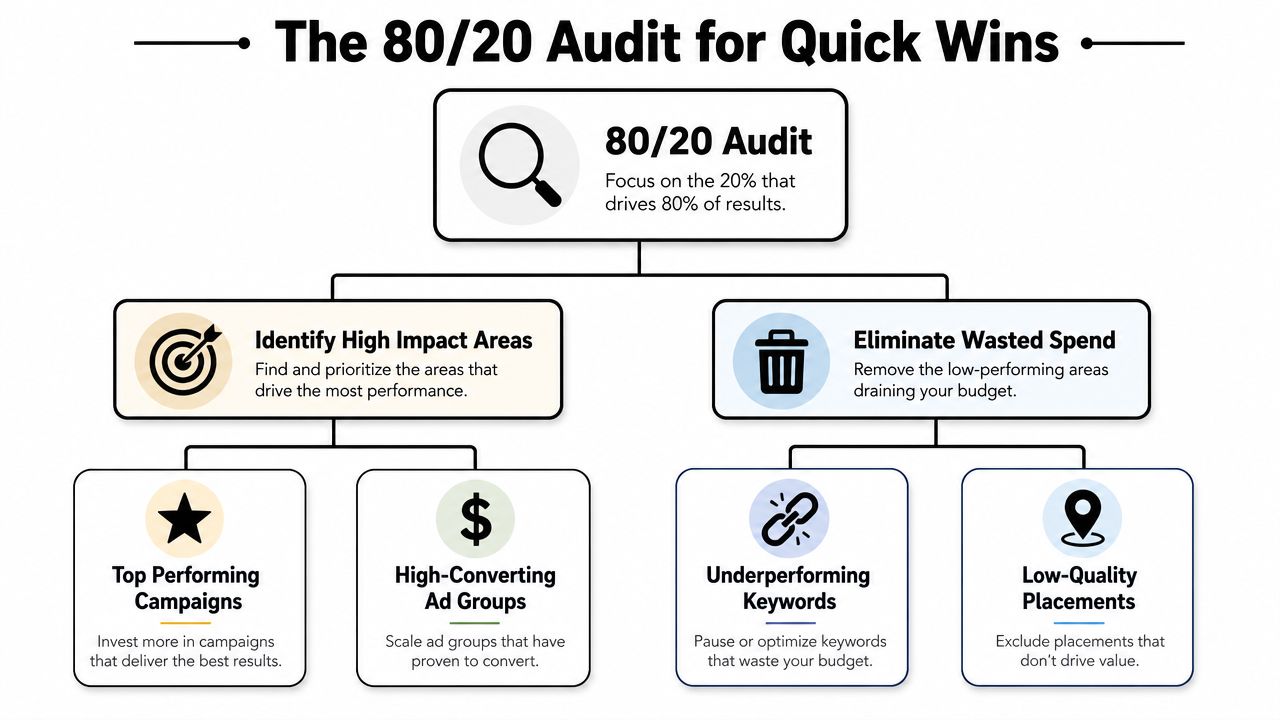
The 80/20 Audit for Quick Wins
Most audits are bloated. They turn into a checklist marathon, and by the end you've identified fifty issues and fixed none.
A fast audit should do one thing well. It should show you where the account is leaking money and where it has room to scale. That's it.
A useful detail here is that prioritization itself is under-taught. A 2023 study of PPC specialists found that only about 20% of public tutorials explicitly teach how to set optimization thresholds or automate prioritization, which helps explain why so many marketers stay stuck in reactive mode, as noted in this analysis of PPC workflow gaps.
Run the audit in one pass
When I want a quick read on an account, I don't start with settings. I start with concentration.
Look at where spend, conversions, and search term volume are concentrated. Usually a small part of the account explains most of the current problem.
Focus your first pass on:
- Campaigns with the most spend
- Ad groups with the most conversions
- Search terms generating irrelevant traffic
- Segments losing visibility or efficiency
If you already use a repeatable review sheet, a solid companion is this PPC audit checklist template, especially when you want the same decision logic across multiple accounts.
What to check first
Don't try to read every row. Filter aggressively.
- High spend, weak conversion output: These are your first stop. They usually contain wasted search terms, poor match type control, or creative that no longer matches intent.
- High conversion, limited reach: These deserve expansion, not cleanup. Look for budget constraints, impression share issues, and missed keyword variants.
- Low spend, low data: Don't waste time here early in the audit. Flag them for observation.
- Stable performers: Protect them from random edits unless something meaningful changed.
If a campaign is already hitting business goals, your job is often to preserve signal quality, not to “improve” it with extra activity.
Google Ads Prioritization Matrix
| Category | Characteristics | Action |
|---|---|---|
| High spend, low conversion | Budget is moving, results are weak, search terms often look loose | Audit search terms first, tighten negatives, review match types, inspect ad relevance |
| High spend, high conversion | Proven demand and proven offer | Expand carefully, check missed queries, improve coverage, protect winning structure |
| Low spend, high conversion | Efficient but volume is limited | Test budget increases, expand relevant themes, watch efficiency closely |
| Low spend, low conversion | Not enough impact or not enough signal | Monitor, combine, pause, or deprioritize |
The point of the 80/20 audit
The audit isn't there to give you more work. It's there to rank the work.
Once you've labeled campaigns and ad groups this way, the account becomes easier to manage. You stop asking, “What should I do next?” because the account is already telling you.
Mastering Your Keyword and Match Type Workflow
Most Google Ads accounts don't slow down because bidding is complicated. They slow down because keyword maintenance is messy.
Search terms pile up fast. Negatives live in scattered lists. Match type decisions get inconsistent. Someone exports a report, cleans it in a spreadsheet, re-formats it, then uploads changes hours later. That workflow kills speed.
Use one search term review routine
A clean keyword workflow should be boring. That's a good sign.
Start with the Search Terms report and work through it the same way every time:
- Filter for irrelevant intent: Queries that clearly don't match the offer should go to negatives quickly.
- Flag useful variants: Good queries that aren't covered well enough should be added deliberately.
- Check repeat offenders: If the same type of junk query keeps appearing, fix the root issue with match type structure or shared negatives.
- Separate discovery from control: Don't mix exploratory traffic and precision traffic into the same optimization decisions.
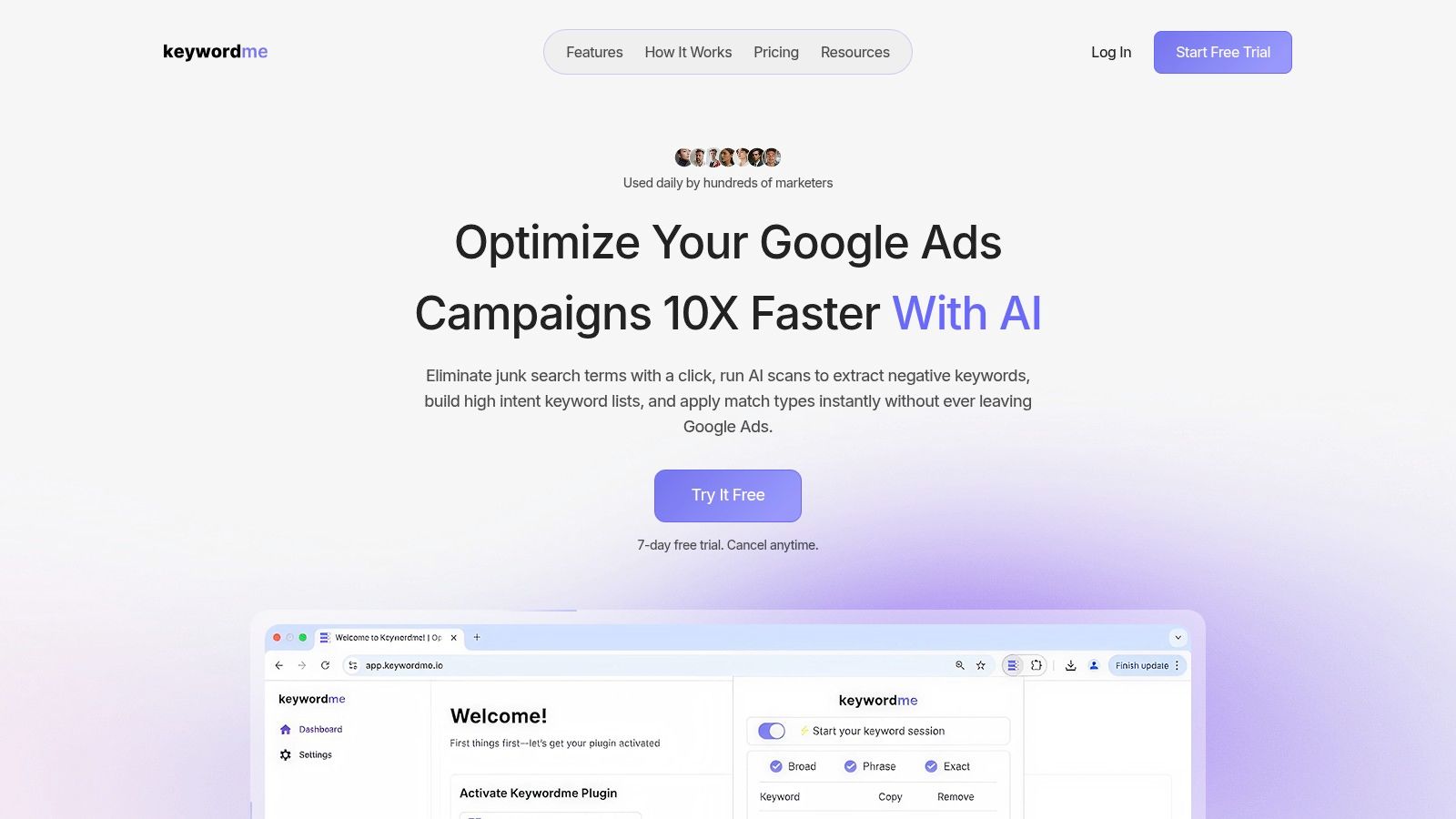
A tool like Keywordme can help here because it lets you clean search terms, group keywords, and apply match types inside the Google Ads workflow instead of relying on repeated copy-paste tasks. That matters more than people think. Cleaner handling means faster decisions, and faster decisions usually mean less wasted spend sitting untouched.
For a more detailed workflow on this specific task, this guide on how to apply keyword match types quickly is worth keeping in your process docs.
Match types should do different jobs
Google Ads supports broad, phrase, and exact match, and the practical use of those match types is to balance reach and precision, as outlined in Google's keyword match type documentation.
That doesn't mean all three belong everywhere.
Here's the simplest way to think about them:
- Broad match is for discovery. Use it where conversion tracking is reliable and query review is active.
- Phrase match is your middle ground. It helps keep intent tighter while still letting you capture meaningful variations.
- Exact match is for control. Use it when you already know the query matters and want cleaner reporting around it.
Build intent lanes, not keyword piles
One of the fastest account cleanups is grouping keywords by intent before you worry about scale.
A practical structure looks like this:
| Intent lane | Typical use | Management style |
|---|---|---|
| High intent | Strong commercial or action-oriented searches | Protect closely, keep ads aligned, expand proven variants |
| Mid intent | Qualified but less direct searches | Test messaging and landing page fit carefully |
| Low intent | Research-heavy or broader discovery traffic | Contain budget, review search terms often, block junk quickly |
Broad match isn't the problem by itself. Broad match without a search term discipline is the problem.
If your keyword workflow is slow, almost everything else in the account becomes slower too. This is the engine room. Keep it tidy.
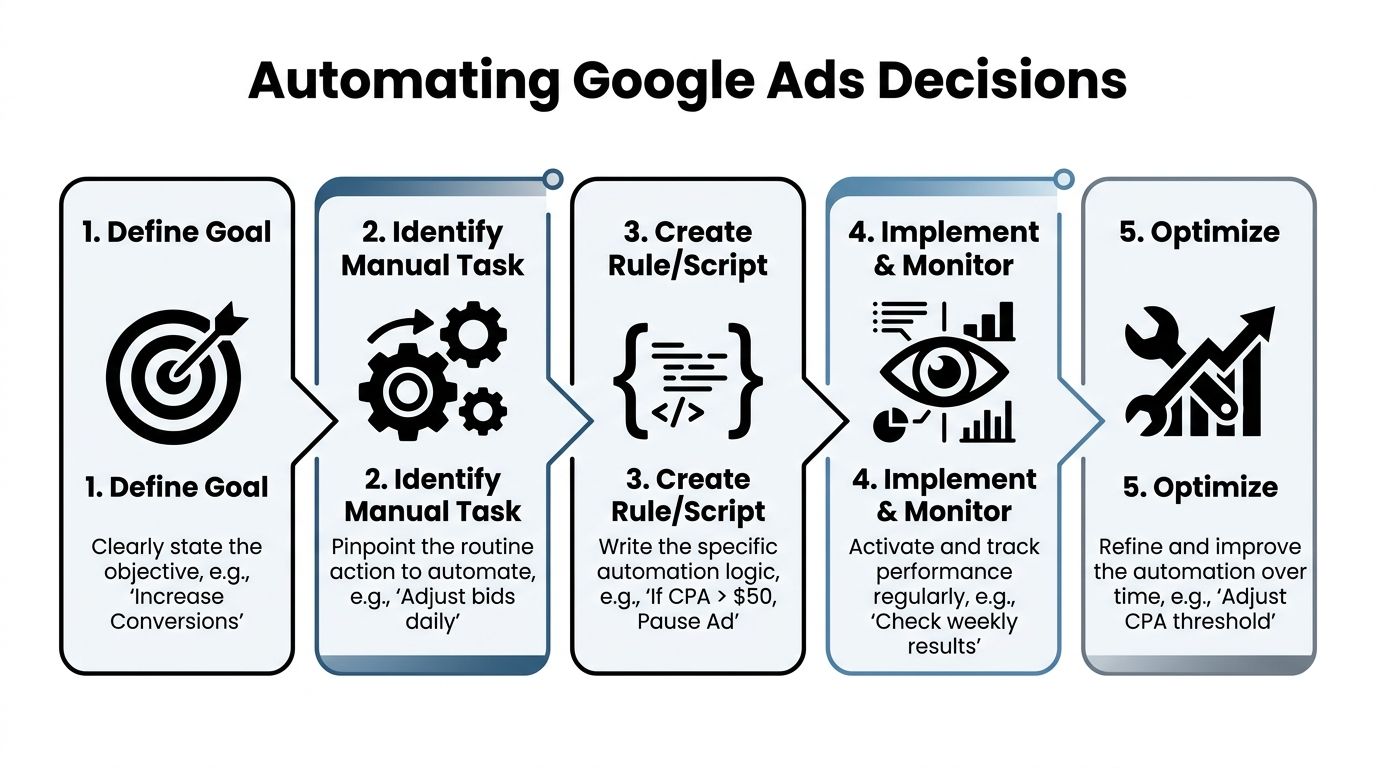
Automating Decisions with Rules and Scripts
Manual optimization is still useful. Manual monitoring of everything is not.
The right automation setup doesn't replace judgment. It protects judgment by handling repetitive checks, surfacing exceptions, and keeping your account from drifting when no one is logged in.
Start with conversion signal quality
Before you automate bids, automate alerts, or trust Smart Bidding, make sure conversion tracking is mature enough to support those decisions.
Between 2020 and 2022, accounts with mature conversion tracking and 80 to 100 or more conversions per month saw roughly 30% faster performance improvement with Smart Bidding compared with manual management, according to this Google Ads optimization summary.
That's the key trade-off. Smart Bidding can move faster than a human operator when the account gives it clean enough signals. If the signals are weak, delayed, duplicated, or incomplete, the automation just gets confidently wrong.
Use rules for guardrails
Automated rules work best when they manage edge cases and thresholds.
Good examples include:
- Pause alerts: Flag keywords or ads that are spending without producing meaningful outcomes based on your own account thresholds.
- Visibility alerts: Notify the team when impression share drops sharply on priority campaigns.
- Budget pacing checks: Catch campaigns that are exhausting budget too early or barely serving at all.
- Status monitoring: Watch for disapprovals, broken assets, or sudden delivery changes.
This is also where broader automation thinking helps. If you want ideas outside the Google Ads interface, this piece on AI bots for marketing success gives a useful view of how teams use automation to reduce repetitive marketing work without handing over every decision.
Scripts are for the gaps rules can't cover
Rules are great for simple if-then logic. Scripts help when you want account-wide monitoring, custom reporting, or exception handling across many entities.
Common script use cases include:
| Automation layer | Best for | Why it helps |
|---|---|---|
| Rules | Direct thresholds and status actions | Fast to set up and easy to monitor |
| Scripts | Cross-account logic, custom alerts, deeper checks | Better for scale and recurring oversight |
| Smart Bidding | Real-time auction decisions | Handles bidding complexity humans can't manage manually |
A good internal habit is to document every automation with three lines: what it watches, what it changes, and when a human should override it. That alone prevents a lot of bad automation debt.
If you're standardizing this process across accounts, a workflow for automating weekly account audits can save a lot of admin time.
Automation should remove repetitive decisions, not hide important ones.
Building a High-Velocity Testing Cadence
Fast optimization depends on testing, but most accounts don't have a testing cadence. They have bursts of ad edits.
That's not the same thing. A burst creates noise. A cadence creates learning.

Test one thing that matters
The fastest tests are usually the simplest ones.
Don't rewrite the whole campaign at once. Pick one variable with a clear reason behind it. That might be headline angle, offer framing, CTA wording, landing page message match, or form friction.
A strong test starts with a plain-language hypothesis:
- A benefit-led headline may pull stronger qualified clicks than a feature-led headline.
- A tighter offer in the first description line may improve conversion intent.
- A landing page that mirrors the search query more closely may reduce drop-off.
That kind of hypothesis keeps your review grounded. You're not just “trying new copy.” You're checking whether a specific message change improves a specific behavior.
Protect the learning phase
Here's where teams slow themselves down. They touch campaigns too often.
Google notes that campaigns re-optimized more than once per week without clear hypotheses or segment-level data can suffer 10 to 20% efficiency loss due to disrupted algorithm learning, as discussed in this Smart Bidding workflow video.
That doesn't mean “change nothing.” It means stop making unsystematic edits.
A better weekly pattern looks like this:
- Choose one priority test area
- Change one major variable at a time
- Leave enough time for clean readout
- Review by segment, not only top-line averages
- Roll forward only the clear winners
A campaign needs room to teach you something. If you edit it every other day, it won't.
Keep the review simple
You do not need fancy experimentation theater to move faster. You need a log.
Track:
- the hypothesis
- the date the change went live
- what changed
- where it changed
- what metric will decide the winner
- what you'll do next if it wins or loses
That last part matters. A lot of teams run tests but never operationalize results. If a headline angle works in one ad group, apply the lesson where the same intent pattern exists elsewhere. If a landing page variant fails, document why and move on.
A quick explainer like the one below can help align the team on test discipline before the next review cycle.
High velocity does not mean high chaos
A high-velocity testing cadence feels calm. There's always something running, always something being reviewed, and never a scramble to invent work.
That's the point. Consistent testing turns optimization into a rhythm instead of a rescue mission.
Measuring What Matters and Scaling Your Success
If you want to know whether your faster workflow is working, ignore vanity comfort metrics first.
The cleanest read usually comes from business metrics. Look at CPA, ROAS, conversion quality, and profitable volume. Those tell you whether the account is improving in a way the business can feel.
Treat Optimization Score carefully
Google Ads Optimization Score can be useful as a diagnostic prompt, but it shouldn't become the target.
Google defines it as a 0 to 100% indicator of how well a campaign is set up relative to best practices, and notes that applying recommendations can improve performance. It also cautions advertisers to focus on business-critical KPIs instead of the score alone, as explained in this overview of Google Ads Optimization Score.
That distinction matters. A cleaner score can still distract you from profit. Not every recommendation deserves action, especially if it pulls the account away from your proven structure.
Scale the process, not just the campaign
Once you find something that works, don't stop at celebrating the one win.
Scale in layers:
- Across similar ad groups: Apply message patterns where intent is closely related.
- Across keyword themes: Expand proven search terms into more controlled structures.
- Across account routines: Turn successful checks into standard operating procedure.
- Across team workflows: Make prioritization criteria visible so everyone reviews accounts the same way.
If you want another perspective on practical small-business paid search execution, these PPC tactics from Polaris Marketing are a useful complement to a tighter optimization workflow.
The loop that keeps accounts improving
A reliable system looks like this:
| Stage | Question | Output |
|---|---|---|
| Audit | Where is the biggest opportunity or leak? | Ranked priorities |
| Execute | What is the smallest useful fix or test? | Focused change |
| Measure | Did core KPIs improve? | Clear keep-or-kill decision |
| Scale | Where else does this lesson apply? | Broader account lift |
That's how to speed up Google Ads optimization without turning the account into chaos. You prioritize hard, clean the keyword workflow, automate the repetitive checks, test with discipline, and measure what the business values.
If you want a faster way to handle search term cleanup, negative keyword building, and match type application inside your existing workflow, take a look at Keywordme. It's built for the part of Google Ads management that usually eats hours and slows optimization down.
.svg)