
How to Reduce Wasted Ad Spend Google Ads in 2026
How to Reduce Wasted Ad Spend Google Ads in 2026


SEO Title: How to Reduce Wasted Ad Spend Google Ads
Meta Description: Learn how to reduce wasted ad spend Google Ads with audits, negatives, tracking fixes, and AI guardrails that protect budget and improve results.
You log into Google Ads, look at spend, and feel that familiar knot in your stomach. Clicks are coming in. Impressions look healthy. The budget is moving fast. But conversions either aren't there or don't line up with what the account should be producing.
That usually isn't one giant mistake. It's a pile of smaller leaks. A broad match keyword starts pulling junk traffic. A campaign keeps showing in places you don't serve. A conversion action breaks and nobody catches it. Performance Max keeps spending because the system is still "learning," but the signals you're feeding it are messy.
Many teams get stuck at this stage. They know waste exists, but they treat it like a vague account hygiene problem instead of an operational one. That's why the same waste keeps coming back.
The good news is that how to reduce wasted ad spend google ads isn't a mystery. It's a workflow. One 2026 Google Ads waste reduction analysis found that accounts that systematically audit search terms and adjust bids can cut waste by 15–25% in the first week, and that AI-assisted optimization across campaign types can reduce wasted spend from over 40% to under 15% within 90 days when budget is pushed toward high-intent traffic.
That Sinking Feeling Your Ad Spend Is Vanishing
A lot of wasted spend doesn't look dramatic at first. It looks ordinary. Search campaigns keep spending on terms that sound related but have weak intent. Smart bidding keeps chasing volume because your conversion data is incomplete. Display and Performance Max stretch farther than you wanted, and that extra reach feels productive until you trace it back to outcomes.
Junior PPC managers often focus on the wrong symptom here. They obsess over CPC, or blame one ad, or pause things too fast. The true problem is usually account control. When the structure is loose and the tracking is shaky, Google Ads will still find places to spend your money.
Most wasted spend hides inside "almost relevant" traffic. That's why it survives surface-level optimizations.
This is also why generic advice doesn't hold up well anymore. "Add negatives" is correct, but incomplete. "Trust automation" is also incomplete. In 2026, the line between waste and exploration is blurrier, especially in automated campaign types.
If you want a useful outside perspective on where teams often misread local intent and account structure, this breakdown from Sensoriium is worth a look. It's a helpful reminder that relevance starts long before a click turns into a lead.
What actually changes the account fast
Three things usually create the first real turnaround:
- Search term cleanup: Pull the actual queries, not just the keyword list, and cut low-intent traffic aggressively.
- Bid control: Reduce pressure on terms that keep spending without earning their place.
- Measurement repair: Make sure the account can tell the difference between a good click and a useless one.
That combination is what turns Google Ads from a budget sink into a managed system. Not perfect. Just controlled.
Find the Leaks Your Google Ads Audit Checklist
Waste reduction starts with diagnosis. If you skip the audit and jump straight to fixes, you'll usually patch the loudest leak and miss the expensive ones.
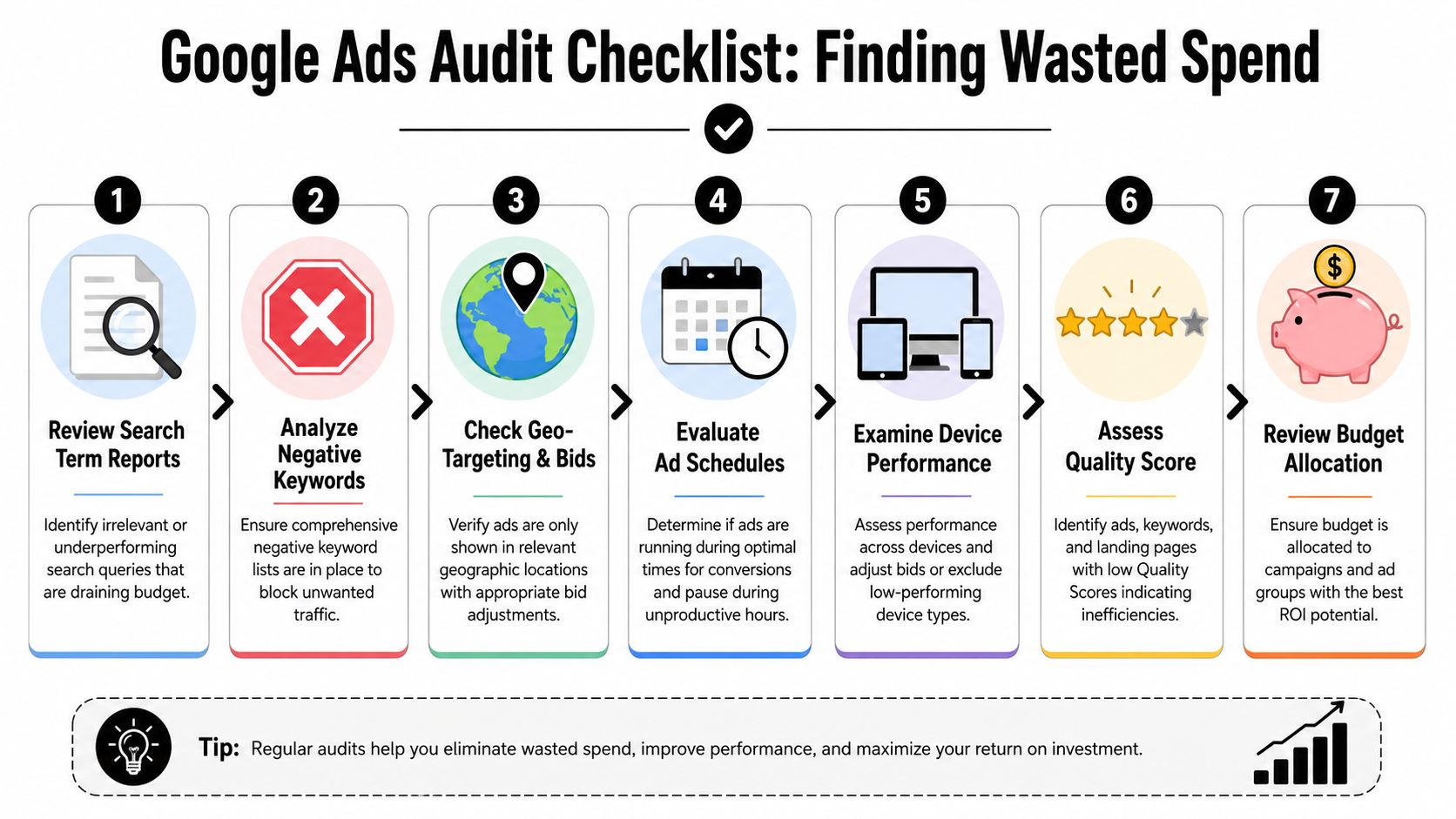
Start with the search terms report
This is still the best place to begin. A practitioner guide recommends pulling the last 30 days of Search Terms, sorting by cost, and reviewing every line for irrelevant or intent-mismatched queries. The same guide notes that a rigorous weekly review can lead to 10–20% CPC drops within 60–90 days from improved traffic quality and relevance, when negatives are added consistently and match types are tightened (Prohed's guide on reducing wasted ad spend).
Do not review this report casually. Sort by cost first. Expensive junk matters more than annoying junk.
Look for patterns like:
- Research intent: terms that suggest someone is learning, not buying
- Wrong fit searches: adjacent services, job seekers, support requests, definitions
- Broad match drift: queries that technically connect to the keyword but miss your offer
- Geographic mismatch: places you don't serve, or places where lead quality is consistently weak
Practical rule: Keywords are not truth. Search terms are truth.
Build a weekly audit rhythm
The audit itself doesn't need to be fancy. It needs to be repeatable. A lot of account waste comes from letting little problems sit for weeks because nobody owns the cleanup cadence.
Use a short checklist every week:
- Pull search terms: review cost-heavy queries first.
- Check negatives: make sure junk themes are blocked at the right level.
- Review match types: broad can stay, but only where intent is proven.
- Inspect geo performance: wasted spend often hides in locations nobody intended to target.
- Check ad schedule: some hours just burn budget.
- Review devices: performance gaps by device can be ugly.
- Scan landing page alignment: weak intent gets worse when the page doesn't match the promise.
If you want a reusable framework for this process, Keywordme's own PPC audit checklist template is a practical way to standardize reviews across accounts.
Don't stop at traffic quality
A good audit also asks whether the click had a fair chance to convert. That's where many PPC teams miss the bigger issue. They cut keywords when the actual problem sits on the page or in the funnel.
For that side of the analysis, I like pairing account review with conversion diagnostics. This guide on Otter A/B conversion rate strategies is useful because it keeps the focus on post-click friction instead of assuming every weak result is a targeting issue.
Here's a simple way to frame what you find:
| Audit area | What bad looks like | What to do |
|---|---|---|
| Search terms | Costly irrelevant queries | Add negatives, tighten match types |
| Geo targeting | Spend in weak or irrelevant locations | Exclude locations or adjust bids |
| Ad schedule | Clicks during low-value hours | Restrict schedule or lower bids |
| Devices | One device spends without results | Reduce bids or segment campaigns |
| Landing page fit | Query and page promise don't match | Align offer, headline, and CTA |
Most of the time, your first cleanup list writes itself once you look at the account this way.
Plug the Holes Immediate Fixes for Wasted Spend
Once the audit is done, stop analyzing and start cutting. At this stage, teams either improve fast or get lost in endless dashboards.

Fix tracking before you trust any conclusion
A 2026 budget-audit guide stresses that broken conversion tracking can make optimization useless, and that verifying pixel, server-side, and CRM tracking is foundational before making strategic cuts (The Brand Amp budget-audit guidance).
That point gets skipped all the time. A campaign can look wasteful when the attribution setup is the primary failure. If leads are landing in the CRM but not feeding back properly, you'll pause campaigns that are truly helping.
Check this in plain English:
- Pixel accuracy: are key events firing where they should?
- Server-side coverage: are browser limitations causing gaps?
- CRM connection: are qualified leads and sales feeding back into the ad system?
- Primary conversion settings: is Google optimizing to the right action?
This is not optional. If measurement is wrong, every "optimization" after that is guesswork.
Add negatives with intent, not emotion
Negative keyword work isn't about throwing a huge blocklist at the account. It's about shaping traffic quality while protecting volume that still has a chance to convert.
A good negative list usually has layers:
- Universal junk: jobs, free, meaning, definition, support, login, careers
- Offer mismatch: services or products you don't provide
- Audience mismatch: low-value intent you never want to pay for
- Campaign-specific exclusions: terms that belong in another campaign, not this one
If you want a deeper breakdown of list-building logic, this piece on optimizing ad performance with negative keywords is solid because it focuses on practical exclusion strategy instead of vague best practices.
For teams doing this inside Google Ads every day, tools matter because formatting and bulk edits eat time. Keywordme's negative keyword workflow is one example of a process built around cleaning search terms and applying negatives without all the copy-paste friction.
Tighten match types where the data is messy
Broad match isn't the villain. Unsupervised broad match is.
If a keyword theme keeps pulling low-intent traffic, shift control back into the account. That often means moving more of that theme into phrase or exact match until the conversion data is trustworthy again. Keep broad where it earns the freedom. Restrict it where it behaves like a leak.
If you can't explain why a broad keyword deserves exploration budget, it probably doesn't.
Pause spend drains decisively
Some parts of the account don't need another chance. If a keyword, ad group, or campaign has had enough runway and still isn't aligned with your goals, cut it.
That doesn't mean panic-pausing every weak performer. It means removing spend from places that repeatedly fail on intent, fit, or downstream quality. The best account managers are ruthless about this. Not emotional. Just clear-eyed.
Build Your Guardrails Automating Spend Protection
Manual cleanup works. It also fades. If the account depends on someone remembering to catch every leak by hand, waste comes back.
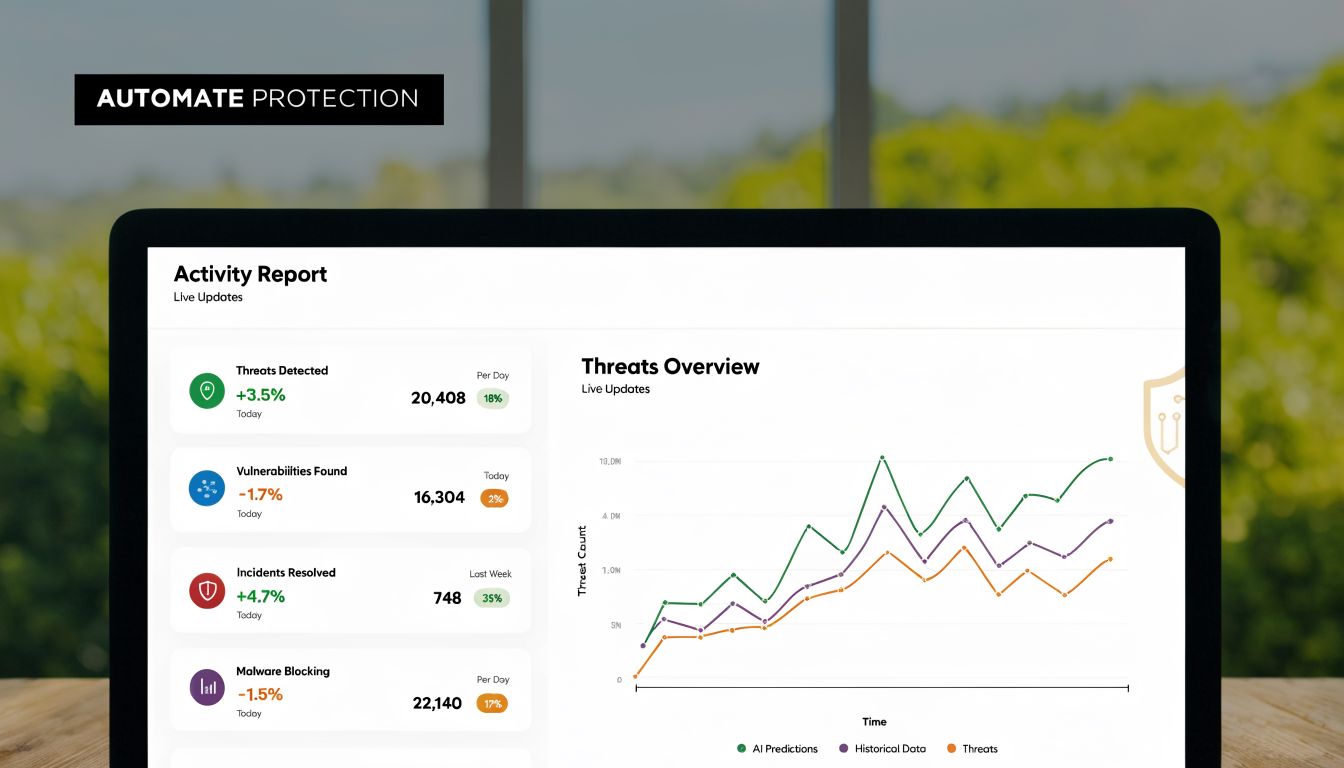
The fix is guardrails. Not more heroic monitoring. Real guardrails.
Use automated rules to stop runaway spend
One of the most practical ways to protect budget is to pause underperformers only after they cross a minimum-spend threshold. A 2026 guide on eliminating wasted ad spend gives examples like pause if spend exceeds $100 with zero conversions, specifically to avoid cutting ads too early while still putting a hard stop on inefficient spend (Cometly's guide to wasted ad spend techniques).
That logic matters. A rule without a minimum-spend trigger is reckless. A rule with one becomes useful.
A few good rule categories:
- Keyword guardrails: pause keywords after enough spend with no conversion signal
- Ad guardrails: stop ads that spend beyond tolerance without traction
- Campaign alerts: flag campaigns whose efficiency drops outside expected range
- Budget caps: keep experimental campaigns from turning into budget vacuums
Shared exclusions save more money than people think
A lot of wasted spend returns because teams block the same junk term three different ways in three different campaigns. Then a fourth campaign launches and nobody adds the exclusions.
Build shared negative lists for recurring waste themes. If the account regularly attracts job seekers, support traffic, or irrelevant product variants, block those centrally where it makes sense. That turns cleanup into infrastructure.
Here's a quick visual if you want a walkthrough of automation thinking in practice:
Don't automate yourself into bad decisions
Smart teams still mess up here. They automate the action before they define the context.
Rules should respect account reality. Brand terms behave differently from non-brand. Lead gen behaves differently from ecommerce. Early funnel tests need looser thresholds than mature campaigns. If you automate everything with one blunt standard, you'll protect budget in one place and suffocate growth in another.
Automation should enforce your judgment, not replace it.
The best setup is usually simple. A few hard stops. A few alerts. Shared negatives. Clear human review. That combination keeps accounts from drifting without turning management into a black box.
Stop Waste in the Age of Performance Max and AI
The old advice says to cut whatever isn't working. That sounds sensible until you're dealing with campaign types that don't show you the full picture.

Performance Max, automated bidding, and AI-assisted delivery changed the waste conversation. Some spend is genuine exploration. Some is plain inefficiency. If tracking is weak, those two things look the same. That's why "just pause it" is often the wrong move.
Google's own budget guidance points to the core issue: when AI campaigns blur the line between exploration and waste, advertisers need to feed the system better data through verified tracking and strategic targeting instead of cutting campaigns based on incomplete attribution signals (Google's guidance on stretching your Google Ads budget).
Judge AI campaigns by signal quality first
Before you decide whether an automated campaign is wasteful, ask:
- Is the conversion action trustworthy?
- Is offline value feeding back into Google Ads?
- Are audience signals relevant or generic?
- Is the campaign mixing high-intent and exploratory traffic together?
If those inputs are weak, the campaign isn't really "smart." It's just spending with bad instructions.
Separate learning from leakage
This is the mental model that helps. Exploration is allowed. Leakage is not.
Exploration means the system is testing into adjacent demand because you've given it a useful target and enough room to learn. Leakage means the system is spending into low-quality traffic because your campaign structure and conversion signals are too loose to guide it.
A few structural fixes help a lot:
| Problem | Better approach |
|---|---|
| Brand and non-brand are blended | Separate them so intent stays visible |
| High-intent and broad prospecting live together | Split them into distinct campaigns or asset groups |
| Conversion actions are too broad | Optimize to the action closest to business value |
| Audience signals are generic | Use more relevant first-party and intent-based signals |
If you're trying to keep tighter control over exclusions in automated campaigns, this guide on how to use negative keywords in Performance Max is a useful reference point.
Don't starve the machine, but don't worship it either
A lot of advertisers swing between two extremes. They either micromanage AI campaigns so aggressively that the system never gets room to learn, or they let the machine spend unchecked because "Google knows best."
Both are expensive habits.
What works is disciplined structure. Give automation clear goals, clean measurement, and controlled room to explore. Then review outcomes with skepticism. If the campaign keeps finding low-quality demand, that isn't innovation. It's drift.
Your New Mindset for Perpetual Ad Efficiency
The best Google Ads accounts aren't the ones with the cleverest hacks. They're the ones with a reliable operating rhythm.
You audit for leaks. You fix the obvious waste. You build guardrails so the same problems don't come back. Then you review again. That loop never ends, because the auction changes, the platform changes, competitors change, and buyer behavior changes with them.
Keep the loop simple
A durable account review cycle usually comes down to four moves:
- Audit reality: search terms, targeting, timing, devices, landing-page fit
- Fix what's leaking: negatives, match types, bids, pauses, tracking repairs
- Automate protection: minimum-spend rules, alerts, shared exclusions
- Measure honestly: use conversion data you trust
Clean accounts aren't built by one big cleanup. They stay clean because someone keeps tightening the system.
If you approach how to reduce wasted ad spend google ads this way, the work gets calmer. You're not reacting to every bad day in the dashboard. You're running a process that catches waste earlier, protects budget better, and gives good campaigns more room to perform.
If you want to speed up search term cleanup, negative keyword handling, and match type changes without living in spreadsheets, Keywordme is built for that workflow inside Google Ads. It's a practical option for teams that want tighter account control and less manual PPC busywork.
.svg)