
How Much Is YouTube Advertising in 2026
How Much Is YouTube Advertising in 2026


YouTube advertising usually costs $0.03 to $0.30 per view for skippable in-stream ads, or $6 to $25 CPM for non-skippable formats. The answer to how much is YouTube advertising is that it depends on bidding, targeting, and the campaign goal, not on a fixed rate card.
A lot of cost guides miss the part that matters in practice. The price you see in the auction is only the starting point, and the final spend changes fast once you narrow the audience, switch formats, or push for tighter reach.
Why There Is No Single YouTube Ad Price
The biggest mistake marketers make is looking for a single YouTube ad price like they're buying a product off a shelf. YouTube doesn't work that way. The platform runs through an auction, and the amount you pay depends on how you bid, who you target, and which ad format you buy into.
That's why two advertisers can run similar campaigns and still land in very different spend ranges. A broad awareness campaign with loose audience settings can look cheap on paper, while a tight B2B or finance campaign can climb fast because the auction gets more competitive. The same inventory is being contested by different advertisers with different goals.
The auction sets the floor, not a fixed bill
With YouTube, the auction doesn't hand you one universal price. It creates a market where your bids compete against other advertisers, and your final cost reflects that competition. A cheap view in one audience segment can become an expensive view in another if more advertisers want the same attention.
Practical rule: don't budget from an “average YouTube ad cost” alone. Budget from the auction model your campaign will actually use.
That matters because the platform can reward very different outcomes. If your goal is reach, you may lean into impression-based buying. If your goal is engagement, you may end up paying for views instead. Those are not interchangeable from a budgeting standpoint.
Format choice changes the math
The format you choose is often the biggest cost lever after targeting. A skippable in-stream campaign and a non-skippable campaign can tell completely different budget stories, even when they're promoting the same product. That's why cost questions should start with the format, then move to the audience, then the bid.
For planning, it helps to think in terms of auction behavior rather than one platform average. How much is YouTube advertising in your account? It's the amount your chosen format, audience, and bid strategy can sustain before delivery starts getting expensive or uneven.
Understanding CPV and CPM Pricing Models
YouTube advertising usually runs on either cost per view, or CPV, or cost per thousand impressions, or CPM. CPV and CPM solve different problems, so comparing them as if they were the same thing leads to bad budget decisions. The model you choose changes how spend accumulates and how quickly you learn from the campaign.

CPV pays for attention, CPM pays for exposure
For skippable in-stream ads, Google's CPV help page says advertisers pay when a viewer watches 30 seconds, watches the full ad if it's shorter than 30 seconds, or interacts with the ad, and it refers to the amount charged as the actual CPV for a TrueView view (Google Ads CPV billing rules). That makes CPV useful when you care about engaged views rather than raw impressions.
CPM works differently. You pay for every 1,000 impressions, which makes it easier to forecast reach and frequency. If you know your impression price, you can estimate spend more cleanly than you can with a view-based campaign where user behavior affects billing.
A simple way to think about it is this. If a campaign lands at a $0.10 CPV, then 1,000 views would cost about $100. If the same budget goes into a CPM campaign, your spend is tied to exposure, not to how long people watch.
Which model feels more predictable
CPM usually feels steadier for awareness work because you're buying a set volume of exposure. CPV can be more efficient when the creative is strong and the audience is responsive, but it can also wobble if the ad attracts the wrong viewers or the targeting is too narrow.
A CPV campaign can look inexpensive and still waste money if the views don't line up with your real audience.
For budgeting, the important question isn't which model is cheaper in theory. It's which model matches the business outcome you need. If your team wants reach, CPM gives you cleaner forecasting. If your team wants viewed attention, CPV gives you a tighter link between spend and engagement.
YouTube Ad Formats and Their Cost Structures
Different YouTube formats don't just look different, they price differently. That's why a cost estimate that ignores format choice is half-baked. The same budget can buy views, impressions, or a mix of both depending on what you launch.
The main formats at a glance
| Ad Format | Billing Model | Typical Cost Range | Best For |
|---|---|---|---|
| Skippable in-stream | CPV | $0.03 to $0.30 per view | Consideration, engaged views |
| Non-skippable in-stream | CPM | $6 to $25 CPM | Reach and uninterrupted exposure |
| Bumper ads | CPM | $3 to $20 CPM | Short awareness bursts |
| Demand Gen placements | CPM | Usually impression-based, range varies by auction | Discovery and upper-funnel reach |
The pricing patterns above line up with current market guides on YouTube ad cost benchmarks (Stackmatix pricing guide) and format-specific benchmark ranges in 2026 pricing coverage (StoreGrowers benchmarks). Those ranges are useful, but only if you remember they're benchmarks, not guarantees.
Skippable in-stream is the format many advertisers start with because it balances control and scale. Non-skippable in-stream tends to cost more per exposure, but it can make sense when the message needs to be seen start to finish. Bumper ads are more compressed, so they're usually used for quick recall rather than detailed explanation.
Which format fits which job
If the goal is awareness, bumper and non-skippable placements often make more sense because they buy clean exposure. If the goal is consideration, skippable in-stream is often easier to justify because you're paying when people stay with the message. Demand Gen can fit both discovery and retargeting-style work, but it behaves more like an impression-led system than a pure view-buy.
For creative examples and placement ideas, this internal resource is useful: 7 best sources for YouTube ads examples. It helps when you're deciding whether your ad should be built for short exposure, longer attention, or a direct response angle.
Realistic Budget Scenarios for Different Goals
The fastest way to get budget planning wrong is to copy a generic “average YouTube budget” and call it strategy. A better approach is to start with the format, the expected auction model, and the kind of learning you want by the end of the test.

Small business test budget
A small business testing YouTube for the first time usually needs enough budget to see whether the audience responds at all. Too little spend and the campaign never leaves the learning stage. Too much spend and you're paying for bad assumptions before you've validated the creative.
A practical test budget starts by picking one format and one audience, not five variations. Then you estimate cost from your expected CPV or CPM and run long enough to collect usable signal. If the campaign is skippable in-stream, a CPV-based test can be easier to control because you can cap view costs and watch how quickly the budget is consumed.
Lead generation and awareness budgets
For lead generation, the budget has to cover more than raw exposure. You need enough delivery to identify which audience slices interact and which ones just watch and leave. That's why lead-focused campaigns usually need more headroom than simple awareness tests.
Good budget planning starts with learning goals, not spend goals.
Brand awareness campaigns work differently. If you're buying exposure at scale, the budget should be large enough to create frequency without overfitting to a tiny audience pool. Otherwise, you end up with a campaign that looks active but keeps serving the same people too often.
For broader campaign planning, this internal guide on campaign budget optimization is useful because it keeps the focus on allocation, not just platform averages.
A simple way to estimate your own budget
Start with three inputs, your expected CPV or CPM, the audience size you can realistically reach, and the length of the test. Then ask how many views or impressions you need before making a decision. That gives you a cleaner budget than guessing from daily spend folklore.
The attached video below is a useful complement if you want to sanity-check how budget choices change delivery:
Factors That Drive YouTube Advertising Costs
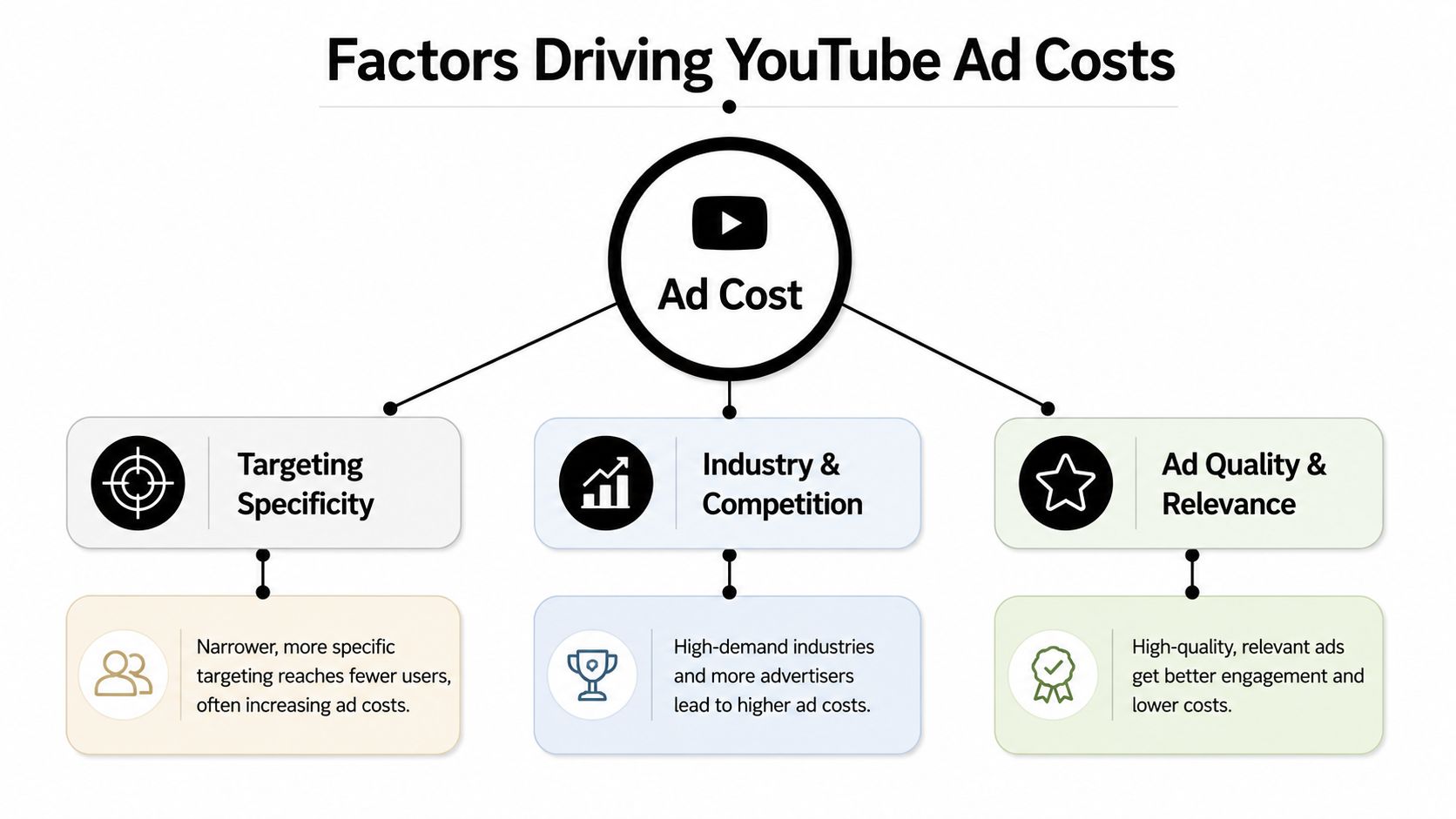
The biggest cost driver is rarely the ad itself. It's the way the campaign is framed. Targeting, competition, and creative relevance all shape how expensive each view or impression becomes.
Targeting specificity pushes cost in both directions
Narrow targeting can improve efficiency if you hit the right audience, but it can also make delivery more expensive because you're competing for a smaller pool. Broad targeting may lower costs, yet it often burns budget on people who don't care. That trade-off is the heart of YouTube economics.
Industry matters too. Finance and B2B campaigns often feel pricier because more advertisers are trying to reach the same decision-makers. Geography can do the same thing, especially in premium markets where demand is concentrated.
Competition and seasonality stack up
When more advertisers chase the same audience, the auction gets tighter. That's one reason peak retail periods often feel more expensive. Q4 tends to pull in more demand, and YouTube's quarterly ad revenue pattern shows that the platform itself sees its strongest advertising quarter then, with $10.473 billion in Q4 2024 ad revenue, its first quarter above $10 billion (Variety coverage of Alphabet's Q4 2024 earnings).
Ad quality matters as well. Better creative usually helps keep people watching, and better relevance helps the auction behave more efficiently over time. The practical effect is simple, weak ads cost more to force through a cold audience.
For a related look at creator-driven performance and how attention behaves on Shorts, this resource from BeyondComments is helpful: Shorts RPM explained for creators. It's not the same buying model, but it's a good reminder that short-form attention and monetization don't behave like a flat-rate system.
Bidding Strategies to Reduce Wasted Spend
Bid strategy is where a lot of wasted spend can be stopped before it happens. The mistake is setting a bid, hoping the auction sorts itself out, and then blaming the audience when results are weak.
Start conservative, then earn your way up
If you're unsure of the market, start with a conservative bid cap and let the data tell you whether the traffic quality is worth paying for. That keeps you from overcommitting before you understand how the audience responds. Once the campaign proves it can deliver usable views or impressions, you can raise bids with more confidence.
Maximum CPV can help when you want tighter control over view price, while target CPV makes sense when you want the system to optimize within a broader boundary. The choice depends on whether you value cost certainty or volume stability more.
Cut waste at the targeting level
Exclusions matter more than most advertisers admit. If a placement, audience segment, or device type keeps producing junk engagement, cut it early. The same goes for remarketing lists, which can be useful when you want to focus spend on users who already know the brand.
Keywordme fits here as one practical option for Google Ads cleanup, because it can help with negative keyword handling, match-type assignment, and search-term cleanup in accounts that feed into video or performance workflows. For a deeper playbook, the guide on how to use negative keywords to optimize YouTube ad campaign is worth keeping handy.
Waste usually comes from what you leave in the campaign, not what you leave out.
That's the optimization game. A decent bid strategy is useful, but a clean account structure and ruthless exclusion logic usually do more to protect budget.
Planning Your First YouTube Ad Campaign
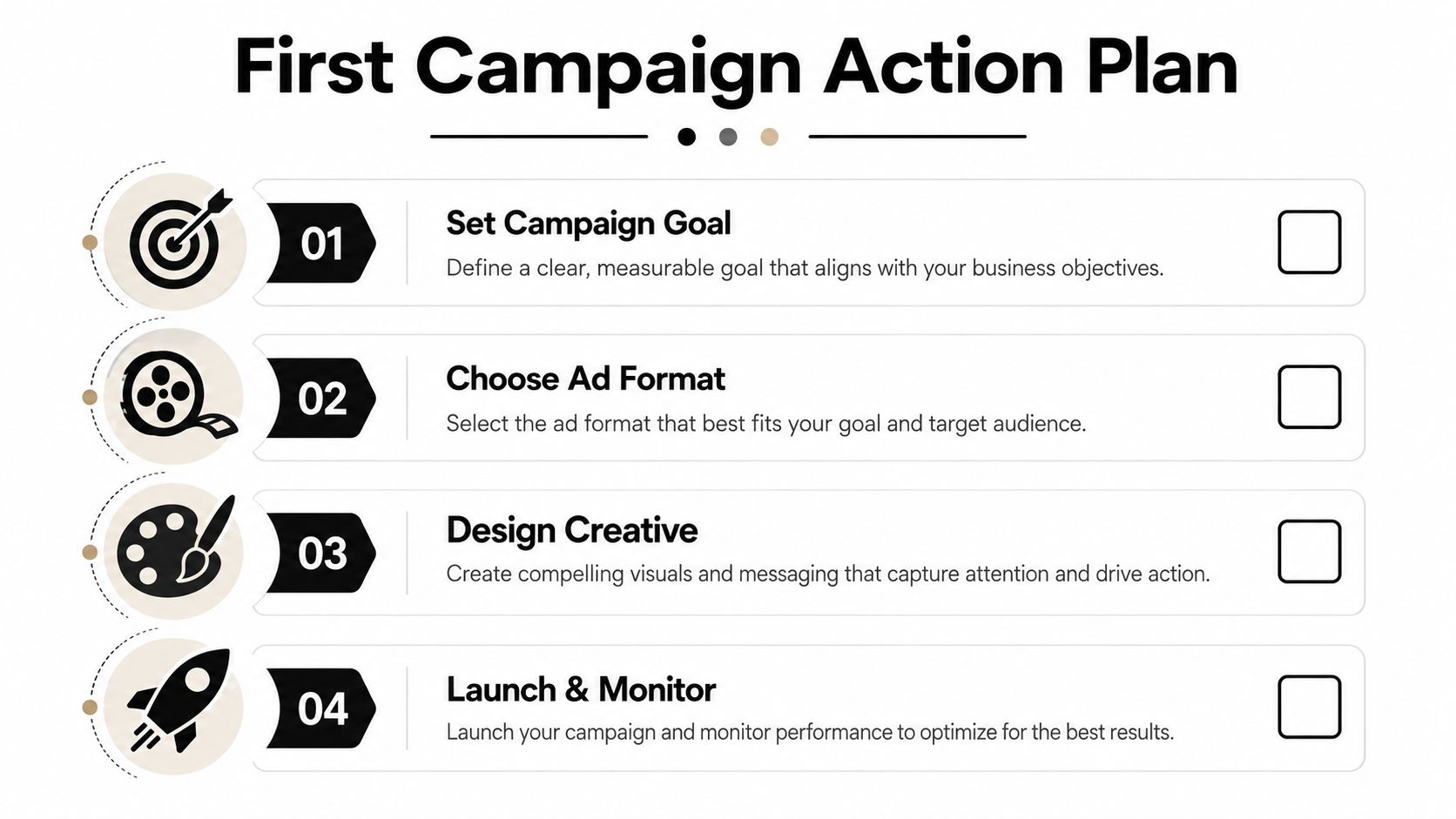
The first campaign should feel controlled, not heroic. Pick one goal, one format, and one audience, then give the system enough time to show a pattern. If you try to do everything at once, you won't know what worked.
A simple launch checklist
- Set the goal first. Decide whether the campaign is about reach, views, or leads before you touch the budget.
- Choose the format second. Match skippable in-stream, non-skippable, or bumper to the goal, not to habit.
- Design the creative for the auction. Short, direct ads usually need less explanation and make the billing model work harder for you.
- Launch and watch the first signals. Early performance tells you whether the audience is aligned, the bid is realistic, and the message is landing.
The first two weeks are usually about pattern recognition, not perfection. If delivery is weak, the targeting may be too tight. If spend is climbing and engagement is thin, the creative or audience match may be off. If the campaign is producing the right kind of attention, you can scale carefully instead of forcing it.
Small adjustments beat dramatic rewrites. Change one variable at a time so you know whether the improvement came from the bid, the audience, or the ad itself. That discipline saves money and makes future budgeting much easier.
If you want a cleaner way to estimate YouTube costs before you launch, Keywordme can help you organize keyword research, negative keywords, and budget inputs in one workflow. Visit Keywordme to see how the tool supports Google Ads planning, cost control, and account cleanup without the usual manual grind.
.svg)