
Your Guide to the Google Ads ROI Calculator
Your Guide to the Google Ads ROI Calculator


A good google ads roi calculator is more than just a spreadsheet. It’s a reality check. It forces you to look beyond the surface-level numbers and get honest about what’s really working. Because at the end of the day, you’re not just trying to drive clicks—you’re trying to build a profitable business.
Why Your Google Ads ROI Is More Than Just a Number

Let's be real: you're pouring money into Google Ads because you expect to get more back. A lot more. But I’ve seen countless advertisers fall into a common trap: they get fixated on a high Return on Ad Spend (ROAS) and think they're winning.
The truth can be a rude awakening.
ROAS is a simple metric. It just tells you how much revenue you generated for every dollar spent on ads. A 400% ROAS means you brought in $4 for every $1 you spent. Sounds fantastic, right? Maybe not. That number says absolutely nothing about your actual profit margins.
The ROAS Trap: A Real-World Story
I once worked with an e-commerce client selling high-end leather bags. They were ecstatic about their 400% ROAS (a 4:1 return). They'd spent $10,000 on ads to generate $40,000 in sales. On the surface, it looked like a home run.
But when we started pulling on that thread, the story completely unraveled.
Their Cost of Goods Sold (COGS)—the raw materials, artisan labor, and fulfillment—was 60% of their revenue. So, of that $40,000 in sales, their gross profit was only $16,000.
Once you subtract their $10,000 ad spend, the real profit was a slim $6,000. Their true Return on Investment (ROI) wasn’t 400%; it was a much more sober 60%. They were making money, sure, but their campaigns were running on dangerously thin ice. Focusing only on ROAS had completely masked how close they were to losing money.
This is the critical difference: ROAS measures revenue efficiency, while ROI measures profit efficiency. One makes you feel good; the other tells you if the lights are going to stay on.
ROI vs ROAS: What's the Real Difference?
To build a healthy, sustainable advertising engine, you have to get comfortable with both metrics. Think of ROAS as a quick temperature check for a specific campaign, while ROI is the full physical for your business's financial health.
It's easy to get these two mixed up, but understanding the distinction is non-negotiable for running profitable ads.
Simply put, ROAS is all about revenue, while ROI is all about profit. You need to know both, but your long-term strategy should always be guided by ROI.
Chasing ROI doesn't have to be a grind. For many local service businesses, a well-managed campaign can easily see a Google Ads ROI between 200% and 600%. I've seen clients turn a $1,500 ad spend into $6,000 in high-margin service revenue—a 300% ROI that puts real cash in their pocket.
The formula itself is straightforward: (Revenue from Ads − Cost of Ads) ÷ Cost of Ads × 100. If you want to benchmark your own numbers, you can explore more data on typical Google Ads costs and returns to see what’s possible.
Ultimately, shifting to a profit-driven mindset means you stop chasing vanity metrics. Using a proper google ads roi calculator forces you to account for every single cost, giving you the clarity to make smart, strategic decisions that actually grow your bottom line.
Gathering the Data for an Accurate Calculation
Any google ads roi calculator is a fantastic tool, but it's only as good as the numbers you plug into it. We've all heard the old saying "garbage in, garbage out," and when it comes to your ad budget, it's the absolute truth. If you want a real, honest look at your profitability, you have to look past the surface-level metrics.
This isn't just about yanking your total ad spend from your Google Ads dashboard. It’s about putting on your detective hat and tracking down every single cost and piece of revenue connected to your campaigns. Let's get into the nitty-gritty and build a data set you can actually trust.
Finding Your Total Ad Spend and Revenue
Alright, let's start with the two numbers everyone thinks of first: what you spent and what you brought in. Don't just eyeball these—precision is key here.
- Total Google Ads Cost: This one's the gimme. Just log in to your Google Ads account, pick the date range you want to analyze, and look for "Cost." It’s usually right there on the main overview page and is the starting line for this whole process.
- Total Revenue from Ads: This is where good conversion tracking becomes non-negotiable. If you've set it up properly, the "Conv. value" column in Google Ads shows you the money your campaigns have generated. For e-commerce folks, platforms like Shopify or WooCommerce can also give you reports linking sales directly back to Google Ads.
Seriously, without solid conversion tracking, you’re just flying blind. Any ROI you calculate without it is nothing more than a wild guess.
Pro Tip: Double-check that your "Conv. value" in Google Ads is actually tracking revenue, not just counting the number of conversions. For lead gen campaigns, you’ll have to work out a value per lead later, but for direct sales, that number needs to reflect what the customer paid.
Uncovering Your Hidden Costs
This is where so many advertisers drop the ball. They stop at ad spend and revenue, which gets them a decent ROAS figure, but it's not the whole story. To get to your true ROI, you have to account for all the other costs that go into making that sale happen. For accurate ROI calculations, gathering comprehensive data is key. This involves a systematic approach, similar to how businesses approach general financial record-keeping to ensure all expenses are track expenses effectively.
Your actual costs are almost always higher than just the ad clicks.
Cost of Goods Sold (COGS)
If you're in e-commerce, this is your biggest expense right after the ad spend itself. COGS covers all the direct costs of getting your product out the door. We're talking about things like:
- Raw materials
- Manufacturing or assembly labor
- Packaging, boxes, and tape
- Payment processor fees (like from Stripe or PayPal)
If you made $10,000 in sales from your ads, but it cost you $4,000 to produce and ship those products, that $4,000 is a massive piece of the ROI puzzle.
Other Operating Expenses
Beyond the cost of the products themselves, general business overhead also chips away at your profit. You need to attribute a fair slice of these costs to your advertising efforts. These can include:
- Agency or Freelancer Fees: If you’re paying a pro to run your campaigns, their fee is a direct cost.
- Software and Tool Subscriptions: Don't forget the cost of your landing page software, CRM, or any optimization tools you're using.
- Team Salaries: If you have an employee spending half their time managing Google Ads, then half their salary for that period should be counted as a campaign cost.
To get a better handle on all these potential expenses, you can see our detailed breakdown of what a typical Google Ads budget includes. By hunting down every one of these numbers, you stop guessing and start knowing. This detailed data collection is the critical first step before you can use a google ads roi calculator to make genuinely smart, profit-focused decisions.
How to Calculate Your True Google Ads ROI
Alright, let's get to the good stuff. You've wrangled all your data—the revenue, the ad spend, and all those other costs that love to hide in the shadows. Now it's time to put those numbers to work and figure out if your Google Ads are actually making you money.
This isn't just about crunching numbers; it's about getting the real story behind your campaign's performance.
The formula for Return on Investment is actually pretty straightforward. But don't let its simplicity fool you. This little equation is one of the most powerful tools you have.
ROI Formula: (Revenue from Ads – Total Costs) / Total Costs
This gives you a percentage that shows your net profit for every single dollar you've invested. If it's positive, you're profitable. If it's negative, you're losing money. Simple as that.
This chart lays out all the pieces you need to pull together for a true ROI calculation.
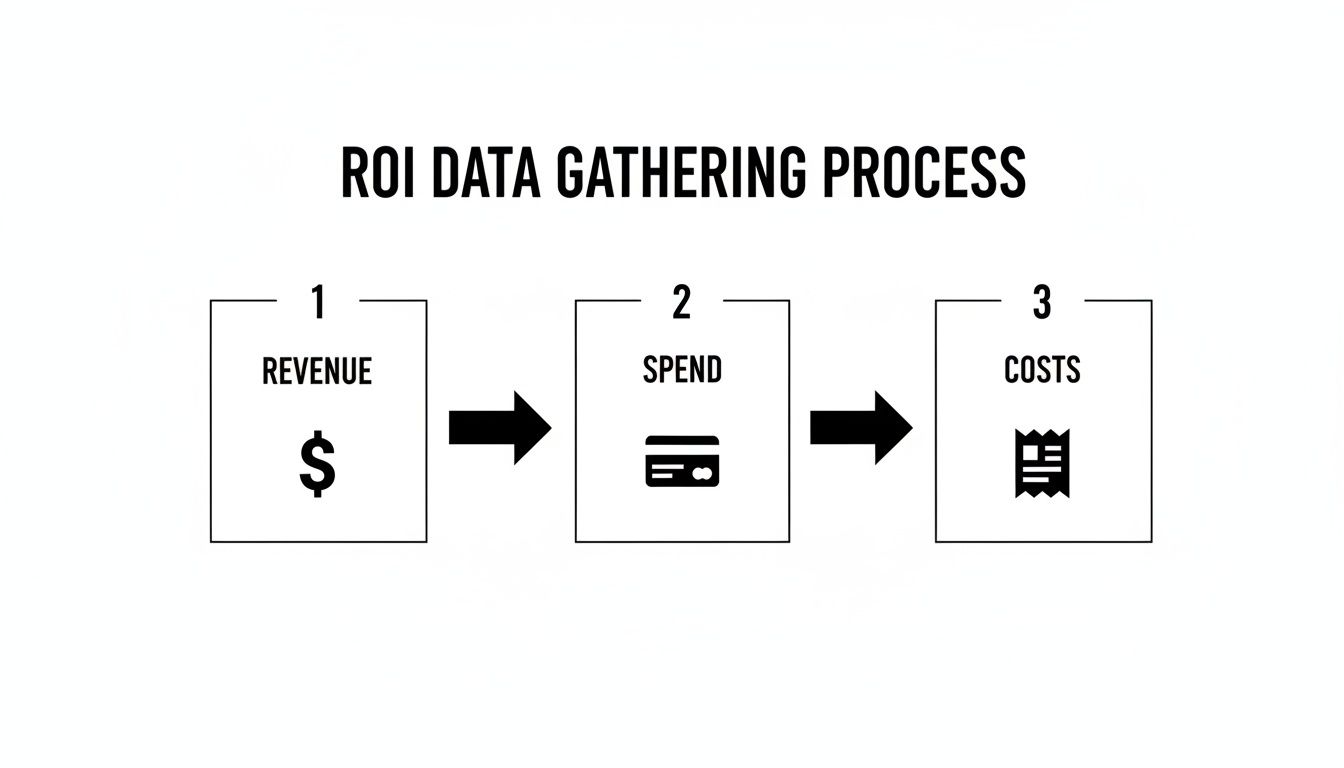
As you can see, it's about looking beyond just ad spend and revenue. To get a real sense of profitability, you have to account for everything.
A Real-World Ecommerce Example
Let's walk through an example. Say you run an e-commerce store, "Artisan Mugs," and you've been running a Google Ads campaign for the last month. After digging through your records, here's what you found:
- Total Revenue from Google Ads: $4,000
- Total Google Ads Spend: $800
- Cost of Goods Sold (COGS): $1,600 (Your mugs have a 40% margin)
- Other Costs (Agency fees, software): $400
First things first, we need your Total Costs.
$800 (Ad Spend) + $1,600 (COGS) + $400 (Other Costs) = $2,800
Now, we just pop those numbers into our ROI formula:
($4,000 - $2,800) / $2,800 = $1,200 / $2,800 = 0.428
Multiply that by 100 to get a percentage, and there you have it. Your true Google Ads ROI is 42.8%. This means for every dollar you put into the entire operation, you walked away with nearly 43 cents in pure profit.
Comparing ROI with ROAS
This is where things get really interesting. Many marketers get hung up on ROAS (Return on Ad Spend), which has a much simpler formula: Revenue / Ad Spend.
For our Artisan Mugs shop, the ROAS would be:
$4,000 (Revenue) / $800 (Ad Spend) = 5x or 500% ROAS
See the massive difference? A 500% ROAS looks amazing on a report, but it conveniently ignores all the other costs of doing business. Your actual profit, your ROI, is a much more grounded 42.8%.
This is precisely why you can't just rely on the default metrics. It’s the difference between feeling successful and being successful. Understanding how to calculate marketing ROI in a way that reflects true profit is critical.
A simple spreadsheet can make this crystal clear. By separating ad spend, COGS, and other costs, you can instantly see both your ROAS and your true ROI side-by-side. It’s a powerful way to keep your eye on the real prize: profitability.
Of course, this all hinges on having accurate data in the first place. Garbage in, garbage out. If your tracking isn't set up correctly, none of these calculations will mean much. Make sure you've nailed your data collection by reviewing our guide on setting up Google Ads conversion tracking. It’s a crucial first step.
Interpreting Your Results and Setting ROI Goals
Alright, you've punched the numbers into a google ads roi calculator, and now you have a result. Maybe it's a solid 50%, maybe it's a jaw-dropping 300%. But the big question is always the same: Is that good?
Honestly, the answer is "it depends." A "good" ROI isn't some universal constant. It's a number that has to make sense for your specific profit margins, your industry, and what you’re trying to achieve as a business.
What's a Good ROI for Google Ads?
While there's no single magic number, it helps to have a general benchmark. You'll often hear people toss around a 5:1 ratio as a solid target. This breaks down to a 400% ROI, meaning for every dollar you put into the campaign (ads, people, tools), you get $5 back in revenue, which is $4 in profit.
But that's just a rule of thumb. In reality, what’s considered "good" can look completely different depending on your field.
- E-commerce: You're often working with tighter profit margins and tons of competition. Here, an ROI of 200% to 400% is often seen as very healthy, especially if you're driving high sales volume.
- Local Services (Plumbers, Lawyers, etc.): These businesses typically have much higher margins on each job. It's not uncommon to see—and expect—an ROI in the 300% to 700% range.
- SaaS (Software as a Service): The math gets a little more complex here. A lower initial ROI might be perfectly fine, even expected, if your Customer Lifetime Value (LTV) is high. More on that in a bit.
Don't get too fixated on these figures. Think of them as a compass, not a map. The real goal is to set a target that works for your business.
A brand-new company might be perfectly happy to break even (0% ROI) for six months just to grab market share and get its name out there. On the flip side, an established business with razor-thin margins might need a minimum of 300% ROI to even consider a campaign worthwhile.
Setting Realistic ROI Goals for Your Business
Your ideal ROI is tied directly to your business's financial DNA. To figure out a realistic target, you need to look at your own numbers and objectives.
The first place to start is your profit margins. If your product only has a 20% profit margin, you're going to need a much, much higher ROI to be profitable than a service-based company with an 80% margin.
You also have to consider your business's current stage. Are you in a phase of aggressive growth, or are you aiming for steady, predictable profits? If you're trying to scale quickly, you might be willing to accept a lower initial ROI, knowing you're investing in acquiring customers who will pay off down the road.
If you want to get a better handle on the revenue side of things, our guide on the return on ad spend formula is a great place to start. It helps you nail down ROAS before you factor in all your other costs for the full ROI picture.
Why Customer Lifetime Value Changes Everything
This is where a simple google ads roi calculator can sometimes lead you astray. Most calculators are designed to measure the return from the first purchase. But what about when that customer loves what you do and comes back to buy again? And again?
That's where Customer Lifetime Value (LTV) completely changes the game.
Let's say you run a subscription box service. You spend $150 on Google Ads to get a new customer who signs up for your $50/month box. Based on that first transaction, your ROI is negative. Looks like a total failure, right?
Not so fast. If that customer typically sticks around for 12 months, their LTV is actually $600 ($50 x 12). All of a sudden, your $150 investment didn't just bring in $50—it brought in $600 in revenue over time. That ROI is looking pretty fantastic now.
If your business relies on repeat customers—whether you're in SaaS, run a local coffee shop, or sell anything people buy more than once—you have to think about LTV. I always recommend calculating ROI in two ways:
- Transactional ROI: This is your immediate return, based on the profit from that very first sale.
- LTV-Based ROI: This is your long-term return, based on the total profit you expect to make from that customer over their entire relationship with you.
Looking at both gives you the full story. It helps you see the true, long-term impact of your ads and can turn what looks like an "unprofitable" campaign into a clear winner for your business.
So You Have Your ROI Number. Now What?

Alright, you've crunched the numbers with a google ads roi calculator and you have a clear, honest picture of your account's profitability. Seeing that number is one thing, but the real fun starts now: making it go up.
This is where you stop being a data analyst and start being a strategist. It's time to take those insights and turn them into simple, powerful actions that make your ad account a genuine money-maker.
Plug the Leaks by Adding Negative Keywords
The single biggest money pit in almost every Google Ads account is paying for clicks that have zero chance of ever converting. I'm talking about all the junk search terms that sneak past your targeting and just eat your budget alive. Your first—and most impactful—move is to cut off this waste.
Think of negative keywords as the gatekeepers for your campaigns. If you sell "men's leather boots," you absolutely do not want to pay for clicks from someone searching for "leather boot repair" or "free pictures of boots." Every single dollar spent on those clicks is a dollar you might as well have set on fire.
You can start by digging through your Search Terms Report and adding negatives manually. But let's be honest, it's a never-ending game of whack-a-mole. It’s tedious, mind-numbingly boring, and it's incredibly easy to miss things.
This exact problem is why we built Keywordme. Our tool automates the entire cleanup. It scans your search term data for you, flags the irrelevant and expensive terms, and lets you block them with a single click. Instead of losing hours in spreadsheets, you can plug the biggest holes in your budget in just a few minutes and see an immediate impact on your ROI.
Imagine you’re spending $50 a day on irrelevant clicks. That’s $1,500 a month completely wasted. By simply eliminating that junk traffic, you’ve either added $1,500 back to your bottom line or freed it up to spend on keywords that actually drive sales.
Get Smarter With Your Keyword Targeting and Match Types
Once you've stopped the bleeding from junk clicks, the next step is to refine the keywords you're actively bidding on. This all comes down to getting strategic with your match types. Leaving a broad match keyword running without supervision is like leaving your wallet on a park bench—it's not going to end well.
Here's how I think about them:
- Broad Match: Use this one carefully, almost exclusively for research. Keep the bids low and be prepared to aggressively add negative keywords as you see what traffic it brings in.
- Phrase Match: This is your workhorse. It gives you a great balance of finding new customers while maintaining control, showing your ads for searches that include the meaning of your keyword.
- Exact Match: This is where the money is. When you find a search term that brings in sales over and over, you lock it down as an exact match keyword. This ensures you're putting your budget toward your most valuable, high-intent traffic.
Again, trying to manage match types for hundreds of keywords is a massive time-suck. With Keywordme, you can see your best-performing search terms and instantly add them as new exact or phrase match keywords, building out your most profitable campaign structures in a fraction of the time.
Make Sure Your Ads and Landing Pages Connect
Your ROI isn't just determined by your keywords. It's about the entire customer journey, from the moment they see your ad to the moment they click "buy." If your ad copy is bland or your landing page is a confusing mess, even the most perfect traffic in the world won't convert.
A quick win here is to look at your best keywords. Does your ad copy specifically mention those terms? Does your landing page headline echo the promise made in the ad? This is called message match, and it's absolutely essential for keeping people on the page and guiding them toward a purchase.
To bring it all together, here’s a look at some of the most common issues that tank your ROI and how a tool like Keywordme gives you a direct fix.
Top ROI Killers and How Keywordme Fixes Them
These are the silent budget-drainers we see every day. The table below shows you exactly what to look for and how to solve it quickly.
Ultimately, boosting your ROI is an ongoing cycle of refinement. It's not a one-and-done task.
Start by cutting out the obvious waste with negative keywords. Then, sharpen your targeting with smart match types. Finally, make sure your ads and landing pages create a smooth, compelling path to purchase. This simple action plan will turn your google ads roi calculator from a report card into a roadmap for real, sustainable growth.
Your Google Ads ROI Questions, Answered
Once you start digging into real profitability, a lot of questions naturally come up. It's totally normal. Let's walk through some of the most common ones that marketers ask when they're getting serious about their Google Ads ROI.
How Often Should I Calculate My Google Ads ROI?
For most businesses, checking your ROI on a monthly basis is the right rhythm. That's usually enough time for real trends to emerge, letting you see what's working without getting lost in the day-to-day noise.
Of course, there are exceptions. If you're managing a massive account with a huge budget or running a short, intense campaign—like for a Black Friday sale—you'll probably want to check in weekly. The key thing is just to be consistent. Pick a schedule you can stick with, because that’s how you’ll spot sudden performance drops and make meaningful, apples-to-apples comparisons over time.
Can I Have a High ROAS but a Negative ROI?
Yes, absolutely. And honestly, this is one of the most common and dangerous traps marketers fall into. It's easy to be fooled by a good-looking ROAS.
ROAS only looks at the revenue generated for every dollar you spend on ads, but it completely ignores all the other costs of doing business. You might be celebrating a 300% ROAS, thinking you're making $3 for every $1 in ad spend. But what if your product costs, shipping, and overhead add up to more than $2 per sale? Suddenly, that "great" ROAS is actually losing you money on every single order.
That’s exactly why ROI is the metric that truly matters. It forces you to look at the whole financial picture and gives you an honest answer to the only question that counts: "Are we actually making money?"
What Is the Easiest Way to Improve My ROI Right Now?
The quickest win? Stop paying for irrelevant clicks. Every single dollar you waste on a search term that has nothing to do with what you sell is actively pulling your ROI down.
The first place I tell everyone to look is their Search Terms Report in Google Ads. Go there right now. I can almost guarantee you'll find people clicking your ads after searching for things you don't even offer. By adding those terms to your negative keywords list, you immediately stop the bleeding. It's the fastest way to give your ROI an instant boost.
How Does Customer Lifetime Value (LTV) Affect My ROI?
This is where things get really interesting. Factoring in LTV can completely change your perspective on which campaigns are your winners and losers. A campaign might look like a failure based on a customer's first purchase, showing a negative ROI. But what if that same customer comes back to buy from you over and over again?
For any business that relies on repeat purchases, looking at LTV is a game-changer. Let's say it costs you $100 to acquire a new customer, but their first order is only for $70. On paper, that's a clear loss. But if that customer goes on to buy from you five more times over the next year, their total value to your business is massive. That initial $100 acquisition cost now looks like a brilliant investment.
That's why I always recommend calculating ROI two ways: once based on the first transaction, and a second time factoring in your average LTV. This gives you a true, long-term view of your advertising's real impact.
Ready to stop wasting money and start maximizing your Google Ads profit? Keywordme automates the tedious work of finding and blocking wasteful search terms, helping you boost your ROI in minutes. Take control of your ad spend and discover how much more you could be making. Start your free trial of Keywordme today.
.svg)